Hi suvvers_ - answers to your Qs:
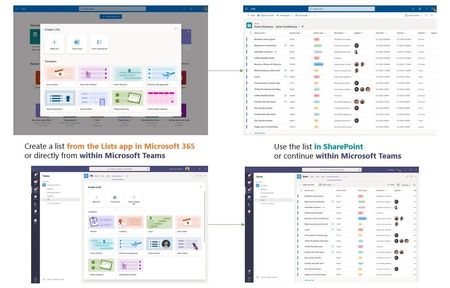
- The demo shows that you can create a list from the app and save to either personal OneDrive or a group connected Team site - can you save to non group connected SP sites? MK: Yes. You can save to any site that you own or are a member of.
- What will the administration look like (controlling available templates, user roles (if there are any?), permission management, list management)? MK: same as it is today for SharePoint lists. And as we introduce custom templates down the road, it'll come with common admin controls like you see for SharePoint site designs.
- Will there be a Microsoft Lists webpart for Sharepoint for the ability to view this list within a team site or communication site? MK: the Lists web part that exists today will be the same; it will get the update to render lists today and tomorrow without you having to do anything. And it pairs nicely with the Lists properties web part - fun to connect the two on a SharePoint page/news.
- Can you leverage managed metadata columns from within MS Lists? MK: Yes. Same as you can today with SharePoint lists; more here.
- Are there plans to be able to print a list - that would be so helpful! MK: Should be able to from a web browser with good fidelity; view the list in expanded mode and print page. But I get your feedback and a good one to think about.
- Dark mode? MK: Too soon. Once SharePoint and Microsoft 365 support it from the browser, Lists will jump on that bandwagon. Not sure when... I'll shuffle it off to the team as feedback.
Cheers, Mark

 Microsoft