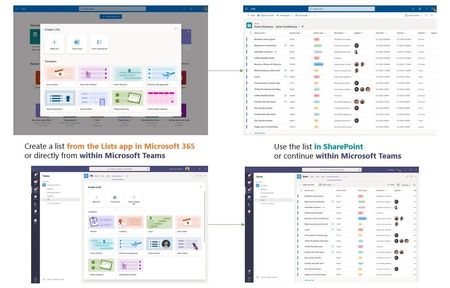
Hi DaR0GaE1 - Microsoft Lists benefit from SharePoint as their content service. And per your question, SharePoint is the storage container for the list data; as they are today for SharePoint lists - for both personal lists and team lists.
-
-
One way to conceptualize, similar to OneDrive - an app built on SharePoint for files (moving from "My Documents" > OneDrive), so, too is Microsoft Lists - an app built on top of SharePoint.
If you start from Lists home, you choose where the lists gets created - in a group-connected team site you are a member or owner of or when you select "My lists" this list is stored in your personal work My Site; the same container where your work files are stored (aka, OneDrive). If you click New > List from within a team site, it gets created there by default - and is still accessible from Lists home (and aggregate of all your team and personal lists).
If you comment on a list item, those comments are stored within the list schema itself; think of it as an additional column of data per row. And if you are within the Teams UI and you click the Teams discussion icon, that would then be stored in the methods Teams follows - secure in an Azure service.
Let me know if any of that is not clear. Our intent is to make the UI seamless to create, share and track, and to maintain governance, security and compliance of the proven SharePoint platform.

 Microsoft