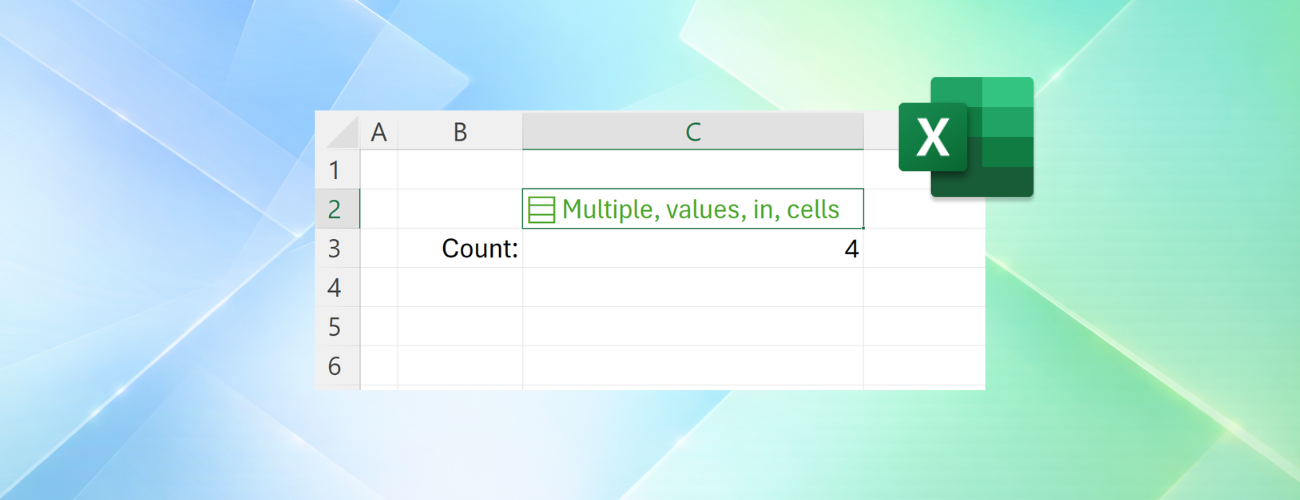
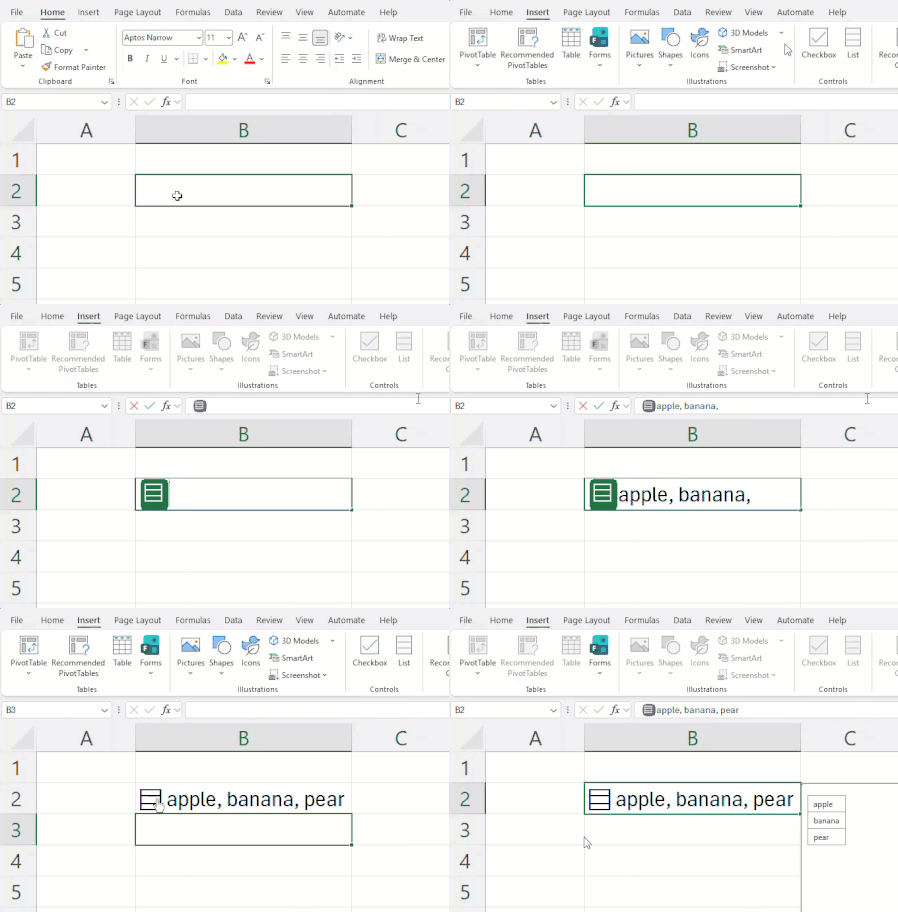
Throughout Excel's 40-year history, you've only been able to put one value per cell. In this announcement, we're excited to share how that's changing with the release of lists, arrays in cells, and n...
uses NEST to place the dimension data within a single variable and then passes it, along with a data string containing attribute/value pairs, to SPLIT.ATTRλ to expand the strings to attribute pairs in multiple rows. It requires a slightly different thought process, but I hope to switch from my Thunks to nesting with few exceptions. The Lambda function uses REGEXEXTRACT to extract the attribute names and values from a single string.
SPLIT.ATTRλ = LAMBDA(dimensions, facts,
    LET(
    //  Split attribute pairs and wrap
        values, REGEXEXTRACT(facts, "\w+", 1),
        pairs,  BYROW(WRAPROWS(values, 2), NEST),
    //  Align each attribute pair with its dimensions and nest
        return, MAP(pairs, LAMBDA(v, NEST(dimensions,v))),
        return
    )
);

NEST = LAMBDA(x,[y],[vert], IF(ISOMITTED(y), {x}, IF(vert, {x;y}, {x,y})));
I am sure there are some further efficiency gains to be achieved but, at least, I seem to be making progress
GROUPBY and PIVOTBY are now far easier to use for splitting source data down by category, producing lists rather than aggregations.
Excelente, Pedro! Esto es simplemente maravilloso! Espero disponer pronto de esta nueva funcionalidad, ya que uso una laptop corporativa con limitaciones que impiden que mi cuenta pueda acceder.
I am now feeling quite frustrated I have yet be able to access the new goodies ! I am on Win 11 Excel 365 personal. build 20527.20000 subscribed to beta channel as below I also have login to an Office 365 E3 instance for client work but am logged out of it and only in to personal. I am based in UK. I suspect the E3 instance may have restrictive or un-enabled cloud priveleges but I am testing on personal I have tried suggested hacks of disabling and re-enabling updates and switching from beta to current channel and back after restart and update but no joy. Any suggestions much appreciated
I've been inspired to revise Zipλ to make it more useful in creating a list of row records.
This is not final but gives one a general idea of the function's utility. Tested with (4) 100k x 1 arrays, it clocked in at about .23 seconds.
/* [TBD] -------------------------------------------------------------------------
Function:     Zipλ
Category:     TBD
Author:       Patrick H.
Version:      Alpha

Description:
    Zips together 1-4 arrays into a list of row‑records. Each input is first
    normalized with TOCOL so that scalars, 1D arrays, and 2D arrays behave
    uniformly. Zipλ then aligns the inputs by length and constructs one record
    per row using BYROW.

    In strict mode (default), Zipλ pairs elements only up to the length of the
    shortest array. If zip_longest = TRUE, Zipλ continues until the longest
    array is consumed, padding shorter arrays with fill_value (default: #N/A).

    The result is a list of records of the form:
        { {a₁,b₁,c₁,d₁}, {a₂,b₂,c₂,d₂}, … }
    Use FLATTEN to spill the list as a 2D table when required.

Parameters:
    array_1       – First input array (scalar, 1D, or 2D).
    [array_2]     – Optional second array.
    [array_3]     – Optional third array.
    [array_4]     – Optional fourth array.
    [zip_longest] – TRUE to zip until the longest array is consumed.
                    If omitted, Zipλ uses strict mode (shortest array).
    [fill_value]  – Value used to pad shorter arrays when zip_longest = TRUE.

Notes:
    • All inputs are flattened column‑wise using TOCOL.
    • Output is a list of structured records, not a spilled array.
    • Apply FLATTEN(zipped) to convert the list to a 2D table.
------------------------------------------------------------------------------*/


Zipλ=
LAMBDA(
    array_1,
    [array_2],
    [array_3],
    [array_4],
    [zip_longest],
    [fill_value],

LET(
    // Set zip mode
    ZipLong?,    IF(ISOMITTED(zip_longest), FALSE, zip_longest),

    // Set function for determining length of zip
    fnλ,         IF(ZipLong?,MAX,MIN),

    // Set fill_value
    fill_value,  IF(ZipLong?, IF(ISOMITTED(fill_value), NA(), fill_value), NA()),

    // Arrays supplied
    Two,         NOT(ISOMITTED(array_2)),
    Three,       NOT(ISOMITTED(array_3)),
    Four,        NOT(ISOMITTED(array_4)),

    // Total arrays supplied
    m,           IF(Four, 4,
                    IF(Three, 3,
                        IF(Two, 2,1))),

    // Flatten inputs
    array_1,     TOCOL(array_1),
    array_2,     IF(m >= 2,TOCOL(array_2),FALSE),
    array_3,     IF(m >= 3,TOCOL(array_3),FALSE),
    array_4,     IF(m =  4,TOCOL(array_4),FALSE),

    // Length of inputs
    k₁,          ROWS(array_1),   k₂,   ROWS(array_2),
    k₃,          ROWS(array_3),   k₄,   ROWS(array_4),

    // Length of zip
    LZ,          CHOOSE(m,k₁,
                          fnλ(k₁,k₂),
                          fnλ(k₁,k₂,k₃),
                          fnλ(k₁,k₂,k₃,k₄)),

    // Arrays - normalized for zip mode
    Normalizeλ,  LAMBDA(array,
                        IF(ZipLong?,EXPAND(array,LZ,,fill_value),
                                   TAKE(array,LZ))),

    a,           Normalizeλ(array_1),
    b,           Normalizeλ(array_2),
    c,           Normalizeλ(array_3),
    d,           Normalizeλ(array_4),

    // Arrangement
    arranged,    CHOOSE(m,a,
                           HSTACK(a,b),
                           HSTACK(a,b,c),
                           HSTACK(a,b,c,d)),

    // Zip to list of row records
    zipped,      BYROW(arranged,LAMBDA(row,{row})),
    zipped
));

 Microsoft


