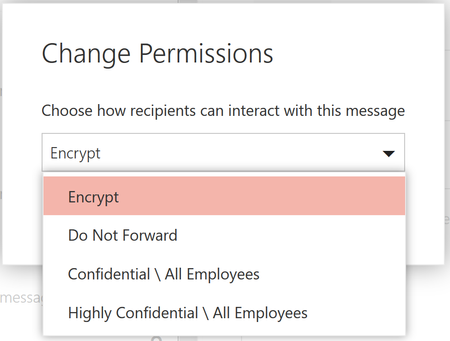
Last September, we announced new capabilities in Office 365 Message Encryption that enable users to seamlessly collaborate on protected emails with anyone. This release included Do Not Forward an out...
Unfortunately I have the same issue as Mark Galvin and can confirm that I am experiencing the same behaviour. I have attempted your fix Jonathan, but without success.
Overview
Company A (OMEv2 tenant) is sending encrypted emails to Company B (recently upgraded OMEv2 tenant). Emails can be viewed via OWA mail client, but not Outlook desktop client. Persisting with Authentication/Login failed prompts. Encrypted Emails within the domain are functional and default RMS templates are downloaded and available on user's clients.
Our variations
Environment = Win 7 x64 | Latest patches.
Office = 365 Pro Plus click-to-run (E3 licences) | Current production version x86 1805 16.0.9330.2087
OneLogin Proxy for O365 login and various other apps.
Steps
1. Tested outside of our environment to exclude OneLogin causing said authentication issues. Result = same as inside Domain/LAN.
2. Completely uninstalled Office via the o15-ctrremove.diagcab tool.
3. Cleared all Credential Manager entries related to Office16.
4. Checked for Registry entries under HKEY_CURRENT_USER\Software\Microsoft\Office\16.0\Common\Identity. The whole Identity folder was missing after uninstall, so no change there.
5. Rebooted.
6. Installed fresh version of the production version above, then immediately updated to 1807 10325.20075 click-to-run prior to opening desktop mail client.
7. Run mail client following the above, created new profile, sync, etc. then attempted to open the third party encrypted mail. Result = Fail again, same authentication message.
Message Sequence as follows:
1. Configuring your computer for InformationRights Management.....
2. The logged in users could not be authenticated. Please check your credentials or try signing out and signing back in. OK.
3. Sorry, we're having trouble opening this item. This could be temporary, but if you see it again you might want to restart Outlook. Cannot read item. OK.
This to me seems to be clearly a bug! The question is, how long will we have to tolerate this behaviour???
MS care to comment? I can confirm "Restart Outlook" doesn't work!