Mark Galvin and Gary Howard, I dropped in to this post looking for a more graceful solution than the one I have found to the exact issue you have reported regarding the following error message when attempting to open an OMEv2 encrypted message in the Outlook desktop client:
"The logged in users could not be authenticated. Please check your credentials or try signing out and signing back in"
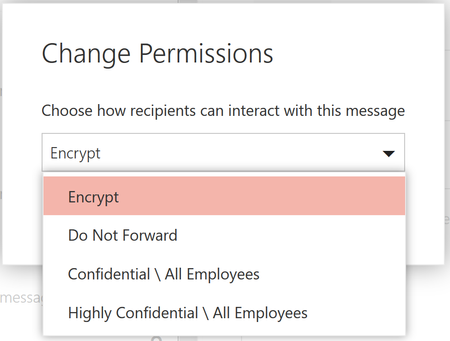
FWIW, you can also confirm the (non)functionality of Office IRM/credentials when selecting to encrypt a message using the "Options/Permission/Connect to Information Rights Management server" dialog in a new message. If message protection templates are missing, it is a pretty good sign that IRM/OMEv2 is not going to work.
I have resolved this issue on 99% of my systems with the following procedure:
- Ensure Office 365 is 1805 or higher
- Force an "Office 365 authentication event" by signing the user out of Word or Excel through the "switch account" interface. Clicks are:
- "Switch account" (top right on opening Word or Excel)
- "Sign out" at the top of the new dialog box
- "Sign out" next to the name in the same dialog box
- Click "yes"
- Dialog box closes, click "Sign In" at the top right
- User logs in with Office 365 credentials
- Usually it is best to perform this with Outlook closed, then reopen Outlook after forcing the sign-in event
- Click on an encrypted message, wait 5-10 seconds (presumably for the very first authentication event)
- FINALLY read encrypted messages as intended
This fix only appears to be necessary for the first time a user opens an encrypted message, I have not had to repeat these steps in several weeks of usage after performing this fix. I am not running the AIP client on any machines.
This failed for me on ONE machine only, I went to Credential Manager instead and wiped out everything that was cached for MSOffice, then repeated the steps above with success. It appears clearing saved credentials might also be a solution but I haven't had enough test cases to know for certain.
Hope that helps for your environments, and I hope MS comes up with something better with regards to documentation surrounding the initial use (and failure) of encrypted messages in the Outlook desktop client.