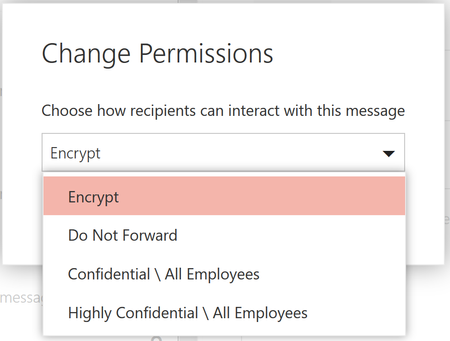
Last September, we announced new capabilities in Office 365 Message Encryption that enable users to seamlessly collaborate on protected emails with anyone. This release included Do Not Forward an out...
Currently if you have a shared mailbox connected in OWA (in the left hand folder view panel, added via "Add Shared Folder") and open an OMEv2 Encrypted message (sent to that shared mailbox, not your personal account) it will display inline. - screenshot below.
However, doing the same thing in Outlook (I'm aware Outlook doesn't currently support inline reading) but even pressing "Read Message" will generate an error as it looks to be a URL to the unique message ID. - Screenshot below.
Do you have access to an inside build to confirm what the behavior will be when inline reading is supported? will it work for Shared Mailboxes? or will the "Read Message" button be able to handle messages sent to Shared Mailboxes? - has this been considered.