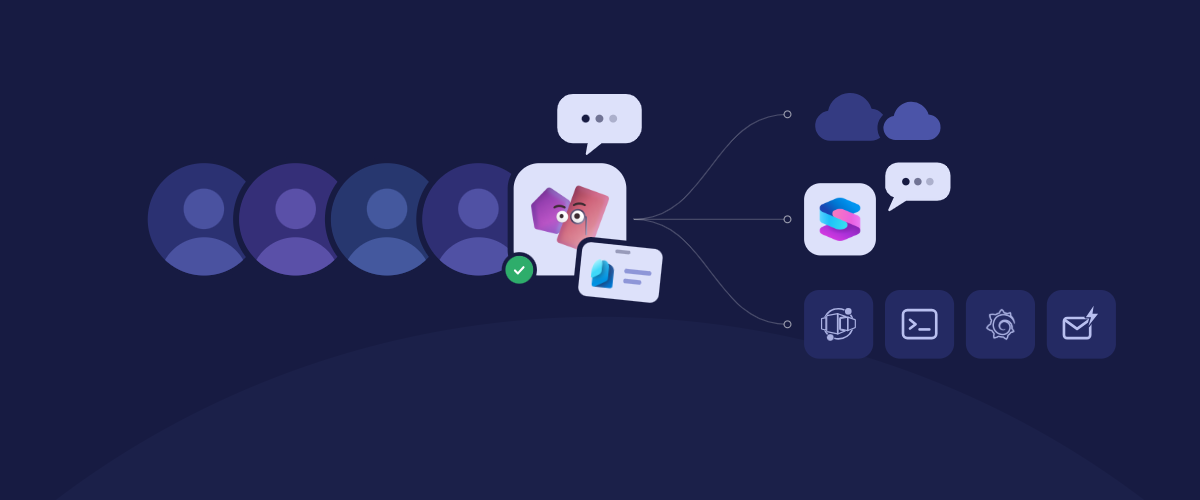
Over the past year, teams have moved Azure SRE Agent from exploratory pilots into the work that keeps their services running: incident response, debugging deployments, triaging new issues, and the routine, proactive work that happens between them. That shift changes what customers ask of us. The question is no longer “can an agent do this work?” It’s “can dozens of agents do it across our teams, our clouds, and our tools, with the right people still in control?”. And from security and IT teams: “can we see every agent as an agent, and govern it with Microsoft Entra, Defender, and Purview, the way we do everything else in our tenant?”
Today at Microsoft Ignite, SRE Agent joins Microsoft Teams as your AI SRE teammate, with its own Microsoft Entra agent identity. It also now works across clouds, with other teams’ agents, and in the tools where operational work begins.
SRE Agent in Microsoft Teams
SRE Agent can now join the Teams chat where an incident is being run (public preview). It has its own agent user in Microsoft Entra, so you add it and @mention it like a colleague. It gathers evidence from your connected systems and replies in the thread, where everyone sees the same findings.
Its access doesn’t change in Teams. It works within its assigned Azure RBAC permissions, administrators decide where it can participate and which actions need approval, and changes that could affect production wait for an authorized person to approve them.
In Slack (private preview), the agent can be tagged and post investigation updates.
Read more about teams, identity and governance
Agent identity and Agent 365
SRE Agent has always had its own managed identity, system-assigned or user-assigned. It can now have a Microsoft Entra Agent ID (public preview), so its actions appear under its own name in Entra and in Azure activity logs.
Through Microsoft Agent 365, security and IT teams can find SRE agents in the tenant’s agent registry and monitor them with Microsoft Defender and Microsoft Purview.
Across clouds and agents
Another cloud. Built-in AWS and Google Cloud connectors (public preview) let an investigation continue beyond Azure. They federate from an Azure managed identity, so there are no access keys to manage, and your cloud IAM decides what the agent can access.
Another team’s agent. With agent collaboration (public preview), built on the open A2A protocol, an agent can ask another team’s agent a question and keep ownership of the incident. The receiving agent uses its own tools and permissions, and its team approves each caller.
Where the work starts
- Azure Container Apps portal (public preview). Select Debug with Azure SRE Agent on any container app. There’s nothing to deploy, and sessions are read-only and use your own Azure identity. Read more: SRE Agent in ACA Portal
- Azure CLI (public preview). Work with SRE Agent from the Azure CLI, in your terminal or in scripts.
- Grafana (public preview). Select Talk to AI to build a dashboard, ask about its metrics, or trace a spike to the affected resource.
- Connector Triggers (public preview). Start an agent workflow from an Outlook email, a GitHub issue, or an Azure DevOps work item.
Availability
|
Capability |
Status |
|
Microsoft Teams integration |
Public preview |
|
Slack integration |
Private preview** |
|
Microsoft Entra Agent ID |
Public preview |
|
Microsoft Agent 365 (registry, Defender and Purview monitoring) |
Public preview |
|
Agent collaboration (A2A) |
Public preview |
|
AWS and GCP connectors |
Public preview |
|
Customer Managed Keys Data Encryption (CMK) |
Public preview |
|
On-demand SRE Agent in Azure Container Apps |
Public preview |
|
SRE Agent in Grafana |
Public preview |
|
Azure CLI |
Public Preview |
|
Connector Triggers |
Public preview |
See us at Microsoft Ignite 2026
Join our engineering and product teams at Microsoft Ignite this week or watch on demand:
- BRK423: Build AI-native with Azure’s agentic application platform, covering what is new across Azure’s agentic application platform services: App Service, Container Apps, and Functions. Tue, Nov 17, 3:15–4:00 PM. ignite.microsoft.com
- BRK417: Scale operations, not toil, with your AI SRE teammate, a breakout session on Azure SRE Agent covering what’s new and how it works. Thu, Nov 19, 4:00–4:45 PM.
- BRK415: Put AI agents to work in Azure cloud operations, with live demos of Azure agents digging into incidents, spotting cost savings, and applying fixes. Wed, Nov 18, 11:30 AM–12:15 PM. ignite.microsoft.com
- THRSP1109: Deploy intelligent SRE for autonomous cloud ops, a theater session with Dynatrace on pairing its observability with Azure SRE Agent for incident resolution. Thu, Nov 19, 9:35–10:00 AM. ignite.microsoft.com
- LAB720: Hands-on: Modernize apps and databases and automate operations, a 75-minute lab where you modernize a Java or .NET app with GitHub Copilot, then hand incidents to Azure SRE Agent for root-cause analysis and automated remediation. Offered four times: Tue, Nov 17, 2:00–3:15 PM; Wed, Nov 18, 8:30–9:45 AM; Thu, Nov 19, 9:00–10:15 AM; and Thu, Nov 19, 2:45–4:00 PM.
Get started
Create an Azure SRE Agent at sre.azure.com and try the new capabilities. Share your feedback in the comments below on what’s working, what could be better, and what you’d like to see next.

 Microsoft