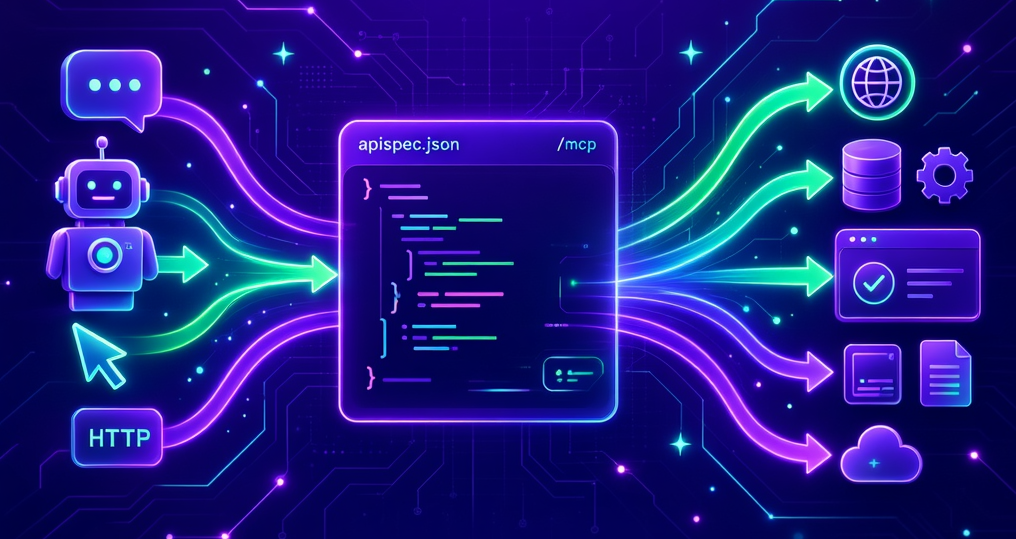
At Build 2026 last week, we announced the public preview of built-in MCP for Azure App Service. It does one thing, and it does it with almost no effort on your part: it turns a REST API you already host on App Service into a Model Context Protocol (MCP) server, so AI agents and assistants can call your API as a set of tools. No MCP code to write. No second service to deploy.
What it does
You give App Service an OpenAPI 3.x specification (JSON or YAML) describing the operations you want to expose. The platform reads that spec and generates one MCP tool per operation, then serves the MCP endpoint over streamable HTTP at a path you choose (the default is /mcp). From there, App Service handles the parts that are tedious to build yourself:
- MCP protocol negotiation
- Tool discovery, so clients can list the operations your spec exposes
- Hot reload of the spec when it changes
- Client cancellation
Any MCP-compatible client can connect, including GitHub Copilot Chat, Cursor, Windsurf, and Claude Desktop.
Why it matters
Most teams already have the API the agent ecosystem wants to call. What they don't have is the time to wrap it in a bespoke MCP server, keep that server in sync with the API, and operate it. Built-in MCP removes that work entirely. If your REST API runs on App Service and you can produce an OpenAPI spec for it — and most web frameworks generate one for you — you're a configuration change away from an agent-ready endpoint.
Built-in or custom?
Built-in MCP is the fastest path when your tools map cleanly to REST operations. If you need behavior that doesn't — multi-step workflows, in-memory aggregation, MCP resources or prompts, or more than one MCP server on a single app — a custom MCP server built with an MCP SDK and deployed as your application code is still the right choice. The two approaches complement each other, and you can read more about choosing between them in the docs.
Security
Built-in MCP works with App Service Authentication, so MCP requests go through the same identity checks as every other route on your app, using Microsoft Entra or any OpenID Connect provider you've configured. When App Service Authentication is enabled, the platform also publishes OAuth protected-resource metadata so MCP clients can complete the OAuth flow automatically. As always, your application code is responsible for validating the bearer token on each request — and you should avoid exposing an MCP server publicly without authentication, since every published tool becomes callable once a client connects.
Getting started
Built-in MCP is configured through the aiIntegration property on your App Service app, and the preview supports three configuration paths: the Azure portal, the Azure CLI (az rest), and Bicep. It runs on dedicated pricing tiers, Basic or higher — it isn't supported on Free, Shared, Consumption, or Flex Consumption plans.
This is a preview, and we'd love your feedback as you try it. To enable built-in MCP on your own app and connect an MCP client, head to the docs:

 Microsoft