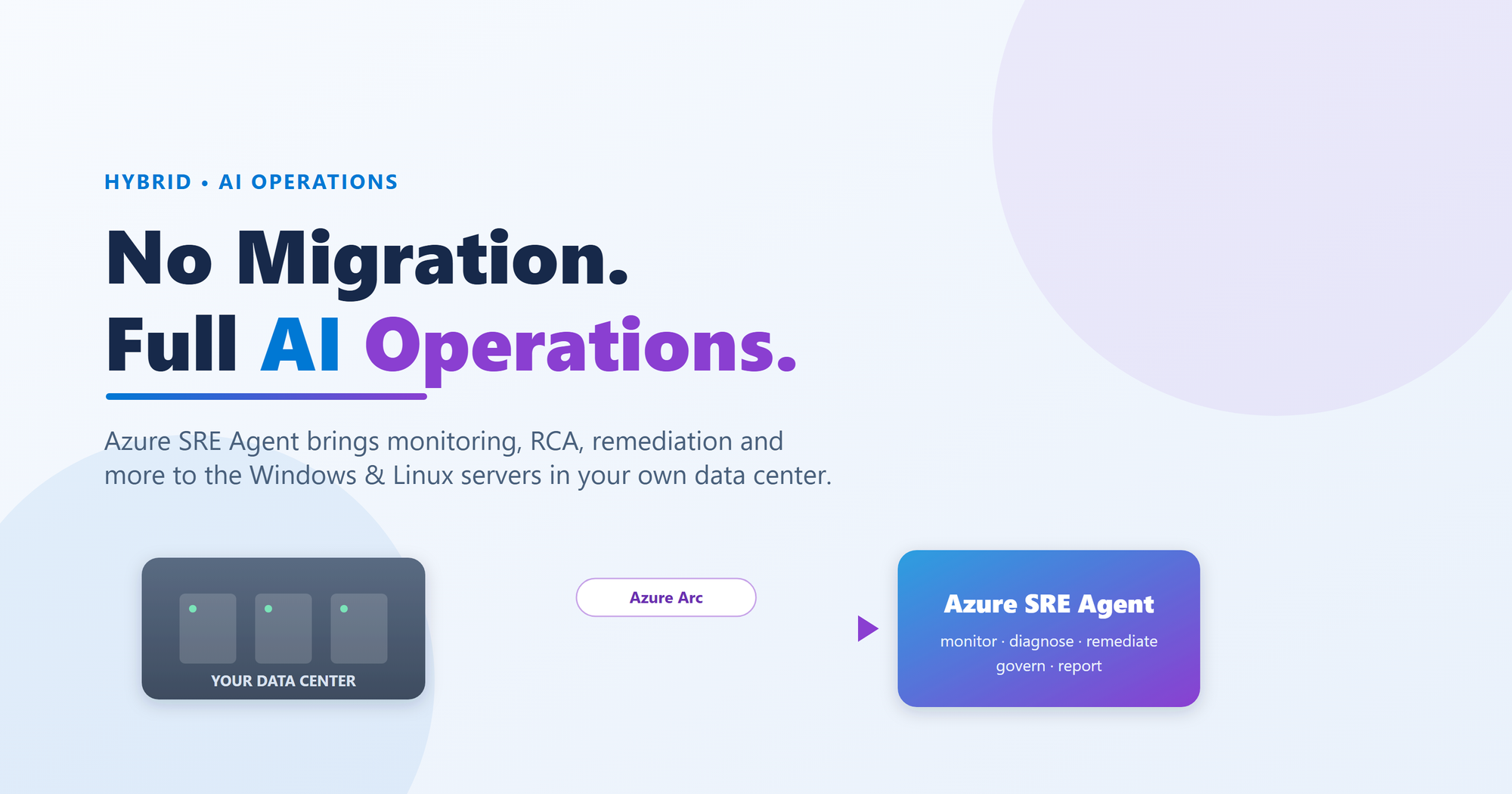
Your data-center servers don't have to miss out on AI-driven operations. Once they're Arc-enabled and streaming telemetry to Azure, the Azure SRE Agent can monitor, investigate, diagnose, recommend, and even act on them — the same way it does for native Azure resources. Here's the full blog, plus four real sample reports that shows what it can bring to the table
The problem nobody talks about at cloud conferences
Walk the floor at any cloud event and you'll hear a lot about AI-assisted operations: agents that triage alerts, correlate signals, and hand your on-call engineer a root cause instead of a wall of logs. It's genuinely useful. But there's a quiet assumption — that the workload lives in the cloud.
Meanwhile, back in the real world, a huge amount of enterprise compute still runs on-premises. Manufacturing, engineering and EPC firms, banks, hospitals, government — they keep critical systems in their own data centers for reasons that aren't going away: latency to plant-floor or trading systems, data gravity, data-residency rules, and decade-old SQL Server estates that nobody is going to re-platform on a whim.
The question that naturally follows is whether modern, AI-driven operations have to stop at the cloud boundary — or whether that same intelligence can be extended to the servers running in your own facilities.
The Question - This AI SRE stuff sounds great. But many of important servers aren't in Azure — they're sitting in my rack. Is any of this actually for me?"
Answer is - It Is - And this is the point worth being clear about: this is not a cut-down experience. When you bring an on-premises server into Azure's management plane through Azure Arc, the Azure SRE Agent can apply essentially its full operations capability set to that server — continuous monitoring, incident detection and response, root-cause analysis, guided and automated remediation, patch planning, inventory and drift tracking, configuration assessment, and more — for both Windows and Linux.
The rest of this post explains how that works, what the agent can do, and then grounds it with four sample reports from real Arc-enabled server
What the Azure SRE Agent is — and why "agent" is the right word
"AI agent" gets used loosely, so let's be precise. The SRE Agent isn't a chatbot bolted onto a dashboard. It's an operations agent that works the way a strong site reliability engineer works:
- It watches your estate continuously and reacts to signals and alerts.
- It gathers the evidence itself — metrics, logs, events, inventory — instead of making you chase it across tools.
- It correlates and diagnoses, lining up performance data with error events across an incident's timeline so patterns surface.
- It explains the root cause in writing — the why, not just a graph of the what.
- It recommends next steps, and where you allow it, takes action — with human-in-the-loop approvals and a full audit trail.
- Automated incident intake from Azure Monitor, driven by a response plan
- You drive all of it in plain language — ask it a question the way you'd ask a colleague, no query language required.
The capability that makes the whole on-premises story possible is simple: the agent doesn't care where a server physically lives. It cares whether that server exposes telemetry it can reason over and resources it can act on. Provide those, and an Arc-enabled box in your data center is, to the agent, just another Azure resource.
How This Can Be Done? The bridge: Azure Arc
Azure Arc projects your on-premises (and multi-cloud) servers into Azure as first-class resources. Once a server is Arc-enabled it appears in the portal, honors Azure role-based access control and policy, and — the part we care about — becomes reachable by Azure's monitoring and management services and by the SRE Agent.
That one step is what unlocks everything else, and it works equally for Windows and Linux — which matters in the real world, where a Windows Server running SQL and IIS usually sits right next to Oracle Linux or RHEL boxes doing everything else.
And to be clear about what Arc is not: it is not a migration. Your workload stays exactly where it is. You're giving Azure a secure window into the server, not moving the server.
The rule that makes or breaks everything: telemetry first
The SRE Agent is only as good as the telemetry you give it. Starve it of data and it will — honestly — tell you it doesn't have enough to go on.
An SRE Agent with no Windows Event Logs is like an on-call engineer who's told there's an outage but isn't allowed to open Event Viewer. The agent isn't wrong in that situation; it's blind. So before you judge the output, build the data foundation.
Here's what "properly instrumented" looks like for a hybrid estate:
Windows servers
- Azure Monitor Agent (AMA) deployed via Arc.
- Data Collection Rules (DCRs) capturing Guest OS performance metrics, Windows Event Logs (System/Application/Security — the backbone of Windows diagnosis), and workload logs like IIS and SQL.
Linux servers
- Azure Monitor Agent plus the Linux agent and required extensions.
- DCRs capturing syslog, performance metrics, and package/inventory data.
Both
- A Log Analytics workspace as the destination — the single store the agent queries.
- The relevant Azure management services enabled — Azure Monitor, Azure Update Manager, Change Tracking & Inventory, SQL Best Practices Assessment — each adding signals the agent can reason over.
This is the Reference Diagram Which can be used for understanding this Architecture & Configuration -
Azure SRE Agent For On-Premises ServersWindows and Linux servers are Arc-enabled and ship telemetry through their agents and Data Collection Rules into a Log Analytics workspace, enriched by Azure's management services. The Azure SRE Agent reasons and acts over all of it. The panel on the right is the agent's broad operations capability set — the starred (★) items are the four sample use cases demonstrated later in this post.
What you can actually do with it
With the foundation in place, the agent brings a broad operations capability set to your on-premises servers. This is the part to internalize: the four sample reports later are examples, not the boundary. The capability surface includes:
- Automated incident intake from Azure Monitor, driven by a response plan. This is where it gets powerful. When Azure Monitor raises an alert or logs an incident against an Arc-enabled server — a memory threshold breached, a service down, a disk filling, an event-log signature — that incident is handed directly to the SRE Agent. The agent then acts on it according to a response plan you define: it picks up the incident, investigates automatically using the server's telemetry, works through the prescribed diagnostic and mitigation steps, and recommends. In effect, an alert that used to page a human at 3 a.m. now triggers an AI first responder that has already gathered the evidence and started working the playbook before anyone logs in.
- Alert-driven incident detection and response — the agent reacts to signals and alerts and starts investigating, rather than waiting for a human to notice.
- Root-cause analysis of failures, crashes, and degradations — correlating metrics, events, and logs into a written cause. (Sample 1)
- Guided and automated remediation — it proposes concrete fixes and, where you permit, executes them, always with approvals and an audit trail.
- Natural-language operations — "chat with your estate": ask about a server's health, a recent change, or last night's spike, in plain English.
- Proactive health and performance monitoring — surfacing emerging problems (memory pressure, disk, latency) before they become outages.
- Patch and update lifecycle planning — pending updates, CVE risk, and an approval-ready maintenance plan for Windows and Linux together. (Sample 2)
- Inventory and change / drift tracking — what's installed, what changed, and which changes carry risk. (Sample 3)
- Configuration and best-practice assessment — measuring your setup against Microsoft guidance, by severity, with specific fixes. (Sample 4)
- Security and vulnerability awareness — spotting exposure such as missing patches, disabled firewalls, or weak settings.
- Capacity and resource optimization insights — flagging under-provisioned or misconfigured resources.
- Operational reporting and documentation — turning investigations into shareable, review-ready write-ups.
- Governance — human-in-the-loop approvals and a full audit trail, so nothing happens behind your back.
All of this against servers that never left your data center.
Four sample use cases: the agent's output on real Arc-enabled servers
Abstract capability lists don't convince anyone, so here are four concrete examples — each one a full report the agent produced, each showing a different facet of the broader capability set above. Treat them as a representative sample, not a complete list.
Sample 1 — Root-cause analysis: a recurring SQL Server memory crash
The classic on-call nightmare: a SQL Server instance keeps crashing and nobody's sure why. Instead of an engineer manually joining performance counters to event logs across a timeline, they simply asked the agent to investigate. Working only from telemetry already in Log Analytics, it reconstructed the whole story:
- Failure chain: two SQL Server instances running with default, unbounded max server memory on a ~4 GB server → memory starvation → available memory collapsing to tens of MB → CPU pinned at 99–100% from page-fault thrashing → process crash and instant memory release, repeating across multiple events.
- Aggravating factors: a confirmed SSMS memory leak, heavy agent overhead, and a missing "Lock Pages in Memory" privilege.
- The fix: a prioritized P0–P2 remediation plan — cap memory, stop leaving SSMS open, add RAM, grant Lock Pages in Memory, consolidate instances.
It reads like a post-incident review a senior engineer would write — assembled automatically.
Sample 2 — Patch and update lifecycle planning across Windows and Linux
Patch planning in a hybrid estate is tedious and high-stakes. Using Azure Update Manager data, the agent produced a single, CAB-ready plan spanning an Arc-connected Windows server and a Linux server:
- Assessment: pending updates per server, classified and with reboot requirements. One cumulative update on Windows; 420 pending updates (200+ security) on Linux across kernel, OpenSSH, OpenSSL, glibc, systemd, and more.
- Risk in plain terms: it explained why the updates mattered — an actively exploited zero-day plus critical RCE fixes on Windows; a high-CVSS OpenSSH flaw, kernel privilege-escalation bugs, and bootloader issues on Linux.
- The plan: maintenance configuration, reboot policy, a pre-patch checklist, a risk matrix, and a phased timeline with verification — formatted for Change Advisory Board sign-off.
A document that normally eats an afternoon to assemble by hand. [Attach: CAB update planning report]
Sample 3 — Inventory and change / drift tracking
"What's installed on these servers, and what changed recently?" is the first question you want answered when something breaks or an audit lands. Using Change Tracking & Inventory data, the agent reported across a Windows and a Linux server:
- A software and services inventory per server.
- A change summary over the last 7 days — hundreds of additions, removals, and modifications.
- Risk-flagged recommendations — e.g., a stopped SQL Server Agent service on Windows and a disabled host firewall on Linux.
Drift detection and configuration visibility without logging into a single machine. [Attach: change tracking & inventory report]
Sample 4 — Configuration and best-practice assessment (SQL BPA)
A proactive one — preventing the next incident rather than reacting to one. Reading SQL Best Practices Assessment results, the agent evaluated two SQL instances against Microsoft's recommended configuration:
- Findings across every category — configuration, performance, indexing, security, backup & recovery, memory, tempdb — over a thousand in total.
- Severity grouping (high vs. medium) so you know what's urgent.
- A specific fix per finding — change recovery model, create an overdue full backup, defragment indexes, cap memory, address suspect pages — plus a "quick wins" shortlist.
A sprawling assessment turned into a prioritized worklist the DBA can start on today. [Attach: SQL BPA report]
Why this matters, pulled together
Each capability is useful alone. Together they add up to something strategic: a single, AI-driven operating model that spans on-premises Windows, on-premises Linux, and native Azure — one way of working instead of several.
Concretely, the payoff shows up as:
- Faster incident resolution — the agent does first-pass evidence gathering and diagnosis, so engineers start from a hypothesis, not a blank page. At 3 a.m., that's a 20-minute triage instead of two hours.
- Fewer surprises — proactive monitoring and best-practice assessment catch problems before they become outages.
- Clearer, safer change — patching, with real risk and an approval-ready plan, across both operating systems at once.
- Visibility and control — you can see what's installed, what changed, and what's exposed, with risk called out.
- Consistency — the same quality of investigation and reporting regardless of where a server runs.
- Governance you can trust — approvals and audit trails mean the agent assists your team, it doesn't go rogue.
And none of it required migrating or re-platforming a single critical workload. The servers stayed put; you modernized how you operate them.
A generic adoption path (works for any estate)
You don't need the four sample scenarios to get started. Here's a general rollout any team can follow to bring the SRE Agent to their on-premises servers:
- Pick a representative scope. Choose a Windows server and a Linux server with real, meaningful workloads — not a sandbox nobody cares about.
- Arc-enable them. Connect each server through Azure Arc so it becomes a managed Azure resource.
- Deploy the agents and extensions. AMA on Windows; AMA plus the Linux agent and extensions on Linux. Confirm they report healthy.
- Turn on the management services that fit your goals — Azure Monitor, Update Manager, Change Tracking & Inventory, SQL BPA, and so on. Enable what's relevant; you can add more later.
- Configure Data Collection Rules to capture the right signals: Guest OS metrics, Windows Event Logs, syslog, and workload logs (IIS, SQL).
- Verify telemetry is actually landing in Log Analytics. Do not skip this — it's where setups quietly fail.
- Attach the SRE Agent to the resources and set your governance posture — decide up front what it can recommend versus what it's allowed to action, and who approves.
- Start interacting. Ask it about current health, investigate a past incident, request a patch plan, check for drift, review a configuration. Read the output critically and build trust incrementally.
- Expand. Once the pattern works on your pilot servers, widen the scope across the estate and fold more capabilities in.
Nail steps 1–6 — the data foundation — and everything above it follows. Rush past them and you'll blame the agent for what is really a telemetry gap.
Closing thought
The honest headline isn't "AI is magic." It's more grounded and more durable: good AI operations start with good telemetry — and with Azure Arc, your on-premises servers can have both.
Arc brings your Windows and Linux servers into Azure's management plane. The agents and Data Collection Rules feed their data in. Azure's management services enrich it. And the Azure SRE Agent turns all of that into continuous, AI-driven operations — monitoring, diagnosis, recommendations, and governed action — for the servers you already run, right where they sit.
If you've been assuming AI-driven reliability is a cloud-native-only luxury, it's worth a second look. Arc-enable one Windows box and one Linux box, wire up the telemetry, set your guardrails, and put the agent to work. The four sample reports in this post all started exactly that way.
Useful Links -
Azure SRE Agent
- Azure SRE Agent – overview/features: https://learn.microsoft.com/en-us/azure/sre-agent/overview
- Incident management: https://learn.microsoft.com/en-us/azure/sre-agent/incident-management
- Response plans: https://learn.microsoft.com/en-us/azure/sre-agent/response-plan
- Run modes (governed automation): https://learn.microsoft.com/en-us/azure/sre-agent/run-modes
- Permissions: https://learn.microsoft.com/en-us/azure/sre-agent/permissions
- Billing: https://learn.microsoft.com/en-us/azure/sre-agent/billing
Azure ARC
- Azure Arc-enabled servers – overview: https://learn.microsoft.com/en-us/azure/azure-arc/servers/overview
- Monitoring Arc-enabled servers (Log Analytics / extension deployment): https://learn.microsoft.com/en-us/azure/azure-arc/servers/concept-log-analytics-extension-deployment
- Monitor machines with Azure Monitor (VMs & Arc servers): https://learn.microsoft.com/en-us/azure/azure-monitor/vm/monitor-virtual-machine
- Azure Monitor Agent (AMA) overview: https://learn.microsoft.com/en-us/azure/azure-monitor/agents/azure-monitor-agent-overview
- Data Collection Rules (DCR) overview: https://learn.microsoft.com/en-us/azure/azure-monitor/essentials/data-collection-rule-overview
- Azure Monitor alerts overview (feeds incidents to the SRE Agent): https://learn.microsoft.com/en-us/azure/azure-monitor/alerts/alerts-overview

 Microsoft

