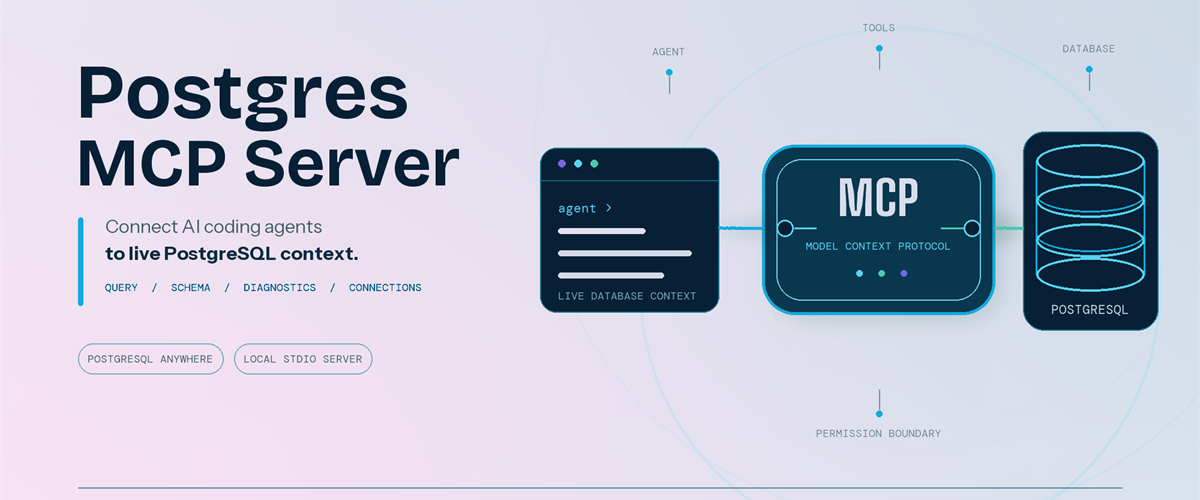
Coding agents can write SQL, troubleshoot applications, and reason about data. Useful database work starts with your schema and environment context.
We are pleased to announce that Microsoft has released the Postgres MCP Server under the MIT License. Built entirely in Rust for fast, resource-efficient operation, it connects Model Context Protocol (MCP) compatible coding agents to PostgreSQL, so your agent can inspect real database context and run permitted operations.
The server works with PostgreSQL locally, on-premises, on Azure, AWS, GCP, or through another PostgreSQL-compatible service.
It is built for anyone who works with PostgreSQL through a coding agent, including application developers, database administrators, data professionals, platform engineers, and PostgreSQL enthusiasts.
Give AI agents live PostgreSQL context
The Postgres MCP Server exposes PostgreSQL operations as tools that your coding agent can call.
After connecting to a profile, ask:
- "List the tables in my PostgreSQL database."
- "Show me the ten most recent orders."
- "Generate the schema for these tables and indexes."
- "What is slowing down my PostgreSQL server?"
The tools let your agent:
- Generate queries and run analytics. Run read-only SQL or use separate tools for data and schema changes.
- Explore and design schemas. Inspect tables, indexes, functions, sequences, and other database objects before generating database changes.
- Diagnose performance. Detect server capabilities and collect focused performance metrics for the server and its queries.
- Manage connections. Create named connection profiles, connect to the right database, and switch between environments without placing credentials in the MCP client configuration.
Install and connect securely
Prerequisites:
- Node.js 22 or later, which includes npm and npx.
- Linux x64 or arm64, macOS x64 or arm64, or Windows x64. Windows on Arm uses x64 emulation.
- An MCP-compatible coding agent or client.
- A reachable PostgreSQL or wire-compatible database and a database role with the permissions needed for your intended tasks.
No separate installation is required when you use npx; it downloads and runs the package for you. If you prefer the postgres-mcp command to be available globally, install the package:
npm install --global @microsoft/postgres-mcpThe examples use npx. With a global installation, replace npx -y Microsoft/postgres-mcp with postgres-mcp. Create a profile and store its password:
npx -y @microsoft/postgres-mcp connection add local \
 "postgresql://postgres@localhost:5432/postgres" npx -y @microsoft/postgres-mcp connection set-password local
The server stores the password in your operating system keyring, separate from the profile. For headless or CI environments without a keyring, use the environment-based connection option.
Add the server to clients that use the mcpServers configuration:
{ "mcpServers": { "postgres": { "command": "npx", "args": ["-y", "@microsoft/postgres-mcp", "run"] } } }Configuration formats and file locations differ by client. The Postgres MCP usage guide includes examples for supported clients.
For Azure Database for PostgreSQL, the server can use Microsoft Entra ID when a saved profile does not contain a password.
PostgreSQL role permissions remain the security boundary. New profiles permit write tools unless you set access_mode: ro. For exploration, combine that setting with a read-only database role. Your MCP client controls approval prompts, and CSV tools can read only from approved local paths.
Add expert PostgreSQL skills
The open-source Postgres Skills repository complements the MCP server with expert guidance for query performance, indexing, vector search, security, operations, Azure workflows, and AI and knowledge graph scenarios. These reusable instructions help coding agents apply PostgreSQL best practices when investigating an issue or completing a task, while the MCP server supplies the live database context and permitted operations needed to act on that guidance.
Next steps
- Explore the Postgres MCP Server repository.
- Review the Postgres MCP usage and security guide.
- Follow the Postgres Skills plugin setup guide.
- Share feedback or contribute through Postgres MCP GitHub issues.
Thank you!

 Microsoft

