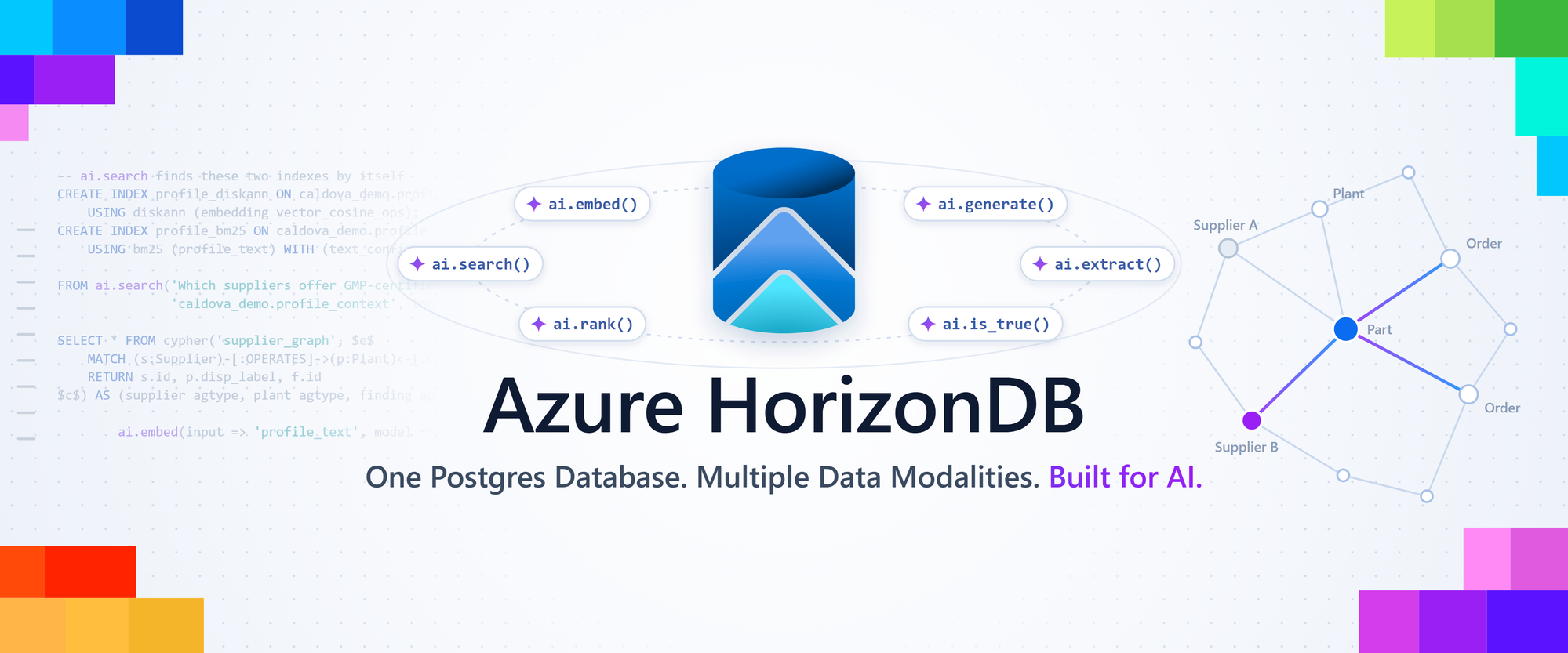
One Postgres database. Multiple data modalities. Built for AI. See how Azure HorizonDB brings search, knowledge graphs, and AI functions together with the data that runs your business.
Jonathon Frost, Principal Group Product Manager, PostgreSQL at Microsoft
A key supplier just announced a delay. Within minutes, your operations team wants answers: Which parts are affected? Which open orders depend on them? Can another supplier step in? Those answers are spread across supplier notices, order records, and the web of relationships that links suppliers, parts, and orders. With Azure HorizonDB, you can bring all of it together and answer those questions with confidence.
Azure HorizonDB is now generally available, and it’s built for exactly this kind of work. Operational records, ACID transactions, vector and full-text search, graph queries, and AI models all come together in one Postgres database. Developers can find the right evidence, follow dependencies, and apply approved changes to the records that run the business, all with the PostgreSQL knowledge they already have.
To show how it all fits together, in this article we’ll build one example from start to finish: a supplier assistant that helps the operations team’s planners respond when a supplier runs late. The assistant finds the relevant supplier notices, even when they use different words, and traces the parts and open orders that depend on that supplier. It checks whether another supplier can step in, flags hidden risks, and explains every answer with the evidence behind it, while the planners make the final call.
We’ll build the assistant one HorizonDB capability at a time, using SQL and openCypher, and we’ll keep coming back to one question: “Supplier A is delayed. Can Supplier B cover our open orders?”
Here’s where each capability stands today: HorizonDB is generally available, AI Model Management and Knowledge Graphs are in Public Preview, and Database Agent for PostgreSQL is in Limited Public Preview, with access by request. Before you try a preview feature, check its documentation for supported versions, regions, and prerequisites.
Two kinds of questions, one database
The supplier assistant handles two kinds of questions. The first kind is about finding information, like an employee asking, “Show me notices about delayed valve deliveries.” The right notice might say “shipment postponed” instead of “delayed” so the assistant searches by meaning as well as by keyword.
The second kind is about connections, like “Which open orders depend on Supplier A?” To answer it, the assistant follows the links from supplier to part to order, then checks each order’s current status. HorizonDB handles both kinds in one Postgres database: vector and keyword search to find the right notices, graph queries to follow the relationships, AI models you call from SQL to explain the results, and the live order records themselves.
Because everything lives together, the assistant can point every answer back to the exact notice, relationship, and order behind it. And since it all shares the same tables, permissions, and transactions, when the team approves a change, such as confirming a supplier relationship and flagging the affected orders for review, both updates commit together as one unit. Meanwhile, AI Pipelines keep new documents flowing in the background. Here’s how each capability helps the assistant:
One detail worth knowing: when the assistant calls a model, HorizonDB sends the prompt and inputs to your configured Microsoft Foundry endpoint, where the model runs. You stay in control throughout, with database permissions, endpoint access, network configuration, and data-handling policies all part of your application design.
Give the assistant its first supplier notices
Let’s start building. You’ll need a development database where you can allow extensions and create sample objects, plus model aliases, such as the defaults from AI Model Management (more on those in a moment). Before you run the first SQL block, add pg_textsearch to the allowlist and to shared_preload_libraries, keeping any entries already there, apply the parameter group, and restart. You’ll do the same for pg_durable and AGE later. These examples target azure_ai 2.5.6, which keeps the azure_ai extension name and gives its functions the new, simpler “ai.” namespace. Leave the default embedding model at 1,536 dimensions for this walkthrough.
Our first example loads three short supplier notices, the raw material the assistant will search. Each notice gets one embedding, so it’s easy to see why a notice matches a question. Later, we’ll add a pipeline that splits longer documents into chunks.
CREATE EXTENSION IF NOT EXISTS vector;
CREATE EXTENSION IF NOT EXISTS pg_diskann;
CREATE EXTENSION IF NOT EXISTS pg_textsearch;
CREATE EXTENSION IF NOT EXISTS azure_ai;

CREATE TABLE documents (
    id bigint GENERATED ALWAYS AS IDENTITY PRIMARY KEY,
    supplier_id text NOT NULL,
    title text NOT NULL,
    content text NOT NULL,
    updated_at timestamptz NOT NULL DEFAULT now(),
    embedding vector(1536)
);

INSERT INTO documents (supplier_id, title, content) VALUES
('S-A', 'Valve shipment notice',
 'Supplier A reports a delayed shipment of valve V-17.'),
('S-A', 'Revised delivery window',
 'Supplier A has postponed dispatch of industrial valves.'),
('S-B', 'Alternative valve availability',
 'Supplier B offers valve V-17 subject to qualification.');
Notice the identifiers. The text helps the assistant find a relevant notice, while the supplier IDs and part numbers connect it to your operational records. In a real corpus, also keep each document’s source location, version, access scope, and ingestion time. When every answer leads back to its evidence, people can trust it, and you can troubleshoot it.
These three notices set up the question the assistant will help answer throughout this article: “Supplier A is delayed. Can Supplier B cover our open orders?” Supplier B’s offer is a promising lead, and “subject to qualification” tells us the team still needs to approve it. The assistant’s job is to bring together the notices, dependencies, and order records the team needs, highlight any gaps, and leave the final call to the people who own it.
Put models to work through SQL
Next, the assistant needs models, and AI Model Management makes that part easy. When you enable Managed Models, HorizonDB provisions the Microsoft Foundry resources, registers a curated set of models, configures azure_ai, and connects to the model endpoints with managed identity, so there’s nothing to wire up by hand. Three default aliases cover chat, embeddings, and reranking: default-chat, default-embedding, and default-reranker. Because your SQL uses these aliases, it stays focused on the task, whichever deployment sits behind each one.
You can also register your own Foundry deployments and use them alongside Managed Models. That’s handy when your team already has an approved deployment or wants a model with different characteristics. The AI functions work with either option.
AI functions for focused work
These AI functions are the application's building blocks:
Let’s try a few. The first statement embeds each notice so the assistant can search by meaning. The next two ask the model focused questions about a single notice, with prompts that keep the model on task and grounded in the notice text.
UPDATE documents
SET embedding = ai.embed(title || ' ' || content)::vector
WHERE embedding IS NULL;

SELECT id,
       ai.generate(
           'Summarize only the notice below. '
           'Do not invent dates or affected orders. Notice: '
           || content
       ) AS draft_summary
FROM documents
WHERE id = 1;

SELECT id,
       ai.is_true(
           'The following notice describes a delivery delay: '
           || content
       ) AS suggested_review
FROM documents
WHERE id = 1;
Now the assistant has a draft summary and a review suggestion, and the original notice stays untouched. Treat ai.is_true() as the model’s assessment, and validate extracted fields against your identifiers and business rules before they become trusted records. Keeping generated text separate from the source lets people check the evidence behind every answer.
Synchronous calls like these are perfect for small, focused tasks. A large UPDATE, though, can make many model calls and keep the statement running until they all finish, so set sensible timeouts and keep an eye on model usage. For ongoing ingestion, AI Pipelines are the better fit, and we’ll get to them shortly.
Find meaning with DiskANN, then add precision
When an employee asks about “delayed valve deliveries,” the assistant should also find the notice that says “postponed dispatch.” Vector search makes that possible. ai.embed() turns text into a vector, and a distance operator measures how close a question’s vector is to each stored notice. DiskANN, through pg_diskann, indexes those vectors for fast approximate nearest-neighbor search, right on the pgvector vector type, with no separate vector store to run.
A familiar index-and-query pattern
Here’s the pattern with a standard DiskANN index. Our corpus is tiny, but the SQL looks the same at any scale.
CREATE INDEX documents_embedding_diskann_idx
ON documents USING diskann (embedding vector_cosine_ops);
PREPARE supplier_neighbors (vector) AS
SELECT id, supplier_id, title,
       embedding <=> $1 AS cosine_distance
FROM documents
ORDER BY embedding <=> $1
LIMIT 5;

EXECUTE supplier_neighbors(
    ai.embed('Which notices describe delayed valve deliveries?')
    ::vector
);

DEALLOCATE supplier_neighbors;
The prepared statement embeds the question once and passes it in as a parameter, and the cosine operator class matches the cosine-distance ordering. Under the hood, DiskANN’s graph-based search hops between promising neighbors to reach the closest notices quickly. Two more features help as you grow: spherical quantization (SQ) compresses the vectors the index stores, and filter-aware retrieval combines similarity with metadata filters, such as a specific supplier.
DiskANN Spherical Quantization (SQ) versus HNSW at one and ten million vectors
How does DiskANN Spherical Quantization (SQ) compare with HNSW? Our latest benchmarks used VectorDBBench with Cohere datasets of 768-dimensional vectors, cosine distance, and top-100 retrieval, comparing the two at matched recall. All data and indexes fit in memory, so the results reflect index and search performance.
Keep exact terms with BM25 and hybrid search
When an employee asks about “V-17” specifically, the assistant needs that exact part, and BM25 keyword search delivers it. Through pg_textsearch, BM25 scores each match by how often a term appears, how distinctive the term is across all notices, and how long each notice is. Each repeat of a term counts a little less, so the most relevant notices rise to the top.
Let’s add a BM25 index over the same notices and compare keyword search with hybrid search. The last statement shows an explicit reranking call on a small set of candidates; in your application, pass in only the candidates that retrieval selected and the user is allowed to see.
CREATE INDEX documents_content_bm25_idx
ON documents USING bm25 (content)
WITH (text_config = 'english');
SELECT id, title,
       content <@> 'V-17 shipment delay' AS bm25_score
FROM documents
ORDER BY bm25_score
LIMIT 5;

SELECT * FROM ai.search(
    'V-17 shipment delay',
    'documents',
    search_type => 'hybrid'
);

SELECT * FROM ai.rank(
    'Which notice concerns delayed valve V-17 shipments?',
    ARRAY[
        'Supplier A reports a delayed shipment of valve V-17.',
        'Supplier A has postponed dispatch of industrial valves.',
        'Supplier B offers valve V-17 subject to qualification.'
    ]
);
The BM25 operator returns negative scores, where lower means a stronger match, so the query sorts in ascending order. Tokenization and stemming use PostgreSQL text-search configurations, so check how your part numbers are tokenized. When an answer must match an identifier exactly, add an equality filter alongside BM25.
Hybrid search gives the assistant the best of both: ai.search() merges the semantic and keyword results with Reciprocal Rank Fusion (RRF). RRF combines rank positions, which makes it a natural way to blend a cosine distance with a BM25 score, since the two use different scales. Notices that rank well in either list move on to the next stage.
For an extra boost, an optional semantic reranker reads the question and each candidate together and makes a sharper relevance judgment. Each rerank is a model call, so use it on a short list of candidates. Reranking orders what retrieval found, so measure how well retrieval covers the right notices as well as the quality of the final ranking.
Keep the assistant current with AI Pipelines
Short notices are just the start. To help the assistant answer from supplier manuals, specifications, and contracts, split them into chunks so search can return the exact passage that answers a question. AI Pipelines turn that preparation into a repeatable, automated process.
A pipeline declares a source, a series of steps, a sink, and a trigger. Step builders such as ai.chunk_step() and ai.embed_step() describe work the pipeline runs later, while ai.embed() runs right away inside your query. Behind the scenes, pg_durable gives long-running work checkpoints, retries, and recovery.
Before creating the pg_durable extension, add it to shared_preload_libraries; the other extensions are already enabled. This pipeline writes its chunks to a separate doc_chunks table, alongside the notice-level embeddings from earlier.
CREATE EXTENSION IF NOT EXISTS pg_durable;

SELECT ai.create_pipeline(
    name => 'supplier_rag_pipeline',
    source => ai.table_source(
        table_name => 'documents',
        incremental_column => 'updated_at'
    ),
    steps => ARRAY[
        ai.chunk_step(input => 'content'),
        ai.embed_step(
            model => 'default-embedding',
            input => 'chunk_text'
        )
    ],
    trigger => 'on_change',
    sink => ai.table_sink('doc_chunks')
);

SELECT ai.run('supplier_rag_pipeline');
The first run processes the existing notices, and the on_change trigger picks up new and changed ones after that, so the assistant stays current as suppliers send updates. Make sure updated_at advances whenever a notice changes: DEFAULT now() sets it on insert, so update it in your write path or with a trigger. The pipeline keeps doc_chunks up to date, so refresh the notice-level embedding column yourself when a notice’s text changes. And because the work is durable, long-running preparation picks up where it left off after an interruption.
Follow the relationships with Apache AGE
Now for the assistant’s second kind of question: “Which open orders depend on Supplier A?” Search found the delayed-valve notice, and graph queries connect it to the orders it affects. Apache AGE brings openCypher to HorizonDB, right alongside your relational tables, and both take part in the same PostgreSQL transactions, so an approved change commits as one unit.
Let’s build a small supply graph. Supplier A ships part V-17 directly and also supplies Supplier B, which ships part P-09. Order 112 uses V-17 and order 245 uses P-09, which gives the assistant both direct and indirect dependencies to explore. First, allow AGE, add it to shared_preload_libraries; managed HorizonDB loads it for you, so you can skip the LOAD statement.
CREATE EXTENSION IF NOT EXISTS age CASCADE;
SET search_path = ag_catalog, "$user", public;
SELECT ag_catalog.create_graph('supply');

SELECT * FROM ag_catalog.cypher('supply', $$
    CREATE (a:Supplier {id: 'S-A', name: 'Supplier A'}),
           (b:Supplier {id: 'S-B', name: 'Supplier B'}),
           (p:Part {sku: 'V-17'}),
           (q:Part {sku: 'P-09'}),
           (o:Order {id: 112}),
           (r:Order {id: 245}),
           (a)-[:SHIPS]->(p), (o)-[:USES]->(p),
           (a)-[:SUPPLIES_TO]->(b),
           (b)-[:SHIPS]->(q), (r)-[:USES]->(q)
$$) AS (result ag_catalog.agtype);

CREATE TABLE public.order_status (
    order_id bigint PRIMARY KEY,
    status text NOT NULL,
    needs_review boolean NOT NULL DEFAULT false
);
INSERT INTO public.order_status (order_id, status)
VALUES (112, 'open'), (245, 'open');
Building on this example, below the first query joins graph results with live order status to find the open orders that depend on Supplier A directly. The second follows up to three supplier-to-supplier hops to find indirect exposure. That hop limit is part of the answer.
SELECT os.order_id, os.status, g.supplier, g.part
FROM ag_catalog.cypher('supply', $$
    MATCH (s:Supplier {id: 'S-A'})-[:SHIPS]->(p:Part)
          <-[:USES]-(o:Order)
    RETURN o.id, s.name, p.sku
$$) AS g(order_id ag_catalog.agtype,
        supplier ag_catalog.agtype,
        part ag_catalog.agtype)
JOIN public.order_status AS os
  ON os.order_id = g.order_id::text::bigint
WHERE os.status = 'open';

SELECT * FROM ag_catalog.cypher('supply', $$
    MATCH path = (s:Supplier {id: 'S-A'})
        -[:SUPPLIES_TO*1..3]->(downstream:Supplier)
    MATCH (downstream)-[:SHIPS]->(p:Part)
          <-[:USES]-(o:Order)
    RETURN o.id, p.sku, length(path)
$$) AS (order_id ag_catalog.agtype,
        part ag_catalog.agtype,
        supplier_hops ag_catalog.agtype);
Graph and relational changes can share a transaction, too. When the team approves a decision, the application can record the reviewed relationship and flag the affected orders for review together, so both changes commit or roll back as one unit. Model calls happen outside that transaction, so treat the model’s proposal as its own step, ahead of the transaction that applies the approved decision.
Knowledge Graphs (Public Preview)
We’re also excited to announce Knowledge Graphs, now in Public Preview. We built the graph above by hand; Knowledge Graphs builds it for you, straight from supplier notices, manuals, and other documents, so the assistant’s map of your supply chain grows as new documents arrive. You start with an ontology: the entity types, properties, and relationships your application expects. Register it once with ai.create_graph(), which also creates the Apache AGE graph, and align each node’s identity with the supplier and part identifiers your operational records already use.
SELECT ai.create_graph('supplier_kg', $o${
    "nodes": [
        {"label": "Supplier", "identity": "id", "properties": ["id"]},
        {"label": "Plant", "identity": "name",
         "properties": ["name", "disp_label"]}
    ],
    "edges": [
        {"label": "SHIPS_FROM", "from": "Supplier", "to": "Plant",
         "properties": ["document_id"]}
    ]
}$o$);
Next, put the model to work on the documents. Two new notices tell us which plant each supplier ships its valves from. A pipeline uses ai.extract_step() to pull the plant out of every new or changed notice and stores it in notice_facts, right next to the notice it came from, so every fact stays traceable to its source.
INSERT INTO documents (supplier_id, title, content) VALUES
('S-A', 'Plant 2 maintenance',
 'Supplier A ships valve V-17 from Plant 2, now paused for maintenance.'),
('S-B', 'Valve V-17 sourcing',
 'Supplier B ships its V-17 valves from plant 2.');

CREATE TABLE public.notice_facts (
    LIKE documents,
    metadata jsonb,
    plant text GENERATED ALWAYS AS
        (nullif(metadata ->> 'plant', '')) STORED,
    PRIMARY KEY (id)
);

SELECT ai.create_pipeline(
    name => 'notice_facts_pipeline',
    source => ai.table_source(
        table_name => 'documents',
        incremental_column => 'updated_at'
    ),
    steps => ARRAY[
        ai.extract_step(
            input => 'content',
            model => 'default-chat',
            data => ARRAY[
                'plant: string - plant the supplier ships from; empty string if none'
            ]
        )
    ],
    trigger => 'on_change',
    sink => ai.table_sink(
        'notice_facts',
        on_conflict => ARRAY['id'],
        on_conflict_action => 'DO UPDATE SET content = EXCLUDED.content, '
            'updated_at = EXCLUDED.updated_at, metadata = EXCLUDED.metadata'
    )
);

SELECT ai.run('notice_facts_pipeline');
Before loading the graph, resolve equivalent mentions to one canonical key. The model may write the same plant as “Plant 2” in one notice and “plant 2” in another. The deduplication step trims, collapses spaces, and lowercases each name so every variant merges into one node, and ai.normalize_entity() previews the key it produces:
SELECT extracted, ai.normalize_entity(extracted) AS graph_key
FROM (VALUES ('Plant 2'), ('plant 2'), ('  PLANT   2 ')) AS t(extracted);
A second pipeline maps the facts to Apache AGE nodes and edges with ai.graph_sink(). Each node MERGEs on its identity, so a repeated fact always lands on the same node, and the declarative mapping takes the place of hand-written Cypher. For names that need deeper resolution, such as abbreviations, anchor nodes on IDs you already trust, just as the Supplier node uses supplier_id.
SELECT ai.create_pipeline(
    name => 'supplier_kg_pipeline',
    source => ai.table_source(
        table_name => 'notice_facts',
        incremental_column => 'updated_at'
    ),
    steps => ARRAY[ai.deduplicate_step('plant')],
    trigger => 'on_change',
    sink => ai.graph_sink('supplier_kg', $m${
        "nodes": [
            {"label": "Supplier", "property": "id", "from": "supplier_id"},
            {"label": "Plant", "property": "name", "from": "plant"},
            {"label": "Plant", "property": "disp_label",
             "from": "$.metadata.plant"}
        ],
        "edges": [
            {"edge_label": "SHIPS_FROM", "from_key": "supplier_id",
             "to_key": "plant", "properties": {"document_id": "id"}}
        ]
    }$m$)
);

SELECT ai.run('supplier_kg_pipeline');
Every edge records the notice that asserted it, so each relationship traces straight back to its evidence. Treat extracted edges as candidate evidence, and validate identifiers and relationship types before promoting them into operational use. Once both runs complete, openCypher traverses the new graph and joins the results with relational data, just as it did above. Now the assistant can check the question that matters most for our substitution: which other suppliers ship from the same plant as Supplier A?
SELECT g.supplier, g.plant, d.title AS evidence
FROM ag_catalog.cypher('supplier_kg', $$
    MATCH (a:Supplier {id: 'S-A'})-[:SHIPS_FROM]->(p:Plant)
          <-[r:SHIPS_FROM]-(other:Supplier)
    WHERE other.id <> a.id
    RETURN other.id, p.disp_label, r.document_id
$$) AS g(supplier ag_catalog.agtype,
         plant ag_catalog.agtype,
         document_id ag_catalog.agtype)
JOIN documents AS d
  ON d.id = g.document_id::text::bigint;
The answer connects two separate notices: Supplier B’s V-17 valves ship from Plant 2, the same plant Supplier A reports is paused for maintenance. That’s exactly the kind of hidden dependency the operations team wants to see before approving a substitution, and the assistant found it by connecting the documents for them. The graph supplies the context, and current records and business rules decide which orders need review.
Faster ingestion and more effective graph planning
Apache AGE also gets faster in HorizonDB GA, for both loading and querying. MERGE now finds existing paths with a hash-based lookup, and improved memory management frees temporary per-row allocations as it goes. Those gains add up when incoming records keep referring to the same suppliers and parts, just like the assistant’s supply graph.
Reads get smarter planning. Property-aware selectivity estimates help PostgreSQL choose better join orders and methods, and index-friendly handling of eligible anchored undirected patterns keeps join shapes efficient. Both optimizations are on by default.
Here’s what those improvements look like:
Database Agent (Limited Public Preview)
Our supplier assistant application helps the operations team. Database Agent for PostgreSQL, now in Limited Public Preview, helps the database professionals who keep the database running, right inside the PostgreSQL extension for Visual Studio Code. With orders, search, graphs, and AI sharing one database, that kind of operational visibility is a big win.
The preview proactively monitors database health and investigates issues by correlating metrics, configuration, and workload signals. Take CPU saturation, the first documented diagnostic: the agent assembles the evidence, identifies likely causes, and recommends concrete remediation steps for the operator to review.
Database Agent is advisory, which keeps your team in control. The operator reviews the report, checks each recommendation against the workload and application requirements, and decides what to apply. That’s the right balance when one database serves order updates, search, and graph queries: fast, evidence-backed investigation, with people making the production decisions.
Ready to try it? Request access to the Database Agent Limited Public Preview: https://aka.ms/databaseagent-form
Each request goes through approval and onboarding, where you’ll confirm that your service and deployment are supported.
Start building!
Ready to build your own AI application on Azure HorizonDB? Create a HorizonDB cluster, follow the extension setup guidance, and enable or register the models your application needs.
Start with a small set of documents you can inspect, compare vector, BM25, and hybrid results, and then add reranking. Bring in the graph when your questions depend on relationships, and move to AI Pipelines when ingestion grows beyond a single SQL statement. The Apache AGE overview covers graph setup, and the DiskANN guide explains index configuration and SQ. Then bring your own workload and tune for what matters most to your users.
Azure HorizonDB brings data, transactions, and AI together in one Postgres database. In this post, that let one supplier assistant search notices by meaning and by part number, trace supplier dependencies, spot a hidden risk, and help the team act on it in a single transaction. Knowledge Graphs builds that connected picture straight from your documents, and Database Agent helps keep the database itself healthy. We can’t wait to see what you’ll build next on Azure HorizonDB. Keep on developing!

 Microsoft