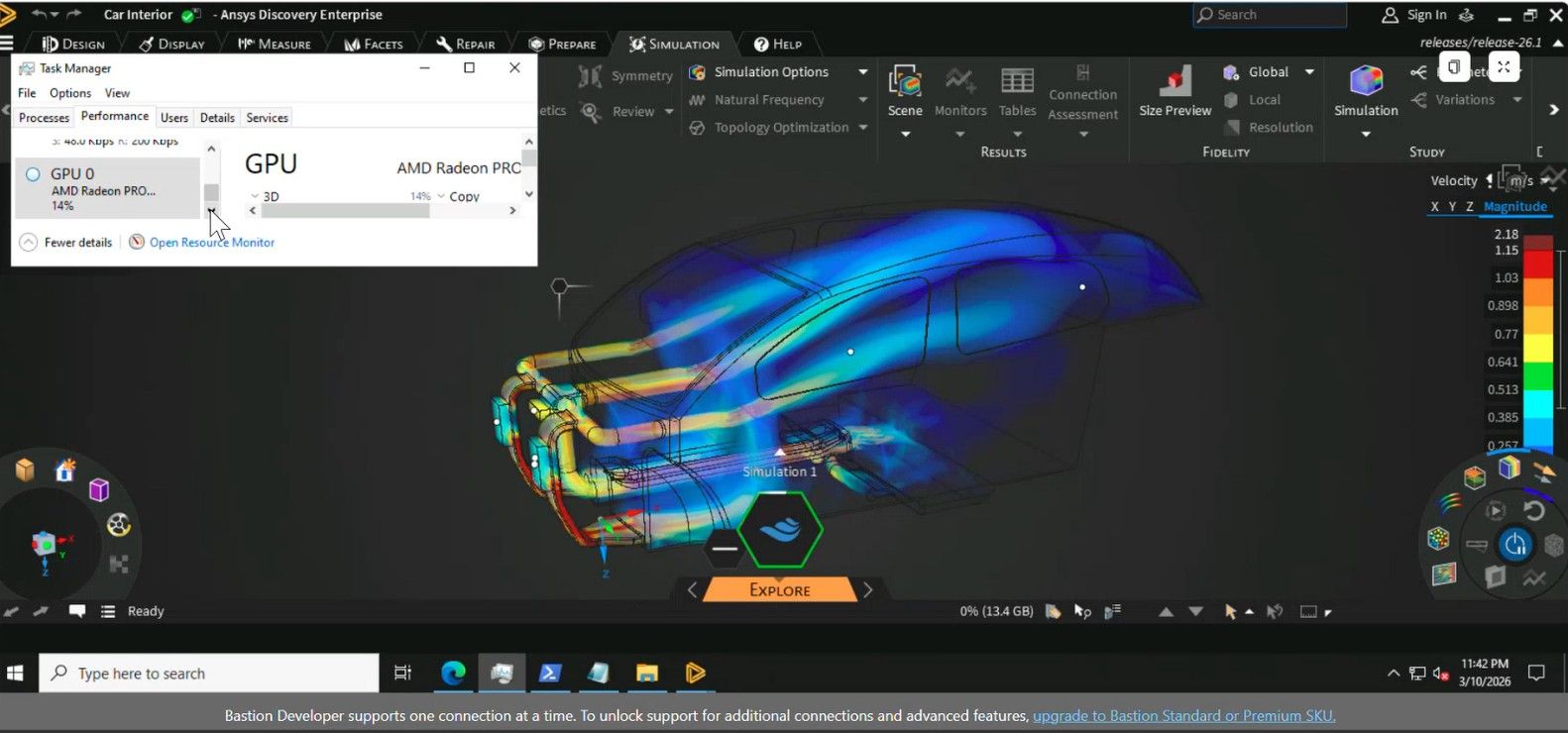
Engineering teams are under pressure to accelerate design cycles while managing increasingly complex simulations. Traditional workflows—where CAD and simulation operate separately—slow down innovation. This blog explores how Ansys Discovery, running on Azure AMD Radeon GPU infrastructure, enables real-time simulation-driven design and validates its performance on NVads V710 v5.
Overview of Synopsys-Ansys Discovery
Ansys Discovery is an interactive engineering application that unifies 3D geometry modeling, real‑time simulation, and visual analysis into a single, immersive workspace. It is purpose‑built to accelerate early‑stage engineering exploration while maintaining continuity into high‑fidelity validation workflows.
Discovery enables engineers and designers to create, modify, simulate, and iterate on designs in real time, dramatically reducing the time required to assess design feasibility, physics behavior, and performance tradeoffs. Unlike traditional sequential CAD‑then‑simulation workflows, Discovery collapses these steps into a continuous feedback loop that supports faster decision‑making and more informed design outcomes.
Ansys Discovery is organized into three continuously accessible stages:
- Model – Focused on direct 3D geometry creation and modification, without simulation overhead
- Explore – Provides instant, real‑time simulation results using GPU‑accelerated meshing and solvers for rapid insight
- Refine – Enables higher‑fidelity simulation using body‑fitted meshing and CPU/GPU solvers for design validation
Running Discovery on Azure extends these capabilities by enabling scalable, cloud-based engineering workflows.
Key benefits
- Running Ansys Discovery on Azure provides a scalable, cloud-based platform for simulation-driven design with the following advantages:
- Access high-performance engineering workstations from anywhere
- Azure provides global access to GPU-enabled virtual machines, enabling engineers to run Discovery from any location without dependency on local hardware.
- Engineers no longer need high-end local GPUs, as compute and visualization are delivered through Azure-hosted environments. This reduces hardware refresh cycles and IT overhead.
- Azure NVads V710 v5 supports fractional GPU allocation (1/6 to full GPU), allowing organizations to right-size cost and performance based on workload requirements.
- Discovery’s GPU-accelerated Explore mode benefits from Azure GPU infrastructure, enabling instant physics feedback and faster design iteration cycles.
- CAD models, simulation results, and design artifacts can be stored in Azure Files or Azure NetApp Files, reducing data duplication and improving collaboration across teams.
- Azure allows rapid provisioning and scaling of GPU resources to match peak design cycles or project demands.
- Intellectual property remains within enterprise-managed Azure environments, with access controlled using Microsoft Entra ID and Azure security services.
- Cloud-hosted Discovery environments enable geographically distributed teams to collaborate on shared designs with consistent performance and user experience.
To support these capabilities, Azure provides a reference architecture optimized for GPU-accelerated simulation.
Architecture
The architecture for running Ansys Discovery on Azure is designed to deliver interactive, GPU‑accelerated simulation in a scalable and cloud-native environment. As illustrated in the diagram, engineers connect to Azure-hosted virtual workstations powered by NVads V710 v5 GPUs, enabling real-time geometry modeling and simulation through remote visualization. Design data and simulation outputs are stored in shared cloud storage services such as Azure Files or Azure NetApp Files, ensuring consistency and accessibility across distributed teams. This setup allows users to seamlessly move between interactive exploration and higher-fidelity validation workflows, while benefiting from on-demand scaling, centralized security, and reduced dependency on local high-performance hardware.
Azure GPU SKU Mapping
Architectural Mapping Overview
Ansys Discovery workloads on Azure naturally align to two primary GPU VM categories:
- Graphics‑optimized, fractional GPU -> Design exploration
- Full‑GPU -> Design Refinement
This mapping enables right‑sizing of cost, performance, and user experience on the following recommended Azure VM Series.
- Azure NVads V710 v5series
-
NVads V710 v5 VMs are designed for graphics‑intensive, interactive workloads and provide:
- AMD Radeon™ Pro V710 GPUs
- Fractional GPU support (1⁄6 → full GPU)
- Cost‑optimized GPU visualization
- High‑frame‑rate remote graphics
- No additional GPU licensing required
These characteristics align directly with Discovery’s real‑time, GPU‑accelerated Explore mode, where instant feedback matters more than absolute solver depth.
-
Typical Discovery Workloads on NVads V710 v5
- Interactive geometry creation and modification
- Real‑time physics feedback in Explore mode
- Concept‑level CFD, structural, and thermal studies
- Design review sessions and rapid iteration loops
-
Recommended Sizes (Right‑Sizing Guidance)
Discovery Use Case
Azure VM Size
GPU Allocation
Single engineer, light models
Standard_NV4ads_V710_v5
1⁄6 GPU
Moderate assemblies, daily use
Standard_NV8ads_V710_v5
1⁄3 GPU
Large CAD models, advanced explore
Standard_NV12ads_V710_v5
1⁄2 GPU
Power users, complex scenes
Standard_NV24ads_V710_v5
Full GPU
Test Scenarios:
Test Name
Simulation Analysis Type
External Aerodynamics Test 2
Fluid
Internal Flow Test 1
Fluid
Internal Flow Test 2
Fluid
Internal Flow Test 3
Fluid
Heat Transfer Test 1
Thermal
Conjugate Heat Transfer Test 1
Fluid-Thermal
Conjugate Heat Transfer Test 2
Fluid-Thermal
Static Structural Test 1
Structural
Static Structural Test 2
Structural
Static Structural Assembly Test 1
Structural
Static Structural Assembly Test 2
Structural
Natural Frequency Test 1
Modal
Natural Frequency Test 2
Modal
Result Table:
Test Name
Solve Time (s)
Element Count
Test Result
External Aerodynamics Test 2
47.68
1.44E+06
Pass
Internal Flow Test 1
26.70
7.90E+05
Pass
Internal Flow Test 2
9.34
9.64E+05
Pass
Internal Flow Test 3
18.00
1.39E+06
Pass
Heat Transfer Test 1
4.55
2.51E+06
Pass
Conjugate Heat Transfer Test 1
12.34
1.34E+06
Pass
Conjugate Heat Transfer Test 2
30.89
1.54E+06
Pass
Static Structural Test 1
4.76
3.06E+06
Pass
Static Structural Test 2
4.78
3.04E+06
Pass
Static Structural Assembly Test 1
12.98
2.97E+06
Pass
Static Structural Assembly Test 2
14.16
1.88E+06
Pass
Natural Frequency Test 1
36.04
1.45E+06
Pass
Natural Frequency Test 2
16.10
1.11E+06
Pass
These results demonstrate consistent performance across fluid, thermal, and structural simulations, with sub-minute solve times even for multi-million element models.
Conclusion:
The validation confirms that Azure NVads V710 v5 delivers consistent, scalable performance across diverse simulation workloads. With fractional GPU flexibility and strong visualization capabilities, it enables organizations to adopt real-time simulation without overprovisioning infrastructure.
All workloads successfully passed, demonstrating consistent performance across simulation types. Importantly, we’re seeing rapid solve times even at multi-million element scale, which reinforces the ability to use Discovery for real-time engineering exploration at enterprise level. Azure NVads V710 v5 is uniquely optimized for Discovery’s real-time simulation workflows. It provides GPU acceleration tuned for interactive engineering, not just batch compute.
The fractional GPU model allows organizations to right-size cost and performance based on user needs—from individual engineers to power users. This ensures maximum flexibility while maintaining high-quality visualization and responsiveness.

 Microsoft