What if your app could remember? What if a customer could say “I told you last week I like leather jackets” and the app actually knew that? That’s what we’re building here — an AI shopping assistant with persistent memory, powered by Microsoft Agent Framework and SQL Server.
Ever shopped online and felt like the app had no idea who you are? You browse jackets every week, you told the chatbot you hate polyester, and yet it keeps showing you the same generic recommendations. That’s the problem. Most e-commerce apps treat every interaction as a blank slate.
What if your app could remember? What if a customer could say “I told you last week I like leather jackets” and the app actually knew that? That’s what we’re building here — an AI shopping assistant with persistent memory, powered by Microsoft Agent Framework and SQL Server.
The Problem: Amnesia in E-Commerce
Traditional e-commerce chatbots have a fundamental issue — they forget everything the moment the session ends. Here’s what that looks like in practice:
Monday: > Customer: “I’m looking for a warm winter jacket, something in leather”
> Bot: “Great! Here are some leather jackets…”
Wednesday: > Customer: “Show me more options like what we discussed”
> Bot: “I’m sorry, could you tell me what you’re looking for?”
The customer told you their preferences. They invested time in a conversation. And the app just… forgot. This isn’t just a bad user experience — it’s a missed opportunity. Every preference a customer shares is data you could use to serve them better next time.
The Solution: An Agent That Remembers
At a high level, what we want is simple:
- Chats naturally — the customer can talk about what they like and don’t like.
- Remembers across sessions — log out, come back tomorrow, and it still knows you prefer leather over polyester.
- Makes smart recommendations — uses the full conversation history to suggest products that actually match.
The trick isn’t building a chatbot — that part is easy these days. The trick is giving it memory that persists and scales.
Our Architecture
The architecture has three layers: a FastAPI backend serving a browser SPA, conversational agents built on Microsoft Agent Framework, and SQL Server as the persistent memory layer.
Architecture diagram
The key piece that ties it all together is the history provider — a component that plugs into the framework and handles loading/saving conversation history automatically. The agent doesn’t manage its own memory; the framework does, through this provider abstraction.
Why Microsoft Agent Framework
Microsoft Agent Framework is an open-source Python framework for building AI agents. Think of it as the plumbing between your application logic and the LLM — it handles sessions, conversation history, context injection, and tool execution so you can focus on what your agent actually does.
Why use it instead of rolling your own?
- Session management — built-in support for creating and tracking user sessions.
- Context providers — a clean abstraction for injecting history, user profiles, or any other context before each LLM call.
- Provider pattern — swap out your storage backend (SQL Server, Cosmos DB, in-memory) without changing agent code.
- Tool integration — define functions the agent can call, and the framework handles the execution loop.
At its simplest, creating an agent looks like this:
from agent_framework import Agent

agent = Agent(
    client=chat_client,
    instructions="You are a helpful assistant.",
)

session = agent.create_session()
response = await agent.run("Hello!", session=session)
print(response)

That gives you a stateless agent — no memory between calls. To add memory, you provide a context provider that loads and saves messages:

from agent_framework import Agent, BaseHistoryProvider

class MyHistoryProvider(BaseHistoryProvider):
    async def get_messages(self, session_id, **kwargs):
        # Load messages from your storage
        return load_from_db(session_id)

    async def save_messages(self, session_id, messages, **kwargs):
        # Persist messages to your storage
        save_to_db(session_id, messages)

agent = Agent(
    client=chat_client,
    instructions="You are a helpful assistant.",
    context_providers=[MyHistoryProvider()]
)
The framework calls get_messages() before each run and save_messages() after. Your agent now has memory — and you didn’t have to manually wire load/save into every request handler.
Why SQL Server for the Memory Layer
So, we need a database behind that history provider. Why SQL Server over, say, PostgreSQL?
Both are solid, relational databases. Both can store conversation history just fine. But for this use case — agent memory that starts local and grows to production — SQL Server has a smoother story:
|
Consideration |
SQL Server |
PostgreSQL |
|
Local dev |
One Docker command, no config files |
Needs pg_hba.conf, postgresql.conf tuning |
|
Cloud path |
Docker → Azure SQL Database, same driver, zero code changes |
Docker → various managed options (Cloud SQL, RDS, Azure DB for PostgreSQL), often with driver/extension differences |
|
Managed scaling |
Azure SQL auto-scales compute, Hyperscale handles 100TB+, license-free option |
Managed Postgres varies by provider, Citus for scale-out adds complexity |
|
Free tier |
10 free databases per Azure subscription |
Varies by cloud provider |
|
Agent framework fit |
First-class mssql_python driver, tested with MAF samples |
Works, but you’re wiring your own driver integration |
The short version: PostgreSQL is a great database, but SQL Server gives us a single continuum from docker run on a laptop all the way to a globally distributed managed service — same engine, same queries, same connection driver. When your agent goes from prototype to production, you change a connection string, not your architecture.
We’ll go deeper on the cloud scaling story later in this post. For now, let’s build the thing.
Setting Up the Infrastructure
Getting SQL Server running locally is one Docker command:
docker run -d `
  --name sql `
  -e "ACCEPT_EULA=Y" `
  -e "MSSQL_SA_PASSWORD=YourStrong!Passw0rd" `
  -p 1433:1433 `
  -v sqlvolume:/var/opt/mssql `
  mcr.microsoft.com/mssql/server:2022-latest
We also need local LLMs via Ollama — Llama 3.1 for conversational quality and Phi-3 Mini for fast structured recommendations:
foundry download llama3.1
foundry download phi3:mini
And then our Python dependencies:
cd commerce-agent
uv sync
uv pip install fastapi uvicorn httpx
The Database Schema
The schema is straightforward — Users, Sessions, and ChatHistory. The important relationship is that ChatHistory is scoped to a session, and sessions belong to users. This means each user gets their own isolated conversation history.
CREATE TABLE Users (
    Id INT IDENTITY PRIMARY KEY,
    Username NVARCHAR(100) UNIQUE NOT NULL,
    DisplayName NVARCHAR(200) NOT NULL,
    CreatedAt DATETIME2 DEFAULT GETUTCDATE()
)

CREATE TABLE Sessions (
    Id NVARCHAR(100) PRIMARY KEY,
    UserId INT NOT NULL FOREIGN KEY REFERENCES Users(Id),
    CreatedAt DATETIME2 DEFAULT GETUTCDATE(),
    LastActiveAt DATETIME2 DEFAULT GETUTCDATE()
)

CREATE TABLE ChatHistory (
    Id INT IDENTITY PRIMARY KEY,
    SessionId NVARCHAR(100) NOT NULL FOREIGN KEY REFERENCES Sessions(Id),
    Role NVARCHAR(50),
    Content NVARCHAR(MAX),
    CreatedAt DATETIME2 DEFAULT GETUTCDATE()
)
Every message — whether from the user or the assistant — gets stored with a timestamp and role. When the agent needs context, it pulls the full conversation history for that session.
The History Provider: Plugging Memory into the Framework
Here’s where it gets interesting. Microsoft Agent Framework has a concept called BaseHistoryProvider. You extend it, implement two methods — get_messages() and save_messages() — and the framework handles the rest. It calls get_messages() before each agent run to load context, and save_messages() after to persist new messages.
from agent_framework import BaseHistoryProvider, Message

class CommerceHistoryProvider(BaseHistoryProvider):
    def __init__(self, source_id: str = "commerce-history"):
        super().__init__(source_id)

    async def get_messages(
        self, session_id: str | None, *, state: dict[str, Any] | None = None, **kwargs: Any
    ) -> list[Message]:
        if not session_id:
            return []
        conn = get_conn()
        cursor = conn.cursor()
        cursor.execute("""
            SELECT Role, Content FROM ChatHistory
            WHERE SessionId = ?
            ORDER BY CreatedAt
        """, (session_id,))
        rows = cursor.fetchall()
        conn.close()
        return [Message(role=role, text=content) for role, content in rows]

    async def save_messages(
        self,
        session_id: str | None,
        messages: Sequence[Message],
        *,
        state: dict[str, Any] | None = None,
        **kwargs: Any,
    ) -> None:
        if not session_id:
            return
        conn = get_conn()
        cursor = conn.cursor()
        for msg in messages:
            text = msg.text or ""
            if not text and msg.contents:
                text = "".join(c.text for c in msg.contents if hasattr(c, "text"))
            cursor.execute(
                "INSERT INTO ChatHistory (SessionId, Role, Content) VALUES (?, ?, ?)",
                (session_id, msg.role, text)
            )
        conn.commit()
        conn.close()
That’s it — that’s the memory layer. The framework calls these methods at the right time, so you never have to manually load or save history in your route handlers.
Wiring It Up: The Agent
With the history provider in place, creating the agent is clean:
from agent_framework import Agent

history_provider = CommerceHistoryProvider()

chat_client = create_chat_client()

agent = Agent(
    client=chat_client,
    instructions=(
        "You are a friendly shopping assistant. Help users discover products they'll love. "
        "Ask about their interests, hobbies, and preferences. Remember what they tell you. "
        "Be conversational and warm."
    ),
    context_providers=[history_provider]
)
The context_providers parameter is the key. By passing our history provider here, the agent automatically gets the user’s full conversation history as context before generating a response. No manual plumbing required.
Handling a Chat Request
When a user sends a message, here’s what happens end-to-end:
app.post("/api/chat")
async def chat(req: ChatRequest):
    user = get_user(req.username)
    if not user:
        raise HTTPException(status_code=401, detail="Not logged in")

    session_id = get_or_create_session(user["id"])
    session = agent.create_session(session_id=session_id)

    response = await agent.run(req.message, session=session)
    return {"response": str(response)}
Behind the scenes: 1. We look up (or create) a session for this user. 2. The framework calls get_messages() to load all prior conversation. 3. The LLM sees the full history + the new message and generates a contextual response. 4. The framework calls save_messages() to persist the new exchange.
The customer says “I told you I like leather jackets” and the agent actually knows because it has the full history.
Smart Recommendations
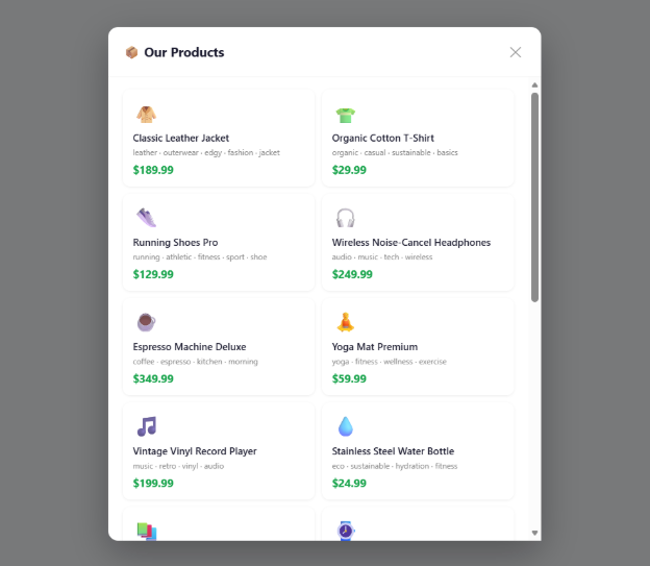
The real payoff comes when you combine memory with recommendations. Because we have the full conversation history, we can analyze what the customer has told us and match against our product catalog:
app.post("/api/recommendations")
async def recommendations(req: RecommendationRequest):
    user = get_user(req.username)
    session_id = get_or_create_session(user["id"])
    history = get_session_history(session_id)

    if not history:
        all_prods = get_all_products()[:6]
        return {"best_match": all_prods[0], "other": all_prods[1:]}

    matched = score_products(history)
    return {
        "best_match": matched[0] if matched else None,
        "other": matched[1:] if len(matched) > 1 else matched,
        "message": f"Based on your preferences, {user['display_name']}!"
    }
The score_products() function takes the conversation history, extracts preferences, and scores products against them. If a customer said they love outdoor gear and hate synthetic materials — that’s reflected in what gets recommended.
Why This Matters
Adding persistent memory to your e-commerce agent isn’t just a technical exercise. It fundamentally changes the customer relationship:
- Customers feel heard — they don’t have to repeat themselves.
- Recommendations improve over time — the more they chat, the better you understand them.
- Sessions become cumulative — each visit builds on the last instead of starting fresh.
The Microsoft Agent Framework makes this surprisingly straightforward. You implement a history provider, plug it in via context_providers, and the framework handles the lifecycle. SQL Server gives you durable, queryable storage. And because the provider interface is clean, moving to the cloud doesn’t require rewriting anything.
Growing Up: From Docker to the Cloud
We wanted to start easy — Foundry Local for the LLM, SQL Server from a Docker container, everything running on your laptop. That’s great for prototyping and proving out the concept. But what does the grow-up story look like when you’re ready to serve real customers at scale? Let’s talk about that next.
The good news: because we used SQL Server locally, the path to production is a straight line — not a migration.
Azure SQL Database
Azure SQL Database is the managed version of what you’ve been running in Docker. Same engine, same T-SQL, same connection driver. Your CommerceHistoryProvider code doesn’t change at all — you just update the connection string.
What you get by moving to Azure SQL Database:
|
Feature |
Why it matters for agents |
|
Auto-scaling |
Conversation spikes during sales events? The database scales compute up and back down automatically. |
|
10 free databases per subscription |
Experiment with separate DBs per agent or environment without worrying about cost during development. |
|
Built-in high availability |
99.99% SLA — your agent’s memory doesn’t go down because a container crashed. |
|
Geo-replication |
Serve users globally with read replicas close to them — conversation history loads fast regardless of region. |
|
Automatic backups |
Point-in-time restore up to 35 days. Accidentally dropped the ChatHistory table? Roll back. |
Hyperscale: When Conversations Get Big
As your user base grows, conversation history grows with it. A single user might accumulate thousands of messages over months. Multiply that by millions of users and you’re looking at serious storage.
Azure SQL Hyperscale is designed for exactly this:
- Up to 100 TB of storage — your conversation history can grow without partition gymnastics.
- License-free — Hyperscale has a license-free option, so you only pay for compute and storage, not per-core licensing.
- Near-instant scale-out — add read replicas in seconds for analytics workloads (e.g., “what are the trending preferences across all users this week?”).
- Fast database snapshots — spin up a copy of production for testing or ML training without waiting hours for a restore.
The Connection String Is the Only Change
Here’s what the transition looks like in code. Your local setup:
DB_CONFIG = {
    "server": "localhost",
    "port": 1433,
    "user": "sa",
    "password": "YourStrong!Passw0rd",
    "database": "agentdb"
}

Your production setup on Azure SQL:

DB_CONFIG = {
    "server": "your-agent-db.database.windows.net",
    "port": 1433,
    "user": "agent-app",
    "password": os.environ["AZURE_SQL_PASSWORD"],
    "database": "agentdb"
}
Same schema. Same queries. Same CommerceHistoryProvider. The agent doesn’t know or care that it moved from a Docker container to a globally distributed managed database — it just works, faster and more reliably.
See It in Action
Here’s Steve chatting with the assistant about outdoor gear, with Foundry selected as the recommendation provider. Notice how the recommendations on the right reflect his stated preferences:
Steve chatting with the shopping agent — Foundry provider selected
And here’s Marla, a completely different user with different tastes. Same app, same agent — but her conversation history and recommendations are entirely her own:
Marla chatting with the shopping agent — Foundry provider selected
Each user gets isolated conversation history. The agent remembers what they said, not what someone else said. That’s the power of session-scoped memory backed by SQL Server.
Running It Yourself
1. Clone the repo:
https://github.com/softchris/ecommerce-agent-memory
2. Install dependencies (make sure you installed the prereqs as laid out by the README file first)
uv sync
3. Run the app
uv run uvicorn app:app --reload --port 8000
4. Navigate to http://localhost:8000,
log in as Marla or Steve, and start chatting. Tell the assistant what you like. Log out. Come back. Ask for recommendations. The agent remembers.
That’s the difference between a chatbot and an assistant that actually knows your customers.
Call to Actions
Ready to build your own agent with memory? Here’s where to go next:
- 📖 Microsoft Agent Framework Documentation — official docs covering agents, context providers, sessions, tool use, and more. Start here to understand the full capabilities of the framework.
- 🧪 Foundry Local Python Samples — hands-on sample code showing how to run agents locally with Foundry. Great for getting something running fast without cloud dependencies.
- 🛍️ This project’s source code — the full e-commerce agent with persistent SQL Server memory. Clone it, run it, and adapt it to your own use case.

 Microsoft