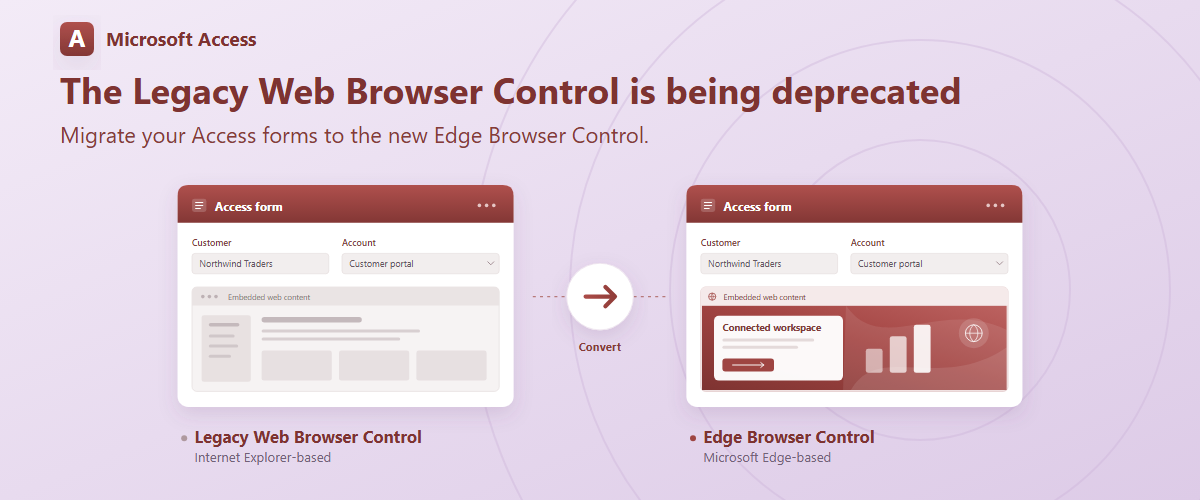
We are announcing the planned deprecation of the legacy, Internet Explorer-based Web Browser Control in Microsoft Access, targeted for May 18, 2027, with version 2705. For Access LTSC 2024, the change is planned for May 11.
If your Access applications contain forms that use the legacy control, we recommend migrating those controls to the Edge Browser Control before the target deprecation date. This post explains how to identify affected forms, convert existing controls, and prepare your applications for the transition.
Why we are making this change
Microsoft retired the Internet Explorer 11 desktop application and ended its support on certain versions of Windows 10 on June 15, 2022, as explained in the Internet Explorer 11 desktop app retirement FAQ. (techcommunity.microsoft.com)
As part of Access’s continued modernization, we are now planning to deprecate the legacy, Internet Explorer-based Web Browser Control. We recommend migrating affected forms to the Edge Browser Control. (Use the Edge browser control on a form)
Moving your forms to the Edge Browser Control prepares your applications for the transition announced in this post.
What deprecation means for your applications
When this change takes effect in your version of Access, legacy Web Browser Controls will no longer load or display web content. We will provide an option under Access Options to automatically load them as Edge Browser Controls, but this will not be the default.
To preserve your application’s browser functionality, update the affected forms, review any associated VBA code, and test the updated application before deploying it to users.
Who should take action?
Review your Access applications if they include forms containing the legacy Web Browser Control. Include databases maintained by your organization, external developers, or solution providers.
Forms that already use the Edge Browser Control do not need their browser controls converted as part of this migration.
We recommend starting your review early so you have time to make changes, test your application’s workflows, and distribute updated forms to your users. For new forms that need to display web content, choose the Edge Browser Control rather than adding a new dependency on the legacy control.
Identify affected forms
Identifying affected controls is currently a manual process:
- Open each form in Design View.
- Inspect the form for legacy Web Browser Controls, distinguishing them from Edge Browser Controls.
- Note each control that needs conversion. Include forms used as subforms in your review.
Repeat this process for each database you maintain. Allow time to convert the controls, update related code, test your application’s workflows, and distribute the updated database.
Convert an existing legacy Web Browser Control to the Edge Browser Control
You can convert an existing legacy Web Browser Control directly from your form’s Design View:
- Back up your database. Make and retain a backup before modifying your forms.
- Open the form in Design View. In the Navigation Pane, right-click the affected form and select Design View.
- Select the legacy Web Browser Control on the form.
- Convert the control. Right-click it, point to Change To, and select New browser control.
- Save and test the form. Open it in Form View and verify that the converted control behaves as expected.
Repeat these steps for each legacy Web Browser Control in the forms you plan to migrate.
Review compatibility and test your forms
Treat conversion as the beginning of validation—not the end. Before deploying an updated database, we recommend testing:
-
VBA, DOM access, and events: The Edge Browser Control does not expose the legacy control’s Object property or MSHTML object model. Code that directly accesses the HTML document or DOM through those interfaces must be rewritten. Use ExecuteJavascript to run JavaScript in the page and RetrieveJavascriptValue to retrieve the value of a JavaScript expression. Review related event handlers as well.
-
Internet Explorer compatibility: Test websites and content that depend on Internet Explorer-specific behavior. They may require changes to work with Edge.
-
Authentication and navigation: Test sign-in flows, protected content, links, redirects, and URLs that change with the current record. Review the Trusted Domains configuration where necessary.
-
Local content: Test local files and review the Edge Browser Control’s local-file navigation requirements.
-
User environments: Validate the updated forms in the Access environments where your application will run.
For configuration guidance, including Trusted Domains and local-file navigation, see Use the Edge browser control on a form.
Developers should also review the Edge Browser Control object reference when updating browser-related VBA code. (EdgeBrowserControl Object)
Start preparing now
The planned deprecation date is May 18, 2027, with version 2705. Begin identifying affected forms and testing their conversion to the Edge Browser Control now, allowing time to resolve compatibility issues before deploying your updated application.

 Microsoft