xdr
131 Topics
Introducing a Unified Security Operations Platform with Microsoft Sentinel and Defender XDR
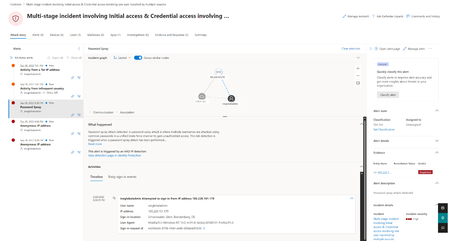
Read about our announcement of an exciting private preview that represents the next step in the SOC protection and efficiency journey by bringing together the power of Microsoft Sentinel, Microsoft Defender XDR and Microsoft Security Copilot into a unified security operations platform.83KViews17likes12CommentsMicrosoft 365 E5 Security is now available as an add-on to Microsoft 365 Business Premium
The threat landscape continues to evolve creating ongoing challenges for small and medium businesses (SMBs) that are faced with increased regulations and cyberinsurance requirements. Today, Microsoft 365 Business Premium delivers core security solutions to SMBs that help safeguard data, defend against cyberthreats, and manage access and devices. With the growing volume of attacks and increased sophistication of threats, there are SMBs that want enhanced cybersecurity protection for their business. We are pleased to announce that Business Premium customers are now able to purchase Microsoft 365 E5 Security as an add-on to further enhance their security. E5 Security brings new security value on top of Business Premium with Microsoft Entra ID Plan 2, Microsoft Defender for Identity, Microsoft Defender for Endpoint Plan 2, Microsoft Defender for Office 365 Plan 2, and Microsoft Defender for Cloud Apps. (ENHANCED) Identity and access controls Business Premium includes Microsoft Entra ID P1, which provides single sign-on, multi-factor authentication (MFA), and conditional access to help SMBs manage user identities and enable access to applications and resources from trusted users, devices, and locations. Microsoft Entra ID P2 offers advanced security and governance features including Microsoft Entra ID Protection and Microsoft Entra ID Governance. Microsoft Entra ID protection offers risk-based conditional access that helps block identity attacks in real time using behavioral analytics and signals from both user risk and sign-in risk. It also enables SMBs to detect, investigate, and remediate potential identity-based risks using sophisticated machine learning and anomaly detection capabilities. With detailed reports and alerts, your business is notified of suspicious user activities and sign-in attempts, including scenarios like a password-spray where attackers try to gain unauthorized access to company employee accounts by trying a small number of commonly used passwords across many different accounts. ID Governance capabilities are also included to help automate workflows and processes that give users access to resources. For example, IT admins historically manage the onboarding process manually and generate repetitive user access requests for Managers to review which is time consuming and inefficient. With ID Governance capabilities, pre-configured workflows facilitate the automation of employee onboarding, user access, and lifecycle management throughout their employment, streamlining the process and reducing onboarding time. (NEW) Extended Detection and Response (XDR) Microsoft Defender XDR delivers a unified and efficient approach to incident-level visibility across the attack lifecycle. Together XDR and exposure management (XSPM) consolidate multiple siloed security solutions to provide best-of-breed capabilities across identities, endpoints, apps, and email. (NEW) Identity threat detection and response (ITDR) Identities are one of the most common attack vectors making identity-specific threat detection and response a critical element to secure your business. Microsoft Defender for Identity includes dedicated sensors and connectors for common identity elements that offer visibility into your unique identity landscape and provide detailed posture recommendations, robust detections and response actions. These powerful detections are then automatically enriched and correlated with data from other domains across Defender XDR for true incident-level visibility. (ENHANCED) Device security Microsoft Defender for Business (MDB) already brings enterprise-grade device protection capabilities to Business Premium customers across Windows, MacOS, iOS, and Android devices. It includes vulnerability management, next-generation antivirus protection, AI-powered endpoint detection and response with automatic attack disruption, and automated investigation and remediation. With streaming APIs, customers and partners can build Managed Detection and Response (MDR) services with Defender for Business. For customers who need advanced hunting, Microsoft Defender for Endpoint P2 adds advanced hunting, and 6 months of data retention on the device, along with endpoint security for IoT devices. (ENHANCED) Email and Collaboration security Microsoft Defender for Office 365 P1 in Business Premium includes SafeLinks with time of click URL filtering, safe attachments with real-time attachment scanning in sandbox, and phishing and malware defense across email, Microsoft Teams, OneDrive and SharePoint. It also has AI-powered LLM-based threat protection with 99.995% attacker intent detection accuracy. With Defender for Office 365 P2, you gain access to cyber-attack simulation training, which provides SMBs with a safe and controlled environment to simulate real-world cyber-attacks, helping to train employees in recognizing phishing attempts. Additionally automated response capabilities and post-breach investigations help reduce the time and resources required to identify and remediate potential security breaches. Detailed reports are also available that capture information on employees’ URL clicks, internal and external email distribution, and more. (NEW) Software-as-a-service (SaaS) security Microsoft Defender for Cloud Apps is a comprehensive, AI-powered software-as-a-service (SaaS) security solution that enables IT teams to identify and manage shadow IT and ensure that only approved applications are used. It protects against sophisticated SaaS-based attacks, OAuth attacks, and risky interactions with GenAI apps by combing SaaS app discovery, security posture management, app-to-app protection, and integrated threat protection. IT teams can gain full visibility into their SaaS app landscape, understand the risks and set up controls to manage the apps. SaaS security posture management quickly identifies app misconfigurations and provides remediation actions to reduce the attack surface. E5 Security delivers added protection to meet the growing needs of SMBs in a package that is cost-effective. Purchasing E5 Security has 57% savings when compared to the cost of separately purchasing the individual products that are included. FAQ When will E5 Security be available for purchase? E5 Security is available for purchase as an add-on to Business Premium starting today, 3/6. How can I purchase E5 Security? You can purchase E5 Security as an add-on to Business Premium through Microsoft Security for SMBs website or through your Partner. Does Microsoft 365 Business Premium plus Microsoft 365 E5 Security allow mixed licensing for endpoint security solutions? Microsoft Defender for Business does not support mixed licensing so a tenant with Defender for Business (included in Microsoft 365 Business Premium) along with Defender for Endpoint Plan 2 (included in Microsoft 365 Security) will default to Defender for Business. For example, if you have 80 users licensed for Microsoft 365 Business Premium and you’ve added Microsoft 365 E5 Security for 30 of those users, the experience for all users will default to Defender for Business. If you would like to change that to the Defender for Endpoint Plan 2 experience, you should license all users for Defender for Endpoint Plan 2 (either through standalone or Microsoft 365 E5 Security) and then contact Microsoft Support to request the switch for your tenant. You can learn more here. What are the differences between Microsoft Defender for Business and Microsoft Defender for Endpoint P2? MDB includes many of the same features as MDE P2, including enterprise-grade device protection for Windows, MacOS, iOS, and Android devices, vulnerability management, next-generation antivirus protection, AI-powered endpoint detection and response with automatic attack disruption, and automated investigation and remediation. MDE P2 adds endpoint security for IoT devices, threat hunting, and 6 months of data retention on the device. A detailed comparison is available here. As a Partner, how do I build Managed Detection and Response (MDR) services with MDB? For partners or customers looking to build their own security operations center (SOC) with MDR, Defender for Business supports the streaming of device events (device file, registry, network, logon events and more) to Azure Event Hub, Azure Storage, and Microsoft Sentinel to support advanced hunting and attack detection. If you are using the streaming API for the first time, you can find step-by-step instructions in the Microsoft 365 Streaming API Guide on configuring the Microsoft 365 Streaming API to stream events to your Azure Event Hubs or to your Azure Storage Account. To learn more about Microsoft Security solutions for SMBs you can visit our website. Partners can access training resources, customer decks and deployment checklists from our Business Premium Partner Playbook and find additional resources for Microsoft Security for Partners.89KViews11likes19CommentsUncover the latest cloud data security capabilities from Microsoft Defender for Cloud
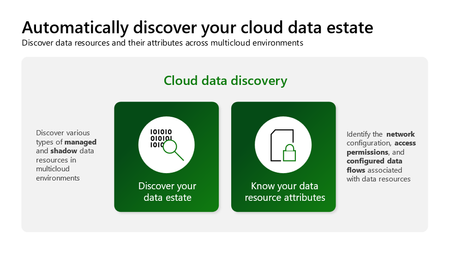
Learn about the latest multicloud data security capabilities from Microsoft Defender for Cloud to strengthen your data security posture and protect your cloud data estate against data breaches and malware distribution.6.7KViews9likes0CommentsMonthly news - May 2024
Microsoft Defender XDR Monthly news May 2024 Edition This is our monthly "What's new" blog post, summarizing product updates and various new assets we released over the past month across our Defender products. In this edition, we are looking at all the goodness from April 2024.45KViews9likes17CommentsMonthly news - May 2024
Microsoft Defender XDR Monthly news May 2024 Edition This is our monthly "What's new" blog post, summarizing product updates and various new assets we released over the past month across our Defender products. In this edition, we are looking at all the goodness from April 2024.9.6KViews8likes1CommentTurn Complexity into Clarity: Introducing the New UEBA Behaviors Layer in Microsoft Sentinel
Security teams today face an overwhelming challenge: every data point is now a potential security signal, and SOCs are drowning in fragmented, high-volume logs from countless sources - firewalls, cloud platforms, identity systems, and more. Analysts spend precious time translating between schemas, manually correlating events, and piecing together timelines across disparate data sources. For custom detections, it’s no different. What if you could transform this noisy complexity into clear, actionable security intelligence? Today, we're thrilled to announce the release of the UEBA Behaviors layer - a breakthrough AI-based UEBA capability in Microsoft Sentinel that fundamentally changes how SOC teams understand and respond to security events. The Behaviors layer translates low-level, noisy telemetry into human-readable behavioral insights that answer the critical question: "Who did what to whom, and why does it matter?" Instead of sifting through thousands of raw CloudTrail events or firewall logs, you get enriched, normalized behaviors - each one mapped to MITRE ATT&CK tactics and techniques, tagged with entity roles, and presented with a clear, natural-language explanation. All behaviors are aggregated and sequenced within a time window or specific trigger, to give you the security story that resides in the logs. What Makes the Behaviors Layer Different? Unlike alerts - which signal potential threats - or anomalies - which flag unusual activity - behaviors are neutral, descriptive observations. They don't decide if something is malicious; they simply describe meaningful actions in a consistent, security-focused way. The Behaviors layer bridges the gap between alerts (work items for the SOC, indicating a breach) and raw logs, providing an abstraction layer that makes sense of what happened without requiring deep familiarity with every log source. While existing UEBA capabilities provide insights and anomalies for a specific event (raw log), behaviors turn clusters of related events – based on time windows or triggers – into security data. The technology behind it: Generative AI powers the Behaviors layer to create and scale the insights it provides. AI is used to develop behavior logic, map entities, perform MITRE mapping, and ensure explainability - all while maintaining quality guardrails. Each behavior is mapped back to raw logs, so you can always trace which events contributed to it. Real-World Impact: We've been working closely with enterprise customers during private preview, and their feedback speaks volumes about the transformative potential of the Behaviors layer: "We're constantly exploring innovative ways to detect anomalous behavior for our detection engineering and incident enrichment. Behaviors adds a powerful new layer that also covers third-party data sources in a multi-cloud environment - seamlessly integrable and packed with rich insights, including MITRE mapping and detailed context for deeper correlation and context-driven investigation." (Glueckkanja) "Microsoft's new AI-powered extension for UEBA enhances behavioral capabilities for PaloAlto logs. By intelligently aggregating and sequencing low-level security events, it elevates them into high-fidelity 'behaviors' - powerful, actionable signals. This enhanced behavioral intelligence significantly can improve your security operations. During investigations, these behaviors are immediately pointing to unusual or suspicious activities and providing a rich, contextual understanding of an entity's actions. They serve as a stable starting point for the analysts, instead of sifting through millions of logs." (BlueVoyant) How It Works: Aggregation and Sequencing The Behaviors layer operates using two powerful patterns: Aggregation Behaviors detect volume-based patterns. For example: "User accessed 50+ AWS resources in 1 hour." These are invaluable for spotting unusual activity levels and turning high-volume logs into actionable security insights. Sequencing Behaviors detect multi-step patterns that surface complex chains invisible in individual events. For example: "Access key created → used from new IP → privileged API calls." This helps you spot sophisticated tactics and procedures across sources. Once enabled, behaviors are aggregated and sequenced based on time windows and triggers tailored to each logic. When the time window closes or a pattern is identified, the behavior log is created immediately - providing near real-time availability. The behaviors are stored as records in Log Analytics. This means each behavior record contributes to your data volume and will be billed according to your Sentinel/Log Analytics data ingestion rates. Use Cases: Empowering Every SOC Persona The new Behaviors layer in Microsoft Sentinel enhances the daily workflows of SOC analysts, threat hunters, and detection engineers by providing a unified, contextual view of security activity across diverse data sources. SOC analysts can now investigate incidents faster by querying behaviors tied to the entities involved in an incident. For example, instead of reviewing 20 separate AWS API calls, a single behavior like “Suspicious mass secret access via AWS IAM” provides immediate clarity and context, with or without filtering on specific MITRE ATT&CK mapping. Simply use the following query (choose the entity you’re investigating): let targetTechniques = dynamic ("Password Guessing (T1110.001)"); // to filter on MITRE ATT&CK let behaviorInfoFiltered = BehaviorInfo | where TimeGenerated > ago(1d) | where AttackTechniques has_any (targetTechniques) | project BehaviorId, AttackTechniques; BehaviorEntities | where TimeGenerated > ago(1d) | where AccountUpn == ("user@domain.com") | join kind=inner (behaviorInfoFiltered) on BehaviorId Threat hunters benefit from the ability to proactively search for behaviors mapped to MITRE tactics or specific patterns, uncovering stealthy activity such as credential enumeration or lateral movement without complex queries. Another use case, is looking for specific entities that move across the MITRE ATT&CK chain within a specific time window, for example: let behaviorInfo = BehaviorInfo | where TimeGenerated > ago(12h) | where Categories has "Persistance" or Categories has "Discovery" // Replace with actual tactics | project BehaviorId, Categories, Title, TimeGenerated; BehaviorEntities | where TimeGenerated > ago(12h) | extend EntityName = coalesce(AccountUpn, DeviceName, CloudResourceId) // Replace with actual entity types | join kind=inner (behaviorInfo) on BehaviorId | summarize BehaviorTypes = make_set(Title), AffectedEntities = dcount(EntityName) by bin(TimeGenerated, 5m) | where AffectedEntities > 5 Detection engineers can build simpler, more explainable rules using normalized, high-fidelity behaviors as building blocks. This enables faster deployment of detections and more reliable automation triggers, such as correlating a new AWS access key creation with privilege escalation within a defined time window. Another example is joining the rarest behaviors with other signals that include the organization’s highest value assets: BehaviorInfo | where TimeGenerated > ago(5d) | summarize Occurrences = dcount(behaviorId), FirstSeen = min(TimeGenerated), LastSeen = max(TimeGenerated) by Title | order by Occurrences asc Supported Data Sources & Coverage This release focuses on most common non-Microsoft data sources that traditionally lack easy behavioral context in Sentinel. Coverage of more behaviors will expand over time - both within each data source and across new sources. Initial supported sources include: CommonSecurityLog - Specific vendors and logs: o Cyber Ark Vault o Palo Alto Threats AWS CloudTrail - Coverage for several AWS services like EC2, IAM, S3, EKS, Secrets Manager (common AWS management activities) GCPAuditLogs Once enabled, two new tables (BehaviorInfo and BehaviorEntities) will populate in your Log Analytics workspace. You can query these tables in Advanced Hunting, use them in detection rules, or view them alongside incidents - just like any other Sentinel data. If you already benefit from Defender behaviors (such as Microsoft Defender for Cloud Apps), the same query will show results for all sources. Ready to Experience the Power of Behaviors? The future of security operations is here. Don't wait to modernize your SOC workflows. Enable the Behaviors layer in Microsoft Sentinel today and start transforming raw telemetry into clear, contextual insights that accelerate detection, investigation, and response. Get started now: Understand pre-requisites, limitations, pricing, and use of AI in Documentation. Navigate to your Sentinel workspace settings, enable the Behaviors layer (a new tab under the UEBA settings) and connect the data sources. This is currently supported for a single workspace per tenant (best chosen by the ingestion of the supported data sources). Once enabled, explore the BehaviorInfo and BehaviorEntities tables in Advanced Hunting. If you already benefit from behaviors in XDR, querying the tables will show results from both XDR and UEBA. Start building detection rules, hunting queries, and automation workflows using the behaviors as building blocks. Share your feedback to help us improve and expand coverage.4.2KViews7likes0Comments