windows 12
13 Topics
A Vision for Windows 12: Familiar Power Meets Modern Innovation
Dear Microsoft Windows Development Team and Community Hub, With the inevitable speculation around Windows 12, I wanted to share a comprehensive vision for the next iteration of Windows. The goal is to blend the best elements of past versions with modern needs, creating a truly powerful and personalizable operating system. Here’s what many users like myself are hoping to see: 1. A Revitalized Start Menu & Screen Fresh, Resizable Layout: A clearly divided Start Menu with dedicated zones: Account Area (top-left), Shortcut Area (far left for common folders), List Area (pinned, most-used, and suggested apps), and a Pinned Tiles Area (right side, four-column layout). It should be resizable by dragging its edges. Full-Screen Start Screen Option: A return of the full-screen Start that combines the easy-to-browse list from Windows 7 with the dynamic Windows 8.1-style Live Tiles, supporting both horizontal and vertical arrangements. Enhanced Tile Flexibility: Tiles in five sizes (small, medium, long, wide, large, tall) with smooth resizing animations. New customization options should include colorful, gradient, light, dark, transparent, and semi-transparent tones. Migration Friendly: When upgrading from Windows 7, 8.1, 10, or 11, all pinned apps and websites should automatically migrate. Copilot Integration: A dedicated, prominent Copilot Tile to highlight the AI assistant's role, perhaps with a new rainbow effect for visual flair. 2. A More Functional Taskbar & Search Comprehensive Taskbar: Featuring the Cortana icon, mobile devices, Start, Search, Task View, Chat, applications, and the system tray. Prominent Search Box: The search box should be more prominent, changing from a circle to a rectangular shape, serving as a stronger entry point. Flexible Search Menu: The search interface should be highly adjustable and consistent with the new Start menu's style. 3. Personalized User Experience Lock Screen Customization: Options for left or center-aligned date and time. New photo effects that highlight the main subject, allowing it to overlay the time. Windows Hello: Facial recognition that works while wearing a mask. Enhanced Widgets: Desktop Pinning: Widgets should be pinnable anywhere on the desktop, not just in a sidebar. Full-Screen Widgets Board: A full-screen mode with a widget panel on the left and news/feeds on the right, supporting up to six columns. New Widgets: Introduction of a 'Calendar', 'People', 'Microsoft Edge', 'Cortana Suggestions', and a dedicated 'Microsoft Store' widget. 4. Peak Productivity & Multitasking Task View & Virtual Desktops: A return to the mature Windows 10 experience, allowing windows to be dragged directly to other desktops in Task View. Timeline Returns: The Timeline feature should come back, including cross-device history. Classic Alt+Tab: The Windows 10 Alt+Tab window switcher experience should be restored. Supercharged Snap Assist: Enhanced Snap Layouts supporting up to 8 segments for large screens, with specific, intelligent layouts for ultrawide (21:9, 32:9) monitors. 5. Application & Ecosystem Evolution App Updates: New versions of Mail, Calendar, and People. The new Outlook app should fully support popular third-party email services like QQ, 163, and 126. A New Cortana: Multilingual support with the return of consumer skills (music control, smart home, third-party skills). It could be offered in two visual forms and power the 'Cortana Suggestions' widget. Screenshot Tool Upgrade: Should support full-screen recording. Media Player: The return of an appearance selector and support for live tiles. Microsoft Store Revamp: UWP Return: High-quality UWP and classic Metro apps should return to the store, with PWAs transitioning to UWP. Gaming Expansion: Addition of dedicated PlayStation and Nintendo Switch apps, including a Nintendo game section. 6. Visual & Nostalgic Enhancements Refined Aesthetics: Improved window transparency with a new glass effect, rounded rectangle system avatars, and a new top bar (weather, system tray, time). Dynamic wallpaper effects would be a welcome addition. Keep the Win11 Sound: The Windows 11 startup sound is great and should be retained. The "Bold Strategy" – Legacy Feature Return: To satisfy power users and nostalgia, consider the large-scale return of beloved features like MSN apps, Windows 7 Desktop Gadgets, Windows Media Center, Groove Music, HomeGroup, a significantly enhanced Tablet Mode, and Windows Ink Workspace. 7. Hardware, Compatibility & Core System Broad Controller Support: Native compatibility with DualShock 4/5, Joy-Con, and others. Android Subsystem (WSA) Return: WSA should return with a focus on fixing previous pain points, especially full-screen landscape app support. Separated Notification Center: The Notification Center and Calendar quick actions should be separated for a cleaner interface. "Next-Gen PC" Promise: Windows 12 should deliver on larger storage, longer battery life, more power, and enhanced security/stability. Enhanced Backup & Transfer: Windows Backup should expand to more regions and add support for backing up personal files and apps to external drives, including migration from old PCs or to new hard drives. 8. Core Versioning & Hardware Requirements A Fresh Start: Version 26H1, with an internal OS version reset to 12.0.0.0. Tiered Editions: Windows 12e (for education, 2GB RAM), Windows 12 (mainstream, 4GB RAM, removing strict TPM restrictions), and Windows 12 Ultra (flagship, 8GB RAM, unlocking all AI and performance features). Extensive Free Upgrade Path: A critical strategy, offering free upgrades from Windows 11 (including SE), Windows 10 (including S), Windows 8/8.1 (including RT), and Windows 7. Doubled Support Lifecycle: Home/Pro/Workstation: 24 months → 48 months. Enterprise/Education/IoT: 36 months → 72 months. In summary, we envision a Windows 12 that isn't afraid to learn from its rich history while pushing forward with modern innovation. It should be a system that respects user choice, empowers productivity, and welcomes everyone from legacy users to those with the latest hardware. If you like this vision and want to support it, you can upvote it here: https://aka.ms/AAylqhw Thank you for considering this feedback. Sincerely, A Passionate Windows User11KViews1like10CommentsMy Vision of the Windows 12 UI Ver. 2.0
The design of an operating system doesn’t evolve only inside laboratories. Sometimes it emerges where creativity, humor, and the desire to push the boundaries of what we call the “Windows experience” come together. UI/UX 12 is exactly that kind of project — spontaneous, playful, and surprisingly consistent. It was born from the joy of exploration, from nostalgia for the classics, and from the desire to see Windows the way it could look if it were guided by the people who live with it every day. Why UI/UX 12 was created Windows is a platform with a soul. But a soul needs space — and that’s exactly what we gave it: clean lines that breathe widgets that inform rather than distract apps that feel like parts of a single ecosystem legends like Solitaire and Pinball brought back to life Copilot that finally looks like a partner, not just a panel UI/UX 12 is not just a concept. It’s a dialogue between the user and the system. What Microsoft can take from this This is not criticism. This is an invitation. An invitation to look at Windows through the eyes of someone who uses it daily, follows its evolution, tests its limits, and knows exactly what it’s missing. UI/UX 12 shows that the community can create designs that are: instantly understandable visually unified functionally thoughtful and still true to the DNA of Windows It’s proof that the user’s vision can be just as valuable as internal design. A message to designers and the community “Windows is not just software. It’s a space where we live, create, work, and play. UI/UX 12 is a glimpse of what that space can become when it’s inspired by the people who truly love it.” ✌️🫶😎527Views2likes2CommentsA Vision for the Start Menu/Screen in Windows 12
Hi Windows Community, After exploring various Start menu designs across Windows versions (from 7 to 11), I’ve put together a concept for what Windows 12’s Start Menu/Screen could look like. The goal is to blend productivity, flexibility, and visual personalization while respecting the strengths of past designs. Here’s my wishlist: 1. Streamlined Layout Four dedicated zones: Top-left: User account (quick switch/lock). Far-left: Shortcuts to folders (Documents, Downloads, etc.). Left-center: App list (with “Most used” and “Recommended” sections). Right: A resizable, four-column tile area (drag edges to adjust width). 2. Full-Screen Start Screen Returns Combine Windows 7’s vertical app list (easy scanning) with Windows 8.1-style live tiles (dynamic updates). Tiles can be arranged horizontally or vertically—your choice. 3. Tile Flexibility Six sizes: Small (1x1), Medium (2x2), Long (4x1), Wide (4x2), Large (4x4), Tall (4x6). Smooth animations when resizing tiles. 4. Deep Personalization Tile color options: Solid, gradients, light/dark, transparent (default), semi-transparent, and even rainbow effects. Match your mood or desktop theme effortlessly. 5. Seamless Upgrades When moving from Windows 7/8.1/10/11, your pinned apps, websites, and layout should automatically migrate—no rebuilding from scratch. 6. Rainbow Glow A subtle rainbow shimmer option for tiles (because why not add a bit of fun?). Why This Matters A Start menu should be both a launchpad and a reflection of your workflow. By combining the clarity of Windows 7, the visual energy of Windows 8.1, and the adaptability of Windows 10/11, Windows 12 could finally deliver a "best of all worlds" experience. What do you think? Would you add or change anything? Let’s discuss! Welcome to the 'Feedback Hub' upvote the individual customization requests that interest you: https://aka.ms/AA105dd9383Views0likes2CommentsMy Vision of the Windows 12 UI
This is my personal vision of how I would love the next generation of the Windows 12 UI to look and feel. Yes, it was created quickly, but I believe many users will appreciate the direction, the clarity, and the modern design language behind it. My inspiration comes mainly from Ubuntu, because its UI animations are incredibly smooth, responsive, and visually clean. The entire system feels fast, elegant, and thoughtfully designed — and I think Windows could benefit from adopting some of these principles. I also took cues from Android and macOS, especially in areas like the lock screen, widgets, top bar layout, and overall fluidity. The goal was not to copy, but to blend the best ideas into something that still feels unmistakably like Windows — just more modern, more consistent, and more future‑ready. Take a look at the concept and judge for yourself. I hope it inspires discussion, feedback, and maybe even catches the attention of the Windows design team.758Views1like4CommentsProject Diamond Windows 12 Vision
Project Diamond is a proposal for what Windows 12 should become: a fast, clean, and modern operating system that finally unleashes the full potential of today’s hardware. The goal is to bring back the speed of Windows 8, the practicality of Windows 7, and add modern features—without the bloat that slowed down Windows 10 and 11. Core Pillars of Project Diamond 1. Speed like Windows 8 • True instant boot in ~2 seconds, without relying on BIOS/UEFI Fast Boot tricks. • Only essential services load at startup—no unnecessary background tasks. • Hardware performance (SSD, NVMe, modern CPUs) fully utilized. Clean UX/UI • A consistent environment—no more mixing old Control Panels with new Settings. • A Start menu that blends the practicality of Windows 7/8.1 with modern features (search, pinned apps, AI suggestions). • Minimal animations—snappy response first, eye candy second. • Tablet mode as an option, not a forced default. AI—integrated but safe • Copilot and other AI features run in a sandboxed environment, isolated from the OS core. • Prevents viruses or manipulation from spreading through AI processes. • AI acts as a helpful assistant, not a system bottleneck. Graphics and DirectX • Optimized DirectX API with less overhead and better GPU utilization. • Reduced UI animations to free resources for apps and games. • Flexibility for developers to leverage DirectX 12 or Vulkan where appropriate. Stability and Security • System apps sandboxed—one crash should never bring down the OS. • Virtualization-Based Security (VBS) enabled by default, but optimized to avoid performance loss. • Modular updates—fix or update parts of the OS without requiring a full reboot. Summary Project Diamond envisions Windows 12 as the system Windows 8 was meant to be: • Fast ⚡ • Clean 🧼 • Modern 🌐 • Stable 🛡️ A true rebirth of Windows speed and clarity—this time without the mistakes of the past. If you like this vision and want to support it, you can upvote it here: https://aka.ms/AAycfv4 https://aka.ms/AAycfva307Views0likes3CommentsFeedback on Windows 11 & Vision for Windows 12
Dear Windows Team, As a loyal and long-time Windows user, I am writing to express my hope that Microsoft will take the opportunity with the next version of Windows (what the community calls "Windows 12") to address key usability feedback while making bold, innovative strides. While Windows 11 has made visual improvements, it still feels like a step back in user-friendliness and flexibility in several areas. My primary feedback is this: Please prioritize user control, customization, and a cohesive experience that respects the user's workflow. Based on the feature concepts and leaks circulating online, a "Windows 12" that incorporates the following principles would be a significant step in the right direction: Key Areas for Innovation & Improvement in a Future Windows Release 1. A Truly Flexible and Modern Start Menu The rumored "Windows 12" Start Menu concept is encouraging. Please deliver on this by: Bringing Back Flexibility: A resizable Start Menu/Screen that can function as a compact menu or a full-screen information hub is ideal. Enhanced Live Tiles: The concept of more dynamic and customizable tiles (with sizes, transparency, and animations) would be a welcome return of functionality many users loved. Clear Structure: A logically divided layout (Account, Shortcuts, App List, Pinned Tiles) would greatly improve usability over the current simplified design. 2. A Taskbar and Search That Empower the User Never Limit Functionality: Please restore the ability to never combine taskbar icons and to move the taskbar to other screen edges. User choice is paramount. Prominent, Powerful Search: A larger, rectangular search box that is highly customizable would be a clear improvement, making the primary search entry point more effective. 3. Superior Productivity & Multitasking Enhanced Snap Layouts: Supporting up to 8 snap groups and providing better layouts for ultrawide monitors is a must for power users. Revitalized Virtual Desktops: The ability to drag windows between desktops in Task View and the return of a robust Timeline feature for cross-device history would be a massive productivity win. 4. A Cohesive and Customizable Visual Experience Desktop Widgets: The ability to pin widgets directly to the desktop, rather than being locked to a sidebar, would make them far more useful and integrated into the workflow. Personalization: More lock screen customization (date alignment, photo effects) and the introduction of dynamic wallpapers and glass effects would make the OS feel more personal and modern. 5. Embrace Ecosystem and Compatibility Android Subsystem (WSA): Its return and improvement, especially full-screen landscape support, is critical. Please continue to invest in this. Expanded Controller Support: Native support for PlayStation and Nintendo controllers is a fantastic move for gaming accessibility. Relaxed Hardware Requirements: The rumored tiered approach for "Windows 12e" (low-spec) and mainstream versions without strict TPM mandates would be a welcome change, allowing more users to upgrade. 6. A Balanced Approach to "Classic" Features While the large-scale return of features like Windows Media Center and desktop gadgets is a bold concept, I urge caution. A future OS should look forward, not backward. Instead of re-integrating deprecated features, consider: Modern Replacements: Ensure that new apps (like the new Media Player and Mail/Calendar) are so good that users don't feel the need for old ones. Optional Installation: If classic features must return, make them available through the "Optional Features" menu or the Microsoft Store, keeping the base installation clean and performant. Conclusion My core message is this: We are eager for a version of Windows that feels both modern and powerfully familiar—one that doesn't remove features but enhances them. The concepts outlined for a potential "Windows 12" seem to understand this, aiming to combine the best of Windows 10's productivity with Windows 11's aesthetics, and then pushing further. I sincerely hope Microsoft listens to this feedback and builds a future Windows that is truly user-first, flexible, and a genuine joy to use. Thank you for your time and consideration. Sincerely, A Dedicated Windows User303Views0likes1CommentWindows 12 in a Nutshell
• Speed and Responsiveness: like Windows 8.x – instant startup, smooth reactions. • Stability: like Windows 7 – a reliable foundation that doesn’t collapse under load. • Lightweight Hardware Requirements: like Windows XP – able to run smoothly even on weaker configurations. • Modern Components: no outdated libraries (.NET Framework 2.0/3.5/4.8, OpenGL). • More Secure Registry: resilient against errors and attacks, better protected than in current systems. • Separated AI Layer: intelligent features available, but clearly separated from the system core to preserve stability.511Views0likes2CommentsWhy Microsoft Should Retire OpenGL in Windows 12 and Embrace Vulkan + DirectX
Introduction: The Time Has Come OpenGL has served the Windows ecosystem for decades. But in 2025, its limitations are no longer just theoretical — they’re visible, disruptive, and increasingly incompatible with modern hardware. From graphical glitches to broken screen sharing, OpenGL is showing its age. It’s time for Microsoft to move forward. The Problem with OpenGL Today Minecraft Java Edition: Frequent glitches when sharing the screen via Discord, OBS, or Game Bar. • Euro Truck Simulator 2 (ETS2): Visual artifacts, unstable performance, and driver conflicts on newer GPUs. • Modern graphics drivers (NVIDIA, AMD, Intel): Prioritize Vulkan and DirectX; OpenGL receives minimal optimization. • Academic tools: Still rely on OpenGL, but Microsoft isn’t responsible for their inertia — evolution must lead. Why Vulkan + DirectX Are the Future Feature Vulkan DirectX 12 Performance: ✅ High ✅ High Multithreading: ✅ Excellent ✅ Excellent Compatibility: ✅ Cross-platform ✅ Windows/Xbox Stability: ✅ No glitches ✅ Optimized Future readiness: ✅ AI-ready ✅ Ray tracing, DLSS What Microsoft Can Do Deprecate OpenGL as a native API in Windows 12. Bundle Vulkan SDK directly into the OS. Offer OpenGL as an optional sandboxed runtime for legacy apps. Publish migration guides and developer tools for Vulkan adoption. Conclusion This isn’t just a technical proposal — it’s a call to action. Microsoft has the opportunity to cleanse its graphics stack, embrace modern APIs, and support developers who want to build without glitches or legacy constraints. Support this vision in the Feedback Hub. Share it. Shape the future. feedback link: https://aka.ms/AAydnad https://aka.ms/AAydfsz994Views0likes1CommentWindows 12 Bootloader – Why I Propose a Change
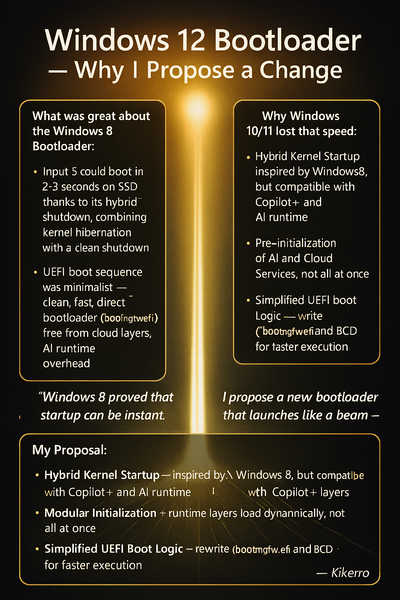
What Was Great About the Windows 8 Bootloader: Startup Speed: Windows 8 could boot in 2–3 seconds on SSD thanks to its hybrid shutdown mode (Fast Startup), which combined kernel hibernation with a clean shutdown. Minimalist UEFI Boot Sequence: The bootloader () was clean, fast, and direct — no cloud layers, no AI runtime, no Defender overhead. Lean Service Initialization: Only essential components were loaded during startup. Everything else was deferred until after the system was ready. Why Windows 10/11 Lost That Speed: • More Complex Bootloader – due to Secure Boot, TPM, BitLocker, and Copilot+ layers. • Pre-initialization of AI and Cloud Services – the system boots as a “bundle,” not a “beam.” • Heavy Runtime Layers – Defender, telemetry, sync services all activate immediately. My Proposal: Hybrid Kernel Startup – inspired by Windows 8, but compatible with Copilot+ and AI runtime. • Modular Initialization – runtime layers load dynamically, not all at once. • Simplified UEFI Boot Logic – rewrite of and BCD for faster execution. • Developer Mode Toggle – optional switch to disable non-essential layers during testing. • Deferred Protection Activation – security shields initialize post-kernel, allowing faster boot sequencing. Final Message to the Community: Windows 8 proved that startup can be instant. Windows 12 has the power to activate that again. I propose a new bootloader that launches like a beam — not a bundle. Speed, modularity, protection. — Kikerro273Views0likes1CommentWindows 12 ARM/UX Vision – A New Era for New Era for Portable Devices
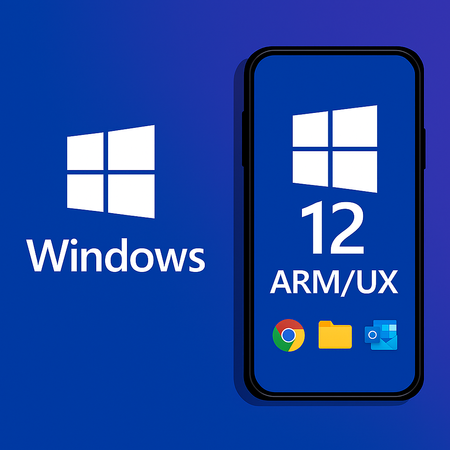
Windows 12 ARM/UX is not meant to be another copy of iOS or Android. It is a bold return of Windows to ARM/UX devices, built on the same unified core as desktop Windows, optimized for ARM, and designed to be fast, clean, and secure. 🔹 Core Principles 1. Unified Kernel • Same Windows core as desktop, optimized for ARM (Qualcomm, MediaTek, Exynos). • Easier development and consistent performance across devices. 2. No Translation Layers • No EXE emulation in sandbox. • Sandbox reserved only for AI tasks running locally or in the cloud. 3. Android Compatibility • Efficient support for Android apps. • iOS compatibility excluded to keep the system lean. 4. Pure and Modular System • No unnecessary pre‑installed apps. • Copilot and system apps downloaded only when the user needs them. • System size capped at ~15 GB. 5. Lumia‑Level Imaging • High‑quality photos and videos, with advanced codecs and stabilization. • AI photo editing runs locally in sandbox, never sent to the cloud. 6. DirectX Optimized for ARM • DirectX as the graphics foundation, tuned for ARM GPUs. • Balanced CPU/GPU load to prevent overheating and preserve performance. 7. Security First • Enhanced Windows Defender with phishing protection for social networks. • Windows Hello+ with ultrasonic fingerprint and retina unlock. 8. Smart Power Management • When the screen is off, only essential tasks run (~0.1% CPU for notifications). • Camera and microphone disabled by default for privacy. • User can allow exceptions if needed. 9. Payments • Support for Google Pay. • Option for a new Microsoft Pay that combines Microsoft and Google accounts. 10. Productivity Incentive • Free access to Microsoft Office apps for one year as a launch bonus. 🔹 Why This Matters • Not another clone – Windows 12 ARM/UX would stand apart with its own identity. • Developer‑friendly – unified kernel, modular services, and clear APIs. • User‑first – privacy, performance, and productivity at the core. • Future‑ready – AI, cloud, and ARM optimization built in from day one. 📝 Call to Action This is a vision for a fast, clean, and modern Windows on Portable Devices If you believe Windows deserves a true comeback in Portable Devices, let’s discuss it here and shape the future together.582Views0likes1Comment