what's new
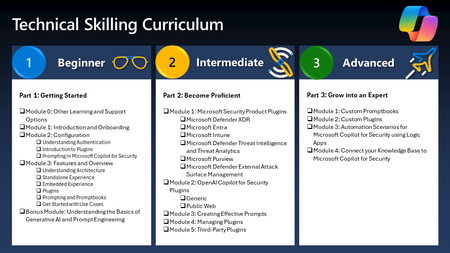
30 TopicsHow to Become a Microsoft Security Copilot Ninja: The Complete Level 400 Training
Learn how to become a Microsoft Security Copilot (Copilot) Ninja! This blog will walk you through the resources you'll need to master and make best use of Microsoft's Security Copilot product!177KViews29likes23CommentsFrom alert overload to decisive action: How Security Copilot agents are transforming security and IT
Security and IT teams operate in a constant stream of alerts, incidents, and investigations. As environments expand across identities, endpoints, cloud, and data, the challenge becomes clear: identifying real risk quickly enough to act. Security Copilot agents bring AI directly into the flow of work, helping teams understand risk with greater context, investigate threats more efficiently, and take action sooner. Security Copilot is now included with Microsoft 365 E5 and E7 licenses at no additional cost, so teams can start using agents right away. Over the past year, organizations have used Security Copilot to triage alerts, surface real threats earlier, and move faster from investigation to action. At this RSA 2026 conference, we are announcing new capabilities that reflect a continuous wave of innovation, evolving from built-in AI assistance and automated summaries to new agents that can analyze signals, investigate incidents, and execute security workflows. Real-world impact: measurable results Security Copilot agents help security and IT teams identify and respond to risk more effectively. Customers are seeing that impact in their day-to-day operations. At St. Luke’s University Health Network, the Security Alert Triage Agent (previously named Phishing Triage Agent) in Microsoft Defender saves security analysts more than 200 hours every month, automatically triaging phishing alerts and surfacing those that actually matter. Independent randomized controlled studies reinforce the results. Security professionals using the Security Alert Triage Agent triaged alerts up to 78% faster, delivered 77% more accurate verdicts, and identified 6.5 times more malicious emails. Note: The Phishing Triage Agent has since been expanded and is now called the Security Alert Triage Agent. Learn more at aka.ms/SATA That same impact extends beyond the SOC into other critical areas of security and IT. A data security team at a large telecommunications organization used the Data Security Triage Agent in Microsoft Purview to triage more than 40,000 Data Loss Prevention (DLP) alerts in 90 days, surfacing the 10% most critical alerts that required investigation. Identity teams are also seeing huge improvements with the Conditional Access Optimization Agent in Microsoft Entra, which continuously analyzes access policies against Zero Trust baselines and recommends actions. In controlled productivity studies, identity admins completed policy-related tasks 43% faster and 48% more accurately when identifying configuration weaknesses. IT teams are also seeing impact using the Vulnerability Remediation Agent in Microsoft Intune, which continuously detects new vulnerabilities as threats emerge. As one CTO at a renewable energy and technology company shared, the agent is “dramatically changing the way we approach working with vulnerabilities in our environment. A two‑week process is now a two‑minute process, really huge number for us.” Across these scenarios, teams begin investigations with clearer context and a better understanding of what actually matters. Instead of piecing together signals across dozens of tools, they can focus on the highest-risk issues and move from investigation to action with confidence. As environments continue expanding across identities, endpoints, applications, and data, quickly connecting signals and understanding risk becomes essential. New Security Copilot agents and capabilities announced at RSA Conference Our innovation continues. Microsoft is introducing new Security Copilot agents and expanded capabilities designed to help organizations analyze complex security data, triage alerts more effectively, and strengthen security posture across identity, endpoint, cloud, and data environments. New and updated Security Copilot agents built by Microsoft Security Analyst Agent in Microsoft Defender Security teams are often sitting on enormous volumes of security data, but turning that data into answers takes time. The Security Analyst Agent helps teams move from raw telemetry to real understanding much faster. By performing deep, multi-step investigations across Microsoft Defender and Sentinel telemetry, the agent can analyze up to ~100MB of security data to uncover anomalies, hidden risks, and high-impact threats that might otherwise stay buried. Analysts can chat directly with the agent to ask questions, explore hypotheses, and dig deeper into findings. The results include transparent reasoning and supporting evidence, helping teams quickly understand what matters and move forward with confidence. Security Alert Triage Agent in Microsoft Defender One of the biggest challenges for SOC teams is deciding which alerts actually deserve attention. The Security Alert Triage Agent helps cut through that noise so analysts can focus on the threats that truly matter. Building on its existing phishing triage capabilities, the agent now extends autonomous triage to identity and cloud alerts. Each verdict includes clear, transparent reasoning so analysts can quickly understand the outcome and prioritize the alerts that matter most. New capabilities for Conditional Access Optimization Agent in Microsoft Entra Identity environments are constantly evolving as organizations add new apps, users, and authentication methods. New capabilities in the Conditional Access Optimization Agent help identity teams identify and close critical policy gaps faster, with recommendations tailored to their organization’s needs. The agent now delivers business-context-aware recommendations, supports phased rollout of new policies, enables automated least-privilege enforcement for supported third-party agent identities, and helps drive passkey adoption. Together, these capabilities help organizations continuously strengthen identity security while maintaining productivity. New capabilities for Data Security Posture Agent in Microsoft Purview Sensitive data often moves through documents, emails, chats, and collaboration tools, which makes it easy for credentials or secrets to end up where they shouldn’t be. A new credential scanning capability in the Data Security Posture Agent helps data security teams proactively identify exposed credentials within their data environment. By analyzing data signals and access patterns, the agent surfaces potential credential exposure risks and helps teams quickly investigate and remediate them. This gives organizations better visibility into hidden data risks and strengthens overall protection of critical systems. New capabilities for Data Security Triage Agent in Microsoft Purview Insider Risk Management Investigating insider risk alerts often requires piecing together signals from many different sources to understand what is really happening. The Data Security Triage Agent now introduces an advanced AI reasoning layer that helps security teams evaluate those signals more holistically. By performing deeper, multi-step analysis across behavioral signals from users, devices, and data activity, the agent can surface the incidents that truly require investigation while filtering out noise. The result is faster, more accurate investigations and better confidence when responding to potential insider risks. New capabilities for Data Security Triage Agent in Microsoft Purview Data Loss Prevention Custom Sensitive Information Types (SITs) are often difficult for analysts to interpret quickly because the underlying definitions and patterns lack clear context at triage time. This latest enhancement makes custom Sensitive Information Types (SITs) easier for both the agent and analysts to understand in Data Loss Prevention alerts. Purview interprets custom SIT definitions, generates semantic descriptions of the data, and surfaces that context directly within the agent. This allows the agent to classify and prioritize alerts involving custom data more accurately, helping analysts quickly recognize real risk and respond appropriately. New Security Copilot agents built by partners To meet customers where they are across their existing security stack, the Security Copilot ecosystem continues to grow with more than 70 partner-built agents available today in the Security Store, bringing additional signals and investigation capabilities into the platform. Some of these agents include the following: Security Investigation Agent by Commvault – Correlates backup anomalies with identity and security signals across platforms such as Entra, CrowdStrike, Netskope, and Darktrace. MITRE Attack Coverage Insight Agent by Inspira – Evaluates analytic rule coverage, calculates ATT&CK coverage, identifies detection gaps, generates detection recommendations, and provides SOC detection maturity scoring. Endpoint Risk Insights Agent by Avanade – Provides endpoint risk insights by correlating signals across security telemetry. Identity Role Mining Agent by Invoke – Allows user to discover and analyze administrator roles in Microsoft Entra ID with ease and precision. Identity Threat Triage Agent by Silverfort - Correlates Silverfort's identity risk signals with Entra ID and Defender for Endpoint data in the Sentinel data lake to surface risky sign‑ins, MFA abuse, suspicious processes, and anomalies. Together, these partner agents extend Security Copilot’s ability to connect signals across Microsoft and third-party security platforms, giving organizations broader visibility and stronger investigation capabilities across their security environment. To explore all new Security Copilot agents, visit the Microsoft Security Store. New Security Copilot innovations that turn insight into action Security Copilot continues to integrate more deeply into the tools security and IT teams already use every day. These capabilities bring AI directly into the environments where investigations happen, helping teams explore threats, understand context, and take action without switching between tools. Security Copilot interactive chat experience in Microsoft Defender Analysts can ask questions, explore investigative hypotheses, and follow threat activity across incidents, alerts, identities, devices, and IPs without leaving their investigation. Copilot understands the context of the page analysts are working on and grounds responses in the relevant signals already available in Defender. As analysts ask questions, Copilot can run investigative steps, gather additional evidence, and surface new insights. This allows teams to iterate quickly, validate assumptions, and dig deeper into threats while staying in the same workflow. Secret finder skill in Security Copilot is now generally available Available in the Security Copilot standalone portal, the Secret Finder skill can be invoked to analyze unstructured content such as emails, chats, documents, and investigation notes to identify exposed credentials hidden in real-world workflows. Using agentic capabilities such as multi-step reasoning rather than simple pattern matching, it detects real, usable secrets and the systems they unlock, helping security teams quickly understand potential exposure and respond with confidence. Additional integrations and use cases are planned to expand how this capability can be used across security workflows. Security Copilot trigger in Logic Apps Building on how many organizations already use Logic Apps to automate security workflows, a new connector action for Security Copilot in Logic Apps flows allows teams to easily invoke partner-built agents and custom agents they create as part of repeatable workflows. This brings deeper AI-driven investigation, context, and decision support into tasks such as incident triage, threat intelligence analysis, and policy validation. See Security Copilot in action at RSA Conference Join us at RSA Conference to see the latest Security Copilot agents and capabilities in action. Stop by the Microsoft booth to connect with the team, explore new innovations, and experience how agents are helping security and IT teams investigate threats, understand risk, and strengthen security posture. Hear from Microsoft Security product leaders in these booth sessions March 23 | 5:15 PM Empowering the SOC with assistive and autonomous AI, Yuval Derman March 24 | 3:00 PM Security Copilot agents: Insight. Action. Impact., Lizzie Heinze and Donna Lee March 25 | 10:30 AM Turning Data Risk into Action with Security Copilot Agents, Paige Johnson and Tanay Baldua March 26 | 12:00 PM Defend identity autonomously with agentic AI in Microsoft Entra, Mitch Muro, Rahul Prakash, Nikhil Reddy Join our deep dive session March 24 | 8:30 AM | The Palace Hotel Security Copilot in action: An agentic approach to modern security Register here: Microsoft Security RSAC Events | Microsoft Corporate Stop by the Microsoft booth for a hands-on experience Test out the latest Security Copilot agents at the demo station and connect with our experts. Agentic AI Arena: Try a fun, gamified experience that shows how Security Copilot agents investigate threats, surface risk, and help security teams respond faster. Start using Security Copilot in your daily workflows If you have received access to Security Copilot as part of your Microsoft 365 E5 plan, we recommend following steps to get started quickly: Sign up for the Security Copilot skilling series Review new agentic scenarios and developer capabilities in the Security Copilot Adoption Hub Learn what’s included with your Microsoft 365 E5 plan in documentation Request assistance from a Microsoft 365 FastTrack specialist to unlock the full value of Security Copilot2.9KViews2likes0CommentsIntroducing Secret Finder: Finding Real Credentials Where Traditional Tools Fail
Secret Finder is an AI-powered capability in Microsoft Security Copilot that detects leaked credentials in unstructured content, such as emails, chat logs, documents, and screenshots, where traditional pattern-matching tools struggle. It relies on a multi‑step, multi‑agent reasoning workflow rather than a single pass detector. Detection, verification, and contextual analysis are handled by distinct reasoning stages, allowing Secret Finder to find real credentials without flooding users with false positives. Unlike regex-based scanners, Secret Finder uses reasoning to identify not just credentials, but the systems they unlock, helping security teams understand exposure and respond faster. In benchmark testing on synthetic datasets, Secret Finder achieved 98.33% true credential detection with zero false alarms on realistic emails, chats, notes, and documents—while traditional regex scanners detected only about 40% of the same credentials. Secret Finder is now generally available in Security Copilot, supporting 20+ credential types with high precision and actionable context. The Problem: Credentials Hide Where Traditional Tools Can't See When security incidents happen, leaked credentials don't always appear in clean, predictable formats. They show up buried in email threads, pasted into Teams messages, embedded in Word documents, or captured in screenshots of logs and terminals. These are exactly the places where security teams spend the most time and where traditional secret scanning tools fail. Most existing tools rely on regular expressions or simple pattern matching. This works reasonably well for structured environments like source code repositories, where credentials follow predictable formats. But in real-world incidents, secrets look different. A storage key might be split across multiple messages in an email thread. A credential could be reformatted, partially redacted, or embedded alongside explanatory text. In these situations, pattern matching produces two painful outcomes: it misses real credentials because the format doesn’t match a known rule, or it floods analysts with false positives that waste time. Security teams are left manually reviewing content, guessing which findings are real, and piecing together what systems might actually be at risk. In practice, this failure mode has a real human cost that security analysts end up reviewing thousands of alerts, manually inspecting email threads and chat logs, and trying to determine whether a suspicious string actually unlocks a storage account, API, or production service. Teams can spend days reconstructing context across messages and documents just to understand what a credential grants access to, slowing containment and increasing risk during active incidents. This is the gap Secret Finder was built to close. The Solution: Secret Finder Brings Reasoning to Secret Detection Secret Finder approaches secret detection as a reasoning problem, not a string-matching exercise. Instead of asking "does this text match a pattern?" It asks human-like questions: Is this text describing a credential or access mechanism? Does the value look real and usable? What system or resource could this access? This shift is subtle but powerful. Secret Finder doesn't just detect credentials, it connects them to doors: the specific targets those credentials unlock, such as API endpoints, storage accounts, applications, or services. This is critical for triage. Instead of stopping at “this looks like a credential,” Secret Finder tells analysts what that credential actually opens. Without context, a credential triggers manual follow‑up. When it’s linked to a specific target, analysts can immediately assess impact and act. By understanding messy, real-world content the way a human investigator would, Secret Finder delivers findings that security teams can trust and act on immediately. It's designed specifically for the unstructured, noisy environments where incidents actually unfold. Why Secret Finder Outperforms Traditional Pattern Matching Traditional secret scanners are built for clean data. Secret Finder is built for reality. Traditional tools struggle when: Credentials appear in natural language descriptions rather than code Context determines whether a string is sensitive or benign Credentials are incomplete, malformed, or partially redacted Secret Finder excels because it: Reasons through context, understanding surrounding text to identify what's truly sensitive Detects credentials and their associated resources together, providing the "what" and the "where" in a single pass Handles noisy, unstructured inputs like emails, chat logs, documents Assigns confidence scores to help teams prioritize findings and reduce alert fatigue What Secret Finder Can Do Today Secret Finder is now generally available in Microsoft Security Copilot, with capabilities shaped directly by real security workflows across incident response, red teaming, and SOC operations. It detects over 20 major credential categories, spanning cloud provider credentials like Azure Storage Keys and AWS Access Keys, authentication credentials including Microsoft Entra passwords and OAuth tokens, database connection strings, SSH private keys, API keys, and generic secrets that don't fit predefined patterns. This broad coverage means analysts can scan investigation artifacts without worrying whether the secret type is supported. What makes Secret Finder particularly effective is where it works. Email threads where credentials are discussed across multiple messages. Teams chats where credentials are pasted quickly during troubleshooting. Word documents and internal wikis where credentials are documented for operational handoffs. Incident reports and post-mortem notes written under pressure. These are the environments where traditional pattern-matching tools fail, and where Secret Finder delivers the most value. In benchmark evaluations, Secret Finder achieved 100% recall with 0% false positives on synthetic datasets containing embedded Azure Storage credentials, compared to 40% recall from traditional regex‑based tools such as CredScan. In more complex scenarios involving multiple credential types and noisy email content, Secret Finder maintained 98.33% recall with 0% false positives. These results were observed on synthetically generated evaluation datasets spanning emails, chats, notes, and documents, designed to reflect how engineers communicate and how credentials may be inadvertently shared in real‑world workflows. Scenario Precision Recall Single credential type 100% 100% Complex, multiple credential types 100% 98.33% Secret Finder is currently integrated into Security Copilot, actively supporting incident response workflows, and working toward deeper integrations with developer platforms such as GitHub to bring contextual secret detection to source code analysis at scale. Using Secret Finder in Security Copilot Secret Finder is available as a skill in Microsoft Security Copilot, making credential detection a seamless part of analyst workflows. How to use Secret Finder: Enable the Secret Finder skill in Security Copilot via "Manage Sources" → "Manage Plugins" (Figure 1) Select "FindSecretInText" from Promptbook (Figure 2) Submit unstructured content directly in the Copilot prompt: paste the text blob that might contain credentials Secret Finder analyzes the content using its multi-agent workflow, detecting credentials and associated doors Review actionable findings with contextual details Figure 1. Enabling the Secret Finder skill in Microsoft Security Copilot (Due to recent naming changes, users might see "Agentic secret finder" in Security copilot. Naming changes will reflect in a few weeks) Figure 2. Selecting the FindSecretInText prompt, which invokes Secret Finder’s multi‑step credential detection and verification workflow Figure 3. Submitting a text blob containing embedded credentials for analysis (example is synthetic) Figure 4. Secret Finder output with detected credentials and associated doors (example credentials and associated doors are synthetic) What's Next for Secret Finder Secret Finder is a living capability. Over the next six months, we are working towards coverage and deepening integrations: Exploring integrations with GitHub to reduce false positives in secret scanning for code repositories Optimizing for large-scale analysis to handle enterprise-wide scans efficiently with reduced latency Exploring graph-based risk modeling to map relationships between credentials, services, and attack paths Our long-term vision goes beyond detection: we want to help security teams understand how credentials are used, what risks exist if they're exposed, and what the impact of rotation or revocation would be. By moving from "what's leaked" to "what does it mean," Secret Finder will enable smarter prioritization, faster response, and more confident decision-making. Acknowledgments Secret Finder has been a cross-team effort over the past year, evolving from early research and prototyping through private preview, public preview, and now general availability. This milestone reflects contributions across many phases from initial system design and technical direction, to evaluation, product integration, and deployment at scale. Contributors include Mariko Wakabayashi leading the early research through production and to the team including Zixiao Chen and Avy Challa for GA improvements and bringing Secret Finder to production readiness. We also appreciate Tony Twum-Barimah, Malachi Jones, and the Security Copilot team, including Austin Trapp and Vinod Jagannathan for their technical and product support throughout the process, as well as Christian Rudnick and Helen Chang for guiding us through the responsible AI reviews before launch. Finally, a huge thanks to the incident responders and security researchers who shared valuable insights along the way. Secret Finder wouldn’t have been possible without their work and feedback.2.5KViews0likes2Comments
Where Partners Build and Scale: Partner-Built Security Copilot Agents in Security Store
At Microsoft, we believe that security is a team sport. That’s why we are committed to meeting customers where they are, integrating with the solutions they already use to ensure that everyone can take advantage of the agentic capabilities of Security Copilot. And it’s not just an idea—it’s a reality. We’re excited to share why partners such as BlueVoyant, OneTrust, and Tanium chose to build agents with Security Copilot—and the value this brings to their customers. By watching the videos featuring BlueVoyant, OneTrust, and Tanium, you’ll see firsthand how collaboration drives innovation and empowers security teams to tackle today’s threats with agility and confidence. Together, these partner-built agents show how organizations and partners can transform Security Copilot into an integrated force multiplier—proving that security is a team sport. Partner-built agents power smarter protection BlueVoyant – Specializing in comprehensive cyber risk management, BlueVoyant provides a suite of services to protect organizations from cyberattacks. In this video, we learn about BlueVoyant Watchtower and how their agents help customers get the most out of their Sentinel and Defender products by using an agent to always review the environment and recommend updated rules, configurations, and policies that catch bad actors Security Copilot gives us the advantage of moving more quickly.” – Micah Heaton, Executive Director, Microsoft Product & Innovation Strategy at BlueVoyant OneTrust – OneTrust, a privacy and consent management platform, specializes in helping customers responsibly use data and AI. By partnering with Microsoft—specifically Microsoft’s Sentinel platform—OneTrust is able to provide their customers with a full view of their data estate. The Privacy Breach Response Agent by OneTrust combines the deep privacy and regulatory expertise of OneTrust with the robust generative AI capabilities of Microsoft Security Copilot, automating privacy risk assessments improving their accuracy. Tanium – Specializing in endpoint management and security, Tanium gives IT teams visibility and control over every device in their environment. Tanium’s partnership with Microsoft provides Tanium with seamless integration into Microsoft’s Security products via Copilot, which combined with Tanium’s real-time environment insights, power powerful end to end workflows across Defender, Entra, Tanium, and Intune. The Security Triage Agent by Tanium accelerates alert triage, providing security teams with the context they need to make informed decisions on Tanium Threat Response alerts swiftly. The work of partners like BlueVoyant, OneTrust, and Tanium is shaping a new security ecosystem—one where the Microsoft Security Store is a launchpad for partner innovation to drive real-world customer impact. The Store turns partner-built agents into enterprise-ready solutions by providing Microsoft-validated certification, high‑quality metadata, consistent deployment flows, secure authentication and transactions, and in‑product visibility inside Defender, Entra, and Security Copilot. These deployed agents run securely in your Security Copilot zero-trust environment. The power of the Security Store is that it doesn’t just distribute agents—it amplifies them. It gives partners a unified, trusted surface where their solutions are discoverable directly within Microsoft Security products; where customers can compare capabilities through standardized metadata; where installation is guided and repeatable; and where Microsoft’s AI foundation elevates the value of every partner-built capability. For customers, this means direct access to the best of partner-driven security innovation. Partner-built agents deliver value at every stage of the security journey: proactively monitoring sensor health, surfacing actionable insights, accelerating investigations, and automating incident response. These capabilities help organizations strengthen their security posture, respond faster to threats, and stay ahead of attackers. For partners, success begins with identifying the unique value their agent brings to customers and designing real security outcomes—such as improved detection, automated investigations, and measurable risk reduction. As more partners publish agents, the ecosystem expands- unlocking advanced scenarios like phishing and identity alert triage, incident enrichment, policy optimization, and automated remediation. By combining Microsoft’s AI foundation with specialized partner expertise, Security Copilot agents deliver differentiated solutions that address a wide range of security challenges—from privacy and compliance workflows to vulnerability management and forensics—helping customers strengthen their security posture and respond faster to threats. Explore resources and documentation Explore all the partner-built agents in Security Copilot and partner SaaS offerings at the Microsoft Security Store and at the Security Store Learn page Security Store documentation - Security Store | Microsoft Learn. Or read more documentation on Security Copilot agents to learn: What agents are and how they work in Security Copilot How partners build and integrate agents Links to related resources for development and deployment 776Views2likes0Comments
New tools for Security Copilot management and capacity planning
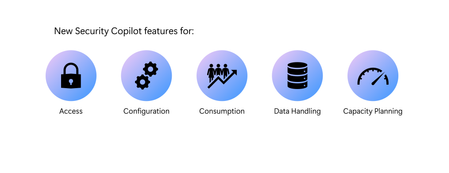
Last year, we launched Microsoft Security Copilot with a bold goal: to help organizations protect at the speed of AI. Since then, Security Copilot has been transforming how IT and security operations teams respond to threats and manage their environments. In fact, research from live operations indicates that Security Copilot users have seen impact like a 30% reduction in mean time to resolution for SOC teams, and a 54% decrease in time to resolve a device policy conflict for IT teams. As adoption has grown, so has the complexity of customer needs. In many organizations, different teams, business units, and regions require distinct approaches to data access, capacity planning, and tooling. At the same time, customers want the flexibility to start small, test scenarios, and scale usage over time, without committing to long-term contracts. To meet these needs, Security Copilot is offered as a consumptive solution, allowing organizations to provision Security Compute Units (SCUs) as needed. This flexible model lowers the barrier to entry and encourages experimentation. And now, with workspaces and the Security Copilot capacity calculator to help manage capacity, customers can adopt Security Copilot with even more confidence and control. Workspaces Security operations don’t happen in a vacuum – different teams, business units, and regions have unique operational needs. This is why we’re excited to launch workspaces in public preview – a major enhancement to how teams can manage access, resources, and collaboration within Security Copilot. Workspaces provide a flexible way to segment environments, making it easier to align access and capacity with organizational needs, legal structures, or compliance requirements. Let’s take the example of a multinational organization with separate security and IT teams in North America, Europe, and Asia. With workspaces, this company can realize benefits in: Data boundaries: Each regional team operates within its own dedicated workspace, keeping data like prompt history local and accessible only to that team. This isolation ensures information stays relevant to the team and supports compliance with regional data residency requirements and internal policies. Role-based access control: Only authorized users specified by the admin have access to each workspace, and workspace management is restricted to users with administrator roles. Capacity planning: SCUs can be provisioned per workspace, giving admins the ability to right-size capacity based on each team’s workload. APAC can scale up during a surge while the US conserves usage during a quiet period. Note: multi-workspace support is now available in Security Copilot, enabling users to manage prompt sessions across multiple workspaces. However, available agents that run autonomously are currently limited to a single workspace, and embedded experiences continue to route traffic exclusively through the tenant-level default workspace. Please refer to the documentation for full details. Security Copilot capacity calculator One of the most common questions we hear from customers is: “How many SCUs do I need to get started with Security Copilot?” Given the dynamic nature of AI-powered security workflows, forecasting compute needs can be a challenge, especially for teams just starting their journey. To make planning easier, we’re excited to announce the launch of the Security Copilot capacity calculator, now available in the Security Copilot standalone experience (Azure account required). This tool offers a practical starting point to help estimate how many SCUs your organization may require. With a few clicks, customers can get an idea of estimated SCU usage based on inputs like number of users in an embedded Security Copilot experience. While actual consumption may vary as it depends on real-time prompt activity, the calculator serves as a helpful guide for initial provisioning and budget planning. Once you’ve estimated your baseline needs, you can get started in Security Copilot or in the Azure portal. Security Copilot offers two flexible models to support both predictable workloads and unplanned spikes in usage: Provisioned SCUs: Ideal for predictable, ongoing operations. A minimum of one provisioned SCU is required. Overage SCUs: Designed for variable demand. Overage SCUs allow usage to scale seamlessly, and customers only pay for what they use, up to their chosen optional overage limit. With the capacity calculator, organizations can confidently begin their Security Copilot journey and better manage usage to align with their business needs. After getting started, teams can monitor consumption through the in-product usage dashboard and adjust capacity as demand fluctuates. Learn more about Security Copilot pricing here. Get Started with Security Copilot today Together, workspaces and the capacity calculator provide organizations with deeper insight, flexibility, and control over their Security Copilot usage. These features address the real-world challenges of managing diverse teams, complex environments, and evolving workloads. Whether you’re just starting your Security Copilot journey or looking to optimize your existing usage, these tools help you right-size capacity, maintain compliance, and deliver actionable AI assistance for your security and IT teams. Discover Security Copilot use cases, best practices, and customer success stories in the Security Copilot adoption hub. Learn more about our most recent Security Copilot innovations for IT teams here. If you have questions or need support, don’t hesitate to contact us or reach out to your account manager.3.9KViews2likes1CommentWhat's new in Microsoft Security Copilot
A major wave of updates has landed: integration with the new Sentinel data lake and graph, new ready-made and custom agents, and the debut of the Microsoft Security Store. Let’s take a look at what’s new. Microsoft Sentinel and Security Copilot integration delivers deeper context and smarter AI Sentinel data lake is now generally available, and new capabilities like Sentinel graph and the Model Context Protocol (MCP) server are in public preview, bringing in a new level of integration with Security Copilot. Agents can now access richer, more connected data from across Sentinel, combining graph, structured, and semantic context to reason and act with greater precision. This enhanced foundation transforms AI-driven detection and response, helping teams resolve incidents faster and uncover deeper insights across their environments. Read more in the Sentinel announcement blog: Introducing Microsoft Sentinel graph Build your own Security Copilot agents, no coding required Now anyone on your team can create custom Security Copilot agents. Use a no-code portal or developer tools to design, test, and deploy agents that automate the workflows you need most. Your team controls how they work and what they do. Learn more: Build your own Security Copilot agent New Microsoft and partner ready-made agents for real challenges These new agents help teams address common security and IT challenges faster and smarter: Access Review Agent in Microsoft Entra: Streamline access reviews, flag unusual patterns, and reduce fatigue for security and compliance teams. It helps maintain governance and compliance by automatically analyzing ongoing access reviews and highlighting potential risks. o Learn more: The Microsoft Entra agent for smarter access governance: Access Review Agent Phishing Triage Agent in Microsoft Defender saves nearly 200 hours a month: In this new customer spotlight, St. Luke’s is seeing the impact of integrating Security Copilot agents into their daily workflows. ACISO Krista Arndt says, “The Phishing Triage Agent is a game changer. It’s saving us nearly 200 hours monthly by autonomously handling and closing thousands of false positive alerts.” With routine triage automated, security teams can shift from reactive response to proactive threat hunting, freeing up time for higher-value work and faster threat mitigation. The launch of 30 new partner-built agents that can be found on the Microsoft Security Store with solutions like: Forensic Agent by glueckkanja AG: Delivers deep-dive analysis of Defender XDR incidents to accelerate investigations and uncover root causes faster. Privileged Admin Watchdog Agent by glueckkanja AG: Helps enforce zero standing privilege principles by removing persistent admin identities, reducing risk, and strengthening administrative security. Ransomware Kill Chain Investigator Agent by adaQuest: Automates ransomware triage to quickly detect and respond to threats, enabling security teams to focus on high-priority incidents. Entity Guard Investigator Agent by adaQuest: Investigates Defender incidents and provides actionable insights to accelerate incident resolution and strengthen security posture. Admin Guard Insight Agent by adaQuest: Analyzes administrative activity, detects anomalies, evaluates risk exposure and compliance, and delivers actionable guidance to improve administrative security. Identity Workload ID Agent by Invoke: Empowers identity administrators and security teams to manage and secure Workload Identities in Microsoft Entra, reducing risk, strengthening compliance, and controlling identity sprawl. o Find these agents and more in the Microsoft Security Store Microsoft Security Store – one, centralized place to find agents and SaaS solutions The Microsoft Security Store makes it simple to discover, deploy, and buy Security Copilot agents and partner solutions. Start using any of the 30 new agents or 50 SaaS solutions to power your SOC, IT, privacy, and compliance workflows. Read more in the announcement blog: Introducing Microsoft Security Store Stay tuned and explore more! Security Copilot is transforming how security and IT teams operate – bringing AI-powered insights, automation, and decision support into everyday workflows. With new capabilities landing every month, the pace of innovation is accelerating. We’ll be back in November with more updates. Until then, explore these resources to get hands-on, deepen your understanding, and see what’s possible: Security Copilot Video Hub – Watch demos and walkthroughs to see Security Copilot in action Microsoft Security Copilot Website – Learn about capabilities, use cases, and product details Security Copilot Adoption Hub – Access rollout guides, templates, and best practices Don’t miss Microsoft Ignite - we’ll be announcing exciting new capabilities for Security Copilot and sharing what’s next in AI-powered security.From idea to Security Copilot agent: Create, customize, and deploy
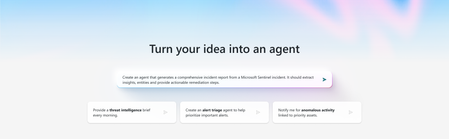
This week at Microsoft Secure, we announced the next big step forward in agentic security. In addition to Microsoft and partner-built agents, you can now create your own Security Copilot agents, extending the growing ecosystem of agents that help teams automate workflows, close gaps, and drive stronger security and IT outcomes. Why it matters: no two environments are the same. Out-of-the-box agents give you powerful starting points, but your workflows are unique. With custom agents, you get the flexibility to design and deploy solutions that fit your organization. Two ways to build: Your choice, your workflow Security Copilot gives you options. Analysts can easily build with a no-code interface. Developers can stay in their preferred coding environment. Either way, you end up with a fully functional, testable, and deployable agent. For full documentation and detailed guidance on building agents, check out the Microsoft Security Copilot documentation. But now, let’s walk through the key steps so you can get started building your own agent today. Option 1: Build in Security Copilot, no coding required Step 1: Create in natural language Click ‘Build’ in the left nav, describe what you want your agent to do in plain language, and submit. Security Copilot will engage in a back-and-forth conversation to clarify and capture your intent so you start with precision. Step 2: Auto-generate the configuration Security Copilot instantly creates a starter setup, giving you: An agent name and description Clear instructions and input parameters Recommended tools pulled from the catalog, including Microsoft, partner, and Sentinel MCP tools This saves time and generates a strong foundation you can build on Step 3: Customize to fit your needs Tailor the configuration to your needs, you can edit any part. Update instructions, swap tools, or add new ones from the tool catalog. If the right tool isn’t available, you can create one in natural language or a form-based experience. You’re in full control of how your agent works. Step 4: Keep YAML and no-code views aligned Every change you make is automatically reflected in the underlying YAML code. This ensures consistency between the no-code visual and code views, so both analysts and developers can work with confidence. Toggle on ‘view code’ to see it live. Step 5: Test and elevate with autotune instruction optimization Run full end-to-end tests or test individual components to see how your agent performs. Security Copilot shows detailed outputs and a step-by-step activity map of the agent’s dynamic plan, including the tools, inputs, and outputs. While you can test without it, turning on autotune instruction optimization delivers major advantages: Refined instruction recommendations you can copy directly into your config AI quality scoring on clarity, grounding, and detail to ensure your agent is effective before publishing Faster iteration with confidence your agent is tuned for real-world use Explore the activity graph tab to view a visual node map of the run, and click any node to see details of what happened at each step. Step 6: Publish and share When you’re ready, publish the agent into your Security Copilot instance at either a user or workspace scope (depending on admin permissions). If you’re a partner, you can also download the agent code, publish to the Microsoft Partner Center and contribute it to the Microsoft Security Store for broader visibility and adoption by customers. Benefit: Build production-ready agents in minutes without writing a single line of code. It’s that easy to build an agent tailored to your unique workflows, and you are not limited to the Security Copilot portal. If you prefer a developer-friendly environment, you can build entirely in VS Code using GitHub Copilot and Microsoft Sentinel MCP tools. You still get AI-powered guidance, YAML scaffolding, and testing support, along with rich context from Sentinel data and the full platform toolset, all while staying in the environment that works best for you. Option 2: Build in VS Code using GitHub Copilot + Microsoft Sentinel MCP Tools Step 1: Set up your development environment Enable the Microsoft Sentinel MCP server in VS Code. This gives you direct access to the collection of Security Copilot agent creation MCP tools and integrates with GitHub Copilot for code generation – all while staying in your preferred workspace. Step 2: Define agent behavior from natural language with platform context Describe the agent you want to build in natural language. GitHub Copilot interprets your intent, selects the relevant MCP tools, find relevant skills and tools in Security Copilot for your agent, and crafts the agent instructions. The agent YAML gets generated and outputted back to you. Because your agent is built on Microsoft Security Copilot and Sentinel, it automatically leverages rich data and tooling across the platform for context-aware, more effective results. Step 3: Iterate, customize and extend your agent Modify instructions, add tools, or create new tools as needed. Use prompts to vibe code your edits or copy the YAML into the code editor and directly modify the agent YAML there. GitHub Copilot keeps the chat and code in sync. Step 4: Deploy to Security Copilot for testing Once you’re ready to test your agent YAML, prompt GitHub Copilot to deploy the agent to your user scope. Then head to the Security Copilot portal to test and optimize your agent with autotune instruction optimization. Take advantage of detailed outputs, activity maps, and AI scoring to refine instructions and ensure your agent performs effectively in real-world scenarios. Step 5: Publish and share your agent Once validated, publish the agent into your Security Copilot instance at either user or workspace scope (depending on admin permissions). Partners can also download the agent code, publish to the Microsoft Partner Center, and contribute it to the Microsoft Security Store for broader discoverability and adoption. What you get: Full code-level control and the same AI-powered agent development experience while staying in your preferred workspace. Whichever approach you choose, you can build, test, and deploy agents that fit your workflows and environment. Microsoft Security Copilot and Microsoft Sentinel give you the tools and advanced AI guidance to create agents that work for your organization. Explore the Microsoft Security Store Automate your workflows with pre-built solutions. The Microsoft Security Store gives you a central place to discover and deploy agents and SaaS solutions created by Microsoft and partners. Browse ready-to-use solutions, learn from proven approaches, and adapt them with your own customizations. It’s the quickest way to expand your ecosystem of agents and accelerate impact. More resources about the Security Store: What is Security Store? Microsoft Learn Build, deploy, defend Security Copilot puts the power of agentic AI directly in your hands. Start with ready-to-use agents from Microsoft and partners, or create custom agents designed specifically for your environment and workflows. These agents streamline decision-making, surface critical insights, and free your team to focus on strategic security initiatives - making operations faster, smarter, and more responsive. Join us at Microsoft Ignite, online or in-person, for hands-on demos and insights on how Security Copilot agents empower teams to act faster and protect better. More resources on building Security Copilot agents: Watch the Mechanics video to see agents in action: Security Copilot agents Mechanics video For more detailed guidance on building agents, check out the Microsoft Security Copilot documentation Special thanks to my co-authors, Namrata Puri (Principal PM, Security Copilot) and Sherie Pan (PM, Security Copilot), for their insights and contributionsAgentic security your way: Build your own Security Copilot agents
Microsoft Security Copilot is redefining how security and IT teams operate. Today at Microsoft Secure, we’re unveiling powerful updates that put genAI and agent-driven automation at the center of modern defense. In a world where threats move faster than ever, alerts pile up, and resources stay tight, Security Copilot delivers the competitive edge: contextual intelligence, a growing network of agents, and the flexibility to build your own. The announcements focus on three key areas: building your own Security Copilot agents for tailored workflows, expanding the agent ecosystem with new Microsoft and partner solutions, and improving agent quality and performance. These updates build on the agents first introduced in March while giving security and IT teams more flexibility and control. This is the blueprint for the next era of agentic defense, and it starts now. Build your own Security Copilot agents, your way While we already offer a growing catalog of ready-to-use agents built by Microsoft and partners, we know that no two environments are alike. That’s why Security Copilot empowers you to create custom agents your way for tailored workflows – whether you're an analyst with limited coding experience or a developer using your favorite platform – you can build agents that fit your needs. Build agents in the Security Copilot portal Users can now build agents with a simplified, no-code interface in the standalone Security Copilot experience. Simply describe the task or workflow in natural language, and Copilot automatically generates the agent code. You can edit components, add any additional tools, including Sentinel MCP tools from our rich tool catalog, test the agent, optimize its instructions, and publish directly to your tenant. Create dynamic, ready-to-use agents in minutes – without writing any code. Build agents in a preferred MCP server-enabled development environment For teams with experienced developers, you can also use natural language and vibe-coding to build agents in a preferred MCP server-enabled coding platform, such as VS Code using GitHub Copilot. By enabling the Sentinel MCP server, developers can access MCP tools to build, refine, and deploy custom agents directly within their workspace. This approach gives full control over code, tools, and deployment while keeping the process within familiar development platforms. These options empower both technical and non-technical teams to rapidly create, test, and deploy custom Security Copilot agents. Organizations can automate workflows faster, design agents to their unique needs, and improve security and IT operations across the board. Discover new Security Copilot agents Since Security Copilot agents were first introduced in March, we have delivered more than a dozen Microsoft and partner-developed agents that help organizations tackle real challenges in security and IT operations. Analysts using the Conditional Access Optimization Agent in Microsoft Entra have been able to quickly uncover policy gaps, closing an average of 26 gaps per customer in just one month, with 73% of early adopters acting on at least one recommendation. The Phishing Triage Agent in Microsoft Defender has allowed analysts to shift from reactive sifting to proactive resolution, reducing triage time by up to 78%. Read how St Lukes University saves nearly 200 hours monthly in phishing alert triage and creating incident reports in minutes instead of hours. The Phishing Triage Agent is a game changer. It’s saving us nearly 200 hours monthly by autonomously handling and closing thousands of false positive alerts. - Krista Arndt, ACISO, St. Luke’s University Health Network We’re continuing to build on this momentum with new agents designed to address additional security and IT scenarios. The new Access Review Agent in Microsoft Entra tackles a common challenge: reduce access review fatigue and approving access without review. It analyzes ongoing reviews, flags anomalies or unusual access patterns, and delivers actionable guidance in a conversational interface. Reviewers can approve, revoke, or request more details right in Microsoft Teams, helping them focus on the riskiest access, make faster decisions, and strengthen compliance. With innovations like this, we’re not just reducing fatigue—we’re redefining how access governance is done, setting the standard for security agents that adapt to the way people work. Learn more about the Access Review Agent here. And, with the growing range of agentic use cases, the new Microsoft Security Store is your one-stop shop to discover, purchase, and deploy Security Copilot agents built by Microsoft and trusted partners. Find solutions aligned for SOC, IT, privacy, compliance, and governance teams, all in one place. By uniting discovery, deployment, and publishing in a single experience, Security Store powers a thriving ecosystem that gives your team a unique advantage: access to an ever-expanding range of agent capabilities that evolve as fast as the challenges they face. In addition to helping customers find the right solutions, Security Store also enables partners to bring their innovations to market. Partners can build and publish Security Copilot agents and SaaS solutions to grow their business and reach new customers. Today, we are announcing 30 new partner-built agents as well as 50 partner SaaS solutions in the Security Store. The launch of 30 new partner-built agents brings forward solutions like: A Forensic Agent by glueckkanja AG delivers deep-dive analysis of Defender XDR incidents to accelerate investigations, while their Privileged Admin Watchdog Agent helps enforce zero standing privilege principles by getting rid of persistent admin identities. These innovations, along with their other 6 agents in the Security Store today, demonstrate how glueckkanja AG is empowering organizations to tackle a wide range of security and IT challenges. 3 agents from adaQuest focused on automating investigation and response to focus security teams on what matters. A Ransomware Kill Chain Investigator Agent by adaQuest automates ransomware triage, an Entity Guard Investigator Agent by adaQuest investigates Defender incidents, and an Admin Guard Insight Agent analyzes administrative activity, detects anomalies, evaluates risk exposure and compliance, offering actionable insights to improve administrative security posture. An Identity Workload ID Agent by Invoke empowers identity administrators and security teams to manage and secure Workload Identities in Microsoft Entra, helping to reduce risk, strengthen compliance, provide more control over identity sprawl. To learn more about all new partner-built agents as well as partner SaaS offerings, read the blog or head to the Microsoft Security Store. Smarter, faster Security Copilot agents High-quality LLM instructions are critical to agent performance, yet manually fine-tuning them is time-consuming and error-prone. We’re excited to introduce tools that help improve custom-built agent quality and performance, starting with autotune instruction optimization. Autotune eliminates the need for manual tuning by automatically analyzing and refining agent instructions for optimal performance. Simply enable autotune during testing and submit, then receive a detailed results report with suggested prompt changes boost your agent’s AI quality score quickly and effortlessly. This optimization not only delivers better outcomes faster, but it also ensures that every agent in our ecosystem is always evolving - making them smarter, sharper, and more effective over time. But instructions are only part of the picture. To truly empower agents, context and data is key. By combining rich security signals from Microsoft Sentinel with advanced AI reasoning, Microsoft is setting a new standard for what agents can achieve—resolving incidents faster, optimizing workflows, and delivering deeper, more actionable insight. Security Copilot leverages a unified foundation of structured, graph, and semantic data from Sentinel to give agents the context they need to connect the dots across your environment. This deep integration transforms what AI can do, enabling agents to reason, adapt, and act with precision at machine speed. Read the Sentinel graph announcement here. Get Started Today With Security Copilot, the power of AI is now in your hands. Deploy ready-to-use agents from Microsoft and partners, or design custom agents built for your environment and workflows. These agents accelerate decision-making, surface critical insights, and let teams focus on strategic security work - turning complexity into clarity and speed. Explore Security Store today to experience how agentic automation is reshaping security operations and unlocking the full potential of your team. Learn more about how to create your own agents. Deep dive into these innovations at Microsoft Secure on Sept. 30, Oct. 1 or on demand. Then, join us at Microsoft Ignite, Nov, 17–21 in San Francisco, CA or online—for more innovations, hands-on labs, and expert connections.6.5KViews1like0CommentsSmarter Prompts for Smarter Investigations: Dynamic Prompt Suggestions in Security Copilot
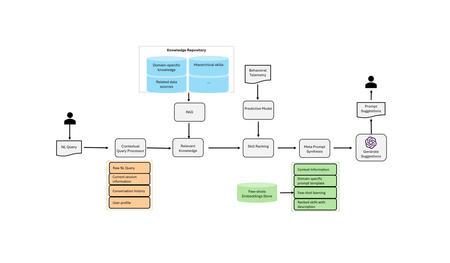
When a security analyst turns to an AI system for help—whether to hunt threats, investigate alerts, or triage incidents—the first step is usually a natural language prompt. But if that prompt is too vague, too general, or not aligned with the system’s capabilities, the response won’t be helpful. In high-stakes environments like cybersecurity, that’s not just a missed opportunity, it’s a risk. That’s exactly the problem we tackled in our recent paper, Dynamic Context-Aware Prompt Recommendations for Domain-Specific Applications, now published and deployed as a new skill in Security Copilot. Why Prompting Is a Bigger Problem in Security Than It Seems LLMs have made impressive progress in general-purpose settings—helping users write emails, summarize documents, or answer trivia. These systems often include smart prompt recommendations based on the flow of conversation. But when you shift into domain-specific systems like Microsoft Security Copilot, the game changes. Security analysts don’t ask open-ended questions. They ask task-specific ones: “List devices that ran a malicious file in the last 24 hours.” “Correlate failed login attempts across services.” “Visualize outbound traffic from compromised machines.” These questions map directly to skills—domain-specific functions that query data, connect APIs, or launch workflows. And that means prompt recommendations need to be tightly aligned with the available skills, underlying datasets, and current investigation context. General-purpose prompt systems don’t know how to do that. What Makes Domain-Specific Prompting Hard Designing prompt recommendations for systems like Security Copilot comes with unique constraints: Constrained Skill Set: The AI can only take actions it’s configured to support. Prompts must align with those skills—no hallucinations allowed. Evolving Context: A single investigation might involve multiple rounds of prompts, results, follow-ups, and pivots. Prompt suggestions must adapt dynamically. Deep Domain Knowledge: It’s not enough to suggest “Check network logs.” A useful prompt needs to reflect how real analysts work—across Defender, Sentinel, and more. Scalability: As new skills are added, prompt systems must scale without requiring constant manual curation or rewriting. Our Approach: Dynamic, Context-Aware, and Skill-Constrained We introduce a dynamic prompt recommendation system for Security Copilot. The key innovations include: Contextual understanding of the session: We track the user’s investigation path and surface prompts that are relevant to what they’re doing now, not just generic starters. Skill-awareness: The system knows what internal capabilities exist (e.g., “list devices,” “query login events”) and only recommends prompts that can be executed via those skills. Domain knowledge injection: By encoding metadata about products, datasets, and typical workflows (e.g., MITRE attack stages), the system produces prompts that make sense in security analyst workflows. Scalable prompt generation: Rather than relying on hardcoded lists, our system dynamically generates and ranks prompt suggestions. What It Looks Like in Action The dynamic prompt suggestion system is now live in Microsoft Entra, available in both Embedded and Immersive experiences. When a user enters a natural language prompt, the system automatically suggests several context-aware follow-up prompts, based on the user's prior interactions and the system’s understanding of the current task. These suggestions are generated in real time—users can simply click on a suggestion, and it’s executed immediately, allowing for quick and seamless follow-up queries without needing to rephrase or retype. Let’s walk through two examples: Embedded Experience We begin with the prompt: "How does Microsoft determine Risky Users?" The system returns the response and generates 3 follow-up suggestions, such as: "List dismissed risky detections." We click on that suggestion, which executes the query and shows the results. New suggestions continue to appear after each prompt execution, making it easy to explore related insights. Immersive Experience We start with a prompt: "Who am I?" Among the 5 suggested prompts, we select: "List the groups user nase74@woodgrove.ms is a member of." The user clicks, the query runs, and more follow-up suggestions appear, enabling a natural, guided flow throughout the session. Why This Matters for the Future of Security AI Prompting isn’t just an interface detail—it’s the entry point to intelligence. And in cybersecurity, where time, accuracy, and reliability matter, we need AI systems that are not just capable, but cooperative. Our research contributes to a future where security analysts don’t have to be prompt engineers to get the most out of AI. By making prompt recommendations dynamic, contextual, and grounded in real domain knowledge, we help close the gap between LLM potential and security reality. Interested in learning more? Check out the full paper: Dynamic Context-Aware Prompt Recommendations for Domain-Specific Applications If you're using or building upon this work in your own research, we’d appreciate you citing our paper: @article {tang2025dynamic, title={Dynamic Context-Aware Prompt Recommendation for Domain-Specific AI Applications}, author={Tang, Xinye and Zhai, Haijun and Belwal, Chaitanya and Thayanithi, Vineeth and Baumann, Philip and Roy, Yogesh K}, journal={arXiv preprint arXiv:2506.20815}, year={2025} }1.3KViews2likes0Comments