visual studio 2017
1 Topic
Want to stop the mouse wheel from accidentally changing dropdown values in VS Project Properties
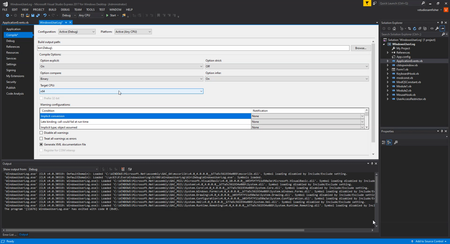
Hi, I am using Visual Studio Express 2017 for Windows Desktop. On the Project Properties Compile page, scrolling while the pointer is over the Target CPU setting changes its value. You can see In the attached image, it changes the value just by hovering and scrolling. Sometimes I am only trying to scroll through the page and dontt notice the setting changed... this is very annoying to keep track of. I have noticed the same thing with dropdown settings in other applications too. Is there a Visual Studio or Windows setting that can stop the scroll wheel from changing a value just because the pointer is over it, while keeping normal scrolling elsewhere?? Ive already checked for Regedit settings and the only applicable one i saw was setting the "WheelScrollLines" and "WheelScrollChars" to 0 which just completely blovks the mouse wheel from scrollling...NOT ideal at all. Ive not found any Visual Studio option except “Disable touch scrolling” which is ofcourse for touch input. I also tried "X-Mouse Button Control" to block the scroll wheel for Visual Studio specifically, but could not get it to work. if anyone has found a workaround or a thirdparty app that actually works please tell me.3Views0likes0Comments