technology
28 TopicsMicrosoft's Student Opportunities: A Gateway to Professional Growth
Are you a student looking to give your career in tech a boost? Look no further than Microsoft's student opportunities. From scholarships to internships, Microsoft provides a range of programs designed to help students develop their skills, gain practical experience, and build connections in the industry. In this article, we'll explore Microsoft's opportunities and events, and how they can be the gateway to professional growth for students seeking a career in technology.38KViews3likes7CommentsStep-by-Step: How to Setup Copilot Chat in VS Code
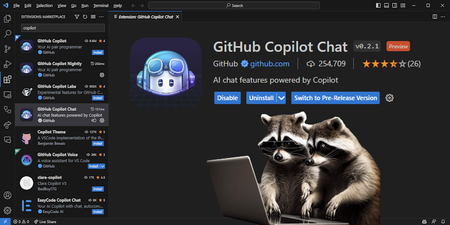
Copilot Chat is an AI-powered chatbot leveraging OpenAI's GPT-4, designed to enhance your coding workflow. Learn how to set up Copilot Chat step by step in Visual Studio Code (VS Code). Benefit from personalized and flexible coding environments, code analysis, automated unit test generation, and bug fixes. Prerequisites include an active GitHub account and the latest version of VS Code. Elevate your coding efficiency to new heights with Copilot Chat.116KViews7likes8Comments
Play Restricted Video Game at School
Hindering games inside the school premises are reasonable. It helps students focus in class and allows them to focus on the work within reach. In any case, what happens when the students are on break or have a free period. What happens when the students need to free some from the pressure of concentrating so hard? How would they get to games to assist them with loosening up inside the school premises? This article addresses these inquiries by giving a compelling option in contrast to unblocking games in school; https://nodeunblocker.net/. In this article, you will figure out how to unblock games at school and the best Node unblockers that assist you with this. NODE UNBLOCKER - Easily Bypass Blocked Game Node Unblocker is a web proxy that empowers the client to keep away from web channels and obstructions and, by doing, secure enlistment to bound objections. So confident, you really need a Node unblocker to visit blocks Roblox. Overall, a proxy restricts the opportunity for your bots to get blocked. One advantage of a programmable proxy like Node unblocker is web scratching. Proxying web demands that you stay away from geographic obstructions and conceal your IP; with different proxy models, you can avoid rate constraints. How to Use Node Unblocker? Acknowledge that you need to run Roblox or various games and social media on your school PC or use Nodeunblocker to unblock such sites. You can propose the little substance in minutes without convoluted cooperation with Node Unblocker. Node unblocker behaves like a web proxy. Initial of all, open up your web browser. Type the URL:- nodeunblocker.net Behind getting there, enter the site URL in the "enter website URL" box. Ultimately, hit the "Access,"Expert Insights: Incorporating AI PCs into your business strategy
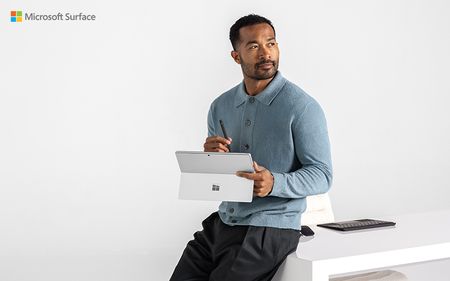
Device selection is often seen as a routine IT decision, but AI-capable hardware changes what’s possible. AI-capable devices enable new levels of efficiency, collaboration, and productivity. Choosing the right hardware shapes how businesses handle data, streamline workflows, and build a foundation for future success. David Stoeckel, Director of Program Management for Surface CXP Engineering at Microsoft, emphasizes a multi-faceted approach to evaluating Copilot+ PCs. "You have to think about it on three levels: the baseline capabilities of the device itself, the core components of Windows like captions and translation, and then the custom functionalities businesses can build on top of that," Stoeckel explained. This strategic framework allows enterprises to make choices that drive long-term, transformational impact. Real-time productivity: Not just faster, but smarter PCs with neural processing units (NPUs) can handle tasks such as transcription, translation, and video enhancement locally, supporting fluid experiences and new AI use cases. Industries with strict data controls, such as healthcare and finance, gain more flexibility in how they deploy AI. Copilot+ PCs from Microsoft Surface integrate these capabilities into thoughtfully engineered, enterprise-ready devices. They offer immediate benefits by handling complex tasks locally, reducing latency and enhancing real-time decision-making. This enables new types of computing that were previously impractical or impossible on local machines. For example, they can perform real-time transcription and translation on-device, opening doors for fields such as healthcare, finance, and government where data privacy concerns restrict the use of cloud-based solutions. As Stoeckel points out, "We see doctors using these devices to transcribe patient conversations locally, supporting data privacy without compromising on functionality. Or think of a financial consultant sitting with a client, capturing and developing strategies on the spot—no waiting for external servers to process requests.” These capabilities complement rather than replace cloud-based AI, supporting use cases in which it is unfeasible to send data to the cloud, or where keeping it local can accelerate time to value. Surface Copilot+ PCs handle such workloads directly, meeting specific compliance requirements while capitalizing on the latest advancements. Solving business challenges: putting the focus on AI-optimized workflows Surface Copilot+ PCs enable businesses to rethink workflows and tasks that require real-time data processing, predictive analytics, or highly customized experiences. The ability to run models on-device presents new opportunities to innovate. The NPU architecture in Surface Copilot+ PCs enables local processing of machine learning and predictive analytics models with low latency. This capability supports use cases like predictive maintenance in manufacturing and on-device fraud detection in financial services, where real-time data analysis can drive faster, more responsive decision-making. Stoeckel underscores the importance of custom development in this space: "The third pillar I mentioned—what software vendors and businesses build on top of the platform—has huge potential value. This is where companies can tailor capabilities to fit their unique workflows." Enterprises can use Copilot+ PCs to develop proprietary applications that offer competitive advantages, whether through faster decision-making, more personalized customer experiences, or highly specific data models built for niche use cases. Driving innovation with hybrid AI Cloud-based platforms remain critical to driving AI business value. Businesses rely on them for running large models and executing complex workflows. But some AI tasks benefit from running on-device, whether to maintain control over sensitive data, meet compliance requirements, or reduce dependency on cloud connectivity. Workloads like real-time transcription, predictive maintenance, and AI-driven personalization may also be more responsive when processed locally, depending on network conditions and infrastructure. A hybrid AI model gives organizations the flexibility to balance these needs. Copilot+ PCs allow businesses to run AI applications locally for real-time insights and personalized recommendations while relying on the cloud for intensive processing and the latest models. This approach lets organizations deploy AI in the way that best aligns with their security, performance, and operational priorities. With Copilot+ PCs, companies can refine AI-powered workflows, deciding where to process data based on business requirements rather than technical limitations. This flexibility supports both immediate productivity and long-term advancement. The future: seamless integration and innovation without limits Stoeckel expects the line between cloud and local AI to fade. "In the future, the interaction between what's done locally on the device and what's done in the cloud will be seamless. You'll have the flexibility to choose where to run workloads based on cost, performance, and privacy requirements," he says. As AI infrastructure evolves, businesses will have more freedom to fine-tune where and how they process data. Some workloads will always benefit from cloud scale, while others will run more efficiently on-device. This flexibility will shape how companies build and deploy AI-driven solutions. Why choose Surface as the foundation of your AI device strategy? Surface devices enhance AI value through thoughtfully designed experiences that enrich every interaction. Depending on the device, this can include precision inking, vibrant touchscreens, and customizable touchpads for natural input. High-quality cameras and microphones work with AI to improve collaboration, while precision-engineered keyboards make typing more comfortable and ergonomic. Security empowers organizations to run AI workloads with confidence, protecting data while driving performance. With Surface Copilot+ PCs, Secured-core PC technology strengthens defenses against firmware attacks, while hardware-based protection using Microsoft Pluton or TPM safeguards sensitive information. Strong and seamless authentication options like biometrics and NFC help ensure only authorized users can access applications and data. Device strategy will separate leaders from followers Choosing the right devices has always shaped business productivity, but with AI workloads running on-device, this decision now carries far greater weight. Copilot+ PCs from Surface provide a foundation for businesses to process data faster, maintain security, and integrate AI into daily workflows without cloud dependence. Whether improving collaboration, automating routine tasks, or enabling real-time decision-making, these devices support a shift toward AI-powered work. Organizations that think strategically about hardware today will be in the strongest position to drive innovation and efficiency in the years ahead. In the end, AI PCs are a catalyst for business transformation. For companies willing to explore their full potential, the opportunities are significant. By starting now, businesses can get ahead of the curve, building the infrastructure and workflows necessary to thrive in an increasingly AI-driven world. To learn more read the eBook: Drive business resilience with AI PCs.670Views0likes0CommentsExpert Insights: AI PCs and your technology strategy with Microsoft, Intel, and Forrester
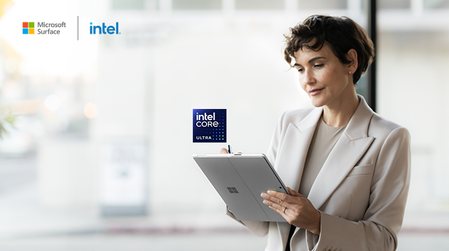
Workplace AI is becoming as common as word processors and spreadsheets. And tangible AI benefits like better decision-making, increased productivity, and better security will soon become must-haves for every business. Early movers have an opportunity to gain a competitive advantage with AI adoption. But doing so requires a strategic approach to device choice that leverages technological advancements early—such as laptops and 2-in-1s with breakthrough AI capabilities. These devices are now easy for any business to obtain in the form of AI PCs from Microsoft Surface. Because they contain a new kind of processor called an NPU, they can run AI experiences directly on the device. Just as CPU and GPU work together to run business applications, the NPU adds power-efficient AI processing for new and potentially game-changing experiences that complement those delivered from the cloud. In a recent Microsoft webinar with experts from Forrester and Intel, leaders discussed how a thoughtful AI device strategy fuels operational success and positions organizations for sustained growth. In this blog post, we’ll examine a few key areas of AI device strategy. For more, watch the full webinar here: How device choice impacts your AI adoption strategy Focusing on high-impact roles An effective AI device strategy requires organizations to identify roles that gain the most value from AI capabilities. Data-centric functions—such as developers, analysts, and creative teams—depend on high-speed data processing, and AI-ready devices help these employees manage complex workflows, automate repetitive tasks, and visualize data-driven insights in real time. Choosing AI-enabled endpoints is not just about the NPU. High-resolution displays and optimized screen ratios, for example, support high-impact roles by providing ample workspace for AI-assisted analysis, modeling, and design work. Starting with on-device AI for these functions helps drive rapid value and motivates other teams to see the potential in AI-powered workflows. The phased rollout of AI devices builds a foundation for broader AI integration. Data governance remains central to technology’s advantage Data privacy and security enable confident adoption of AI tools. One benefit of devices with NPUs is that they allow AI to be used in scenarios where sending data to the cloud is not feasible. It’s also important to consider the general security posture enabled by a device. Hardware-based security features such as TPM 2.0 and biometric authentication help protect device integrity, supporting AI usage within a secure framework. With built-in protections that include hardware encryption, secure user authentication options, and advanced firmware defenses, AI-enabled devices create a trusted environment that upholds privacy standards and aligns with organizational compliance requirements. Choosing devices like Microsoft Surface that fit seamlessly into a wide range of device management setups supports faster adoption and reduces risk. Balancing advanced AI features with stable performance AI-enabled devices bring unique processing capabilities that don’t compromise the reliability of core functions. Specialized processors dedicated to AI workloads manage intensive tasks without drawing from the main CPU, preserving battery life and maintaining consistent performance. This balanced approach supports both advanced AI capabilities and essential day-to-day operations, providing employees with stable, responsive tools that adapt to their needs. AI-driven interactions, like responsive touch, intuitive inking, and enhanced image processing, further improve user experience. High-quality cameras and intelligent audio capture, for instance, optimize interactions in virtual meetings and collaboration, making these devices versatile and effective across different work scenarios. By focusing on the user experience, organizations empower teams to take full advantage of technology without a steep learning curve. Aligning IT and business goals for an effective AI strategy A strong AI device strategy brings together IT priorities and broader business objectives. While IT teams focus on security, manageability, and integration with existing infrastructure, business leaders aim to increase efficiency and support innovation. Aligning these goals enables a smooth AI adoption process, allowing organizations to leverage AI’s capabilities while meeting essential technical requirements. Strategically investing in devices with integrated security and manageability features, such as remote management of device settings and firmware updates, gives IT greater control over deployment and maintenance. This integrated approach allows organizations to keep their AI device strategy aligned with long-term goals, reducing the need for costly upgrades and enabling teams to work within a secure, adaptable tech environment. Supporting employee workflows with AI tools AI-enabled devices enhance productivity by automating repetitive tasks and giving employees more time to focus on high-value work. Tools like intelligent personal assistants and voice-driven commands support employees by streamlining tasks that would otherwise require manual effort. Enhanced typing experiences and personalized touch interactions improve user engagement, making AI tools easier to integrate into everyday workflows. With customizable features and inclusive design options, AI-enabled devices make advanced technology accessible to all team members, increasing satisfaction and reducing turnover. By enabling employees to focus on higher-level work, organizations can create an environment that supports meaningful productivity and helps retain talent. Proactive IT management with AI-driven insights Beyond the device, AI also offers new capabilities for device management, allowing IT teams to proactively monitor and resolve potential issues. By analyzing device usage patterns, AI can detect anomalies early, enabling IT to address risks before they impact employees. This shift from reactive to proactive management improves device reliability and reduces downtime, freeing IT resources to focus on broader strategic initiatives. Integrated AI security tools also improve protection, identifying threats as they emerge and securing devices with minimal manual intervention. With insights derived from AI-driven monitoring, IT teams can maintain secure, reliable systems that enhance overall operational stability. Crafting a forward-looking AI device strategy A structured AI device strategy prioritizes both immediate and long-term ROI by examining where new technology can have the greatest impact while also enhancing existing capabilities. By acting early, organizations position themselves to gain speed with AI and adopt the latest advancements as they are released. Whether you’re beginning with AI or looking to expand its role, a well-designed AI device strategy keeps your organization prepared for growth. To explore how AI-enabled devices can drive your team’s success, gain insights from experts at Forrester and Intel by watching the webinar: How device choice impacts your AI adoption strategy.496Views2likes0CommentsDigitalisering och konsten att bygga en brygga mellan tech och affärer - Season 3, Ep. 34
Vill du få en inblick i vad som kommer att forma framtiden för digitalisering? Då har du kommit rätt! I detta avsnitt av Microsoft Partner Podden har vi äran att ha med oss Tomas Frimmel, vd för Microsoft Sverige. Tillsammans utforskar vi de senaste digitala trenderna och hur de påverkat vår värld under Covid-19 pandemin. Vi går djupare in i ämnen som hur OpenAI kommer att revolutionera produktskapande, hur den förändrade detaljhandeln påverkar konsumentbeteenden och diskuterar även hållbarhet och säkerhet i en digital värld. Dessutom delar Tomas med sig av sina tankar om hur våra Microsoft partners kan hålla sig aktuella och konkurrenskraftiga i framtiden. Missa inte detta spännande avsnitt av Microsoft Partner Podden! 🎙 Moderator: Karl-Henrik Nilsson 🎙 Gästtalare: Tomas Frimmel Lyssna på avsnittet här