supercharge your business
16 TopicsThe CISO Cheat Sheet to Microsoft Digital Defense Report 2026
I know we’re all busy, so I’ve pulled the most important data from this year’s Microsoft Digital Defense Report into one short read. The full report is well worth exploring, but this article focuses on the numbers and trends most relevant to security leaders. This year’s edition shows that AI is lowering the time, expertise and cost required to discover and exploit weaknesses, enabling attackers to operate with greater speed, scale and autonomy. The report describes this as AI “changing the physics of cybersecurity”: attack timelines are compressing and agentic systems are beginning to automate more of the attack lifecycle. Trend 1: Time has collapsed The clearest finding is about speed. Vulnerability discovery is increasingly running ahead of remediation, while the time from discovery to weaponisation is shrinking. In the AI era, weaponisation can follow in hours. Vulnerability discovery and weaponisation now often needs only a well-written prompt. The median time from discovery in the wild to weaponisation is below 24 hours. Vulnerabilities were on track for a record estimated 72,000 CVEs in 2026. The report expects a multi-year period in which the number of known but unpatched vulnerabilities rises sharply before eventually declining. The median time from container start to first exploit attempt is 5.3 hours. The ransomware actor Storm-1175 moved from web-facing exploitation to deploying Medusa ransomware in as little as 24 hours. CISA added over 110 CVEs to its Known Exploited Vulnerabilities catalogue between November 2025 and May 2026, most within a week of disclosure. The mismatch with enterprise reality is the uncomfortable part. The report says the disclosure-to-exploitation window has shrunk to single-digit days. Between November 2025 and May 2026, CISA added more than 110 vulnerabilities to its Known Exploited Vulnerabilities catalogue, most within a week of disclosure. In one example, Storm-1175 moved from exploiting a web-facing vulnerability to deploying Medusa ransomware in as little as 24 hours. Microsoft’s Red Team makes an important point: a patch is also a disclosure. Every fix points attackers towards the flaw it closes. As AI-assisted analysis makes reversing patches faster and more reliable, the report argues that patch velocity, not simply patch availability, becomes the control that matters. Trend 2: Attack chains are gaining autonomy The report charts a clear progression: September–November 2025: AI assists in orchestrating a campaign, as in the Anthropic-reported espionage case. April–June 2026: Full-chain autonomy is demonstrated in labs. July 2026: Real-world autonomous attacks of increasing complexity appear. Two frontier models, Mythos and GPT-5.5, completed a 32-step attack chain against an emulated enterprise with no human help. The test environment had no defenders. The UK AI Security Institute reached a similar finding independently. GPT-5.5 was the second model to solve its end-to-end corporate network attack simulation, a task AISI estimates would take a human about 20 hours. Open-weight models lag closed models at orchestrating attacks by about seven months. In the wild, early July 2026 saw the first documented automated ransomware extortion attack, named JADEPUFFER by Sysdig. Microsoft has seen AI-orchestrated intrusions that share elements with it. Initial access consistently came from internet-exposed services running known-vulnerable software. The report is measured on this point. Volumes of AI-orchestrated activity remain low. In most observed real-world operations, complex end-to-end intrusions still retain meaningful human direction. The Red Team's framing is the most useful one: AI doesn't create a new class of attack, it collapses the effort needed to find and exploit existing attack paths. Trend 3: AI has become an attack surface The report's second takeaway is that attackers are already targeting AI itself. The adoption numbers explain why. 88% of enterprises are experimenting with agents, and 82% of leaders plan broader rollouts within 12–18 months. The report cites industry projections of roughly 1.3 billion agents in production by 2028. What attackers are doing to AI systems: Four techniques accounted for roughly 90% of observed attack activity in telemetry from Azure AI workloads: malicious link injection (52%), jailbreaks (16%), tool and agent abuse (12%), and identity and credential abuse (10%). Memory poisoning: An attacker who can place content anywhere an agent reads can often place it where the agent remembers. Email is the dominant pathway the Red Team has observed. Human-in-the-loop isn't a complete control: Red team testing saw approval prompts ignored, or bypassed by a policy stored in poisoned memory. Developer tools turned against their owners: The "s1ngularity" malware hijacked locally installed AI command-line tools to hunt for secrets. It leaked about 2,000 secrets and 20,000 files across 225 victims. AI browsers: In daily use at more than 40% of organisations in Microsoft's dataset, they were the initial infection vector in incidents involving 57 malware families in a May 2026 analysis. Chat histories as a target: Malicious AI-assistant extensions reached nearly 900,000 installs and more than 20,000 enterprise tenants, harvesting AI chat histories that often contain code, architecture and credentials. The identity implications are direct. Each agent needs its own identity, not one borrowed from an employee, and a named human sponsor. The report also treats revocation latency, the time to cut off a compromised agent, as a measured outcome. Trend 4: The front door is still identity AI changes the speed and personalisation of social engineering. It hasn't changed where attacks start. Initial access in Defender Experts data: User execution: 30% Valid accounts: 20% Malicious copy-and-paste: 13% Phishing: 11% Together, user execution and valid accounts account for over half of observed activity. In incident response engagements, phishing as an initial access vector jumped from 7% to 23% year on year. The standout numbers: ClickFix: Defender saw user-pasted malicious commands on more than 1.1 million unique devices between February and early May 2026, roughly an 8x increase. AiTM: URLs accounted for 45% of the identified phishing techniques in the report’s breakdown. Separately, the share of AiTM phishing and token-theft attacks more than doubled during the first six months of 2026, although the report notes that their overall share remained comparatively small. Teams vishing: Weekly confirmed malicious volume increased 502% year on year. Per attempt, 48% of vishing calls kept the victim engaged for more than 20 seconds, and 30% lasted more than one minute. When a call succeeds, attackers can persuade the victim to install a remote-management tool and complete reconnaissance in two minutes or less. Business contact impersonation (BCI): The report introduces this term for conversations that start with a trusted-looking contact. Microsoft detected more than 46 million attacks in 12 months, with a 121% spike in April 2026. The share of first-contact messages that explicitly asked for money or documents fell from 17% to 3%. The first message is deliberately bland, like "Are you at your desk?" Password attacks declined 26% year on year, which the report describes as strong evidence that MFA and passkeys are forcing attackers to pivot. That pivot includes techniques such as fatigue attacks, AiTM phishing and token theft designed to circumvent conventional MFA. Trend 5: Attackers are inheriting trust rather than breaking in The report's headline theme is that risk is increasingly interconnected. Threats travel through the trusted relationships between identities, software supply chains, partners and cloud platforms. The numbers: Supply chain: Major open-source ecosystems saw attacks roughly every ten days, accelerating through Q2 2026. Shai-Hulud 2.0 affected 25,000 repositories. Megalodon backdoored 5,561 GitHub repositories in under six hours. Trusted signing: In May 2026, Microsoft disrupted Fox Tempest, a "malware-signing-as-a-service" operation that obtained genuine certificates for ransomware loaders and infostealers. Microsoft revoked over a thousand fraudulent code-signing certificates. Legitimate access: An unsanctioned remote monitoring tool is now one of the most reliable mid-stage indicators of a human-operated intrusion. Cloud identity: Cloud identity abuse was the most observed technique against critical infrastructure, representing 78% of the technique mix in Microsoft’s data for March to June 2026. Hybrid intrusions: The Storm-2885 case showed an attacker using a privileged cloud identity to close and downgrade security alerts. The report says identity governance and alert-handling workflows deserve Tier 0 treatment. Dwell time: DART data shows a statistically significant increase in dwell time year on year, meaning organisations took longer to detect intrusions. Ransomware shows the same ecosystem pattern. Qilin led leak-site data with 16.4% of victims, up 386%. Defender detections tell a different story, with Akira at 22%. Trend 6: Defence works best when it's connected The report is not only a catalogue of threats. The strongest defensive evidence: Disruption works. Following the March 2026 disruption, Tycoon2FA activity had fallen 95% from its November 2025 peak by June. Its share of CAPTCHA-gated phishing declined from 76% in December 2025 to 12% in June 2026. Correlation is the highest-leverage variable. The report argues that how well defenders share and correlate signals across endpoint, identity, cloud, email and network is one of the highest-leverage strategic variables under their control. AI is also changing defensive operations. The report describes AI-assisted triage, incident summarisation, hunting-query generation and detection engineering as ways to accelerate investigations and allow analysts to concentrate on higher-value work. Automated disruption can compress response time. The report says that when a correlated incident reaches a defined confidence threshold, defensive systems can automatically isolate devices, disable compromised accounts, revoke sessions or quarantine affected cloud resources. It also stresses the importance of appropriate governance and human oversight for high-risk AI actions. The report also recommends changing what leaders measure. It suggests moving from patches deployed to exposure reduced, detection coverage increased and time-to-mitigate compressed. What the MDDR recommends: ten security priorities The report starts its recommendations with the foundations: Secure by Design, Secure by Default and Secure Operations, applied through identity-centric Zero Trust. Microsoft says these keep the priorities below durable as AI adds more identities, applications, agents and dependencies to govern. Govern cyber risk at leadership level. Report identity exposure, patch latency, agent permissions, critical dependencies, dwell time and recovery readiness to the board. Defend identity as the primary control plane. Deploy passkeys and phishing-resistant MFA, reduce privilege and govern human and non-human identities. Invalidate and rotate tokens and session credentials quickly. Establish governance, visibility and data controls for AI. Keep visibility of approved AI tools, services and agents, and monitor for unauthorised or unmanaged use. Apply sensitivity-aware access and data protection to the data those systems can reach. Reduce exposure and edge risk. Continuously discover internet-facing assets and patch edge devices quickly. Centralise high-fidelity logging, enforce strong authentication and combine network visibility with threat intelligence. Focus on cross-signal correlation. Correlate endpoint, identity, cloud, application, email and network signals to detect intrusions earlier. Correlation also helps defenders anticipate attack paths and likely targets. Enact a continuous threat and vulnerability management model. Combine asset visibility, vulnerability identification, threat detection and AI-accelerated insight into a single continuous programme. Validate exposure through proactive testing. Run assume-breach exercises on cloud services, SaaS platforms, APIs and workflow automation. Prioritise them by where your highest-value data is stored, accessed or aggregated. Secure software dependencies. Harden software installation, keep a software inventory and validate provenance. Monitor packages and prepare for rapid containment. Participate in collective defence. Share actionable threat indicators and victim-informed intelligence with trusted partners and law enforcement. This supports coordinated tracking, investigation and disruption. Prepare for long-horizon technology transitions. Build a cryptographic inventory and advance post-quantum planning alongside AI governance. Read together, the numbers tell one story: the attacker’s workflow is becoming faster and less expensive. AI can shorten vulnerability discovery, exploitation, secret discovery and lateral movement, while organisations still face the slower operational work of testing, coordinating and deploying safe changes across complex environments. At the same time, agent identities can proliferate faster than organisations can inventory, govern and revoke them The defining question for boards today is not whether disruption will occur, but whether the organization can continue operating, contain harm, recover quickly, and maintain trust when it does. Source: Microsoft Digital Defense Report 2026, Version 1.1. Reporting period: July 2025–June 2026.The GitHub app in Microsoft Teams is now generally available!
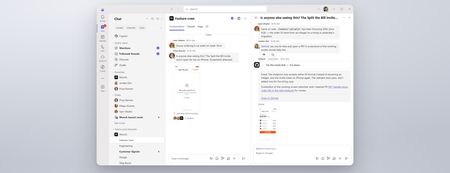
GitHub empowers any team to become builders in Microsoft Teams. Customer support teams are using GitHub to turn customer feedback from Teams channels into filed issues. Engineering teams are asking GitHub to investigate, reproduce, and fix bugs without leaving Teams. Business and marketing teams with innovative ideas are asking GitHub to turn their discussions into working prototypes. During public preview, our team has been hard at work addressing feedback and making product improvements to the GitHub experience in Teams. Here is what’s new. Review work in the GitHub Canvas The new GitHub canvas lets you review the plan, file changes, and pull request without leaving Teams. Click “Open Canvas” to follow GitHub Copilot’s progress and see your team’s ideas take shape in code, right beside the conversation. Go from notification to pull request in one app GitHub notifications and GitHub Copilot now live in a single app in Teams called GitHub. Stay on top of issue and pull request updates and act on them right in Teams. When an update needs attention, reply to the notification with "@GitHub". GitHub Copilot can investigate, make the fix, and draft a pull request in the same thread, so your team sees the update and the response together. Issues and pull requests created from Teams now carry attribution. Reviewers can see who started the work and link back to the Teams conversation where it was discussed. Work across repositories and tools Real work rarely lives in one repository. With multi-repo support, GitHub Copilot can work across all the repositories your task needs in the same conversation. In addition, MCP support lets you configure which tools and connected services GitHub can leverage in Teams. Learn more about configuring MCP. Get set up in a guided experience The new guided web onboarding experience helps you sign in through your default browser using saved passwords or passkeys and grant Teams access to the right organizations and repositories. You can now use natural language to ask GitHub to use a default repository or switch repositories in your Teams conversations. You can also choose the model GitHub Copilot uses for a task. Pick a faster model for quick fixes or a more capable model for larger changes. Get started today Add the GitHub app to Teams today, then click “Get started” from its welcome message to connect your account. Type "@GitHub help" to see what else it can do. Admins should verify the following are enabled for users to get started: Microsoft 365 admins: ensure resource-specific consent is enabled so users can let the GitHub app use conversation context. TAC admins: ensure the GitHub app is allowed for users in the Teams admin center. GitHub enterprise admins: ensure Copilot cloud agent, cloud sandboxes, and CLI billing are enabled for each organization and assign GitHub Copilot licenses to users. Learn more at teams.github.com! We'd love to hear what you build. Share your feedback in the comments below.1.5KViews1like0CommentsWhat's New in Microsoft Teams | August - September 2026
A quick note before we get into it: What's New in Teams is shifting from a monthly to a quarterly rhythm. You'll hear from us next in December, March, and June, and each edition will round up everything announced and released over the full quarter. One post, one fuller view of what's new. Two investments shape where Teams is heading, and you'll see both in this quarter's releases: AI transforming teamwork with agents as part of the team, and a simpler, smarter, more secure foundation underneath it all. AI in Teams is showing up in the flow of your work. Teams Phone Agent brings that to your phone line, helping callers with common requests in more than 60 languages and routing them with context attached, so a missed call turns into a next step instead of a lost one. Context carries forward, too. Video recap turns a meeting you missed into a short, narrated highlight reel, so what a meeting decided outlasts the conversation itself. And protection for everyday collaboration is always top of mind. The new Security Detection Report brings detections such as impersonation and malicious URLs into one view in the Teams admin center, so admins see the whole picture in one place. Read on for all the latest updates! Feature categories: (All features listed are generally available unless otherwise noted) Chat and Collaboration Meetings Teams Phone Workplace Teams Events Fundamentals and Security Teams Platform Certified devices Chat and Collaboration Ask Copilot in Teams conversations Stay in the flow of work and get help from Copilot directly within your conversations. Open Copilot from a message or selected text in a Teams conversation, with the relevant context already included, making it easier to gain insights, explore questions, and move work forward without needing to re-explain information. Find agents and apps faster through Teams search Discover the tools you need with agents and apps surfaced directly in Teams search results. As you type in the search bar, matching agents and apps appear alongside other relevant results, helping you spend less time searching and more time getting things done. Find and share files faster in Teams Locate the files you need while sharing content in Teams. Search for cloud-based files directly from the attachment experience, making it easier to find and share the right content without interrupting the flow of collaboration. Emoji shortcuts on iOS and Android Express yourself with emoji shortcuts. Desktop emoji shortcuts now work on iOS and Android. Insert emojis directly in the compose box by typing a word between colons, so :smile: becomes 😊. Autocomplete suggestions help speed up entry, and custom emojis are also supported. Clearer text highlighting in dark mode and high contrast mode Make highlighted text easier to read while composing messages in Teams. Improvements to text highlighting in dark mode and high contrast mode provide a more consistent and accessible editing experience, helping content stand out more clearly. Meetings Video recap in Teams Meeting recap now delivers a bite-sized video recap of with key highlights from your Teams meeting. It combines AI-generated voiceover summaries with video snippets, spotlighting the most important moments while preserving the original tone and flow, so you can catch up on key topics in a few minutes. Video recaps now support meetings in 23 languages across 31 regional variants, learn more. Translation button to change the language for intelligent meeting recaps After an intelligent meeting recap is generated, you can change the recap language at any time using a translation button, even if a different language was selected during the meeting. Multilingual teams get more flexibility to read meeting insights, action items, and discussion summaries in the language that is most comfortable for them. Redesigned meeting controls Stay focused on your conversations with a customizable meeting toolbar that keeps the controls you need within easy reach. Pin your most-used controls, unpin those you don’t need, and drag and drop them into the order that works for you. Raise Hand now lives inside the React button, while Leave has its own spot on the right to help avoid accidental exits. Teams Phone Teams Phone Agent Teams Phone Agent is an AI-powered receptionist for your business’s phone line, so callers can get help with common requests even after hours. For customer-facing organizations and departments using Teams Phone, such as bank branches or IT help desks, it takes repetitive calls off employees' plates so they can focus on the conversations that truly need a human touch. With support for over 60 languages and locales, Teams Phone Agent handles common requests such as answering routine questions or booking appointments. , And it can route a caller to the right department or employee with an AI-generated summary of the conversation, so customers do not have to navigate phone menus or repeat themselves. Custom voice agents are available for specialized workflows. Teams Phone Agent is now generally available, learn more. If the player doesn’t load, open the video in a new window: Open video Intelligent call recap in Queues app Intelligent call recaps in Queues app help you catch up on recorded or transcribed queue calls with AI-generated summary notes covering key discussion points and follow-up actions. To open a recap, find the call record in the Queues app call history and select Recap. Copilot in Queues app’s shared call history for post-call insights Quickly catch up on a call queue call and uncover key details with the ability to use Copilot in the shared call history in Queues app. After a recorded call is completed, users with Copilot can now open the call record in the shared call history, access the Copilot Chat sidecar from the Recap tab, and ask questions about the call. Automatic recording and transcription for call queues Capture customer interactions without requiring your organization’s calling representatives to manually start recording. Admins can enable automatic recording and transcription for individual Teams call queues and control access to recordings. Recordings are stored in SharePoint and accessible through call recaps in the shared call history in Queues app. View and manage auto attendant shared voicemails in Queues app Help your team stay on top of customer messages by managing auto attendant shared voicemails directly in Queues app. Calls routed from an auto attendant to voicemail will appear in Queues app, giving collaborative calling teams a centralized place to track, triage, and respond to messages. Customize recording and transcription notifications for Teams calls Give your organization greater control over how recording and transcription are communicated during Teams calls. IT admins can customize select user notification strings for recording and transcription in the Teams admin center, helping tailor the experience for participants in Teams VoIP calls. Enhance control of delegated calls with call lock and delegate join alerts Call delegation in Teams gains real controls: a delegator can lock an active call and see when a delegate joins. Locking prevents delegates from joining or resuming the call, and optional warning tones notify participants when a delegate joins or resumes. Workplace Interpreter agent support in Teams Rooms on Android The Interpreter agent acts as a translator in Microsoft Teams meetings, letting participants listen in their chosen language with real-time translation. It is now available in Teams Rooms on Android licensed for Teams Rooms Pro. New room optimization mode in Teams desktop Room optimization mode makes it easier to use your laptop for meetings and collaboration in spaces such as focus or huddle rooms that do not yet have a Teams Rooms system. It replaces shared display mode, has a new location, and enables or disables room-specific features. When room peripherals are connected, Teams can automatically select audio and video devices, enable speaker recognition and shared display, and disable voice isolation. Modernized Gallery view in Teams Rooms on Android The updated Gallery view in Teams Rooms on Android prioritizes video on the meeting stage, arranges participants in consistent aspect ratios, and minimizes movement of participant tiles on stage. You can hide the room self-preview video and choose to see audio and video participants equally on stage instead of prioritizing video participants. Admins can set the default behavior using local device settings and the Pro Management portal. Teams Events Breakout rooms in Teams Meetings & Events Breakout rooms are now supported in Teams Meetings & Teams Events with up to 1,000 participants across 100 rooms, increased from the previous limit of 300 participants across 50 rooms. Organizers can use breakout rooms to create smaller focused sessions within an event for more interaction and collaboration. Specify who has control of production tools in Teams Events Organizers can designate who controls production tools, granting chosen people access to Manage what attendees see and the green room so event production stays with the right crew. The setting is a new meeting option applied when the event is set up. Expanding presenter visibility in “Manage what attendees see” Producers can resize and expand the presenter panel in Manage what attendees see, making it easier to view, manage, and switch between presenters while a live event is running. New layout when sharing content for Teams events Organizers and presenters who have access to production tools now see updated layout options when sharing content in the “Manage what attendees see” experience for Teams events. The available layouts are speaker focused, content focused, and content only. The new speaker focused layout prioritizes presenter video alongside shared content for greater visibility. Available for Teams events organizers on Teams for Windows desktop and Mac desktop. Fundamentals and Security Enhanced real-time alerting rule management in Teams admin center Administrators can now duplicate an existing alerting rule to create a similar configuration without rebuilding it, bulk upload users when creating or editing a rule, and delete rules directly from the management experience. These capabilities are available for in-progress meetings and calls rule types, and organizations can configure monitoring for up to 500 users across their real-time alerting rules. Security Detection Report in Teams admin center A new Security Detection Report in the Teams admin center gives admins a unified view of messaging security detections across signals such as impersonation, malicious URLs, and weaponizable file types. Admins can review detection activity in one place and export detailed data for further investigation, improving visibility into threats in Teams. Single pane for monitoring and troubleshooting meetings and calls (Windows) Administrators can monitor meeting and call health across the organization from one place, identifying recurring issues, uncovering trends, and proactively troubleshooting problems affecting people in both live and past meetings and calls. Meeting participant detail audit records in all participating tenants Admins can now access participant-level audit records for their own users in cross-tenant meetings, helping investigate incidents even when another organization hosted the meeting. Teams audit logging now shares meeting participant detail records with all participating tenants, not just the organizer tenant, and each record includes organizer information so admins can tell whether a meeting was organized inside or outside their tenant. Teams optimization for VDI now supports Teams Events (Windows) Attendees joining Teams Events from virtualized Windows desktops can offload audio and video to their local device, supporting high definition playback while easing load on the virtual desktop. Optimization works on Windows endpoints connecting to Azure Virtual Desktop, Windows 365, Citrix, Omnissa, or Amazon. Captions, DVR, reactions, streaming chat, and Q&A are all supported, as are first-party and third-party eCDNs. Teams Platform Real-time buying signals, now in Teams Sales Navigator for Microsoft Teams delivers real-time lead and account insights directly within Microsoft Teams. Sellers can stay on top of key buying signals, discover opportunities where they work, and take action while opportunities are most relevant. The integration helps teams move from insight to action faster by surfacing Sales Navigator intelligence in their daily workflow. Unified agent and app installation management across Microsoft 365 and Teams admin center (Windows) Administrators using the Microsoft 365 admin center and Teams admin center can apply app and agent installation changes once and have them enforced consistently across Teams, Outlook, and Microsoft 365 Copilot. Previously, installation changes made in the Microsoft 365 admin center applied only to Outlook and Microsoft 365, and changes made in the Teams admin center applied only to Teams. Identify custom Teams apps that need updates for private and shared channels Admins can view a list in Teams admin center of custom apps in their tenant that need updates to work in private and shared channels. The list helps admins identify impacted apps, understand which ones require developer action, and coordinate updates so people can keep using custom apps across all supported channel types. Prominent search for app and agent discovery in the Store Search now sits in the middle of the Store page, with improved type-ahead suggestions, a more informative results page, and natural language processing to surface the most relevant apps and agents. Add multiple steps when building a workflow from scratch When building a workflow from scratch, you can add several steps at once, so you can assemble multi-step automation without returning to edit it step by step, reducing repetitive setup work and simplifying the creation of more advanced automations. Collect information with List Form in Workflows A workflow can open with a form that gathers the details it needs up front, so automation runs on structured input rather than chasing information midway. Single-character keyboard shortcuts for focused message actions (Windows) Single-character shortcuts let you quickly take common messaging actions such as edit, delete, reply, forward, pin, save, mark unread, quote reply, and react when a message has keyboard focus. The shortcuts are a predefined messaging set, and they are discoverable and customizable in the keyboard shortcuts dialog. Certified devices EPOS IMPACT 1000 MS UC ANC WL USB-C+A On-ear Bluetooth® headset. Supplied with a BTD 900c dongle, a USB‑C to USB‑A adapter, and a USB‑C charging cable. Features ANC, EPOS BrainAdapt™ technologies, and EPOS AI™â€‘powered voice pickup and noise cancellation, ensuring your voice sounds natural and clear in any environment. EPOS IMPACT 1000 MS UC ANC WL USB-C+A Stand On-ear Bluetooth® headset. Supplied with a table stand for wireless charging, a BTD 900c dongle, a USB‑C to USB‑A adapter, and a USB‑C charging cable. Features ANC, EPOS BrainAdapt™ technologies, and EPOS AI™â€‘powered voice pickup and noise cancellation, ensuring your voice sounds natural and clear in any environment. EPOS IMPACT 1000 MS UC Mono WL / ANC WL Dongle-free Bluetooth® headsets available in monaural and binaural on-ear configurations. Supplied with a USB-C charging cable and a USB-C to USB-A adapter. Features EPOS BrainAdapt™ technologies and EPOS AI™-powered voice pickup and noise cancellation for clear, natural-sounding communication in any environment. The binaural ANC WL model also includes Active Noise Cancellation (ANC) to help reduce background distractions. EPOS IMPACT 1000 MS UC ANC WL Stand On-ear, dongle-free Bluetooth® headset. Supplied with a table stand for wireless charging, a USB‑C charging cable, and a USB‑C to USB‑A adapter. Features ANC, EPOS BrainAdapt™ technologies, and EPOS AI™â€‘powered voice pickup and noise cancellation, ensuring your voice sounds natural and clear in any environment. Q-SYS RoomSuite Collaboration Bar + Controller The Q-SYS RoomSuite Collaboration Bar and expansion devices provide a scalable AV solution for standard small-to-large meeting spaces. This Windows-based solution features built-in audio, video, and supports Microsoft Teams Rooms and bring-your-own-meeting conferencing. Includes a touch panel for control and allows for optional table microphones for extended audio coverage. Q-SYS RoomSuite Collaboration Bar + Controller + Expansion Mic The Q-SYS RoomSuite Collaboration Bar and expansion devices provide a scalable AV solution for standard small-to-large meeting spaces. This Windows-based solution features built-in audio, video, and supports Microsoft Teams Rooms and bring-your-own-meeting conferencing. Includes a touch panel for control and allows for optional table microphones for extended audio coverage. The Q-SYS RoomSuite Collaboration Bar can support up to 4 expansion mics. Shure IntelliMix Room Kit 30 | 50 | 70 | 80 Microsoft Teams Rooms-certified solutions for small, medium, and large meeting spaces. Shure IntelliMix Room Kits include a Windows-based Teams Rooms compute with Shure’s premium audio signal processing, an intuitive touch panel, an all-in-one ceiling array microphone and loudspeaker, and intelligent high-resolution video. Designed for streamlined deployment with zero-touch or low-touch setup, the kits provide high-quality audio and video experiences across a range of room sizes. Simply connect devices, power on, and sign in to get started. Shure IntelliMix™ Bar Pro Kit (Black) Clearly capture precise audio and video for AI-powered meetings in medium to large collaboration spaces with this powerful all-in-one Android based video conference bar. Enterprise ready with auto-setup and simple global management, IT managers can create meeting experiences focused on participants with reliable transcription for enhanced AI tools. Shure MXA925 Ceiling Array Microphone + MXP-6 Pendant Passive Loudspeaker + MXN-AMP PoE + IntelliMix P300 This Microsoft Teams–certified bundle combines the MXA925 ceiling array microphone, IntelliMix® P300 DSP, MXN‑AMP PoE+ multichannel amplifier, and MXP‑6 pendant loudspeakers to deliver a fully validated, end‑to‑end room audio solution for medium to large spaces. Designed to meet Microsoft’s performance and reliability requirements, it provides automatic, precise speech capture, enterprise‑grade echo cancellation, and evenly distributed sound reinforcement while simplifying deployment through networked audio, PoE+ power, and a single‑vendor ecosystem. Shure MXA925 Ceiling Array Microphone + MXP-5 Ceiling-Mount Passive Loudspeaker + MXN-AMP PoE + IntelliMix P300 This Microsoft Teams–certified bundle delivers a complete, scalable room audio solution by combining the MXA925 ceiling array microphone with IntelliMix P300 DSP, the MXN‑AMP PoE+ multichannel amplifier, and MXP‑5 ceiling speakers for clear speech capture and consistent sound coverage in medium to large meeting spaces. The MXA925 uses Automatic Coverage™ and advanced IntelliMix DSP to capture natural, intelligible speech without complex setup, while the P300 provides powerful echo cancellation, noise reduction, and USB connectivity to Teams Rooms systems. The MXN‑AMP and MXP‑5 speakers simplify installation with networked audio and PoE+ power, delivering balanced, room‑filling audio for both in‑room and remote participants. Shure MXA320 Table Array Microphone+MXN5-C Networked Loudspeaker + Intellimix P300 Audio Conferencing Processor The Shure MXA320 Table Array Microphone, MXN5‑C Networked Loudspeaker System, and IntelliMix P300 Conferencing Processor form a fully certified Microsoft Teams Rooms audio bundle designed for Medium meeting spaces. This integrated solution delivers clear, consistent, and intelligible audio through advanced DSP, Steerable Coverage™ technology, and optimized networked loudspeaker performance. The MXA320 captures voices with precision while minimizing ambient noise, the P300 enhances audio quality with powerful IntelliMix® processing, and the MXN5‑C ensures natural, room‑filling sound playback. Together, they provide a seamless, scalable, and easy‑to‑deploy conferencing experience that meets Microsoft’s stringent certification requirements for performance, reliability, and user experience. Shure MXA902 Ceiling Microphone & Loudspeaker + ANIUSB-MATRIX Audio Conferencing Ki High-quality, reliable meeting room audio is now easier than ever. Certified for Microsoft Teams, the Shure MXA902 Integrated Ceiling Array Microphone + Loudspeaker, paired with the ANIUSB-MATRIX Audio Network Interface, delivers a complete, easy to install, ready to use audio solution. Designed for small and medium sized spaces, it provides premium sound, full room coverage, and seamless connectivity. Shure MXW neXt 4&8 Wireless Microphone Systems with boundary microphone configuration + MXN5W-C Networked Loudspeaker This Microsoft Teams-certified solution combines MXW neXt wireless microphones, IntelliMix® DSP, and the MXN5W-C networked ceiling loudspeaker to deliver consistent speech capture and clear room audio for hybrid learning and collaboration spaces. With flexible wireless deployment, integrated signal processing, and cloud-based management, the solution simplifies installation while providing reliable audio performance for both in-room and remote participants. Shure MXW neXt 2 Wireless Microphone System with Boundary Microphone Configuration and MXN5W-C This Microsoft Teams certified bundle combines the MXW neXt 2 wireless microphone system with boundary microphones and the MXN5W-C networked ceiling loudspeaker to deliver clear speech capture and consistent room audio for classrooms and collaboration spaces. Easy to deploy and cloud enabled for remote management, the solution simplifies installation while providing reliable wireless performance for both in-room and remote participants. Logitech Zone Vibe Pro for Business Zone Vibe Pro for Business is certified for Microsoft Teams and offers the over-ear design that people love — purpose-built for open offices and wide deployment. Our AI-powered voice isolation uses machine learning to capture your voice clearly. Adaptive hybrid ANC minimizes distractions, while custom 40 mm drivers deliver vivid, true-to-life audio.6KViews1like2CommentsFrom Chaos to Clarity: How Microsoft 365 Copilot Helps SMBs Make Smarter Decisions
In today’s fast-paced business landscape, small and medium-sized businesses (SMBs) face a constant challenge: do more with less and do it faster. The pressure to innovate, respond to market shifts, and keep teams aligned is real. That’s why Microsoft 365 Copilot is more than just another productivity tool—it’s a strategic partner for SMBs looking to turn operational chaos into clarity.1.1KViews2likes1CommentTurn conversations into code with GitHub Copilot in Microsoft Teams
Coding where context lives and collaboration happens The best prompt may be the conversation your team has already had or is currently having. Until now, using a coding agent often meant paying context and coordination taxes. Developers had to leave the discussion, open another tool, and reconstruct the problem in a lengthy prompt: what happened, what the team decided, which constraints matter, and what needs to be built. With GitHub Copilot in Teams, teams can move directly from conversation to action. @mention GitHub Copilot when the team is ready to act, and it can use the conversation alongside repository context to understand the request, implement the change, and create a pull request for review. This makes working with a coding agent more collaborative and visible. Instead of one developer privately reconstructing the request, teammates can contribute context, correct assumptions, refine the approach in real time, and review the resulting work together. Let’s explore the new GitHub Copilot in Teams experience to see how it can streamline development tasks: If the player doesn’t load, open the video in a new window: Open video GitHub Copilot in Teams is available in Teams channels, group chats, meeting chats, and 1:1 chats. Once the GitHub app is installed and added to the conversation, @-mention GitHub Copilot to bring it into the discussion and start a task. During public preview, users can complete the following scenarios with GitHub Copilot in Teams: Build a feature based on requirements discussed in Teams Implement a fix for a bug Expand test coverage or improve documentation Create and update a pull request No copying the discussion into a CLI. No rewriting it in a desktop app. No asking one developer to translate a team decision into the perfect prompt. GitHub Copilot works where the context already lives, and because that context is shared, working with GitHub Copilot becomes a team activity. Built around the controls teams already use GitHub Copilot in Teams works within existing GitHub permissions and repository policies. Branch protections and required reviews continue to apply, and people remain responsible for deciding what gets merged, ensuring that humans stay in the loop at every step. Availability GitHub Copilot in Teams is now available in Public Preview. To try it, install the GitHub app for Microsoft Teams and check out our documentation to get started! Less context reconstruction. More progress from the conversations already happening.5KViews0likes1Comment
From Idea to Production — Building Microsoft Security Store Advisor with an Agentic SDLC
From AI-assisted coding to Agentic SDLC: Lessons from Microsoft Security Store If every developer on your team is using AI, why does the team still feel like it's starting from scratch on every feature? In this post, the Microsoft Security Store engineering team shares how we moved beyond one-off AI assists to an Agentic SDLC — a repeatable system where prompts, patterns, and reviews compound into team-wide velocity, quality, and security.Microsoft Sentinel data lake is now generally available
Security is being reengineered for the AI era, shifting from static controls to fast, platform-driven defense. Traditional tools, scattered data, and outdated systems struggle against modern threats. An AI-ready, data-first foundation is needed to unify telemetry, standardize agent access, and enable autonomous responses while ensuring humans are in command of strategy and high-impact investigations. Security teams already anchor their operations around SIEMs for comprehensive visibility. We're building on that foundation by evolving Microsoft Sentinel into both the SIEM and the platform for agentic defense—connecting analytics and context across ecosystems. Today, we’re introducing new platform capabilities that build on Sentinel data lake: Sentinel graph for deeper insight and context; an MCP server and tools to make data agent ready; new developer capabilities; and a Security Store for effortless discovery and deployment—so protection accelerates to machine speed while analysts do their best work. We’ve reached a major milestone in our journey to modernize security operations — Microsoft Sentinel data lake is now generally available. This fully managed, cloud-native data lake is redefining how security teams manage, analyze, and act on their data cost-effectively. Since its introduction, organizations across sectors are embracing Sentinel data lake for its transformative impact on security operations. Customers consistently highlight its ability to unify security data from diverse sources, enabling enhanced threat detection and investigation. Many cite cost efficiency as a key benefit, with tiered storage and flexible retention, helping reduce costs. With petabytes of data already ingested, users are gaining real-time and historical insights at scale. "With Microsoft Sentinel data lake integration, we now have a scalable and cost-efficient solution for retaining Microsoft Sentinel data for long-term retention. This empowers our security and compliance teams with seamless access to historical telemetry data right within the data lake explorer and Jupyter notebooks - enabling advanced threat hunting, forensic analysis, and AI-powered insights at scale" Farhan Nadeem, Senior Security Engineer Government of Nunavut Industry partners also commend its role in modernizing SOC workflows and accelerating AI-driven analytics. “Microsoft Sentinel data lake amplifies BlueVoyant’s ability to transform security operations into a mature, intelligence-driven discipline. It preserves institutional memory across years of telemetry, which empowers advanced threat hunting strategies that evolve with time. Security teams can validate which data sources yield actionable insights, uncover persistent attack patterns, and retain high-value indicators that support long-term strategic advantage.” Milan Patel, CRO BlueVoyant Microsoft Sentinel data lake use-cases There are many powerful ways customers are unlocking value with Sentinel data lake—here are just a few impactful examples.: Threat investigations over extended timelines: Security analysts query data older than 90 days to uncover slow-moving attacks—like brute-force and password spray campaigns—that span accounts and geographies. Behavioral baselining for deeper insights: SOC engineers build time-series models using months of sign-in logs to establish a standard of normal behavior and identify unusual patterns, such as credential abuse or lateral movement. Alert enrichment: SOC teams correlate alerts with Firewall and Netflow data, often stored only in the data lake, reducing false positives and increasing alert accuracy. Retrospective threat hunting with new indicators of compromise (IOCs): Threat intelligence teams react to emerging IOCs by running historical queries across the data lake, enabling rapid and informed response. ML-Powered insights: SOC engineers use Spark Notebooks to build and operationalize custom machine learning models for anomaly detection, alert enrichment, and predictive analytics. The Sentinel data lake is more than a storage solution—it’s the foundation for modern, AI-powered security operations. Whether you're scaling your SOC, building deeper analytics, or preparing for future threats, the Sentinel data lake is ready to support your journey. What’s new Regional expansion In light of strong customer demand in public preview, at GA we are expanding Sentinel data lake availability to additional regions. These new regions will roll out progressively over the coming weeks. For more information, see documentation. Flexible data ingestion and management With over 350 native connectors, SOC teams can seamlessly ingest both structured and semi-structured data at scale. Data is automatically mirrored from the analytics tier to the data lake tier, at no additional cost, ensuring a single, unified copy is available for diverse use cases across security operations. Since the public preview of Microsoft Sentinel data lake, we've launched 45 new connectors built on the scalable and performant Codeless Connector Framework (CCF), including connectors for: GCP: SQL, DNS, VPC Flow, Resource Manager, IAM, Apigee AWS: Security Hub findings, Route53 DNS Others: Alibaba Cloud, Oracle, Salesforce, Snowflake, Cisco Sentinel’s connector ecosystem is designed to help security teams seamlessly unify signals across hybrid environments, without the need for heavy engineering effort. Explore the full list of connectors in our documentation here. App Assure Microsoft Sentinel data lake promise As part of our commitment to customer success, we are expanding the App Assure Microsoft Sentinel promise to Sentinel data lake. This means customers can confidently onboard their data, knowing that App Assure stands ready to help resolve connector issues such as replacing deprecated APIs with updated ones, and accelerating new integrations. Whether you're working with existing Independent Software Vendor (ISV) solutions or building new ones, App Assure will collaborate directly with ISVs to ensure seamless data ingestion into the lake. This promise reinforces our dedication to delivering reliable, scalable, and secure security operations, backed by engineering support and a thriving partner ecosystem. Cost management and billing We are introducing new cost management features in public preview to help customers with cost predictability, billing transparency, and operational efficiency. Customers can set usage-based alerts on specific meters to monitor and control costs. For example, you can receive alerts when query or notebook usage passes set limits, helping avoid unexpected expenses and manage budgets. In-product reports provide customers with insights into usage trends over time, enabling them to identify cost drivers and optimize data retention and processing strategies. To support the ingestion and standardization of diverse data sources, we are introducing a new Data Processing feature that applies a $0.10 per GB charge for all data as it is ingested into the data lake. This feature enables a broad array of transformations like redaction, splitting, filtering and normalizing data. This feature was not billed during public preview but will be chargeable at GA starting October 1,2025. Data lake ingestion charges of $0.05 per GB will apply to Entra asset data; starting October 1, 2025. This was previously not billed during public preview. Retaining security data to perform deep analytics and investigations is crucial for defending against threats. To help enable customers to retain all their security data for extended periods cost effectively, data lake storage, including asset data storage, is now billed with a simple and uniform data compression rate of 6:1 across all data sources. Please refer to Plan costs and understand Microsoft Sentinel pricing and billing article for more information. For detailed prerequisites and instructions on configuring and managing asset connectors, refer to the official documentation: Asset data in Microsoft Sentinel data lake. KQL and Notebook enhancements We are introducing several enhancements to our data lake analytics capabilities with an upgraded KQL and notebook experience. Security teams can now run multi-workspace KQL queries for broader threat correlation and schedule KQL jobs more frequently. Frequent KQL jobs enable SOC teams to automate historical threat intelligence matching, summarize alert trends, and aggregate signals across workspaces. For example, schedule recurring jobs to scan for matches against newly ingested IOCs, helping uncover threats that were previously undetected and strengthening threat hunting and investigation workflows. The enhanced Jobs page offers operational clarity for SOC teams with a comprehensive view into job health and activity. At the top, a summary dashboard provides instant visibility into key metrics, total jobs, completions, and failures, helping teams quickly assess job health. A filterable list view displays essential details such as job names, status, frequency, and last run information, enabling quick prioritization and triage. For more detailed diagnostics, users can view individual jobs to access job runs telemetry such as job run duration, row count, and additional historical execution trends, providing additional visibility. Notebooks are receiving a significant upgrade, offering streamlined user experience for querying the data lake. Users now benefit from IntelliSense support for syntax and table names, making query authoring faster and more intuitive. They can also configure custom compute session timeouts and warning windows to better manage resources. Scheduling notebooks as jobs is now simpler, and users can leverage GitHub Copilot for intelligent assistance throughout the process. Together, these KQL and notebook improvements deliver deeper, more customizable analytics, helping customers unlock richer insights, accelerate threat response, and scale securely across diverse environments. Powering agentic defense Data centralization powers AI agents and automation to access comprehensive, historical, and real-time data for advanced analytics, anomaly detection, and autonomous threat response. Support for tools like KQL queries, Spark notebooks, and machine learning models in the data lake, allows agentic systems to continuously learn, adapt, and act on emerging threats. Integration with Security Copilot and MCP Server further enhances agentic defense, enabling smarter, faster, and context-rich security operations—all built on the foundation of Sentinel’s unified data lake. Microsoft Sentinel 50 GB commitment tier promotional pricing To make Microsoft Sentinel more accessible to small and mid-sized customers, we are introducing a new 50 GB commitment tier in public preview, with promotional pricing offered from October 1, 2025, to March 31, 2026. Customers who choose the 50 GB commitment tier during this period will maintain their promotional rate until March 31, 2027. This offer is available in all regions where Microsoft Sentinel is sold, with regional variations in promotional pricing. It is accessible through EA, CSP, and Direct channels. The new 50 GB commitment tier details will be available starting October 1, 2025, on the Microsoft Sentinel pricing page. Thank you to our customers and partners We’re incredibly grateful for the continued partnership and collaboration from our customers and partners throughout this journey. Your feedback and trust have been instrumental in shaping Microsoft Sentinel data lake into what it is today. Thank you for being a part of this critical milestone—we’re excited to keep building together. Get started today By centralizing data, optimizing costs, expanding coverage, and enabling deep analytics, Microsoft Sentinel empowers security teams to operate smarter, faster, and more effectively. Get started with Microsoft Sentinel data lake today in the Microsoft Defender experience. To learn more, see: Microsoft Sentinel—AI-Powered Cloud SIEM & Platform Pricing: Pricing page, Plan costs and understand Microsoft Sentinel pricing and billing Documentation: Connect Sentinel to Defender, Jupyter notebooks in Microsoft Sentinel data lake, KQL and the Microsoft Sentinel data lake, Permissions for Microsoft Sentinel data lake, Manage data tiers and retention in Microsoft Defender experience Blogs: Sentinel data lake FAQ blog, Empowering defenders in the era of AI, Microsoft Sentinel graph announcement, App Assure Microsoft Sentinel data lake promiseUnlocking Summer Productivity: 3 Microsoft 365 Features SMBs Should Be Using Right Now
It's summer and employees are taking vacation. But business doesn’t hit pause, and neither do your Microsoft 365 apps. Try these useful features that can help your team stay productive, from anywhere.1.1KViews1like0Comments