student
579 TopicsBuilding a Fully Local Maintenance Assistant with Microsoft Foundry Local
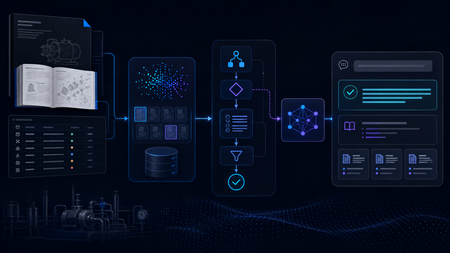
Building the Local RAG System The system was designed as a fully local RAG pipeline, with both retrieval and model inference running on the same machine. The knowledge base came from two equipment manuals covering pump and motor operation, maintenance, and troubleshooting. Rather than treating every page as plain text, I kept different types of information in forms that matched their structure, including paragraphs, Q&A entries, tables, procedures, and fault–cause–remedy troubleshooting records. The final corpus contained 165 retrievable records. Each record was embedded locally with all-MiniLM-L6-v2 and stored in ChromaDB. At query time, the system retrieved the most relevant manual records and passed the selected evidence to Phi-4-mini, a small language model (SLM) running through Microsoft Foundry Local, for grounded response generation. Once the required models and resources were installed, the full retrieval and inference workflow could run on the local machine without depending on cloud inference. I began with a simple Single-Agent RAG baseline. For each query, the system retrieved relevant manual evidence and used a single Phi-4-mini call to generate a grounded response. That gave me a clear reference point before I started adding separate model-driven stages for query understanding, retrieval, and reasoning. The Experiment That Changed the Architecture The next version split the workflow into three roles: Query Understanding, Retrieval, and Reasoning. All three reused the same local Phi-4-mini model through Microsoft Foundry Local, but with different prompts and responsibilities. I expected this separation to give the system more control over how queries were interpreted and how evidence moved through the pipeline. In practice, the extra stages added a noticeable cost, so I profiled the pipeline to see where the time was going. The stage timings showed where the delay was coming from: Query Understanding: 15.469 s Evidence Selection: 11.557 s Reasoning: 8.251 s Vector search: 0.002 s Vector search was only a tiny part of the total time. Most of the latency came from the stages that repeatedly called the local model. The bottleneck was repeated model inference, not vector search. I therefore started looking for decisions that could be handled reliably without another SLM call. The end-to-end numbers matched the profile. The Single-Agent baseline averaged 23.1 seconds per query, compared with 33.0 seconds for the Initial Multi-Agent system, without a consistent improvement in answer quality. That shifted the focus of the project from making the pipeline more agentic to deciding where model reasoning was actually useful, and where simpler deterministic control would be enough. A Deterministic-First Hybrid Design The Hybrid redesign kept the same local retrieval stack and Phi-4-mini setup, but changed when the model was asked to make decisions. Clear, bounded routing decisions were handled deterministically first. Depending on the query, the system could proceed to retrieval, request clarification when required information was missing, or stop requests that depended on information outside the manuals. Phi-4-mini was used for query analysis only when these rules could not make a reliable decision. In the 12-case final evaluation, Phi-4-mini was needed for query analysis in only three cases. The remaining routing decisions were handled deterministically. The Hybrid pipeline also handled clearly multi-part requests differently. Instead of relying on a single retrieval query, the system could identify separate information needs and search them alongside the original request. For example, a two-part pump question could be handled like this: Multi-part Query │ ▼ "What should I check before starting the B114N pump, and what should I inspect if it fails to prime?" │ ▼ Deterministic Decomposition │ ┌──────────────────┼──────────────────┐ ▼ ▼ ▼ Original Query Pre-start Checks Failure-to-prime Search Search Search │ │ │ └──────────────────┼──────────────────┘ ▼ Combine Ranked Results │ ▼ Retain Component Provenance │ ▼ Candidate Evidence The decomposition was deliberately conservative. It handled clear structures such as multiple questions, comparisons, or lists of requested facts, and did not split a query simply because it contained a comma or the word “and.” Once candidate evidence had been retrieved, clear matches could be selected without another model call, while Phi-4-mini was used when the candidates required additional judgement. Candidate Evidence │ ▼ Can deterministic rules select the evidence? / \ Yes No │ │ ▼ ▼ Deterministic Selection Phi-4-mini Evidence Selection │ │ └───────┬────────┘ ▼ Selected Evidence │ ▼ Evidence Guard │ ┌────────────────┼────────────────┐ ▼ ▼ ▼ Sufficient More evidence Insufficient coverage already in the evidence │ candidate pool │ ▼ │ ▼ Response ▼ Stop Generation Retain additional evidence │ ▼ Re-check coverage │ └──────► Evidence Guard The Evidence Guard checked whether the selected records covered the information requested by the user. Supporting evidence already present in the retrieved candidate set could be added before checking coverage again. When the available evidence was still insufficient, the pipeline stopped instead of asking the model to fill the gap. The guard never triggered a new retrieval or SLM call. The final response stage used the model selectively as well. Some bounded cases, including clarification, out-of-scope requests, insufficient evidence, and selected structured answers, could be handled without another model call. When synthesis was still needed, Phi-4-mini generated a grounded response from the selected evidence, while citation formatting remained deterministic. What Changed? I evaluated the three architectures on the same frozen 12-case test set, using answer quality and end-to-end latency as the main comparison points. The Final Hybrid system produced the lowest average latency while maintaining answer quality at roughly the same level as the Single-Agent baseline. Architecture Quality score Mean latency Single-Agent RAG 7.00 / 10 22.709 s Initial Multi-Agent 6.50 / 10 33.454 s Final Hybrid 7.08 / 10 16.905 s The Initial Multi-Agent design was the slowest of the three and did not produce a consistent quality improvement over the simpler baseline. The Hybrid redesign reversed that trend: average latency fell to 16.9 seconds while the overall quality score remained comparable to the baseline. For this prototype, adding more model-driven stages was therefore less useful than being selective about where model reasoning was actually needed. The call counts show the same change. Across the 12 final cases, the Hybrid system made 12 stage-level SLM calls: three during query analysis, four during evidence selection, and five during reasoning. A pipeline that invoked the SLM at all three stages for every query would require 36 stage-level calls over the same 12 cases. This was only a small 12-case evaluation, so I would not treat it as a final measure of system performance. What it did show was that cutting unnecessary SLM calls made the local pipeline faster without hurting the quality score in this test. From Pipeline to Local Application I connected the Final Hybrid backend to a lightweight PySide6 desktop interface. The application lets a user enter a maintenance question, view the generated answer, and inspect the supporting manual sources. What I Learned The biggest lesson from the project was that adding more model-driven stages did not automatically make the system better. The Initial Multi-Agent design gave each stage a clearer role, but the extra SLM calls increased latency without consistently improving answer quality. I also found that good retrieval alone was not enough. The system still needed to decide whether the retrieved evidence actually covered the user’s request and whether another model call was necessary. This is where deterministic routing, evidence checks, and model reasoning worked well together. By the end of the project, the question was no longer how many agents to add, but where an SLM call was actually useful. In this system, the best result came from combining simple deterministic control with model reasoning only where it was needed. What Comes Next The next step would be to test the system on a larger and more varied set of maintenance questions, including more unseen cases and feedback from engineers. I would also like to compare different local models and hardware configurations to see how response quality, latency, and resource use change in practice. Beyond that, the same approach could be applied to a larger maintenance knowledge base or adapted to other equipment domains. One question I would like to explore further is whether the deterministic-first design still works as well when the corpus, query types, and deployment conditions become more varied. Resources Foundry Local documentation Get started with Foundry Local Foundry Local architecture overview383Views0likes0CommentsMicrosoft Learn Student Ambassadors Program Interview Series Episode 5
In this series, we will hear and learn from current and old Microsoft Learn Student Ambassadors about their personal experiences with the Microsoft Learn Student Ambassadors Program and why they think students should join and be a part of the program and community. Today, I will be interviewing Abdulhamid Onawole, who graduated from the MLSA program as a Beta ambassador. He recently concluded his studies in Artificial Intelligence as a master’s student at Aston University, Birmingham. He is passionate about AI, especially in areas that impact the regular person, such as medicine and diet and currently works as an AI engineer.7.9KViews0likes2CommentsSet Up Plaud Note Pro with Microsoft Foundry
Prerequisites Riffado, up and running: follow the setup guide in the official Riffado repository to get it going with Docker Compose. A Microsoft Foundry (formerly Azure AI Foundry) resource, with the models you want deployed; in my case, whisper for transcription and o3-mini for summaries. A Plaud device, or any audio recordings you can import into Riffado. Once Riffado is up, head to the Settings page > Providers > Add Provider, and select Custom. This is where the Azure details will go. Why "OpenAI-compatible" isn’t one thing on Microsoft Foundry Azure AI Foundry exposes two different API surfaces on the same resource, and which one serves your model depends on the model: Surface Path shape Serves OpenAI-compatible? v1 route /openai/v1/… gpt-4o-transcribe, gpt-4o-mini-transcribe, chat models, embeddings Yes: Bearer auth, model in the body, no api-version needed Classic route /openai/deployments/{name}/… Whisper (and other legacy audio) No: deployment name lives in the URL, and ?api-version= is mandatory A generic OpenAI client (Riffado's included) can only speak the first dialect. It has nowhere to put a deployment name in the path and no way to append a query parameter. That single fact drives everything below. Part 1 - Transcription Whisper and the DeploymentNotFound mystery Symptom My very first transcription attempt in Riffado failed with 404 Resource not found. Off to a flying start. Configured provider: base URL https://<resource>.services.ai.azure.com, model whisper. Dead end #1: the missing path The first bug was mine: the base URL had no path. Riffado's OpenAI client appends /audio/transcriptions to whatever you give it, so requests were hitting https://<resource>…/audio/transcriptions, a path that doesn't exist on the resource at all. Fixing the base URL to end in /openai/v1 got us to a more interesting error: POST /openai/v1/audio/transcriptions · model=whisper {"error":{"code":"DeploymentNotFound","message":"The API deployment for this resource does not exist. If you created the deployment within the last 5 minutes, please wait a moment and try again."}} Dead end #2: catalog ≠ deployment Worth checking before anything else: selecting a model in the Foundry catalog is not deploying it. GET /openai/v1/models lists everything you could deploy; only Deployments → Deploy model creates an endpoint that answers. If you get DeploymentNotFound, first confirm a deployment actually exists (the listing below requires only the API key): enumerate real deployments (classic control-plane, key auth) curl -s -H "api-key: $KEY" \ "https://<resource>.openai.azure.com/openai/deployments?api-version=2023-03-15-preview" # → {"data":[{"id":"whisper","model":"whisper","status":"succeeded",…}]} The actual cause Here is the part that nearly drove me mad: the deployment existed and was succeeded, yet the v1 route still said DeploymentNotFound. Because Whisper deployments are not served on the v1 route at all. They only answer on the classic path. Verified side by side with the same tiny WAV file: Request Result POST /openai/v1/audio/transcriptions · model=whisper · Bearer 404 DeploymentNotFound POST /openai/deployments/whisper/audio/transcriptions?api-version=2024-06-01 · Bearer 200 {"text":"you"} Same classic path, without ?api-version= 404 Resource not found Three constraints, then: Whisper needs the classic path; the classic path needs api-version; Riffado can send neither. One piece of good news hiding in the table: the classic route accepts Authorization: Bearer, not just Azure's api-key header, so the shim doesn't have to touch auth at all. The fix: a Caddy shim Drop a stock caddy:2-alpine container into the Compose network. Riffado points at it as if it were OpenAI; the shim rewrites the path, injects api-version, and proxies to Azure. The Bearer header passes through untouched. azure-shim.Caddyfile { admin off auto_https off } :80 { @transcribe path /v1/audio/transcriptions /audio/transcriptions handle @transcribe { rewrite * /openai/deployments/whisper/audio/transcriptions?api-version=2024-06-01 reverse_proxy https://<resource>.services.ai.azure.com { header_up Host <resource>.services.ai.azure.com } } handle { respond "azure-shim ok" 200 } } docker-compose.yml (added service) azure-shim: image: caddy:2-alpine restart: unless-stopped volumes: - ./azure-shim.Caddyfile:/etc/caddy/Caddyfile:ro Riffado's provider settings become: Field Value Base URL http://azure-shim/v1 Model whisper (must equal the deployment name) API key the Azure resource key (forwarded as Bearer) Verified From inside the Riffado container: POST http://azure-shim/v1/audio/transcriptions → 200 {"text":"…"}. Transcription works end-to-end in the UI. Part 2 · Summaries & titles o3-mini and the empty answer Symptom The summary button showed "An unexpected error occurred." The container logs were more honest: riffado-app logs Error generating title: TypeError: undefined is not an object (evaluating 'C.choices[0]') Riffado calls chat/completions and reads choices[0] without checking whether the response was an error. So anything the API refuses becomes "an unexpected error." What was it refusing? Cause 1: reasoning models reject the classic knobs o3-mini belongs to Azure/OpenAI's o-series reasoning models, which hard-reject parameters every classic chat client sends. Riffado sends temperature: 0.7 and max_tokens: 50 for titles (0.5 / 2000 for summaries), and o3-mini answers: POST /openai/v1/chat/completions · model=o3-mini HTTP 400 {"error":{"message":"Unsupported parameter: 'max_tokens' is not supported with this model. Use 'max_completion_tokens' instead.", …}} # and with max_tokens fixed: HTTP 400 {"error":{"message":"Unsupported parameter: 'temperature' is not supported with this model.", …}} Cause 2: reasoning tokens starve the output Stripping the bad params gets you to 200, and then comes a subtler failure, my personal favourite of this whole saga. Reasoning models spend completion tokens on internal "thinking" before emitting a single visible character. Riffado's 50-token title budget is consumed entirely by reasoning, and the reply comes back syntactically valid and empty: max_completion_tokens reasoning_effort finish_reason content 50 not set length "" (all 50 spent reasoning) 2000 not set stop "Q3 Budget Planning Strategy Meeting" 2000 low stop same, less reasoning overhead The fix: a Node shim that rewrites the request body Caddy can rewrite paths but not JSON bodies, so this shim is ~60 lines of dependency-free Node on node:20-alpine. Per request it: converts max_tokens → max_completion_tokens, strips temperature / top_p / penalties, floors the token budget at 4000, sets reasoning_effort: "low", maps /v1/* → /openai/v1/*, and forwards to the Azure resource. o3-shim.js const http = require('http'); const https = require('https'); const UPSTREAM_HOST = '<resource>.services.ai.azure.com'; // Params o-series reasoning models reject on chat/completions. const STRIP = ['temperature','top_p','presence_penalty', 'frequency_penalty','logprobs','top_logprobs']; const server = http.createServer((req, res) => { const chunks = []; req.on('data', c => chunks.push(c)); req.on('end', () => { let body = Buffer.concat(chunks); // Riffado's base_url is http://o3-shim/v1 → map to Azure's /openai/v1 let path = req.url; if (path.startsWith('/v1/')) path = '/openai' + path; const ct = (req.headers['content-type'] || '').toLowerCase(); if (ct.includes('application/json') && body.length) { try { const j = JSON.parse(body.toString('utf8')); if (j && typeof j === 'object' && !Array.isArray(j)) { if ('max_tokens' in j) { if (!('max_completion_tokens' in j)) j.max_completion_tokens = j.max_tokens; delete j.max_tokens; } // Reasoning spends tokens before any visible output; small // budgets (Riffado sends 50 for titles) return empty strings. if (Array.isArray(j.messages)) { j.max_completion_tokens = Math.max(Number(j.max_completion_tokens) || 0, 4000); if (!('reasoning_effort' in j)) j.reasoning_effort = 'low'; } for (const k of STRIP) delete j[k]; body = Buffer.from(JSON.stringify(j)); } } catch (_) { /* not JSON - forward untouched */ } } const headers = { ...req.headers, host: UPSTREAM_HOST, 'content-length': Buffer.byteLength(body) }; const up = https.request( { host: UPSTREAM_HOST, port: 443, method: req.method, path, headers }, upRes => { res.writeHead(upRes.statusCode, upRes.headers); upRes.pipe(res); } ); up.on('error', e => { res.writeHead(502, {'content-type':'application/json'}); res.end(JSON.stringify({error:{message:'o3-shim upstream error: '+e.message}})); }); up.end(body); }); }); server.listen(80, () => console.log('o3-shim listening on :80')); docker-compose.yml (added service) o3-shim: image: node:20-alpine restart: unless-stopped working_dir: /app command: ["node", "/app/o3-shim.js"] volumes: - ./o3-shim.js:/app/o3-shim.js:ro Add a second provider in Riffado (base URL http://o3-shim/v1, model o3-mini, the resource's API key) and set it as the default enhancement provider (summaries/titles), keeping the Whisper one as default for transcription. Riffado's exact title request (temperature: 0.7, max_tokens: 50) through the shim → 200, finish_reason: stop, real title text. A full meeting-transcript summary returns structured key points and action items. The final shape Reading it left to right: Riffado never talks to Azure directly. Transcription requests pass through azure-shim, a stock Caddy container that rewrites each request onto Whisper's classic deployment path and injects the mandatory api-version parameter. Summary and title requests pass through o3-shim, a tiny Node server that rewrites the request body into the shape o3-mini accepts and floors the token budget so the model's internal reasoning cannot starve the actual answer. As far as Riffado is concerned, it is simply talking to two ordinary OpenAI providers. Both shims live on the Compose network only; nothing is exposed publicly. Riffado is unmodified. Verification checklist Each layer, testable in isolation. Run these before blaming the app: smoke tests # 1. Key + resource alive? (v1 models listing, Bearer auth) curl -s -H "Authorization: Bearer $KEY" \ https://<resource>.services.ai.azure.com/openai/v1/models | head -c 200 # 2. Whisper answers on the classic path? curl -s -H "Authorization: Bearer $KEY" -F file=@test.wav \ "https://<resource>.services.ai.azure.com/openai/deployments/whisper/audio/transcriptions?api-version=2024-06-01" # 3. Shim translates correctly? (from inside the compose network) docker exec riffado-app node -e "fetch('http://azure-shim/') .then(r=>r.text()).then(console.log)" # 4. o3-mini via shim, sending the params Riffado sends? # (temperature + max_tokens:50; the shim must absorb both) If you'd rather not run shims Both shims exist because of the specific models chosen. Pick models that live natively on the v1 route and Riffado connects directly, with base URL https://<resource>.services.ai.azure.com/openai/v1 and zero extra containers: Transcription: deploy gpt-4o-mini-transcribe (or gpt-4o-transcribe) instead of Whisper. Summaries: deploy a non-reasoning chat model such as gpt-4o-mini, which happily accepts temperature and max_tokens. The shim approach earns its keep when you're standardized on specific models (Whisper's transcription quality, o3-mini's reasoning), or when you want a control point to add logging, retries, or budget caps later. For reference, this is what the finished setup looks like on Riffado's side. Each shim is registered as a plain Custom provider. Here is the whisper provider pointing at azure-shim, with Use for transcription ticked: And once both are saved, they sit side by side in the providers list, whisper tagged for transcription and o3-mini tagged for enhancement: A quick look at the Foundry portal In the Microsoft Foundry portal, head over to Models > AI Services and you will find a pleasant surprise: fifteen AI service models already deployed and ready to use, covering the Azure Speech family (including Voice Live and Speech to Text), Azure Translator, Azure Language, and Content Understanding: You can of course deploy another model for this, but the pre-deployed ones are a handy cost-saving option. Click on the Azure Speech – Voice Live radio button and you will be shown the Base URL and API Key, which you can then paste into the provider settings on Riffado's Settings page. A quick note on cost: these services are not free. They are billed pay-as-you-go based on usage. Azure Speech transcription is charged per audio hour, and Voice Live pricing is tiered by the model you choose. The free tier does include a monthly allowance, though. Check the Azure Speech pricing page before committing. And if you would rather deploy a dedicated transcription model such as whisper, Foundry gives you the flexibility to do just that. Open the model page in the catalogue, click Deploy, and go with Default settings unless you need custom quotas or guardrails: Let's test the setup On your Plaud device, just tap to start recording. The little LED bars light up to show it is listening: Or skip the device entirely and upload an audio file straight into Riffado using the Upload Audio button. Either way, the recording lands on the Recordings page; hit Transcribe and let the spinner do its thing: As you can see below, whisper, the transcription model we deployed earlier, even managed to transcribe a recording in Malay without a hitch. My 3:32 test clip came back as 186 words of clean Malay, with the language correctly detected and tagged: I have also set o3-mini as the enhancement provider, and it enhanced the transcription with a proper summary, key points, and title as well! The Meeting Notes-style summary came straight out of o3-mini through the shim, with zero manual prompting. Wrapping up What started as a TikTok-fuelled impulse buy nearly killed off by subscription pricing ended up as a fully self-hosted pipeline: Plaud for recording, Riffado as the interface, and Microsoft Foundry serving whisper and o3-mini behind two tiny shims. The total extra infrastructure came to two containers and roughly sixty lines of code, and not a single monthly subscription in sight. If you try this setup and run into a failure mode I have not covered here, do share it in the comments. Half the fun is in the debugging.365Views0likes0Comments
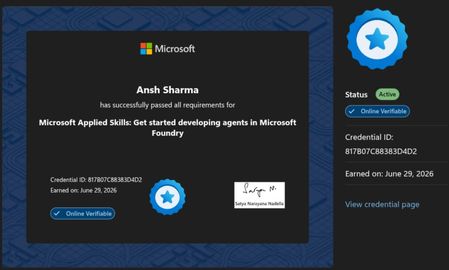
Passed Microsoft Applied Skills: Developing Agents in Microsoft Foundry
I recently completed the Microsoft Applied Skills: Get Started Developing Agents in Microsoft Foundry credential. It was a great hands-on experience with Azure AI Foundry, including deploying models, building AI agents, using Code Interpreter, and publishing an agent. If you're interested in Azure AI or Generative AI, these official Microsoft resources are a great place to start: 🔹 Microsoft Copilot https://learn.microsoft.com/copilot?wt.mc_id=studentamb_530495 🔹 Azure AI Foundry https://azure.microsoft.com/products/ai-foundry?wt.mc_id=studentamb_530495 🔹 Azure for Students https://azure.microsoft.com/free/students?wt.mc_id=studentamb_530495 🔹 Azure Free Account https://azure.microsoft.com/free?wt.mc_id=studentamb_530495 🔹 Microsoft Learn – Azure AI Training https://learn.microsoft.com/training/azure-ai/?wt.mc_id=studentamb_530495 A small request: I'm currently working toward the Microsoft Learn Student Ambassadors Community Influencer requirements. If any of these resources are relevant to you, I'd genuinely appreciate you taking a look. I hope you discover something useful for your own learning journey as well. Thank you, and happy learning!275Views0likes1CommentMaster the Command Line with GitHub Copilot CLI:
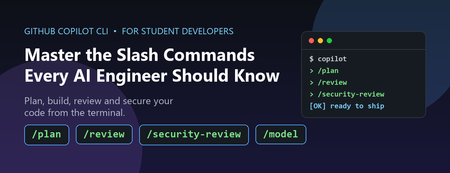
If you are a student aiming to become an AI engineer or a software developer, the terminal is about to become your most powerful classroom. https://github.com/features/copilot/cli/ brings an AI agent directly into your command line, and its slash commands (typed as /something ) are the shortcuts that unlock its real capabilities. The problem most students hit is simple: they install a powerful tool and then only ever use 10% of it. They type questions, get answers, and never discover the commands that turn Copilot CLI from a chatbot into a genuine pair programmer. This post fixes that. We will walk through the most useful slash commands, explain why you would reach for each one, and give you concrete student scenarios for every command. Why This Matters Now AI-assisted development is no longer optional in the industry. Employers increasingly expect graduates to be fluent with AI developer tools, not just programming languages. Learning the Copilot CLI slash commands early gives you two advantages: Speed: You spend less time context-switching between docs, terminal, and editor. Good habits: Commands like code review and security review teach you professional workflows while you are still learning. Everything below is grounded in the actual command set shipped in Copilot CLI. To see the full, current list at any time, just type /help inside the CLI. How to Run a Slash Command Slash commands are typed at the Copilot CLI prompt. Start a command with a forward slash and the CLI shows you an autocomplete menu: # Launch the CLI copilot # Then, at the prompt, type a slash to browse commands / # Or jump straight to one /model /plan /review A few related shortcuts are worth memorising on day one: ? — show quick help @ — mention files so Copilot reads them # — mention GitHub issues and pull requests ! — execute a raw shell command without leaving the prompt The Most Useful Slash Commands for Students The table below groups the highest-value commands by the job you are trying to do. Each row includes a realistic student scenario so you know exactly when to reach for it. Learning and Planning Command What it does Student scenario: why use it /plan Creates an implementation plan before any code is written. You have a coursework project ("build a sentiment classifier") but no idea where to start. Run /plan to get a step-by-step roadmap you can follow and learn from, instead of diving in blind. /research Runs a deep research investigation using GitHub search and web sources. For a dissertation or capstone, you need to compare approaches (e.g. "vector databases for RAG"). Use /research to gather grounded, cited findings rather than guessing. /ask Asks a quick side question without adding it to the conversation history. Mid-project you forget what a Python decorator does. Ask with /ask so your main task context stays clean and focused. /model Selects which AI model to use (or auto to let Copilot pick). A simple formatting fix needs a fast model; a tricky algorithm needs a stronger one. Learn to match the model to the task — a real engineering skill. Writing and Reviewing Code Command What it does Student scenario: why use it /diff Reviews the changes made in the current directory. Before submitting an assignment, run /diff to see exactly what changed — catch that debug print() you forgot to remove. /review Runs a code review agent to analyse your changes. No teaching assistant available at 2am? /review gives you professional-style feedback on bugs and logic errors so you learn before the deadline, not after grading. /security-review Analyses staged and unstaged changes for security vulnerabilities. Building a web app for a module? Run /security-review to spot issues like injection flaws — and start building the security mindset employers want. /pr Operates on pull requests for the current branch. Contributing to a group project or open source? Use /pr to manage pull requests and learn the collaboration workflow used in every real engineering team. /ide Connects Copilot to an IDE workspace. You prefer working in VS Code. Connect with /ide so Copilot understands your open files and editor context. Managing Your Work Session Command What it does Student scenario: why use it /resume Switches to a different saved session. You worked on a lab yesterday and want to continue today. /resume brings back the full context instead of starting from scratch. /context Shows context-window token usage and a visualization. Copilot seems to be "forgetting" earlier details. Check /context to understand how much conversation history fits — a core concept for any aspiring AI engineer. /compact Summarises conversation history to reduce context usage. Long debugging session running out of context? /compact condenses it so you can keep going without losing the thread. /undo / /rewind Rewinds the last turn and reverts file changes. Copilot made an edit that broke your tests. /undo safely rolls it back so you can experiment fearlessly. /usage Displays session usage metrics and statistics. Curious how much you are relying on the AI? /usage helps you stay aware of your consumption and learning balance. Setting Up and Extending the Environment Command What it does Student scenario: why use it /init Initialises Copilot instructions for the current repository. Starting a new project repo? /init sets up custom instructions so Copilot follows your project's conventions consistently. /mcp Manages Model Context Protocol (MCP) server configuration. Want Copilot to query a database or external tool? /mcp connects MCP servers — a cutting-edge skill for AI engineering portfolios. /agent Browses and selects specialised agents. Different tasks suit different agents. /agent lets you pick the right specialist for the job. /memory Shows memory status, or enables/disables memory across sessions. Want Copilot to remember your preferences (e.g. "I use Python type hints")? Manage that with /memory . A Realistic Student Workflow, End to End Here is how these commands fit together for a typical assignment — building a small machine learning script. Notice how the commands chain into a professional development loop: # 1. Plan the work before touching code /plan # 2. Pick an appropriate model for the task /model # 3. Let Copilot reference your data file @data/train.csv # 4. After Copilot writes code, see what changed /diff # 5. Get an automated code review /review # 6. Check for security issues before you submit /security-review # 7. If an edit broke something, roll it back /undo This loop —> plan, build, review, secure, iterate, is exactly the cycle used by professional engineering teams. By practising it now with Copilot CLI, you are rehearsing the workflow you will use in your first job. Responsible Use: Learn With AI, Not Instead Of It A quick but important note for students. AI assistance is a learning accelerator, not a replacement for understanding. Keep these principles in mind: Read the explanations, not just the code. Use /ask and /review to understand why something works. Check your institution's policy. Many courses have rules about AI use in assessed work, make sure you comply and cite appropriately. Never paste secrets. Keep API keys, passwords, and personal data out of prompts. Verify before you trust. Run the code, read the security review, and confirm claims against official documentation. Key Takeaways Slash commands turn Copilot CLI from a Q&A box into a full development partner. Start with /plan , /diff , /review , and /security-review they build professional habits immediately. Use /model , /context , and /compact to understand how AI systems actually work under the hood. Type /help any time to see the complete, current command list for your version. Next Steps and Resources Read the official guide: Use GitHub Copilot CLI Explore the broader docs: GitHub Copilot documentation Open the CLI and run /help to browse every command interactively. Pick one assignment this week and run the full plan → review → security-review loop on it. The fastest way to learn is to try. Launch Copilot CLI, type a single / , and start exploring. Your future engineering self will thank you.1.6KViews0likes0CommentsStep-by-Step: Setting Up GitHub Student and GitHub Copilot as an Authenticated Student Developer
To become an authenticated GitHub Student Developer, follow these steps: create a GitHub account, verify student status through a school email or contact GitHub support, sign up for the student developer pack, connect to Copilot and activate the GitHub Student Developer Pack benefits. The GitHub Student Developer Pack offers 100s of free software offers and other benefits such as Azure credit, Codespaces, a student gallery, campus experts program, and a learning lab. Copilot provides autocomplete-style suggestions from AI as you code. Visual Studio Marketplace also offers GitHub Copilot Labs, a companion extension with experimental features, and GitHub Copilot for autocomplete-style suggestions. Setting up your GitHub Student and GitHub Copilot as an authenticated Github Student Developer420KViews14likes17CommentsMicrosoft Engineers Scott Hanselman and Cherita Ousley - Learn C# together!
Join Microsoft Engineers Scott Hanselman and Cherita Ousley as we all learn C# together! This beginner tutorial will introduce you to the open source .NET platform and the C# programming language over 3 sessions! There’s a wonderful welcoming community out there that wants YOU to learn how to code! We’ll talk about where to start, what you can build, where C# fits into a world with many programming languages, and share resources to explore as YOU learn C#!4.5KViews0likes1Comment