sprints: work details
1 Topic
Inconsistency in information and features available for different users - Work Details, Filtering
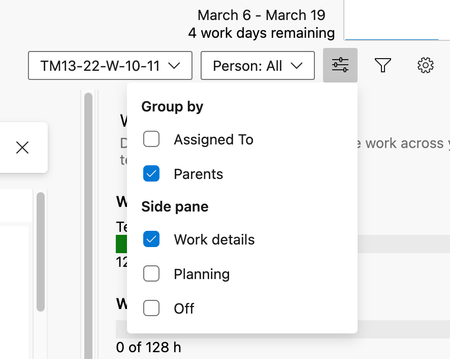
We are seeing some weirdness in the information and features shown our Azure DevOps boards. As the organization owner and as a Basic user, I can see all these features correctly and all the information is showing up correctly. Sprints View Correct behavior: with my login (organization owner) View options menu: Work details view: Please note that the bars are green Incorrect behavior: Project Administrator View options menu: Please note the menu is different from above. Work details: Please note that the bars are empty Filters are not showing the correct options: My account: Incorrect behavior: This used to work correctly and not sure what is going on. And can't seem to find the difference between my account and others other than being the org owner. Any known issues or any ideas to fix will be greatly appreciated!878Views0likes1Comment