security
3 Topics
Azure Logic App: SQL trigger on When Row Is Update is not working
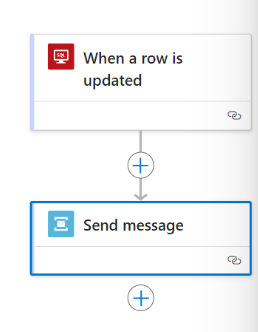
Hello Experts, I'm using the "When a row is updated" SQL connector in my logic app workflow. I turned on change tracking on the Azure SQL DB and the table in question per requirements. The connector connects to the SQL instance okay, but never triggers when a row is updated. No errors or indications to troubleshoot. Has anyone been able to get this to work? Thanks, -Sri599Views0likes0Comments
Azure SQL programmatic access
I work with a team of statisticians who would like to programmatically access an Azure SQL database via R/R Studio without human interaction. Access is setup currently with Microsoft Entra with MFA. The team ideally want to run their R script and connect to the database, without having to be there to enter their login credentials and MFA, can this be done via a key or SAS token? What is the best or recommended method to do this? Thank you. Z200Views0likes0CommentsI tried to rewrite history in an Azure SQL ledger table. Here's what the database said.
I keep getting asked whether a project "needs a distributed ledger". In most cases the real requirement is simpler: prove that nobody, including a DBA, quietly changed a record. So I tested Azure SQL ledger end to end on the Azure SQL Database free offer (cost: €0). The setup: an updatable ledger table with two accounts, a digest taken before any change, then a "quiet" balance correction from 250 to 9000. What I observed: • The ledger view shows the update as a DELETE of 250.00 and an INSERT of 9000.00, in the same transaction, with the commit time and the Entra identity that made it. • Deleting the history, even as server admin: Cannot update ledger history table 'ledgerlab.dbo.AccountHistory'. • Switching versioning off, as you could on a normal temporal table: System Versioning cannot be altered for Ledger Tables. • Updating an append-only ledger table: Updates are not allowed for the append only Ledger table 'dbo.AuditEvent'. • Verifying against a wrong digest: The hash of block 0 in the database ledger does not match the hash provided in the digest for this block. With the real digest: last_verified_block_id = 0, and a fresh digest verifies block 1, which contains the update. Two practical notes: 1. On a subscription that has never used Azure SQL, run "az provider register -n Microsoft.Sql" first, or server creation fails in every region with MissingSubscriptionRegistration. 2. Verification proves nothing was altered after the digest. Whether a change was legitimate is what the ledger view is for, so store digests automatically in immutable Blob storage or Azure confidential ledger. The full lab, with the T-SQL, screenshots and a checklist for when a distributed ledger IS the right answer, is on my blog: https://cloudtales.gr/azure-sql-ledger-lab/ Curious how others use ledger in production: automatic digest storage to immutable Blob or to confidential ledger?73Views0likes0Comments