react
24 TopicsBuild a full-stack React application with Azure Static Web Apps and managed functions
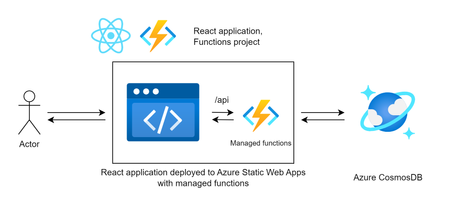
React is the most popular framework for frontend web applications, and Azure Static Web Apps is the best place to host these applications on Azure. With Azure Static Web Apps’ built-in managed Azure Functions, you can build and host a full-stack web application using only Azure Static Web Apps (and there’s a free tier!).19KViews2likes0CommentsIntegrating network isolated backends with Azure Static Web Apps
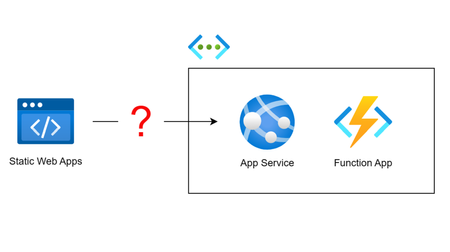
Azure Static Web Apps' built-in support for APIs requires your API to be accessible by Static Web Apps' distributed runtime. But what if you have an existing backend API deployed in a virtual network? In this article, we consider different approaches to integrating a Static Web Apps instance with a network isolated backend and weigh the pros and cons of each.18KViews3likes8CommentsBuilding Static Web Apps with database connections: Best Practices
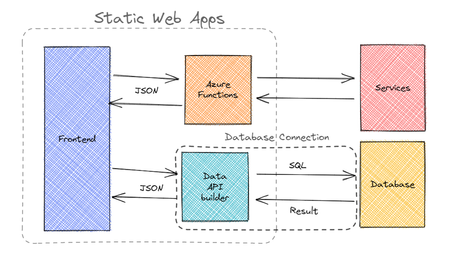
With the announcement of Static Web Apps' database connections feature, when should you use database connections versus building your own backend APIs? What is Data API builder and how does it relate to Static Web Apps' database connections feature? We cover these topics and more in this blog post.11KViews6likes6Comments
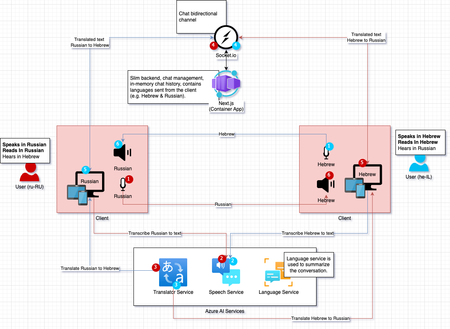
Next-Gen Customer Service: Azure's AI-Powered Speech, Translation and Summarization
Break down language barriers effortlessly! Dive into our upcoming demo showcasing the power of AI integration (client-side). Learn how to transcribe, translate, synthesize, and summarize conversations in real-time with Azure AI services. Stay tuned for an enlightening journey through seamless multilingual communication.8.8KViews2likes0CommentsAnnouncing Database connections for Azure Static Web Apps with Data API builder
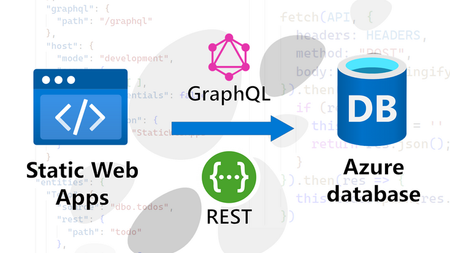
With database connections for Azure Static Web Apps, you can access your Azure database contents directly from your static site, without having to write any backend code. Build your applications faster, while ensuring security and serverless scalability. Free during public preview.8.6KViews3likes1Comment
Understanding 'Always On' vs. Health Check in Azure App Service
The 'Always On' feature in Azure App Service helps keep your app warm by ensuring it remains running and responsive, even during periods of inactivity with no incoming traffic. As this feature pings to root URI after every 5 minutes. On Other hand Health-check feature helps pinging configured path every minute to monitor the application availability on each instance. What is 'Always On' in Azure App Service? The Always On feature ensures that the host process of your web app stays running continuously. This results in better responsiveness after idle periods since the app doesn’t need to cold boot when a request arrives. How to enable Always On: Navigate to the Azure Portal and open your Web App. Go to Configuration > General Settings. Toggle Always On to On. What is Health Check in Azure App Service? Health check increases your application's availability by rerouting requests away from instance where application is marked unhealthy and replacing instances if they remain unhealthy. How to enable Health-Check: Navigate to the Azure Portal and open your Web App. Under Monitoring, select Health check. Select Enable and provide a valid URL path for your application, such as /health or /api/health. Select Save. So, is it still necessary to enable the 'Always On' feature when Health Check is already pinging your application every minute? -> Yes, please find below explanation for the same. Test App scenario: Health Check enabled (pointing to /health_check path) and Always On disabled. Started the app and sent some user requests. Observations from the Test: After the application starts up, health check pings begin following the end user's request. Please find below table representing Health-check pings following user's request to root URI. Time Bucket URL Status Request Count 2025-03-20 07:00:00.0000000 / 200 6 2025-03-20 07:00:00.0000000 /health_check 200 30 2025-03-20 07:30:00.0000000 /health_check 200 30 Subsequent Health-check pings will continue, even in the absence of user requests. However, after restarting the app and in the absence of any user requests, we observed that Health Check requests were not initiated. This indicates that Health Check does not start automatically unless application is actively running and serving requests. Conclusion: Always On ensures that the app is proactively kept warm by sending root URI pings, even post-restart. The health-check feature is useful for monitoring application availability when the application is active. However, after a restart, if the application isn't active due to a lack of requests, Health-check pings won't initiate. Therefore, it is highly recommended to enable Always On, particularly for applications that need continuous availability and to avoid application process unload events. Recommendation: Enable Always On alongside Health Check to ensure optimal performance and reliability.5.6KViews2likes0Comments