python
263 Topics
Unlocking Application Modernisation with GitHub Copilot
AI-driven modernisation is unlocking new opportunities you may not have even considered yet. It's also allowing organisations to re-evaluate previously discarded modernisation attempts that were considered too hard, complex or simply didn't have the skills or time to do. During Microsoft Build 2025, we were introduced to the concept of Agentic AI modernisation and this post from Ikenna Okeke does a great job of summarising the topic - Reimagining App Modernisation for the Era of AI | Microsoft Community Hub. This blog post however, explores the modernisation opportunities that you may not even have thought of yet, the business benefits, how to start preparing your organisation, empowering your teams, and identifying where GitHub Copilot can help. I’ve spent the last 8 months working with customers exploring usage of GitHub Copilot, and want to share what my team members and I have discovered in terms of new opportunities to modernise, transform your applications, bringing some fun back into those migrations! Let’s delve into how GitHub Copilot is helping teams update old systems, move processes to the cloud, and achieve results faster than ever before. Background: The Modernisation Challenge (Then vs Now) Modernising legacy software has always been hard. In the past, teams faced steep challenges: brittle codebases full of technical debt, outdated languages (think decades-old COBOL or VB6), sparse documentation, and original developers long gone. Integrating old systems with modern cloud services often requiring specialised skills that were in short supply – for example, check out this fantastic post from Arvi LiVigni (@arilivigni ) which talks about migrating from COBOL “the number of developers who can read and write COBOL isn’t what it used to be,” making those systems much harder to update". Common pain points included compatibility issues, data migrations, high costs, security vulnerabilities, and the constant risk that any change could break critical business functions. It’s no wonder many modernisation projects stalled or were “put off” due to their complexity and risk. So, what’s different now (circa 2025) compared to two years ago? In a word: Intelligent AI assistance. Tools like GitHub Copilot have emerged as AI pair programmers that dramatically lower the barriers to modernisation. Arvi’s post talks about how only a couple of years ago, developers had to comb through documentation and Stack Overflow for clues when deciphering old code or upgrading frameworks. Today, GitHub Copilot can act like an expert co-developer inside your IDE, ready to explain mysterious code, suggest updates, and even rewrite legacy code in modern languages. This means less time fighting old code and more time implementing improvements. As Arvi says “nine times out of 10 it gives me the right answer… That speed – and not having to break out of my flow – is really what’s so impactful.” In short, AI coding assistants have evolved from novel experiments to indispensable tools, reimagining how we approach software updates and cloud adoption. I’d also add from my own experience – the models we were using 12 months ago have already been superseded by far superior models with ability to ingest larger context and tackle even further complexity. It's easier to experiment, and fail, bringing more robust outcomes – with such speed to create those proof of concepts, experimentation and failing faster, this has also unlocked the ability to test out multiple hypothesis’ and get you to the most confident outcome in a much shorter space of time. Modernisation is easier now because AI reduces the heavy lifting. Instead of reading the 10,000-line legacy program alone, a developer can ask Copilot to explain what the code does or even propose a refactored version. Rather than manually researching how to replace an outdated library, they can get instant recommendations for modern equivalents. These advancements mean that tasks which once took weeks or months can now be done in days or hours – with more confidence and less drudgery - more fun! The following sections will dive into specific opportunities unlocked by GitHub Copilot across the modernisation journey which you may not even have thought of. Modernisation Opportunities Unlocked by Copilot Modernising an application isn’t just about updating code – it involves bringing everyone and everything up to speed with cloud-era practices. Below are several scenarios and how GitHub Copilot adds value, with the specific benefits highlighted: 1. AI-Assisted Legacy Code Refactoring and Upgrades Instant Code Comprehension: GitHub Copilot can explain complex legacy code in plain English, helping developers quickly understand decades-old logic without scouring scarce documentation. For example, you can highlight a cryptic COBOL or C++ function and ask Copilot to describe what it does – an invaluable first step before making any changes. This saves hours and reduces errors when starting a modernisation effort. Automated Refactoring Suggestions: The AI suggests modern replacements for outdated patterns and APIs, and can even translate code between languages. For instance, Copilot can help convert a COBOL program into JavaScript or C# by recognising equivalent constructs. It also uses transformation tools (like OpenRewrite for Java/.NET) to systematically apply code updates – e.g. replacing all legacy HTTP calls with a modern library in one sweep. Developers remain in control, but GitHub Copilot handles the tedious bulk edits. Bulk Code Upgrades with AI: GitHub Copilot’s App Modernisation capabilities can analyse an entire codebase and generate a detailed upgrade plan, then execute many of the code changes automatically. It can upgrade framework versions (say from .NET Framework 4.x to .NET 6, or Java 8 to Java 17) by applying known fix patterns and even fixing compilation errors after the upgrade. Teams can finally tackle those hundreds of thousand-line enterprise applications – a task that could take multiple years with GitHub Copilot handling the repetitive changes. Technical Debt Reduction: By cleaning up old code and enforcing modern best practices, GitHub Copilot helps chip away at years of technical debt. The modernised codebase is more maintainable and stable, which lowers the long-term risk hanging over critical business systems. Notably, the tool can even scan for known security vulnerabilities during refactoring as it updates your code. In short, each legacy component refreshed with GitHub Copilot comes out safer and easier to work on, instead of remaining a brittle black box. 2. Accelerating Cloud Migration and Azure Modernisation Guided Azure Migration Planning: GitHub Copilot can assess a legacy application’s cloud readiness and recommend target Azure services for each component. For instance, it might suggest migrating an on-premises database to Azure SQL, moving file storage to Azure Blob Storage, and converting background jobs to Azure Functions. This provides a clear blueprint to confidently move an app from servers to Azure PaaS. One-Click Cloud Transformations: GitHub Copilot comes with predefined migration tasksthat automate the code changes required for cloud adoption. With one click, you can have the AI apply dozens of modifications across your codebase. For example: File storage: Replace local file read/writes with Azure Blob Storage SDK calls. Email/Comms: Swap out SMTP email code for Azure Communication Services or SendGrid. Identity: Migrate authentication from Windows AD to Azure AD (Entra ID) libraries. Configuration: Remove hard-coded configurations and use Azure App Configuration or Key Vault for secrets. GitHub Copilot performs these transformations consistently, following best practices (like using connection strings from Azure settings). After applying the changes, it even fixes any compile errors automatically, so you’re not left with broken builds. What used to require reading countless Azure migration guides is now handled in minutes. Automated Validation & Deployment: Modernisation doesn’t stop at code changes. GitHub Copilot can also generate unit tests to validate that the application still behaves correctly after the migration. It helps ensure that your modernised, cloud-ready app passes all its checks before going live. When you’re ready to deploy, GitHub Copilot can produce the necessary Infrastructure-as-Code templates (e.g. Azure Resource Manager Bicep files or Terraform configs) and even set up CI/CD pipeline scripts for you. In other words, the AI can configure the Azure environment and deployment process end-to-end. This dramatically reduces manual effort and error, getting your app to the cloud faster and with greater confidence. Integrations: GitHub Copilot also helps tackle larger migration scenarios that were previously considered too complex. For example, many enterprises want to retire expensive proprietary integration platforms like MuleSoft or Apigee and use Azure-native services instead, but rewriting hundreds of integration workflows was daunting. Now, GitHub Copilot can assist in translating those workflows: for instance, converting an Apigee API proxy into an Azure API Management policy, or a MuleSoft integration into an Azure Logic App. Multi-Cloud Migrations: if you plan to consolidate from other clouds into Azure, GitHub Copilot can suggest equivalent Azure services and SDK calls to replace AWS or GCP-specific code. These AI-assisted conversions significantly cut down the time needed to reimplement functionality on Azure. The business impact can be substantial. By lowering the effort of such migrations, GitHub Copilot makes it feasible to pursue opportunities that deliver big cost savings and simplification. 3. Boosting Developer Productivity and Quality Instant Unit Tests (TDD Made Easy): Writing tests for old code can be tedious, but GitHub Copilot can generate unit test cases on the fly. Developers can highlight an existing function and ask Copilot to create tests; it will produce meaningful test methods covering typical and edge scenarios. This makes it practical to apply test-driven development practices even to legacy systems – you can quickly build a safety net of tests before refactoring. By catching bugs early through these AI-generated tests, teams gain confidence to modernise code without breaking things. It essentially injects quality into the process from the start, which is crucial for successful modernisation. DevOps Automation: GitHub Copilot helps modernise your build and deployment process as well. It can draft CI/CD pipeline configurations, Dockerfiles, Kubernetes manifests, and other DevOps scripts by leveraging its knowledge of common patterns. For example, when setting up a GitHub Actions workflow to deploy your app, GitHub Copilot will autocomplete significant parts (like build steps, test runs, deployment jobs) based on the project structure. This not only saves time but also ensures best practices (proper caching, dependency installation, etc.) are followed by default. Microsoft even provides an extension where you can describe your Azure infrastructure needs in plain language and have GitHub Copilot generate the corresponding templates and pipeline YAML. By automating these pieces, teams can move to cloud-based, automated deployments much faster. Behaviour-Driven Development Support: Teams practicing BDD write human-readable scenarios (e.g. using Gherkin syntax) describing application behaviour. GitHub Copilot’s AI is adept at interpreting such descriptions and suggesting step definition code or test implementations to match. For instance, given a scenario “When a user with no items checks out, then an error message is shown,” GitHub Copilot can draft the code for that condition or the test steps required. This helps bridge the gap between non-technical specifications and actual code. It makes BDD more efficient and accessible, because even if team members aren’t strong coders, the AI can translate their intent into working code that developers can refine. Quality and Consistency: By using AI to handle boilerplate and repetitive tasks, developers can focus more on high-value improvements. GitHub Copilot’s suggestions are based on a vast corpus of code, which often means it surfaces well-structured, idiomatic patterns. Starting from these suggestions, developers are less likely to introduce errors or reinvent the wheel, which leads to more consistent code quality across the project. The AI also often reminds you of edge cases (for example, suggesting input validation or error handling code that might be missed), contributing to a more robust application. In practice, many teams find that adopting GitHub Copilot results in fewer bugs and quicker code reviews, as the code is cleaner on the first pass. It’s like having an extra set of eyes on every pull request, ensuring standards are met. Business Benefits of AI-Powered Modernisation Bringing together the technical advantages above, what’s the payoff for the business and stakeholders? Modernising with GitHub Copilot can yield multiple tangible and intangible benefits: Accelerated Time-to-Market: Modernisation projects that might have taken a year can potentially be completed in a few months, or an upgrade that took weeks can be done in days. This speed means you can deliver new features to customers sooner and respond faster to market changes. It also reduces downtime or disruption since migrations happen more swiftly. Cost Savings: By automating repetitive work and reducing the effort required from highly paid senior engineers, GitHub Copilot can trim development costs. Faster project completion also means lower overall project cost. Additionally, running modernised apps on cloud infrastructure (with updated code) often lowers operational costs due to more efficient resource usage and easier maintenance. There’s also an opportunity cost benefit: developers freed up by Copilot can work on other value-adding projects in parallel. Improved Quality & Reliability: GitHub Copilot’s contributions to testing, bug-fixing, and even security (like patching known vulnerabilities during upgrades) result in more robust applications. Modernised systems have fewer outages and security incidents than shaky legacy ones. Stakeholders will appreciate that with GitHub Copilot, modernisation doesn’t mean “trading one set of bugs for another” – instead, you can increase quality as you modernise (GitHub’s research noted higher code quality when using Copilot, as developers are less likely to introduce errors or skip tests). Business Agility: A modernised application (especially one refactored for cloud) is typically more scalable and adaptable. New integrations or features can be added much faster once the platform is up-to-date. GitHub Copilot helps clear the modernisation hurdle, after which the business can innovate on a solid, flexible foundation (for example, once a monolith is broken into microservices or moved to Azure PaaS, you can iterate on it much faster in the future). AI-assisted modernisation thus unlocks future opportunities (like easier expansion, integrations, AI features, etc.) that were impractical on the legacy stack. Employee Satisfaction and Innovation: Developer happiness is a subtle but important benefit. When tedious work is handled by AI, developers can spend more time on creative tasks – designing new features, improving user experience, exploring new technologies. This can foster a culture of innovation. Moreover, being seen as a company that leverages modern tools (like AI Copilot) helps attract and retain top tech talent. Teams that successfully modernise critical systems with Copilot will gain confidence to tackle other ambitious projects, creating a positive feedback loop of improvement. To sum up, GitHub Copilot acts as a force-multiplier for application modernisation. It enables organisations to do more with less: convert legacy “boat anchors” into modern, cloud-enabled assets rapidly, while improving quality and developer morale. This aligns IT goals with business goals – faster delivery, greater efficiency, and readiness for the future. Call to Action: Embrace the Future of Modernisation GitHub Copilot has proven to be a catalyst for transforming how we approach legacy systems and cloud adoption. If you’re excited about the possibilities, here are next steps and what to watch for: Start Experimenting: If you haven’t already, try GitHub Copilot on a sample of your code. Use Copilot or Copilot Chat to explain a piece of old code or generate a unit test. Seeing it in action on your own project can build confidence and spark ideas for where to apply it. Identify a Pilot Project: Look at your application portfolio for a candidate that’s ripe for modernisation – maybe a small legacy service that could be moved to Azure, or a module that needs a refactor. Use GitHub Copilot to assess and estimate the effort. Often, you’ll find tasks once deemed “too hard” might now be feasible. Early successes will help win support for larger initiatives. Stay Tuned for Our Upcoming Blog Series: This post is just the beginning. In forthcoming posts, we’ll dive deeper into: Setting Up Your Organisation for Copilot Adoption: Practical tips on preparing your enterprise environment – from licensing and security considerations to training programs. We’ll discuss best practices (like running internal awareness campaigns, defining success metrics, and creating Copilot champions in your teams) to ensure a smooth rollout. Empowering Your Colleagues: How to foster a culture that embraces AI assistance. This includes enabling continuous learning, sharing prompt techniques and knowledge bases, and addressing any scepticism. We’ll cover strategies to support developers in using Copilot effectively, so that everyone from new hires to veteran engineers can amplify their productivity. Identifying High-Impact Modernisation Areas: Guidance on spotting where GitHub Copilot can add the most value. We’ll look at different domains – code, cloud, tests, data – and how to evaluate opportunities (for example, using telemetry or feedback to find repetitive tasks suited for AI, or legacy components with high ROI if modernised). Engage and Share: As you start leveraging Copilot for modernisation, share your experiences and results. Success stories (even small wins like “GitHub Copilot helped reduce our code review times” or “we migrated a component to Azure in 1 sprint”) can build momentum within your organisation and the broader community. We invite you to discuss and ask questions in the comments or in our tech community forums. Take a look at the new App Modernisation Guidance—a comprehensive, step-by-step playbook designed to help organisations: Understand what to modernise and why Migrate and rebuild apps with AI-first design Continuously optimise with built-in governance and observability Modernisation is a journey, and AI is the new compass and Copilot to guide the way. By embracing tools like GitHub Copilot, you position your organisation to break through modernisation barriers that once seemed insurmountable. The result is not just updated software, but a more agile, cloud-ready business and a happier, more productive development team. Now is the time to take that step. Empower your team with Copilot, and unlock the full potential of your applications and your developers. Stay tuned for more insights in our next posts, and let’s modernise what’s possible together!1.3KViews4likes1CommentSearch Less, Build More: Inner Sourcing with GitHub Copilot and ADO MCP Server
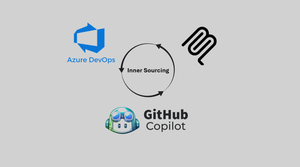
Developers burn cycles context‑switching: opening five repos to find a logging example, searching a wiki for a data masking rule, scrolling chat history for the latest pipeline pattern. Organisations that I speak to are often on the path of transformational platform engineering projects but always have the fear or doubt of "what if my engineers don't use these resources". While projects like Backstage still play a pivotal role in inner sourcing and discoverability I also empathise with developers who would argue "How would I even know in the first place, which modules have or haven't been created for reuse". In this blog we explore how we can ensure organisational standards and developer satisfaction without any heavy lifting on either side, no custom model training, no rewriting or relocating of repositories and no stagnant local data. Using GitHub Copilot + Azure DevOps MCP server (with the free `code_search` extension) we turn the IDE into an organizational knowledge interface. Instead of guessing or re‑implementing, engineers can start scaffolding projects or solving issues as they would normally (hopefully using Copilot) and without extra prompting. GitHub Copilot can lean into organisational standards and ensure recommendations are made with code snippets directly generated from existing examples. What Is the Azure DevOps MCP Server + code_search Extension? MCP (Model Context Protocol) is an open standard that lets agents (like GitHub Copilot) pull in structured, on-demand context from external systems. MCP servers contain natural language explanations of the tools that the agent can utilise allowing dynamic decision making of when to implement certain toolsets over others. The Azure DevOps MCP Server is the ADO Product Team's implementation of that standard. It exposes your ADO environment in a way Copilot can consume. Out of the box it gives you access to: Projects – list and navigate across projects in your organization. Repositories – browse repos, branches, and files. Work items – surface user stories, bugs, or acceptance criteria. Wiki's – pull policies, standards, and documentation. This means Copilot can ground its answers in live ADO content, instead of hallucinating or relying only on what’s in the current editor window. The ADO server runs locally from your own machine to ensure that all sensitive project information remains within your secure network boundary. This also means that existing permissions on ADO objects such as Projects or Repositories are respected. Wiki search tooling available out of the box with ADO MCP server is very useful however if I am honest I have seen these wiki's go unused with documentation being stored elsewhere either inside the repository or in a project management tool. This means any tool that needs to implement code requires the ability to accurately search the code stored in the repositories themself. That is where the code_search extension enablement in ADO is so important. Most organisations have this enabled already however it is worth noting that this pre-requisite is the real unlock of cross-repo search. This allows for Copilot to: Query for symbols, snippets, or keywords across all repos. Retrieve usage examples from code, not just docs. Locate standards (like logging wrappers or retry policies) wherever they live. Back every recommendation with specific source lines. In short: MCP connects Copilot to Azure DevOps. code_search makes that connection powerful by turning it into a discovery engine. What is the relevance of Copilot Instructions? One of the less obvious but most powerful features of GitHub Copilot is its ability to follow instructions files. Copilot automatically looks for these files and uses them as a “playbook” for how it should behave. There are different types of instructions you can provide: Organisational instructions – apply across your entire workspace, regardless of which repo you’re in. Repo-specific instructions – scoped to a particular repository, useful when one project has unique standards or patterns. Personal instructions – smaller overrides layered on top of global rules when a local exception applies. (Stored in .github/copilot-instructions.md) In this solution, I’m using a single personal instructions file. It tells Copilot: When to search (e.g., always query repos and wikis before answering a standards question). Where to look (Azure DevOps repos, wikis, and with code_search, the code itself). How to answer (responses must cite the repo/file/line or wiki page; if no source is found, say so). How to resolve conflicts (prefer dated wiki entries over older README fragments). As a small example, a section of a Copilot instruction file could look like this: # GitHub Copilot Instructions for Azure DevOps MCP Integration This project uses Azure DevOps with MCP server integration to provide organizational context awareness. Always check to see if the Azure DevOps MCP server has a tool relevant to the user's request. ## Core Principles ### 1. Azure DevOps Integration - **Always prioritize Azure DevOps MCP tools** when users ask about: - Work items, stories, bugs, tasks - Pull requests and code reviews - Build pipelines and deployments - Repository operations and branch management - Wiki pages and documentation - Test plans and test cases - Project and team information ### 2. Organizational Context Awareness - Before suggesting solutions, **check existing organizational patterns** by: - Searching code across repositories for similar implementations - Referencing established coding standards and frameworks - Looking for existing shared libraries and utilities - Checking architectural decision records (ADRs) in wikis ### 3. Cross-Repository Intelligence - When providing code suggestions: - **Search for existing patterns** in other repositories first - **Reference shared libraries** and common utilities - **Maintain consistency** with organizational standards - **Suggest reusable components** when appropriate ## Tool Usage Guidelines ### Work Items and Project Management When users mention bugs, features, tasks, or project planning: ``` ✅ Use: wit_my_work_items, wit_create_work_item, wit_update_work_item ✅ Use: wit_list_backlogs, wit_get_work_items_for_iteration ✅ Use: work_list_team_iterations, core_list_projects The result... To test this I created 3 ADO Projects each with between 1-2 repositories. The repositories were light with only ReadMe's inside containing descriptions of the "repo" and some code snippets examples for usage. I have then created a brand-new workspace with no context apart from a Copilot instructions document (which could be part of a repo scaffold or organisation wide) which tells Copilot to search code and the wikis across all ADO projects in my demo environment. It returns guidance and standards from all available repo's and starts to use it to formulate its response. In the screenshot I have highlighted some key parts with red boxes. The first being a section of the readme that Copilot has identified in its response, that part also highlighted within CoPilot chat response. I have highlighted the rather generic prompt I used to get this response at the bottom of that window too. Above I have highlighted Copilot using the MCP server tooling searching through projects, repo's and code. Finally the largest box highlights the instructions given to Copilot on how to search and how easily these could be optimised or changed depending on the requirements and organisational coding standards. How did I implement this? Implementation is actually incredibly simple. As mentioned I created multiple projects and repositories within my ADO Organisation in order to test cross-project & cross-repo discovery. I then did the following: Enable code_search - in your Azure DevOps organization (Marketplace → install extension). Login to Azure - Use the AZ CLI to authenticate to Azure with "az login". Create vscode/mcp.json file - Snippet is provided below, the organisation name should be changed to your organisations name. Start and enable your MCP server - In the mcp.json file you should see a "Start" button. Using the snippet below you will be prompted to add your organisation name. Ensure your Copilot agent has access to the server under "tools" too. View this setup guide for full setup instructions (azure-devops-mcp/docs/GETTINGSTARTED.md at main · microsoft/azure-devops-mcp) Create a Copilot Instructions file - with a search-first directive. I have inserted the full version used in this demo at the bottom of the article. Experiment with Prompts – Start generic (“How do we secure APIs?”). Review the output and tools used and then tailor your instructions. Considerations While this is a great approach I do still have some considerations when going to production. Latency - Using MCP tooling on every request will add some latency to developer requests. We can look at optimizing usage through copilot instructions to better identify when Copilot should or shouldn't use the ADO MCP server. Complex Projects and Repositories - While I have demonstrated cross project and cross repository retrieval my demo environment does not truly simulate an enterprise ADO environment. Performance should be tested and closely monitored as organisational complexity increases. Public Preview - The ADO MCP server is moving quickly but is currently still public preview. We have demonstrated in this article how quickly we can make our Azure DevOps content discoverable. While their are considerations moving forward this showcases a direction towards agentic inner sourcing. Feel free to comment below how you think this approach could be extended or augmented for other use cases! Resources MCP Server Config (/.vscode/mcp.json) { "inputs": [ { "id": "ado_org", "type": "promptString", "description": "Azure DevOps organization name (e.g. 'contoso')" } ], "servers": { "ado": { "type": "stdio", "command": "npx", "args": ["-y", "@azure-devops/mcp", "${input:ado_org}"] } } } Copilot Instructions (/.github/copilot-instructions.md) # GitHub Copilot Instructions for Azure DevOps MCP Integration This project uses Azure DevOps with MCP server integration to provide organizational context awareness. Always check to see if the Azure DevOps MCP server has a tool relevant to the user's request. ## Core Principles ### 1. Azure DevOps Integration - **Always prioritize Azure DevOps MCP tools** when users ask about: - Work items, stories, bugs, tasks - Pull requests and code reviews - Build pipelines and deployments - Repository operations and branch management - Wiki pages and documentation - Test plans and test cases - Project and team information ### 2. Organizational Context Awareness - Before suggesting solutions, **check existing organizational patterns** by: - Searching code across repositories for similar implementations - Referencing established coding standards and frameworks - Looking for existing shared libraries and utilities - Checking architectural decision records (ADRs) in wikis ### 3. Cross-Repository Intelligence - When providing code suggestions: - **Search for existing patterns** in other repositories first - **Reference shared libraries** and common utilities - **Maintain consistency** with organizational standards - **Suggest reusable components** when appropriate ## Tool Usage Guidelines ### Work Items and Project Management When users mention bugs, features, tasks, or project planning: ``` ✅ Use: wit_my_work_items, wit_create_work_item, wit_update_work_item ✅ Use: wit_list_backlogs, wit_get_work_items_for_iteration ✅ Use: work_list_team_iterations, core_list_projects ``` ### Code and Repository Operations When users ask about code, branches, or pull requests: ``` ✅ Use: repo_list_repos_by_project, repo_list_pull_requests_by_repo ✅ Use: repo_list_branches_by_repo, repo_search_commits ✅ Use: search_code for finding patterns across repositories ``` ### Documentation and Knowledge Sharing When users need documentation or want to create/update docs: ``` ✅ Use: wiki_list_wikis, wiki_get_page_content, wiki_create_or_update_page ✅ Use: search_wiki for finding existing documentation ``` ### Build and Deployment When users ask about builds, deployments, or CI/CD: ``` ✅ Use: pipelines_get_builds, pipelines_get_build_definitions ✅ Use: pipelines_run_pipeline, pipelines_get_build_status ``` ## Response Patterns ### 1. Discovery First Before providing solutions, always discover organizational context: ``` "Let me first check what patterns exist in your organization..." → Search code, check repositories, review existing work items ``` ### 2. Reference Organizational Standards When suggesting code or approaches: ``` "Based on patterns I found in your [RepositoryName] repository..." "Following your organization's standard approach seen in..." "This aligns with the pattern established in [TeamName]'s implementation..." ``` ### 3. Actionable Integration Always offer to create or update Azure DevOps artifacts: ``` "I can create a work item for this enhancement..." "Should I update the wiki page with this new pattern?" "Let me link this to the current iteration..." ``` ## Specific Scenarios ### New Feature Development 1. **Search existing repositories** for similar features 2. **Check architectural patterns** and shared libraries 3. **Review related work items** and planning documents 4. **Suggest implementation** based on organizational standards 5. **Offer to create work items** and documentation ### Bug Investigation 1. **Search for similar issues** across repositories and work items 2. **Check related builds** and recent changes 3. **Review test results** and failure patterns 4. **Provide solution** based on organizational practices 5. **Offer to create/update** bug work items and documentation ### Code Review and Standards 1. **Compare against organizational patterns** found in other repositories 2. **Reference coding standards** from wiki documentation 3. **Suggest improvements** based on established practices 4. **Check for reusable components** that could be leveraged ### Documentation Requests 1. **Search existing wikis** for related content 2. **Check for ADRs** and technical documentation 3. **Reference patterns** from similar projects 4. **Offer to create/update** wiki pages with findings ## Error Handling If Azure DevOps MCP tools are not available or fail: 1. **Inform the user** about the limitation 2. **Provide alternative approaches** using available information 3. **Suggest manual steps** for Azure DevOps integration 4. **Offer to help** with configuration if needed ## Best Practices ### Always Do: - ✅ Search organizational context before suggesting solutions - ✅ Reference existing patterns and standards - ✅ Offer to create/update Azure DevOps artifacts - ✅ Maintain consistency with organizational practices - ✅ Provide actionable next steps ### Never Do: - ❌ Suggest solutions without checking organizational context - ❌ Ignore existing patterns and implementations - ❌ Provide generic advice when specific organizational context is available - ❌ Forget to offer Azure DevOps integration opportunities --- **Remember: The goal is to provide intelligent, context-aware assistance that leverages the full organizational knowledge base available through Azure DevOps while maintaining development efficiency and consistency.**1.2KViews1like3CommentsLearn MCP from our free livestream series in December
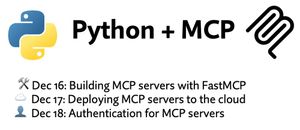
Our Python + MCP series is a three-part, hands-on journey into one of the most important emerging technologies of 2025: MCP (Model Context Protocol) — an open standard for extending AI agents and chat interfaces with real-world tools, data, and execution environments. Whether you're building custom GitHub Copilot tools, powering internal developer agents, or creating AI-augmented applications, MCP provides the missing interoperability layer between LLMs and the systems they need to act on. Across the series, we move from local prototyping, to cloud deployment, to enterprise-grade authentication and security, all powered by Python and the FastMCP SDK. Each session builds on the last, showing how MCP servers can evolve from simple localhost services to fully authenticated, production-ready services running in the cloud — and how agents built with frameworks like Langchain and Microsoft’s agent-framework can consume them at every stage. 🔗 Register for the entire series. You can also scroll down to learn about each live stream and register for individual sessions. In addition to the live streams, you can also join office hours after each session in Foundry Discord to ask any follow-up questions. To get started with your MCP learnings before the series, check out the free MCP-for-beginners course on GitHub. Building MCP servers with FastMCP 16 December, 2025 | 6:00 PM - 7:00 PM (UTC) Coordinated Universal Time Register for the stream on Reactor In the intro session of our Python + MCP series, we dive into the hottest technology of 2025: MCP (Model Context Protocol). This open protocol makes it easy to extend AI agents and chatbots with custom functionality, making them more powerful and flexible. We demonstrate how to use the Python FastMCP SDK to build an MCP server running locally and consume that server from chatbots like GitHub Copilot. Then we build our own MCP client to consume the server. Finally, we discover how easy it is to connect AI agent frameworks like Langchain and Microsoft agent-framework to MCP servers. Deploying MCP servers to the cloud 17 December, 2025 | 6:00 PM - 7:00 PM (UTC) Coordinated Universal Time Register for the stream on Reactor In our second session of the Python + MCP series, we're deploying MCP servers to the cloud! We'll walk through the process of containerizing a FastMCP server with Docker and deploying to Azure Container Apps, and also demonstrate a FastMCP server running directly on Azure Functions. Then we'll explore private networking options for MCP servers, using virtual networks that restrict external access to internal MCP tools and agents. Authentication for MCP servers 18 December, 2025 | 6:00 PM - 7:00 PM (UTC) Coordinated Universal Time Register for the stream on Reactor In our third session of the Python + MCP series, we're exploring the best ways to build authentication layers on top of your MCP servers. That could be as simple as an API key to gate access, but for the servers that provide user-specific data, we need to use an OAuth2-based authentication flow. MCP authentication is built on top of OAuth2 but with additional requirements like PRM and DCR/CIMD, which can make it difficult to implement fully. In this session, we'll demonstrate the full MCP auth flow, and provide examples that implement MCP Auth on top of Microsoft Entra.Host remote MCP servers on Azure Functions
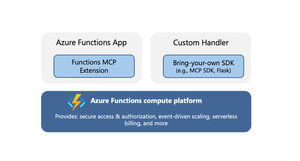
Model Context Protocol (MCP) servers allow AI agents to access external tools, data, and systems, greatly extending the capability and power of agents. When you’re ready to expose your MCP servers externally, within your organization or to the world, it’s important that the servers are run in a secure, scalable, and reliable environment. Azure Functions provides such a robust platform for hosting your remote MCP servers, offering high scalability with the Flex Consumption plan, built‑in authentication feature for Microsoft Entra and OAuth, and a serverless billing model. The platform also offers two hosting options for added flexibility and convenience. The options allow for hosting of MCP servers built with Azure Functions MCP extension or the official MCP SDKs. Azure Functions MCP Extension (GA) The MCP extension allows you to build and host servers using Azure Functions programming model, i.e. using triggers and bindings. The MCP tool trigger allows you to focus on implementing tools you want to expose, instead of worrying about handling protocol and server logistics. The MCP extension launched as public preview back in April and is now generally available, with support for .NET, Java, JavaScript, Python, and Typescript. New features in the extension Support for streamable-http transport Support for the newer streamable-http transport is added to the extension. Unless your client specifically requires the older Server-Sent Events (SSE) transport, you should use the streamable-http. The two transports have different endpoints in the extension: Transport Endpoint Streamable HTTP /runtime/webhooks/mcp Server-Sent Events (SSE) /runtime/webhooks/mcp/sse Defining server information You can use the extensions.mcp section in host.json to define MCP server information. { "version": "2.0", "extensions": { "mcp": { "instructions": "Some test instructions on how to use the server", "serverName": "TestServer", "serverVersion": "2.0.0", "encryptClientState": true, "messageOptions": { "useAbsoluteUriForEndpoint": false }, "system": { "webhookAuthorizationLevel": "System" } } } } Built-in server authentication and authorization The built-in feature implements the requirements of the MCP authorization protocol, such as issuing 401 challenge and hosting the Protected Resource Metadata document. You can configure it to use identity providers like Microsoft Entra for server authentication. In addition to server authenticating, you can also leverage this feature to implement on-behalf-of (OBO) auth flows where the client invokes a tool that accesses some downstream services on-behalf-of the user. Learn more about the built-in authentication and authorization feature. Mavin Build Plugin for Java For Java applications, the Maven Build Plugin (version 1.40.0) parses and verifies MCP tool annotations during build time. This process automatically generates the correct MCP extension configuration, ensuring that the MCP tool defined by the user is properly set up. The build-time analysis is especially beneficial for Java apps, as it allows developers to utilize the MCP extension without concerns about increased cold start times. We'll continuously enhance the plugin’s capabilities. Upcoming improvements, such as property type inference, will reduce manual configuration and make it even easier to use the McpToolTrigger. Get started Checkout the quickstarts to get an MCP extension server deployed in minutes: C# (.NET) remote-mcp-functions-dotnet Python remote-mcp-functions-python TypeScript (Node.js) remote-mcp-functions-typescript Java remote-mcp-functions-java References Learn more about the MCP extension and tool trigger in official documentations. Self‑hosted MCP server (public preview) In addition to the MCP extension, Azure Functions also supports hosting MCP servers implemented with the official SDKs. This is a suitable option for teams that have existing SDK‑based servers or who favor the SDK experience over the Functions programming model. There is no need to modify your server code; you can lift and shift these MCP servers to Azure Functions— which is why they are termed self‑hosted. The hosting capability supports the following features: Stateless servers that use the streamable-http transport. If you need your server to be stateful, consider using the Functions MCP extension for now. Servers implemented with Python, TypeScript, C#, or Java MCP SDK. Built-in server authentication and authorization like the MCP extension Hosting requirement Self-hosted MCP servers are deployed to the Azure Functions platform as custom handlers. You can think of custom handlers as lightweight web servers that receive events from the Functions host. The only requirement for hosting the MCP server is a file called host.json. Add this file to your project root to tell Functions how to run the server. An example host.json for a Python server looks like: { "version": "2.0", "configurationProfile": "mcp-custom-handler", "customHandler": { "description": { "defaultExecutablePath": "python", "arguments": ["path to main python script, e.g. hello.py"] }, "port": "8000" } } Get started Check out quickstarts to get your self-hosted MCP server deployed in minutes: C# (.NET) mcp-sdk-functions-hosting-dotnet Python mcp-sdk-functions-hosting-python TypeScript (Node.js) mcp-sdk-functions-hosting-node Java Coming soon! References Read the official documentation of self-hosted MCP servers and learn about integrations with Azure services like Foundry and API Center. For .NET developers - check out the overview of self-hosted MCP servers from the recent .NET Conference! We’d love to hear from you! Let us know your thoughts about hosting remote MCP server on Azure Functions. Does either of the options meet your needs? What other MCP features are you looking for? Let us know what you’d like us to prioritize next!750Views3likes1CommentAzure App Service AI Scenarios: Complete Sample with AI Foundry Integration
This blog demonstrates how to implement AI scenarios on Azure App Service using Azure AI Foundry. It provides a complete sample for developers to integrate conversational AI, reasoning models, structured outputs, and multimodal processing (image and audio) into existing Flask applications. The guide includes quick-start deployment steps with Azure Developer CLI (azd), recommended models like GPT-4o-mini, and best practices for enterprise-grade AI integration. Ideal for developers seeking to modernize web apps with agentic capabilities, OpenAPI-based tools, and secure, scalable AI workflows.638Views0likes0CommentsFaster Python on Azure Functions with uvloop
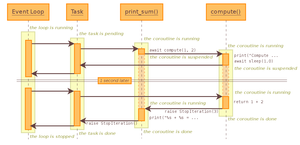
Python 3.13+ apps on Azure Functions are now faster by default. By replacing the standard event loop with uvloop, the Functions Python worker delivers higher throughput and lower latency for asynchronous workloads — no code changes required. Introduction Azure Functions powers millions of customer scenarios, from real-time APIs to event-driven automation. For Python developers, scalability often comes down to how efficiently the runtime handles I/O, concurrency, and asynchronous workloads. That’s why, starting with Python 3.13, the Azure Functions Python worker now uses uvloop as its default event loop. Built on top of libuv (the same library behind Node.js), uvloop provides a drop-in replacement for Python’s standard asyncio loop with measurable performance improvements. For customers, this means faster request handling and more responsive serverless applications — without having to update a single line of app code. Why Event Loops Matter The event loop is the backbone of any asynchronous Python application. It schedules coroutines, manages I/O events, and drives concurrency. In serverless workloads like Azure Functions, this loop runs continuously to: Handle incoming HTTP requests Dispatch and complete async tasks (like database queries or service calls) Manage parallel event processing (Event Hubs, Service Bus, etc.) The default Python event loop (UnixSelectorEventLoop) is reliable, but it wasn’t designed for high-throughput scenarios at massive scale. Uvloop, by contrast, is a high-performance reimplementation in Cython that consistently outperforms the built-in loop in both throughput and latency. How It Works in Azure Functions In Python 3.13+, the Azure Functions Python worker sets uvloop as the default event loop policy at startup: import uvloop, asyncio asyncio.set_event_loop_policy(uvloop.EventLoopPolicy()) This means any async workload — whether you’re using async def in your functions, calling external APIs, or parallelizing work with asyncio.gather — benefits immediately from uvloop’s faster scheduling and I/O handling. It is already available in the Functions runtime environment. No configuration changes, no requirements.txt edits, and no feature flags. If you’re running Functions on Python 3.13 or higher, uvloop is already in play. Measuring the Performance Gains We tested uvloop against the existing Unix event loop across several realistic workloads. For testing with Flex Consumption on Azure, the app with no uvloop is on Python 3.12, while the app with uvloop is on Python 3.13. The Flex Consumption app has an instance size of 2048 MB. Results were measured by taking the median of three runs for each test case. Test 1: 10k Requests, 50 Virtual Users Environment Event Loop Average HTTP Request Time (ms) Requests per second % Diff vs unix Local unix 96.95 515 - uvloop 87.99 565 +9.7% Azure unix 54.34 882 - uvloop 51.77 923 +4.8% Test 2: Sustained Load, 100 Virtual Users (5 min) Environment Event Loop Number of Requests Requests per second % Diff vs unix Local unix 157,580 525 - uvloop 167,928 560 +6.4% Azure unix 571,797 1,898 - uvloop 588,458 1,961 +2.9% Test 3: Heavy Concurrency, 500 Virtual Users + 5 async tasks per request Environment Event Loop Number of Requests Requests per second % Diff vs unix Local unix 216,212 720 - uvloop 231,878 772 +7% Azure unix 1,791,600 5,696 - uvloop 1,806,750 6,020 +1% The Unix Event Loop started showing failures in both environments in ~2% of requests. Across the board, uvloop delivered measurable improvements in throughput and latency — especially under high concurrency. Why Only Python 3.13+? While uvloop works with older versions of Python, we rolled it out as the default starting in 3.13 because: It ensured the change was strictly a net positive in performance and stability Easier rollout for all available Azure Functions SKUs, avoiding breaking existing customers Python 3.13 for the Azure Functions Worker introduces a Proxy Worker, so this is an additional performance boost to help with the extra overhead introduced Older runtimes remain on the standard event loop to minimize compatibility risks. Challenges and Lessons Learned Integrating uvloop into the Functions Python worker surfaced a few interesting challenges: Compatibility: Ensuring uvloop worked seamlessly across Linux environments at scale Observability: Updating logs to confirm which event loop policy was active Benchmark design: Testing realistic workloads (HTTP requests, async fan-out) to validate improvements beyond microbenchmarks Through this process, we confirmed uvloop consistently improved throughput and latency without regressions. Future Directions Switching to uvloop is just one step in making Azure Functions Python faster and more scalable. Looking ahead, we’re exploring: Deeper async optimizations: further tuning around asyncio and gRPC handling Serialization improvements: building on work like orjson for faster data processing Cold start performance: reducing startup overhead in Python workers Conclusion By adopting uvloop as the default event loop for Python 3.13+, Azure Functions makes async workloads faster, more reliable, and more scalable — all without requiring customers to change their code. If you’re upgrading to Python 3.13 for your Functions apps, uvloop is already running under the hood to give you better performance out of the box. Further Reading Azure Functions Azure Functions Python Developer Reference Guide Azure Functions Performance Optimizer Azure Functions Python Worker Azure Functions Python Library Azure Loading Testing Overview334Views0likes0CommentsCommon Misconceptions When Running Locally vs. Deploying to Azure Linux-based Web Apps
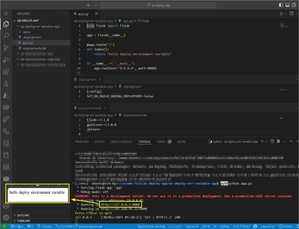
TOC Introduction Environment Variable Build Time Compatible Memory Conclusion 1. Introduction One of the most common issues during project development is the scenario where “the application runs perfectly in the local environment but fails after being deployed to Azure.” In most cases, deployment logs will clearly reveal the problem and allow you to fix it quickly. However, there are also more complicated situations where "due to the nature of the error itself" relevant logs may be difficult to locate. This article introduces several common categories of such problems and explains how to troubleshoot them. We will demonstrate them using Python and popular AI-related packages, as these tend to exhibit compatibility-related behavior. Before you begin, it is recommended that you read Deployment and Build from Azure Linux based Web App | Microsoft Community Hub on how Azure Linux-based Web Apps perform deployments so you have a basic understanding of the build process. 2. Environment Variable Simulating a Local Flask + sklearn Project First, let’s simulate a minimal Flask + sklearn project in any local environment (VS Code in this example). For simplicity, the sample code does not actually use any sklearn functions; it only displays plain text. app.py from flask import Flask app = Flask(__name__) @app.route("/") def index(): return "hello deploy environment variable" if __name__ == "__main__": app.run(host="0.0.0.0", port=8000) We also preset the environment variables required during Azure deployment, although these will not be used when running locally. .deployment [config] SCM_DO_BUILD_DURING_DEPLOYMENT=false As you may know, the old package name sklearn has long been deprecated in favor of scikit-learn. However, for the purpose of simulating a compatibility error, we will intentionally specify the outdated package name. requirements.txt Flask==3.1.0 gunicorn==23.0.0 sklearn After running the project locally, you can open a browser and navigate to the target URL to verify the result. python3 -m venv .venv source .venv/bin/activate pip install -r requirements.txt python app.py Of course, you may encounter the same compatibility issue even in your local environment. Simply running the following command resolves it: export SKLEARN_ALLOW_DEPRECATED_SKLEARN_PACKAGE_INSTALL=True We will revisit this error and its solution shortly. For now, create a Linux Web App running Python 3.12 and configure the following environment variables. We will define Oryx Build as the deployment method. SCM_DO_BUILD_DURING_DEPLOYMENT=false WEBSITE_RUN_FROM_PACKAGE=false ENABLE_ORYX_BUILD=true After deploying the code and checking the Deployment Center, you should see an error similar to the following. From the detailed error message, the cause is clear: sklearn is deprecated and replaced by scikit-learn, so additional compatibility handling is now required by the Python runtime. The error message suggests the following solutions: Install the newer scikit-learn package directly. If your project is deeply coupled to the old sklearn package and cannot be refactored yet, enable compatibility by setting an environment variable to allow installation of the deprecated package. Typically, this type of “works locally but fails on Azure” behavior happens because the deprecated package was installed in the local environment a long time ago at the start of the project, and everything has been running smoothly since. Package compatibility issues like this are very common across various languages on Linux. When a project becomes tightly coupled to an outdated package, you may not be able to upgrade it immediately. In these cases, compatibility workarounds are often the only practical short-term solution. In our example, we will add the environment variable: SKLEARN_ALLOW_DEPRECATED_SKLEARN_PACKAGE_INSTALL=True However, here comes the real problem: This variable is needed during the build phase, but the environment variables set in Azure Portal’s Application Settings only take effect at runtime. So what should we do? The answer is simple, shift the Oryx Build process from build-time to runtime. First, open Azure Portal → Configuration and disable Oryx Build. ENABLE_ORYX_BUILD=false Next, modify the project by adding a startup script. run.sh #!/bin/bash export SKLEARN_ALLOW_DEPRECATED_SKLEARN_PACKAGE_INSTALL=True python -m venv .venv source .venv/bin/activate pip install -r requirements.txt python app.py The startup script works just like the commands you run locally before executing the application. The difference is that you can inject the necessary compatibility environment variables before running pip install or starting the app. After that, return to Azure Portal and add the following Startup Command under Stack Settings. This ensures that your compatibility environment variables and build steps run before the runtime starts. bash run.sh Your overall project structure will now look like this. Once redeployed, everything should work correctly. 3. Build Time Build-Time Errors Caused by AI-Related Packages Many build-time failures are caused by AI-related packages, whose installation processes can be extremely time-consuming. You can investigate these issues by reviewing the deployment logs at the following maintenance URL: https://<YOUR_APP_NAME>.scm.azurewebsites.net/newui Compatible Let’s simulate a Flask + numpy project. The code is shown below. app.py from flask import Flask app = Flask(__name__) @app.route("/") def index(): return "hello deploy compatible" if __name__ == "__main__": app.run(host="0.0.0.0", port=8000) We reuse the same environment variables from the sklearn example. .deployment [config] SCM_DO_BUILD_DURING_DEPLOYMENT=false This time, we simulate the incompatibility between numpy==1.21.0 and Python 3.10. requirements.txt Flask==3.1.0 gunicorn==23.0.0 numpy==1.21.0 We will skip the local execution part and move directly to creating a Linux Web App running Python 3.10. Configure the same environment variables as before, and define the deployment method as runtime build. SCM_DO_BUILD_DURING_DEPLOYMENT=false WEBSITE_RUN_FROM_PACKAGE=false ENABLE_ORYX_BUILD=false After deployment, Deployment Center shows a successful publish. However, the actual website displays an error. At this point, you must check the deployment log files mentioned earlier. You will find two key logs: 1. docker.log Displays real-time logs of the platform creating and starting the container. In this case, you will see that the health probe exceeded the default 230-second startup window, causing container startup failure. This tells us the root cause is container startup timeout. To determine why it timed out, we must inspect the second file. 2. default_docker.log Contains the internal execution logs of the container. Not generated in real time, usually delayed around 15 minutes. Therefore, if docker.log shows a timeout error, wait at least 15 minutes to allow the logs to be written here. In this example, the internal log shows that numpy was being compiled during pip install, and the compilation step took too long. We now have a concrete diagnosis: numpy 1.21.0 is not compatible with Python 3.10, which forces pip to compile from source. The compilation exceeds the platform’s startup time limit (230 seconds) and causes the container to fail. We can verify this by checking numpy’s official site: numpy · PyPI numpy 1.21.0 only provides wheels for cp37, cp38, cp39 but not cp310 (which is python 3.10). Thus, compilation becomes unavoidable. Possible Solutions Set the environment variable WEBSITES_CONTAINER_START_TIME_LIMIT to increase the allowed container startup time. Downgrade Python to 3.9 or earlier. Upgrade numpy to 1.21.0+, where suitable wheels for Python 3.10 are available. In this example, we choose this option. After upgrading numpy to version 1.25.0 (which supports Python 3.10) from specifying in requirements.txt and redeploying, the issue is resolved. numpy · PyPI requirements.txt Flask==3.1.0 gunicorn==23.0.0 numpy==1.25.0 Memory The final example concerns the App Service SKU. AI packages such as Streamlit, PyTorch, and others require significant memory. Any one of these packages may cause the build process to fail due to insufficient memory. The error messages vary widely each time. If you repeatedly encounter unexplained build failures, check Deployment Center or default_docker.log for Exit Code 137, which indicates that the system ran out of memory during the build. The only solution in such cases is to scale up. 4. Conclusion This article introduced several common troubleshooting techniques for resolving Linux Web App issues caused during the build stage. Most of these problems relate to package compatibility, although the symptoms may vary greatly. By understanding the debugging process demonstrated in these examples, you will be better prepared to diagnose and resolve similar issues in future deployments.464Views0likes1CommentOn‑Device AI with Windows AI Foundry and Foundry Local
From “waiting” to “instant”- without sending data away AI is everywhere, but speed, privacy, and reliability are critical. Users expect instant answers without compromise. On-device AI makes that possible: fast, private and available, even when the network isn’t - empowering apps to deliver seamless experiences. Imagine an intelligent assistant that works in seconds, without sending a text to the cloud. This approach brings speed and data control to the places that need it most; while still letting you tap into cloud power when it makes sense. Windows AI Foundry: A Local Home for Models Windows AI Foundry is a developer toolkit that makes it simple to run AI models directly on Windows devices. It uses ONNX Runtime under the hood and can leverage CPU, GPU (via DirectML), or NPU acceleration, without requiring you to manage those details. The principle is straightforward: Keep the model and the data on the same device. Inference becomes faster, and data stays local by default unless you explicitly choose to use the cloud. Foundry Local Foundry Local is the engine that powers this experience. Think of it as local AI runtime - fast, private, and easy to integrate into an app. Why Adopt On‑Device AI? Faster, more responsive apps: Local inference often reduces perceived latency and improves user experience. Privacy‑first by design: Keep sensitive data on the device; avoid cloud round trips unless the user opts in. Offline capability: An app can provide AI features even without a network connection. Cost control: Reduce cloud compute and data costs for common, high‑volume tasks. This approach is especially useful in regulated industries, field‑work tools, and any app where users expect quick, on‑device responses. Hybrid Pattern for Real Apps On-device AI doesn’t replace the cloud, it complements it. Here’s how: Standalone On‑Device: Quick, private actions like document summarization, local search, and offline assistants. Cloud‑Enhanced (Optional): Large-context models, up-to-date knowledge, or heavy multimodal workloads. Design an app to keep data local by default and surface cloud options transparently with user consent and clear disclosures. Windows AI Foundry supports hybrid workflows: Use Foundry Local for real-time inference. Sync with Azure AI services for model updates, telemetry, and advanced analytics. Implement fallback strategies for resource-intensive scenarios. Application Workflow Code Example using Foundry Local: 1. Only On-Device: Tries Foundry Local first, falls back to ONNX if foundry_runtime.check_foundry_available(): # Use on-device Foundry Local models try: answer = foundry_runtime.run_inference(question, context) return answer, source="Foundry Local (On-Device)" except Exception as e: logger.warning(f"Foundry failed: {e}, trying ONNX...") if onnx_model.is_loaded(): # Fallback to local BERT ONNX model try: answer = bert_model.get_answer(question, context) return answer, source="BERT ONNX (On-Device)" except Exception as e: logger.warning(f"ONNX failed: {e}") return "Error: No local AI available" 2. Hybrid approach: On-device first, cloud as last resort def get_answer(question, context): """ Priority order: 1. Foundry Local (best: advanced + private) 2. ONNX Runtime (good: fast + private) 3. Cloud API (fallback: requires internet, less private) # in case of Hybrid approach, based on real-time scenario """ if foundry_runtime.check_foundry_available(): # Use on-device Foundry Local models try: answer = foundry_runtime.run_inference(question, context) return answer, source="Foundry Local (On-Device)" except Exception as e: logger.warning(f"Foundry failed: {e}, trying ONNX...") if onnx_model.is_loaded(): # Fallback to local BERT ONNX model try: answer = bert_model.get_answer(question, context) return answer, source="BERT ONNX (On-Device)" except Exception as e: logger.warning(f"ONNX failed: {e}, trying cloud...") # Last resort: Cloud API (requires internet) if network_available(): try: import requests response = requests.post( '{BASE_URL_AI_CHAT_COMPLETION}', headers={'Authorization': f'Bearer {API_KEY}'}, json={ 'model': '{MODEL_NAME}', 'messages': [{ 'role': 'user', 'content': f'Context: {context}\n\nQuestion: {question}' }] }, timeout=10 ) answer = response.json()['choices'][0]['message']['content'] return answer, source="Cloud API (Online)" except Exception as e: return "Error: No AI runtime available", source="Failed" else: return "Error: No internet and no local AI available", source="Offline" Demo Project Output: Foundry Local answering context-based questions offline : The Foundry Local engine ran the Phi-4-mini model offline and retrieved context-based data. : The Foundry Local engine ran the Phi-4-mini model offline and mentioned that there is no answer. Practical Use Cases Privacy-First Reading Assistant: Summarize documents locally without sending text to the cloud. Healthcare Apps: Analyze medical data on-device for compliance. Financial Tools: Risk scoring without exposing sensitive financial data. IoT & Edge Devices: Real-time anomaly detection without network dependency. Conclusion On-device AI isn’t just a trend - it’s a shift toward smarter, faster, and more secure applications. With Windows AI Foundry and Foundry Local, developers can deliver experiences that respect user specific data, reduce latency, and work even when connectivity fails. By combining local inference with optional cloud enhancements, you get the best of both worlds: instant performance and scalable intelligence. Whether you’re creating document summarizers, offline assistants, or compliance-ready solutions, this approach ensures your apps stay responsive, reliable, and user-centric. References Get started with Foundry Local - Foundry Local | Microsoft Learn What is Windows AI Foundry? | Microsoft Learn https://devblogs.microsoft.com/foundry/unlock-instant-on-device-ai-with-foundry-local/Durable Task Extension for Microsoft Agent Framework で、堅牢なエージェントを構築する
(これは 2025/11/13 に出された製品チームの記事『Bulletproof agents with the durable task extension for Microsoft Agent Framework』を日本語に翻訳したものです。) 本日 (2025/11/13)、Durable Task Extension for Microsoft Agent Framework のパブリックプレビューを発表できることを大変うれしく思います。 この拡張機能は、Azure Durable Functions の 実績ある 耐久性のある実行 (durable execution) (クラッシュや再起動に耐える) と分散実行 (複数インスタンスで動作する) 機能を、Microsoft Agent Framework に直接組み込むことで、本番環境対応の、堅牢でスケーラブルな AI エージェントの構築方法を一新します。 これにより、セッション管理、障害復旧、スケーリングを自動的に処理する、ステートフルで堅牢な AI エージェントを Azure にデプロイでき、開発者はエージェントのロジックに完全に集中できるようになります。 たとえば、複数日にわたる会話でコンテキストを維持するカスタマーサービスエージェント、人間による承認 (human-in-the-loop approval workflow) を含むコンテンツパイプライン、または専門的な AI モデルを連携させる完全自動化されたマルチエージェントシステムを構築する場合でも、この Durable Task Extension for Microsoft Agent Framework は、サーバーレスのシンプルさで本番レベルの信頼性、スケーラビリティ、そして調整機能を提供します。 Durable Task Extension の主な機能: サーバーレスホスティング (Serverless Hosting):Azure Functions 上にエージェントをデプロイし、数千のインスタンスからゼロまで自動スケーリングを実現しながら、サーバーレスアーキテクチャの利点を維持したまま完全な制御を保持します。 自動セッション管理 (Automatic Session Management):エージェントは、プロセスのクラッシュや再起動、インスタンス間の分散実行に耐える、完全な会話コンテキストを保持した永続的なセッションを維持します。 決定的なマルチエージェントオーケストレーション (Deterministic Multi-Agent Orchestrations): コードで制御された、予測可能かつ再現性のある実行パターンで、特化した (specialized) durable agents を組み合わせて動作させる。 (訳註1:「決定的な (deterministic)」とは、同じ入力に対しては常に同じ結果を返すもので、その動作が予測可能なものを指します) (訳註2:「durable agent」とは、このフレームワークのエージェントをそう呼んでおり、普通のエージェントと違ってDurable な性質を持っているエージェントのことを指します) サーバーレスによるコスト削減を伴う Human-in-the-Loop (Human-in-the-Loop with Serverless Cost Savings): 人間の入力を待つ間、コンピュートリソースを消費せず、コストも発生しません。 Durable Task Scheduler による組み込みの可観測性 (Built-in Observability with Durable Task Scheduler):Durable Task Scheduler の UI ダッシュボードを通じて、エージェントの操作やオーケストレーションを深く可視化できます。 Durable Agent を作成して実行してみる 公式ドキュメント https://aka.ms/create-and-run-durable-agent コードサンプル (Python/C#) # Python endpoint = os.getenv("AZURE_OPENAI_ENDPOINT") deployment_name = os.getenv("AZURE_OPENAI_DEPLOYMENT_NAME", "gpt-4o-mini") # 標準的な Microsoft Agent Framework パターンに従って AI エージェントを作成します agent = AzureOpenAIChatClient( endpoint=endpoint, deployment_name=deployment_name, credential=AzureCliCredential() ).create_agent( instructions="""あなたは、どんなテーマに対しても読みやすく構造化された、 魅力的なドキュメントを作成するプロフェッショナルなコンテンツライターです。 テーマが与えられたら、次の手順で進めてください。 1. Web 検索ツールを使ってテーマをリサーチする 2. ドキュメントのアウトラインを生成する 3. 適切な書式で説得力のあるドキュメントを書く 4. 関連する例と出典(引用)を含める""", name="DocumentPublisher", tools=[ AIFunctionFactory.Create(search_web), AIFunctionFactory.Create(generate_outline) ] ) # Durable なセッション管理でエージェントをホストするように Function アプリを構成します app = AgentFunctionApp(agents=[agent]) app.run() // C# var endpoint = Environment.GetEnvironmentVariable("AZURE_OPENAI_ENDPOINT"); var deploymentName = Environment.GetEnvironmentVariable("AZURE_OPENAI_DEPLOYMENT") ?? "gpt-4o-mini"; // 標準的な Microsoft Agent Framework パターンに従って AI エージェントを作成します AIAgent agent = new AzureOpenAIClient(new Uri(endpoint), new DefaultAzureCredential()) .GetChatClient(deploymentName) .CreateAIAgent( instructions: """ あなたは、どんなテーマに対しても読みやすく構造化された、 魅力的なドキュメントを作成するプロフェッショナルなコンテンツライターです。 テーマが与えられたら、次の手順で進めてください。 1.Web 検索ツールを使ってテーマをリサーチする 2.ドキュメントのアウトラインを生成する 3.適切な書式で説得力のあるドキュメントを書く 4.関連する例と出典(引用)を含める """, name: "DocumentPublisher", tools: [ AIFunctionFactory.Create(SearchWeb), AIFunctionFactory.Create(GenerateOutline) ]); // Durable なスレッド管理でエージェントをホストするように Functions アプリを構成します // これにより、HTTP エンドポイントが自動で作成され、状態の永続化が管理されます using IHost app = FunctionsApplication .CreateBuilder(args) .ConfigureFunctionsWebApplication() .ConfigureDurableAgents(options => options.AddAIAgent(agent) ) .Build(); app.Run(); なぜ Durable Task Extension が必要なのか AI エージェントが、単純なチャットボットから、複雑で長時間実行されるタスクを処理する高度なシステムへと進化するにつれて、新たな課題が浮上します。 会話が数日から数週間にわたるため、プロセスの再起動やクラッシュ、障害を超えて状態を保持する必要があります。 ツール呼び出しが通常のタイムアウトを超える時間を要する場合があり、自動チェックポイントと復旧が必要です。 大量のワークロードに対応するため、数千のエージェント会話を同時に処理できるよう、分散インスタンス間での弾力的なスケーリングが求められます。 複数の専門エージェントを、信頼性の高いビジネスプロセスのために、予測可能で再現可能な実行パターンで調整する必要があります。 エージェントは、処理を進める前に人間の承認を待つ必要がある場合があり、その間は理想的にはリソースを消費しない (課金されない) ことが望まれます。 Durable Extension は、Azure Durable Functions の機能を Microsoft Agent Framework に拡張することで、これらの課題に対応します。これにより、障害に耐え、弾力的にスケールし、耐久性と分散実行によって予測可能に動作する AI エージェントを構築できます。 4 つの柱 : 4D この拡張機能は、4 つの基本的な価値の柱、通称「4D」に基づいて構築されています。 Durability (耐久性) すべてのエージェントの状態変更(メッセージ、ツール呼び出し、意思決定)は、自動的に耐久性のあるチェックポイントとして保存されます。エージェントは、インフラ更新やクラッシュから復旧し、長時間の待機中にメモリからアンロードされてもコンテキストを失わずに再開できます。これは、長時間実行される処理や外部イベントを待機するエージェントに不可欠です。 Distributed (分散型の) エージェントの実行はすべてのインスタンスで利用可能であり、弾力的なスケーリングと自動フェイルオーバーを実現します。正常なノードは、障害が発生したインスタンスの作業をシームレスに引き継ぎ、継続的な運用を保証します。この分散実行モデルにより、数千のステートフルエージェントがスケールアップし、並列で動作できます。 Deterministic (決定性) エージェントのオーケストレーションは、通常のコードとして記述された命令型ロジックを使用して予測可能に実行されます。実行パスを定義することで、自動テスト、検証可能なガードレール、ステークホルダーが信頼できるビジネスクリティカルなワークフローを実現します。必要に応じて明示的な制御フローを提供し、エージェント主導のワークフローを補完します。 Debuggability (デバッグしやすさ) IDE、デバッガー、ブレークポイント、スタックトレース、単体テストなどの馴染みのある開発ツールやプログラミング言語を使用して開発・デバッグできます。エージェントとそのオーケストレーションはコードとして表現されるため、テスト、デバッグ、保守が容易です。 実際の機能の動作 サーバーレス ホスティング (Serverless hosting) エージェントを Azure Functions (近日中に他の Azure サービスにも拡張予定)にデプロイし、使用していないときはゼロまで、使用時は数千インスタンスまで自動スケーリングします。消費したコンピューティング リソースに対してのみ料金を支払います。このコードファーストのデプロイ手法により、サーバーレス アーキテクチャの利点を維持しながら、コンピュート環境 (compute environment) を完全に制御できます。 # Python endpoint = os.getenv("AZURE_OPENAI_ENDPOINT") deployment_name = os.getenv("AZURE_OPENAI_DEPLOYMENT_NAME", "gpt-4o-mini") # 標準的な Microsoft Agent Framework パターンに従って AI エージェントを作成します agent = AzureOpenAIChatClient( endpoint=endpoint, deployment_name=deployment_name, credential=AzureCliCredential() ).create_agent( instructions="""あなたは、どんなテーマに対しても読みやすく構造化された、 魅力的なドキュメントを作成するプロフェッショナルなコンテンツライターです。 テーマが与えられたら、次の手順で進めてください。 1. Web 検索ツールを使ってテーマをリサーチする 2. ドキュメントのアウトラインを生成する 3. 適切な書式で説得力のあるドキュメントを書く 4. 関連する例と出典(引用)を含める""", name="DocumentPublisher", tools=[ AIFunctionFactory.Create(search_web), AIFunctionFactory.Create(generate_outline) ] ) # Durable なセッション管理でエージェントをホストするように Function アプリを構成します app = AgentFunctionApp(agents=[agent]) app.run() Automatic session management(自動セッション管理) エージェントのセッションは、Function アプリで構成した耐久性のあるストレージに自動的にチェックポイントされ、複数インスタンス間での耐久性と分散実行を可能にします。中断やプロセス障害の後でも、どのインスタンスからでもエージェントの実行を再開でき、継続的な運用が保証されます。 内部的には、エージェントは Durable Entities として実装されています。これらは、実行間で状態を保持するステートフルなオブジェクトです。このアーキテクチャにより、各エージェントセッションは、会話履歴とコンテキストを保持した信頼性の高い長寿命のエンティティとして機能します。 シナリオ例: 複数日から数週間にわたる複雑なサポート案件を処理するカスタマーサービスエージェント。エージェントが再デプロイされたり、別のインスタンスに移動した場合でも、会話履歴、コンテキスト、進捗は保持されます。 # 最初の対話 - ドキュメント作成用の新しいスレッドを開始 curl -X POST https://your-function-app.azurewebsites.net/api/agents/DocumentPublisher/threads \ -H "Content-Type: application/json" \ -d '{"message": "Azure Functions の利点についてのドキュメントを作成してください"}' # レスポンスにはスレッド ID と初期のドキュメントのアウトライン/下書きが含まれます # {"threadId": "doc789", "response": "Azure Functions の利点に関する網羅的なドキュメントを作成します。最新情報を検索します… [ドキュメント下書き] # Azure Functions の利点\n\n## はじめに\nAzure Functions は、インフラ管理なしでイベント駆動のコードを実行できるサーバーレスのコンピュートサービスです…\n\n## コスト効率\n- 実行時間に対してのみ支払う\n- アイドル状態のリソースには料金がかからない\n- 自動スケーリングにより過剰プロビジョニングを削減…\n\n## 開発者の生産性\n- 複数言語のサポート(C#, Python, JavaScript, Java)\n- 統合開発ツールと CI/CD …\n\n## スケーラビリティ\n- 需要に基づく自動スケーリング\n- 何百万ものリクエストをシームレスに処理…\n\n参考文献: [Azure ドキュメント、サーバーレス計算に関する研究]"} # 2 回目の対話 - 同じスレッドでドキュメントを改善 curl -X POST https://your-function-app.azurewebsites.net/api/agents/DocumentPublisher/threads/doc789 \ -H "Content-Type: application/json" \ -d '{"message": "他の Azure サービスとの統合に関するセクションを追加してもらえますか?"}' # エージェントは Azure Functions ドキュメントのコンテキストを保持し、要求されたセクションを追加します # {"threadId": "doc789", "response": "Azure Functions ドキュメントに、包括的な統合セクションを追加しました:\n\n## Azure サービスとの統合\n\n### Azure Storage\nBlob Storage、Queue Storage、Table Storage へのトリガーとバインディングにより、イベント駆動アーキテクチャをシームレスに実現…\n\n### Azure Event Grid と Event Hubs\nリアルタイムのイベントストリームを処理し、スケール可能な Pub/Sub パターンを実装…\n\n### Azure Cosmos DB\nドキュメントデータベース操作向けの組み込みバインディングと、変更フィードの自動処理…\n\n### Azure Service Bus\nエンタープライズメッセージング機能による信頼性の高いメッセージ処理…\n\n### Azure AI Services\nOpenAI、Cognitive Services、AI Search を容易に統合してインテリジェントなアプリケーションを実現…\n\nこのセクションはスケーラビリティのセクションの後に追加されています。ユースケースやデプロイのベストプラクティスも追加しましょうか?"} (訳者注:11/20 現在、上記のエンドポイント URL やリクエスト、レスポンスの形式は変更されています。この記事ではオリジナル記事の時のままの記載にしていますが、今後も (現在まだ preview 版で) 変わる可能性があるため、最新の情報は公式ドキュメントを参照してください:https://aka.ms/create-and-run-durable-agent ) Deterministic multi-agent orchestrations(決定的なマルチエージェントオーケストレーション) 命令型コードを使用して、複数の専門的な durable agents を調整します。この場合、制御フローは開発者が定義します。これは、エージェントが次のステップを決定するエージェント主導のワークフローとは異なります。 決定的オーケストレーションは、自動チェックポイントと復旧を備えた予測可能で再現可能な実行パターンを提供します。 シナリオ例: メール処理システムで、まずスパム検出エージェントを使用し、その分類に基づいて条件付きで異なる専門エージェントにルーティングします。オーケストレーションは、どのステップで障害が発生しても自動的に復旧し、完了済みのエージェント呼び出しは再実行されません。 # Python app.orchestration_trigger(context_name="context") def document_publishing_orchestration(context: DurableOrchestrationContext): """複数の専門エージェントを協調させる決定的オーケストレーション。""" doc_request = context.get_input() # オーケストレーションのコンテキストから専門エージェントを取得 research_agent = context.get_agent("ResearchAgent") writer_agent = context.get_agent("DocumentPublisherAgent") # ステップ 1:Web 検索でトピックを調査する research_result = yield research_agent.run( messages=f"次のトピックを調査し、主要な情報を収集してください:{doc_request.topic}", response_schema=ResearchResult ) # ステップ 2:調査結果に基づいてアウトラインを生成する outline = yield context.call_activity("generate_outline", { "topic": doc_request.topic, "research_data": research_result.findings }) # ステップ 3:調査結果とアウトラインに基づいてドキュメントを作成する document = yield writer_agent.run( messages=f"""以下のトピックについて、網羅的なドキュメントを作成してください:{doc_request.topic} 調査結果: {research_result.findings} アウトライン: {outline} 適切な書式で、構造化され読みやすく、魅力的なドキュメントにしてください。必要に応じて出典(引用)も含めてください。""", response_schema=DocumentResponse ) # ステップ 4:生成したドキュメントを保存して公開する return yield context.call_activity("publish_document", { "title": doc_request.topic, "content": document.text, "citations": document.citations }) Human-in-the-loop(人間を介在させる仕組み) オーケストレーションやエージェントは、人間の入力、承認、レビューを待つ間、コンピュートリソースを消費せずに一時停止できます。アプリケーションがクラッシュや再起動したとしても、耐久性のある実行 (durable execution) により、数日から数週間にもわたる人間の応答をオーケストレーションが待機することが可能です。サーバーレスホスティングと組み合わせることで、待機期間中はすべてのコンピュートリソースが停止し、人間が入力を提供するまでコンピュートコストが完全に排除されます。 シナリオ例: コンテンツ公開エージェントが下書きを生成し、人間のレビュー担当者に送信して、承認を数日間待機するケース。この間、レビュー期間中はコンピュートリソースを実行(または課金)しません。人間の応答が届くと、オーケストレーションは会話コンテキストと実行状態を完全に保持したまま自動的に再開します。 # Python app.orchestration_trigger(context_name="context") def content_approval_workflow(context: DurableOrchestrationContext): """人間を介在させるワークフロー(待機中はコストゼロ)""" topic = context.get_input() # ステップ 1:エージェントを使ってコンテンツを生成 content_agent = context.get_agent("ContentGenerationAgent") draft_content = yield content_agent.run(f"{topic} についての記事を書いてください") # ステップ 2:人間によるレビューを依頼 yield context.call_activity("notify_reviewer", draft_content) # ステップ 3:承認を待機(待機中はコンピュートリソースを消費しない) approval_event = context.wait_for_external_event("ApprovalDecision") timeout_task = context.create_timer(context.current_utc_datetime + timedelta(hours=24)) winner = yield context.task_any([approval_event, timeout_task]) if winner == approval_event: timeout_task.cancel() approved = approval_event.result if approved: result = yield context.call_activity("publish_content", draft_content) return result else: return "コンテンツは却下されました" else: # タイムアウト時:レビューをエスカレーション result = yield context.call_activity("escalate_for_review", draft_content) return result Built-in agent observability(エージェントの組み込み可観測性) Function App を Durable Task Scheduler を耐久バックエンドとして構成します(エージェントとオーケストレーションの状態を永続化する仕組み)。Durable Task Scheduler は、durable agents に推奨されるバックエンドであり、最高のスループット性能、完全に管理されたインフラ、そして UI ダッシュボードによる組み込みの可観測性を提供します。 Durable Task Scheduler ダッシュボードは、エージェントの操作を深く可視化します: 会話履歴 (Conversation history): 各エージェントセッションの完全な会話スレッドを表示し、すべてのメッセージ、ツール呼び出し、任意時点のコンテキストを確認可能 マルチエージェントの可視化 (Multi-agent visualization): 複数の専門エージェントを呼び出す際の実行フローを、エージェント間のハンドオフ、並列実行、条件分岐を含む視覚的な表現で表示 パフォーマンス指標 (Performance metrics): エージェントの応答時間、トークン使用量、オーケストレーションの実行時間を監視 実行履歴 (Execution history): デバッグ用に完全なリプレイ機能を備えた詳細な実行ログにアクセス可能 Demo Video Language support The Durable Task Extension は以下の言語をサポートしています: C# (.NET 8.0+) with Azure Functions Python (3.10+) with Azure Functions Support for additional computes coming soon. 今日から始めてみましょう Click here to create and run a durable agent Learn more Overview documentation C# Samples Python Samples 原文 Bulletproof agents with the durable task extension for Microsoft Agent Framework | Microsoft Community Hub