problem
52 Topics
MS Edge - Sidebar and copilot not working on Linux Ubuntu v24 LTS
Sidebar not syncing or accepting new app additions (+). Copilot button is dead/inactive. Sidebar settings are well configured. Using the latest version of the Ubuntu OS and MS Edge. Functionality appears to be absent as product was released without full functionality....Lame!29KViews45likes59CommentsUI/UX problem in Edge with RTL languages (Right to Left)
notice anything strange? the place of Edge side bar and vertical tabs is changed when you use a language in Edge that supports Right-to-left. this is very annoying. I want to use a language that supports RTL but I don't want the location of everything in Edge to change. it's not just these 2 elements, everything in Edge UI changes. the location of tabs, the address bar, favorite bar, the menu, everything. there really needs to be an option to keep Edge in Left-to-Right format (LTR) and still use any language we want in Edge, it's a must have. the location of buttons and UI are something that I'm used to, when it becomes RTL, everything goes haywire and I get lost. I'm sending this using feedback button on Edge, if you happen to be using a RTL language or know it, please try it and send a feedback from your browser too. let's get this fixed.3.3KViews0likes0CommentsEdge should have the ability to Resume Downloads after restarting the Edge browser or device
when I was using chrome few years ago, it also had this annoying limitation, now Edge (using latest available Edge canary) still has this problem. when you are downloading and pause your downloads, you can't restart the browser or device without losing your download progress, it will reset. this is really a fundamental problem, I've done my part which was sending feedback through Edge, if you are reading this and want the same thing, please send feedback from your browser and request this to be fixed. thank you5.5KViews7likes1CommentAnyone else also notices this black square at the end of every immersive reader page?
This mysterious square appears on every page I turn into immersive reader mode. it happens on Edge canary, it happens on Edge stable (ver. 87 and 89) I've sent feedback for this as I think it's not supposed to be there, clicking on it does nothing, so it's a redundant element. if you can see the same thing on your Edge, please send feedback from Edge (shortcuts: Alt + Shift + i) so that hopefully it will be taken care of in a future release.1.9KViews1like3CommentsWhat is going on? Edge Stable has Sidebar now, and the Official Change log says nothing about it !?
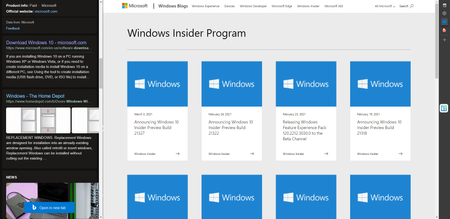
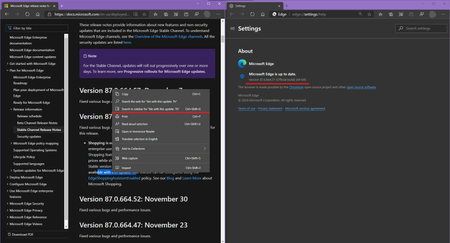
Just updated Edge Stable last night and now It's got Sidebar! Version 87.0.664.55 => to => 87.0.664.57 (Official build) (64-bit) the Official change log says the update was only: "Fixed various bugs and performance issues." https://docs.microsoft.com/en-us/deployedge/microsoft-edge-relnote-stable-channel but apparently not! Is this controlled feature rollout in Stable channel? why is Sidebar Not mentioned in the Official change log in Microsoft Docs? this is Super confusing. not only for home users but also for businesses. Deleted1.2KViews1like1CommentTab Groups Auto creation Problem | websites opened from favorites bar should be put in a new group
Here is the video showing the problem in action https://streamable.com/rufsql Edge has recently got Tab groups auto create feature, it has one big problem: as you can see in the video above, it's a pretty usual and normal procedure: Go to a website, like YouTube, and start right-clicking on a few links/videos and open them in new tabs Edge automatically creates a tab group, putting the original website and other tabs that you opened in step 1, into one tab group. now open an item from favorites bar in a new tab, (like Microsoft Tech Community), Edge puts it into the same tab group as the previous website! obviously, this isn't desired, you want YouTube tabs to stay in One tab group and Microsoft forum tabs be in a different tab group, that's just logical and makes sense. this shouldn't happen. because previous links and tabs were all related, but when you open a new website from favorites, it has a different domain, and it's a different website, Edge shouldn't put it into the same tab group, instead, Edge should automatically create a new tab group and put it in there. I'm sending this as feedback from Edge, shortcut for it (Alt + Shift + i), please you do the same and add the details to your feedback. p.s this problem doesn't happen when you open a website in a new tab from favorites button on Edge toolbar.1.1KViews3likes1CommentThis old issue with Global Media Controls button hasn't been fixed yet
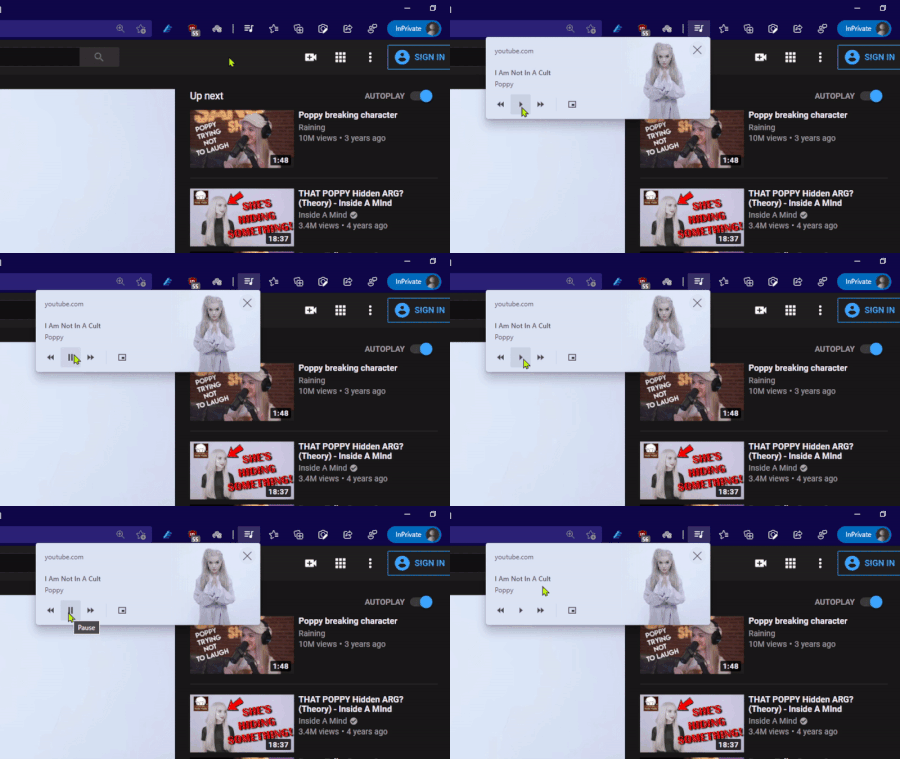
me and other people sent feedback about it, even posts made in this forum around 10 months, but it's still the same. problem: as you can see in the gif above, when you press the pause/play button, its state doesn't change until you move the mouse cursor away from it. expected result: pause/play button's state should change whether or not mouse cursor is over it. this is the normal behavior of UI, but Edge is not doing it correctly. Global media controls also exist in Chrome browser and they work correctly. i.e. the button's state changes no matter the mouse cursor is still over it or not.1.3KViews3likes1CommentPP3: deactivated extensions manager - notifications
PROBLEM (PP): 3 Classification: EXTENSIONS PRIORITY IN MY OPINION: 6 on a scale from 1 (low) to 10 (high) 1) Today i talk about a problem that i already reported to Google **1137157&hotlist_id=10394 and i see frequently in Edge too. I search i search and i search extension in the toolbar or extension box and i never find it. Since i have over 250 profiles, sometimes is difficult to remember if i installed it or not. So i try to reinstall the extension, and then i get such message. So Edge deactivated my extension. Like i asked to Google, i wish you could add a new panel for deactivated extensions and a way to reactivate at once all extensions. 2) Similar problem is ***1134182&hotlist_id=10394 about deactivated extension after sync activation which i have never seen until now in Edge (hope i will never see too). In case this happens in Edge too, add ability to approve all extensions at once, instead of showing me 20+ notifications for each edge profile. If you implement the deactivate panel like 1) we would fix this problem too. 3) since we are talking about extensions, i report you *1144126&hotlist_id=10394 another problem i noted recently in chrome, in the hope that edge dev can fix it, if this problem is available in edge too. i noted this problem even with 360chrome. 8+ minutes where you simply showed me 200 notifications about extensions crash. Please check that you avoid to show me 1000 messages if there is a total crash. At least in google was automatically, in 360chrome i needed to approve each crash one by one; after 20 i relaunched the browser (much faster). 4) about google chrome removed extension topic ***1143025&hotlist_id=10394 i haven't tested this in edge until now (or i have never seen such message), but would be cool that edge is able to sync deleted extensions (marked as malware by google) from chrome store (extensions, that are not available in edge store). Or to sync manual added extensions. we all know that google delete extensions in batch, would be cool that we can still use such extensions, that worked fine for months. Maybe you are already able to do that, or maybe not. I will test this in future. There are other problem with chrome, but not related to the topic extensions, so i prefer to report such problems only once i see in edge too.1.8KViews1like2CommentsSS44 and PP2: delete account directly without switching page - saved email accounts / password
Suggestion (SS): 44 Classification: ACCOUNTS PRIORITY IN MY OPINION: 7-8 on a scale from 1 (low) to 10 (high) I have already reported problems related to addresses and saved information to edge and google devs, other users sent similar suggestions too. Now what i want from devs is that they implement something to delete account faster and directly without need to visit edge://settings/addresses Especially accounts related to specific websites. so a way that you add a button remove and a button remove all near plus a way that once we click remove we see - near each account (like google). you don't need to add this email to such website again next time. if we want that, we need to click save next time or do it manually. PROBLEM (PP): 2 Classification: ACCOUNTS AND PASSWORD PRIORITY IN MY OPINION: 8-10 on a scale from 1 (low) to 10 (high) Edge Devs still need to fix the problem of wrongly suggested emails (you show me email i never used on such website), like the problem that auto compilation of password doesn't work at all (even if the option to save such information is available). i already wrote you about that in the feedback app. i don't see any popup save password like google, and i don't see any option to save later the password, if for example we forgot to click save password on this popup. Google launched a new icon to save password later. <<<<<<<<<<<<< We need to remember ***1142281 WontFixing due to c1. The Password Manager is considering adding more features in the future, that could allow you to save a password without requiring you to visit the site. In the meantime you could use the experimental chrome://flags#PasswordImport feature to import passwords from a CSV file to achieve a similar effect. so google will improve password features. PS: c1 is Thank you for filing the request, but as you mentioned, the entire password manager experience is read-only in Incognito for privacy reasons. But an alternative request that maybe helpful instead is having an interface to add a password to password manager in regular mode without navigating to the website.2.1KViews0likes2CommentsProblem with PWA icons on Start menu on Edge dev
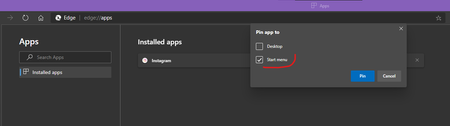
When installing a website, such as Instagram, as PWA in Edge dev (Version 88.0.685.3), the Instagram icon appears in the apps list of Start menu, at the top under "recently added" list (not pinned yet). when you drag & drop it on the Start menu to Pin it, it will have a small centered icon. but if you go to edge://apps/ and Pin Instagram's icon from there then Instagram's icon will be in normal big size in the Start menu Left side is big and normal, right side is very small pea-sized icon created by drag & drop. Instagram is one of the websites used as example, the same thing happens to Twitter, YouTube, Bing etc (tried all of them). see if you can reproduce it and send feedback through browser (preferably with "recreate my problem") Windows 10 20H2 latest version5.9KViews1like6Comments