power plaform
14 Topics
Power Automate - don't trust the green tick too much
There isn't actually any HTML tag in the text you pasted. The issue is most likely caused by special characters or formatting that Microsoft Tech Community's editor is interpreting incorrectly. The most suspicious part is: Request submitted -> SharePoint item created -> Approval sent -> Status updated -> Notification sent. If you're copying this from another editor, hidden formatting characters can sometimes get carried over. Also, Markdown formatting such as: Succeeded What happened? Input validation may not always paste cleanly depending on where you're posting it. For Microsoft Tech Community, I'd use a plain-text version with simple formatting: A green tick in Power Automate doesn't always mean the process succeeded. This is something I understood better after working with business-critical flows. Imagine a flow like this: Request submitted → SharePoint item created → Approval sent → Status updated → Notification sent. The flow run shows "Succeeded". Looks good. But what if the notification didn't reach the user? Or the approval is still pending after three days? Or the flow was triggered twice and created duplicate records? Or the process stopped after updating the status but before completing the next business step? From Power Automate's point of view, individual actions may have completed successfully. But from the business user's point of view, the process may still be stuck. That's where I think automation design becomes more important than simply knowing which connector or action to use. For important processes, I usually think about: Input validation • Duplicate handling • Timeout scenarios • Error handling • Retry • Logging • Notifications • Recovery • Monitoring Especially with flows running hundreds or thousands of transactions, you can't depend on someone opening the run history every time something goes wrong. The flow should give you enough information to answer: What happened? Where did it fail? Which transaction was affected? Can we safely run it again? For me, that's the difference between a flow that simply works and an automation that can actually be supported in production. What is one Power Automate issue you've faced where the run showed "Succeeded", but the business process wasn't actually completed?131Views0likes0CommentsPower Apps - development vs production
“It works fine in development.” Probably one of the most dangerous sentences in application development. 😄 I've seen Power Apps behave perfectly when we test with a small amount of data. Then the application goes to UAT or production and suddenly users start reporting: “It's taking too long to load.” “The gallery is empty.” “The search isn't returning everything.” “Why is this screen so slow?” Many times, the formula itself isn't the only issue. The data is. For example, an app might work perfectly with a few hundred SharePoint records. But as the list grows, the same approach can become a problem because of delegation and the amount of data being processed. That's why I've started asking these questions before finalizing an app: Is this query delegable? How much data will this list have after one year? Are we loading records into collections unnecessarily? Are we doing multiple LookUps inside a gallery? Can the filtering happen closer to the data source? Would Dataverse be a better option for this requirement? These questions don't always come up when we're building the first version of the application. But they become very important later. One thing I'm learning with Power Platform is that a solution that works today is not necessarily a solution that will scale tomorrow. Sometimes spending a little more time on the data and architecture in the beginning saves a lot of time later. Curious to know what others have experienced: What was the biggest Power Apps performance issue you faced after moving an application to production?152Views0likes0Comments
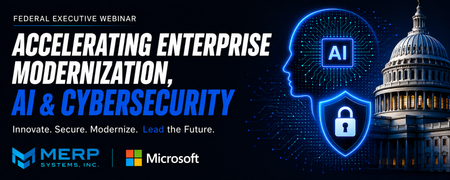
August 20 Federal Event: Accelerating Enterprise Modernization, AI & Cybersecurity
Overview Federal agencies are under increasing pressure to modernize mission systems, strengthen cybersecurity, and responsibly adopt artificial intelligence. Executive Order 14409, record federal technology investments, and Microsoft's OneGov initiative have created a unique opportunity to accelerate secure digital transformation. What Attendees Will Learn How agencies are translating AI strategy into operational outcomes. Microsoft's latest AI, cybersecurity, and modernization capabilities. How Microsoft OneGov is accelerating secure AI adoption across federal agencies. Real-world modernization strategies and success stories from CDC and USGS. Practical approaches to modernizing legacy systems while improving mission outcomes. Plus: Every attendee receives a complimentary 30-minute FY27 AI Readiness Consultation with a MERP Solutions Architect. Why Attend Join MERP Systems and Microsoft to discover the latest AI and cybersecurity innovations and hear directly from CDC and USGS as they share real-world enterprise modernization strategies and success stories. Attendees will leave with actionable insights, proven approaches, and a better understanding of how to accelerate secure AI adoption across their organizations. Event Link- https://events.teams.microsoft.com/event/b58ebc1e-e927-4e66-b73c-f25d7f43be7f@c33861f9-4a57-4bc4-bc88-d6e0c7b92c37?source=copyLinkOneEventsShareDialogShould CRM Users Be Measured on Data Quality KPIs?
Most Organisations agree that high-quality data is essential for getting value from Dynamics 365. Accurate customer information supports better reporting, improved customer experiences, more reliable forecasting, and increasingly more effective AI-driven insights. Yet many Organisations continue to struggle with incomplete records, duplicate data, missing activities, and inconsistent data entry practices. This raises an interesting question: Should CRM users be measured on data quality KPIs? Consider a situation many Organisations have experienced. A sales team is expected to maintain customer records, update opportunities, and log key customer interactions in Dynamics 365. However, users are primarily measured on revenue, pipeline growth, and sales performance. As a result, CRM updates are often treated as a secondary task. During a quarterly sales review, leadership discovers that several opportunities forecasted as active were closed weeks earlier, while others had not been updated since the previous reporting cycle. Customer records are missing key information, activities have not been logged consistently, and reporting accuracy begins to suffer. The issue is often viewed as a reporting problem, but in reality, it starts with the quality and consistency of the data being maintained in Dynamics 365. To address these challenges, some Organisations introduce data quality metrics such as: Record completeness Duplicate record reduction Activity logging compliance Opportunity update accuracy Customer data validation rates Supporters argue that what gets measured gets managed, and that data quality should be considered part of everyone's responsibility. Others believe that introducing data quality KPIs may create an additional administrative burden, reduce user adoption, and shift focus away from core business objectives. There is also the question of whether users should carry the full responsibility. Modern Dynamics 365 environments include validation rules, duplicate detection, business process flows, Power Automate workflows, and governance frameworks that can help improve data quality. Some Organisations, therefore, argue that technology and governance should do more of the heavy lifting rather than relying solely on user behaviour. From your experience: Should CRM users be measured on data quality KPIs? Have data quality metrics improved CRM adoption or data accuracy in your Organisation? What KPIs have been most effective? Is data quality primarily a user responsibility, or should technology and governance frameworks carry most of the burden? Have you found a balance that improves data quality without creating additional friction for users? I'm interested in hearing how different Organisations balance user accountability, adoption, and data quality within Dynamics 365 environments.
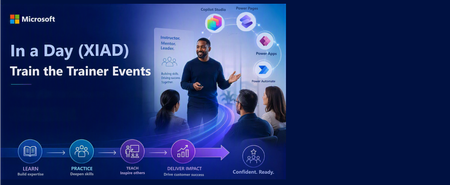
In a Day (XIAD) Partner Events Program - Train the Trainer Events (AgIAD, AIAD, AuIAD, PPIAD)
We invite you to attend an upcoming Train the Trainer session for Microsoft Partners to learn more about the In a Day (XIAD) Partner Events Program and how to lead workshops that empower customers to use and adopt Microsoft products. Our Train the Trainer events are designed to provide you with the knowledge and tools necessary to deliver successful Microsoft In a Day (XIAD) sessions. *Please note, participation is restricted to individuals representing a Microsoft Partner organization. You must register using your corporate email address that is associated with your Partner ID. Personal emails will not be approved. ✨ Why Attend? Expert Guidance: Learn from experienced trainers and get your questions answered. Comprehensive Resources: Access all the content and support you need to succeed. 📅 Upcoming Events: Agent in a Day Discover the basics of building agents with Microsoft Copilot Studio, including generative AI orchestration and integrating external data sources. Full day session (8 hours): Thursday, June 25 | 09:00–17:00 GMT+2 (Central European Summer Time) Trainer ready session (1.5 hours): Tuesday, June 30 | 09:00–10:30 GMT-5 (Central Daylight Time) Recordings available on-demand. Inquire at xiadevents@microsoft.com App in a Day Explore the fundamentals of building apps with Microsoft Power Apps, including creating custom business applications without writing code. Full day session (8 hours): Tuesday, June 23 | 09:00–17:00 GMT+2 (Central European Summer Time) Trainer ready session (1.5 hours): Tuesday, June 30 | 11:00–12:30 GMT-5 (Central Daylight Time) Recordings available on-demand. Inquire at xiadevents@microsoft.com Automation in a Day Explore automation solutions with Power Automate, including creating workflows and automating business processes. Trainer ready session (1.5 hours): Tuesday, June 30 | 14:00–15:30 GMT-5 (Central Daylight Time) Recordings available on-demand. Inquire at xiadevents@microsoft.com Power Pages in a Day Get hands-on building simple, secure business websites with Microsoft Power Pages. More sessions coming soon! Recordings available on-demand. Inquire at xiadevents@microsoft.com 👉 Register for all upcoming sessions at https://aka.ms/xiadTTT/pp Partner with us! Are you a Microsoft Partner interested in the opportunity to join the program and deliver In a Day (XIAD) events? 🔍 Learn more about the program and review partner eligibility criteria: https://aka.ms/xiadpartneropportunity. 📧 Contact the XIAD Program team: xiadevents@microsoft.com 🚀 Get started today: https://aka.ms/XIADGetStarted 📤 Submit requests to deliver events: https://aka.ms/xIAD/PartnerEvents935Views3likes2CommentsGet Ready for the Powerful Devs Conference + Hack Together 2025
We’re excited to invite students and educators to participate in this year’s Powerful Devs Conference + Hack Together, starting on February 12, 2025. This event is your chance to learn, innovate, and create impactful solutions. The conference will be followed by a two-week Hack Together, ending on February 28, 2025. Whether you're a student eager to expand your skills or an educator looking to inspire your students, this event is for you to harness the full capabilities of the Power Platform. About the Powerful Devs Conference On February 12, 2025, the one-day online Powerful Devs Conference will showcase how the Power Platform can empower you to build smarter, faster, and more efficient applications. Designed for creators of all experience levels, this event will teach you how to use cutting-edge tools like Power Apps, Power Automate, Dataverse, AI Builder, and Copilot Studio. Highlights for students and educators: Students: Discover how AI and app development can shape your future career. Connect with professionals and gain insights into building solutions that solve real-world problems. Educators: Learn how to incorporate these technologies into your curriculum to prepare your students for the workforce of tomorrow. Our expert hosts, Scott Durow and Kendra Springer, will guide you through an inspiring day, including a keynote by Leon Welicki, who will discuss how professional developers and future innovators (like you!) can harness the Power Platform to build secure, enterprise-level applications. Whether you're just starting or have some experience, the sessions will provide actionable insights, from learning how to use generative AI in Copilot Studio to building cross-platform apps with Dataverse and .NET MAUI and even scaling solutions for millions of users. Our agenda is designed to inspire and equip developers at every level. The full list of sessions can be viewed here. About the Powerful Devs Hack Together From February 13-28, 2025, the Powerful Devs Hack Together is a 2-week global online hackathon where students and educators can apply their creativity and knowledge to build innovative solutions using the Power Platform. Be sure to check out the hackathon details at https://aka.ms/PowerfulDevs/Hack and star the repo! Hack Together is open to anyone who wants to explore the endless possibilities of using the Power Platform for enterprise app development. It doesn’t matter if you’re a beginner, advanced maker, admin or a professional developer – all are welcome! Check out solutions submitted from the last Hack Together and get inspired to build something that’s innovative with AI What's in it for me? Students: Gain hands-on experience with tools that are highly sought after by employers, work collaboratively in teams, and make your mark in the tech community. Educators: Lead your students in an engaging, practical learning experience and inspire them to think outside the box while solving real-world problems. During the hackathon, we’ll host additional sessions on topics like AI, automation, security, and extensibility to fuel your creativity. You can register here for both the Conference and Hack Together sessions! In order to participate in the hackathon, you must register for a session. Your registration will be for both the selected session and the hackathon. Prizes and categories There are exciting prizes for the top 8 projects from the Hack Together, with each winning team receiving a cash prize of $550! A panel of expert judges, including Microsoft engineers, product managers, and developer advocates, will evaluate submissions based on innovation, impact, technical usability, and how well they align with the following hackathon categories: Best Overall Best in Power Best in Integrations Best in Automation Best in Applications Best in Agents Best in Pages Best in AI Learn more about the rules and regulations in this video: To participate in Hack Together, you must register for the event at https://aka.ms/powerfuldevs/register. Registering for any of the sessions counts as a registration for the hackathon. You will also need to have your own access to a Microsoft 365 account with a Power Platform license. Once you have registered and have access to the Power Platform, you can start building your solution! We’ve created a Learn Collection to help you get started: https://aka.ms/PowerfulDevs/Learn. Be sure to join the Hack Together community hereby starring the repo! This discussions board will be your hub for all updates and information related to the hackathon, including Office Hours, Session Q&A, Project Submission Guidelines, Winner Announcements, and more. You’ll also find helpful resources to get started and learn about the Power Platform. Plus, this is where you’ll submit your final solution. Introduce yourself and join the conversation at https://aka.ms/PowerfulDevs/Hack/Discussions to ask questions, share ideas, and get feedback from Microsoft experts and other participants. You can look for teammates for the Hack Together as well! Your team can submit your solution through GitHub Issues any time before February 28, 2025, at 11:59 PM PST. Your submission should include: A short video demo showcasing your solution. A brief description of the problem statement and your solution overview. Any other relevant details Projects can be submitted using the Project Submission Form, and detailed guidelines are available in the GitHub Repo at aka.ms/PowerfulDevs/Hack. So, what are you waiting for? Students, take the first step toward building your skills and showcasing your talent. Educators, get involved as well and inspire your students to innovate and learn through hands-on experience. Register now and start hacking—we can’t wait to see the amazing solutions you create! 😊 For more information about the event, visit our site: aka.ms/powerfuldevs.633Views2likes0CommentsQ3 - Catalyst Partner Training Open for Registration
Registration opens 1/18. Catalyst - eligibility, training and partner activities Eligibility From October 1 2023, it is no longer required that partners must obtain a minimum of 3 Catalyst accredited resources to execute the below Catalyst Partner Activities. Partners can execute any FY24 Business Applications Partner Activities as long as they meet the partner eligibility requirements. Catalyst accreditation remains important for co-sell as Microsoft sellers will gravitate toward partners with Catalyst accreditations, AppSource tagging of Apps and Services, Solutions Partner for Business Applications designation partners, and partners with Specializations. Catalyst partner training Become Catalyst accredited by taking the on-demand Microsoft Catalyst Training Course. The Catalyst Partner Training is available to all Business Applications partners as well as any partner with an MPN ID. Please find the FY24 training dates below Session 1: 8/28/23 – 10/27/23 (registration opens 8/24) Session 2: 11/6/23 – 1/12/24 (registration opens 11/2) Session 3: 1/22/24 – 3/22/24 (registration opens 1/18) Session 4: 4/1/24 – 5/31/24 (registration opens 3/28) Catalyst Partner Activities Partners have the flexibility to choose from a set of the below Catalyst activities and can deliver each activity category once per customer opportunity. You can request funding for and learn more about the Catalyst Partner Activities here. Envisioning Workshop - Catalyst engagement to identify opportunities for digital transformation and expand deal size. Business Value Assessment - Catalyst engagement to establish a business case by connecting desired business outcomes to product opportunities. Solution Assessment - Catalyst engagement to tailor a solution roadmap for how the customer organization will achieve digital transformation goals. Community Subscribe to the below community to stay up to date with all things Catalyst for Partners. Microsoft Business Applications Partner Community (find Catalyst posts here) Catalyst Community Calls Microsoft Catalyst 3rd Party Tools Overview Calls: September 6-7 September 6, 8am-9am PST: Recording | Deck Seer 365 Short&Tall Klaxoon September 7, 8am-930am PST: Recording | Deck Shark Finesse LUMA Institute Mavim 2Win! On Demand FY23 Catalyst Community Calls May 17 Community Call Recording Deck February 21 Community Call Recording Deck November 17 Community Call Recording Deck September 14 Community Call Recording Deck FY22 Catalyst Community Calls June 1 Community Call Recording Deck April 20 Community Call Recording Deck February 23 Community Call Deck December 15 Community Call Deck October 20 Community Call Deck1.4KViews0likes0Comments
Virtual Training Day PL-900 : Microsoft Power Platform Fundamentals
Learn the business value and product capabilities of Power Platform. Create a simple Power App, connect data with Common Data Service, build a Power BI Dashboard, and automate a process with Power Automate. Registration Link : Click here to Register Audience profile Candidates for this exam are users who aspire to improve productivity by automating business processes, analyzing data to produce business insights, and acting more effectively by creating simple app experiences. Job role: Low Code Developer, Functional Consultant, Technical Consultant, Pre-Sales, Solution Architect Event Agenda Module 1: Introduction to Power Platform Module 2: Introduction to Common Data Service Module 3: Get Started with Power Apps Module 4: Get Started with Power Automate Module 5: Get Started with Power BI Labs Included : Yes Benefits to Learners: Learn from Microsoft Certified Trainer Completion Certificate Exam Preps Discounted Exam Vouchers (post training - optional)1.5KViews0likes0CommentsPowerApps, Power Automate - Do More with Less through Low-Code
Informação da sessão With Power Apps you can turn ideas into organizational solutions by enabling everyone to build custom apps that solve business challenges. And using Power Automate you will boost business productivity to get more done by giving everyone the ability to automate organizational processes. Agenda Why Low Code Introduction Power Platform Power Apps Power Automate: Why Automation Be more productive Register here583Views0likes0CommentsTech Talks Presents: Power Platform Template Library | Nov. 9th
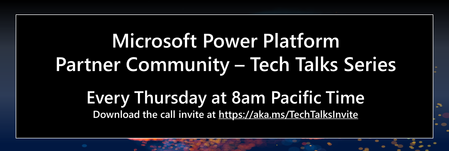
Join us on Thursday, Nov. 9th at 8am PT as Derek Kwan, Principal PM, presents Power Platform template libraries. Learn about org specific templates in Power Apps and Power Automate to give you more useful starting points for creating solutions. We hope you'll join us! Call to Action: Click on the link to save the calendar invite: https://aka.ms/TechTalksInvite View past recordings (sign in required): https://aka.ms/TechTalksRecording Get started with the adoption tools here640Views0likes0Comments