power bi
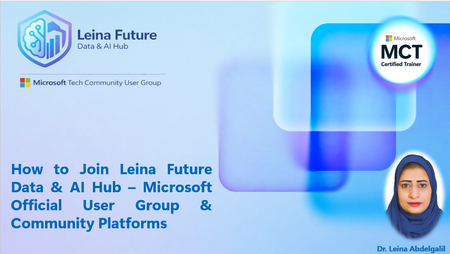
3 TopicsHow to Join Microsoft Tech Community & Leina Future Data & AI Hub (Step-by-Step Guide) - Arabic
This session provides a step-by-step walkthrough on how to officially join the Microsoft Tech Community and become a member of the Leina Future Data & AI Hub – Microsoft User Group. The event is designed to help learners, trainers, and data professionals understand: • How to create and verify a Microsoft Tech Community profile • How to join an official Microsoft User Group • How community membership supports learning, networking, and professional growth • How participants can access recorded sessions, resources, and future events This session supports community enablement and knowledge sharing within the Microsoft ecosystem, with a focus on Data, AI, Power BI, and Microsoft Fabric learners. Target Audience: • Students and fresh graduates • Data analysts and Excel/Power BI learners • Trainers and professionals interested in Microsoft communities Session Format: • Recorded session • Practical walkthrough • Community-focused learning Speaker / Host Dr. Leina Nazar Abdelgalil Microsoft Certified Trainer (MCT) Founder – Leina Future Data & AI Hub332Views2likes4Comments#FabricCoffee with Juliana Smith - Optimising Primavera P6 Reporting with Power BI
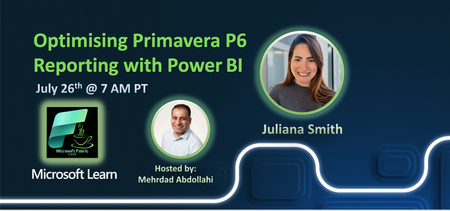
📢 Upcoming #FabricCoffee Session at Microsoft Fabric Café 🗓️ Saturday, July 26th, 2025 🕖 7:00 AM PT 🎙️ Speaker: Juliana Smith 🎯 Topic: Optimising Primavera P6 Reporting with Power BI Unlock the full potential of Primavera P6 reporting using the power of Power BI! This session is tailor-made for project professionals who want to transform P6 data into clear, actionable insights. 🔍 What to expect: ✅ Learn different ways to connect Power BI to Primavera P6 ✅ Understand the structure of P6 exports ✅ Build impactful project reports (including S-Curves) ✅ Make your reports more inclusive and accessible ✅ Walk through a real-world case study on cleaning, modeling, and visualizing P6 data Whether you're in project controls, reporting, or data analytics — this session will give you practical tools to elevate your reporting game. 👉 Don’t miss it! Add it to your calendar and join us at the Microsoft Fabric Café. #MicrosoftFabric #FabricCafe #PowerBI #PrimaveraP6 #ProjectReporting #DataAnalytics #MicrosoftLearn #FabricCoffee #ProjectControls229Views1like2Comments🔍 Introduction to Power BI: Your Gateway to Data Analytics
What is Power BI? Power BI is Microsoft’s leading business intelligence tool that empowers users to connect to various data sources, transform raw data into interactive dashboards, and share insights across an organization. Whether you're an aspiring data analyst, a business decision-maker, or a developer looking to integrate AI in reporting, Power BI provides a robust, user-friendly platform for data exploration and storytelling. Why Learn Power BI? Learning Power BI opens doors to many career opportunities in data analytics, business intelligence, and reporting. It’s one of the top tools in demand for roles like: Power BI Developer Data Analyst Business Intelligence Consultant Data Engineer According to LinkedIn's emerging jobs report, Data Analysts with Power BI skills are among the most sought-after professionals globally. Power BI Features at a Glance Here’s what makes Power BI a game-changer: Data Connectivity: Connect to Excel, SQL Server, SharePoint, Azure, and more. Power Query Editor: Clean, transform, and shape your data before analysis. Data Modeling: Define relationships and create DAX calculations. Interactive Visuals: Create charts, slicers, KPIs, and custom visuals. Publishing & Sharing: Publish dashboards to the Power BI Service for collaboration. AI Integration: Use Q&A visuals, decomposition trees, and cognitive services. Want to Start Learning? Watch This! 👉 Here’s the perfect starting point: 🎥 Watch the Power BI Learning Path – Introduction Video This free video series walks you through every aspect of Power BI—from installing the tool to building your first dashboard—perfect for beginners! What You’ll Learn in the Power BI Learning Path The full playlist includes: ✅ Power BI Overview and Installation 🔄 Data Importing and Power Query Editor 📊 Data Modeling and Relationships 🧠 DAX Formulas and Calculated Measures 📈 Creating Dashboards and Reports 🤖 AI Visuals like Q&A and Decomposition Trees 📤 Publishing Reports and Sharing with Teams Each video builds upon the previous one—giving you real-world skills, not just theory. Who Should Learn Power BI? This Power BI guide is ideal for: Students and fresh graduates exploring analytics Professionals transitioning to data roles Business users seeking data-driven decision-making Tech enthusiasts wanting to explore AI in reporting Final Thoughts Starting your Power BI journey today is a smart investment. As businesses rely more on data-driven decisions, learning tools like Power BI gives you a competitive edge in any industry. Don’t wait—start exploring, visualizing, and making smarter decisions with data today.2.1KViews1like0Comments