partner integrations
4 TopicsClassic LTI App Retirements, Preview of OneDrive LTI Migration Tool for Canvas
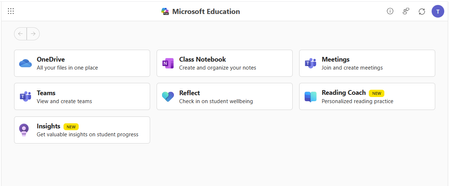
Classic Microsoft LTI® Apps Retiring in 2026: What You Need to Know and How to Prepare Microsoft is continuing its investment in a unified, modern Microsoft 365 LTI experience. As part of this evolution, several classic Microsoft LTI apps will be retired in September 2026. This post outlines: Which classic LTI apps are retiring and when What happens to existing course links and content created in classic LTIs retiring What actions you should take now to prepare, and start transitioning to Microsoft 365 LTI New migration tooling available to support transition Classic Microsoft LTI® Apps Retiring September 17, 2026 As we shared last September in our Microsoft 365 LTI GA release Blog, the following classic Microsoft LTI apps will be retired on September 17, 2026: Microsoft OneDrive LTI (1.3) OneNote Class Notebook LTI (1.1) Microsoft Reflect LTI (1.3) Microsoft Teams Assignments LTI (1.3) After September 17, 2026, any links or placements of these classic apps in courses will stop working. However, the files, notebooks, assignments, and check-ins created by these classic apps will continue to be available to copy and reuse. Replacements for these classic experiences are now available through the unified Microsoft 365 LTI built on the LTI® 1.3 Advantage standard. This delivers modern security, simplified identity mapping with Microsoft Entra, LMS enrollment and grade syncing, and a single deployment model for LMS administrators. We’ll continue to update our migration guides as additional tools and guidance become available. NEW: Preview the OneDrive LTI Migration Tool for Canvas Canvas LMS Customers: We are excited to announce that the Microsoft OneDrive LTI Migration Tool for Canvas is now available in Preview! This tool helps institutions using Canvas LMS migrate OneDrive content links from the classic Microsoft OneDrive LTI app to the new Microsoft 365 LTI app — preserving existing file links in courses so educators and students experience a seamless transition. For new preview deployments: detailed deployment instructions are available in the Canvas migration guide, which has been updated with configuration steps and guidance for using the migration tool. If you participated in the private preview: If you have already deployed the OneDrive LTI Migration Tool in Canvas during the private preview, no action is required. Your existing deployment will continue to work as part of the Public Preview, and in GA. If you deployed the private preview in a testing environment, we suggest that you follow the new Canvas migration guide in your production environment. Below is guidance to assist with transition from the other classic LTI apps and on additional LMS platforms. We will continue to communicate updates to this guidance as it evolves. If you use the classic Microsoft OneDrive LTI 1.3 with an LMS other than Canvas Deploy Microsoft 365 LTI with the OneDrive app enabled and guide educators to use the new Microsoft 365 LTI (Microsoft Education menus) to create file links or embeds in course content. Disable/hide/remove placements of the classic Microsoft OneDrive LTI app in your LMS but do not uninstall or disable the app. Files linked or embedded with the classic Microsoft OneDrive LTI will stop working when the app is retired, so those links and embeds must be replaced using the new Microsoft 365 LTI (Microsoft Education) app ahead of the retirement date. OneNote Class Notebook LTI 1.1 (All LMS platforms) The new OneNote Class Notebook LTI 1.3 integration is now available in the Microsoft 365 LTI app, with automatic roster sync and streamlined setup. Deploy Microsoft 365 LTI with the OneNote Class Notebook app enabled, and guide educators to use the new app. Disable/hide/remove placements of the classic OneNote integration, but do not uninstall the app to avoid migration issues during transition. While there is no direct migration path from OneNote Class Notebook LTI 1.1 notebooks to Microsoft 365 LTI Class Notebooks, educators can copy sections/pages from one notebook to another using the right-click menu on Sections and Pages (and selecting “Move/Copy”) in OneNote on Windows, OneNote Web, and OneNote for Mac. Instructions are also available for content transfer using OneNote on Mac, iOS, or Android. Microsoft Teams Assignments LTI 1.3 (All LMS platforms) Deploy Microsoft 365 LTI with the Assignments app enabled, and guide educators to create assignments using the new app. Disable/hide/remove placements of the legacy Teams Assignments LTI app as soon as you install the new Microsoft 365 LTI and enable the Assignments app, and guide you users to copy their existing assignments using the new app. Teams Assignments created by the classic LTI 1.3 app can be reused as in the new Microsoft 365 LTI Assignments experience (which does not require a Team) Assignments created in the LMS or via the Assignments app in Microsoft Teams can be copied and reused using the Create from Existing functionality in the Microsoft 365 LTI (Microsoft Education) Assignment instructor flow. Microsoft Reflect LTI 1.3 (All LMS platforms) Deploy Microsoft 365 LTI with the Reflect app enabled, and guide educators to create new Reflects in the new Microsoft 365 LTI experience. There is no migration path for reflects created in the classic Reflect LTI 1.3 app to the Reflect experience in the new Microsoft 365 LTI Reflect app. We recommend transitioning to the new Reflect experience in Microsoft 365 LTI as soon as possible, and remove the classic app ahead of the September 17, 2026 retirement. Stay Connected We love hearing from you! There are a few ways to stay engaged with Microsoft and your peers on the LMS integrations. Follow this blog! Click Register at the top right to create an account and profile for the Microsoft Tech Community and Follow the Education Blog so you don’t miss any of our updates. Join the free Education Insiders Program to preview updates, get support from other community members, meet the team, and influence the roadmap. Join us for Microsoft 365 LTI office hours to connect with your peers and share feedback directly with Microsoft experts. When: 1st and 3rd Thursday of each month @ 11AM EST Where: https://aka.ms/LTIOfficeHours Getting help and giving feedback LMS and Microsoft 365 admins can contact Microsoft Education Support to help resolve configuration and deployment issues, for themselves or on behalf of users. Educators and Learners can contact support or give feedback directly from the app through the help and feedback menu. TJ Vering Principal Product Manager Microsoft Education https://linkedin.com/in/tvering Learning Tools Interoperability® (LTI®) is a trademark of the 1EdTech Consortium, Inc. (https://1edtech.org/)459Views0likes0CommentsExtending Microsoft Defender ATP network of partners
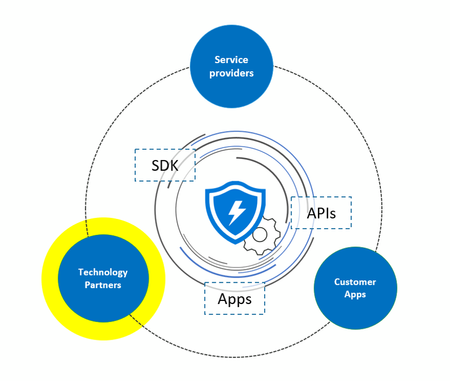
A typical enterprise depends on multiple security solutions to operate and to combat advanced cyber adversaries. At Microsoft, we believe that when these solutions work together, you gain greater efficiency, speed, and stronger defenses. To enable this, Microsoft Defender ATP offers a rich and complete set of APIs that span across multiple functional areas of the platform including investigation, detection, response, threat and vulnerability management. We’ve worked with our ecosystem partners to take these API integrations a step further and are extending the power of our combined platforms to help our customers strengthen their network and endpoint security posture, add continuous security validation and attack simulation testing, orchestrate and automate incident correlation and remediation, add threat intelligence and web content filtering capabilities. We’re thrilled to announce this step forward and extend our vast partner ecosystem that is part of the broader Microsoft Intelligent Security Association (MISA). We’ve outlined the specifics of these integrations below: Integrating the network and the endpoint to improve visibility and detection speed To integrate two important views of a cyber-attack – the network and the endpoint – we have partnered with Aruba and Blue Hexagon to add more visibility and context for defenders to detect and protect against attacks: Aruba ClearPass | Network access control As a critical piece of a sound network security strategy, network access control (NAC) can enforce granular policies and ensure the right devices and users have access to the right network resources. Aruba ClearPass Policy Manager utilizes key endpoint attributes provided by Microsoft Defender ATP such as risk and exposure scores, and sensor’s last report time to make enforcement decisions as part of an authorization check. Blue Hexagon | Network threat protection Blue Hexagon has built a network threat protection platform harnessing deep learning. In the Blue Hexagon-Microsoft Defender ATP partnership, a network threat detected in less than a second can quickly be prevented on enterprise endpoints. The solutions work tightly together to stop malicious files from being executed, prevent infection of patient zero, and stop any further lateral movement. Read more about this here. Continuous security validation Test continuously, measure and validate your security infrastructure by launching automated and on-demand attack scenarios. SafeBreach | Continuous security validation The SafeBreach platform provides visibility into an organization's cyber-security posture, enables data-driven risk analysis, resource prioritization and guided mitigation. This integration connects Microsoft Defender ATP’s event and alerting engine to SafeBreach’s breach and attack simulation platform to bring prevention capabilities to the next level. Read more about this here. AttackIQ | Continuous security validation AttackIQ, a leading player in the emerging market of continuous security validation, enable red and blue teams to test the effectiveness of their security controls, including direct integration with Microsoft Defender ATP. The platform maps Microsoft Defender ATP coverage against the MITRE ATT&CK Matrix, a curated knowledge base, and a model for cyber adversary behavior. Security teams can determine how to deploy and keep their Microsoft Defender ATP configured properly, with the visibility to quickly remediate any gaps that might exist. Read more about the AttackIQ-Microsoft Defender ATP integration here. Security orchestration and automation Security teams today are inundated with alerts and information from a growing number of siloed point solutions. Furthermore, manual processes and cross-team handoffs hinder the security team’s ability to efficiently respond to attacks. To help solve this problem we are introducing the following integrations: Swimlane | Security orchestration automation and response Swimlane delivers pre-configured integrations for rapidly implementing enterprise-wide security automation and orchestration. The Swimlane integration with Microsoft Defender ATP is designed to provide tools for taking automated remediation actions. This integration leverages the rich and complete set of APIs to assist with remediation such as blocking a hash, killing a process, or isolating host from the network. The Microsoft Defender ATP orchestration and automation ecosystem include partnerships with Demisto, CyberSponse CyOps, Microsoft Power Automate (formerly Microsoft Flow), and Azure Functions. Web content filtering Cyren | Web content filtering More than 1.3 billion users around the world rely on Cyren's cloud security solutions to protect them against cyberattacks and data loss every day. Cyren’s comprehensive web content classification technology is integrated into Microsoft Defender ATP to enable web content filtering and auditing capabilities. Learn more about this here. Threat intelligence Microsoft Defender ATP allows customers to integrate with Threat Intelligence solutions and act on IoCs. Rich telemetry is correlated, then prevention and automated response capabilities are leveraged to alert or block execution and take remediation actions when there’s a match. Anomali | Threat Intelligence Anomali has developed an integration with Microsoft Defender ATP and other Microsoft solutions via the Microsoft Graph Security API. Learn more about it here. You can also submit threat indicators to Microsoft Defender ATP using a MISP Connector, Threat Connect, and Palo Alto MineMeld. What else? Designed to deliver best-of-breed security, Microsoft Defender ATP offers partners opportunities to extend their existing security offerings on top of the open framework and a rich complete set of APIs, allowing them to build extensions and integrations to our endpoint security platform. Security vendors interested in connecting to Microsoft Defender ATP can use this page to get started on developing an integration. We are constantly working on extending our network of partners, as a customer, if you would like to see additional integrations with Microsoft Defender ATP use the ‘recommend a partner’ button in the Partner Application page in the Microsoft Defender Security Center.New partnerships with innovative leaders helps you fight advanced threats!
New partners including Splunk Enterprise, ServiceNow Security Operations, Vectra, CyberMDX, Cymulate, SkyBox, and THOR are utilizing the rich telemetry and powerful APIs of the Microsoft Defender ATP to help you fight advanced threats!