open-source
2 TopicsPostgres speakers - POSETTE 2026 CFP is closing soon!
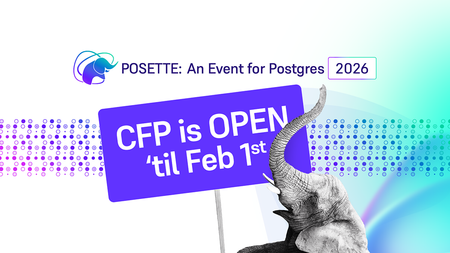
Guidelines for submitting a proposal to the POSETTE CFP POSETTE: An Event for Postgres is back for its 5th year, and the excitement is already building. Scheduled for June 16 – June 18, 2026, this free and virtual developer event brings together the global Postgres community for three days of learning, sharing, and deep technical storytelling. Whether you're a first-time speaker or a seasoned contributor, your story matters and the Call for Proposals (CFP) closes on February 1, 2026. If you’re considering submitting a proposal (or encouraging someone else to), in this post I will walk you through everything you need to know to craft a strong, compelling submission before the deadline arrives. 1. Key Dates to Know CFP Deadline: February 1, 2026 @ 11:59 PM PST Talk Acceptance Notifications: February 11, 2026 Event Dates: June 16 – June 18, 2026 (includes four unique livestreams, live text chat, and speaker Q&A) Schedule & sessions announced: Feb 25, 2026 Pre-record all talks: Weeks of April 20 & April 27 Tip: Add a calendar reminder, this deadline arrives quickly, and no late submissions are accepted. 2. Why Submit a Talk to POSETTE? Submitting a talk for a conference can seem like a difficult task at the start, but this guide can help you come up with potential ideas that can be used to submit a talk for the conference. Share your story with the global Postgres community Your experience, whether it’s a deep dive into query planning, a migration journey, or lessons learned from scaling can help thousands of developers. Grow your professional visibility POSETTE is a high‑reach, virtual event that enables your content to live on well after the livestream. First‑time speakers are welcomed and encouraged POSETTE is not an exclusive club. If you have a story to tell, this is a supportive, welcoming place to tell it. 3. What Makes a Strong Proposal? First‑time speaker? Don’t worry. The guidelines below cover the key elements you’ll need to craft a strong, successful proposal. Make your proposal focused, not broad: Many proposals try to cover too much. The strongest ones zoom in on a specific challenge, insight, or transformation. A narrow, well‑defined topic reads more clearly and creates a stronger takeaway for attendees. Clearly identify the target audience: State who the talk is for: Beginner Postgres developers Cloud architects DBAs focusing on performance Engineers migrating from Oracle/MySQL This helps the selection team understand fit and event balance. Demonstrate real‑world value, not generic theory: Talks rooted in hands‑on experience tend to perform best. Strong abstracts answer: What problem did we face? What did we try? What worked (or didn’t)? What can you replicate in your environment? POSETTE audiences love actionable content. 4. Show how attendees will grow from your talk: Selection committees love when speakers articulate transformation. Clarify what people will gain: “Improve query execution time by…” “Avoid common replication pitfalls…” “Design HA setups more confidently…” The reviewers want talks with practical outcomes. 5. Highlight what makes your talk unique Is your approach unconventional? Did you migrate at massive scale? Did you build or extend an OSS tool? Did you learn something the hard way? Emphasize novelty POSETTE gets many submissions, so originality matters. 6. Use a storytelling angle: Human brains love stories. Strong abstracts often follow a mini narrative: Problem Tension Turning point Solution Lessons This makes your proposal memorable and relatable. 7. Keep the abstract concise and structured: Avoid long, meandering paragraphs. A clear structure like this works well: Topic summary (one sentence) Problem + context (two–three sentences) Solution or insights (two–three sentences) What attendees will learn (one–two sentences) 4. Ideas for Topics That Work Well Not every proposal needs to be a deep internal dive real‑world stories resonate. Consider topics like: Migrating to Postgres (cloud or on‑prem) Performance tuning adventures and lessons Postgres extensions and ecosystem tooling Operational best practices, HA architecture, or incident learnings Developer productivity with Postgres Novel patterns or creative uses of Postgres internals Azure Database for PostgreSQL customer stories Community‑focused topics, such as how to start a PGDay event, how to begin contributing to open source, or how to engage with the Postgres community effectively. Look at POSETTE 2024 or 2025 talk titles to calibrate tone and depth. 5. What Happens If Your Talk Is Accepted? Good news: the speaker experience is designed to be smooth and supportive. Talks are 25 minutes long and pre‑recorded, with professional production support from the POSETTE organizing team at an agreed-upon time during the weeks of April 20 & April 27 Speakers join live text chat during the session to interact with attendees No travel required the event is fully virtual All you need is a good microphone, a quiet space, and a story worth telling. 6. How to Submit Your Proposal Here are the official links you’ll want handy: 📄 CFP Page: https://posetteconf.com/2026/cfp/ ❓ FAQ: https://posetteconf.com/2026/faq/ 📝 Submit on Sessionize: https://sessionize.com/posette2026/ Submission Checklist Before hitting "submit," make sure you have: A strong, interesting title A clear and concise abstract Defined takeaways for attendees An understanding of your target audience Submission completed before Feb 1 @ 11:59 PM PST POSETTE is built by and for the Postgres community and your experience, whether small or monumental, has the potential to help others. With the CFP deadline approaching fast on February 1, now is the perfect time to refine your idea, shape your abstract, and submit your talk. This could be the year your story gets shared with thousands. Take the leap the community will be glad you did.268Views4likes0CommentsJuly 2025 Recap: Azure Database for PostgreSQL
Hello Azure Community, July delivered a wave of exciting updates to Azure Database for PostgreSQL! From Fabric mirroring support for private networking to cascading read replicas, these new features are all about scaling smarter, performing faster, and building better. This blog covers what’s new, why it matters, and how to get started. Catch Up on POSETTE 2025 In case you missed POSETTE: An Event for Postgres 2025 or couldn't watch all of the sessions live, here's a playlist with the 11 talks all about Azure Database for PostgreSQL. And, if you'd like to dive even deeper, the Ultimate Guide will help you navigate the full catalog of 42 recorded talks published on YouTube. Feature Highlights Upsert and Script activity in ADF and Azure Synapse – Generally Available Power BI Entra authentication support – Generally Available New Regions: Malaysia West & Chile Central Latest Postgres minor versions: 17.5, 16.9, 15.13, 14.18 and 13.21 Cascading Read Replica – Public Preview Private Endpoint and VNet support for Fabric Mirroring - Public Preview Agentic Web with NLWeb and PostgreSQL PostgreSQL for VS Code extension enhancements Improved Maintenance Workflow for Stopped Instances Upsert and Script activity in ADF and Azure Synapse – Generally Available We’re excited to announce the general availability of Upsert method and Script activity in Azure Data Factory and Azure Synapse Analytics for Azure Database for PostgreSQL. These new capabilities bring greater flexibility and performance to your data pipelines: Upsert Method: Easily merge incoming data into existing PostgreSQL tables without writing complex logic reducing overhead and improving efficiency. Script Activity: Run custom SQL scripts as part of your workflows, enabling advanced transformations, procedural logic, and fine-grained control over data operations. Together, these features streamline ETL and ELT processes, making it easier to build scalable, declarative, and robust data integration solutions using PostgreSQL as either a source or sink. Visit our documentation guide for Upsert Method and script activity to know more. Power BI Entra authentication support – Generally Available You can now use Microsoft Entra ID authentication to connect to Azure Database for PostgreSQL from Power BI Desktop. This update simplifies access management, enhances security, and helps you support your organization’s broader Entra-based authentication strategy. To learn more, please refer to our documentation. New Regions: Malaysia West & Chile Central Azure Database for PostgreSQL has now launched in Malaysia West and Chile Central. This expanded regional presence brings lower latency, enhanced performance, and data residency support, making it easier to build fast, reliable, and compliant applications, right where your users are. This continues to be our mission to bring Azure Database for PostgreSQL closer to where you build and run your apps. For the full list of regions visit: Azure Database for PostgreSQL Regions. Latest Postgres minor versions: 17.5, 16.9, 15.13, 14.18 and 13.21 PostgreSQL latest minor versions 17.5, 16.9, 15.13, 14.18 and 13.21 are now supported by Azure Database for PostgreSQL flexible server. These minor version upgrades are automatically performed as part of the monthly planned maintenance in Azure Database for PostgreSQL. This upgrade automation ensures that your databases are always running on the most secure and optimized versions without requiring manual intervention. This release fixes two security vulnerabilities and over 40 bug fixes and improvements. To learn more, please refer PostgreSQL community announcement for more details about the release. Cascading Read Replica – Public Preview Azure Database for PostgreSQL supports cascading read replica in public preview capacity. This feature allows you to scale read-intensive workloads more effectively by creating replicas not only from the primary database but also from existing read replicas, enabling two-level replication chains. With cascading read replicas, you can: Improve performance for read-heavy applications. Distribute read traffic more efficiently. Support complex deployment topologies. Data replication is asynchronous, and each replica can serve as a source for additional replicas. This setup enhances scalability and flexibility for your PostgreSQL deployments. For more details read the cascading read replicas documentation. Private Endpoint and VNET Support for Fabric Mirroring - Public Preview Microsoft Fabric now supports mirroring for Azure Database for PostgreSQL flexible server instances deployed with Virtual Network (VNET) integration or Private Endpoints. This enhancement broadens the scope of Fabric’s real-time data replication capabilities, enabling secure and seamless analytics on transactional data, even within network-isolated environments. Previously, mirroring was only available for flexible server instances with public endpoint access. With this update, organizations can now replicate data from Azure Database for PostgreSQL hosted in secure, private networks, without compromising on data security, compliance, or performance. This is particularly valuable for enterprise customers who rely on VNETs and Private Endpoints for database connectivity from isolated networks. For more details visit fabric mirroring with private networking support blog. Agentic Web with NLWeb and PostgreSQL We’re excited to announce that NLWeb (Natural Language Web), Microsoft’s open project for natural language interfaces on websites now supports PostgreSQL. With this enhancement, developers can leverage PostgreSQL and NLWeb to transform any website into an AI-powered application or Model Context Protocol (MCP) server. This integration allows organizations to utilize a familiar, robust database as the foundation for conversational AI experiences, streamlining deployment and maximizing data security and scalability. For more details, read Agentic web with NLWeb and PostgreSQL blog. PostgreSQL for VS Code extension enhancements PostgreSQL for VS Code extension is rolling out new updates to improve your experience with this extension. We are introducing key connections, authentication, and usability improvements. Here’s what we improved: SSH connections - You can now set up SSH tunneling directly in the Advanced Connection options, making it easier to securely connect to private networks without leaving VS Code. Clearer authentication setup - A new “No Password” option eliminates guesswork when setting up connections that don’t require credentials. Entra ID fixes - Improved default username handling, token refresh, and clearer error feedback for failed connections. Array and character rendering - Unicode and PostgreSQL arrays now display more reliably and consistently. Azure Portal flow - Reuses existing connection profiles to avoid duplicates when launching from the portal. Don’t forget to update to the latest version in the Marketplace to take advantage of these enhancements and visit our GitHub to learn more about this month’s release. Improved Maintenance Workflow for Stopped Instances We’ve improved how scheduled maintenance is handled for stopped or disabled PostgreSQL servers. Maintenance is now applied only when the server is restarted - either manually or through the 7-day auto-restart rather than forcing a restart during the scheduled maintenance window. This change reduces unnecessary disruptions and gives you more control over when updates are applied. You may notice a slightly longer restart time (5–8 minutes) if maintenance is pending. For more information, refer Applying Maintenance on Stopped/Disabled Instances. Azure Postgres Learning Bytes 🎓 Set Up HA Health Status Monitoring Alerts This section will talk about setting up HA health status monitoring alerts using Azure Portal. These alerts can be used to effectively monitor the HA health states for your server. To monitor the health of your High Availability (HA) setup: Navigate to Azure portal and select your Azure Database for PostgreSQL flexible server instance. Create an Alert Rule Go to Monitoring > Alerts > Create Alert Rule Scope: Select your PostgreSQL Flexible Server Condition: Choose the signal from the drop down (CPU percentage, storage percentage etc.) Logic: Define when the alert should trigger Action Group: Specify where the alert should be sent (email, webhook, etc.) Add tags Click on “Review + Create” Verify the Alert Check the Alerts tab in Azure Monitor to confirm the alert has been triggered. For deeper insight into resource health: Go to Azure Portal > Search for Service Health > Select Resource Health. Choose Azure Database for PostgreSQL Flexible Server from the dropdown. Review the health status of your server. For more information, check out the HA Health status monitoring documentation guide. Conclusion That’s a wrap for our July 2025 feature updates! Thanks for being part of our journey to make Azure Database for PostgreSQL better with every release. We’re always working to improve, and your feedback helps us do that. 💬 Got ideas, questions, or suggestions? We’d love to hear from you: https://aka.ms/pgfeedback 📢 Want to stay on top of Azure Database for PostgreSQL updates? Follow us here for the latest announcements, feature releases, and best practices: Azure Database for PostgreSQL Blog Stay tuned for more updates in our next blog!675Views2likes0Comments