new feature
13 TopicsFeature Request : Mouse Gesture feature.
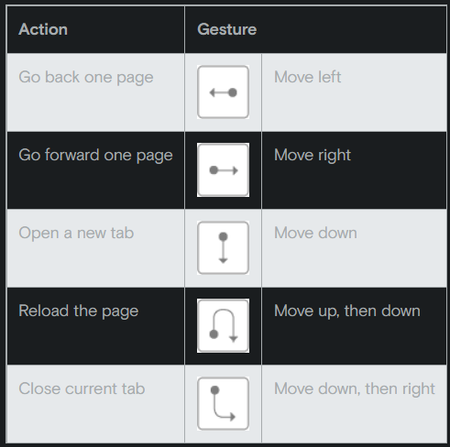
I searched everywhere in Edge settings to find the Gesture feature but didn't find a clue. But browsers like Opera does have a feature call "mouse gesture" and it is amazing. I know Edge have bunch of third party extensions to do the same thing. But I don't like to use third party extensions because of some privacy issues. So it there any chance that Edge will give this feature in near future or we have to use third party extenstion forever...? Opera browser mouse gestures ↑816Views0likes1CommentNew feature - Selecting text will directly give an option to search on web
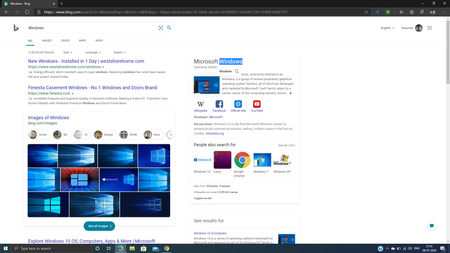
This feature is seen from Microsoft Edge (Canary) version 86.0.570.0 As the title says, there is a new feature added in Microsoft Edge in which when you select the text, you will get an option to search the web and when you will click that option, a new tab will be opened and that selected text will be searched. This feature currently works on http://bing.com but I think it would be added to all websites in the future and also can be improved a lot. Keep developing the new great features for Microsoft Edge2.5KViews3likes3CommentsNew Feature: Built in Picture in Picture mode (PIP) is added to Microsoft Edge Global Media Controls
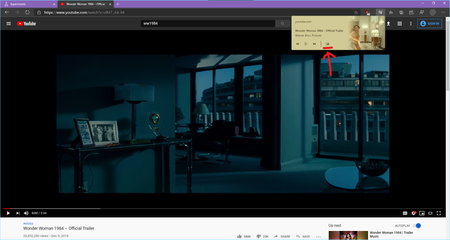
Microsoft Edge Canary Version 82.0.442.0 (Official build) canary (64-bit) The flags you need to enable: edge://flags/ 1. Global Media Controls Picture-in-Picture Enables Picture-in-Picture controls in the Global Media Controls UI. Requires #global-media-controls to also be enabled. – Mac, Windows #global-media-controls-picture-in-picture 2. Global Media Controls Enables the Global Media Controls UI in the toolbar. – Mac, Windows #global-media-controls Microsoft Edge browser now has support for Picture in Picture mode built in. it works in all websites playing video. this is another example for Twitch the PIP pop up video can be dragged to anywhere on the screen and it will stay on top of other applications125KViews11likes17CommentsWhere is Tracking Prevention in Edge beta for Android ?
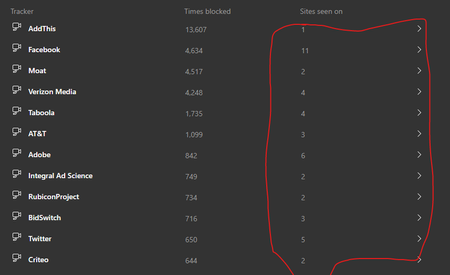
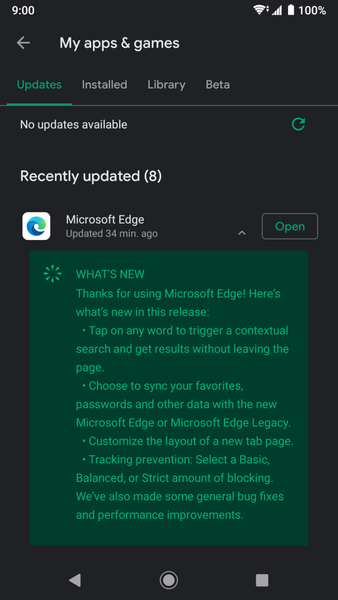
I just received the latest Edge beta on Android and the change log says: Tracking prevention: select a Basic, Balanced, or Strict amount of blocking. but where? I searched every inch of Edge settings and there is so sign of it. I do have the new contextual search and NTP settings but not Tracking prevention. why is that? is Edge beta on Android having controlled feature rollouts too?4.2KViews1like14CommentsNew Feature: Ability to Delete single autocomplete form data in Edge browser
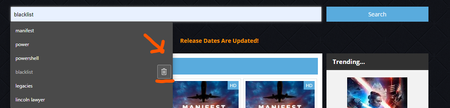
A new Feature was added in Microsoft Edge Version 81.0.413.0 (Official build) canary (64-bit) that lets you Delete single autocomplete form data. such as these: also a related post from another user that requested this feedback and probably resulted in this great feature to be implemented. Thanks for listening3KViews0likes1CommentNew Feature: Edge | Phone and other devices
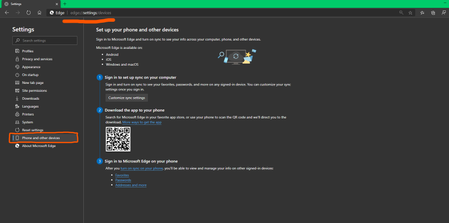
Set up your phone and other devices Sign in to Microsoft Edge and turn on sync to see your info across your computer, phone, and other devices. This is added to Edge Version 81.0.413.0 (Official build) canary (64-bit) edge://settings/devices helps better understand the cross platform functionality of Edge browser.2.5KViews3likes4CommentsNEW Feature: Favorite/Bookmark Duplicates Removal option Added
Another new feature in Edge Canary Version 81.0.411.0 (Official build) canary (64-bit), Favorites/Bookmarks Duplicate removal option if you click/touch the Favorites button on toolbar Or go to your Favorites manager: edge://favorites/ you will notice this option at the bottom-left of the page Clicking on "Remove Duplicate Favorites" tells Edge to check for any duplicates in your favorites by scanning them I Just scanned my favorites and I didn't have any duplicates7.6KViews4likes10CommentsNew Feature: Multiple Profiles Handing in Edge browser just got so much Easier!
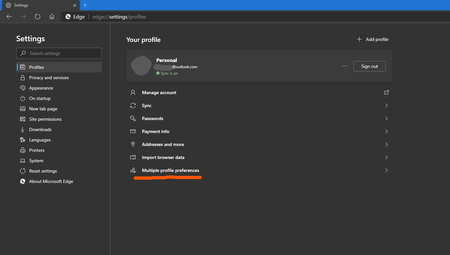
In the latest Edge Canary browser, Version 81.0.411.0 (Official build) canary (64-bit), there is this new option added in the Settings: You can set your default profile and also open links on the web in different profiles from the right-click menu. as you can see I have 2 profiles on my Edge canary right now (1 is connected to my Outlook.com and the other is an offline/local profile). my Outlook.com profile is set as default, but now I have the ability to open links on my 2nd profile too.2.3KViews2likes2Comments