microservices
121 TopicsIPv6 Dual-Stack Endpoints for Azure Container Registry (Public Preview)
By Johnson Shi, Aviral Takkar, Bin Du Introduction Two of the most common networking questions we hear from teams running Azure Container Registry (ACR) are: "Can my registry serve clients on IPv6 networks?" — Teams operating IPv6-only or dual-stack networks need their container registry reachable over IPv6. "How do we start moving registry traffic toward IPv6 without breaking anything?" — Organizations guarding against IPv4 address exhaustion, or operating under IPv6 transition mandates, want a migration path that doesn't disrupt existing IPv4 clients. Today, we're announcing the public preview of IPv6 dual-stack endpoints for Azure Container Registry for public endpoints and firewall rules, with IPv6 over private endpoints planned for GA. Set your registry's endpoint protocol to IPv4AndIPv6 , and its endpoints become reachable over both IPv4 and IPv6 — so IPv4-only, dual-stack, and IPv6-capable clients all connect to the same registry, each over whichever protocol their network stack selects. Key Takeaways ACR registries now support an endpointProtocol setting with two values: IPv4 (default) and IPv4AndIPv6 (dual stack, preview). Dual stack is additive — your registry continues serving IPv4 clients exactly as before. There is no IPv6-only mode. Dual stack requires dedicated data endpoints to be enabled ( --data-endpoint-enabled true ), and dedicated data endpoints require the Premium SKU. The service enforces this requirement. You can enable it today with Azure CLI 2.87.0 via az acr update --endpoint-protocol IPv4AndIPv6 . FQDN-based client firewall rules keep working unchanged; IP-based allowlists need to account for IPv6 traffic. Limitation: This public preview covers IPv6 for the registry's public endpoints and firewall rules only. IPv6 over private endpoints is planned for a future release. Limitation: ACR Tasks isn't supported on a registry that has IPv6 dual-stack enabled. Tasks does not work when the endpoint protocol isIPv6 dual-stack, including quick builds (with az acr build) and quick task runs (with az acr run). Support is planned for a future release. How to enable it On an existing registry (Azure CLI 2.87.0 or later) Dual stack requires dedicated data endpoints, so enable both in a single update: az acr update --name <your-registry> --data-endpoint-enabled true --endpoint-protocol IPv4AndIPv6 If dedicated data endpoints are already enabled, set the endpoint protocol on its own: az acr update --name <your-registry> --endpoint-protocol IPv4AndIPv6 Verify the configuration: az acr show --name <your-registry> --query "{endpointProtocol:endpointProtocol, dataEndpointEnabled:dataEndpointEnabled}" { "dataEndpointEnabled": true, "endpointProtocol": "IPv4AndIPv6" } Note: If your clients sit behind a firewall and you're enabling dedicated data endpoints for the first time, add firewall rules for <your-registry>.<region>.data.azurecr.io before enabling — switching from *.blob.core.windows.net to dedicated data endpoints changes where layer blobs are downloaded from. See Dedicated data endpoints for details. Reverting to IPv4 Dual stack is reversible at any time: az acr update --name <your-registry> --endpoint-protocol IPv4 Reverting the endpoint protocol leaves dedicated data endpoints enabled; disable them separately if desired. Scope of this preview This public preview enables IPv6 for the registry's public endpoints — the login server, dedicated data endpoints, and regional endpoints (if enabled). IPv6 over private endpoints isn't part of this preview. Support is planned for a future release. Until then, registries reached through a private endpoint continue to use IPv4. Additionally, IPv6 dual-stack support for ACR Tasks, including support for `az acr build` and `az acr run`, are not supported in the public preview. Support is planned for a future release. Requirements and how features compose Requirement Why Premium SKU Dedicated data endpoints are a Premium feature. Dedicated data endpoints enabled IPv4AndIPv6 requires dataEndpointEnabled: true ; the service rejects the setting otherwise. Azure CLI 2.87.0+ Adds --endpoint-protocol to az acr update . For geo-replicated registries, the endpoint protocol is a registry-level setting, and dedicated data endpoints exist in every replica region. Firewall guidance: rules based on registry FQDNs — the login server, dedicated data endpoints, and regional endpoints (if enabled) — continue to work unchanged for dual-stack registries; only IP-address-based allowlists need updating for IPv6. To learn more, see IPv6 dual-stack endpoints in Azure Container Registry (preview) and the ACR endpoint reference. If you have further questions about IPv6 dual-stack endpoints or dedicated data endpoints, reach out to us on the Azure Container Registry GitHub repository or file feedback through the Azure portal.282Views1like0CommentsIntroducing Azure Container Apps Sandboxes: Secure Infrastructure for Agentic Workloads
Today we are announcing the public preview of Azure Container Apps Sandboxes - a new first-class resource type that gives you fast, secure, ephemeral compute environments with built-in suspend and resume. This is the underlying infrastructure on which products like Cloud sandboxes in GitHub Copilot, Foundry Hosted Agents, and Azure Container Apps Express are built, you now have the opportunity to build your solutions leveraging this infrastructure. Azure Container Apps Sandboxes unlocks two massive opportunities. For platform developers and ISVs, sandboxes give you the same isolated compute fabric that powers many Microsoft products. You get the building blocks to create your own multi-tenant platform on proven, enterprise-scale infrastructure. For AI agents, sandboxes become a self-configurable tool that lets agents extend their own capabilities on the fly. An agent can spin up a fresh sandbox in milliseconds and use it to execute untrusted code, compile source, test HTTP requests against a live app, launch a browser session, or tackle whatever needs a quick and scalable infrastructure. On one side it empowers humans to build platforms, on the other it empowers agents to build their own capabilities. Both get enterprise-grade isolation, instant startup, and snapshot-based persistence out of the box. We'll walk through the resource model, sandbox lifecycle, the features that set Sandboxes apart - like snapshots, lifecycle policies, network egress controls, volumes, and managed identities - and show you how to get started with the portal and CLI. What Are Container Apps Sandboxes? Container Apps Sandboxes are secure, isolated compute environments that start in sub-second time, scale to thousands, and cost nothing when idle. Each sandbox runs in its own hardware-isolated microVM boundary - fully separated from the host, the platform, and every other sandbox. You bring your own Open Container Initiative (OCI) image, and Sandboxes handle the rest: provisioning from prewarmed pools, strong multi-tenant isolation, and snapshot-based suspend/resume that preserves full memory and disk state across sessions. There are many ways Sandboxes can help you build your next project - here are a few: Your own build & test systems - wire a Sandbox into your CI/CD flow to run builds while your laptop stays cool. Agents that can run anything safely - an agent spawns a sandbox, executes work inside it, and returns the output with no agent host privileges required. Agent swarms - decompose a research question, spawn N sandbox workers in parallel (each pinned to its own image and egress policy), and synthesize the result. Early access customers are already unlocking significant benefits by leveraging Azure Container Apps Sandboxes. "With Azure Container Apps sandboxes, SitecoreAI can safely enable agents to take real action. The combination of multi-tenant isolation, rapid scale-out, and full automation allows Sitecore to run long-lived, autonomous agents that securely execute code, manage workflows, and interact with enterprise systems within secure, governed environments. With this foundation, we can build agents that do real work: assembling content, personalizing experiences, and optimizing campaigns in production. Agents that operate continuously, learn from results, and improve over time, so our customers get better outcomes without giving up control." - Mo Cherif, VP of AI and Innovation, Sitecore "We got early access to Azure Container Apps Sandboxes, and got the first prototype integrated with Atlas AI in hours, and it's already shaping a new Atlas AI capability that we plan to launch in preview in Q3. It gives every Atlas AI agent a safe, sandboxed workspace (file system, terminal, code execution) on a customer's live data in Cognite Data Fusion. The value: Industrial process, reliability, and production engineers spend days and weeks on questions like "which wells are underperforming and why?" These questions are tractable but expensive, so they are asked rarely and decisions are made on gut feel. With this, an agent pulls the data, runs the analysis, cross-references maintenance and inspection records, and returns a cited draft in minutes. Sandboxes make it practical: Aligned feature set, per-customer isolation, pause/resume across multi-day investigations, scale-to-zero economics." - Kelvin Sundli, Product manager, Atlas AI, Cognite Resource Model: Sandbox Groups and Sandboxes The top-level ARM resource is Microsoft.App/SandboxGroups. A Sandbox Group is the management boundary for a collection of sandboxes that share configuration - think of it like a Container Apps Environment, but purpose-built for sandboxes. When you create a Sandbox Group, you specify: Subscription, Resource Group, and Region Sandbox defaults (optional): default CPU, memory, disk, max sandbox count, and default idle timeout Networking: optionally deploy into a custom VNet with a dedicated subnet for private networking Identity: System or user assigned Entra identity. Individual sandboxes are created within a Sandbox Group. Each sandbox has its own source (disk image or snapshot), resource tier, lifecycle policy, network egress policy, environment variables, ports, volumes, and connections. Sandbox Lifecycle Sandboxes have a well-defined lifecycle with the following states: State Description Creating Provisioning the sandbox from a disk image or snapshot Running Actively executing - backed by a live microVM Idle System-suspended after inactivity; can auto-resume on the next request Suspended Full state (memory + disk) preserved as a snapshot; no compute costs Resuming Restoring from a suspended or idle state - sub-second for most workloads Stopped User-initiated stop; can be resumed Stopping Graceful shutdown in progress Deleting Teardown in progress The key insight here is the distinction between Idle and Suspended. When a sandbox goes idle (e.g., no traffic for a configured timeout), the system can automatically suspend it and capture a snapshot. When a new request arrives, the sandbox resumes transparently. This gives you scale-to-zero economics with stateful compute - something that wasn't possible before without significant custom engineering. Disk Images: Bring Your Own Container Sandboxes boot from Disk Images - Open Container Initiative (OCI) images converted into an optimized root filesystem format. You point to any OCI image (public or private registry), and the platform builds a bootable disk image from it. You can start with public, pre-built images maintained by the platform (for example, Ubuntu base images), or bring your own private images. For private registries, you can authenticate with username/token or use a user-assigned managed identity for Azure Container Registry (ACR) – integrated with Azure as you expect. Snapshots: Full-State Persistence Snapshots capture the complete state of a running sandbox - memory, disk, and all running processes. When you resume a sandbox from a snapshot, every process, open file handle, and in-memory data structure is restored exactly as it was. A snapshot captures the full state of a running sandbox: memory pages, disk, processes. Two ways to make one - automatically on suspend, or manually on demand. Three things they're great for: Checkpointing mid-task so a long-running agent can resume exactly where it left off Cloning an environment that's already warm - dependencies installed, caches populated, services running Shipping a "ready-to-go" state that resumes in sub-second instead of cold-booting Snapshots are free during the preview, after which they will be stored as Azure Blob Storage at standard rates. Each snapshot records the source sandbox, resource allocation (CPU, memory, disk), and container metadata - so what you get back is exactly what you snapshotted. Resource Tiers Every sandbox is assigned to a resource tier that determines its CPU, memory, and disk allocation: Tier CPU Memory Disk XS 0.25 vCPU 0.5 GB 5 GB S 0.5 vCPU 1 GB 10 GB M (default) 1vCPU 2 GB 20 GB L 2 vCPU 4 GB 40 GB XL 4 vCPU 8 GB 80 GB When creating a sandbox from a snapshot, the resource tier is inherited from the snapshot and cannot be changed - this ensures the restored environment has the exact resources it was running with when the snapshot was taken. Lifecycle Policies: Auto-Suspend and Auto-Delete Every sandbox can be configured with lifecycle policies that automate state transitions and cleanup: Auto-Suspend Idle timeout: How long a sandbox can sit idle before being suspended (configurable: 1m, 2m, 5m, 10m, 30m, 60m) Suspend mode: Disk + Memory (default): Full snapshot including memory state - resume picks up exactly where you left off, with all processes and in-memory data intact. Disk: Only the disk is preserved; the VM restarts fresh on resume. Useful when you only need file persistence, not process continuity. Auto-Delete Automatically delete sandboxes after a configurable number of days of inactivity Prevents accumulation of abandoned sandboxes that consume snapshot storage These lifecycle policies are what make Sandboxes economically viable at scale. A platform serving thousands of tenants can configure aggressive idle timeouts (say, 60 seconds) with Memory suspend mode, and each tenant's sandbox disappears from the billing meter almost immediately - but resumes in sub-second time the moment they return. Network Egress Policy For scenarios involving untrusted code - AI agents executing LLM-generated scripts, multi-tenant SaaS with user-submitted workloads - controlling outbound network access is critical. Sandboxes provide a per-sandbox Network Egress Policy: Default action: Allow or Deny all outbound traffic Host rules: Domain-pattern rules (e.g., *.github.com → Allow) to permit specific destinations Custom CIDR rules: Network-level rules for IP ranges (e.g., 10.0.0.0/8 → Deny) Skip egress proxy: Option to bypass the egress proxy entirely when custom VNet routing handles policy enforcement This means you can run a sandbox in a deny-by-default posture and allowlist only the specific endpoints it needs (your API server, a package registry, etc.) - without setting up NSGs or firewall appliances. Managed Volumes: Persistent and Shared Storage Sandboxes support two types of mountable volumes, both managed by Microsoft: Volume Type Backed By Best For Managed Azure Blob Azure Blob Storage Shared data across sandboxes, file uploads/downloads, persistent artifacts Managed Data Disk Azure Disk Storage High-performance storage for databases, build caches, large working sets - only available to one sandbox at a time Blob volumes come with a built-in file explorer in the portal - you can browse, upload, download, create folders, and drag-and-drop files directly. Data Disk volumes provide dedicated block storage with configurable sizes. Secrets and Identity Secrets Sandbox Groups support key-value secrets scoped to the group. Secrets can be created, edited, and referenced by sandboxes within the group. These secrets can be used in egress policies to modify requests with transform or header-injection rules, without exposing the secrets to code running inside the sandbox. Managed Identity Sandbox Groups support both system-assigned and user-assigned managed identities, with full RBAC role assignment management. This means your sandboxes can authenticate to Azure services (Key Vault, Storage, Cosmos DB, etc.) without managing credentials - the same identity model you use everywhere else in Azure. MCP Connectors and Triggers ACA Sandboxes now supports managed connectors through the Model Context Protocol (MCP), giving sandboxes access to external APIs - including Microsoft 365, Salesforce, ServiceNow, GitHub, and 1,400+ other systems - without managing credentials directly. Attach a Connector Gateway to your sandbox group, and every sandbox in the group can call external APIs through a standardized MCP interface at runtime. Pair connectors with triggers to build event-driven automation: route an Outlook email to a sandbox that triages it with an AI agent, or react to a SharePoint file upload by extracting and processing the document all without writing glue code. Triggers can fire a shell command inside a sandbox or invoke an HTTP endpoint the sandbox exposes, so your automation shapes fit naturally around your workload. The integration is built on the new Connector Namespace service (az connector-namespace), the same runtime behind Logic Apps and Power Platform connectors, now available as a programmable layer for sandboxes. See the end-to-end samples for runnable azd up-deployable examples covering email triage and document automation scenarios. The Portal Experience Azure Container Apps Sandboxes are only available in the new Azure Container Apps portal that provides a rich, IDE-like experience for working with sandboxes. Creating a Sandbox The portal offers multiple creation paths: Standard Sandbox - full configuration control over source, resources, lifecycle, networking, and volumes GitHub Copilot Sandbox - preset, Copilot CLI ready to go, GitHub credentials can be wired through the Access Token before the sandbox is created Claude Sandbox - Claude CLI pre-installed, ready for agentic coding inside the sandbox Using Coding Agents (Copilot CLI / Claude Code) If you live inside Copilot CLI or Claude Code, you don't need to learn a new CLI. Install the azure-sandbox skill once and your agent picks up the right skills: # GitHub Copilot CLI # Add as a plugin marketplace /plugin marketplace add microsoft/azure-container-apps # Install all skills /plugin install sandboxes@Azure-Container-Apps # Claude Code claude plugin add microsoft/azure-container-apps The skill runs prerequisite checks silently (az --version, az account show, node --version, aca --version), prompts only if something's missing, and maps natural-language asks to the right aca commands. Bundled runbooks cover Copilot CLI BYOK (bring your own Azure OpenAI key), the deploy-a-web-app walkthrough, and shell setup. Sandbox Detail Page Once your sandbox is running, the detail page gives you immediate access to the sandbox terminal and additional details, such as - Network Audit - real-time egress traffic log showing allowed and denied requests Monitor - live CPU, memory, disk, and network utilization charts Connectors - attached connections with an "Add" action Volumes - mounted volumes with an "Add" action Log Stream - streaming container logs Processes - running process list inside the sandbox Files - file explorer to browse the sandbox filesystem The toolbar actions let you manage the state of the sandbox - Resume or Stop. In the Ellipsis menu (⁝) you can find additional settings to manage network Egress Policy and ingress (Add port), take a Snapshot of the sandbox, Commit (save disk state as a new disk image), set Lifecycle Policy or permanently Delete the sandbox. Finally, you can see additional Details in a side panel. Getting Started with the CLI and Python SDK All sandbox and sandbox-group operations go through the aca CLI. There are no az containerapp sandbox commands, - az is only used for az login, az account show, and resource-group management. Install (CLI) # Mac, Linux curl -fsSL https://aka.ms/aca-cli-install | sh # Windows irm https://aka.ms/aca-cli-install-ps | iex Run aca --help to get started. Install (Python SDK) pip install azure-containerapps-sandbox For more details, quick start and examples on ACA CLI and Python SDK, please go to https://sandboxes.azure.com Evolution from Dynamic Sessions If you've used Azure Container Apps Dynamic Sessions, Sandboxes are the next evolution of that capability. Everything Sessions can do, Sandboxes can do - and significantly more: Capability Dynamic Sessions Sandboxes Sub-second startup ✓ ✓ Strong isolation ✓ ✓ Custom container images ✓ ✓ Custom VNet integration ✓ (Partial) ✓ Suspend/resume with Memory and Disk snapshots - ✓ Lifecycle policies (auto-suspend, auto-delete) - ✓ Network egress policy (per-sandbox) - ✓ Persistent managed volumes (Blob, Data Disk) - ✓ Managed identity (system + user-assigned) - ✓ Secrets management - ✓ Configurable resource tiers - ✓ Direct access to sandbox in Portal experience - ✓ We will continue to support Dynamic Sessions, but all new investment goes into Sandboxes. If you're building new workloads on isolated ephemeral compute, start with Sandboxes. How It All Fits Together ACA Sandboxes is a platform primitive. It's the foundation on which multiple Microsoft products are already built - including ACA Express, Cloud sandboxes in GitHub Copilot, and Foundry Hosted Agents. When you build on Sandboxes, you're building on the same infrastructure that powers Microsoft's own portfolio. This is the evolution of what we shared with Project Legion in 2024. Legion described the internal infrastructure; Sandboxes exposes it as a customer-facing primitive that you can use directly. What's Next • Deeper Azure integrations - first-class connectivity with Azure networking, identity, storage, and AI services • Enhanced SDK and CLI - richer programmatic experiences for managing sandboxes at scale • More Microsoft services built on Sandboxes - this is just the beginning Get Started Today • Portal: https://sandboxes.azure.com/ • Documentation: Azure Container Apps Sandboxes • Pricing: Azure Container Apps Pricing (per-second vCPU/memory billing, scale-to-zero, snapshots at Blob Storage rates) We'd love to hear your feedback. You can ask questions, or file issues on the Azure Container Apps GitHub (prefix with [Sandbox] for Sandboxes-specific issues).8.3KViews3likes1CommentDesigning for High Availability: The Operational Reference for Running a Geo-Replicated ACR
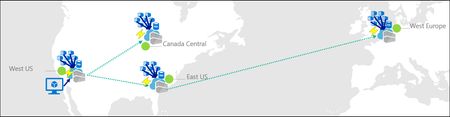
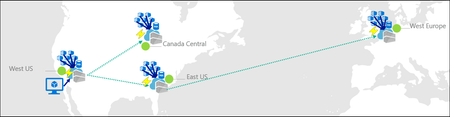
By Johnson Shi, Zoey (Zhuyu) Li, Huangli Wu Introduction Three of the most common questions we hear from enterprise teams running geo-replicated Azure Container Registries (ACR) are: "How do I control which region serves my traffic?" — When my AKS clusters are spread across regions, can I pin each one to its co-located replica, or am I stuck with however the global endpoint routes? "What happens during a regional incident — is failover automatic or do I have to act?" — If the registry in one region degrades, does the global endpoint reroute on its own, or do I need to manually disable the affected replica? "What happens after the region recovers — does traffic return on its own?" — Is there a cooldown, a quarantine, or any manual step before failback? We answer those head-on, then go deeper on the operational details that come up when you actually run a geo-replicated registry: authentication across endpoint switches, throttling under load concentration, eventual-consistency failure modes, home region outage scope, webhooks, and private endpoint interaction. We draw on the official geo-replication docs, the global endpoint health-aware failover blog, the regional endpoints engineering design implementation, the regional endpoints public preview and private preview announcements, and the ACR reference for various registry endpoints, . This post also draws notes from the ACR product team on roadmap items that aren't yet documented elsewhere. Key Takeaways Health-aware failover is automatic. When the registry in a region degrades, the global endpoint reroutes away from it on the order of minutes, evaluated per-registry. No customer action required. Failback is automatic too. Once health-aware failover marks a region healthy again, the global endpoint resumes routing to it. There is no cooldown period. Health-aware failover applies only to global endpoint operations. It does not apply to regional endpoints (you're talking to one replica, period) or to dedicated data endpoints (the redirect is per-region). Health-aware failover is not triggered by throttling. It responds to regional ACR service health and Azure infrastructure health, not HTTP 429 responses. Use regional endpoints to manage per-replica throttling. Regional endpoints (Step 2a) give you explicit per-region URLs for workloads that need affinity, capacity planning, push/pull consistency, troubleshooting, or client-side failover. Use myregistry.<region>.geo.azurecr.io . Regional endpoints are available on Premium SKU registries. For workloads that don't need pinning, do nothing (Step 2b). The global endpoint plus health-aware failover handles routing automatically. Re-authenticate when switching endpoints. Each global or regional endpoint is its own authenticated surface; re-auth via az acr login , SDK auth, or the Kubernetes ACR credential provider on endpoint change. Don't run a long-lived DNS cache for the global endpoint. ACR purges DNS server-side on disable and during failover; a long-lived client cache works against that. For production workloads, enable dedicated data endpoints for security and DNS predictability on layer downloads. ACR is working on bounded staleness consistency for cross-replica eventual-consistency failure modes; see the FAQ. Background What is ACR geo-replication? Geo-replication is a Premium SKU feature that turns a single ACR registry into a multi-region, multi-write service. Every geo-replica in every region is writable — you can push, pull, and delete from any of them — and content syncs asynchronously between replicas under an eventual consistency model. Per-push replication time scales with the size and number of images being pushed. Similarly, when creating a new geo-replica, the time to populate the new geo-replica scales with the total size of the registry. A geo-replicated registry exposes a global endpoint at myregistry.azurecr.io . Behind that endpoint, ACR uses an internal traffic manager to direct each request to the replica with the best network performance profile for the caller — usually the closest replica, but not always. When clients are equidistant from multiple replicas, or when the closest replica is experiencing Azure infrastructure degradation, requests may be routed elsewhere. A geo-replicated registry also exposes a regional endpoint at myregistry.<region>.geo.azurecr.io , which allows clients to pin API requests to a specific geo-replica in lieu of global endpoints, which has Azure-managed routing among geo-replicas. Zone redundancy is always enabled for geo-replicas in regions where Azure has multiple availability zones — in those regions, ACR automatically spreads replica data across multiple availability zones within each region to protect against zonal outages. Endpoints and data endpoints: what goes where A common point of confusion: when you push or pull, not every request goes to the same place. The registry endpoints (global endpoint and regional endpoints), as well as the data endpoint, do different jobs. Your choice of data endpoint configuration has real consequences for security and resilience. Two kinds of traffic flow during a typical pull: Registry API traffic — authentication, manifest reads/writes, tag resolution, referrers, repository operations, blob location lookups, listing, metadata. This is everything except the actual layer (blob) bytes. All these API requests go to the global endpoint ( myregistry.azurecr.io ) or, if you've pinned your clients to call these APIs to a specific geo-replica, a geo-replica's regional endpoint ( myregistry.<region>.geo.azurecr.io ). Behind the scenes, the global endpoint internally proxies these requests to a specific geo-replica. Layer (blob) downloads — when the client asks for a blob, the registry doesn't serve the bytes itself. It returns an HTTP 307 redirect to a regional data endpoint (separate endpoint from the global endpoint or regional endpoints), and the client follows the redirect to download the layer from that region. Where that 307 sends you depends on whether you've enabled the registry's dedicated data endpoints feature: Configuration Layer downloads redirect to Default (no dedicated data endpoints) *.blob.core.windows.net (the underlying Azure storage account) Dedicated data endpoints enabled myregistry.<region>.data.azurecr.io for the region you were routed to Private endpoints enabled myregistry.<region>.data.azurecr.io for the region you were routed to Regional by design. Dedicated data endpoints always land you on a specific geo-replica's data endpoint — there is no "global data endpoint." With the global endpoint as your registry endpoint, the 307 redirect picks the data endpoint for whichever region the global endpoint chose to serve you. With a regional endpoint pinned to a specific region, the 307 always redirects you to that same region's data endpoint — never cross-region. Why dedicated data endpoints matter. Dedicated data endpoints are a Premium SKU feature that exists primarily to address security and firewall scoping. By default, layer downloads redirect to *.blob.core.windows.net — a wildcard storage FQDN. Firewall rules to allow that wildcard either let all Azure storage accounts through or none of them, which raises data exfiltration concerns and isn't tightly scoped to your registry. Dedicated data endpoints replace the wildcard with a fully qualified domain in your registry's own domain — myregistry.<region>.data.azurecr.io — so firewall rules can be scoped tightly to your specific registry, in your specific regions. That same design choice can also make layer downloads more predictable during routing changes. With dedicated data endpoints, the data endpoint FQDN is known ahead of time and lives in the registry's domain — one predictable hostname per region, configured once. Without them, the layer download has to resolve a wildcard storage FQDN that points to whichever storage account the registry happens to have provisioned, which is a separate DNS resolution path with its own routing behavior and its own caching profile. Dedicated data endpoints simplify the DNS picture by aligning the data path with the registry path and keeping the entire pull experience inside one set of predictable, scoped FQDNs. For any geo-replicated registry where security and high availability matter, enable dedicated data endpoints. Note: Health-aware failover applies only to operations against the global endpoint, not to regional endpoints or dedicated data endpoints. Take note that health-aware failover only kicks in and directs traffic away from a geo-replica when an Azure region is experiencing significant infrastructure degradation. At this stage, it does not kick in to redirect traffic to another geo-replica if a client's data plane API requests are throttled. See the relevant section below for the full scope when health-aware auto failover kicks in or not. The three traffic control tools ACR geo-replication gives you three complementary tools for controlling where traffic lands. Each one solves a different class of problem, and customers most often run into trouble when they reach for the wrong one. We name them up front and use these names throughout the post: Tool Who controls it What it does Use cases Health-aware failover Platform (automatic) Reroutes the global endpoint away from a region whose registry can't reliably serve requests Regional incidents, automatic recovery Replica enable/disable for global routing Customer (manual) Excludes a specific replica from global endpoint routing without deleting it; data continues syncing DR rehearsals, planned maintenance, quarantining a replica without losing it Regional endpoints Customer (per request) Dedicated per-region URLs ( myregistry.<region>.geo.azurecr.io ) that bypass the internal traffic manager entirely Pinning AKS clusters to co-located replicas, push/pull consistency, capacity planning, troubleshooting, client-side failover Health-aware failover and replica enable/disable both act on the global endpoint. Regional endpoints are a separate URL surface that coexists with the global endpoint — enabling them does not disable the global endpoint myregistry.azurecr.io . You can use both simultaneously and choose per workload. The behavior in question When the registry in one region experiences a real degradation, there are three possible answers to "what happens?": (A) Nothing automatic. The customer must manually disable the affected region's endpoint to stop traffic from being routed there. (B) The system detects the regional front-door failure and reroutes within seconds. (C) A per-registry health evaluation detects the degradation and reroutes the global endpoint within minutes, with no customer action. After the region recovers, routing resumes automatically. The answer today is (C). Before health-aware failover, customers were stuck closer to (A) — the system could see whether the regional reverse proxy responded, but not whether the registry could actually serve real pull and push traffic end to end. Health-aware failover closes that gap. We walk through all three tools in the next section, in order: setting up geo-replication, using regional endpoints to pin specific workloads, keeping the global endpoint for everything else, the manual replica disable mechanism, re-enabling participation in global routing, and what to expect when health-aware failover triggers. Walkthrough The following steps assume an existing Premium SKU registry and the Azure CLI logged in. We use myregistry as the registry name, myrg as the resource group, and eastus as the home region. Substitute <your-registry> , <your-rg> , and <your-region> for your environment. Prerequisites A Premium SKU ACR registry (geo-replication requires Premium) Azure CLI ( az ) installed and logged in For regional endpoints (Step 2a): Azure CLI 2.86.0 or later. All regional endpoints commands ( --regional-endpoints , az acr show-endpoints , az acr login --endpoint ) are available natively in Azure CLI 2.86.0+. If you previously installed the acrregionalendpoint private preview CLI extension, uninstall it with az extension remove --name acrregionalendpoint to prevent conflicts with the built-in CLI commands. Step 1: Add a West US replica to a registry that lives in East US Geo-replication requires the Premium SKU. The create call below fails on Basic or Standard. # Confirm the registry is Premium az acr show --name myregistry --resource-group myrg \ --query sku.name --output tsv # Premium # Create a West US geo-replica az acr replication create --registry myregistry --location westus # Confirm both replicas are present az acr replication list --registry myregistry --output table NAME LOCATION PROVISIONING STATE STATUS REGION ENDPOINT ENABLED ------ ---------- -------------------- -------- ----------------------- eastus eastus Succeeded online True westus westus Succeeded online True Pushes and pulls continue working through the existing replica throughout initial sync. Because the registry is multi-region, multi-write, the existing replica keeps serving traffic while the new replica catches up in the background. Initial replica seeding time is a function of registry size — the total number and cumulative size of images already in the registry that need to be replicated to the new replica — not the size of any single image. Step 2a: Pin workloads to specific regions using regional endpoints Use regional endpoints when a workload needs explicit per-region control. The five common cases: Regional affinity — an AKS cluster in East US should pull from the East US replica, every time, without ever hopping to a more distant replica because of a network performance fluctuation. Predictable routing — workloads that need to know exactly which replica will serve them, for benchmarking, capacity planning, or in-region traffic SLAs. Push/pull consistency — pinning both ends of a publish-then-deploy flow to the same replica eliminates eventual-consistency races. Troubleshooting — reproducing an issue on a specific replica requires sending traffic to that specific replica. Client-side failover — customers with their own health checks and business rules want to implement failover on their own terms, on signals only they can see. Enable regional endpoints on the registry: az acr update -n myregistry -g myrg --regional-endpoints enabled When enabled, ACR automatically creates per-region login server URLs for every existing geo-replica. No per-region configuration is needed. Note: Regional endpoints can be enabled on any Premium SKU registry, even without geo-replication. A registry without geo-replication has a single geo-replica in the home region, which gets one regional endpoint URL. However, the feature is most useful when your registry has at least two geo-replicas, where you can pin different workloads to different replicas for routing control and capacity distribution. Push to a specific region using its regional endpoint: # Log in to the West US regional endpoint az acr login --name myregistry --endpoint westus # Tag and push using the regional endpoint URL docker tag myapp:v1 myregistry.westus.geo.azurecr.io/myapp:v1 docker push myregistry.westus.geo.azurecr.io/myapp:v1 Pin AKS deployments to their co-located replica by using regional endpoint URLs in the deployment manifest. The example below shows two clusters in different regions; each cluster references the regional endpoint for its own region's replica (assuming replicas exist in both eastus and westeurope ): # East US-based AKS cluster pulls from the East US replica apiVersion: apps/v1 kind: Deployment metadata: name: myapp-eastus spec: template: spec: containers: - name: myapp image: myregistry.eastus.geo.azurecr.io/myapp:v1 --- # West Europe-based AKS cluster pulls from the West Europe replica apiVersion: apps/v1 kind: Deployment metadata: name: myapp-westeurope spec: template: spec: containers: - name: myapp image: myregistry.westeurope.geo.azurecr.io/myapp:v1 This eliminates cross-region pulls when global routing would otherwise prefer a different replica for a given client, and it gives you a per-region traffic profile you can plan capacity against. Regional endpoint operational tips View all endpoints. Use az acr show-endpoints to see all endpoint URLs for your registry — global, regional (if enabled), and dedicated data endpoints (if enabled): az acr show-endpoints --name myregistry --resource-group myrg Import from a specific geo-replica. When importing images between registries, you can use a regional endpoint to import from a specific geo-replica of the source registry. This is useful when you want predictable network paths or need to import from a replica in a specific region: az acr import \ --name mydownstreamregistry \ --source myupstreamregistry.westeurope.geo.azurecr.io/myapp:v1 \ --image myapp:v1 Firewall rules for regional endpoints. If you use firewall rules, allow access to the following endpoints for each geo-replica that clients connect to: Endpoint Purpose myregistry.<region>.geo.azurecr.io Regional endpoint for registry operations myregistry.azurecr.io Global endpoint (if also used) myregistry.<region>.data.azurecr.io Layer downloads (if using private endpoints or dedicated data endpoints) *.blob.core.windows.net Layer downloads (if not using private endpoints or dedicated data endpoints) For the full list of endpoint types and FQDN patterns, see the ACR reference for various registry endpoints. DNS-based routing without changing manifests. If you don't want to maintain different deployment manifests per region, you can keep all manifests pointing to the global endpoint ( myregistry.azurecr.io ) and use software-defined networking or a regional traffic manager to resolve the global endpoint to the appropriate regional endpoint based on the originating region's traffic. This achieves the same co-location goals as regional endpoints — predictable routing and reduced latency — without embedding region-specific URLs in your deployment manifests. Step 2b: Keep using the global endpoint for everything else For workloads that don't need explicit pinning, do nothing. The global endpoint at myregistry.azurecr.io continues to work exactly as before, and the global endpoint plus health-aware failover gives you intelligent routing across replicas without configuration. ACR picks the best replica for each client based on network performance and reroutes during regional incidents. Regional endpoints coexist with the global endpoint — enabling them does not disable myregistry.azurecr.io . You can use both simultaneously and choose per workload, mixing pinned workloads (Step 2a) with workloads that ride the global endpoint (Step 2b) in the same registry. Step 3: Take a replica out of global endpoint routing Use this when you need to keep a replica alive but stop it from serving global-endpoint traffic — for DR rehearsals, planned maintenance, or troubleshooting an isolated replica. # Exclude the West US replica from global endpoint routing az acr replication update --registry myregistry --name westus \ --global-endpoint-routing false Confirm the change: az acr replication list --registry myregistry --output table NAME LOCATION PROVISIONING STATE STATUS REGION ENDPOINT ENABLED ------ ---------- -------------------- -------- ----------------------- eastus eastus Succeeded online True westus westus Succeeded online False Requests to myregistry.azurecr.io no longer route to West US. The replica still receives replicated content — and continues to replicate its own content out to other replicas — and storage quota and per-replica costs continue to accrue. If regional endpoints are enabled, the West US regional endpoint URL also continues to work; --global-endpoint-routing controls only the replica's participation in global endpoint routing. A note on naming. The CLI flag --global-endpoint-routing (on az acr replication update ) and the regional endpoints feature (enabled via az acr update --regional-endpoints enabled ) are two different things despite the similar names. --global-endpoint-routing controls whether a replica participates in global endpoint routing. The regional endpoints feature creates per-region URLs ( myregistry.<region>.geo.azurecr.io ) that bypass the global endpoint entirely. They are independent controls. In Azure CLI 2.86.0 and later, the old --region-endpoint-enabled flag has been renamed to --global-endpoint-routing . The old flag name is deprecated and will be removed in Azure CLI 2.87.0 (June 2026). If you have existing scripts or automation that use --region-endpoint-enabled , update them to use --global-endpoint-routing . CLI flags quick reference: Flag Scope Purpose --regional-endpoints Registry-level ( az acr create or az acr update ) Enables dedicated regional endpoint URLs ( myregistry.<region>.geo.azurecr.io ) for all geo-replicas. --global-endpoint-routing Per-geo-replica ( az acr replication create or az acr replication update ) Controls whether the global endpoint routes traffic to a specific geo-replica. Set to false to temporarily exclude a geo-replica from global routing. --data-endpoint-enabled Registry-level ( az acr create or az acr update ) Enables dedicated data endpoints ( myregistry.<region>.data.azurecr.io ) for layer blob downloads. Auto-enabled when at least one private endpoint is configured. This bidirectional sync during disable is intentional. When you re-enable the replica, every image pushed to the registry while the replica was disabled — from any region — is already present, so the replica can serve traffic immediately with no catch-up window. If we stopped syncing on disable, re-enabling would leave the replica with stale data and force a long catch-up before it could safely serve pulls. Step 4: Re-enable the replica to participate in global endpoint routing Re-enable the replica: az acr replication update --registry myregistry --name westus \ --global-endpoint-routing true NAME LOCATION PROVISIONING STATE STATUS REGION ENDPOINT ENABLED ------ ---------- -------------------- -------- ----------------------- eastus eastus Succeeded online True westus westus Succeeded online True There is no cooldown. The global endpoint resumes routing requests to the West US replica as soon as the change takes effect on ACR's side. Because data continued syncing while the replica was disabled (Step 3), the replica is immediately ready to serve pulls — no catch-up window. Note on DNS during disable/enable. When you take a replica out of global routing, ACR purges its own DNS records for that replica from the global endpoint on a fast path — there is no waiting on a published TTL on ACR's side. If clients run their own DNS cache for the global endpoint, however, those clients will keep resolving to the disabled replica until the client cache expires. We can't control client-side caches. The recommendation: do not run a long-lived DNS cache for the global endpoint. A short-lived DNS pin for the duration of a single push (covered in the DNS and Client-Side Considerations section) is fine and even helpful — but a long-lived DNS cache will make --global-endpoint-routing false look broken from the client's perspective. Step 5: What to expect when health-aware failover triggers Health-aware failover is automatic. ACR evaluates registry health on a per-registry basis, and when a registry in a region can't reliably serve requests, the global endpoint reroutes that registry's traffic to a healthy replica. There is no customer-invocable trigger — that's the point. End-to-end timing is on the order of minutes — fast enough to catch real regional degradation, slow enough to ride out transient errors that resolve on their own. DNS TTL may add additional propagation delay before all clients switch to the new region. Scope of health-aware failover. Health-aware failover applies only to operations against the global endpoint — the registry API calls (auth, get manifest, get tag, get referrers, get blob location). It evaluates health when those API calls come in; it does not trigger mid-operation. Two important consequences: Regional endpoints are not in scope. When you talk to a regional endpoint like myregistry.westus.geo.azurecr.io , you're talking to that one replica. There is no automatic reroute. If you've pinned a workload to a regional endpoint and that region degrades, you implement client-side failover by switching the workload to a different regional endpoint. Dedicated data endpoints are not in scope. Once a registry endpoint has redirected you to a dedicated data endpoint, you stay on that region's data endpoint for the duration of the layer download. There is no automatic reroute of an in-flight blob download. The region targeted by the redirect is decided up front by whichever registry endpoint served the blob-location call: the global endpoint chooses based on its per-registry health evaluation, and a regional endpoint always targets its own region. The signals you can use to confirm a failover is in progress: # Check replication status az acr replication list --registry myregistry --output table You can also check Resource Health for the registry in the Azure portal — navigate to your registry and select Resource health under the Help section to see platform-side degradation signals. You'll typically see: Increased pull latency as traffic shifts to a more distant replica Resource Health flagging known issues in the affected region Replication status indicating which replicas are online After the region recovers, the per-registry health evaluation marks it healthy again and the global endpoint resumes routing — automatic, no cooldown, no customer action. Note that health is evaluated per registry, not per region: if a degradation affects only a subset of registries in a region, only those registries are rerouted, and other registries in the same region continue to be served locally with no unnecessary latency penalty. Not triggered by throttling. Health-aware failover is DNS-based and responds to regional ACR service health and Azure infrastructure health. It does not reroute traffic based on HTTP 429 (throttling) responses. If a geo-replica is throttling your requests but the region's infrastructure is healthy, the global endpoint continues routing you to that geo-replica. To manage throttling, use regional endpoints to spread workloads across multiple geo-replicas for better capacity distribution. Note on long-running pushes during a failover. A multi-layer push that spans a failover boundary can land layers and the manifest on different replicas — exactly the failure mode that DNS bouncing produces during a single push. ACR is actively tightening health-aware failover behavior to minimize cross-replica scatter during these scenarios, and the recommendation today remains: pin pushes to a single replica via a regional endpoint when push/pull consistency matters. Common Questions Q1. Performance impact during initial replica creation on a live registry Because ACR is multi-region, multi-write, the existing replica continues serving pull and push traffic throughout the period when a new replica is being seeded. Replication is asynchronous and content propagates in the background; the time to populate a new geo-replica scales with the size of the registry — the cumulative number and total size of images already in the registry — not with any single image. The docs do not publish a quantified degradation percentage or a throttling window for this period, and they do not promise zero performance impact — the safe operating assumption for a live production registry is that existing replicas continue serving traffic normally, with the new replica catching up in the background. Q2. Restricted/updating state during initial sync There is no "restricted" state for the registry during normal replica creation. Writes, control-plane operations, and pushes/pulls against existing replicas continue normally. The only time configuration changes are unavailable is during a home region outage — see the relevant FAQ item later on for the full data-plane-versus-control-plane breakdown. Q3. Cooldown periods and non-straightforward failback scenarios There is no cooldown before failback, manual or automatic. Re-enabling a replica's participation in global endpoint routing takes effect immediately on ACR's side. Health-aware failover returns traffic to a region as soon as its per-registry health evaluation passes again. The failback case that is not seamless: if a recently pushed image has not yet replicated to the failover region, a pull from that region may not find the image until replication catches up. This is a function of eventual consistency, not failback timing — and it's part of a broader class of issues we cover in Q4. Q4. Common pull and push failure modes during the eventual-consistency window DNS bouncing during a single push is one well-known problem, but it isn't the only one. The eventual-consistency window between geo-replicas surfaces in several recurring failure modes worth knowing about: Push-then-immediate-pull-cross-region. Pushing myapp:v1 to one region and immediately pulling it from a different region can fail with manifest unknown until replication catches up. This shows up most painfully in CI/CD pipelines where one CI runner pushes an image and thousands of pods across other regions all try to pull from their local geo-replicas at the same time. Today, customers work around this with indeterminate sleeps before scheduling expensive compute, or with retry logic, or by waiting on a replication-complete signal — none of which is a clean planning story. Tag overwrite races. Pushing myapp:v1 , then re-pushing myapp:v1 shortly after with a fix (same tag, different digest), can leave different replicas resolving the same tag to different digests during the eventual-consistency window. Delete propagation. Deleting a tag or repository in one region takes some time to propagate to other replicas. Pulls from regions where the delete hasn't yet propagated can return the supposedly-deleted content. Mid-push failover scatter. A multi-layer push that spans a health-aware failover boundary or a DNS bouncing event can land layers on one replica and the manifest on another, surfacing as manifest validation errors or blob unknown on subsequent pulls. What ACR is doing about this. We're working on bounded staleness consistency for pushed images across all geo-replicas worldwide, which addresses these four failure modes directly. This will be covered in an upcoming blog post. If you're hitting eventual-consistency brittleness today and want to talk through your scenario, reach out to us on the Azure Container Registry GitHub repository — we want the customer signal to land in the design. Mitigations available today: Pin pushes to a single replica via a regional endpoint. Every sub-request in the push — login, blob uploads, manifest upload — goes to the same replica, eliminating the DNS bouncing and mid-push scatter classes entirely. Use a short-lived client-side DNS cache like dnsmasq scoped to the duration of a single push, only when you're not using regional endpoints. Do not run a long-lived DNS cache for the global endpoint — it interferes with --global-endpoint-routing false and with health-aware failover routing. Build retry logic into pulls that immediately follow a cross-region push. Either retry with backoff or check replication status with ACR webhooks before pulling. ACR can detect and notify you when an image or tag is available for pull in a geo-replica (say geo-replica B), after it has been pushed to another geo-replica (geo-replica A) and background replication has succeeded to geo-replica B. Design publish steps to be idempotent so retries triggered by mid-push failover are safe. Q5. Auth behavior across endpoint switches For safety, treat each global endpoint and each regional endpoint as its own authenticated surface. All registry APIs except the actual blob downloads (auth, manifests, tag resolution, referrers) flow through whichever endpoint you've chosen. If you switch from the global endpoint to a regional endpoint, or from one regional endpoint to another, re-authenticate. That means az acr login , fresh SDK auth, or — for AKS — letting the Kubernetes ACR credential provider handle re-auth, which it does automatically when the endpoint changes. Q6. Throttling under failover and pinning Throttling limits on registry API operations are per-replica, not per-registry. This has two operational implications: During health-aware failover, traffic that was spread across replicas can shift heavily onto whichever replicas remain in the global endpoint's routing pool. Capacity plan to spread traffic across two or three healthy replicas during a failover scenario rather than concentrating onto one — the global endpoint's routing already does this for you when multiple healthy replicas exist, but registries with only two regions configured can hit per-replica limits more easily during a failover. To mitigate, use regional endpoints to spread workloads across multiple geo-replicas and plan per-replica capacity. When pinning via regional endpoints (Step 2a), you concentrate traffic on whichever replica you've pinned to. If you've pinned all your AKS clusters to a single regional endpoint, you may hit that replica's per-region throttling limits at peak. Mitigations: pin different workloads to different regional endpoints across multiple regions for better topology mapping and capacity distribution, or use the global endpoint (Step 2b) for workloads where you don't need explicit pinning so ACR's routing can spread load. We're also working on improving the throttling metrics surfaced during health-aware failover events. Note: Health-aware failover does not reroute traffic based on HTTP 429 (throttling). If you're experiencing throttling but the region's infrastructure is healthy, the global endpoint continues routing you there. Use regional endpoints to explicitly spread load across replicas for capacity planning. Q7. Home region outage scope Geo-replication provides high availability for the data plane. During a home region outage, the control plane is unavailable, which means you can't create or delete replicas, modify network rules, or change replication settings until the home region recovers. ACR Tasks are also bound to the home region and don't run while it's unavailable. The data plane keeps working: Global endpoint continues routing pulls and pushes to healthy replicas. Regional endpoints continue working — you talk directly to specific replicas, and your client-side logic decides which region to use. Authentication, manifests, blob downloads, webhooks continue functioning through any healthy replica. The home region of a registry is fixed at creation and cannot be changed afterward. Microsoft's registry relocation guidance describes a redeployment procedure — creating a new registry in a different region — not an in-place change to an existing registry's home region. Note: If your registry uses a customer-managed key, review the key vault failover and redundancy guidance for maximum resilience. Key vault availability directly affects the registry's ability to encrypt and decrypt data. Q8. Webhooks during failover Webhooks fire from the replica that received the push. Because ACR also replicates content to other geo-replicas, webhooks fire from each geo-replica as the image syncs to it — so a single push results in webhook events from the receiving replica plus an event from each replica as replication completes. During a failover where pushes are routed to a different region, webhooks from those pushes fire from the new region; once the original region recovers and replication catches up, webhook events fire from there too. Webhook consumers should be designed to handle multiple events per pushed image and deduplicate as needed. Q9. Private endpoints with regional endpoints and dedicated data endpoints When a private endpoint is created against a registry, the private endpoint covers all of the registry's endpoint surfaces — the global endpoint, every regional endpoint (if regional endpoints are enabled), and every regional dedicated data endpoint. A single private endpoint in one VNet can reach the global endpoint (which routes you to a suitable replica), any regional endpoint in the same or a different region, and any region's dedicated data endpoint for blob downloads. The trade-off is private IP allocation: each endpoint surface consumes IPs in the VNet. With many replicas plus regional endpoints plus dedicated data endpoints all enabled, private endpoint creation can fail if the VNet runs out of available private IPs. IP address consumption per feature: Configuration IPs consumed per VNet Initial private endpoint (global endpoint + home region dedicated data endpoint) 2 Each geo-replication region added +1 (regional dedicated data endpoint) Regional endpoints enabled +1 per geo-replica Example: A registry with 3 geo-replicas and regional endpoints enabled consumes 7 private IPs per VNet: 1 (global) + 3 (data) + 3 (regional). Without regional endpoints, the same registry requires 4 private IPs: 1 (global) + 3 (data). Subnet sizing: Use at minimum a /27 (32 addresses) subnet for PE subnets on geo-replicated registries, and /24 where possible. To check how many private IPs are already consumed on a subnet: az network vnet subnet show \ --name <subnet-name> \ --vnet-name <vnet-name> \ --resource-group <resource-group> \ --query "{addressPrefix:addressPrefix, usedIPs:length(ipConfigurations || \`[]\`)}" \ --output table See the ACR private endpoints documentation for the full IP-allocation math and sizing guidance. Q10. Geo-replica creation stuck for private endpoint-enabled registries When creating a geo-replica for a registry that has private endpoints configured, the replica provisioning can get stuck in a Creating state if the identity performing the operation doesn't have sufficient permissions to create private endpoint networking resources. Solution: Manually delete the geo-replica that got stuck in the provisioning state. Ensure the identity has the permission Microsoft.Network/privateEndpoints/privateLinkServiceProxies/write before creating the geo-replica again. Also verify that every PE subnet connected to the registry has free IP capacity — if any PE subnet across any connected VNet does not have enough free IPs, the replication provisioning fails and rolls back. The replica appears briefly in a Creating state and then is removed. The resulting error does not identify which subnet or VNet is exhausted. Q11. Metrics, logs, and alerts for the three phases We map each phase to the signals available in the Monitoring Guidance section below. The headline: Resource Health (in the Azure portal) and az acr replication list give you the platform-side signals; Azure Monitor platform metrics are collected automatically, and resource logs require Diagnostic Settings to be enabled on the customer side. Behavior summary Scenario Automatic? Customer Action Required Notes Registry in a region degrades Yes None Health-aware failover; per-registry; minutes-scale; global endpoint operations only Region recovers after a degradation event Yes None No cooldown Pin AKS clusters to co-located replicas No Use regional endpoint URLs in deployment manifests (Step 2a) Coexists with global endpoint No pinning needed for most workloads Yes None — keep using myregistry.azurecr.io (Step 2b) Global endpoint plus health-aware failover Push/pull from the same replica (consistency) No Use a regional endpoint for both push and pull Eliminates DNS bouncing and mid-push scatter Capacity planning per region No Spread workloads across multiple regional endpoints Per-replica throttling; avoid concentrating on one replica DR rehearsal: take a replica out of global routing No az acr replication update --global-endpoint-routing false Data continues syncing both directions; costs continue accruing Re-enable replica participation in global routing No az acr replication update --global-endpoint-routing true No cooldown; replica is immediately ready Switch a workload between endpoints No Re-auth ( az acr login , SDK auth, or Kubernetes ACR credential provider) Each endpoint is its own authenticated surface Initial replica seeding on a live registry N/A None Existing replica continues serving traffic; seeding time scales with registry size Long-running push during a failover No Retry; design publishes to be idempotent Pin via regional endpoint to avoid mid-push scatter; ACR is tightening this behavior Pull of a recently pushed image from a different region No Wait for replication, retry with backoff, or check replication status Eventual consistency; bounded staleness consistency in development Home region outage Data plane: yes; control plane: no Use global or regional endpoints for data plane operations Control plane (replica config, network rules) requires home region DNS and Client-Side Considerations DNS bouncing during a single push is the most common geo-replication push problem in customer threads, and it warrants a section of its own. The failure mode. A docker push is a sequence of HTTP requests: blob uploads for each layer, then a manifest upload that references those layers by digest. If the Linux DNS resolver on the client doesn't cache myregistry.azurecr.io consistently for the duration of the push, individual sub-requests can resolve to different replicas. Because replication is eventually consistent, the manifest can land on a replica that doesn't yet have the layers it references, and the manifest validation fails. The two mitigations: Regional endpoints pin the push to a single replica end-to-end. Every sub-request — login, blob uploads, manifest upload — goes to the same replica. This is the cleanest fix and the one we recommend for any pipeline where push/pull consistency matters. A short-lived client-side DNS cache like dnsmasq scoped to the duration of a single push. For Linux VMs in Azure, follow the DNS name resolution options guidance. The pin should last the push and no longer. For other clients performing pushes, you can customize your stack's DNS resolver to have a similar short-lived DNS cache to pin the global endpoint's resolved DNS for only the duration of an image push operation. A note on long-lived DNS caching for the global endpoint. Don't run a long-lived DNS cache for myregistry.azurecr.io . ACR purges its own DNS records on the server side when a replica is taken out of global routing (Step 3) and during health-aware failover; a long-lived client-side cache will keep clients pointed at the old region after our purge, which makes both the manual disable mechanism and health-aware failover look broken from the client's perspective. Retry behavior: In-flight pushes during a failover may fail. Design publish steps to be idempotent so retries are safe. Pipelines that push in one region and immediately pull from a different region should retry with backoff or check replication status — eventual consistency means the pull may race ahead of replication. ACR is working on bounded staleness consistency that addresses this directly by enabling proxying (on ACR infrastructure) an image pull request from one geo-replica (if it does not have the image) to another geo-replica that has the image; see the relevant FAQ item. Note: Specific retry counts, back-off intervals, and push timeout values are application-layer decisions. The platform behavior is documented; the retry policy belongs to your client. Monitoring Guidance We map the three phases to the signals available from each source. Where a signal requires customer-side configuration, we flag it. Phase A: Initial replication (after creating a new replica) az acr replication list and az acr replication show — confirm the new replica reaches provisioningState: Succeeded and status: online , and view per-replica status. Azure Monitor platform metrics — push count, pull count, and other registry metrics are collected automatically and visible in the Azure portal under Metrics. No customer configuration is needed to view platform metrics. To export metrics or enable resource logs (detailed operation logs), configure Diagnostic Settings on the registry. Phase B: Failover (planned via replica disable, or automatic via health-aware failover) Per-replica regionEndpointEnabled state via az acr replication list — confirms whether a manual disable took effect, i.e. which replicas are currently eligible for global endpoint routing. Note: this flag reflects the manual configuration for configuring a geo-replica's global endpoint routing eligibility; it does not indicate whether health-aware failover has actively rerouted traffic away from a replica. Resource Health for the registry (in the Azure portal under Help > Resource health) — surfaces platform-side degradation signals during incidents. ACR does not yet expose a definitive "this region is currently serving your traffic" signal; Resource Health and client-side latency changes are the best available indicators. Pull latency from clients — increased latency from a more distant replica is the client-observable signal that traffic has rerouted. Azure Monitor platform metrics — visible per-region in the Azure portal Metrics blade. To export metrics or query them programmatically, enable Diagnostic Settings. Phase C: Failback (replica returns to global routing) az acr replication list — confirms regionEndpointEnabled: True (manual) or online status across all replicas (automatic). Pull latency normalizing as clients reach the recovered replica again. Resource Health clearing for the registry (visible in the Azure portal). Note: The health-aware failover blog calls out ongoing work to surface richer signals — including notifications for when routing changes and which region is currently serving your traffic. The signals listed above are what's available today. Pricing Considerations Storage billing vs. storage quota: Storage is billed per geo-replica — a 1 GiB image replicated to 5 geo-replicas is charged as 5 GiB of storage (1 GiB × 5 geo-replicas). However, storage quota (the tier's maximum storage limit) counts the image only once — the same 1 GiB image counts as 1 GiB toward your tier's maximum, not 5 GiB. Data transfer: Geo-replication can reduce costs by enabling in-region image pushes and pulls, which avoids cross-region data transfer charges during these push or pull operations. However, cross-region data transfer charges still apply when ACR replicates pushed content to other geo-replicas as part of eventual consistency. Disabled replicas still cost: When you take a replica out of global routing with --global-endpoint-routing false , storage and per-replica costs continue accruing because data continues syncing bidirectionally. For more information, see ACR pricing. Cleanup Run these commands to undo the walkthrough setup. Order matters: disable regional endpoints before deleting replicas, since regional endpoint URLs depend on which replicas exist. # Disable regional endpoints if you enabled them in Step 2a az acr update -n myregistry -g myrg --regional-endpoints disabled # Re-enable any replicas you disabled in Step 3 (no-op if already enabled) az acr replication update --registry myregistry --name westus \ --global-endpoint-routing true # Delete the West US replica created in Step 1 az acr replication delete --registry myregistry --name westus # Confirm only the home region replica remains az acr replication list --registry myregistry --output table Note: Replica deletion is a control-plane operation that requires the home region to be available. During a home region outage, replica configuration cannot be modified. Summary Table Question Answer When should I use regional endpoints vs the global endpoint? Use regional endpoints (Step 2a) for workloads that need affinity, predictable routing, push/pull consistency, troubleshooting, or client-side failover. Use the global endpoint (Step 2b) for everything else and let health-aware failover handle routing. What should I enable for secure, resilient layer downloads? Enable dedicated data endpoints. They scope firewall rules tightly to your registry and replace wildcard storage DNS with predictable per-region FQDNs. How do I avoid DNS-bouncing manifest validation failures on push? Pin pushes to a single replica via a regional endpoint. A short-lived client-side dnsmasq for the push duration is also fine if you're not using regional endpoints. Should I run a long-lived DNS cache for the global endpoint? No. ACR purges DNS server-side on disable and during failover; client-side caching works against that. Do I need to re-auth when switching endpoints? Yes. Each global or regional endpoint is its own authenticated surface. az acr login , SDK auth, or the Kubernetes ACR credential provider handles the re-auth. What happens during a home region outage? Data plane keeps working through any replica via the global endpoint or regional endpoints. Control plane operations (replica configuration, network rules) are unavailable until the home region recovers. The home region is fixed at registry creation. What's ACR doing about eventual-consistency pain? Bounded staleness consistency for cross-replica pushed images is in development and will be covered in an upcoming blog post. Reach out via GitHub if you want to share your scenario. For the full automation matrix — what's automatic, what requires customer action, and what to expect for each scenario — see the behavior summary above. If you have further questions about ACR geo-replication routing, pinning, capacity planning, eventual consistency, or failover behavior, reach out to us on the Azure Container Registry GitHub repository or file feedback through the Azure portal.354Views0likes0CommentsRegional Endpoints for Azure Container Registry Geo-Replication — Now in Public Preview
By Johnson Shi, Zoey (Zhuyu) Li, Huangli Wu What's new Regional endpoints for geo-replicated Azure Container Registries are now in public preview. See the feature's official MS Learn documentation. If you've been following since the private preview announcement, here's what changed: No feature flag registration. No subscription enrollment so all Azure subscriptions and customers can now use this feature. No CLI extension. Regional endpoints commands are built into Azure CLI 2.86.0+ natively. If you installed the private preview acrregionalendpoint extension, uninstall it to avoid conflicts. Native CLI and portal support. With Azure CLI 2.86.0+, enable regional endpoints for all geo-replicas of a registry with az acr create --regional-endpoints enabled or az acr update --regional-endpoints enabled . The Azure portal also supports configuring regional endpoints natively. CLI flag rename for configuring a geo-replica's global endpoint routing (an existing separate feature). The existing flag --region-endpoint-enabled (on az acr replication create/update ) has been renamed to --global-endpoint-routing . Key clarifications: "--global-endpoint-routing" (formerly "--region-endpoint-enabled" on "az acr replication create / az acr replication update") — controls whether a specific geo-replica participates in global endpoint routing. This is an existing feature that is different from the new registry-level "--regional-endpoints" feature being discussed in this post. "--regional-endpoints" (on az "acr create / az acr update") — enables or disables the regional endpoints feature at the registry level for all geo-replicas. This is the feature discussed in this post. See the endpoint reference for the full breakdown of the various registry endpoints (global endpoints, regional endpoints, and data endpoints). Regional endpoints are available on Premium SKU registries in all Azure public cloud regions. What are regional endpoints? Regional endpoints give you dedicated, per-region login server URLs for each geo-replica with the following URL pattern: myregistry.eastus.geo.azurecr.io myregistry.westeurope.geo.azurecr.io Regional endpoints coexist with the registry's global endpoint ( myregistry.azurecr.io ) — enabling regional endpoints doesn't disable a registry's global endpoint that is backed by Azure-managed routing. You can choose per workload: You can use the global endpoint with automatic Azure-managed routing with health-aware failover, where Azure will route your requests to the geo-replica with the best network performance profile to the client. You can use a regional endpoint when you need explicit control or routing to a specific geo-replica. Other resources: For the full background on why regional endpoints exist and the problems they solve, see the private preview blog post. For the complete operational deep dive — health-aware failover, throttling considerations, storage quota and pricing, eventual consistency, home region outage behavior, DNS propagation, private endpoint interaction, capacity planning, and monitoring guidance — see How ACR geo-replication handles failover, failback, and traffic redirection. For the behind-the-scenes engineering implementation — architectural overview and the engineering system design of the feature — see Determinism over magic: the engineering design behind Azure Container Registry Regional Endpoints. Getting started Enable regional endpoints on an existing registry: az acr update -n myregistry -g myrg --regional-endpoints enabled View all registry endpoint URLs, including the registry global endpoint, geo-replica regional endpoints, and data endpoints: az acr show-endpoints --name myregistry --resource-group myrg Using regional endpoints Authenticate to a specific regional endpoint: az acr login --name myregistry --endpoint eastus Push to a specific geo-replica. Images and tags pushed to a geo-replica via regional endpoints still propagate to all other geo-replicas under eventual consistency. docker tag myapp:v1 myregistry.eastus.geo.azurecr.io/myapp:v1 docker push myregistry.eastus.geo.azurecr.io/myapp:v1 Pull an image: docker pull myregistry.eastus.geo.azurecr.io/myapp:v1 You can specify regional endpoints directly in Kubernetes deployment manifests if you need to pin workloads to specific regions. This ensures clusters in specific regions always pull from their colocated replica, providing predictable routing and reduced latency. By using different regional endpoints in each cluster's manifests, you can choose to guarantee that each cluster pulls from its local replica instead of relying on Azure-managed routing. East US cluster deployment: apiVersion: apps/v1 kind: Deployment metadata: name: myapp-eastus spec: template: spec: containers: - name: myapp image: myregistry.eastus.geo.azurecr.io/myapp:v1 West Europe cluster deployment: apiVersion: apps/v1 kind: Deployment metadata: name: myapp-westeurope spec: template: spec: containers: - name: myapp image: myregistry.westeurope.geo.azurecr.io/myapp:v1 When to use regional endpoints Scenario What to do Most workloads Keep using the global endpoint ( myregistry.azurecr.io ). Health-aware failover handles routing automatically. Pin AKS clusters to co-located replicas Use regional endpoint URLs in deployment manifests. CI/CD push-then-pull consistency Pin pushes to a regional endpoint to avoid eventual-consistency races. Client-side failover Switch between regional endpoints based on your own health checks. Capacity planning Spread workloads across multiple regional endpoints to avoid per-replica throttling. Troubleshooting Target a specific geo-replica to reproduce or isolate an issue. What changed from private preview Private preview Public preview Feature flag registration required ( az feature register ) No registration needed Subscription private preview enrollment and propagation wait Immediately available to all Azure subscriptions for all Premium SKU registries in all Azure public cloud regions. Separate CLI extension ( acrregionalendpoint ) Built into Azure CLI 2.86.0+ natively No registry-level CLI flag az acr update --regional-endpoints enabled enables regional endpoints for all geo-replicas --region-endpoint-enabled flag for controlling a geo-replica's global endpoint routing via az acr replication update Flag for controlling a geo-replica's global endpoint routing renamed to --global-endpoint-routing No portal support Native Azure portal support for enabling regional endpoints for new registries (during creation) and for existing registries Private preview docs in Azure/acr Full documentation on MS Learn Enabling regional endpoints in the Azure portal You can enable regional endpoints directly from the Azure portal for both new registries (during creation), as well as existing registries: If you were in the private preview 1. Uninstall the CLI extension. The private preview CLI extension conflicts with the built-in commands in Azure CLI 2.86.0+. Remove it: az extension remove --name acrregionalendpoint Verify it's gone: az extension list --query "[?name=='acrregionalendpoint']" -o table 2. Ensure you're running Azure CLI 2.86.0 or later. Regional endpoints commands are available natively starting in Azure CLI 2.86.0. Check your version: az version 3. Update scripts that use --region-endpoint-enabled for controlling global endpoint routing for a geo-replica. The old flag name for controlling a geo-replica's global endpoint routing configuration is deprecated and will be removed in Azure CLI 2.87.0 (June 2026). Update to --global-endpoint-routing : # Old (deprecated) az acr replication update --registry myregistry --name westus \ --region-endpoint-enabled false # New az acr replication update --registry myregistry --name westus \ --global-endpoint-routing false Why the rename? The old flag name --region-endpoint-enabled was confusing — it sounded like it controlled the regional endpoints feature, but it actually controlled whether a geo-replica participates in global endpoint routing. The new name --global-endpoint-routing says exactly what it does. For a full breakdown of all three CLI flags and how they relate, see the endpoint reference. Learn more Full documentation: Geo-replication in Azure Container Registry — Regional endpoints — prerequisites, CLI commands, network considerations, private endpoint integration, and troubleshooting. Operational deep dive: How ACR geo-replication handles failover, failback, and traffic redirection — health-aware failover, throttling, eventual consistency, DNS considerations, monitoring, pricing, and a full walkthrough. Behind-the-scenes engineering implementation: Determinism over magic: the engineering design behind Azure Container Registry Regional Endpoints — architectural details and the engineering system design behind the feature. Endpoint reference: Azure Container Registry endpoint reference — all endpoint types, URL formats, and CLI flags in one place. Private endpoints: Connect privately to a registry using private endpoints — IP allocation math, subnet sizing, and NIC queries for registries with regional endpoints. Firewall rules: Configure firewall access rules — which FQDNs to allow for regional endpoints. Feedback We'd love to hear how you're using regional endpoints and what we can improve. Reach out via: Azure Container Registry GitHub repository — issues, feature requests, and discussion Azure portal feedback — use the feedback button in the Azure portal on your registry's page Regional endpoints are on the path to GA. Your feedback directly shapes the feature's direction.454Views1like1CommentInside ACR Artifact Cache: Pull-Through Caching at Scale
By: Akash Singhal, Luis Dieguez, Kiran Challa, Nathan Anderson, Tony Vargas, Caroline Barker, Ren Shao, Mabel Egba, Toddy Mladenov, Johnson Shi Introduction For many customers, Azure Container Registry (ACR) is the only registry their workloads can trust, even when images and artifacts originate from a different registry such as Docker Hub, Microsoft Artifact Registry, GitHub Container Registry, Quay, another ACR, or a private registry. ACR Artifact Cache makes this many-to-one model practical by letting a platform team map a downstream ACR repository path to an upstream source repository. Here, upstream means the source registry and repository ACR contacts on behalf of the customer, and downstream means the ACR-facing path customers pull from. From the outside, the experience looks like a normal pull from ACR. Inside the service, that pull moves through the same multi-tenant registry platform that serves ACR traffic across regions, clouds, and data plane stamps. This series is about the gap between that simple external experience and the internal system. The goal is to show what happens inside ACR, why the system is designed this way, and how those design choices shape the behavior customers ultimately observe. Some implementation details are simplified, and the system continues to evolve. The request paths and design constraints are representative, but this article intentionally avoids service-by-service internals that are not necessary to understand the feature. For this overview, the useful mental model is: serve now, hydrate for later. Later sections will show where that model helps, and where it creates engineering pressure. Why serve upstream content from ACR? Pulling directly from an upstream is often sufficient for development, but production systems need stronger guarantees from the pull path. The failure modes are familiar to anyone who has operated containerized workloads at scale: an upstream registry is slow or temporarily unavailable an upstream applies rate limits or burst protection credentials for various upstream sources need to be handled safely ACR-to-ACR scenarios should avoid customer-managed credentials entirely by using managed identity network policy expects pulls to stay inside an approved network boundary a platform team wants one shared, sanitized catalog of public content for first-party consumption while individual teams pull only what they need Let’s take Docker Hub as a concrete example. Docker Hub pull rate limits mean that unauthenticated users and Docker Personal users can exhaust their allowed pulls in a time window, causing shared build agents or Kubernetes nodes to receive rate-limit errors instead of images. That is a useful example because it makes the upstream dependency visible, but it is not the whole story. The broader engineering problem is that upstream-sourced artifacts should behave like local registry dependencies once a customer chooses to route them through ACR. Artifact Cache addresses that problem by letting customers map a downstream ACR namespace to an upstream namespace, pull through ACR, and allow ACR to materialize content locally as it is requested. A pull-through cache inside ACR Azure Container Registry operates across 60+ Azure regions and 6 public and sovereign clouds, serves hundreds of thousands of registries, and handles billions of requests per day. Artifact Cache is only one part of that larger service, but it is large enough to be a distributed systems problem in its own right: more than 100 million image pulls per day, petabyte-scale egress, upstreams with different behavior, and customers who expect registry pulls to remain predictable. This scale matters because Artifact Cache is not deployed beside ACR as a separate service. It is part of the same registry system that serves normal pushes, pulls, tag listing, catalog operations, authentication flows, private networking scenarios, and other registry API traffic. That means Artifact Cache has to fit into ACR's existing resource model and request-serving model. Customers configure cache rules and authentication boundaries through the control plane, then their pulls are served through the data plane. The next sections follow those two parts in order: first the resources customers create, then the runtime path those resources affect. The customer workflow The setup begins in the control plane, where customers define the relationship between an ACR namespace and an upstream source. A customer starts with an ACR and chooses an upstream repository. In the examples below, myregistry.azurecr.io is the customer's ACR login server. The dockerhub/library/node path is the downstream ACR namespace the customer wants to use for cached content. The authentication model depends on the upstream: For a public upstream, the cache rule may not need credentials. For a private upstream, the customer stores upstream credential material in their Azure Key Vault, creates a credential set that references those secrets, and then associates that credential set with a cache rule. At access time, ACR uses the system-assigned managed identity associated with the cache rule to read the referenced Key Vault secrets, so the customer controls access by granting that identity the required secret permissions. ACR materializes those credentials only when it needs to contact the upstream, so the customer-owned Key Vault remains the secret store. For an ACR-to-ACR upstream, the customer can use a user-assigned managed identity. In that scenario, credential sets are not part of the flow; managed identity replaces the credential-set and Key Vault path. At a high level, the customer defines a namespace mapping: docker pull myregistry.azurecr.io/dockerhub/library/node:latest maps to: docker pull docker.io/library/node:latest In ACR, that mapping is stored as a cache rule: a control-plane resource that maps a downstream ACR path to an upstream source path. If the upstream requires authentication, the cache rule links to the appropriate credential boundary: a credential set backed by customer-owned Key Vault secrets, or a user-assigned managed identity for ACR-to-ACR. This is where the control-plane/data-plane split shows up. The control plane manages registry configuration through surfaces such as CLI, portal, Bicep, ARM templates, and other Azure Resource Manager clients. ARM sends those resource operations to the ACR control plane, which creates or updates the cache rule and, when needed, the credential set as child resources under the registry. Those resources do not own customer secrets or identities directly; they link to existing Azure resources such as the customer's Key Vault or an optional user-assigned managed identity. Later, the data plane uses that persisted configuration to decide whether a runtime registry request, such as a pull or tag listing, should be handled by Artifact Cache. After setup, the runtime path begins with the simplest possible pull: docker pull myregistry.azurecr.io/dockerhub/library/node:latest To understand what happens after that command, we need a map of the ACR components that participate in the request path. The ACR components involved The architecture needed for this overview is much smaller than ACR's full internal service graph. ACR is a regionalized service. The control plane operates at the regional level, while data plane stamps serve hot-path registry traffic for the registries assigned to them. A registry is pinned to a stamp, and high-traffic regions may have more than one stamp. Stamp architecture is an ACR concept covered in more detail in the stamp rebalancing post; this article only needs the simplified model below. For this article, ACR has three important boundaries: The regional control plane manages registry resources and provisioning operations. The data plane stamp serves hot-path registry traffic for registries pinned to that stamp. The storage layer holds downstream registry metadata, blobs, and storage-backed event queues. At this level of detail, a data plane stamp is composed of a few major runtime substrates. The registry data plane virtual machine scale set (VMSS) is the core ACR data plane. It runs containerized services including the frontend, the registry API entry point that receives and routes OCI and ACR-specific requests. The data proxy VMSS also runs containerized services and serves selected blob-content paths. It serves eligible blob-content traffic behind ACR's dedicated data endpoint; see the ACR data endpoint documentation. The stamp also includes a runtime cluster for additional data plane services, including services that are not on the hot path. This article will not explain why ACR uses both VMSS-based services and a runtime cluster inside the data plane stamp. That tradeoff is useful context, but it belongs in a separate deep dive. For Artifact Cache, the important point is narrower: the stamp contains the runtime substrates that participate in data plane serving, including runtime-cluster services that process async import and hydration work. The component list is: Component Role Region control plane Manages registry resources and provisioning operations Data plane stamp Serves pinned registries in a region Registry data plane VMSS Core ACR data plane for OCI and ACR-specific APIs Frontend Handles OCI registry API traffic inside the registry data plane Data proxy VMSS Serves selected blob-content paths, including Artifact Cache Runtime Kubernetes Cluster Hosts additional data plane services, including async import and hydration workers Cache rule Maps downstream ACR path to upstream path Credential set or managed identity Provides the upstream authentication boundary when needed Cache Backend service Handles cache-rule-backed pulls Storage queue Regional storage resource used for hydration events Metadata/blob storage Stores downstream manifests, tags, digests, and layer blobs Import workers Run in the data plane runtime cluster and hydrate downstream content asynchronously Upstream registry Public, private, or another ACR registry used as the source The diagram below is a component map rather than a step-by-step pull trace. It shows one visible data plane stamp in West US for myregistry.azurecr.io, with a muted marker to indicate that larger regions can contain multiple stamps. The stamp contains a registry data plane VMSS, a data proxy VMSS, and a runtime Kubernetes cluster. Regional metadata/blob storage and the storage queue sit outside the stamp boundary. The storage queue is also outside the regional control plane cluster; it is a storage resource consumed by data plane runtime-cluster workers. First artifact pull Now return to the pull request: docker pull myregistry.azurecr.io/dockerhub/library/node:latest The request reaches the data plane stamp where myregistry is pinned. The frontend in the registry data plane VMSS handles the registry API request and forwards it to the Cache Backend Service, which checks whether the requested repository path matches a cache rule. If there is no matching cache rule, the request follows the normal ACR path. If a cache rule matches, Artifact Cache logic applies. The next check is local state. ACR looks at downstream metadata and blob storage to determine whether the requested manifest and blobs are already available locally. If the content is present, ACR can serve it from the downstream registry path. If the content is not available locally, ACR resolves the upstream repository path from the cache rule. If the upstream requires authentication, ACR uses the configured auth boundary for that upstream: a credential set for private upstreams, or a user-assigned managed identity for ACR-to-ACR upstreams. The request can then be served through the upstream-backed data path, with the data proxy handling the blob content path. The first pull does not need to wait for durable hydration to complete before the client receives content. Serving the pull and hydrating the downstream registry are related operations, but they are deliberately separated. The trace above follows the same node:latest image used in the setup example. On a cache miss, the data plane queues an async import event for the requested image while still serving the client request. Manifest content returns through the frontend path. For layer blobs, the frontend returns a redirect to the data proxy, and the client follows that redirect while the data proxy streams blob content from the upstream CDN. The data plane serves the customer request, but it also detects that durable downstream state needs to be populated. That durable work is where hydration comes in. Hydration Hydration is the process that materializes upstream content into the downstream ACR registry. ACR performs hydration asynchronously because the data plane workload can be bursty and variable. A deployment or scale-out event can cause many clients to request the same not-yet-hydrated image at nearly the same time. Image size, layer count, multi-platform manifest trees, upstream behavior, queue depth, and retry behavior all matter in a multi-tenant service. The north star is to coordinate those requests: collapse duplicate work, hydrate the content from upstream, and serve all waiting clients without turning one customer action into unnecessary upstream load. That coordination problem is challenging at ACR scale, and we are continuing to improve it. The existing async import path gives Artifact Cache a durable and scalable foundation while that serving path continues to evolve. At a high level, the data plane queues an import event. A notification service consumes the event and dispatches work to import workers in the data plane runtime cluster. Those workers fetch the required content from the upstream registry and write manifests, tags, digests, and layer blobs into ACR metadata and blob storage. When import workers complete, they notify the notification service, which can publish completion signals through ACR eventing surfaces such as Event Grid and webhooks. This allows customers to use webhooks to detect when cached content is fully available locally. You can read more about how it works here. The mental model is that the first pull can serve immediately, while hydration makes future local serving durable. A follow-up post will go deeper on the work ACR does to reduce upstream load during this hydration window. Later pulls After hydration completes, later pulls for the same content can be served from ACR. For digest references, the model is relatively direct because a digest is content-addressed. If ACR has the requested digest and its blobs downstream, the data plane can serve that content locally. Tags are more subtle because tags can change. A tag such as latest is a name that can point to different content over time. Artifact Cache therefore must care about freshness semantics for tag-based pulls. This is one of the reasons a pull-through cache becomes more complex than "fetch once and forget." The benefit is not only lower latency. ACR also reduces repeated dependency on the upstream for content that has already been materialized downstream. Guarding the pull path Once content is hydrated, ACR must serve that content from the customer's registry boundary even when the upstream is slow, unavailable, or returning errors. That distinction matters for tag-based pulls: ACR may need upstream checks to reason about freshness, but an upstream failure should not automatically prevent ACR from serving content that is already available downstream. Artifact Cache also must be careful about how it behaves when upstreams are unhealthy. If an upstream starts returning 5xx errors or throttling requests, ACR should avoid amplifying the problem by repeatedly sending customer-triggered requests upstream. Circuit breaking and upstream work minimization are part of being a good steward of both customer traffic and upstream registry limits. More details to follow in subsequent posts. There is a separate availability question inside ACR: what happens if Artifact Cache-specific components, such as the cache backend path, are operationally unavailable? ACR handles that case gracefully by falling back to normal registry pull behavior: it checks the customer's registry state and serves the image if the requested content already exists in ACR. In other words, cache-backend unavailability should not block pulls for content that is already present in the registry. What we will explore next This overview is the map for the rest of the series. The following posts will go deeper into the parts of the system where the design pressure is highest. Minimizing upstream work We will start with how Artifact Cache avoids making more upstream requests than necessary. This becomes difficult when many clients request the same not-yet-hydrated image at the same time. A Kubernetes scale-out event is the classic example: many nodes may ask for the same image concurrently, and the system must avoid turning one customer's action into unnecessary duplicate upstream work. Making Artifact Cache observable to customers We will also look at how customers understand whether their cache rule is healthy, whether credentials are usable, and why a pull failed. This is hard because a failed pull can involve customer configuration, Key Vault access, managed identity configuration, upstream credentials, upstream availability, data plane request handling, or asynchronous hydration. The engineering challenge is to expose the right customer-facing health and debug signals without turning internal topology into the user interface. Repository semantics in Artifact Cache Finally, we will look at repository semantics. Once upstream content becomes local, the repository is no longer just a mirror. Tags can move upstream, digest references are content-addressed, and customers may push their own content into downstream repositories. The visible repository state can involve both upstream-derived content and customer-owned downstream writes. Closing Artifact Cache is designed to make upstream-sourced artifacts behave like ACR-served content once customers choose to route those artifacts through their registry. The design goal is that customers can pull from ACR and reason about the result using ACR boundaries: registry configuration, local serving, customer-visible health, and predictable repository semantics.652Views3likes0CommentsIntroducing On-demand Sandboxes for Azure Durable Task Scheduler (Private Preview)
Maybe it needs a native toolchain. Maybe it runs untrusted customer or LLM-generated code. Maybe it needs Python from a .NET orchestrator, or bursty compute that should scale to zero when the work is done. Today, we're thrilled to announce On-demand Sandboxes for Azure Durable Task Scheduler, now available in private preview. On-demand Sandboxes lets you move those individual workflow steps to managed, isolated compute while your orchestrator stays exactly where it is. Tell DTS which steps should run in isolation, provide a container image with the step code, and DTS handles provisioning, scaling, and teardown. No infrastructure to manage, no idle costs, no orchestrator changes. Sign up for On-demand Sandboxes Private Preview Today → Availability: On-demand Sandboxes targets the standalone Durable Task SDKs used outside the Azure Functions host — for apps running on Azure Container Apps, Azure Kubernetes Service, App Service, or anywhere else you self-host. The private preview supports the .NET and Python Durable Task SDKs, with additional language SDKs and Azure Functions support coming soon. What is Azure Durable Task Scheduler? The Durable Task Scheduler is a fully managed backend for durable execution on Azure. It can serve as the backend for a Durable Function App using the Durable Functions extension, or as the backend for an app leveraging the Durable Task SDKs in other compute environments, such as Azure Container Apps, Azure Kubernetes Service, or Azure App Service. For a deeper introduction, see the Durable Task Scheduler overview or the full Durable Task documentation. Why On-demand Sandboxes? Most activities belong in-process. They're fast, simple, and co-located with your orchestrator. But sometimes you hit a step that doesn't fit: it needs a native binary, a different language runtime, per-invocation isolation, or bursty compute you don't want to keep warm. On-demand Sandboxes gives you a way to handle those exceptions without spinning up dedicated infrastructure or managing scaling policies in Azure Kubernetes Service or Azure Container Apps. Activity-level granularity. Move individual steps to managed compute, not your whole app. Per-activity or per-invocation isolation. Each execution runs in a clean, microVM-backed sandbox. Ideal for untrusted code, customer plugins, or LLM-generated logic. Cross-runtime flexibility. Run a Python inference step from a .NET orchestrator. No compromise on either side. Scale-to-zero. Pay for CPU and memory per second of execution, not infrastructure that waits. No orchestrator changes. Your orchestration code and hosting model don't change at all. Here are a few scenarios where On-demand Sandboxes shines: Native toolchains. Package ffmpeg, LibreOffice, or Pandoc in a container without dragging them into your main app. CPU-heavy preprocessing. OCR, layout extraction, or image processing can scale independently of the rest of your workflow. Cross-runtime workflows. A .NET orchestrator dispatches a Python inference step. No compromises. Sandboxed code execution. Run customer plugins or LLM-generated code with a clean boundary on every invocation. Multi-tenant isolation. Tenant-specific steps get dedicated boundaries while everything else stays in-process. Bursty event-driven workloads. Steps that spike hard but rarely may not justify always-on infrastructure. Sub-second cold starts mean you get capacity when you need it without paying to keep it warm. How it works On-demand Sandboxes uses a two-part model: a worker profile in your orchestrator app that tells DTS which activities to offload, and a worker image that contains those activity implementations. Your orchestrator still calls activities the same way it always has; the decision to run one activity in a sandbox lives in the profile configuration. 1. Declare a sandbox worker profile In the app that hosts your orchestrator, define a sandbox worker profile. The profile gives DTS the container image, resource shape, concurrency setting, and activity names that should run in a sandbox: using Microsoft.DurableTask.Worker.AzureManaged.Sandbox; [SandboxWorkerProfile("code-executor")] internal sealed class CodeSandboxWorkerProfile : ISandboxWorkerProfile { public void Configure(SandboxOptions options) { options.ContainerImage = Environment.GetEnvironmentVariable("DTS_SANDBOX_IMAGE") ?? throw new InvalidOperationException("DTS_SANDBOX_IMAGE is required."); options.Cpu = "1000m"; options.Memory = "2048Mi"; options.MaxConcurrentActivities = 1; options.AddActivity(TaskNames.ExecuteCode); } } Then enable on-demand sandbox discovery when you configure the Durable Task worker in the main app: workerBuilder.AddTasks(tasks => tasks.AddAllGeneratedTasks()); workerBuilder.UseDurableTaskScheduler(options => { options.EndpointAddress = Environment.GetEnvironmentVariable("DTS_ENDPOINT"); options.TaskHubName = Environment.GetEnvironmentVariable("DTS_TASK_HUB"); options.Credential = credential; }); workerBuilder.EnableSandboxes(); Here's what the profile configuration does: SandboxWorkerProfile: a friendly profile id for this sandbox setup. It groups the activity, image, and resource settings for monitoring and reuse across deployments. ContainerImage: the container image (from your registry) that contains the activity implementations. Cpu / Memory: the resource shape for each worker instance. Sized per your activity's needs. MaxConcurrentActivities: how many activities a single worker instance can process concurrently. AddActivity: the specific activity to offload. Only activities added to a sandbox worker profile execute in DTS-managed isolated compute; everything else stays in-process. The orchestrator call site doesn't change: ExecuteCodeOutput execution = await context.CallActivityAsync<ExecuteCodeOutput>( TaskNames.ExecuteCode, new ExecuteCodeInput(pythonCode, input.CsvData)); ExecuteCode is not registered in the main app's in-process activity list. When the orchestrator calls it, DTS uses the codegen profile to route the work to the sandbox image. 2. Build the worker image The worker image is a container you own. In most apps, this worker lives in a separate project from the orchestrator host so it can have its own entry point, dependencies, and container image. It registers the activity implementations it can run and opts in to managed execution with UseSandboxWorker(): builder.Services.AddDurableTaskWorker(workerBuilder => { workerBuilder.AddTasks(tasks => { tasks.AddActivity<ExecuteCodeActivity>(); }); workerBuilder.UseSandboxWorker(); }); UseSandboxWorker() is the key line. It signals that this worker runs in DTS-managed compute. The sandbox worker does not need to configure the DTS endpoint, task hub, profile id, or credentials; DTS injects the runtime settings when it starts the container. The activity implementations themselves are standard Durable Task activities. There's nothing special about the activity code: it can call a runtime with different dependencies, such as Python and pandas, while running in an isolated container instead of in your main app's process. Package the image like any containerized service, including whatever runtimes and native tools the activity needs. Push it to your container registry (e.g., Azure Container Registry) and reference the image in the worker profile's ContainerImage option. View logs in the DTS dashboard Once your sandbox activities are running, you can view their execution logs directly in the Durable Task Scheduler dashboard. The dashboard shows real-time output from your managed workers, including stdout, stderr, and activity lifecycle events. This gives you full visibility into what's happening inside the sandbox without needing to configure external log sinks or set up your own observability pipeline. Demo Get started On-demand Sandboxes is in private preview. To get access, sign up here. We'll enable the feature on your scheduler and help you get your first sandbox activity running. Once you're in, the workflow is straightforward: declare a sandbox worker profile in your orchestrator app, build and push a worker image, and DTS takes care of the rest. Sign up for On-demand Sandboxes Private Preview Today → Documentation: Durable Task Scheduler overview Samples: Azure-Samples/Durable-Task-Scheduler Pricing: Azure Durable Task Scheduler pricing Questions, feedback, or ideas? Open an issue in the Durable-Task-Scheduler GitHub repo. We'd love to hear from you.639Views0likes0CommentsHow ACR Runs Multi-Tenancy at Scale: Compute Stamp Rebalancing and Why You Never See It Happen
By Johnson Shi, Richard Yuan, Yi Zha, Susan Shi, Jeanine Burke, Bin Du, Clark Porter, Bernie Harris, Eric Du Introduction Two of the most common questions we hear from teams running container workloads at scale on Azure Container Registry (ACR) are: "How does ACR keep my registry's performance predictable when I'm sharing infrastructure with thousands of other tenants?" — Cloud services are inherently multi-tenant. What does ACR actually do to keep my workload from competing with my neighbors during high concurrency data plane API operations? "What happens when one tenant's workload grows large enough to affect the shared infrastructure?" — Is there an active intervention, or does the system just absorb the noise from concurrent registry operations? In this post, we clarify how ACR runs its multi-tenant fleet: the stamp architecture that underpins ACR's compute infrastructure in every Azure region, the practice of proactively rebalancing registries between compute stamps when one stamp gets hot from sustained registry data plane operations, and the additional stamp isolation options available for exceptional workloads. Running multi-tenancy well at scale isn't passive — it's an active operational practice, and customers benefit from it every day without seeing it happen. Key Takeaways An ACR registry can be geo-replicated: a registry can have geo-replicas (which are both read and write-enabled) in multiple Azure regions. Each geo-replica is served by an ACR compute stamp in a particular region — independent compute deployment units that underpin ACR regional infrastructure, each made up of VMSS-backed compute pools, that together serve many registry data plane operations belonging to many tenants. Compute stamps are simultaneously a compute capacity pool, a fault domain, and an update domain. Take note that compute stamps span only the compute component for ACR; ACR in each region maintains a separate pool of storage accounts shared across all compute stamps, which is not the focus of this post. When a compute stamp gets hot, ACR proactively rebalances by moving registries to a less-utilized stamp in the same region. The registry endpoint does not change; the move is transparent to the customer. For exceptional workloads where rebalancing alone would just transfer the problem, ACR can provide additional stamp isolation — placing registries on stamps with fewer co-tenants, providing better traffic isolation, fault domain separation, and update domain independence. This also structurally improves the stamps the tenant used to share with everyone else. ACR engineering uses a mix of reactive signals (outages, sustained errors, throttling, low throughput) and proactive signals (operational telemetry) to decide when to rebalance stamps. Hot-node P95 CPU, discussed in this post, is one of the proactive signals we use — for each 1-minute bin, take the hottest node's average CPU, then percentile across bins. Pool-average hides per-node hot-spotting; single-sample Max is too noisy. All of this is currently manual. Rebalancing decisions, migrations, and isolation provisioning are operator-driven today. We are actively investing in standardizing and automating the practice — automated stamp rebalancing and lifecycle management are on the roadmap. Background What is a stamp? A compute stamp is ACR's unit of compute deployment within a region. At a high level, ACR has the following compute components within a region to serve registry data plane operations: VMSS-backed compute pools. Virtual Machine Scale Sets are Azure's primitive for running a managed group of identical VMs that autoscale together. Each region has several compute stamps, each of which has a pool of VMs that handle registry data plane operations such as authentication, manifest operations, tag resolution, and registry-side metadata — the coordination layer of a container pull — plus a separate pool of VMs running the dataproxy component, which sits between clients and storage. For private endpoint pulls, when a client pulls a layer, the data proxy nodes of a compute stamp fetches from the regional storage pool (or from the data proxy's local compute cache) and streams the bytes back; it is effectively a private endpoint proxy and streaming compute cache layered together. Separately, each region has the following storage components shared across all stamps: A pool of storage accounts. Each ACR region has its own pool of Azure Storage accounts (currently shared across all compute stamps in the region) that hold the actual blob (layer) data and manifest content for the geo-replicas on residing them. Storage accounts are multi-tenant within a stamp and region — multiple registries' blobs may land in the same group of accounts, with strict multi-tenant isolation controls and authorization enforcement. Because the regional storage pool is not part of a compute stamp, a future blog post can cover how ACR is separately investing engineering resources to dynamically scale blobs hosted in a region's pool of storage accounts. Each ACR region typically contains multiple compute stamps serving many tenants' registries, all sharing a pool of storage accounts. For geo-replicated registries, a geo-replica in a region is bound to exactly one underlying ACR compute stamp and several underlying storage accounts. A geo-replicated registry's global endpoint (<registry>.azurecr.io), geo-replica regional endpoints, and geo-replica dedicated data endpoints are resolved via DNS — backed by ACR's own Traffic Manager profile — to a specific stamp serving that region's geo-replica. The stamp is ACR's unit of compute that handles a geo-replica's registry data plane operations and proxies requests to the underlying regional storage pool. The key conceptual point: an ACR compute stamp is simultaneously a capacity pool (autoscale operates on it), a fault domain (incidents on the stamp affect all its tenants), and an update domain (rollouts progress through update domains within the stamp). When we move a registry between compute stamps in the same region, we are moving it between all three at once — and the customer's endpoint URLs do not change. From the customer's perspective, the migration is fully seamless: there are no endpoint changes, no DNS updates to make, and no action required on their part. The registry continues to work exactly as before, and the customer does not need to know or care that the underlying stamp has changed. Why multi-tenancy at scale is an active practice The naive picture is: provision enough capacity, autoscale handles the rest. This works in steady state. It does not work when one tenant's workload grows enough to systematically influence stamp behavior, when traffic shape is bursty enough that averages understate peaks, or when a single large tenant's blast radius becomes uncomfortably concentrated on a shared stamp. None of these is something a passive autoscaler will fix. They require an operator decision: this registry would be better served on that stamp. ACR engineering does this continuously — from routine rebalancing to providing additional isolation for exceptional workloads. How We Do It: Stamp Rebalancing Stamp rebalancing — a recurring practice Several signals can trigger a stamp rebalancing decision — reactive signals such as sustained errors, outages, throttling that customers observe or that we observe in our own telemetry, low throughput on a stamp, or proactive signals like hot-node P95 CPU (described in this post below) breaching a threshold. The most recent rebalancing work used hot-node P95 as the proactive trigger; other rebalancing decisions have been driven by the reactive signals just listed. When any of these fires, ACR engineering identifies the registries contributing most to the problem and picks one or more to move to a less-utilized stamp in the same region. The mechanism is straightforward: we initiate elevated operator actions, the control plane re-binds the registry's home_stamp field, DNS routing follows, in-flight requests on the source stamp drain in 30–60 seconds, and new traffic lands on the destination stamp. The cutover takes minutes. The customer's registry endpoint does not change. Most customers never know it happened; the ones whose registry moved typically see better latency afterward. Rebalancing to an existing cooler stamp is a recurring practice that resolves most multi-tenant pressure. For exceptional workloads where rebalancing to another shared stamp would just transfer the problem, ACR may provide additional stamp isolation — placing registries on stamps with fewer co-tenants, giving the tenant better traffic isolation, fault domain separation, and update domain independence while also structurally improving the stamps that tenant used to share with everyone else. Rebalancing at different scales ACR applies rebalancing across a spectrum of scenarios, from moving a handful of registries to a cooler stamp to providing additional stamp isolation for exceptional workloads. The decision criterion is workload size relative to the shared fleet — if moving a tenant to a different shared stamp would just transfer the hot-stamp problem to the destination, additional stamp isolation is the right answer. For everyone else, rebalancing to an existing stamp is sufficient. Both are manual today; both stamp provisioning and rebalancing mechanisms described are on ACR's roadmap to be automated with less operator involvement. Hot-node P95: one of the signals we use proactively Rebalancing decisions are driven by a mix of reactive and proactive signals. Reactive signals — outages, sustained error rates, frequent throttling, low throughput that customers report or that we see in our own telemetry — are the obvious triggers. But waiting for these means waiting for a customer-visible problem. Proactive signals let us intervene before that happens. Hot-node P95 CPU, showcased in this post, is one of the proactive signals we use, and it was the primary signal for the most recent rebalancing work described in the example below. The choice of CPU metric matters. Three candidates: Pool-average CPU. Averages every node in the pool. Hides per-node hot-spotting — a pool with 6% average CPU can still have one node at 99%. Single-sample Max CPU. The highest 1-minute sample. Captures spikes, but is dominated by single-bin noise that doesn't represent sustained load. Hot-node P95 CPU. For each 1-minute bin, take the hottest node's average CPU. Then percentile across bins over a representative 12-hour peak window. This is "how hot is the worst node, most of the time." Hot-node P95 captures sustained per-node load without being noisy, and it tracks customer-visible behavior more closely than either alternative. A concrete illustration from a recent regional resize: on one shared stamp's dataproxy pool, Max CPU touched 96% — alarming if read alone. But hot-node P95 was 43%, meaning most of the time even the hottest node was comfortably loaded; the 96% was a single 1-minute spike. Using Max as the operating signal would have triggered an unnecessary intervention. Using pool-average would have missed real hot-spotting elsewhere. Hot-node P95 is the right operating point for this particular signal — and it is one input among several that feed the broader rebalancing decision. A Recent Example: Rebalancing Large AI Workloads for Additional Isolation We recently completed the rebalancing of registries belonging to one of the largest AI workloads in the region, providing additional isolation to address the scale of their traffic. The customer's workload had grown to the point where its presence on the shared stamps was systematically influencing stamp behavior — variability that affected their own pull latency, and variability that affected every other tenant on the same shared stamps. The customer had 40 registries homed across two shared stamps in the region, with a severely long-tailed traffic distribution: the top four registries carried 96.7% of the customer's traffic. When that much load is concentrated in four registries, the migration cannot proceed as one batch. We moved them in phases, smallest to largest, with observation windows between phases: Idle and small-traffic tail first — about thirty low-traffic registries, used to validate the cutover tooling against the destination stamp. Medium-traffic registries next — in sub-batches with 24 hours of observation between them. The top four, one at a time — each individually with 48 hours of observation between cutovers. Order: smallest to largest, so each cutover was a sanity check at increasing load. The cumulative effect on the shared stamps the customer had previously occupied: Shared stamp + pool Hot-Node P95 CPU change Max CPU change Stamp A — registry pool -7% flat Stamp A — dataproxy pool -34% 96% → 64% Stamp B — registry pool -33% -3 percentage points Stamp B — dataproxy pool -44% -5 percentage points Stamp A dataproxy is the headline. The hottest node went from briefly touching 96% to maxing out at 64%, with sustained hot-node P95 dropping from 43% to 28.5%. Every other tenant homed on Stamp A — most with no idea this rebalancing happened — now runs on a structurally healthier pool, with more headroom, lower tail latency under load, and lower risk of CPU-driven incidents during traffic spikes. Stamp B saw similar relief. After the rebalancing, we right-sized the shared stamps downward — lowering the VMSS minimum instance count on each to match the new traffic level. Hot-node P95 was the primary signal driving this resize work, the same proactive signal that motivated the rebalancing in the first place: when hot traffic leaves a shared stamp, capacity right-sizing follows. Findings ACR runs this recurring stamp rebalancing practice for one reason: to give customers more guaranteed performance — higher and more predictable pull throughput, lower tail latency, better fault and update isolation — whether through routine rebalancing or additional isolation for exceptional workloads. Every tenant on the rebalanced stamps gets more headroom, more predictable behavior under load, and a smaller blast radius for any single incident or rollout. Three things happen continuously in any ACR region to make this real: registries get rebalanced between stamps as load patterns shift, exceptional workloads get additional stamp isolation when no shared stamp can absorb them sustainably, and stamps get continuously right-sized when load enters or leaves. All three are operator-driven today, all three are being invested in for automation, and all three are guided by a combination of reactive signals (outages, errors, throttling) and proactive signals (hot-node P95 CPU is one of them). The thesis is straightforward: cloud multi-tenancy at scale is not a passive property of the architecture. It is an active operational practice that exists to give customers guaranteed performance and predictable behavior. The customers who benefit most from it are usually the customers who never notice it's happening. Summary Question Answer How does ACR keep multi-tenant performance predictable at scale? By actively moving registries between compute stamps as load shifts — rebalancing in the common case, providing additional isolation for exceptional workloads. What is a compute stamp? An ACR compute deployment unit within a region's geo-replica: VMSS-backed registry and data proxy compute pools. Simultaneously a compute capacity pool, fault domain, and update domain. A region typically contains multiple stamps. Take note that ACR maintains a separate pool of regional storage accounts shared across all compute stamps. Do customers see when their registry moves between stamps? No. Stamps are within a region; the global endpoint and any regional endpoint URLs do not change. The cutover takes minutes; in-flight requests drain in 30–60 seconds. Does providing additional isolation only help the isolated tenant? No — every other tenant who was sharing a stamp with that workload also benefits, because the largest source of variability has been removed from the shared fleet. What signals drive these decisions? A mix of reactive signals (outages, sustained errors, throttling, low throughput) and proactive signals from our own telemetry. Hot-node P95 CPU — the 95th percentile, across a 12-hour peak window, of the hottest node's CPU in each 1-minute bin — is one of the proactive signals, and it was the primary signal for the most recent rebalancing work. Is all of this automated? Not yet. Rebalancing, isolation provisioning, and migrations are operator-driven today. Standardizing and automating these practices is an active investment.456Views0likes0CommentsAzure Functions MCP extension now supports MCP Prompts
We are thrilled to announce that the MCP prompt trigger is now available in public preview in the Azure Functions MCP extension! With this release, the extension now supports all three core MCP server primitives - tools, resources, and prompts, giving you a complete platform for building rich MCP servers on Azure Functions. In case you missed it, the MCP resource trigger is generally available for serving resources and building interactive UIs in MCP Apps. What are MCP Prompts In the Model Context Protocol (MCP), prompts are reusable templates that allow server authors to provide parameterized prompts for a domain, or showcase how to best use the MCP server. Prompts are user-controlled in that they require explicit invocation rather than automatic triggering, and can be context-aware, referencing available resources and tools to create comprehensive workflows. Unlike tools (which are model-controlled) and resources (which are application-controlled), prompts are exposed from servers to clients so users can explicitly select them. Applications typically expose prompts through slash commands, command palettes, dedicated UI buttons, or context menus. How It Works In Python, defining a prompt is as simple as decorating a function. Here's a prompt that returns a code review checklist: app.mcp_prompt_trigger( arg_name="context", prompt_name="code_review_checklist", description="Returns a structured code review checklist prompt for evaluating code changes." ) def code_review_checklist(context: func.PromptInvocationContext) -> str: logging.info("Code review checklist prompt invoked.") return """You are a senior software engineer performing a code review. Use the following checklist to evaluate the code: 1. **Correctness** — Does the code do what it's supposed to? 2. **Error Handling** — Are edge cases and failures handled? 3. **Security** — Are there any vulnerabilities (injection, auth, secrets)? 4. **Performance** — Are there obvious inefficiencies? 5. **Readability** — Is the code clear and well-named? 6. **Tests** — Are there adequate tests for the changes? Provide your feedback in a structured format with a severity level (critical, warning, suggestion) for each finding.""" Prompts can accept arguments, allowing clients to customize the generated message. Here's a prompt that generates documentation with configurable parameters: app.mcp_prompt_trigger( arg_name="context", prompt_name="generate_documentation", prompt_arguments=[ func.PromptArgument("function_name", "The name of the function to document.", required=False), func.PromptArgument("style", "Documentation style: 'concise', 'detailed', or 'tutorial'.", required=False) ], description="Generates API documentation for a function. Arguments are configured in Program.cs." ) def generate_documentation(context: func.PromptInvocationContext) -> str: function_name = context.arguments.get("function_name", "(unknown)") style = context.arguments.get("style", "concise") logging.info(f"Generate docs prompt invoked for function: {function_name}") return f"""Generate API documentation for the function named **{function_name}**. Documentation style: **{style}** Include the following sections: - **Description** — What the function does. - **Parameters** — List each parameter with its type and purpose. - **Return Value** — What the function returns. - **Example Usage** — A short code example showing how to call it.""" Checkout the Get Started section for the complete sample and samples in different languages. Why Azure Functions Azure Functions is the ideal platform for hosting remote MCP servers because of its built-in MCP authentication, event-driven scaling from 0 to N, and serverless billing. This ensures your agentic tools are secure, cost-effective, and ready to handle any load. With the MCP extension, you focus on implementing the primitives you want to expose, tools, resources, and prompts, instead of worrying about MCP protocol details and server logistics. Get Started You can start building today using our quickstarts and samples: Python TypeScript .NET Java Documentation Azure Functions MCP extension overview Prompt trigger We'd Love to Hear from You! Let us know your thoughts about the new prompt trigger. What kinds of prompts are you building for your MCP servers? What would you like us to prioritize next? Share your feedback in our GitHub repo.575Views0likes0CommentsRunning Foundry Agent Service on Azure Container Apps
Microsoft’s Customer Zero blog series gives an insider view of how Microsoft builds and operates Microsoft using our trusted, enterprise-grade agentic platform. Learn best practices from our engineering teams with real-world lessons, architectural patterns, and operational strategies for pressure-tested solutions in building, operating, and scaling AI apps and agent fleets across the organization. Challenge: Scaling agents to production changes the requirements As teams move from experimenting with AI agents to running them in production, the questions they ask begin to change. Early prototypes often focus on whether an agent can reason to generate useful output. But once agents are placed into real systems where they continuously need to serve users and respond to events, new concerns quickly take center stage: reliability, scale, observability, security, and long‑running operations. A common misconception at this stage is to think of an agent as a simple chatbot wrapped around an API. In practice, an AI agent is something very different. It is a service that listens, thinks, and acts, ingesting unstructured inputs, reasoning over context, and producing outputs that may span multiple phases. Treating agents as services means teams often need more than they initially expect: dependable compute, strong security, and real-time visibility to run agents safely and effectively at scale. When we kick off an agent loop, we provide input that informs the context it recalls for the task, the data it connects to, the tools it calls, and the reasoning steps it outlines for itself to generate an output. Agent needs are different from traditional services in hosting, scaling, identity, security, and observability; it’s a product with a probabilistic nature that requires secure, auditable access to many resources at the same lightspeed performance that users expect from any software. This isn’t the first time that the software industry needed to evolve its thinking around infrastructure. When modern application architectures began shifting from monolithic apps toward microservices, existing infrastructure wasn’t built with that model in mind. As systems were reconstructed into independent services, teams quickly discovered they needed new runtime architecture that properly accommodated microservice needs. The modern app era brought new levels of performance, reliability, and scalability of apps, but it also warranted that we rebuild app infrastructure with container orchestration and new operational patterns in mind. AI agents represent a similar inflection. Infrastructure designed for request‑response applications or stateless workloads wasn’t built with long‑running, tool‑calling, AI‑driven workflows in mind. As the builders of Foundry Agent Service, we were very aware that traditional architectures wouldn’t hold up to the bursty agentic workflows that needed to aggregate data across sources, connect to several simultaneous tools, and reason through execution plans for the output that we needed. Rather than building new infrastructure from scratch, the choice for building on Azure Container Apps was clear. With over a million Apps hosted on Azure Container Apps, it was the tried-and-true solution we needed to keep our team focused on building agent intelligence and behavior instead of the plumbing underneath. Solution: Building Foundry Agent Service on a resilient agent runtime foundation Foundry Agent Service is Microsoft’s fully managed platform for building, deploying, and scaling AI agents as production services. Builders start by choosing their preferred framework or immediately building an agent inside Foundry, while Foundry Agent Service handles the operational complexity required to run agents at scale. Let’s use the example of a sales agent in Foundry Agent Service. You might have a salesperson who prompts a sales agent with “Help me prepare for my upcoming meeting with customer Contoso.” The agent is going to kick off several processes across data and tools to generate the best answer: Work IQ to understand Teams conversations with Contoso, Fabric IQ for current product usage and forecast trends, Foundry IQ to do an AI search over internal sales materials, and even GitHub Copilot SDK to generate and execute code that can draft PowerPoint and Word artifacts for the meeting. And this is just one agent; more than 20,000 customers rely on Foundry Agent Service. At the core of Foundry Agent Service is a dedicated agent runtime through Azure Container Apps that explicitly meets our demands for production agents. Agent runtime through flexible cloud infrastructure allows builders to focus on making powerful agent experiences without worrying about under-the-hood compute and configurations. This runtime is built around five foundational pillars: Fast startup and resume. Agents are event‑driven and often bursty. Responsiveness depends on the ability to start or resume execution quickly when events arrive. Built‑in agent tool execution. Agents must securely execute tool calls like APIs, workflows, and services as part of their reasoning process, without fragile glue code or ad‑hoc orchestration. State persistence and restore. Many agent workflows are long‑running and multi‑phase. The runtime must allow agents to reason, pause, and resume with safely preserved state. Strong isolation per agent task. As agents execute code and tools dynamically, isolation is critical to prevent data leakage and contain blast radius. Secure by default. Identity, access, and execution controls are enforced at the runtime layer rather than bolted on after the fact. Together, these pillars define what it means to run AI agents as first‑class production services. Impact: How Azure Container Apps powers agent runtime Building and operating agent infrastructure from scratch introduces unnecessary complexity and risk. Azure Container Apps has been pressure‑tested at Microsoft scale, proving to be a powerful, serverless foundation for running AI workloads and aligns naturally with the needs of agent runtime. It provides serverless, event‑driven scaling with fast startup and scale‑to‑zero, which is critical for agents with unpredictable execution patterns. Execution is secure by default, with built‑in identity, isolation, and security boundaries enforced at the platform layer. Azure Container Apps natively supports running MCP servers and executing full agent workflows, while Container Apps jobs enable on‑demand tool execution for discrete units of work without custom orchestration. For scenarios involving AI‑generated or untrusted code, dynamic sessions allow execution in isolated sandboxes, keeping blast radius contained. Azure Container Apps also supports running model inference directly within the container boundary, helping preserve data residency and reduce unnecessary data movement. Learnings for your agent runtime foundation Make infrastructure flexible with serverless architecture. AI systems move too fast to create infrastructure from scratch. With bursty, unpredictable agent workloads, sub‑second startup times and serverless scaling are critical. Simplify heavy lifting. Developers should focus on agent behavior, tool invocation, and workflow design instead of infrastructure plumbing. Using trusted cloud infrastructure, pain points like making sure agents run in isolated sandboxes, properly applying security policy to agent IDs, and ensuring secure connections to virtual networks are already solved. When you simplify the operational overhead, you make it easier for developers to focus on meaningful innovation. Invest in visibility and monitoring. Strong observability enables faster iteration, safer evolution, and continuous self‑correction for both humans and agents as systems adapt over time. Want to learn more? Learn about building and hosting agents with Foundry Agent Service Discover agent runtime through Azure Container Apps Read about best practices for managing agents590Views1like0Comments