logic apps standard
163 TopicsLogic Apps Standard custom code now supports .NET 10
The latest Azure Logic Apps (Standard) extension for Visual Studio Code (VS Code) now supports .NET 10 custom code. You can create new .NET 10 local-function projects and migrate your existing .NET 8 projects without turning them into separate Azure Functions apps. Check your prerequisites Install the Azure Logic Apps (Standard) extension for VS Code, version 5.1013.2 . Use Logic Apps Standard extension bundle 1.194.31 . After the extension's dependency setup completes, the .NET 10 software development kit (SDK) and runtime should be installed in its managed dependencies folder. On Windows, the default .NET location is: %USERPROFILE%\.azurelogicapps\dependencies\DotNetSDK Check that installation, rather than relying on the dotnet command elsewhere on your PATH . If you've customized the extension's dependency location, check the configured location instead. New projects target .NET 10 When you create a new custom-code project through the extension, .NET 10 is now the only supported target. The .NET 8 option has been removed for new projects. Existing .NET 8 projects still need a configuration migration before they target .NET 10. Updating the extension isn't the same as retargeting your project. Unchanged project will continue to run on .NET 8 until the configuration changes below are applied. If you use the C# code action If your workflow uses the C# code action, add the runtime setting to your Logic Apps project's settings - either in a local project or on an Azure application. Set LOGIC_APPS_CUSTOMCODE_DOTNETVERSION to net10.0 . Migrate an existing .NET 8 project You don't need to start with a new workspace. Back up your workspace, including local configuration, before making the changes below. Paths are relative to each project's folder. Changes in the custom-code project File or setting Change Project .csproj : target framework Set TargetFramework to net10.0 . Keep the project as a library. Project .csproj : SDK packages Microsoft.Azure.Workflows.Webjobs.Sdk : 1.4.0 Microsoft.Azure.Functions.Worker.Sdk : 2.0.7 Project .csproj : supporting packages Align dependencies as needed. Our migration required: Microsoft.Azure.Functions.Worker : 2.51.0 Existing Microsoft.Extensions.Logging : 10.0.0 Existing Microsoft.Extensions.Logging.Abstractions : 10.0.0 Project .csproj : dependency copying and publication Set CopyLocalLockFileAssemblies to true . Keep build-triggered publication into the Logic Apps folder. .vscode\settings.json Update the framework segment of azureFunctions.deploySubpath to net10.0 . Those package versions describe the configuration we tested, not a universal minimum dependency set. Resolve the dependencies your project actually needs rather than copying every package from a sample. A sample project file will look like this <Project Sdk="Microsoft.NET.Sdk"> <PropertyGroup> <IsPackable>false</IsPackable> <TargetFramework>net10.0</TargetFramework> <AzureFunctionsVersion>v4</AzureFunctionsVersion> <OutputType>Library</OutputType> <PlatformTarget>AnyCPU</PlatformTarget> <LogicAppFolderToPublish>$(MSBuildProjectDirectory)\..\{your logic app target folder}</LogicAppFolderToPublish> <CopyToOutputDirectory>Always</CopyToOutputDirectory> <SelfContained>false</SelfContained> <CopyLocalLockFileAssemblies>true</CopyLocalLockFileAssemblies> </PropertyGroup> <ItemGroup> <PackageReference Include="Microsoft.Azure.Functions.Worker.Extensions.Abstractions" Version="1.3.0"/> <PackageReference Include="Microsoft.Azure.Functions.Worker" Version="2.51.0"/> <PackageReference Include="Microsoft.Azure.Functions.Worker.Sdk" Version="2.0.7"/> <PackageReference Include="Microsoft.Azure.Workflows.Webjobs.Sdk" Version="1.4.0"/> <PackageReference Include="Microsoft.Extensions.Logging.Abstractions" Version="10.0.0"/> <PackageReference Include="Microsoft.Extensions.Logging" Version="10.0.0"/> </ItemGroup> <Target Name="TriggerPublishOnBuild" AfterTargets="Build"> <CallTarget Targets="Publish"/> </Target> </Project> Changes in the Logic Apps project File or setting Change local.settings.json : custom-code runtime Set Values.LOGIC_APPS_CUSTOMCODE_DOTNETVERSION to net10.0 . local.settings.json : host runtime flag Keep Values.FUNCTIONS_INPROC_NET8_ENABLED set to 1 . This is still required. .vscode\launch.json : coordinated debugging Use a launch configuration with: type=logicapp and request=launch funcRuntime=coreclr customCodeRuntime=coreclr isCodeless=true Verify the migration Save all files, restore, and build. Confirm publication under lib\custom\net10.0 in the Logic Apps folder, then run the workflow that calls your edited function and verify its breakpoint. Use the ready-made migration skill We've prepared the logicapps-custom-code-net10-migration skill to guide a coding agent through the same process. It inspects your workspace, plans configuration changes before applying them, and guides build and publication verification. It preserves your function and workflow implementations rather than rewriting them. The skill is available in the custom-code-net10 repository, while we work toward contributing it to Awesome Copilot. With GitHub CLI (command-line interface) version 2.90.0 or later, inspect the skill and install it for Copilot across projects. These skill commands are currently in preview. gh skill preview wsilveiranz/custom-code-net10 logicapps-custom-code-net10-migration gh skill install wsilveiranz/custom-code-net10 logicapps-custom-code-net10-migration --agent github-copilot --scope user Installation makes the skill available to Copilot; it doesn't run the migration. If you prefer a download, the v0.1.0 release also includes a ZIP of the complete skill folder. After installation, you can ask your agent: Migrate this Logic Apps Standard .NET 8 custom-code workspace to .NET 10 using the logicapps-custom-code-net10-migration skill. Preserve my workflows, back up the project first, and include coordinated VS Code debugging. Keep the host and deployment settings in view The custom-code target framework isn't the Logic Apps host runtime. Keep the existing host settings, including FUNCTIONS_WORKER_RUNTIME=dotnet . Don't switch the host to dotnet-isolated just because the custom code targets .NET 10. Preserving your existing code is the migration's starting point, not a guarantee that it will build and run unchanged. Use the build and an executed local function to check the result. For Azure execution, the deployed Logic Apps application settings must include both LOGIC_APPS_CUSTOMCODE_DOTNETVERSION=net10.0 and FUNCTIONS_INPROC_NET8_ENABLED=1 . The .NET 8 host flag is still required even though your custom code targets .NET 10. When you deploy through the Logic Apps extension in VS Code, these settings are copied to the Azure app. If you deploy through a pipeline, make sure your deployment configuration explicitly includes both application settings. A local settings file alone doesn't configure the Azure app, so verify the deployed runtime configuration after deployment. The migration skill doesn't change Azure resources as a side effect. Try the updated extension with one of your custom-code projects. If migration or debugging needs a step we've missed, share the configuration and the symptom in the comments, without credentials or private data. I want to hear where the build or debugging experience still gets in your way.Logic Apps Aviators Newsletter - November 2026
In this issue: Ace Aviator of the Month News from our product group News from our community Ace Aviator of the Month November 2026's Ace Aviator: Steef-Jan Wiggers Coöperatie VGZ What's your role and title? What are your responsibilities? I'm a Domain Architect Technology in the Business Change department at VGZ, one of the largest health insurers in the Netherlands. I'm responsible for defining architecture building blocks and target architectures. I also investigate which technologies can help us and what changes our IT landscape needs to support the IT capabilities VGZ requires. Can you give us some insights into your day-to-day activities and what a typical day in your role looks like? Each week starts on Monday with our week start, where I meet with peers on a range of architectural topics. From there, no two weeks are the same. I create target architectures for IT capabilities such as integration, cloud, artificial intelligence and, most recently, search. These building blocks describe the “what” and feed into solution architecture, which works out the “how”. Getting to a well-defined target architecture means talking every day with peers and stakeholders across the organisation. I also make time to explore new technology hands-on, to see whether it fits our needs. I share what I find internally in what we call Business Change colleges, knowledge sessions for colleagues. And I'm in frequent contact with Microsoft, both the local team in the Netherlands and the product groups in Redmond. What motivates and inspires you to be an active member of the Aviators/Microsoft community? I've worked in integration for over 20 years. I started with BizTalk Server and today I work with Azure Integration Services. Along the way I've designed, built and deployed many integration solutions, on-premises, hybrid and in the cloud. I've always enjoyed sharing what I learn with peers, through blogging, writing books, editing for InfoQ, and speaking at user groups and conferences such as Integrate and NIS. Sharing knowledge comes back to you many times over: it has given me great opportunities, and above all many friends in the community. Looking back, what advice do you wish you had been given earlier that you'd now share with those looking to get into STEM/technology? Stay curious, and don't wait until you feel like an expert to share what you know. Writing a blog post, giving a talk at a local user group, or just asking questions in the community speeds up your learning enormously and connects you with people who will help you grow. Also, learn the fundamentals well. Technologies change; integration went from BizTalk to Logic Apps. But patterns, principles and how you approach a problem last a whole career. What has helped you grow professionally? Curiosity about how things work. I learn by trying things out and building demos, and I read a lot: books, blogs, documentation. Attending, and later speaking at, user groups and conferences has been just as important. So has staying close to Microsoft, locally and with the product groups in Redmond. The conversations with peers and product teams have taught me as much as any technology. If you had a magic wand that could create a feature in Logic Apps, what would it be and why? A seamless, browser-based development experience with native GitHub integration. The designer in the browser offers the best experience for building Logic Apps, better than VS Code. But today, getting a workflow into source control means exporting it, working locally, and then pushing it. I'd love to do it all in the browser: design the Logic App, commit it straight to the repository, and let a pipeline deploy it to the other environments. That would bring the ease of the designer and proper DevOps practices together. News from our product group Introducing the Logic Apps local CLI: develop Standard workflows from your terminal Microsoft has introduced a public preview Azure CLI extension for local Logic Apps Standard development. It supports project creation, connector discovery, connection configuration, runtime management, workflow validation, and execution diagnostics from the terminal. Developers can invoke commands directly, automate them in scripts, or let coding agents use them with approval. The extension complements the visual designer and existing Azure resource-management commands rather than replacing them. An accompanying Copilot skill guides schema discovery, authentication choices, validation, and execution checks, helping teams ground development and review in observable tool results instead of assumptions. Hybrid Logic Apps - SQL as storage provider benchmarking This benchmark examines SQL Server storage behavior under a file-triggered Hybrid Logic Apps workload in a disconnected, single-node OpenShift environment. SQL Server 2025, file storage, and the cluster share one Windows host and backing disk. Two thirty-minute tests recorded no failed runs; the one-hour dashboard showed 45,821 successful executions. SQL averaged 1.83% of host CPU capacity, while storage contention and tail latency remained important scaling considerations. The article recommends dedicated storage as volumes grow and capacity planning based on peak and tail measurements, stressing that these results describe one workload rather than a general capacity guarantee. 🆕Orchestrate Foundry Prompt and Hosted Agents with Logic Apps Automation Logic Apps Automation can orchestrate Microsoft Foundry Prompt Agents and Hosted Agents as steps in business workflows. API calls, schedules, and connector events can trigger agents, with deterministic actions gathering inputs and validating or acting on outputs. The article distinguishes configured Prompt Agents from container-based Hosted Agents that support custom code and orchestration. Logic Apps provides branching, retries, timeouts, parallel execution, and run history around agent calls. It also outlines a migration path ahead of Foundry workflows retiring on December 1, 2026, helping teams move interactive agents into traceable, event-driven business processes. From Form to Action: A Governed, Event-Driven AI Intake Pipeline with Azure Integration Services This reference architecture turns document-heavy permit intake into governed, asynchronous processing with Azure Integration Services and Microsoft Foundry. API Management controls entry and model access, while Logic Apps validates, enriches, and routes submissions to Service Bus. An Azure Function uses Document Intelligence and a Foundry model before writing a case record and publishing an Event Grid event. A shared correlation ID connects intake, processing, and downstream notifications. The article emphasizes durable hand-off, explicit failure handling, controlled model consumption, and traceability, with an accompanying repository that supports offline exploration without an Azure subscription. 💲Announcing Free Grant and Pricing for Logic Apps Automation Microsoft has announced pricing and free grants for Logic Apps Automation, currently in public preview. Monthly allowances per Azure subscription include 108,000 workflow execution-seconds, 1 GB of data retention, 1,000 Standard and 500 Enterprise managed connector calls, knowledge storage, and AI usage. One managed environment is free only for the first sixty days, unlike the recurring monthly usage grants. Usage beyond the included limits is billed separately. The article explains how teams can experiment and run initial automations within those allowances, then plan paid usage as business process and AI orchestration workloads grow. News from our community Logic Apps Community Day 2026: Agenda and Speakers Announced Event by Ahmed Bayoumy and Sebastian Meyer The agenda and speaker lineup for Logic Apps Community Day 2026 are now published, with the event taking place on December 3, 2026. This free, online community event will stream live on YouTube and is open to attendees worldwide. Eight talks combine longer sessions and lightning talks, covering AI and automation, enterprise architecture, production operations, scalability, and BizTalk migration. Q&A slots between talks provide opportunities to engage with the speakers. The official event page includes the full agenda, speaker details, and an option to add the event to a calendar. Don't Rebuild Your Workflows Inside Agents: Calling Azure Logic Apps from Microsoft Foundry, Securely Post by Rob McKenna Enterprise agents can reuse reviewed business processes rather than duplicate workflow logic inside prompts or agent code. This article demonstrates a Microsoft Foundry agent invoking a Logic Apps workflow through an OpenAPI tool, using managed identity and Entra authorization instead of SAS keys. A synthetic prior-authorization scenario combines a lookup, business-day calculation, escalation, and notification before returning a plain-language response. The approach keeps business rules in the existing workflow while separating conversational interaction from execution, providing a concrete pattern for securely exposing established integrations as agent tools. When Liquid transform in Logic Apps doesn't Behave like Liquid: A subtle string to integer pitfall Post by Şahin Özdemir Generating a date ten years ahead exposes a subtle type-conversion problem in Logic Apps Liquid transformations. The underlying DotLiquid implementation can treat a formatted year as a string, producing concatenation rather than the expected arithmetic result. Common integer-conversion techniques do not reliably resolve the issue. The article demonstrates converting through a floating-point value with the Times: 1.0 filter and applying Round before completing the calculation. This practical example helps integration developers distinguish Liquid syntax from runtime-specific behavior and avoid prolonged debugging of seemingly simple transformation logic. Logic Apps Standard brings freedom Post by Mikael Sand Choosing between Logic Apps Consumption and Standard involves more than comparing per-action charges with a fixed runtime cost. This article argues that Standard allows integration design to focus on business requirements rather than minimizing transactions, particularly when built-in operations process large volumes of records. It describes greater cost predictability within runtime capacity while acknowledging additional infrastructure ownership and networking complexity. Capacity, connectivity, DNS, routing, and firewall configuration remain operational responsibilities. The comparison helps teams weigh architectural flexibility against management overhead when treating integration as a strategic platform capability. Logic Apps and AI Agents: Building Agentic Workflows on Azure Integration Services Post by Mirko Peters Agentic integration design requires choosing an appropriate platform owner as well as connecting a model to business systems. This guide compares Logic Apps with Power Automate, distinguishing Azure resource management, managed identities, infrastructure templates, and monitoring from maker-oriented environments and governance. It explains agent workflow concepts and describes tools as named collections of actions with clear responsibilities. Model configuration and pricing vary by hosting plan, and some capabilities remain in preview. The discussion helps architects separate ownership, tool design, and runtime considerations before building AI-driven business processes. Microsoft Fabric and Logic Apps Side by Side Video by Sebastian Meyer Connecting real-time analytics to operational workflows allows detected business events to initiate action rather than remain dashboard observations. This video demonstrates combining Microsoft Fabric Real-Time Intelligence with business processes built in Logic Apps. The accompanying post describes events arriving from coffee stores and handing relevant information to the integration platform through the Logic Apps Automation SKU. The example separates event detection on the data platform from process execution on the integration platform, illustrating how teams can connect these responsibilities without treating analytics and business automation as unrelated systems. Getting Started Logic App Standard in Azure Video by Stephen W. Thomas Moving locally developed workflows into Azure requires a configured hosting environment as well as a deployment step. This fourteen-minute walkthrough demonstrates creating a Logic Apps Standard environment and deploying a local project from Visual Studio Code. It covers the Workflow Service Plan, storage, application settings, portal-based workflow creation, and connection-string management. The accompanying post also highlights removing the unused hosting plan during demo cleanup to stop further charges. The tutorial gives developers a practical sequence for taking local integration work into the cloud while considering configuration and resource lifecycle. Azure Logic Apps Automation: A New Approach to Dynamic, AI-Powered Business Process Automation Post by Manoj Sethuraman Business processes involving unstructured information, changing rules, and frequent exceptions can be difficult to express as fully predefined workflows. This article introduces Logic Apps Automation as an adaptive approach combining contextual AI decisions, organizational knowledge, human involvement, and enterprise integrations. It outlines project boundaries for governance and isolation, deployable applications containing process assets, and executable workflows combining triggers and actions. The comparison with traditional deterministic automation helps architects consider where runtime flexibility is useful while retaining explicit boundaries around deployment, oversight, and integration responsibilities across business functions. 📈 Daily Exchange Rates, Zero Manual Effort: D365FO + Logic Apps Post by Anitha Eswaran Daily exchange-rate imports can become repetitive and error-prone when an SFTP folder retains both historical and newly delivered files. This article describes a Logic Apps integration that identifies current-day files before submitting them to Dynamics 365 Finance and Operations through an enqueue-based approach. A scheduled workflow starts after the expected delivery time, lists files with the built-in SFTP connector, and evaluates metadata to filter processing. The example demonstrates how selection and validation steps reduce repeated historical imports and unnecessary work while automating a recurring finance integration requirement. What's New with Logic Apps Automation Post by Sagar Sharma The NIS 2026 updates connect Logic Apps Automation capabilities with practical environment and subscription planning. This recap covers managed AI models, reusable templates, development-platform connectors, and orchestration of Foundry and managed agents. It separates agent construction and governance from workflow triggering and business-system integration. Pricing combines a managed-environment base fee, compute that scales to zero, and optional capabilities, alongside free allowances. The article also distinguishes announced features from roadmap items, helping integration architects assess operational ownership, environment counts, and experimentation costs before designing an automation platform. Coders, What's new with Low Code Logic Apps? Post by Sagar Sharma Integration developers need local build, test, debug, and deployment loops that work with source control and coding agents. This NIS recap examines the Logic Apps Standard SDK, which expresses workflows through typed C# and a fluent API, allowing compiler feedback to catch mistakes earlier. It also discusses the local CLI lifecycle and Connector Namespace as managed connectivity for applications and agents. The article frames these capabilities as complementary developer surfaces, helping teams combine low-code orchestration with familiar software-engineering practices while checking release details before relying on illustrative commands. BizTalk End of Support: Logic Apps Migration Agent, Hybrid and Microsoft Migration Incentives Post by Sagar Sharma Planning a BizTalk migration requires more than waiting for the support deadline or converting individual artifacts. This article reviews lifecycle considerations and introduces the AI-assisted Logic Apps Migration Agent for assessing, planning, converting, validating, and deploying workloads to Standard. Three Copilot agents share a five-stage pipeline, with human approval between stages. The discussion also covers map reuse, hybrid deployment, and migration incentives. It positions tooling as an accelerator rather than a replacement for architectural judgment, helping teams structure discovery and validation around the dependencies and business behavior of an existing integration estate.218Views0likes0CommentsIntroducing the Logic Apps local CLI: develop Standard workflows from your terminal
We're introducing the public preview of the Logic Apps Standard extension for the Azure command-line interface (CLI). It brings local project creation, connector discovery, connection configuration, runtime management, and execution diagnostics into az logicapp . Why a CLI for Logic Apps Standard? The designer remains useful for understanding and editing workflows visually. The CLI gives you another interface to the development work around that workflow: checking dependencies, discovering operations, validating definitions, starting the local host, and inspecting runs without switching tools at every step. You can use those commands yourself, put them in a script, or let a coding agent invoke them with your approval. Existing Azure CLI app-management and app-settings commands remain a separate part of the same CLI surface. This extension adds Standard developer workflows; it doesn't replace the designer or reinterpret existing resource-management commands. Your coding agent needs more than workflow JSON A coding agent can propose a plausible connector action. Plausible isn't authoritative. The operation identifier, required inputs, and authentication parameters need to come from the connector catalog for your target, not from the agent's recollection of a similar example. That's where deterministic tools matter. The CLI gives the agent a defined operation to execute and evidence to inspect: discover the connector, read its operation schema, author the workflow, validate it, then examine execution results. It reduces guesswork and avoids making the agent reconstruct platform calls it doesn't have available by default. The CLI doesn't make the agent's decisions deterministic, and a successful command doesn't prove your business process is correct. You still review the workflow and its effects. But now that review is grounded on the same type of information the extension and runtime's have. Install the public preview The preview package is logicapp version 1.0.0b1 . It declares Azure CLI 2.67.0 or later and Python 3.10 or later for the interpreter hosting Azure CLI. Install it through the public Azure CLI extension mechanism: az extension add --name logicapp --allow-preview true az extension show --name logicapp --query version --output tsv az logicapp --help For later releases, use az extension update --name logicapp --allow-preview true . Local runtime dependencies are separate from extension installation. What can you do with the extension? The preview registers 59 extension-owned commands. Every group below follows az logicapp ; inherited core commands aren't included. Group Commands Purpose project create Scaffold a local Standard project. context create, use, list, show, update, delete Save target coordinates. workflow create, validate, list, show, export, set, delete, enable, disable Author, inspect, and manage workflows. dependency check, install, uninstall Manage supported local tools. runtime doctor, start, show, stop Diagnose and operate local hosts. connector , connector operation list, show in each Discover runtime connectors and operations. connector managed , connector managed operation list, show in each Discover regional managed APIs. connection create, list, show, test, delete Create local service-provider wiring; inspect and manage deployed connections. connection managed create Create, authorize, and wire a deployed managed connection. connection acl list, show, add, remove Manage connection access policies. identity assign, show, remove Manage deployed app identities. run start, list, show, wait, cancel, resubmit Invoke, observe, and control supported executions. run action list, show, show-content Inspect action results. trigger history resubmit Replay an exact retained trigger event. deployment package Build a deterministic ZIP. test create, plan, run Scaffold, plan, and execute tests, with limitations described below. test results show Inspect test results. Walkthrough: save email attachments to Blob Storage Use Office 365 Outlook as the managed connector and Azure Blob Storage as the in-process service-provider connector. The workflow runs on your workstation; the mailbox, managed connection, and storage account remain in Azure and Microsoft 365. Local doesn't mean offline. Use a test mailbox, a storage container, and an existing non-production Standard app with an assigned identity and valid connections.json . You need permissions for connection creation, consent, access policies, and storage data access. The PowerShell examples use placeholders: replace them before execution. Don't run them against production. 1. Create the project and check the environment From a new solution directory, keep the host under app and create a sibling artifacts folder for exports and packages. az logicapp project create --path .\app --workflow save-attachments --workflow-kind Stateful az logicapp context create --name attachments-local --path .\app --port 7071 --use az logicapp dependency check --path .\app az logicapp runtime doctor --path .\app --port 7071 Install only missing supported tools with dependency install --kind <kind> . The command doesn't install the .NET SDK. Read the doctor's findings: exit code 2 can mean compatibility is unknown, not that everything needs reinstalling. Contexts save coordinates, not your Azure subscription or credentials. 2. Discover both connector catalogs Use az login and check az account show before querying the Azure catalog. These are standard Azure CLI commands. az logicapp runtime start --path .\app --port 7071 --background --ready-timeout 90 az logicapp runtime show --port 7071 az logicapp connector list --local --port 7071 az logicapp connector show --local --port 7071 --connector "<blob-connector-id>" az logicapp connector operation list --local --port 7071 --connector "<blob-connector-id>" --search "upload" az logicapp connector managed show --location "<region>" --connector office365 az logicapp connector managed operation list --location "<region>" --connector office365 --kind trigger az logicapp connector managed operation show --location "<region>" --connector office365 --operation OnNewEmailV3 az logicapp connector operation show --local --port 7071 --connector "<blob-connector-id>" --operation uploadBlob Take the Blob connector identifier from connector list . Runtime catalogs describe the service provider; the regional managed catalog describes Outlook. They aren't interchangeable. Use each family's operation show command to inspect the selected operation before authoring it. This is a useful agent task: "Read both connector schemas. Identify an email trigger, attachment retrieval, and Blob upload. Show me the required inputs and authentication before changing the workflow." The Outlook reference documents attachment retrieval through GetAttachment_V2 ; the Blob service-provider reference documents uploadBlob . 3. Create Outlook access, then wire the local project Stop the discovery host with az logicapp runtime stop --port 7071 before changing settings. Then create the managed connection: az logicapp connection managed create --resource-group "<group>" --logic-app-name "<nonproduction-app>" --name outlook-local --connector office365 --location "<region>" --auth-mode oauth az ad signed-in-user show --query id --output tsv az logicapp connection acl add --resource-group "<group>" --connection outlook-local --object-id "<developer-object-id>" --tenant-id "<tenant-id>" Approve mailbox consent in the browser. Creation also adds the app's access policy and changes the deployed app's connection wiring. The additional policy authorizes your local developer principal. These are real Azure changes, even though the example workflow stays local. Failed creation can retain resources; inspect them and the wiring before retrying. The CLI doesn't write local managed-connector wiring. Read the created entry with connection show against that app and deliberately use --show-runtime-urls for this setup step. Manually merge its API identifier, connection identifier, runtime endpoint, and ManagedServiceIdentity authentication into the local managedApiConnections.outlook-local entry. Keep the runtime endpoint in a private app setting, referenced with @appsetting('OUTLOOK_RUNTIME_URL') ; don't paste returned URLs into the post or shared logs. The documented local identity feature requires the Standard VS Code extension 5.961.19 or later and workflow bundle 1.165.52 or later. Merge this value into both the project's local.settings.json and its workflow-designtime\local.settings.json , preserving existing settings: "WORKFLOWS_AUTHENTICATION_METHOD": "managedServiceIdentity" After completing the connection configuration, start the local runtime as shown in step 5 so it loads the updated settings. Make sure the local runtime authenticates as the developer identity you granted access to the managed connection. 4. Configure Blob access without an account key Read the service provider's managed-identity parameter set and endpoint parameter from discovery. Don't reuse the managed Blob connector's parameter-set name. Substitute those discovered values in this local wiring command: az logicapp connection create --path .\app --name blob-local --connector "<blob-connector-id>" --parameter-set "<discovered-identity-set>" --% --parameter "<endpoint-parameter>=@appsetting('BLOB_ENDPOINT')" authProvider.Type=ManagedServiceIdentity --app-setting BLOB_ENDPOINT=https://<storage-account>.blob.core.windows.net Keep this PowerShell command on one line. The --% marker preserves the app-setting expression through az.cmd ; variables don't expand after it. Review the discovered identity fields before using the command. Grant the local developer Storage Blob Data Contributor at the intended container scope, using your approved Azure role-assignment process. In Azure, grant the app's managed identity its own required access. A workstation doesn't impersonate that identity, and assigning an identity to an app doesn't grant storage permissions. 5. Author and validate the workflow Replace the scaffold's starter definition with Outlook's polling When a new email arrives (V3) trigger, OnNewEmailV3 , an attachment loop, GetAttachment_V2 , and the Blob upload action. Configure the trigger's recurrence and message splitting from its schema. Bind Outlook operations to outlook-local and Blob operations to blob-local . Set includeAttachments to false and retrieve attachments separately. Map each message and attachment identifier explicitly. For uploadBlob , supply containerName , blobName , and content . Decode Outlook's base64 contentBytes before writing binary content; use a unique blob name so repeated filenames don't overwrite unrelated attachments. These are workflow-authoring decisions, not generated business logic from the CLI. For an attachment action named Get_attachment , the upload content expression is @base64ToBinary(body('Get_attachment')?['contentBytes']) . Match action names to your authored definition. Validate offline, restart with the new settings, then validate against that host: az logicapp workflow validate --path .\app --workflow save-attachments az logicapp runtime start --path .\app --port 7071 --background --ready-timeout 90 az logicapp runtime show --port 7071 az logicapp workflow validate --path .\app --all --with-runtime --local --port 7071 Check that the host is running, readiness.managementEndpointReachable is true, and the workflow is registered. Validation doesn't establish connector authorization or business correctness. Static reference warnings can remain after runtime validation and block --fail-on-warning ; don't remove configuration references to manufacture a pass. 6. Send a test email and inspect the run Send a synthetic email with one harmless attachment. Identify the matching execution by timing and message correlation, not by assuming the newest run is yours. az logicapp run list --local --port 7071 --workflow save-attachments --max-items 10 --query "value[].{runId:runId,status:status,startTime:startTime}" --output table az logicapp run wait --local --port 7071 --workflow save-attachments --run-id "<actual-run-id>" --timeout 300 az logicapp run action list --local --port 7071 --workflow save-attachments --run-id "<actual-run-id>" az logicapp run action show-content --local --port 7071 --workflow save-attachments --run-id "<actual-run-id>" --action "<actual-action-name>" --max-bytes 16384 For Stateful runs, run wait exits 0 only after observing success. Its timeout doesn't cancel execution. If outputs are absent, use run action show for failure metadata. Bounded content can still contain private data. Verify the saved blob's bytes independently; a green status isn't an attachment-integrity check. 7. Stop and package az logicapp runtime stop --port 7071 az logicapp deployment package --path .\app --output-path .\artifacts\attachments.zip Verify shutdown, including unshared CLI-owned Azurite processes. Review the package manifest and ZIP: exclude local settings, design-time files, editor content, reports, and private fixtures through .funcignore . Don't confuse it with .gitignore . Packaging is deterministic archive creation, not validation, deployment, or a guarantee that no secrets exist. Add the Logic Apps skill to GitHub Copilot The azure-logic-apps-standard-cli skill is now available on Awesome Copilot. It gives Copilot procedures for using the CLI: inspect the project first, discover connector schemas, preserve existing layouts, prefer managed identity for new connections, and distinguish validation from actual execution. It covers Logic Apps Standard, not Consumption-only development. Install the complete skill package With GitHub CLI 2.90.0 or later, preview the skill and review its bundled references before installing. The following commands install it for your personal Copilot use across projects: gh skill preview github/awesome-copilot azure-logic-apps-standard-cli gh skill install github/awesome-copilot azure-logic-apps-standard-cli --agent github-copilot --scope user For a repository-specific installation, run the install command from that repository with --scope project instead. The installer places the package in the appropriate skills directory. Alternatively, download the complete skill folder and place it under .github\skills in your repository or .copilot\skills in your home directory. Keep SKILL.md , README.md , and all five references files together; copying only SKILL.md leaves required procedures unavailable. The skill is guidance, not the Azure CLI extension or a runtime installer. Install the extension separately as described above; runtime and test dependencies still need their own checks and approval. Use it in Copilot CLI Start copilot from your project directory. If a session is already open, reload skills, then check that the package is available: /skills reload /skills info azure-logic-apps-standard-cli Copilot can select relevant skills automatically. To request this one explicitly, name it in your prompt: Use the /azure-logic-apps-standard-cli skill to inspect this existing Standard project and validate its workflows offline. Preserve its layout, workflow kinds, and authentication. Do not start a host, install dependencies, or access Azure. Report any checks you cannot complete. To approach the attachment walkthrough with Copilot, begin with a plan rather than authorizing every operation at once: Use the /azure-logic-apps-standard-cli skill to plan an Outlook-to-Blob workflow for this project. Identify the connector discovery steps, authentication requirements, and permissions needed. Separate offline work from host startup and Azure changes, and wait for approval before those operations. Review proposed commands and their effects before approving them. The skill requires operation-specific bundled procedures and explicit authorization for cloud changes, replay, and native-test prerequisites; it doesn't replace Copilot's permission controls or prove that a workflow works. See GitHub's Copilot CLI skills guide for installation and usage details. Beyond this walkthrough Use workflow list/show/export against a running host to inspect or save a definition. Against Azure, connection list/show/test , connection acl list , and identity show expose wiring and access. A connection with no available test remains unverified. For compatible callable triggers, run start invokes a workflow; it doesn't manufacture an incoming Outlook email. Cancellation and replay are explicit operations with external effects. Guarded workflow replacement and state changes also need deliberate approval; they aren't transactional shortcuts. Before you build: preview realities and what comes next Commands and outputs can change during preview. Testing commands already provide scaffolding, planning, approved SDK execution, and result inspection, but the current SDK/engine combination has a reported typed-output limitation. They aren't part of this walkthrough. Proposed improvements include testing, local connection inspection, trigger/history discovery, and managed-connection deployment export. These are areas of work, not delivery commitments or commands you can use today. Try it with a workflow you know Take a non-production workflow and ask your coding agent to discover its connectors before editing it. Compare the proposal with the catalog, then inspect the actual execution. If a command is missing or the results don't help you diagnose a failure, tell us which step broke and what you needed instead. Giving us feedback early will help us getting the features ready to you faster!Hybrid Logic Apps - SQL as storage provider benchmarking
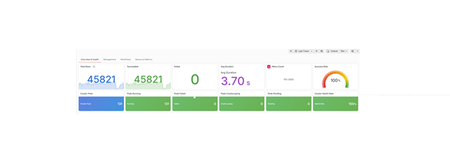
Key findings for technical decision makers Hybrid Logic Apps ran a high-volume, file-driven integration workload on deliberately modest on-premises hardware: one host shared by the cluster, file storage and SQL Server 2025. Across both 30-minute tests there were no failed runs, and the one-hour dashboard view showed 45,821 successful runs at a 100% success rate. The database was not a cost driver: SQL Server used an average of 1.83% of host CPU capacity. Most runs finished in about 4 seconds, with a longer tail for the slowest 1%. The factor that most affects scale is storage, not server count, because adding workflow instances does not add disk capacity. For planning, budget for dedicated storage for the database and files as volumes grow, size capacity on peak and tail response times rather than averages, and validate with your own workloads. These results are a baseline for one workload, not a product-wide capacity guarantee. A practical look at throughput, latency, reads, writes, and locks The primary goal of this exercise is to evaluate SQL read and write behavior and the time spent waiting for locks under integration load. Workflow throughput supplies the workload context; it is not a substitute for those database measurements. This is a mixed-workload observation, not an isolated SQL capacity test. In a 30-minute baseline, files were offered to an Azure Logic Apps workflow at approximately 100 files per second. SQL CPU usage remained low, while a substantial file backlog accumulated. The lesson is not that one component is necessarily slow. It is that a useful benchmark must connect offered load, completed throughput, latency, and waiting rather than treating any one metric as the answer. The SQL comparison tells a different story from workflow throughput alone: average workflow-state data-file write I/O latency rose from 12.958 to 38.652 ms, while accumulated instance-wide lock waiting remained near 1,470 task-seconds. Faster workflow completion did not mean that every SQL measurement improved. A repeat of the same 30-minute workload subsequently showed 3.87% higher successful throughput, 6.40% lower p95 execution latency, and 8.68% lower p99 execution latency, with no failed workflow runs in either measured window. Both measurements are retained below: the repeat was an observed improvement, not proof of a tuning change or a product-wide performance guarantee. The workflow The workflow snapshot shows the processing sequence used in the benchmark. The workflow is taken such that huge set of I/O operations are performed during the workflow executions to simulate the SQL benchmarking under high I/O operations. The workflow performs six steps: Detect a newly created file in a receiving folder. Insert a business record into SQL. Read the source file's contents. Create a copy in a destination folder. Delete the source file. Delete the destination copy. This is a synthetic processing-and-cleanup scenario, not an archival workflow: both test-file copies are removed on successful completion. A successful run means that the complete sequence finished, not just that the SQL insert succeeded. Infrastructure: OpenShift K8se cluster with single node, one shared disk The deployment topology is a hosted Windows machine running an on-premises, single-node OpenShift cluster in a Linux VM, with local SMB storage and SQL Server 2025 on the same Windows host. The SMB files, SQL data and transaction logs, and cluster VM storage all share the same host drive and backing disk. Different folders or virtual disks on that shared backing disk do not create independent I/O capacity. The workflow operates in a fully disconnected runtime environment: the execution and data paths shown remain local, without an external runtime-service dependency for this workflow. This documents the supplied runtime topology, not an independent network-isolation test or a claim about offline installation and management. Autoscaling adds workflow pods, not OpenShift nodes or additional disks. The configured 1-10 replicas therefore share the same single-node compute and storage resources. This layout matters when interpreting performance. File creation, reads, copies, and deletion can overlap with SQL reads, data writes, transaction-log writes, and cluster storage activity on the same disk. More pods can increase that shared I/O demand without increasing disk capacity. Storage delays can also lengthen transactions and the time locks remain held, but the topology alone does not establish that disk contention caused the measured blocking or throughput limit. How the baseline was measured The test offered small, 1 KiB files at a target rate of 100 files per second for 30 minutes. The existing workflow and database configuration were retained during the measurement; this was a baseline, not a tuned result. Measurements covered file publication, workflow starts and outcomes, execution duration, SQL request timing, SQL process resources, database-file I/O, and blocking. Existing autoscaling remained enabled, so this was not a fixed-replica benchmark. Observability also has a cost: these are instrumented results, not a claim of zero measurement overhead. SQL benchmark: reads, writes, and locking periods The database results below come from the two measured 30-minute exercises, not from the one-hour dashboard view later in this post. SQL counter snapshots bracket each exercise: approximately 1,801.16 seconds for the initial workflow-state observation and 1,801.74 seconds for the repeat. Business-data counter coverage is approximately 1,801.16 and 1,801.71 seconds. The workflow load-generation window itself is exactly 1,800 seconds. Evaluation Plain-language question What the saved measurements can answer Read How much information does SQL retrieve, and how long do disk reads take? Physical database-file read counts and average I/O latency; completed SQL request timing. Write How much information does SQL save, and how long do data and log writes take? Physical data-file and log-file write counts and average I/O latency; completed SQL request timing. Locking period How long does an operation wait for another operation, and how long does the owner hold its lock? Accumulated lock-wait time, waiting-task counts, and sampled blocking. Individual lock-hold durations were not recorded. Read and write I/O: volume and latency The two database roles are labeled workflow state and business data. Each row below describes a file-I/O operation, not an individual SQL statement. Database role / file I/O operation Initial count Repeat count Initial average ms/I/O Repeat average ms/I/O Workflow state / data Read 35,169 9,331 0.896 0.571 Workflow state / data Write 74,146 90,913 12.958 38.652 Workflow state / log Write 318,134 334,775 0.938 1.115 Business data / data Read 104 19 0.923 0.474 Business data / data Write 124 14 0.919 0.714 Business data / log Write 25,826 27,018 1.152 1.425 Average read I/O latency = read-stall milliseconds / read I/O count. Average write I/O latency = write-stall milliseconds / write I/O count. These are operation-weighted counter ratios, not averages of sample averages. The repeat performed fewer physical data reads and more workflow-state writes. Its average workflow-state data-file write latency was approximately three times the initial value. Workflow-state log writes also became slower on average. The small business-data file-I/O counts should not be treated as a stable disk-performance estimate. A read satisfied from memory need not cause a physical file read. Likewise, many row changes can be persisted together, and transaction-log writes are distinct from later data-page writes. Consequently, these counts are not SELECT counts, INSERT counts, or committed business-record counts. None of the file-I/O averages is the duration of an entire SQL statement or transaction. Completed SQL request timing SQL requests provide a separate view of elapsed server-side work. The trace selected events completed within each exact 30-minute window. Percentiles are approximate; requests still running at cutoff are excluded. Database role / request type Window Completed events Average ms p95 ms p99 ms Workflow state / remote call Initial 1,127,136 1.780 2.431 62.479 Workflow state / remote call Repeat 1,170,736 1.647 1.643 52.385 Business data / remote call Initial 81,114 0.960 1.354 14.487 Business data / remote call Repeat 84,220 1.041 1.225 15.503 Workflow state / SQL batch Initial 586 0.244 0.382 0.557 Workflow state / SQL batch Repeat 645 101.029 33.750 7,967.948 A remote call is a completed RPC event, not necessarily one statement. These request populations mix reads, writes, and supporting work; they do not establish separate SELECT-only or INSERT-only latency distributions. Batch events are shown separately rather than hidden inside the much larger remote-call population. Database-wide activity can include monitoring and dashboard requests, so this is not an application-only isolation test. The repeat improved workflow-state remote-call latency, but business-data p99 and batch latency worsened. There is no basis for saying that all SQL latency improved. Lock waiting: duration, concurrency, and observation period A lock hold belongs to the operation owning the lock: acquisition through release. A lock wait belongs to another operation waiting to obtain a conflicting lock. These are different periods; a waiting operation's duration does not reveal precisely how long the owner held the lock. Locking measurement Scope Initial Repeat Accumulated lock-wait time SQL instance 1,473.235 s 1,467.470 s Lock-waiting task count SQL instance 51,283 50,548 Wait-time / waiting-task counter ratio SQL instance 28.728 ms 29.031 ms Range/update coordination waits SQL instance 1,287.958 s 1,273.562 s Update coordination waits SQL instance 183.449 s 168.197 s Other lock waits SQL instance 1.828 s 25.711 s Peak sampled blocked requests Workflow-state database 16 20 Snapshots showing blocked requests Workflow-state database 85 / 353 78 / 354 Longest span of consecutive positive blocking snapshots Workflow-state database Approximately 15.2 s Approximately 10.2 s The cumulative lock counters are instance-wide and reported once, not added again for each database. Other activity on the instance can contribute. They count waiting SQL tasks, not unique transactions, locks, or workflow runs. The mean counter ratio is not a measured per-lock hold time or a lock-wait percentile. 1,473 accumulated wait-seconds does not mean the database was continuously blocked for 1,473 seconds. Concurrent tasks can wait at the same time. The totals cannot be divided by test duration and described as the percentage of the test spent blocked. The roughly five-second snapshots count requests blocked by another identified session. They do not record each request's wait type or lock lifetime. The longest positive-snapshot span means blocking was present at successive observations; different requests may have been involved, and blocking could have stopped between samples. It is not proof of one continuous blocking episode or one transaction holding a lock for that long. No blocked business-data requests were seen in the snapshots; brief blocking between samples remains possible. For write-related context, instance-wide waiting for transaction-log flushes accumulated 1,200.092 seconds initially and 1,390.289 seconds in the repeat. These are task-wait sums, not individual commit latency or additional time to add to workflow duration. What this does and does not establish The exercise establishes measured read/write I/O volume and average latency, mixed SQL request timing, and aggregate lock waiting with sampled blocking under the workflow workload. It does not establish isolated SQL read/write capacity, statement-specific read/write latency, exact blocking-episode lengths, or p50/p95/p99 lock-hold durations. One-hour dashboard results (Initial + repeat) These are actual values from the supplied dashboard with Last 1 hour visibly selected. This is a rolling dashboard observation, not a newly executed one-hour controlled load test. Measurement Dashboard result Selected observation period Last 1 hour Total runs displayed 45,821 Successful runs displayed 45,821 Failed runs displayed 0 Displayed successful count / 3,600 seconds 12.728 runs/second Average execution duration displayed 3.70 seconds Success rate displayed 100% Retry count No data Processing beyond the cutoff This supplied dashboard view spans a longer period than the 30-minute baseline. Processing continues after file generation stops. The displayed run total belongs to the dashboard's selected scope and aggregation. It is not the number of successful completions during the fixed measurement window, and it has not been reconciled to the exact benchmark cohort. The curve shows run counts over time, not a cumulative completion counter; its bucket size is not specified here, so the vertical values should not be read as runs per second. Latency: look beyond the average Successful workflow execution duration Result Average 4.11 seconds p50 Approximately 3.89 seconds p95 Approximately 6.20 seconds p99 Approximately 13.01 seconds Maximum 23.71 seconds These durations measure workflow execution after a run starts. They exclude time spent waiting in the receiving folder. As the backlog grows, a file's arrival-to-completion time can be much longer. Each point summarizes one minute. Workflow duration uses seconds; SQL request duration uses milliseconds. The SQL panels separate requests associated with workflow state from requests associated with business data, without exposing database identities. The first few minutes show higher workflow latency than much of the later window. The chart exposes this change but does not, by itself, establish its cause. The workflow chart includes successful runs completed by cutoff. SQL timing includes captured completed requests; requests still running at cutoff are not represented in those percentiles. Workflow bucket and whole-window comparison percentiles were computed from the observed completed runs; displayed values are rounded. SQL percentiles are approximate. SQL activity in the broader observation period These supplied SQL panels provide broader context, not additional fixed-window baseline results. SQL operations per second counts database work, not completed workflow runs: one workflow can require multiple SQL operations. The CPU line here is measured in milliseconds of SQL execution CPU time, not the percentage of host capacity shown below. Dashboard time ranges and aggregation differ from the baseline charts, so their averages and totals should not be substituted for the 30-minute measurements. SQL process measurement Result Average CPU, normalized to host capacity 1.83% Peak sampled CPU, normalized to host capacity 8.08% Physical memory at the first recorded sample Approximately 1.20 GiB Physical memory at the last recorded sample and peak Approximately 3.15 GiB These are instance-wide SQL process measurements, not workflow-container utilization or total machine utilization. CPU points represent roughly five-second interval averages, not instantaneous peaks. The dashed reference uses the reported full-window average; the recorded series ends slightly before cutoff and is not extrapolated. A system can have CPU headroom while work waits for storage, another transaction, a network response, or another part of the workflow. Aggregate CPU usage can also hide a narrower, serialized bottleneck. Configured scaling and application resources The deployment's configured scaling values were captured after the repeat. Application-configuration fingerprints matched before and after the test. Scaling setting Captured value Minimum replicas 1 Maximum replicas 10 Polling interval 30 seconds Configured cooldown 300 seconds Polling and cooldown values describe configuration, not guaranteed reaction times. Actual scaling also depends on controller decisions and stabilization. The dashboard's matching-pod count rises from about one to five, then steps down through four to three during the repeat. A later increase occurs after the measurement cutoff, while queued work continues processing. This panel counts matching pod records; it does not filter explicitly for readiness. It should not be interpreted as proof that every displayed pod was ready at every instant. Independent runtime checks found one ready replica before the repeat and three after it. The captured resource budget also distinguishes the application container from the entire pod: Resource scope, per replica CPU request CPU limit Memory request Memory limit Application container 0.425 cores 1 core 1,844 MiB 2 GiB Whole pod, including supporting containers 0.501 cores 1.5 cores 2 GiB 4.5 GiB Green represents usage; yellow represents the summed application-container limits. The chart's resource scope excludes supporting containers, so it is not the whole-pod or cluster resource budget. The CPU usage line is a five-minute rate expressed in cores. Memory usage is the containers' working set. As the number of matching application containers changes, their summed limits change too; this does not mean usage suddenly rose to the limit. These application metrics are not interchangeable with SQL process CPU percentages or SQL process physical memory. Aggregate headroom also does not exclude per-container throttling or uneven load distribution. Supplied latency dashboard This supplied panel shows p50 3.60 s, p95 5.47 s, and p99 10.5 s for its selected scope. Its time filter is not visible, so these values are not substituted for the fixed-window comparison above. Run and SQL trends beyond the repeat window This view extends beyond the 20:54:59 IST measurement cutoff and includes continued processing. Values are counts in the dashboard's time buckets, not a cumulative total or a documented runs-per-second rate. SQL duration and SQL CPU time here are in milliseconds. They are not workflow execution time or host CPU percentage. The dashboard aggregation covers a different scope from the verified 30-minute SQL measurements. How to use these results This is a baseline for one synthetic workflow, payload size, workload shape, and deployment. It is not a product-wide capacity limit, service-level guarantee, or comparison between deployment platforms. Workflow outcomes describe runs started within the measurement window and their status at cutoff. They are time-window totals, not a file-by-file correlation audit; concurrent executions of the same workflow can contribute. SQL process resources and wait measurements can include other activity on the same instance; individual SQL requests are not equivalent to workflow runs. For organizations that must keep integrations close to their data, whether for regulatory, data-residency or operational reasons, Hybrid Logic Apps brings the Logic Apps platform into their own datacenter. In this benchmark, the workflow ran fully disconnected on a single on-premises host, with SQL Server 2025 storing workflow state and no dependency on an external runtime service. The business value is straightforward. Sensitive data stays on site, workflow state lives in a database your team already operates and protects, capacity scales automatically within the hardware you own, and when demand spikes, work queues instead of failing. Teams also build on the same Logic Apps skills they use in Azure, rather than maintaining a separate integration stack for on-premises workloads. Recommendations Do not manually alter, truncate, drop, or selectively delete records from runtime-managed SQL tables. Partial changes can leave missing content, orphaned metadata, inconsistent run history, or state that affects retries and recovery. Use the deployment’s supported retention and cleanup mechanisms; any exceptional database maintenance should follow with a recoverable backup. Performance: Evaluate storage latency, CPU, memory, and blocking. Validate supported configuration changes through repeatable benchmarks rather than modifying internal tables or weakening transaction consistency. Please refer this for SQL server guidance Monitor and Tune for Performance - SQL Server | Microsoft Learn Give SQL independent I/O capacity from SMB and cluster VM storage. Increase CPU or memory when measurements justify it—not simply because throughput is low. Use supported availability groups or failover clustering for availability and recovery. These are not automatically a scale-out solution for writes. Follow Availability Group: Prerequisites, Restrictions, and Recommendations - SQL Server Always On | Microsoft Learn We executed the test using single node K8se cluster, for better use distribute workflow pods across independent worker hosts with adequate storage and networking. Scale incrementally and remeasure successful throughput, write latency, blocking, backlog, and recovery behavior while preserving runtime-managed tables.226Views0likes0CommentsLogic Apps Aviators Newsletter - October 2026
In this issue: Ace Aviator of the Month News from our product group News from our community Ace Aviator of the Month October 2026's Ace Aviator: Hicham Boutaleb & Azure Solution Architect @ 5-Nines Consulting What's your role and title? What are your responsibilities? I work as an Enterprise Integration Architect, helping organizations design, implement, and modernize integration platforms using Microsoft technologies. My responsibilities include defining architecture, leading technical delivery, supporting development teams, ensuring best practices around security and governance, and helping customers get the most value from Azure services such as Logic Apps, API Management, Service Bus, and Azure Functions. Can you give us some insights into your day-to-day activities and what a typical day in your role looks like? No two days are exactly the same, which is one of the things I enjoy most about my role. A typical day usually involves a mix of: - Designing integration and automation solutions. - Reviewing architectures and code with project teams. - Supporting customers in solving complex technical challenges. - Running workshops and knowledge-sharing sessions. - Evaluating new Azure capabilities and how they can benefit ongoing projects. - Collaborating with business stakeholders to translate requirements into scalable technical solutions. I also dedicate time to continuous learning because the cloud ecosystem evolves incredibly fast, and staying up to date is essential. What motivates and inspires you to be an active member of the Aviators/Microsoft community? The community is one of the best accelerators of professional growth. What motivates me most is the opportunity to learn from others while also giving back through sharing experiences, lessons learned, and practical solutions. I believe that technology is not just about tools—it's about people. The Microsoft community creates an environment where professionals can collaborate, innovate, and help each other succeed. Seeing someone solve a problem using knowledge I've shared is incredibly rewarding. Looking back, what advice do you wish you had been given earlier that you'd now share with those looking to get into STEM/technology? I would tell my younger self: Don't focus only on technology, focus on problem-solving and communication. Technical skills are important, but the ability to understand business challenges, communicate clearly, and work effectively with others often has an even greater impact on your career. I would also encourage people to: - Stay curious and never stop learning. - Build real projects rather than only collecting certifications. - Don't be afraid of failure—every mistake is an opportunity to learn. - Invest in your professional network early. The technology will change throughout your career, but adaptability and curiosity will always remain valuable. What has helped you grow professionally? Several factors have contributed to my growth: - Working on diverse and challenging projects. - Learning from experienced mentors and colleagues. - Being willing to step outside my comfort zone. - Participating in technical communities and events. - Maintaining a mindset of continuous improvement. Some of my biggest learning moments came from difficult projects where I had to solve problems I had never encountered before. Those experiences often teach more than success alone. If you had a magic wand that could create a feature in Logic Apps, what would it be and why? If I had a magic wand, I'd add an AI-powered end-to-end message tracking feature in Logic Apps that automatically follows a message across all workflows and Azure services it traverses. It would provide a single, intelligent view of the entire journey, making troubleshooting and root-cause analysis much faster and easier. News from our product group Your Certificate Renewed. Your Gateway Didn't Notice. Learn how certificate renewal can create outages when Azure Application Gateway does not detect an updated certificate in Azure Key Vault. The article explains certificate refresh behavior and practical steps for ensuring renewed certificates propagate reliably to dependent gateway infrastructure. How to Validate That Your BizTalk SB-Messaging Adapter Is Really Using AMQP Prepare BizTalk Server integrations for the retirement of the legacy Service Bus Messaging Protocol by confirming that the SB-Messaging adapter uses AMQP. This guide covers the required BizTalk Server 2020 hotfix and shows how to verify active AMQP-over-TLS connections on port 5671 across every relevant host and messaging configuration. Migrate Data Ingestion from Data Collector to Log Ingestion - Part 2 Continue migrating from the deprecated Data Collector API to the Azure Monitor Log Ingestion API by handling its smaller payload limit. The article demonstrates how to calculate and split large datasets into appropriately sized chunks in Azure Logic Apps so ingestion requests remain below the 1 MB limit. Bring Azure Logic Apps connectors into your .NET applications with the Azure Connectors SDK Explore the preview Azure Connectors SDK for calling Azure Logic Apps connectors directly from .NET applications without hosting a workflow. Strongly typed asynchronous clients, Azure Identity integration, and support for managed identities make it easier to connect application code to Microsoft and third-party services. Agentic Refactoring of Legacy Integration Workloads to Azure Logic Apps Standard See how agentic AI can accelerate the refactoring of legacy integration workloads into Azure Logic Apps Standard. This Microsoft Azure Developers video explores an AI-assisted modernization approach for analyzing existing solutions and moving them toward cloud-native workflows. Connect Azure Functions to SharePoint using Managed Connectors Learn how Azure Functions can connect to SharePoint using managed connectors. This Microsoft Azure Developers video demonstrates how connector capabilities simplify authentication and integration between function code and SharePoint. Connect SaaS & Enterprise Systems with Azure Functions This Microsoft Azure Developers video showcases how Azure Functions can use managed connectors for scalable, event-driven automation. It demonstrates integration with services such as SharePoint and Teams, highlighting how triggers and actions can reduce the need for manual polling and simplify authentication handling. The session walks through building practical workflows that connect SaaS and enterprise systems using Azure Functions. News from our community Logic Apps Community Day — 3 December 2026 Post by Ahmed Bayoumy Logic Apps Community Day returns on 3 December 2026 as a free, online event streamed live on YouTube. The program focuses on Logic Apps, the wider Azure integration stack, and AI patterns built on integration platforms. Organizers describe eight community speaking slots, combining longer sessions with lightning talks, and invite practitioners to submit examples, client cases, comparisons, or AI features. The event is intended for a worldwide audience and includes discussions, a published agenda, and opportunities for community members to share practical experience. Azure Logic Apps: Workflow Automation, Enterprise Integration, Connectors, B2B, Security, Networking, Monitoring, DevSecOps, Governance, and AI-Enable Post by Sanjeeve Kumar Gajadi This extensive guide presents Azure Logic Apps as an enterprise orchestration and integration layer rather than only a visual automation tool. It discusses Consumption and Standard hosting, triggers, actions, connectors, API Management, Service Bus, Event Grid, SAP, B2B protocols, managed identities, private networking, monitoring, reliability, DevOps, governance, and cost management. The article also considers AI-enabled orchestration and human approval patterns. Its central guidance is to design workflows around business processes, resilience, security, observability, and operational ownership while moving complex computation to suitable application services. Azure Logic Apps Handbook: 50 Expert Tips and Best Practices Post by Sandro Pereira Sandro Pereira introduces a free handbook containing 50 expert tips and best practices for Azure Logic Apps. The guide is aimed at architects, developers, integration specialists, DevOps engineers, and leaders working with cloud automation. Its coverage includes Logic Apps capabilities, practical use cases, workflow optimization, security, common pitfalls, and implementation strategies. The accompanying article explains that the handbook is intended to help readers design reliable, scalable, and maintainable workflows, and provides access to the downloadable resource through the linked publication. Build and Debug Logic Apps Standard Locally in VS Code Post by Stephen W. Thomas Stephen W. Thomas demonstrates how to build and debug Azure Logic Apps Standard workflows locally in Visual Studio Code without deploying resources to Azure. The walkthrough covers installing the extension, creating a stateful workflow with built-in operations, using local storage emulation, and sending a request from Postman. It also shows how to pause workflow execution at a breakpoint and inspect the results. The accompanying guide helps developers reproduce the setup and explore a practical local development loop while avoiding Azure charges during development and debugging. Azure API Management Premium v2 Workspaces and Dedicated Workspace Gateways in a Private Network Post by Şahin Özdemir Şahin Özdemir shares lessons from configuring Azure API Management Premium v2 workspaces and dedicated workspace gateways in a fully private network. The article covers Premium v2 virtual network integration, workspace isolation for multiple teams, internal-only workspace gateways, required Bicep resources and associations, and network security group rules. It also calls out deployment pitfalls and the less obvious Microsoft.ApiManagement/gateways/configConnections resource used to associate workspaces with gateways. The first part keeps API Management externally accessible while placing workspaces and their gateways inside the private network. Getting Started with Logic Apps Standard (in 2026) Video by Stephen W. Thomas Stephen W. Thomas shows how to set up Azure Logic Apps Standard locally in Visual Studio Code in under five minutes with no Azure charges. The updated installation brings in the Azure Functions runtime, Azure tooling, C# support, and storage emulators. The video creates a local workspace using built-in connectors, starts the workflow with F5, copies its callable URL, and sends a request from Postman. It also demonstrates breakpoints, debugger variables, action inputs, and stepping into custom in-process C# code for a complete local development experience.359Views0likes0Comments
Migrate Data Ingestion from Data Collector to Log Ingestion - Part 2
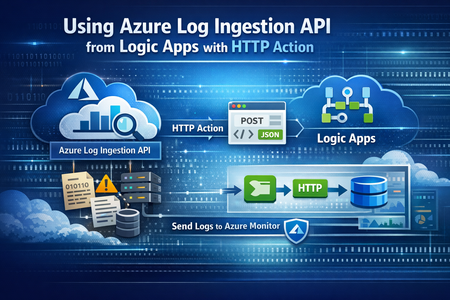
In Part1, we discussed how to use HTTP action to migrate from the deprecated Data Collector API to Log Ingestion API. However, since the deprecated Data Collector API was allowing message payload up to 30MB, some migration scenarios encountered issues; since the new Log Ingestion API has only 1MB payload limit. This applies to both HTTP action, and the preview (Log Ingestion connector) Azure Monitor service limits - Azure Monitor | Microsoft Learn When sending payload larger than 1MB, the HTTP action would fail with the error: In order to overcome this, we can chunk the array payload, before calling the Ingestion API. We need to chunk the array payload, so each produced chunk is around 800KB To do this, you can divide the size of your full payload, by the number of records it has, and this would give an average record size. Then divide 800,000 bytes with the average record size, and this will give you the chunk size. For example, if your payload size is 1,200,259 bytes, and the number of records is 2500, then the average record size is: 1,200,259 / 2,500 =~ 480 bytes To find the chunk size, we divide 800,000 bytes by 480 bytes 800,000 / 480 =~ 1666 records. So if we send around 1600 records, this should be less than 1MB. To chunk your array payload, we can use the chunk expression inside a compose action. You can use the expression below for chunking inside the compose action: After the compose action, add for-each action, and use the output of the compose action as an input: Inside the for-each, use the normal HTTP to send the logs, and in the body, choose the for-each current item314Views1like0CommentsLogic Apps Aviators Newsletter - September 2026
In this issue: Ace Aviator of the Month News from our product group News from our community Ace Aviator of the Month September 2026's Ace Aviator: Parth Talaviya What's your role and title? What are your responsibilities? AI-Powered Azure/.NET Solution Architect I work as an Azure/.NET Solution Architect, combining technical leadership with building a Microsoft-focused boutique company. My work mainly revolves around application modernization and migration, cloud architecture, integrations, and team leadership. I also stay hands-on with development, architecture reviews, production troubleshooting, and mentoring developers. Can you give us some insights into your day-to-day activities and what a typical day in your role looks like? My day usually starts with thinking about how we can add more value to our clients' businesses. It includes reviewing project priorities, solving technical challenges, discussing architecture, supporting developers, and collaborating with stakeholders. I mainly work across .NET, Azure, APIs, integrations, DevOps, and AI automation, so every day brings something new to learn and solve. What motivates and inspires you to be an active member of the Aviators/Microsoft community? What really motivates me is how active and supportive the Microsoft community is. People are genuinely willing to help each other, share experiences, and solve problems together. Being able to use my own experience to help someone overcome a challenge genuinely makes my day, while learning from others keeps me motivated to continuously improve. Looking back, what advice do you wish you had been given earlier that you'd now share with those looking to get into STEM/technology? You don’t have to do everything alone. In technology, especially when you are stuck on a very specific problem, it can sometimes feel that way. Asking questions, learning from the community, and collaborating with others can make a huge difference. I would also say: embrace AI early, but use it wisely. Don’t use AI only to generate code. Use it to understand concepts, challenge your thinking, explore better approaches, review your work, and become a better problem-solver. What has helped you grow professionally? Continuous learning and solving real-world challenges have helped me grow the most. Working on legacy modernization, cloud architecture, large-scale data systems, automation, and AI has taught me to think beyond writing code and understand the broader business impact. Being part of a strong technical community has also helped significantly. Whenever you are stuck, there is often someone who has faced a similar challenge and is willing to share their experience. If you had a magic wand that could create a feature in Logic Apps, what would it be and why? I would create an AI-powered Copilot troubleshooting and self-healing assistant for Logic Apps. It could analyze failed workflows, understand the execution context, identify the likely root cause, suggest a fix, and provide safe recovery options. For complex integrations, this could save significant troubleshooting time and allow developers to focus more on building solutions rather than spending hours finding where something went wrong. News from our product group Use connectors with Managed Identity in the Logic Apps Standard extension Managed Identity is Azure's built-in way to authenticate to Microsoft Entra-protected resources without storing credentials, secrets, or connection strings. Deployed Logic Apps have supported it for some time, and this post explains connector support in the Logic Apps Standard extension. Introducing dependency telemetry in Application Insights for Azure API Management policies Running API platforms at scale requires both handling load and understanding where inefficiencies occur. This post introduces dependency telemetry in Application Insights for Azure API Management policies to help teams identify performance bottlenecks. Power Azure SRE Agent with the tools it needs Azure SRE Agent is an AI-powered service designed to reduce operational toil. Teams can use it to investigate incidents, identify probable causes, and automate health-related operational work using connected tools. Give your Copilot agents real tools, without hand-wiring MCP GitHub Copilot coding agents can work independently on branches, but some tasks require access to external systems. This post shows how to equip agents with real tools without manually wiring Model Context Protocol integrations. Zonal redundancy in API management Standard v2 APIs power modern mobile experiences, microservices, AI-driven applications, and business-critical integrations. This post explains zonal redundancy in Azure API Management Standard v2 for improving resilience as customers modernize their API platforms. BizTalk Server 2020 End-of-Sale Announcement Microsoft announces that BizTalk Server 2020 and Host Integration Server 2020 sales are expected to end on March 31, 2027. Existing licensed deployments can continue to be used, while mainstream support for BizTalk Server 2020 is scheduled through April 12, 2028. An optional paid extended-mainstream support offering is planned for eligible customers through April 10, 2030, with final terms to be published later. The post recommends beginning migration planning now, evaluating Azure Logic Apps Standard or Azure Logic Apps Hybrid, inventorying dependencies, and using the Logic Apps Migration Agent to assess and convert supported workloads. Logic App Storage Inspector Logic App Storage Inspector is a read-only Kudu site extension for examining storage used by an Azure Logic App Standard application. It supports searching workflow action and trigger history by workflow, date, or text, with results exportable as CSV or JSON. Users can browse and compare workflow-definition versions, review table and queue information, and monitor health indicators and refresh status. The extension isolates access to the current Logic App site, uses asynchronous paged operations for large storage accounts, and can be installed from Kudu Site Extensions. News from our community Azure Logic Apps Automation – A Practical Infrastructure Lab with Agentic Remediation Post by João Paulo Costa João Paulo Costa tests Azure Logic Apps Automation through an after-hours virtual-machine remediation lab. The workflow uses an agent to inspect VM metadata, tags, and runtime state, then apply guardrails before deciding whether to deallocate the resource, leave it unchanged, or request review. The article contrasts agentic decision-making with deterministic workflows, documents tool and connector choices, and examines preview limitations such as runtime-state retrieval and managed-identity support. It also emphasizes constrained permissions, explicit policies, verification after actions, and negative testing for production, exemptions, missing ownership, and disabled remediation. Agentic Integration: Non-Deterministic Experience, Solid Core Post by Massimo Crippa Massimo Crippa examines whether agentic capabilities make enterprise integration non-deterministic. He separates an agent’s variable decision-making from the predictable integration layer that executes selected capabilities. The article highlights durable messaging, reliable contracts, idempotency, transactional boundaries, retries, compensation, governance, and observability as continuing requirements. It presents tools as the boundary between reasoning and execution: agents determine what should happen, while integration platforms control how operations are performed safely. Azure Logic Apps is positioned as both a deterministic integration foundation and a platform that can expose governed capabilities to emerging agentic experiences. Build AI Agents in Azure Logic Apps (Conversational + Autonomous) Video by Rafsan Huseynov Rafsan Huseynov presents a video on building conversational and autonomous AI agents with Azure Logic Apps. The session describes Logic Apps as more than a background integration layer, covering orchestration, managed identities, agent loops, and the use of workflows as MCP tools. Demonstrations explore connections with Document Intelligence, Blob Storage, Microsoft Foundry, and Copilot Studio workflows, alongside conversational and autonomous agent patterns. The video also introduces a separate low-code automation experience with scoped permissions, while noting that the demonstrations use synthetic data and that the experience remains in preview. BizTalk to Logic Apps migration (three things, everyone gets wrong) Post by Brajesh Sinha Brajesh Sinha explains why simple counts of BizTalk orchestrations and maps produce unreliable Logic Apps migration estimates. One orchestration can fan out into several Azure resources, supposedly simple maps may hide substantial transformation complexity, and operational requirements are often omitted from statements of work. The article highlights the architecture, mapping, and production-readiness effort that teams frequently underestimate. It encourages migration planners to assess actual behavior and dependencies rather than relying on inventory totals, helping create more realistic timelines, scope, and delivery expectations. Hybrid Logic Apps on RKE2: a self-managed cluster with MetalLB Post by Sonny Gillissen Sonny Gillissen demonstrates how to run Azure Logic Apps Hybrid on a self-managed RKE2 Kubernetes cluster. Because RKE2 does not include a native load balancer, the walkthrough uses MetalLB to assign the ingress IP required by the deployment. It covers creating the cluster, configuring networking, connecting the environment to Azure Arc, and handling the platform-specific details needed for Logic Apps. The article provides a practical alternative for teams evaluating hybrid integration workloads outside managed Kubernetes services, extending earlier guidance for OpenShift environments. An Introduction to Logic Apps Standard SDK Video by Marcel Medina Marcel Medina shares a Coding Night ANZ recording introducing the Logic Apps Standard SDK. The session shows how the SDK brings a modern, code-first .NET development experience to Azure Logic Apps while retaining the platform’s connectors, triggers, monitoring, and managed runtime. It is aimed at developers who want familiar tooling and stronger source-driven workflow development without giving up managed integration capabilities. The post also thanks the community for its questions and participation and provides the complete session recording for anyone who missed the live event. Managed Identity in Logic Apps Standard: A Zero Trust Read Post by Steef-Jan Wiggers Steef-Jan Wiggers examines new Managed Identity support for connectors in the Logic Apps Standard local development experience. Developers can now use a consistent authentication model from development through production instead of swapping connection strings before deployment, removing a common source of unmanaged secrets. The article frames this improvement through Zero Trust while stressing that authentication alone does not replace disciplined RBAC. A working azd sample demonstrates the setup and highlights a critical application setting whose absence causes the otherwise correctly configured connection, access policy, and role assignment to fail.739Views0likes0CommentsLogic App Storage Inspector
Logic App Storage Inspector is a Kudu site extension for inspecting the storage used by an Azure Logic App Standard application. Read-only: The extension only reads Logic App storage data. It does not create, update, or delete workflows, tables, queues, blobs, messages, or other storage data. Functionality Flow history search Search action and trigger inputs or outputs by workflow, date, and text. Results can be copied or exported as CSV or JSON. Flow versions Browse workflow versions, view their JSON definitions, and compare two versions side by side and you can download the json. Information dashboard Review workflow table information, queue depths, health indicators, and refresh status. Site isolation and performance Restricts table and queue access to the current Logic App site when a storage account is shared. Uses asynchronous, cancellable, and paged operations for large storage accounts. Performs no write operations against the Logic App or its storage account. Install from Kudu Site Extensions 1. Open Kudu Open the Logic App Standard resource in the Azure portal. Select Development Tools > Advanced Tools. Select Go to open the Kudu/SCM site. 2. Install the extension In Kudu, select Site extensions. Open the Gallery tab. Search for Logic App Storage Inspector. Select the + button and confirm the installation. Restart the SCM site if Kudu requests it. 3. Open the inspector Use the extension link in Kudu, or browse directly to: https://<logic-app-name>.scm.azurewebsites.net/logicappstorageinspector/ Access to the inspector requires permission to access the Logic App's Kudu site. Configuration The extension reads configuration from the Logic App environment: Setting Purpose WEBSITE_SITE_NAME Identifies the current Logic App site. Provided by App Service. AzureWebJobsStorage Storage connection used as a fallback. AzureWebJobsStorage__accountName Storage account used with managed identity. LASI_TABLE_PREFIX Optional explicit flow<hostId> prefix when automatic resolution is unavailable. LASI_AUTO_REFRESH_SECONDS Optional dashboard refresh interval. LASI_PAGE_SIZE Optional default history-search page size. For managed identity, grant the Logic App identity the required Storage Table, Queue, and Blob data-reader permissions. Source Code the code built using GitHub copilot on VS code https://github.com/features/copilot Repository link mbarqawi/LogicAppStorageInspector: Web-based diagnostics tool for Azure Logic Apps Standard storage, workflow history, versions, and queue health.BizTalk Server 2020 End-of-Sale Announcement
Executive Summary: BizTalk Server 2020 is the final release of BizTalk Server, and Microsoft expects sales of BizTalk Server 2020 and Host Integration Server 2020 to end March 31, 2027. Mainstream support for BizTalk Server 2020 continues through April 12, 2028, after which the product remains subject to Microsoft’s Fixed Lifecycle Policy. Microsoft also plans to offer eligible customers an optional, paid extended-mainstream support offering through April 10, 2030. Customers should begin planning their migration to Azure Logic Apps Standard or Azure Logic Apps Hybrid now, based on their deployment requirements. Closing a chapter Microsoft currently expects sales of BizTalk Server 2020 and Host Integration Server 2020 to end on March 31, 2027. Customers with existing valid licenses may continue to deploy and use the software in accordance with their licensing terms. Mainstream support for BizTalk Server 2020 continues through April 12, 2028. The end-of-sale date does not require customers to stop running licensed deployments, but customers should begin migration and licensing planning now because the extended-mainstream support offering described below remains subject to final eligibility, coverage, pricing, and purchasing terms. Microsoft plans to offer eligible BizTalk Server 2020 customers a paid, time-limited extended-mainstream support option from April 13, 2028, through April 10, 2030. The offering is intended to provide additional migration time, will have narrower coverage than the original mainstream-support phase, and will not add new product features. Eligibility, availability, supported components, servicing commitments, purchasing terms, and the official offering name will be published before enrollment opens. If you need to buy BizTalk Server 2020, or Host Integration Server 2020, you can do it until March 31, 2027. Recommended action Begin migrating your BizTalk Server workloads now, selecting Azure Logic Apps Standard or Azure Logic Apps Hybrid according to your organization’s hosting, networking, latency, data-residency, and operational requirements. Treat additional support coverage as contingency time rather than the default destination. Starting early gives teams time to inventory dependencies, redesign excluded capabilities, validate migrated solutions, and make commercial decisions before mainstream support ends. The Logic Apps Migration Agent can accelerate assessment and planning, convert supported artifacts, and assist with validation and deployment of refactored solutions on Azure Logic Apps Standard or Azure Logic Apps Hybrid. Extended-mainstream support scope Paid extended-mainstream support is planned as an optional, temporary bridge for eligible customers completing their migration. It is separate from the Extended Support phase available under Microsoft’s Fixed Lifecycle Policy and is expected to provide a different, narrower scope than the original mainstream-support phase. Microsoft expects the paid offering to run from April 13, 2028, through April 10, 2030. Certain BizTalk Server capabilities are expected to be excluded from the paid offering; the following list identifies the currently expected exclusions. Business Activity Monitoring (BAM) — The framework and tooling for capturing, tracking, and presenting near real-time business milestones, KPIs, and operational data from running BizTalk processes. Servicing, fixes, and updates for BAM components will not be provided under extended support. Enterprise Service Bus Toolkit (ESB Toolkit) — The libraries, itinerary services, and patterns that extend BizTalk with dynamic, itinerary-based routing, transformation, and centralized exception handling for service-oriented solutions. The ESB Toolkit will not receive servicing or support under extended support. Industry accelerators (SWIFT, HL7, and RosettaNet) — The domain-specific accelerators that provide schemas, pipelines, and validation for financial (SWIFT), healthcare (HL7), and supply-chain (RosettaNet) messaging standards. These accelerators will not receive servicing, schema updates, or support under extended support. Legacy enterprise adapters — The adapters that connect BizTalk to line-of-business and enterprise applications such as Siebel, PeopleSoft, TIBCO, and JD Edwards. These adapters will not receive servicing or support under extended support. Application Lifecycle Management (ALM) tooling and integrations — The BizTalk-specific tooling and integrations used for source control, automated build, deployment, and testing of BizTalk applications. These BizTalk-specific ALM components will not receive servicing or support under extended support. BizTalk Server images in Azure Marketplace — Microsoft currently expects to deprecate the BizTalk Server virtual-machine offer in Azure Marketplace. This affects the future availability of the Marketplace deployment image; it does not, by itself, make an otherwise eligible existing BizTalk Server 2020 deployment ineligible for paid extended-mainstream support. Microsoft will publish the effective date and guidance for existing virtual machines, new or replacement deployments, scaling, disaster recovery, customer-managed images, licensing, billing, patching, and support. New Visual Studio version support — Compatibility with Visual Studio versions newer than Visual Studio 2022 will not be added under extended support. Customers should review the Visual Studio 2022 lifecycle and support offering separately, because its coverage terms are independent of BizTalk Server extended support. Customers that depend on an excluded capability should prioritize the affected workloads in their migration plan. Use the Logic Apps Migration Agent to assess dependencies, inform target-architecture decisions, convert supported artifacts, and validate the migrated solution. Excluded BizTalk capabilities may require architectural redesign or manual implementation outside the agent. Customers are not required to purchase paid extended-mainstream support. Customers that do not enroll remain subject to Microsoft’s Fixed Lifecycle Policy and the applicable BizTalk Server 2020 lifecycle dates. The availability of technical support, non-security updates, security updates, and other services during the standard Extended Support phase depends on the policy requirements and the customer’s applicable support arrangement. The paid extended-mainstream support offering described here is an optional, separate offering for eligible customers that require additional coverage while completing their migration. After the end-of-sale date, customers that already hold valid BizTalk Server 2020 licenses may continue to deploy and use the software in accordance with the applicable licensing terms. Eligibility Paid extended mainstream support will be available to eligible customers with properly licensed BizTalk Server 2020 deployments. The final eligibility requirements will be provided in the published offering terms. Eligible products and versions: Paid extended-mainstream support is expected to be available for eligible deployments of BizTalk Server 2020 Enterprise, Standard, or Branch editions. Customers using Host Integration Server 2020 may also purchase the BizTalk Server paid extended-mainstream support offering to receive the applicable extended mainstream-support coverage for their HIS 2020 deployments, including customers that acquired BizTalk Server licences primarily to obtain HIS usage rights. BizTalk Server 2016, HIS 2016, and earlier versions will not be eligible. Azure Marketplace deployments: Existing BizTalk Server 2020 deployments created from eligible Azure Marketplace images are expected to qualify for paid extended-mainstream support, subject to the final offering terms. Customers must meet the applicable licensing, Software Assurance, supported-configuration, and complete-deployment coverage requirements. Microsoft will clarify how eligibility, licensed-core quantities, pricing, and purchasing apply when BizTalk Server software charges are included in the Azure Marketplace virtual-machine rate rather than acquired through a separate BizTalk Server licence agreement. Valid licenses: Customers are expected to maintain sufficient BizTalk Server licenses for each covered deployment in accordance with the applicable licensing model, including relevant core minimums, licensing of physical or virtual environments, and license-reassignment rules. Final extended-support licensing requirements will be stated in the published offering terms. Software Assurance: Active Software Assurance will be required at enrollment and throughout the applicable coverage period. Complete deployment coverage: Extended mainstream support must be purchased for all licensed cores in each enrolled deployment. Partial coverage of an enrolled production environment will not be permitted. Supported configuration: Covered environments must remain on a supported BizTalk Server 2020 configuration and meet published requirements for cumulative updates, operating systems, databases, and dependent components. Annual validation: Eligibility and licensed-core quantities will be confirmed for each coverage year. Customers must remain eligible to purchase Year 2 coverage. As part of the eligibility review, Microsoft may request licensing records, deployment inventories, configuration details, and migration-plan information. Complete requirements and enrollment instructions will be published before the offering becomes available. Purchasing details Paid extended mainstream support will be offered as annual coverage based on the licensed cores in each enrolled BizTalk Server 2020 deployment. Microsoft will publish final pricing, availability, enrollment dates, purchasing channels, and transaction terms before sales begin. Purchasing paid extended-mainstream support is optional and is not required for BizTalk Server 2020 to follow the Fixed Lifecycle Policy. Host Integration Server 2020: Eligible HIS 2020 customers will purchase coverage through the BizTalk Server paid extended-mainstream support offering. Customers that do not require HIS IBM Systems Network Architecture (SNA) capabilities should also evaluate Azure Logic Apps Standard or Azure Logic Apps Hybrid as a modernization alternative before purchasing additional support coverage. Azure Logic Apps Standard does not support SNA; customers that depend on HIS 2020 SNA capabilities must transition to Host Integration Server 2028. Coverage periods: Year 1 is expected to begin the next day mainstream support ends, on April 13, 2028, and continue through April 13, 2029. Year 2 is expected to run from April 14, 2029, through April 10, 2030. The final offering terms will confirm whether the boundary dates are inclusive and will specify the exact enrollment and coverage periods. Purchase sequence: Microsoft expects customers to purchase Year 1 coverage by April 11, 2028, to remain eligible to purchase Year 2 coverage. The final enrollment deadline and Year 2 eligibility conditions will be specified in the published offering terms. Price: Microsoft expects annual extended-mainstream support pricing to be 100% of the applicable BizTalk Server license cost under the customer's licensing agreement. Extended mainstream support is expected to be offered as an annual add-on for eligible BizTalk Server licenses. Final pricing and costs may vary by licensing agreement, geography, currency, available discounts, and the published offering terms. How to purchase: Customers will purchase coverage through an authorized Microsoft commercial licensing channel with support from their Microsoft account team or licensing partner. Separate support services: The annual extended-mainstream support fee is expected to cover only the servicing and support rights defined in the final offering terms. It will not include unlimited incident support, advisory services, migration delivery, solution implementation, or other professional services; customers may need a separate support plan or services agreement for those needs. Annual purchase: Coverage will not renew automatically. Customers must place a separate order and complete an eligibility review for each year. Support beyond April 10, 2030, is not planned. Contact your Microsoft account team or licensing partner to review eligible deployments, confirm licensed-core quantities, and obtain a quote when the offering becomes available. Discounts and incentives Microsoft plans to offer a targeted incentive for eligible existing BizTalk Server customers that are actively migrating to Azure Logic Apps Standard or Azure Logic Apps Hybrid. The incentive is designed to reduce near-term migration costs and support a faster move to the selected Logic Apps deployment model. It will not be automatic or broadly available; eligibility, approval, and final commercial terms must be confirmed by the customer’s Microsoft account team. Timing and important conditions Who can qualify: The incentive is intended exclusively for existing BizTalk Server 2020 customers approaching the announced BizTalk Server lifecycle milestones and actively migrating workloads to Azure Logic Apps Standard or Azure Logic Apps Hybrid. Redemption period: The incentive is expected to become available on August 31, 2026, and remain available through April 12, 2028, subject to publication of the program terms, eligibility approval, continued availability, and any applicable funding limits. Discount duration: The approved discount is expected to apply during the customer’s first qualifying Enterprise Agreement term after approval. The published program terms will define the eligible agreement types, qualifying start date, covered Azure services, discount duration, and treatment of renewals or agreement changes. Qualification: The incentive is subject to eligibility review and approval. Recommended action Ask your Microsoft account team or licensing partner to assess your migration scope, confirm which eligible migration path applies, and request consideration for the incentive. Migration support Contact your Microsoft account team to determine whether your organization is eligible for migration assistance delivered by the Azure Logic Apps product group or through another available migration-factory program. Program names, eligibility criteria, engagement scope, and availability will be confirmed through your account team. Migration options for Host Integration Server workloads Customers using Host Integration Server 2020 for application, data, messaging, or terminal integration—and who do not depend on HIS SNA capabilities—should evaluate Azure Logic Apps Standard or Azure Logic Apps Hybrid as a modernization target. Azure Logic Apps provides mainframe and midrange integration capabilities for scenarios involving IBM CICS, IMS, IBM i programs, DB2, IBM MQ, host files, and 3270 applications. Customers should assess each workload against the available connectors, supported protocols, networking, security, and operational requirements. Azure Logic Apps Standard does not support SNA. Customers running HIS 2020 workloads that depend on SNA capabilities must plan to transition to Host Integration Server 2028. Key dates March 31, 2027: Sales of BizTalk Server 2020 and Host Integration Server 2020 are expected to end. April 12, 2028: Mainstream support for BizTalk Server 2020 ends. April 13, 2028: BizTalk Server 2020 enters the Extended Support phase under Microsoft’s Fixed Lifecycle Policy, subject to the applicable policy requirements and lifecycle dates. April 13, 2028–April 10, 2030: Planned paid extended-mainstream support period for eligible BizTalk Server 2020 customers, subject to the final published offering terms. September 30, 2027: Host Integration Server 2028 is planned for release as a standalone product. Release timing is subject to change. July 7, 2030: Extended Support for Host Integration Server 2020 is currently scheduled to end. This date is separate from the planned BizTalk Server 2020 paid extended mainstream support period, which is expected to end April 10, 2030. Start your modernization journey with the Logic Apps Migration Agent. Use the agent to inventory and assess your BizTalk applications, prioritize integrations, build a phased migration plan, convert supported artifacts and workflows, and support validation, testing, and deployment to Azure Logic Apps Standard or Azure Logic Apps Hybrid. Excluded or unsupported BizTalk capabilities may require architectural redesign or manual implementation outside the agent. The agent’s AI-assisted, human-in-the-loop approach can accelerate modernization while your teams retain control of architecture and implementation decisions. Contact your Microsoft account team to discuss migration-assistance eligibility and commercial options. Learn more: BizTalk Server product lifecycle update | Bringing all your integration workloads to Logic Apps Standard | Fixed Lifecycle Policy – Extended SupportUse connectors with Managed Identity in the Logic Apps Standard extension
Managed Identity is Azure’s built-in way to authenticate to Microsoft Entra-protected resources without storing credentials, secrets, or connection strings. Deployed Logic Apps have supported it for a while, but the developer inner loop was a different story. You would wire up one authentication method to run and debug locally, then swap it for another before deploying to the cloud. The Logic Apps Standard extension for Visual Studio Code now lets you create connectors that use Managed Identity as an authentication parameter and run them while you build and debug locally. This works for both Azure managed connectors and service provider connectors. When you run locally, the extension authenticates as your signed-in developer identity using the Azure default credentials pattern. After you deploy, the same connection authenticates with the app’s managed identity. Why this matters for developers You gain two things. Stronger security. Managed Identity removes the requirement to keep API keys or connection strings around to reach your target systems. As the Azure Logic Apps managed-identity guidance puts it, a managed identity “removes the need to store and manage credentials, secrets, or access tokens.” Fewer secrets in your settings mean a smaller attack surface and less to rotate. One setup for local and cloud. Many teams keep one authentication configuration for local runs and redefine it for cloud deployment, and those differences often cause deployment errors. With the Azure default credentials pattern, your app authenticates with your local sign-in while you develop, then with a managed identity after you deploy. The transition needs no code changes. One connection definition covers both environments. Prerequisites Make sure you are on these versions or later: Logic Apps Standard VS Code extension 5.961.19+ Bundle 1.165.52+ Azure CLI 2.51+ Az PowerShell module You must be logged on Azure CLI (using az login) and Az Powershell module (using Connect-AzAccount). How to enable Add the following app setting to both ./local.settings.json and ./workflow-designtime/local.settings.json: { "IsEncrypted": false, "Values": { "WORKFLOWS_AUTHENTICATION_METHOD": "managedServiceIdentity" } } Then reload the Visual Studio Code window so that both the extension and the design-time engine pick up the new setting. Both files matter. The design-time engine reads its own settings file to power the designer, so skipping it is a common reason the change does not take effect. From Logic Apps extension version 5.981.1, you can choose enable Managed Identity as an authentication method by default, by checking the following extension setting: If you are not ready to use managed identity yet, you can change the WORKFLOWS_AUTHENTICATION_METHOD value to Raw. But notice that this flag enables managed identity for the whole application, so if you are planning to use this feature you need it set to managedServiceIdentity. You might want to keep the existing behavior in case your existing CI/CD pipeline requires the Raw authentication method in connections.json or parameters.json. Also notice that this is a local only setting - it is added to local.settings.json files, which are not captured by source control. How it works This uses the Azure default credentials pattern. When your workflow needs a token, the credential chain tries a series of sources in order and stops at the first one that can issue a token. Locally, that resolves to your developer identity, such as your Azure CLI az login session, your Visual Studio Code sign-in, or Azure PowerShell. After you deploy, it resolves to the app’s managed identity, which can be system-assigned or user-assigned. The configuration stays the same across both environments. Whichever identity you use, your local user while developing or the managed identity once deployed, it needs the right RBAC roles on the resources it accesses. If a connection returns an authorization error, check the role assignment on the target resource first. The WORKFLOWS_AUTHENTICATION_METHOD flag behaves differently for each connector family. The next two sections cover both. Deep dive: Azure managed connectors For managed connectors, the flag does two things. It removes the requirement for a local connection key to authorize your logic app to talk to the managed connector, its access control layer (ACL). The change is transparent: the designer shows that you now have access to the connector. You can confirm it by inspecting the connection’s access policies. It authenticates the connector to the end system using the managed identity, or your user context when you run locally. You pick Managed Identity as the authentication type when you create the connection. Creating an Azure Blob Storage (managed) connection with Authentication Type set to “Logic Apps Managed Identity.” One limitation applies today. The Managed Identity implementation for managed connectors does not generate dynamic values inside the designer. You can still configure the connector, but you supply custom values instead of picking from dynamically populated dropdowns. Deep dive: Service provider connectors Service provider connectors support dynamic parameters today. You create the connection, choose Managed Identity as the authentication type, and keep using the designer’s dynamic values as usual, such as entering the fully qualified namespace for a Service Bus connection. Creating a Service Bus (service-provider) connection with Managed Identity. The connector supports dynamic parameters such as the Fully Qualified Namespace. Try it and let us know If you build integrations on Logic Apps Standard, update to the latest extension, set WORKFLOWS_AUTHENTICATION_METHOD to managedServiceIdentity, and give your connectors a passwordless local inner loop. This small setting removes secrets from your configuration and keeps authentication consistent from your laptop to the cloud. Have feedback, or a scenario you would like to see supported, such as dynamic values for managed connectors? Share it with the Logic Apps Aviators community at aka.ms/aistechcommunity. Your input shapes the roadmap. Learn more Authenticate connections with managed identities in Azure Logic Apps Create Standard logic app workflows with Visual Studio Code DefaultAzureCredential overview (Azure Identity client library)1.8KViews4likes1Comment