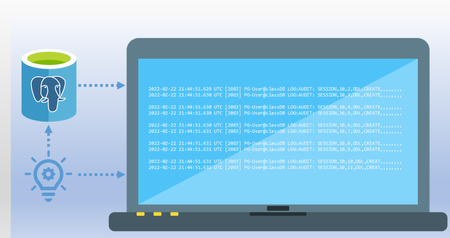
logging
35 Topics
VPN Integration not persistent
Hello, We tried to configure https://learn.microsoft.com/en-us/defender-for-identity/vpn-integration from supported Cisco VPN GW. We established the RADIUS Accounting logs to be sent to DC with MDI sensors installed. Yet when we enabled this in Defender Portal (Settings > Identities > VPN) by checking the box and inserting the shared secret, the configuration is not persistent. We hit save, and we are presented with the success green message, but once we refresh the page or go elsewhere in the portal, the checkbox is not checked. Has anyone encountered the same issue? Thanks, Simon
IdentityLogonEvents - IsNtlmV1
Hi, I cannot find documentation on how the IdentityLogonEvents table's AdditionalFields.IsNtlmV1 populated. In a demo environment, I intentionally "enforced" NTLMv1 and made an NTLMv1 connection to a domain controller. On the DC's Security log, event ID 4624 shows correct info: Detailed Authentication Information: Logon Process: NtLmSsp Authentication Package: NTLM Transited Services: - Package Name (NTLM only): NTLM V1 Key Length: 128 On MDI side however it looks like this: (using the following KQL to display relevant info here: IdentityLogonEvents | where ReportId == @"f70dbd37-af8e-4e4e-a77d-b4250f9e0d0b" | extend todynamic(AdditionalFields) | project TimeGenerated, ActionType, Application, LogonType, Protocol,IsNtlmV1 = AdditionalFields.IsNtlmV1 ) TimeGenerated ActionType Application LogonType Protocol IsNtlmV1 Nov 28, 2025 10:43:05 PM LogonSuccess Active Directory Credentials validation Ntlm false Can someone please explain, under which circumstances will the IsNtlmV1 property become "true"? Thank you in advance
Using ClientConnectionId to Correlate .NET Connection Attempts in Azure SQL
Getting Better Diagnostics with ClientConnectionId in .NET A few days ago, I was working on a customer case involving intermittent connectivity failures to Azure SQL Database from a .NET application. On the surface, nothing looked unusual. Retries were happening. In this post, I want to share a simple yet effective pattern for producing JDBC-style trace logs in .NET — specifically focusing on the ClientConnectionId property exposed by SqlConnection. This gives you a powerful correlation key that aligns with backend diagnostics and significantly speeds up root cause analysis for connection problems. Why ClientConnectionId Matters Azure SQL Database assigns a unique identifier to every connection attempt from the client. In .NET, this identifier is available through the ClientConnectionId property of SqlConnection. According to the official documentation: The ClientConnectionId property gets the connection ID of the most recent connection attempt, regardless of whether the attempt succeeded or failed. Source: https://learn.microsoft.com/en-us/dotnet/api/system.data.sqlclient.sqlconnection.clientconnectionid?view=netframework-4.8.1 This GUID is the single most useful piece of telemetry for correlating client connection attempts with server logs and support traces. What .NET Logging Doesn’t Give You by Default Unlike the JDBC driver, the .NET SQL Client does not produce rich internal logs of every connection handshake or retry. There’s no built-in switch to emit gateway and redirect details, attempt counts, or port information. What you do have is: Timestamps Connection attempt boundaries ClientConnectionId values Outcome (success or failure) If you capture and format these consistently, you end up with logs that are as actionable as the JDBC trace output — and importantly, easy to correlate with backend diagnostics and Azure support tooling. Below is a small console application in C# that produces structured logs in the same timestamped, [FINE] format you might see from a JDBC trace — but for .NET applications: using System; using Microsoft.Data.SqlClient; class Program { static int Main() { // SAMPLE connection string (SQL Authentication) // Replace this with your own connection string. // This is provided only for demonstration purposes. string connectionString = "Server=tcp:<servername>.database.windows.net,1433;" + "Database=<database_name>;" + "User ID=<sql_username>;" + "Password=<sql_password>;" + "Encrypt=True;" + "TrustServerCertificate=False;" + "Connection Timeout=30;"; int connectionId = 1; // Log connection creation Log($"ConnectionID:{connectionId} created by (SqlConnection)"); using SqlConnection connection = new SqlConnection(connectionString); try { // Log connection attempt Log($"ConnectionID:{connectionId} This attempt No: 0"); // Open the connection connection.Open(); // Log ClientConnectionId after the connection attempt Log($"ConnectionID:{connectionId} ClientConnectionId: {connection.ClientConnectionId}"); // Execute a simple test query using SqlCommand cmd = new SqlCommand("SELECT 1", connection) { Log($"SqlCommand:1 created by (ConnectionID:{connectionId})"); Log("SqlCommand:1 Executing (not server cursor) SELECT 1"); cmd.ExecuteScalar(); Log("SqlDataReader:1 created by (SqlCommand:1)"); } } catch (SqlException ex) { // ClientConnectionId is available even on failure Log($"ConnectionID:{connectionId} ClientConnectionId: {connection.ClientConnectionId} (failure)"); Log($"SqlException Number: {ex.Number}"); Log($"Message: {ex.Message}"); return 1; } return 0; } // Simple logger to match JDBC-style output format static void Log(string message) { Console.WriteLine( $"[{DateTime.Now:yyyy-MM-dd HH:mm:ss}] [FINE] {message}" ); } } Run the above application and you’ll get output like: [2025-12-31 03:38:10] [FINE] ConnectionID:1 This attempt server name: aabeaXXX.trXXXX.northeurope1-a.worker.database.windows.net port: 11002 InstanceName: null useParallel: false [2025-12-31 03:38:10] [FINE] ConnectionID:1 This attempt endtime: 1767152309272 [2025-12-31 03:38:10] [FINE] ConnectionID:1 This attempt No: 1 [2025-12-31 03:38:10] [FINE] ConnectionID:1 Connecting with server: aabeaXXX.trXXXX.northeurope1-a.worker.database.windows.net port: 11002 Timeout Full: 20 [2025-12-31 03:38:10] [FINE] ConnectionID:1 ClientConnectionID: 6387718b-150d-482a-9731-02d06383d38f Server returned major version: 12 [2025-12-31 03:38:10] [FINE] SqlCommand:1 created by (ConnectionID:1 ClientConnectionID: 6387718b-150d-482a-9731-02d06383d38f) [2025-12-31 03:38:10] [FINE] SqlCommand:1 Executing (not server cursor) select 1 [2025-12-31 03:38:10] [FINE] SqlDataReader:1 created by (SqlCommand:1) [2025-12-31 03:38:10] [FINE] ConnectionID:2 created by (SqlConnection) [2025-12-31 03:38:11] [FINE] ConnectionID:2 ClientConnectionID: 5fdd311e-a219-45bc-a4f6-7ee1cc2f96bf Server returned major version: 12 [2025-12-31 03:38:11] [FINE] sp_executesql SQL: SELECT 1 AS ID, calling sp_executesql [2025-12-31 03:38:12] [FINE] SqlDataReader:3 created by (sp_executesql SQL: SELECT 1 AS ID) Notice how each line is tagged with: A consistent local timestamp (yyyy-MM-dd HH:mm:ss) A [FINE] log level A structured identifier that mirrors what you’d see in JDBC logging If a connection fails, you’ll still get the ClientConnectionId logged, which is exactly what Azure SQL support teams will ask for when troubleshooting connectivity issues.625Views3likes0CommentsLesson Learned #503: Lessons Learned Using JDBC Logging with Microsoft JDBC Driver for SQL Server
A few days ago, our customer encountered connectivity issues while using HikariCP in their Java application. To troubleshoot the problem, we enabled detailed logging for the Microsoft JDBC Driver for SQL Server. This logging gave me a lot of information and details, following I would like to share my lessons learned here.
Deploying MDI to multiple On-premise DC for monitoring purposes
Hello, When deploying MDI to all my on-premise domain controllers for monitoring purposes. Do I need to add new sensors for each dc? or can I use the package and access key from one sensor to all my dc's? Thank you!Solved924Views0likes2Comments