learn
121 TopicsComo começar e crescer no mercado de tecnologia
A #JornadaTech é uma maratona de mentorias online do Microsoft Reactor São Paulo, sobre carreira na tecnologia, em que você poderá aprender mais sobre as áreas de Cloud, Segurança, Programação e Dados. Neste artigo, você encontrará algumas dicas e recursos para começar e crescer na carreira de tecnologia.14KViews6likes10CommentsIntroducing Data Science for Beginners
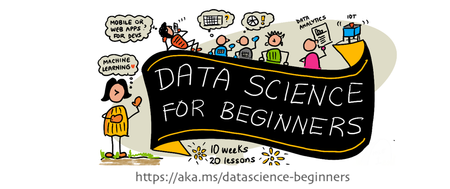
Our team of Azure Cloud Advocates, Program Managers, and Student Ambassadors are pleased to bring a new addition to the For Beginners Curriculum series: Data Science for Beginners. Data Science for Beginners is a free, MIT-licensed open-source curriculum of 20 lessons that focus on the foundations of Data Science and requires no prior knowledge to get started.16KViews6likes2CommentsGetting Started with Copilot for Power Platform: A Guide for Computer Science Students
Master the Power Platform with Copilot: Dive into AI-driven development for Power Apps, Automate, Virtual Agents, and AI Builder. Explore real-world solutions and accelerate your computer science skills in this comprehensive learning path 10KViews5likes0Comments
Building a Multi-Agent System with Azure AI Agent Service: Campus Event Management
Personal Background My name is Peace Silly. I studied French and Spanish at the University of Oxford, where I developed a strong interest in how language is structured and interpreted. That curiosity about syntax and meaning eventually led me to computer science, which I came to see as another language built on logic and structure. In the academic year 2024–2025, I completed the MSc Computer Science at University College London, where I developed this project as part of my Master’s thesis. Project Introduction Can large-scale event management be handled through a simple chat interface? This was the question that guided my Master’s thesis project at UCL. As part of the Industry Exchange Network (IXN) and in collaboration with Microsoft, I set out to explore how conversational interfaces and autonomous AI agents could simplify one of the most underestimated coordination challenges in campus life: managing events across multiple departments, societies, and facilities. At large universities, event management is rarely straightforward. Rooms are shared between academic timetables, student societies, and one-off events. A single lecture theatre might host a departmental seminar in the morning, a society meeting in the afternoon, and a careers talk in the evening, each relying on different systems, staff, and communication chains. Double bookings, last-minute cancellations, and maintenance issues are common, and coordinating changes often means long email threads, manual spreadsheets, and frustrated users. These inefficiencies do more than waste time; they directly affect how a campus functions day to day. When venues are unavailable or notifications fail to reach the right people, even small scheduling errors can ripple across entire departments. A smarter, more adaptive approach was needed, one that could manage complex workflows autonomously while remaining intuitive and human for end users. The result was the Event Management Multi-Agent System, a cloud-based platform where staff and students can query events, book rooms, and reschedule activities simply by chatting. Behind the scenes, a network of Azure-powered AI agents collaborates to handle scheduling, communication, and maintenance in real time, working together to keep the campus running smoothly. The user scenario shown in the figure below exemplifies the vision that guided the development of this multi-agent system. Starting with Microsoft Learning Resources I began my journey with Microsoft’s tutorial Build Your First Agent with Azure AI Foundry which introduced the fundamentals of the Azure AI Agent Service and provided an ideal foundation for experimentation. Within a few weeks, using the Azure Foundry environment, I extended those foundations into a fully functional multi-agent system. Azure Foundry’s visual interface was an invaluable learning space. It allowed me to deploy, test, and adjust model parameters such as temperature, system prompts, and function calling while observing how each change influenced the agents’ reasoning and collaboration. Through these experiments, I developed a strong conceptual understanding of orchestration and coordination before moving to the command line for more complex development later. When development issues inevitably arose, I relied on the Discord support community and the GitHub forum for troubleshooting. These communities were instrumental in addressing configuration issues and providing practical examples, ensuring that each agent performed reliably within the shared-thread framework. This early engagement with Microsoft’s learning materials not only accelerated my technical progress but also shaped how I approached experimentation, debugging, and iteration. It transformed a steep learning curve into a structured, hands-on process that mirrored professional software development practice. A Decentralised Team of AI Agents The system’s intelligence is distributed across three specialised agents, powered by OpenAI’s GPT-4.1 models through Azure OpenAI Service. They each perform a distinct role within the event management workflow: Scheduling Agent – interprets natural language requests, checks room availability, and allocates suitable venues. Communications Agent – notifies stakeholders when events are booked, modified, or cancelled. Maintenance Agent – monitors room readiness, posts fault reports when venues become unavailable, and triggers rescheduling when needed. Each agent operates independently but communicates through a shared thread, a transparent message log that serves as the coordination backbone. This thread acts as a persistent state space where agents post updates, react to changes, and maintain a record of every decision. For example, when a maintenance fault is detected, the Maintenance Agent logs the issue, the Scheduling Agent identifies an alternative venue, and the Communications Agent automatically notifies attendees. These interactions happen autonomously, with each agent responding to the evolving context recorded in the shared thread. Interfaces and Backend The system was designed with both developer-focused and user-facing interfaces, supporting rapid iteration and intuitive interaction. The Terminal Interface Initially, the agents were deployed and tested through a terminal interface, which provided a controlled environment for debugging and verifying logic step by step. This setup allowed quick testing of individual agents and observation of their interactions within the shared thread. The Chat Interface As the project evolved, I introduced a lightweight chat interface to make the system accessible to staff and students. This interface allows users to book rooms, query events, and reschedule activities using plain language. Recognising that some users might still want to see what happens behind the scenes, I added an optional toggle that reveals the intermediate steps of agent reasoning. This transparency feature proved valuable for debugging and for more technical users who wanted to understand how the agents collaborated. When a user interacts with the chat interface, they are effectively communicating with the Scheduling Agent, which acts as the primary entry point. The Scheduling Agent interprets natural-language commands such as “Book the Engineering Auditorium for Friday at 2 PM” or “Reschedule the robotics demo to another room.” It then coordinates with the Maintenance and Communications Agents to complete the process. Behind the scenes, the chat interface connects to a FastAPI backend responsible for core logic and data access. A Flask + HTMX layer handles lightweight rendering and interactivity, while the Azure AI Agent Service manages orchestration and shared-thread coordination. This combination enables seamless agent communication and reliable task execution without exposing any of the underlying complexity to the end user. Automated Notifications and Fault Detection Once an event is scheduled, the Scheduling Agent posts the confirmation to the shared thread. The Communications Agent, which subscribes to thread updates, automatically sends notifications to all relevant stakeholders by email. This ensures that every participant stays informed without any manual follow-up. The Maintenance Agent runs routine availability checks. If a fault is detected, it logs the issue to the shared thread, prompting the Scheduling Agent to find an alternative room. The Communications Agent then notifies attendees of the change, ensuring minimal disruption to ongoing events. Testing and Evaluation The system underwent several layers of testing to validate both functional and non-functional requirements. Unit and Integration Tests Backend reliability was evaluated through unit and integration tests to ensure that room allocation, conflict detection, and database operations behaved as intended. Automated test scripts verified end-to-end workflows for event creation, modification, and cancellation across all agents. Integration results confirmed that the shared-thread orchestration functioned correctly, with all test cases passing consistently. However, coverage analysis revealed that approximately 60% of the codebase was tested, leaving some areas such as Azure service integration and error-handling paths outside automated validation. These trade-offs were deliberate, balancing test depth with project scope and the constraints of mocking live dependencies. Azure AI Evaluation While functional testing confirmed correctness, it did not capture the agents’ reasoning or language quality. To assess this, I used Azure AI Evaluation, which measures conversational performance across metrics such as relevance, coherence, fluency, and groundedness. The results showed high scores in relevance (4.33) and groundedness (4.67), confirming the agents’ ability to generate accurate and context-aware responses. However, slightly lower fluency scores and weaker performance in multi-turn tasks revealed a retrieval–execution gap typical in task-oriented dialogue systems. Limitations and Insights The evaluation also surfaced several key limitations: Synthetic data: All tests were conducted with simulated datasets rather than live campus systems, limiting generalisability. Scalability: A non-functional requirement in the form of horizontal scalability was not tested. The architecture supports scaling conceptually but requires validation under heavier load. Despite these constraints, the testing process confirmed that the system was both technically reliable and linguistically robust, capable of autonomous coordination under normal conditions. The results provided a realistic picture of what worked well and what future iterations should focus on improving. Impact and Future Work This project demonstrates how conversational AI and multi-agent orchestration can streamline real operational processes. By combining Azure AI Agent Services with modular design principles, the system automates scheduling, communication, and maintenance while keeping the user experience simple and intuitive. The architecture also establishes a foundation for future extensions: Predictive maintenance to anticipate venue faults before they occur. Microsoft Teams integration for seamless in-chat scheduling. Scalability testing and real-user trials to validate performance at institutional scale. Beyond its technical results, the project underscores the potential of multi-agent systems in real-world coordination tasks. It illustrates how modularity, transparency, and intelligent orchestration can make everyday workflows more efficient and human-centred. Acknowledgements What began with a simple Microsoft tutorial evolved into a working prototype that reimagines how campuses could manage their daily operations through conversation and collaboration. This was both a challenging and rewarding journey, and I am deeply grateful to Professor Graham Roberts (UCL) and Professor Lee Stott (Microsoft) for their guidance, feedback, and support throughout the project.1KViews4likes1CommentUnlocking Future Skills with Microsoft Learning Hubs
In today’s fast-paced world, staying ahead means continuously evolving your skills. Discover how Microsoft’s Learning Hubs are revolutionizing education and skllling. Explore how Microsoft is empowering individuals and organizations to thrive. Dive into our commitment to keep you skilled and see how we’re shaping a brighter future for everyone. Stay tuned to learn more about how you can harness these tools and initiatives to boost your productivity and drive success!2.7KViews4likes2CommentsMastering Azure OpenAI Services: A Comprehensive Learning Path for Aspiring AI Engineers
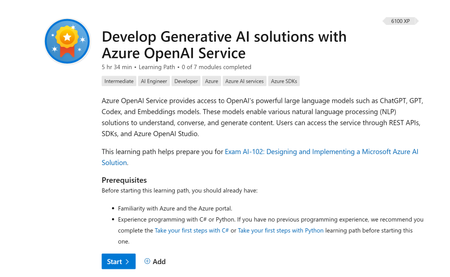
Are you a computer science student looking to delve into the world of Azure OpenAI Services? Look no further! In this Microsoft Learning Pathway, "Develop Generative AI solutions with Azure OpenAI Service," you'll embark on an exciting journey to harness the power of OpenAI's vast language models like ChatGPT, GPT, Codex, and Embeddings. These models are pivotal for creating innovative Natural Language Processing (NLP) solutions that can comprehend, converse, and generate content.9KViews4likes0CommentsMake the most of Microsoft Learn Cloud Games
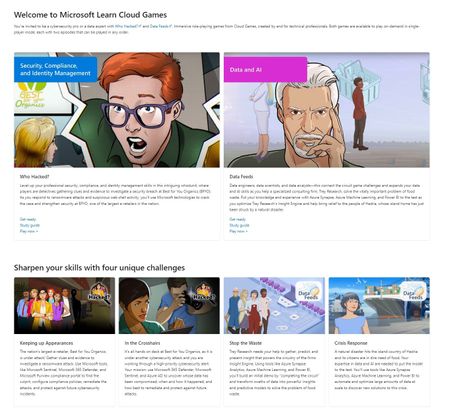
To help foster such positive outcomes, Microsoft Learn has brought to life an innovative experiential approach with the introduction of interactive Cloud Games. Designed especially for security and data & AI professionals with an intermediate knowledge level across a range of Microsoft solutions, Who Hacked? and Data Feeds are fun, immersive role-playing games with the mission of refreshing and reinforcing your IT expertise7.8KViews4likes1CommentDesign and Implement Complex Business Scenarios using Low Code Tools
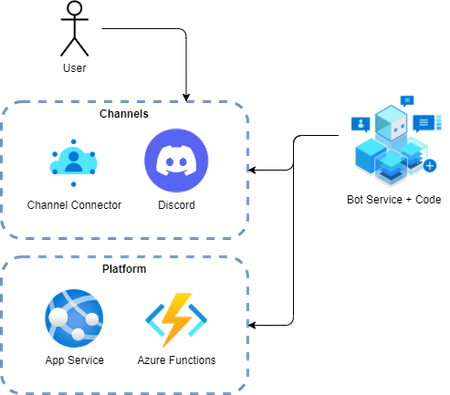
Let’s suppose you oversee any community (such as your school class) using popular chat apps such as Microsoft Teams or Discord. Whenever members join your community, you want them to on-board or – more specifically - verify them. (In case you need an example: In our case, we want competitors for Microsoft Competitions to verify their Discord account when they join the competition Discord server. Once verified, participants will receive broader access to the Discord server.)4.9KViews4likes0CommentsMicrosoft AI Agents Learn Live Starting 15th April
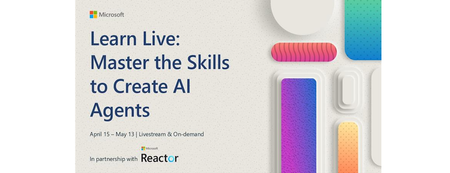
Join us for an exciting Learn Live webinar where we dive into the fundamentals of using Azure AI Foundry and AI Agents. The series is to help you build powerful Agent applications. This learn live series will help you understand the AI agents, including when to use them and how to build them, using Azure AI Agent Service and Semantic Kernel Agent Framework. By the end of this learning series, you will have the skills needed to develop AI agents on Azure. This sessions will introduce you to AI agents, the next frontier in intelligent applications and explore how they can be developed and deployed on Microsoft Azure. Through this webinar, you'll gain essential skills to begin creating agents with the Azure AI Agent Service. We'll also discuss how to take your agents to the next level by integrating custom tools, allowing you to extend their capabilities beyond built-in functionalities to better meet your specific needs. Don't miss this opportunity to gain hands-on knowledge and insights from experts in the field. Register now and start your journey into building intelligent agents on Azure Register NOW Learn Live: Master the Skills to Create AI Agents | Microsoft Reactor Plan and Prepare to Develop AI Solution on Azure Microsoft Azure offers multiple services that enable developers to build amazing AI-powered solutions. Proper planning and preparation involves identifying the services you'll use and creating an optimal working environment for your development team. Learning objectives By the end of this module, you'll be able to: Identify common AI capabilities that you can implement in applications Describe Azure AI Services and considerations for using them Describe Azure AI Foundry and considerations for using it Identify appropriate developer tools and SDKs for an AI project Describe considerations for responsible AI Format: Livestream Topic: Core AI Language: English Details Fundamentals of AI agents on Azure AI agents represent the next generation of intelligent applications. Learn how they can be developed and used on Microsoft Azure. Learning objectives By the end of this module, you'll be able to: Describe core concepts related to AI agents Describe options for agent development Create and test an agent in the Azure AI Foundry portal Format: Livestream Topic: Core AI Language: English Details Develop an AI agent with Azure AI Agent Service This module provides engineers with the skills to begin building agents with Azure AI Agent Service. Learning objectives By the end of this module, you'll be able to: Describe the purpose of AI agents Explain the key features of Azure AI Agent Service Build an agent using the Azure AI Agent Service Integrate an agent in the Azure AI Agent Service into your own application Format: Livestream Topic: Core AI Language: English Details Integrate custom tools into your agent Built-in tools are useful, but they may not meet all your needs. In this module, learn how to extend the capabilities of your agent by integrating custom tools for your agent to use. Learning objectives By the end of this module, you'll be able to: Describe the benefits of using custom tools with your agent. Explore the different options for custom tools. Build an agent that integrates custom tools using the Azure AI Agent Service. Format: Livestream Topic: Core AI Language: English Details Develop an AI agent with Semantic Kernel - Training | Microsoft Learn By the end of this module, you'll be able to: Use Semantic Kernel to connect to an Azure AI Foundry project Create Azure AI Agent Service agents using the Semantic Kernel SDK Integrate plugin functions with your AI agent Develop an AI agent with Semantic Kernel Format: Livestream Topic: Core AI Language: English Details Details Orchestrate a multi-agent solution using Semantic Kernel Learn how to use the Semantic Kernel SDK to develop your own AI agents that can collaborate for a multi-agent solution. Learning objectives By the end of this module, you'll be able to: Build AI agents using the Semantic Kernel SDK Develop multi-agent solutions Create custom selection and termination strategies for agent collaboration Format: Livestream Topic: Core AI Language: English Details1.5KViews3likes0CommentsUnlock the Future of Secure Authentication: Moving to Keyless Authentication with Managed Identity
Why Managed Identity? Traditional authentication methods often rely on keys, secrets, and passwords that can be easily compromised. Managed identity, on the other hand, provides a secure and seamless way to authenticate without the need for managing credentials. By leveraging managed identity, you can: Reduce the Risk of Compromise: As most security breaches start from identity-related issues, moving to a keyless authentication system significantly reduces the chances of such compromises. Simplify Credential Management: Managed identity eliminates the need for managing keys and secrets, making the authentication process more straightforward and less error-prone. Enhance Security: With managed identity, your applications are granted access to resources securely, without the risk of exposing sensitive credentials. Getting Started with Managed Identity To help you get started with managed identity, Microsoft offers comprehensive training modules for different programming languages. These modules cover the basics of using managed identity to authenticate to Azure OpenAI, providing you with the knowledge and skills needed to implement secure authentication in your applications. Available Microsoft Learn Training Modules: Introduction to using Managed Identity to authenticate to Azure OpenAI with .NET - Training | Microsoft Learn Introduction to Azure OpenAI Managed Identity Authentication with Java - Training | Microsoft Learn Introduction to Azure OpenAI Managed Identity Authentication with Python - Training | Microsoft Learn Introduction to Azure OpenAI Managed Identity Authentication with JavaScript - Training | Microsoft Learn Why Should Students Learn Managed Identity? As a student, learning about managed identity and keyless authentication is not just about enhancing your technical skills; it's about preparing for the future. Here are a few reasons why you should dive into managed identity: Stay Ahead in the Job Market: With cybersecurity being a top priority for organizations, having expertise in secure authentication methods like managed identity will make you a valuable asset to potential employers. Build Secure Applications: By implementing managed identity, you can build applications that are more secure, reliable, and less susceptible to breaches. Understand Modern Security Practices: Gaining knowledge about managed identity and keyless authentication will give you a deeper understanding of modern security practices and how to protect applications in today's digital landscape. Conclusion In conclusion, moving to keyless authentication through managed identity is a game-changer for securing applications. As students and future developers, embracing this technology will not only enhance your skills but also contribute to building a safer and more secure digital world. So, take the first step today by exploring the training modules and mastering the art of managed identity!535Views3likes1Comment