iis
26 TopicsIIS and CVE-2026-49975
Hello IIS Team, our SOC Team informed us about the CVE-2026-49975 vulnerability in MS IIS. I could'nt found any patch for this. So my question is - are there any plans for for a patch / hotfix or what can we do to fix this? Greetings Rene Source: https://blog.calif.io/p/codex-discovered-a-hidden-http2-bomb2.2KViews4likes1Comment
IIS on Windows 10 no longer serving my websites
My websites were working, i.e. I could access them on my mobile phone. But something has happened abd they are not longer accessible - "NOT FOUND" I have checked: The bindings - https, correct domain name Both web sites are started. I have done ISSRESET. Checked my A records in Webcentral account. So what else do I need to check? Is there a specific IIS troubleshooter available that I can download and run?372Views0likes1Comment
HTTPS Reverse Proxy on IIS 10 – External Access Fails (Timeout) Although Local Requests Work
Hello everyone, I’m currently facing an issue with an IIS 10 reverse proxy configuration on Windows Server, and I would really appreciate your guidance. Environment Windows Server IIS 10 Application Request Routing (ARR) + URL Rewrite enabled Backend application running on: http://localhost:8080/ http://localhost:8080/login Public domain: https://lojistik.abc.com.tr What I want to achieve I want users to access the backend web application through the following URL: https://lojistik.abc.com.tr/LMYS/login Internally, IIS should proxy this to: http://localhost:8080/login What works The backend application is accessible without issues: http://localhost:8080/login From the server itself, reverse proxy works: Invoke-WebRequest "https://lojistik.abc.com.tr/LMYS/login" → StatusCode: 200 (success) What does NOT work From any client machine, the following request results in a timeout: https://lojistik.abc.com.tr/LMYS/login Browser shows connection timeout. No entry appears in IIS logs for external requests to /LMYS/.... Tests performed ▪ netstat -ano | findstr :443 on the server → Port 443 is listening ▪ DNS resolves correctly: lojistik.abc.com.tr → 10.6.130.90 ▪ Reverse proxy rule on IIS is correctly configured under the HTTPS binding site: Pattern: ^LMYS(/.*)?$ Rewrite to: http://localhost:8080{R:1} ▪ ARR Server Proxy is enabled. Key observation Requests from the server itself succeed (reverse proxy returns 200), but external clients always time out, which suggests that the HTTPS traffic is not reaching IIS at all (likely blocked or not NAT-forwarded on the network path). Question What could cause HTTPS (port 443) traffic to reach IIS locally, but external requests to the same port to hang indefinitely? Any guidance would be greatly appreciated. Thank you in advance. Best regards,569Views0likes1CommentBinding a website that already uses required port.
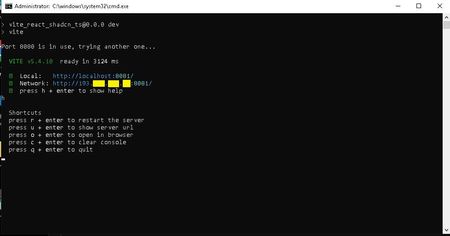
Hello devs, I hope you are having a great day. I have already developed a website that runs on port 8081 in localhost. When i start a new site in IIS and set 8081 as the port in the bind section(which is already open via the website), I receive the error that the port is already in use. My question is how can I connect my domain to the local host and specified port in IIS or any other application. The IIS has a default website(which brings the welcome page up) and by using that the connection between domain and server is assured(name servers are set and ready). If only the IIS could relay all traffic to the localhost and port 8081 of the server, my problem would be solved. I have attached some pictures for better understanding. Thank you in advance Best wishes, Sahand -As you see in this picture my website has started and working in the specified IP and port. ,-In this picture while binding the new website to port 8081 the IIS refuses to start the site with this error(port 8081 is already in use by my website).406Views0likes1CommentIIS port problem
Hi everybody! My company would like to use MantisBT and i got the task to setup mantis but i have some problem with it. I would like to run MantisBT on port 443 (https) but one application already use this port. (This application isn't based on IIS). The server which should run MantisBT has two network cards and using Windows Server 2019. The first (x.x.x.1) is used by the necessary monitoring application, the other one (x.x.x.2) should used by MantisBT. The problem is if i bind x.x.x.2 IP to port 443 than i got an error message: The process cannot access the file because: it is being used by another process.(Exception from HRESULT: 0x80070020) Any idea what should i do? Can you give me step by step advice? Thank you. Have a nice day! PN463Views1like1CommentHow to integrate with Angular ngCspNonce`
Good Day I'm trying to set up CSP Nonce support with Angular, using IIS on Windows-based Azure App Service Plans. I can't switch to a different web server due to other requirements, so I'm stuck with IIS. What I need to configure is a replacement for 'nonce-random_nonce_value' In Apache or Nginx, this is trivial, but on IIS how do I tell it to replace "nonce-random_nonce_value" with "nonce-<blah-long-hash>". Thanks562Views0likes0CommentsNo remote management of IIS on Server Core
Hi, I have three VMs running on a Server 2022 Hyper-V host: Windows 11 for management, Server 2022 as a domain controller and Server 2022 Core for Exchange 2019. On the DC I installed the optional feature "IIS Management" and downloaded and installed "IIS Manager for Remote Administration 1.2". Access to IIS on Exchange server works without problem. But if I do the same on the Windows 11 VM, I get an error message when trying to connect: An unexpected error occurred, connection was reset. I have tried the following without success: 1. use host name or FQDN of the mail server 2. use IP address of the mail server 3. use ports 80 and 443 (e.g. mailhost:443) 4. complete shutdown of all firewall profiles on both the Windows 11 client and the mail server The mail server's certificate is the original self-signed certificate that is created when Exchange/IIS is installed - I would expect to be asked about the trustworthiness of the certificate, but apparently the connection fails even before the SSL handshake. All four machines are domain members, name resolution and ping work fine. The Windows and IIS logs contain no clues. Several hours of web research have not yet yielded any results. Does anyone have an idea / a starting point? Many thanks in advance and best regards Stefano461Views0likes1Comment