hunting
132 Topics
Proofpoint’s Core Email Protection API solution joins the Microsoft Defender ICES vendor ecosystem
Email remains the most exploited gateway for cyberattacks, as the threat landscape continues to get more sophisticated with attackers using AI to scale phishing, malware, and business email compromise. Microsoft Defender is a leading email security solution, helping organizations stay ahead of these threats with a modern, cloud-native approach. At the same time, many organizations choose to layer additional email security solutions to meet compliance requirements or align to an existing defense-in-depth strategy. This approach can strengthen resilience, but it can also add operational complexity for SOC teams. That’s why one year ago, we introduced the Microsoft Defender Integrated Cloud Email Security (ICES) vendor ecosystem, which is designed to simplify that complexity by integrating partner protections into Microsoft Defender. Today, we’re continuing to expand the ICES vendor ecosystem by adding Proofpoint Core Email Protection API. Proofpoint joins existing members Darktrace, KnowBe4, Cisco, and VIPRE Security Group. How joint customers benefit from a streamlined SOC experience in Microsoft Defender The ICES ecosystem brings trusted third-party email security verdicts and telemetry into the Defender portal through an API-based integration model. This allows Microsoft Defender to acknowledge partner verdicts on messages, apply the highest-severity determination, and surface that information in the same investigation and response workflows security teams already use. The integration with Proofpoint Core Email Protection API is designed specifically for customers who have already chosen to deploy Proofpoint’s ICES solution alongside Microsoft Defender. It supports environments where customers run both solutions and want to reduce friction for their SOC teams. By integrating Proofpoint into the ICES ecosystem, customers can now preserve their existing security strategy while improving how investigations and response are carried out day to day. "Organizations rely on both Microsoft and Proofpoint to protect their most critical communications and data. By extending Proofpoint’s interoperability across ICES, we’re delivering a more unified security experience that strengthens defense-in-depth and simplifies operations for our shared customers. This milestone reflects our commitment to joint customers worldwide.” - Tom Corn, EVP and GM, Threat Protection Group at Proofpoint Below we have outlined how Proofpoint’s ICES solution now integrates within Microsoft Defender: Unified quarantine: Quarantine is the central place where suspicious, unwanted, or malicious messages are held so they do not remain in users’ mailboxes while analysts review them. With unified quarantine, teams can view and manage quarantined email from both Defender and supported ICES vendors in one experience. The benefit is less context switching, faster triage, and a more consistent response workflow because analysts do not need to jump between separate admin consoles to understand what was held and why. In Figure 1, you can see that in the column “detection technology” ThirdPartyFiltering is listed, indicating to you that this was directly contributed by Proofpoint’s Core Email Protection API solution. Emails quarantined by Proofpoint Core Email Protection API show up in the quarantine experience in Defender, alongside Defender-quarantined emails. Streamlined operations: ICES integrations make Defender more actionable for SOC teams by extending familiar investigation experiences across Microsoft and partner-detected email. In Threat Explorer, analysts can review messages actioned by Defender and integrated partners in one place, making it easier to correlate verdicts and understand which layer acted on a message. 2 and 3: Shows how you can review emails actioned by Proofpoint by using ‘ThirdPartyFiltering’ in Threat Explorer. Click on a particular row and dive deeper into delivery and email details. In Advanced Hunting, teams can query email events that include third-party detections to investigate patterns, validate coverage, and hunt for missed or emerging threats. And on the Email entity page, analysts can see message-level details and action history, including which product took action and what verdict was assigned. Together, these experiences give teams a more complete investigation workflow without forcing them to jump between separate consoles. Reinforcing Our Commitment to Customer Choice The continued expansion of the ICES vendor ecosystem reinforces Microsoft’s commitment to supporting customers who strategically layer email security solutions. The goal of our ecosystem is making multiple solutions operationally effective together with Microsoft Defender as the shared Security Operations experience. By integrating partner signals directly into the Defender portal, customers can reduce analyst fatigue, improve consistency across email threat response, and scale their security posture while reducing the operational complexity of managing layered solutions. Learn more Get started by checking out the Defender for Office 365 ICES Vendor Ecosystem Integration Guide Read our blog: Ensure your ICES solution works seamlessly alongside Microsoft DefenderElevate your protection with expanded Microsoft Defender Experts coverage
Co-authors: Henry Yan, Sr. Product Marketing Manager and Sylvie Liu, Principal Product Manager Update (5/20): Microsoft Defender Experts for Servers is now available as a standalone SKU, with a new onboarding experience within Microsoft Defender. Visit our documentation to get started with Defender Experts for Servers. Security Operations Centers (SOCs) are under extreme pressure due to a rapidly evolving threat landscape, an increase in volume and frequency of attacks driven by AI, and a widening skills gap. To address these challenges, organizations across industries are relying on Microsoft Defender Experts for XDR and Microsoft Defender Experts for Hunting to bolster their SOC and stay ahead of emerging threats. We are committed to continuously enhancing Microsoft Defender Experts services to help our customers safeguard their organizations and focus on what matters most. We are excited to announce the general availability of expanded Defender Experts coverage. With this update, Defender Experts for XDR and Defender Experts for Hunting now deliver around the clock protection and proactive threat hunting for your cloud workloads, starting with hybrid and multicloud servers in Microsoft Defender for Cloud. Additionally, third-party network signals from Palo Alto Networks, Zscaler, and Fortinet can now be used for incident enrichment in Defender Experts for XDR, enabling faster and more accurate detection and response. Extend 24/7, expert-led defense and threat hunting to your hybrid and multicloud servers As cloud adoption accelerates, the sophistication and frequency of cloud attacks are on the rise. According to IDC, in 2024, organizations experienced an average of more than nine cloud security incidents, with 89% reporting an increase year over year. Furthermore, cloud security is the leading skills gap with almost 40% of respondents in the O’Reilly 2024 State of Security Survey identifying it as the top area in need of skilled professionals. Virtual machines (VMs) are the backbone of cloud infrastructure, used to run critical applications with sensitive data while offering flexibility, efficiency, and scalability. This makes them attractive targets for attackers as compromised VMs can be used to potentially carry out malicious activities such as data exfiltration, lateral movement, and resource exploitation. Defender Experts for XDR now delivers 24/7, expert-led managed extended detection and response (MXDR) for your hybrid and multicloud servers in Defender for Cloud. Our security analysts will investigate, triage, and respond to alerts on your on-premises and cloud VMs across Microsoft Azure, Amazon Web Services, and Google Cloud Platform. With Defender Experts for Hunting, which is included in Defender Experts for XDR and also available as a standalone service, our expert threat hunters will now be able to hunt across hybrid and multicloud servers in addition to endpoints, identities, emails, and cloud apps, reducing blind spots and uncovering emerging cloud threats. Figure 1: Incidents from servers in Defender for Cloud investigated by Defender Experts Incident enrichment for improved detection accuracy and faster response By enriching Defender incidents with third-party network signals from Palo Alto Networks (PAN-OS Firewall), Zscaler (Zscaler Internet Access and Zscaler Private Access), and Fortinet (FortiGate Next-Generation Firewall), our security analysts gain deeper insights into attack paths. The additional context helps Defender Experts for XDR identify patterns and connections across domains, enabling more accurate detection and faster response to threats. Figure 2: Third-party enrichment data in Defender Experts for XDR report In this hypothetical scenario, we explore how incident enrichment with third-party network signals helped Defender Experts for XDR uncover lateral movement and potential data exfiltration attempts. Detection: Microsoft Defender for Identity flagged an "Atypical Travel" alert for User A, showing sign-ins from India and Germany within a short timeframe using different devices and IPs, suggesting possible credential compromise or session hijacking. However, initial identity and cloud reviews showed no signs of malicious activity. Correlation: From incident enrichment with third-party network signals, Palo Alto firewall logs revealed attempts to access unauthorized remote tools, while Zscaler proxy data showed encrypted traffic to an unprotected legacy SharePoint server. Investigation: Our security analysts uncovered that the attacker authenticated from a managed mobile device in Germany. Due to token reuse and a misconfigured Mobile Device Management profile, the device passed posture checks and bypassed Conditional Access, enabling access to internal SharePoint. Insights from third-party network signals helped Defender Experts for XDR confirm lateral movement and potential data exfiltration. Response: Once malicious access was confirmed, Defender Experts for XDR initiated a coordinated response, revoking active tokens, isolating affected devices, and hardening mobile policies to enforce Conditional Access. Flexible, cost-effective pricing Defender Experts coverage of servers in Defender for Cloud is priced per server per month, with charges based on the total number of server hours each month. You have the flexibility to scale your servers as needed while ensuring cost effectiveness as you only pay for Defender Experts coverage based on resources you use. For example, if you have a total of 4000 hours across all servers protected by Defender for Cloud in June (June has a total of 720 hours), you will be charged for a total of 5.56 servers in June (4000/720 = 5.56). There is no additional charge for third-party network signal enrichment beyond the data ingestion charge through Microsoft Sentinel. Please contact your Microsoft account representative for more information on pricing. Get started today Defender Experts coverage of servers in Defender for Cloud will be available as an add-on to Defender Experts for XDR and Defender Experts for Hunting. To enable coverage, you must have the following: Defender Experts for XDR or Defender Experts for Hunting license Defender for Servers Plan 1 or Plan 2 in Defender for Cloud You only need a minimum of 1 Defender Experts for XDR or Defender Experts for Hunting license to enable coverage of all your servers in Defender for Cloud. If you are interested in purchasing Defender Experts for XDR or the add-on for Defender Experts coverage of servers in Defender for Cloud, please complete this interest form. Third-party network signals for enrichment are available only for Defender Experts for XDR customers. To enable third-party network signals for enrichment, you must have the following: Microsoft Sentinel instance deployed Microsoft Sentinel onboarded to Microsoft Defender portal At least one of the supported network signals ingested through Sentinel built-in connectors: Palo Alto Networks (PAN-OS Firewall) Zscaler (Zscaler Internet Access and Zscaler Private Access) Fortinet (FortiGate Next-Generation Firewall) If you are an existing Defender Experts for XDR customer and are interested in enabling third-party network signals for enrichment, please reach out to your Service Delivery Manager. Learn more Technical Documentation Microsoft Defender Experts for XDR Microsoft Defender Experts for Hunting Third-party network signals for enrichment Plan Defender for Servers deployment Defender Experts Ninja Training4.1KViews3likes0CommentsMicrosoft Ignite 2025: Transforming Phishing Response with Agentic Innovation
Phishing attacks remain one of the most persistent and damaging threats to organizations worldwide. Security teams are under constant pressure to investigate a growing number of user reported phishing emails daily, ensuring accurate verdicts and timely responses. As threats grow in volume and sophistication, SOC teams are forced to spend valuable time triaging and investigating, often at the expense of strategic defense and proactive threat hunting. At Microsoft Ignite 2025 we are delivering innovation that showcases our continued commitment to infuse AI agents, and agentic workflows into the core of our email security solution and SOC operations to automate repetitive tasks, accelerate investigations, and provide transparent, actionable insights for every reported phishing email. In addition, we continue to invest in our ecosystem partnerships to empower customers with seamless integrations, as they adopt layered security solutions to comply with regulatory requirements, enhance detection, and ensure robust protection. Today I’m excited to announce: General Availability of the Security Alert Triage Agent (previously named Phishing Triage Agent) Agentic Email Grading System in Microsoft Defender Cisco and VIPRE Security Group join the Microsoft Defender ICES ecosystem Note: The Phishing Triage Agent has since been expanded and is now called the Security Alert Triage Agent. Learn more at aka.ms/SATA The Security Alert Triage Agent is now generally available In March 2025, we introduced the Security Alert Triage Agent, designed to autonomously handle user-submitted phishing reports at scale. The agent classifies incoming alerts, resolves false positives, and escalates only the malicious cases that require human expertise. Today, we’re announcing its general availability. We will also be extending the agent to triage alerts for identity and cloud alerts. The Security Alert Triage Agent automates repetitive tasks, accelerates investigations, and every decision is transparent, allowing security teams to focus on what matters most—investigating real threats and strengthening the overall security posture. Early results prove how it is transforming analyst work: Identified 6.5X more malicious alerts Improved verdict accuracy by 77% Agent supported analysts spent 53% more time investigating real threats Agentic email grading: Advanced analysis of phishing email submissions When customers report suspicious messages to Microsoft, they expect clarity, speed, and actionable insights to protect their environment. They expect a response they can trust, understand easily, and take additional investigation and response action for the organization. Previously, when customers reported messages to Microsoft, our response depended largely on manual human grader reviews, creating delays and inconsistent verdicts. Customers often waited several hours for a response, and sometimes it lacked clarity on how a verdict was reached. Today, we are excited to announce that we integrated an agentic grading system into the Microsoft Defender submission analysis and response workflow when customers report phishing messages to Microsoft. Image 2: Agentic Email Grading: Advanced analysis of phishing email submissions The agentic grading system brings a new level of speed and transparency to phishing analysis. It uses large language models (LLMs) orchestrated within an agentic workflow to analyze phishing emails, assess the full content of a submitted email, and communicate context and related metadata. This system combines advanced AI with existing machine learning models and human review for additional levels of accuracy and transparency for decision making. Every verdict comes with higher quality, clear verdicts, and context-rich explanations tailored to each phishing email submission. Additionally, it establishes a feedback mechanism that enhances continuous learning and self-healing, thereby strengthening and optimizing protection over time. By reducing reliance on manual reviews, users will experience lower wait times, faster responses and higher-quality results. It will enable security teams to respond promptly and act confidently against phishing threats. Over time we plan to expand beyond phishing verdicts to include spam, scam, bulk, and clean classifications, making the process more comprehensive. The system will continue to evolve through feedback and adapt to emerging attack patterns. How to view agentic submission responses in Microsoft Defender When you report a suspicious email—whether as an admin or an end user—you can now see how Microsoft Defender’s new agentic grading system evaluates your submission. To view agentic grading system responses, follow the steps below: Report the suspicious email Submit the email through the admin submission or user-reported submission process. Sign in to Microsoft Defender Go to https://security.microsoft.com. Navigate to Submissions From the left menu, select: Investigation & response > Actions & submissions > Submissions. Choose the correct tab Emails for admin submissions User reported for user submissions Open the submission details Click the email submission you want to review. A flyout panel will display Result details. Look for the Agentic AI note If the verdict was generated by Agentic AI, you’ll see: “AI-generated content may be incorrect. Check it for accuracy.” Image 3: AI generated explainable verdicts Expanding the Integrated Cloud Email Security (ICES) ecosystem In June, we introduced the Microsoft Defender ICES vendor ecosystem, a unified framework that enables seamless integration of Microsoft’s Defender’s email security solution with trusted third-party vendors. Today we are excited to announce two new partners: Cisco and VIPRE Security Group. The addition of these partners to our ecosystem reinforces our ongoing commitment to support customers in their choice to strategically layer their email security solutions. Organizations benefit from a unified quarantine experience, and a deep integration across the various SOC experiences including threat explorer, advanced hunting, and the email entity page, while providing clear insight into detection efficacy of each solution. As we continue to innovate, our commitment remains steadfast: empowering defenders with intelligent, transparent, and integrated security solutions that adapt to the evolving threat landscape. By infusing agentic AI into every layer of Microsoft Defender, expanding our ecosystem of trusted partners, and delivering faster, more actionable insights, we’re helping organizations build resilience and stay ahead of attackers. Our strategy is rooted in delivering real value making security simpler, more effective, and adapted to the needs of every customer. Learn More: Want to know what else is new in Microsoft Defender at Ignite 2025 check out the blog here. For info on how to complete admin phish submissions, please see For end user reported phish submissions, you need to have it configured for reporting messages to Microsoft. Set it up today. Join us at Microsoft Ignite Join us at Microsoft Ignite to see these advancements in action and discover how intelligent, agentic defense is becoming accessible to every organization. Don’t miss our featured sessions: AI vs AI: Protect email and collaboration tools with Microsoft Defender on Thursday, November 20 th . Learn More. Microsoft Defender: Building the agentic SOC with guest Allie Mellen on Wednesday, November 19 th . Learn more. Empowering the SOC: Security Copilot and the rise of Agentic Defense on Friday, November 21 st . Learn more.What's new: IdentityInfo table is now in public preview!
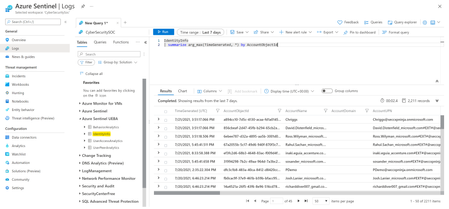
Gain more visibility to the user accounts in your tenant with the new IdentityInfo table, which surface a snapshot of your Azure AD users inside of Log Analytics, that can be used for hunting, alerts correlation and more!20KViews7likes3Comments
Hunting Infostealers - Trusted Platform Abuse
In this part of the “Hunting Infostealers” series, we explore the growing abuse of trusted communication services and software ecosystems—including messaging platforms like WhatsApp and seemingly benign PDF converter tools—to propagate malware and deploy credential stealers such as Eternidade Stealer, lowering user suspicion and complicating detection. Throughout the blog, we map observed activity to Microsoft Defender XDR coverage and provide actionable guidance to help organizations detect, mitigate, and respond to infostealers. Platform Abuse (WhatsApp, PDF Converters) Since late 2025, Platform abuse has become an increasingly prevalent tactic in the modern threat landscape, wherein adversaries deliberately exploit the legitimacy, scale, and user trust associated with widely used applications and services. By weaponizing platforms such as WhatsApp and seemingly benign PDF conversion tools, threat actors are able to disguise malicious activity within normal user behavior, enabling efficient malware delivery, lateral propagation, and evasion of traditional security controls. WhatsApp Abused to Deliver Eternidade Stealer During the third week of November 2025, Microsoft Defender Experts (DEX) identified a WhatsApp platform abuse campaign that leverages a multi-stage infection chain and worm-like propagation techniques to distribute malware. The activity begins with the execution of an obfuscated Visual Basic script, which drops a malicious batch file that launches multiple PowerShell instances to download additional payloads from adversary-controlled command-and-control domains. These payloads include a Python script responsible for WhatsApp Web–based dissemination of the malware in a worm-like manner, as well as a malicious MSI installer that ultimately delivers the Eternidade Stealer. To ensure successful execution, the batch script also installs the required Python dependencies on the compromised system. The Python script establishes communication with a remote server and leverages the open-source project WPPConnect to automate message sending from hijacked WhatsApp accounts. As part of this process, it harvests the victim’s entire contact list while filtering out groups, business contacts, and broadcast lists. The malware then collects, for each contact, the associated WhatsApp phone number, name, and an indicator showing whether the contact is saved. This information is exfiltrated to an attacker-controlled server via an HTTP POST request. In the final stage of this propagation mechanism, the malware sends a malicious attachment to all harvested contacts, using a predefined messaging template populated with time-based greetings and contact names to increase the likelihood of interaction. The malicious MSI installer drops several components, including encrypted payload files with .dmp and .tda extensions, an AutoIt executable, and a script loader disguised as a .log file. Despite its benign appearance, the .log file functions as an AutoIt-based malicious script that conducts environment reconnaissance, performs anti-detection checks, and loads payloads in memory using large hex-encoded binary blobs to initialize native components. The encrypted .tda file acts as an injector and employs a process hollowing technique to execute the final payload. Specifically, the injector reads the .dmp file, decrypts the embedded payload, and injects the Eternidade Stealer into svchost.exe, allowing the malware to run stealthily under the guise of a trusted system process. Eternidade Stealer, a Delphi-based credential stealer, continuously monitors active windows and running processes for strings associated with banking portals, payment services, and cryptocurrency exchanges and wallets. These include, but are not limited to, Bradesco, BTG Pactual, MercadoPago, Stripe, Binance, Coinbase, MetaMask, and Trust Wallet, highlighting its focus on harvesting sensitive financial and cryptocurrency-related information Malicious Crystal PDF installer campaign In late September 2025, Microsoft Defender Experts (DEX) discovered a malicious campaign conducted by an unknown threat actor centered on an application masquerading as a PDF editor named Crystal PDF. The campaign leveraged malvertising and search engine optimization (SEO) poisoning techniques, using misleading advertisements to lure users into downloading a malicious payload. The attack chain begins when a user clicks the download button for the PDF editor on crystalpdf[.]com. The request is redirected to one of two actor-controlled domains, from which the CrystalPDF.exe payload is downloaded. Users most likely arrived at this website through deceptive advertisements distributed via Google Ads, which served as the primary lure for the campaign. Microsoft suspects that Google Ads were used based on the URL format observed in telemetry: hxxps://smartdwn[.]com/download?v=<GUID>&campaign_id=<ID#>&utm_source=google_b2b&subid=<domainSource>&kw=true&gad_source=5&gad_campaignid=<ID#>&gclid=<>. When CrystalPDF.exe is downloaded and executed on the device, it performs several actions to establish persistence and enable further activity. A copy of the CrystalPDF.exe payload is created in the AppData\Local\Temp\crys directory, and a malicious scheduled task is created to ensure continued execution on the compromised device. In addition, a second binary named Crystal PDF.exe (note the space in the filename) is dropped in the user’s Desktop folder. The attacker configures the payload to run daily at 7:15 AM local system time using a scheduled task named Crystal_updater. When triggered, this scheduled task launches the malicious CrystalPDF.exe, which initiates network connections to three command-and-control domains: negmari[.]com, ramiort[.]com, and strongdwn[.]com. The secondary executable, Crystal PDF.exe, stored in the Desktop directory, establishes network connections to multiple cloudconvert[.]com-related domains. CloudConvert is a legitimate service used to convert files into different formats, including converting various document types into PDF files. Analysis of this file indicates that it is a clean file and is designed to appear as a legitimate application that leverages CloudConvert to provide document-to-PDF conversion functionality. Despite presenting itself as a legitimate PDF conversion and merging tool, CrystalPDF.exe ultimately functions as an information stealer. It covertly hijacks Firefox and Chrome browsers and attempts to access sensitive files located in the AppData\Roaming directory, which stores user-specific configuration and profile data that must persist across sessions. This includes cookies and session data, sign-in and credential caches, and profile settings. By harvesting credentials, tokens, and session cookies stored in the browser, the attacker can bypass standard authentication mechanisms and impersonate the user to gain unauthorized access to accounts and services that the user is authorized to use. Mitigation and protection guidance Microsoft recommends the following mitigations to reduce the impact of trusted platform abuse used to deliver infostealers as discussed in this report. These recommendations draw from established Defender blog guidance patterns and align with protections offered across Microsoft Defender XDR. Organizations can follow these recommendations to mitigate threats associated with this threat: Strengthen user awareness & execution safeguards Educate users on social‑engineering lures, including malvertising redirect chains, fake installers, and ClickFix‑style copy‑paste prompts. Control outbound traffic & staging behavior Block direct access to known C2 infrastructure where possible, informed by your organization’s threat‑intelligence sources. Protect against cross‑platform payloads Harden endpoint defenses around LOLBIN abuse, such as wscript.exe executing Visual Basic scripts. Evaluate activity involving AutoIt and process hollowing, common in platform‑abuse campaigns. Microsoft also recommends the following mitigations to reduce the impact of this threat. Turn on cloud-delivered protection in Microsoft Defender Antivirus or the equivalent for your antivirus product to cover rapidly evolving attacker tools and techniques. Cloud-based machine learning protections block a majority of new and unknown threats. Run EDR in block mode so that Microsoft Defender for Endpoint can block malicious artifacts, even when your non-Microsoft antivirus does not detect the threat or when Microsoft Defender Antivirus is running in passive mode. EDR in block mode works behind the scenes to remediate malicious artifacts that are detected post-breach. Enable network protection and web protection in Microsoft Defender for Endpoint to safeguard against malicious sites and internet-based threats. Encourage users to use Microsoft Edge and other web browsers that support Microsoft Defender SmartScreen, which identifies and blocks malicious websites, including phishing sites, scam sites, and sites that host malware. Allow investigation and remediation in full automated mode to allow Microsoft Defender for Endpoint to take immediate action on alerts to resolve breaches, significantly reducing alert volume. Turn on tamper protection features to prevent attackers from stopping security services. Combine tamper protection with the DisableLocalAdminMerge setting to prevent attackers from using local administrator privileges to set antivirus exclusions. Microsoft Defender XDR customers can also implement the following attack surface reduction rules to harden an environment against LOLBAS techniques used by threat actors: o Block execution of potentially obfuscated scripts o Block executable files from running unless they meet a prevalence, age, or trusted list criterion o Block JavaScript or VBScript from launching downloaded executable content Microsoft Defender XDR detections Microsoft Defender XDR customers can refer to the list of applicable detections below. Microsoft Defender XDR coordinates detection, prevention, investigation, and response across endpoints, identities, email, and apps to provide integrated protection against attacks like the threat discussed in this blog. Customers with provisioned access can also use Microsoft Security Copilot in Microsoft Defender to investigate and respond to incidents, hunt for threats, and protect their organization with relevant threat intelligence. Tactic Observed activity Microsoft Defender coverage Execution - Payloads downloaded using PowerShell Microsoft Defender for Endpoint - Suspicious Powershell download or encoded command execution Persistence - Registry Run key created - Scheduled task created for recurring execution Microsoft Defender for Endpoint - Anomaly detected in ASEP registry - Suspicious Scheduled Task Launched Defense Evasion - Unauthorized code execution facilitated by DLL sideloading and process injection - Python script execution - Renamed AutoIT interpreter binary and AutoIT script Microsoft Defender for Endpoint - An executable file loaded an unexpected DLL file - A process was injected with potentially malicious code - Suspicious Python binary execution - Rename AutoIT tool Discovery - System information queried using WMI and Python Microsoft Defender for Endpoint - Suspicious System Hardware Discovery - Suspicious Process Discovery - Suspicious Security Software Discovery Threat intelligence reports Microsoft customers can use the following reports in Microsoft products to get the most up-to-date information about the threat actor, malicious activity, and techniques discussed in this blog. These reports provide the intelligence, protection information, and recommended actions to prevent, mitigate, or respond to associated threats found in customer environments. Microsoft Defender XDR Threat analytics Malicious Crystal PDF installer campaign Hunting queries Microsoft Defender XDR Microsoft Defender XDR customers can run the following queries to find related activity in their networks: Use the following queries to identify activity related to WhatsApp Abused to Deliver Eternidade Stealer // Identify the files dropped from the malicious VBS execution DeviceFileEvents | where InitiatingProcessCommandLine has_all ("Downloads",".vbs") | where FileName has_any (".zip",".lnk",".bat") and FolderPath has_all ("\\Temp\\") // Identify batch script launching powershell instances to drop payloads DeviceProcessEvents | where InitiatingProcessParentFileName == "wscript.exe" and InitiatingProcessCommandLine has_any ("instalar.bat","python_install.bat") | where ProcessCommandLine !has "conhost.exe" // Identify AutoIT executable invoking malicious AutoIT script DeviceProcessEvents | where InitiatingProcessCommandLine has ".log" and InitiatingProcessVersionInfoOriginalFileName == "Autoit3.exe" Use the following queries to identify activity related to Malicious CrystalPDF Installer Campaign // Identify network connections to C2 domains DeviceNetworkEvents | where InitiatingProcessVersionInfoOriginalFileName == "CrystalPDF.exe" // Identify scheduled task persistence DeviceEvents | where InitiatingProcessVersionInfoProductName == "CrystalPDF" | where ActionType == "ScheduledTaskCreated Indicators of compromise Indicator Type Description 2c885d1709e2ebfcaa81e998d199b29e982a7559b9d72e5db0e70bf31b183a5f 6168d63fad22a4e5e45547ca6116ef68bb5173e17e25fd1714f7cc1e4f7b41e1 3bd6a6b24b41ba7f58938e6eb48345119bbaf38cd89123906869fab179f27433 5d929876190a0bab69aea3f87988b9d73713960969b193386ff50c1b5ffeadd6 bdd2b7236a110b04c288380ad56e8d7909411da93eed2921301206de0cb0dda1 495697717be4a80c9db9fe2dbb40c57d4811ffe5ebceb9375666066b3dda73c3 de07516f39845fb91d9b4f78abeb32933f39282540f8920fe6508057eedcbbea SHA-256 Payloads related to WhatsApp malware campaign 598da788600747cf3fa1f25cb4fa1e029eca1442316709c137690e645a0872bb 3bc62aca7b4f778dabb9ff7a90fdb43a4fdd4e0deec7917df58a18eb036fac6e c72f8207ce7aebf78c5b672b65aebc6e1b09d00a85100738aabb03d95d0e6a95 SHA-256 Payloads related to Malicious Crystal PDF installer campaign hxxps://empautlipa[.]com/altor/installer.msi URL Used to deliver VBS initial access payload (WhatsApp Abused to Deliver Eternidade Stealer) Negmari[.]com Ramiort[.]com Strongdwn[.]com Domain C2 servers (Malicious Crystal PDF installer campaign) Microsoft Sentinel Microsoft Sentinel customers can use the TI Mapping analytics (a series of analytics all prefixed with ‘TI map’) to automatically match the malicious domain indicators mentioned in this blog post with data in their workspace. If the TI Map analytics are not currently deployed, customers can install the Threat Intelligence solution from the Microsoft Sentinel Content Hub to have the analytics rule deployed in their Sentinel workspace. References Infostealers Strike Again: Malicious Installers Pass Through EDRs Undetected SpiderLabs IDs New Banking Trojan Distributed Through WhatsApp Learn more For the latest security research from the Microsoft Threat Intelligence community, check out the Microsoft Threat Intelligence Blog. To get notified about new publications and to join discussions on social media, follow us on LinkedIn, X (formerly Twitter), and Bluesky. To hear stories and insights from the Microsoft Threat Intelligence community about the ever-evolving threat landscape, listen to the Microsoft Threat Intelligence podcast.1.1KViews0likes0CommentsHunting Infostealers - Python Stealers
In this next part of the “Hunting Infostealers” series, we’ll cover Python information stealers. The proliferation of Python stealers over the past year has become an escalating concern in the cybersecurity landscape. This gravitation towards Python is largely driven by the ease of use of the language and the availability of tools and frameworks which allow for quick development, even for individuals with limited knowledge of coding. Typically, Python infostealers are distributed via phishing emails to infiltrate systems. The sensitive information they collect includes, but is not limited to login credentials, session cookies, authentication tokens, credit card numbers, and crypto wallet data. To evade detection, threat actors utilize legitimate services such as Telegram for command-and-control communications, obfuscate their code, and use signed and living off the land binaries. Due to the growing threat of Python-based infostealers, it is important that organizations protect their environment by being aware of the tactics, techniques, and procedures used by the threat actors who deploy this type of malware. One of the most notable Python-based infostealers seen in 2025 was PXA Stealer. It harvests sensitive data from infected systems such as login credentials, financial information, and browser data. It is linked to Vietnamese-speaking threat actors who target government and education entities. It is primarily delivered via phishing campaigns that use social engineering to trick users into downloading malicious files onto their computer. Throughout the blog, we map observed activity to Microsoft Defender XDR coverage and provide actionable guidance to help organizations detect, mitigate, and respond to infostealers operating without borders. PXA Stealer: Campaign 1 In October 2025, Microsoft Defender Experts (DEX) identified a campaign involving PXA Stealer. The attack begins with a phishing email with a malicious URL. Some of the observed URLs contained in the emails were hxxp://concursal[.]macquet[.]de/uid_page=244739642061129 and hxxps://tickets[.]pfoten-prinz[.]de/uid_page=118759991475831. The URLs have the same format, but with different domain names and values for the uid_page key. When the user clicks the URL, they are taken to a blank web page that contains JavaScript to download a ZIP file from a remote location, such as allecos[.]de, once the page is fully loaded. The files contained in the ZIP file that are used to execute the next payload include an executable (renamed WinWord.exe) masquerading as a Word document with the same name as the ZIP file, a malicious DLL named msvcr100.dll, and several files used in a series of commands concatenated with “&&” that ultimately execute an obfuscated Python script that loads PXA Stealer and PureRAT. When the renamed WinWord.exe file is executed, msvcr100.dll is sideloaded which leads to the execution of the concatenated command line via cmd.exe. The command line does the following: opens a benign decoy Word document to delay the users’ suspicion and sandbox analysis, uses certutil.exe to decode a base64-encoded blob hidden in DA 성형외과 재무 보고서.pdf which results in a ZIP file named Invoice.pdf (contains Python environment, renamed Python interpreter named svchost.exe, and an obfuscated Python script named images.png), uses another file named images.png (renamed WinRAR.exe) to extract the contents of Invoice.pdf, deletes Invoices.pdf and the renamed WinRAR file, then uses svchost.exe (renamed pythonw.exe) to execute images.png with a Telegram bot identifier that’s used to fetch and execute the next payload. When images.png is executed, it creates a Registry Run key named Windows Update Service to re-execute itself when the user logs in. The script downloads PXA Stealer from urlvanish[.]com (URL shortener), which redirects to bagumedios[.]cloud, then executes the infostealer in its memory space. Before collecting information, the stealer downloads a DLL from Dropbox. The DLL is injected into a Chrome process to bypass Chrome’s App-Bound Encryption (ABE) so sensitive browser information can be stolen. After that, it collects the installed AV products and browser information such as login credentials, cookies, autofill data, and credit card information. That information is archived into a ZIP file with a file name that follows the format "[CountryCode_IPAddress] ComputerName.zip", then it’s exfiltrated using Telegram. Once the exfiltration is complete, images.png downloads another payload from hxxps://bagumedios[.]cloud/assets/media/others/ADN/pure and injects it into cvtres.exe. The payload is a commercially available remote access trojan named PureRAT which proceeds to connect to its command-and-control (C2) server 157.66.27[.]11 (located in Vietnam) over port 56001 after injection. After that, cvtres.exe uses WMI to collect installed AV products, connected cameras, and the Windows OS version. It sends the collected information to its C2 server. Chain PXA Stealer: Campaign 2 In late December 2025, DEX identified another PXA Stealer campaign. This attack also begins with a phishing email that delivers a ZIP archive that masquerades as a PDF, image, or Word document. Some similar TTPs were noted for the second campaign where the use of Living Off-the Land Binaries (LOLBINs) was invoked, such as certutil.exe. The Certutil application is a native Windows application that allows for displaying Certification Authority (CA) configuration information, configure Certificate Services, and backup and restore CA components. The program also verifies certificates, key pairs, and certificate chains. The capability used in Campaign 2 used the decode parameter in Certutil on an encoded PDF. The decoded PDF was then presented to an application with a file extension of “.png”. Further investigation of this application identified command line behavior typical to that of a WinRAR, with a password protected ZIP archive. This obfuscation allowed the application to continue to perform un-archiving steps, ultimately leading to python modules being loaded on the device. Once the Python modules were available, additional activity such as scheduled tasks were created paving the way for update scripts to be deployed on affected hosts. Communication to C2 infrastructure was then initiated through the svchost (Python interpreter) process to connect and transmit data to the attacker via hxxp://195.24.236[.]116/recover/getlink?id=sunset and hxxp://195.24.236[.]116/recover/links/sunset.txt Mitigation and protection guidance Microsoft recommends the following mitigations to reduce the impact of the Python‑based infostealers discussed in this report. These recommendations draw from established Defender blog guidance patterns and align with protections offered across Microsoft Defender XDR. Organizations can follow these recommendations to mitigate threats associated with this threat: Strengthen user awareness & execution safeguards Educate users on social‑engineering lures, such as phishing emails. Control outbound traffic & staging behavior Inspect network egress for POST requests to newly registered or suspicious domains—a key indicator for Python‑based stealer campaigns. Detect transient creation of ZIP archives under ephemeral directories, followed by outbound exfiltration attempts. Block direct access to known C2 infrastructure where possible, informed by your organization’s threat‑intelligence sources. Protect against Python‑based stealers Harden endpoint defenses around LOLBIN abuse, such as certutil.exe decoding malicious payloads. Evaluate abnormal activity involving known processes and files with suspicious file extensions, such as a Python interpreter masquerading as svchost.exe executing a Python script disguised as a PNG file. Microsoft also recommends the following mitigations to reduce the impact of this threat. Turn on cloud-delivered protection in Microsoft Defender Antivirus or the equivalent for your antivirus product to cover rapidly evolving attacker tools and techniques. Cloud-based machine learning protections block a majority of new and unknown threats. Run EDR in block mode so that Microsoft Defender for Endpoint can block malicious artifacts, even when your non-Microsoft antivirus does not detect the threat or when Microsoft Defender Antivirus is running in passive mode. EDR in block mode works behind the scenes to remediate malicious artifacts that are detected post-breach. Enable network protection and web protection in Microsoft Defender for Endpoint to safeguard against malicious sites and internet-based threats. Encourage users to use Microsoft Edge and other web browsers that support Microsoft Defender SmartScreen, which identifies and blocks malicious websites, including phishing sites, scam sites, and sites that host malware. Allow investigation and remediation in full automated mode to allow Microsoft Defender for Endpoint to take immediate action on alerts to resolve breaches, significantly reducing alert volume. Turn on tamper protection features to prevent attackers from stopping security services. Combine tamper protection with the DisableLocalAdminMerge setting to prevent attackers from using local administrator privileges to set antivirus exclusions. Microsoft Defender XDR customers can also implement the following attack surface reduction rules to harden an environment against LOLBAS techniques used by threat actors: o Block execution of potentially obfuscated scripts o Block executable files from running unless they meet a prevalence, age, or trusted list criterion o Block JavaScript or VBScript from launching downloaded executable content Microsoft Defender XDR detections Microsoft Defender XDR customers can refer to the list of applicable detections below. Microsoft Defender XDR coordinates detection, prevention, investigation, and response across endpoints, identities, email, and apps to provide integrated protection against attacks like the threat discussed in this blog. Customers with provisioned access can also use Microsoft Security Copilot in Microsoft Defender to investigate and respond to incidents, hunt for threats, and protect their organization with relevant threat intelligence. Tactic Observed activity Microsoft Defender coverage Execution - Encoded PowerShell commands downloading payload Microsoft Defender for Endpoint - Suspicious Powershell download or encoded command execution - Suspicious script launched Persistence - Registry Run key created - Scheduled task created for recurring execution Microsoft Defender for Endpoint - Anomaly detected in ASEP registry - Suspicious Scheduled Task Launched Defense Evasion - Unauthorized code execution facilitated by DLL sideloading and process injection - Renamed Python interpreter executes obfuscated Python script - Decode payload with certutil Microsoft Defender for Endpoint - An executable file loaded an unexpected DLL file - A process was injected with potentially malicious code - Suspicious Python binary execution - Suspicious certutil activity Microsoft Defender Antivirus - Obfuse' malware was prevented (Trojan:Script/Obfuse!MSR) Credential Access - Credential and Secret Harvesting Microsoft Defender for Endpoint - Possible theft of passwords and other sensitive web browser information - Suspicious access of sensitive files - Suspicious process collected data from local system Discovery - Information queried using WMI and Python Microsoft Defender for Endpoint - Suspicious System Hardware Discovery - Suspicious Process Discovery - Suspicious Security Software Discovery - Suspicious Peripheral Device Discovery Collection - Sensitive browser information compressed into ZIP file for exfiltration Microsoft Defender for Endpoint - Compression of sensitive data - Suspicious Staging of Data - Suspicious archive creation Threat intelligence reports Microsoft customers can use the following reports in Microsoft products to get the most up-to-date information about the threat actor, malicious activity, and techniques discussed in this blog. These reports provide the intelligence, protection information, and recommended actions to prevent, mitigate, or respond to associated threats found in customer environments. Microsoft Defender XDR Threat analytics Ghost in the Zip | New PXA Stealer and Its Telegram-Powered Ecosystem From Custom Scripts to Commodity RATs: A Threat Actor’s Evolution to PureRAT Hunting queries Microsoft Defender XDR Microsoft Defender XDR customers can run the following queries to find related activity in their networks: Use the following queries to identify activity related to PXA Stealer: Campaign 1 // Identify activity initiated by renamed python binary DeviceProcessEvents | where InitiatingProcessFileName endswith "svchost.exe" | where InitiatingProcessVersionInfoOriginalFileName == "pythonw.exe" // Identify network connections initiated by renamed python binary DeviceNetworkEvents | where InitiatingProcessFileName endswith "svchost.exe" | where InitiatingProcessVersionInfoOriginalFileName == "pythonw.exe" Use the following queries to identify activity related to PXA Stealer: Campaign 2 // Identify malicious Process Execution activity DeviceProcessEvents | where ProcessCommandLine has_all ("-y","x",@"C:","Users","Public", ".pdf") and ProcessCommandLine has_any (".jpg",".png") // Identify suspicious process injection activity DeviceProcessEvents | where FileName == "cvtres.exe" | where InitiatingProcessFileName has "svchost.exe" | where InitiatingProcessFolderPath !contains "system32" Indicators of compromise Indicator Type Description 9d867ddb54f37592fa0ba1773323e2ba563f44b894c07ebfab4d0063baa6e777 SHA-256 Payloads related to PXA Stealer: Campaign 1 08a1f4566657a07688b905739055c2e352e316e38049487e5008fc3d1253d03b 5970d564b5b2f5a4723e548374d54b8f04728473a534655e52e5decef920e733 59855f0ec42546ce2b2e81686c1fbc51e90481c42489757ac03428c0daee6dfe a5b19195f61925ede76254aaad942e978464e93c7922ed6f064fab5aad901efc e7237b233fc6fda614e9e3c2eb3e03eeea94f4baf48fe8976dcc4bc9f528429e 59347a8b1841d33afdd70c443d1f3208dba47fe783d4c2015805bf5836cff315 e965eb96df16eac9266ad00d1087fce808ee29b5ee8310ac64650881bc81cf39 hxxps://allecos[.]de/Documentación_del_expediente_de_derechos_de_autor_del_socio.zip URL Used to deliver initial access ZIP file (PXA Stealer: Campaign 1) hxxps://bagumedios[.]cloud/assets/media/others/ADN/pure URL Used to deliver PureRAT payload (PXA Stealer: Campaign 1) hxxp://concursal[.]macquet[.]de/uid_page=244739642061129 URL URL contained in phishing email (PXA Stealer: Campaign 1) hxxps://tickets[.]pfoten-prinz[.]de/uid_page=118759991475831 hxxps://erik22[.]carrd.co URL Used in make network connection and subsequent redirection in (PXA Stealer: Campaign 2) hxxps://erik22jomk77[.]card.co URL Used in make network connection and subsequent redirection in (PXA Stealer: Campaign 2) 157.66.27[.]11 IP Address PureRAT C2 server (PXA Stealer: Campaign 1) 195.24.236[.]116 IP Address C2 server (PXA Stealer: Campaign 2) bagumedios[.]cloud Domain C2 server (PXA Stealer: Campaign 1) Microsoft Sentinel Microsoft Sentinel customers can use the TI Mapping analytics (a series of analytics all prefixed with ‘TI map’) to automatically match the malicious domain indicators mentioned in this blog post with data in their workspace. If the TI Map analytics are not currently deployed, customers can install the Threat Intelligence solution from the Microsoft Sentinel Content Hub to have the analytics rule deployed in their Sentinel workspace. References A Vietnamese threat actor's shift from PXA Stealer to PureRAT | Huntress Ghost in the Zip | New PXA Stealer and Its Telegram-Powered Ecosystem | SentinelOne Information-Stealing Malware Distribution Campaign Using Emails Disguised as Copyright Infringement Notices – wizSafe Security Signal -Guideposts to Safety and Security- IIJ Learn more For the latest security research from the Microsoft Threat Intelligence community, check out the Microsoft Threat Intelligence Blog. To get notified about new publications and to join discussions on social media, follow us on LinkedIn, X (formerly Twitter), and Bluesky. To hear stories and insights from the Microsoft Threat Intelligence community about the ever-evolving threat landscape, listen to the Microsoft Threat Intelligence podcast.Hunting Infostealers - macOS Threats
The “Hunting Infostealers” blog series covers the ever-evolving threat of infostealers. Infostealers have gone from simple credential theft to subscription-based threats (i.e., Malware-as-a-Service) driving modern cybercrime. Threat actors target sensitive information such as browser data, cookies, and session tokens that can later be used for account takeovers or to fuel data breaches, ransomware attacks, and supply chain attacks. In this blog series, Microsoft Defender Experts examine how modern infostealers operate across operating systems and delivery channels by blending into legitimate ecosystems and evading conventional defenses. In this first part of the series, we highlight the rise of macOS-specific infostealers—including families such as DigitStealer, MacSync, and Atomic macOS (AMOS)—that abuse native utilities, user-initiated execution flows, and social-engineering techniques like “ClickFix” installers to harvest credentials and sensitive data. Throughout the blog, we map observed activity to Microsoft Defender XDR coverage and provide actionable guidance to help organizations detect, mitigate, and respond to infostealers. macOS Threats Since late 2025, Microsoft Defender Experts (DEX) has observed macOS targeted infostealer campaigns delivered through social engineering techniques, including ClickFix style prompts and malicious DMG downloads. These attacks rely on user interaction to initiate execution and are designed to steal credentials, session material, and infrastructure secrets that can enable account takeover, financial theft, and follow on compromise of cloud and developer resources. Once executed, the malware abuses trusted macOS functionality to collect a wide range of personal, financial, and enterprise related information. Stolen data can include browser authentication material, operating system credential stores, access keys used for cloud services, and artifacts commonly present on developer or administrator workstations. The potential impact of this threat extends beyond the infected device. Compromised credentials and session material can enable attackers to take over online accounts, access cloud and enterprise resources, steal cryptocurrency assets, and perform follow on intrusion activity without needing to maintain persistence on the original system. In organizational environments, this can lead to broader security incidents, including unauthorized access to internal services, cloud environments, or third-party platforms. DigitStealer In November 2025, Microsoft Defender Experts (DEX) identified a macOS infostealer campaign tracked as DigitStealer, delivered via a spoofed “DynamicLake” lure. The infection chain begins when users browse to a deceptive domain such as dynamiclake[.]org and download an unsigned disk image DynamicLake.dmg, then follow a “drag‑into‑Terminal” execution path that helps bypass Gatekeeper protections. Once mounted, DigitStealer executes a Bash-based dropper that uses native tooling (notably curl) to retrieve staged payloads from Cloudflare Pages such as hxxps://b93b559cf522386018e24069ff1a8b7a[.]pages[.]dev/703d2315783f48c0563836f02a3421ed.aspx. In subsequent stages, the malware performs host profiling with system_profiler and uses AppleScript/JXA to drive credential theft and collection, staging artifacts in temporary locations (commonly under /tmp) before compressing content into ZIP archives for outbound transfer. For exfiltration and C2, DigitStealer uses HTTPS POSTs to structured endpoints and API routes such as /api/grabber, /api/log, and /api/poll, where /api/poll is used for beaconing/tasking while upload routes handle stolen archives. Persistence is established via a macOS LaunchAgent, which can retrieve follow‑on instructions via DNS TXT records (observed use of dig + curl) and immediately execute newly fetched payloads via JXA. In higher‑value (crypto‑focused) scenarios, DigitStealer targets wallet workflows including Ledger Live, and has been observed manipulating user friction and visibility by suppressing prompts (TCC-related behavior) and tampering with wallet application assets (e.g., Ledger Live.app.asar) to facilitate hijacking. MacSync In December 2025, Microsoft Defender Experts (DEX) identified a fileless macOS infostealer campaign referred to as MacSync Stealer, commonly delivered via malvertising and ClickFix-style lures that instruct users to copy/paste commands into Terminal rather than running a traditional installer. DEX has broadly observed these macOS-targeted infostealer campaigns delivered through ClickFix prompts and malicious DMG downloads in late 2025. During observed MacSync activity, no standalone binaries are dropped. Instead, execution is driven by an in‑memory pipeline that invokes curl with TLS verification disabled, streaming the response directly through decoding/decompression (e.g., curl … | base64 -d | gunzip) without writing intermediate files to disk. This technique reduces disk artifacts and pushes detection toward process/network telemetry rather than file hashes. MacSync then leverages osascript to indirectly invoke shell execution (e.g., sh -c) to blend into legitimate macOS automation, while harvesting a wide set of artifacts across browsers and credential stores. High‑signal targeted files include Chrome databases (Cookies / Login Data / Web Data), Firefox stores (cookies.sqlite / logins.json / key4.db /cert9.db), macOS Keychains (*.keychain-db), and developer/cloud secrets including SSH keys, AWS credentials, Kubernetes config files, plus shell history such as .zsh_history.(Observed in telemetry write‑up you provided.) Staging and exfiltration are similarly low‑footprint: data is staged under /tmp using the pattern /tmp/sync[0-9]{7}, compressed using the built‑in ditto utility, and exfiltrated via HTTP POST to attacker infrastructure using a legitimate macOS browser user‑agent. Requests use custom headers (including an API key) to authenticate and manage tasking. Post‑exfiltration cleanup deletes staged directories, reinforcing the transient nature of the intrusion. Atomic Stealer (AMOS) In January 2026, Microsoft Defender Experts (DEX) observed active exploitation by Atomic macOS Stealer (AMOS), a highly automated and full‑featured macOS infostealer capable of progressing from initial user interaction to persistent command‑and‑control within minutes. Telemetry shows a modular, high‑throughput campaign optimized for credential harvesting, cryptocurrency theft, and long‑term operator control using exclusively native macOS tooling. Initial access was achieved through redirect‑based delivery chains that guided victims through multiple intermediary domains—alliai[.]com and alli‑ai[.]pro—before downloading a malicious disk image (AlliAi.dmg) hosted on newly registered infrastructure (ai[.]foqguzz[.]com). Upon execution, the unsigned application launched under App Translocation, indicating execution from an untrusted path and effectively bypassing Gatekeeper enforcement. Immediately after launch, the trojanized application executed its embedded binary (observed as FXSound) via xpcproxy, establishing outbound network connectivity to attacker‑controlled infrastructure (day.foqguzz[.]com) and spawning a staged Bash loader. The loader decoded and executed a Base64‑encoded script and used curl as an ingress tool transfer mechanism to retrieve next‑stage payloads from hxxp://217.119.139[.]117/d/dayd96331, completing a classic multi‑stage stager pattern. Once staged, AMOS executed a large modular AppleScript payload via osascript, driving extensive system discovery and data collection. Harvested artifacts included macOS Keychains (for example ~/Library/Keychains/login.keychain‑db), browser credentials and session data from Chrome, Edge, Safari, and Firefox (including SafariCookies.binarycookies), Apple Notes databases, desktop and document files, and deep inspection of browser‑based cryptocurrency wallets through IndexedDB enumeration and targeted extension directory scanning. System metadata was collected via system_profiler to uniquely identify compromised hosts and support operator tasking. Stolen data was staged under /tmp/17936/, compressed using the built‑in ditto utility into /tmp/out.zip, and exfiltrated via HTTP POST requests to hxxp://217.119.139[.]117/log. Exfiltration requests included custom headers—such as buildid, username, and cid—to uniquely identify victims and manage backend processing. AMOS incorporated retry logic and backoff mechanisms to ensure reliable data transfer before deleting local staging artifacts. For persistence, AMOS installed a root‑level LaunchDaemon (for example /Library/LaunchDaemons/com.<random>.plist) that re‑executed a Base64‑decoded AppleScript payload at system startup. This established a botnet‑style polling loop to endpoints such as /api/v1/bot/joinsystem/<botid>/<macOS_version> and /api/v1/bot/actions/<botid>, enabling operators to issue commands including doshell, repeat, enablesocks5, and uninstall. The observed activity demonstrates a mature macOS stealer architecture optimized for stealth, scalability, and continuous remote control. Shared Characteristics Across macOS Infostealer Campaigns Despite differences in tooling and maturity, DigitStealer, MacSync Stealer, and Atomic macOS (AMOS) exhibit a converging macOS infostealer tradecraft driven by user‑initiated execution, fileless delivery, and deep abuse of native macOS frameworks. All three campaigns rely on social engineering—such as malvertising, redirect chains, or ClickFix‑style prompts—to coerce users into mounting unsigned DMGs or executing commands directly in Terminal, effectively bypassing Gatekeeper through explicit user action. Payload delivery is predominantly fileless and multi‑stage, leveraging native utilities such as curl piped through Base64 decoding and decompression for in‑memory execution. Extensive use of AppleScript and JavaScript for Automation (JXA), alongside additional living‑off‑the‑land binaries (system_profiler, dscl, ditto, and shell interpreters), enables attackers to execute complex workflows while blending malicious activity into legitimate system automation. All three campaigns aggressively harvest credentials and sensitive artifacts from browsers, macOS Keychains, and developer or cloud environments, while explicitly probing cryptocurrency wallets to prioritize financially valuable victims. Stolen data is staged temporarily (commonly under /tmp), compressed using built‑in archiving utilities, and exfiltrated via HTTP or HTTPS POST requests that mimic legitimate browser traffic, followed by immediate cleanup. Where persistence is required, campaigns rely on LaunchAgents or LaunchDaemons and dynamic tasking mechanisms (such as C2 polling or DNS‑based updates) to maintain access without redeployment. Taken together, these behaviors highlight why macOS has become an increasingly attractive target: growing adoption in enterprise and developer environments, a rich set of built‑in automation and scripting capabilities that favor living‑off‑the‑land tradecraft, persistent user trust in installer and Terminal workflows, and the widespread presence of browser‑based and native cryptocurrency wallets on a single host. These factors have enabled the rise of scalable, high‑volume macOS infostealer ecosystems that rival traditional Windows‑centric campaigns in both sophistication and impact. Mitigation and protection guidance Microsoft recommends the following mitigations to reduce the impact of the macOS‑focused threats discussed in this report. These recommendations draw from established Defender blog guidance patterns and align with protections offered across Microsoft Defender XDR. Organizations can follow these recommendations to mitigate threats associated with this threat: Strengthen user awareness & execution safeguards Educate users on social‑engineering lures, including malvertising redirect chains, fake installers, and ClickFix‑style copy‑paste prompts common across macOS stealer campaigns such as DigitStealer, MacSync, and AMOS. Discourage installation of unsigned DMGs or unofficial “terminal‑fix” utilities; reinforce safe‑download practices for consumer and enterprise macOS systems. Harden macOS environments against native tool abuse Monitor for suspicious Terminal activity—especially execution flows involving curl, Base64 decoding, gunzip, osascript, or JXA invocation, which appear across all three macOS stealers. Detect patterns of fileless execution, such as in‑memory pipelines using curl | base64 -d | gunzip, or AppleScript‑driven system discovery and credential harvesting. Leverage Defender’s custom detection rules to alert on abnormal access to Keychain, browser credential stores, and cloud/developer artifacts, including SSH keys, Kubernetes configs, AWS credentials, and wallet data. Control outbound traffic & staging behavior Inspect network egress for POST requests to newly registered or suspicious domains—a key indicator for DigitStealer, MacSync, and AMOS. Detect transient creation of ZIP archives under /tmp or similar ephemeral directories, followed by outbound exfiltration attempts. Block direct access to known C2 infrastructure where possible, informed by your organization’s threat‑intelligence sources. Microsoft also recommends the following mitigations to reduce the impact of this threat. Turn on cloud-delivered protection in Microsoft Defender Antivirus or the equivalent for your antivirus product to cover rapidly evolving attacker tools and techniques. Cloud-based machine learning protections block a majority of new and unknown threats. Run EDR in block mode so that Microsoft Defender for Endpoint can block malicious artifacts, even when your non-Microsoft antivirus does not detect the threat or when Microsoft Defender Antivirus is running in passive mode. EDR in block mode works behind the scenes to remediate malicious artifacts that are detected post-breach. Enable real-time protection for macOS in Microsoft Defender Antivirus. Enable real-time behavior monitoring for macOS in Microsoft Defender Antivirus. Enable network protection for macOS in Microsoft Defender for Endpoint. Encourage users to use Microsoft Edge and other web browsers that support Microsoft Defender SmartScreen, which identifies and blocks malicious websites, including phishing sites, scam sites, and sites that host malware. Allow investigation and remediation in full automated mode to allow Microsoft Defender for Endpoint to take immediate action on alerts to resolve breaches, significantly reducing alert volume. Turn on tamper protection features to prevent attackers from stopping security services. Combine tamper protection with the DisableLocalAdminMerge setting to prevent attackers from using local administrator privileges to set antivirus exclusions. Microsoft Defender XDR detections Microsoft Defender XDR customers can refer to the list of applicable detections below. Microsoft Defender XDR coordinates detection, prevention, investigation, and response across endpoints, identities, email, and apps to provide integrated protection against attacks like the threat discussed in this blog. Customers with provisioned access can also use Microsoft Security Copilot in Microsoft Defender to investigate and respond to incidents, hunt for threats, and protect their organization with relevant threat intelligence. Tactic Observed activity Microsoft Defender coverage Execution - Execution of various commands and scripts via osascript and sh Microsoft Defender for Endpoint - Suspicious piped command launched - Suspicious AppleScript activity - Suspicious script launched Persistence - LaunchAgent or LaunchDaemon for recurring execution Microsoft Defender for Endpoint - Suspicious Pslist modifications - Suspicious launchctl tool activity Microsoft Defender Antivirus - Trojan:AtomicSteal.F Defense Evasion - Delete data staging directories Microsoft Defender for Endpoint - Suspicious path deletion Credential Access - Credential and Secret Harvesting - Cryptocurrency probing Microsoft Defender for Endpoint - Suspicious access of sensitive files - Suspicious process collected data from local system - Unix credentials were illegitimately accessed Collection - Sensitive browser information compressed into ZIP file for exfiltration Microsoft Defender for Endpoint - Compression of sensitive data - Suspicious Staging of Data - Suspicious archive creation Exfiltration - Exfiltration through curl Microsoft Defender for Endpoint - Suspicious file or content ingress - Network connection by osascript Threat intelligence reports Microsoft customers can use the following reports in Microsoft products to get the most up-to-date information about the threat actor, malicious activity, and techniques discussed in this blog. These reports provide the intelligence, protection information, and recommended actions to prevent, mitigate, or respond to associated threats found in customer environments. Microsoft Defender XDR Threat analytics From ClickFix to code signed: the quiet shift of MacSync Stealer malware MacSync infostealer campaigns leverage social engineering Hunting queries Microsoft Defender XDR Microsoft Defender XDR customers can run the following queries to find related activity in their networks: Use the following queries to identify activity related to DigitStealer // Identify suspicious DynamicLake disk image (.dmg) mounting DeviceProcessEvents | where FileName has_any ('mount_hfs', 'mount') | where ProcessCommandLine has_all ('-o nodev' , '-o quarantine') | where ProcessCommandLine contains '/Volumes/Install DynamicLake' // Identify data exfiltration to DigitStealer C2 API endpoints. DeviceProcessEvents | where InitiatingProcessFileName has_any ('bash', 'sh') | where ProcessCommandLine has_all ('curl', '--retry 10') | where ProcessCommandLine contains 'hwid=' | where ProcessCommandLine endswith "api/credentials" or ProcessCommandLine endswith "api/grabber" or ProcessCommandLine endswith "api/log" | extend APIEndpoint = extract(@"/api/([^\s]+)", 1, ProcessCommandLine) Use the following queries to identify activity related to MacSync // Identify exfiltration of staged data via curl DeviceProcessEvents | where InitiatingProcessFileName =~ "zsh" and FileName =~ "curl" | where ProcessCommandLine has_all ("curl -k -X POST -H", "api-key: ", "--max-time", "-F file=@/tmp/", ".zip", "-F buildtxd=") Use the following queries to identify activity related to Atomic Stealer (AMOS) // Identify suspicious AlliAi disk image (.dmg) mounting DeviceProcessEvents | where FileName has_any ('mount_hfs', 'mount') | where ProcessCommandLine has_all ('-o nodev', '-o quarantine') | where ProcessCommandLine contains '/Volumes/ALLI' Indicators of compromise Indicator Type Description 3e20ddb90291ac17cef9913edd5ba91cd95437da86e396757c9d871a82b1282a da99f7570b37ddb3d4ed650bc33fa9fbfb883753b2c212704c10f2df12c19f63 SHA-256 Payloads related to DigitStealer campaign 42d51feea16eac568989ab73906bbfdd41641ee3752596393a875f85ecf06417 SHA-256 Payload related to Atomic Stealer (AMOS) 217.119.139[.]117 IP Address AMOS C2 server (AMOS campaign) dynamiclake[.]org Domain Deceptive domain used to deliver unsigned disk image. (DigitStealer campaign) booksmagazinetx[.]com goldenticketsshop[.]com Domain C2 servers (DigitStealer campaign) b93b559cf522386018e24069ff1a8b7a[.]pages[.]dev 67e5143a9ca7d2240c137ef80f2641d6[.]pages[.]dev Domain CloudFlare Pages hosting payloads. (DigitStealer campaign) barbermoo[.]coupons barbermoo[.]fun barbermoo[.]shop barbermoo[.]space barbermoo[.]today barbermoo[.]top barbermoo[.]world barbermoo[.]xyz Domain C2 servers (MacSync Stealer campaign) alli-ai[.]pro Domain Deceptive domain that redirects user after CAPTCHA verification (AMOS campaign) ai[.]foqguzz[.]com Domain Redirected domain used to deliver unsigned disk image. (AMOS campaign) Day[.]foqguzz[.]com Domain C2 server (AMOS campaign) Microsoft Sentinel Microsoft Sentinel customers can use the TI Mapping analytics (a series of analytics all prefixed with ‘TI map’) to automatically match the malicious domain indicators mentioned in this blog post with data in their workspace. If the TI Map analytics are not currently deployed, customers can install the Threat Intelligence solution from the Microsoft Sentinel Content Hub to have the analytics rule deployed in their Sentinel workspace. References MacSync Stealer Evolves: From ClickFix to Code-Signed Swift Malware — Jamf Threat Labs Learn more For the latest security research from the Microsoft Threat Intelligence community, check out the Microsoft Threat Intelligence Blog. To get notified about new publications and to join discussions on social media, follow us on LinkedIn, X (formerly Twitter), and Bluesky. To hear stories and insights from the Microsoft Threat Intelligence community about the ever-evolving threat landscape, listen to the Microsoft Threat Intelligence podcast.1.7KViews0likes0CommentsProtection Against Email Bombs with Microsoft Defender for Office 365
In today's digital age, email remains a critical communication tool for businesses and individuals. However, with the increasing sophistication of cyberattacks, email security has become more important than ever. One such threat that has been growing is the email bombing, a form of net abuse that sends large volumes of email to an address to overflow the mailbox, overwhelm the server, or distract attention from important email messages indicating a security breach. Email bomb - Wikipedia Understanding Email Bombing Email bombing, typically involves subscribing victims to a large number of legitimate newsletter and subscription services. Each subscription service sends email notifications, which in aggregate create a large stream of emails into the victim’s inbox, making email triage for legitimate emails very difficult. This form of attack is essentially a denial-of-service (DDOS) on the victim's email triaging attention budget. Hybrid Attacks More recently, email subscription bombs have been coupled with simultaneous lures on Microsoft Teams, Zoom, or via phone calls. Attackers impersonate IT support and offer to help solve the email problem caused by the spike of unwanted emails, ultimately compromising the victim's system or installing malware on their system. This type of attack is brilliant because it creates a sense of urgency and legitimacy, making victims more likely to accept remote assistance and inadvertently allow malware planting or data theft. Read about the use of mail bombs where threat actors misused Quick Assist in social engineering attacks leading to ransomware | Microsoft Security Blog. Incidence and Purpose of Email Bombing Email bombing attacks have been around for many years but can have significant impacts on targeted individuals, such as enterprise executives, HR or finance representatives. These attacks are often used as precursors to more serious security incidents, including malware planting, ransomware, and data exfiltration. They can also mute important security alerts, making it easier for attackers to carry out fraudulent activities without detection. New Detection technology for Mail Bombing attacks To address these types of attacks Microsoft Defender has now released a comprehensive solution involving a durable block to limit the influx of emails, the majority of which are often spam. By intelligently tracking message volumes across different sources and time intervals, this new detection leverages historical patterns of the sender and signals related to spam content. It prevents mail bombs from being dropped into the user’s inbox and the messages are rather sent to the Junk folder (of Outlook). Note: Safe sender lists in Outlook continue to be honored, so emails from trustworthy sources are not unexpectedly moved to the Junk folder (in order to prevent false positives). Since the initial rollout that started in early May, we’ve seen a tremendous impact in blocking mail bombing attacks out of our customers’ inboxes: How to leverage new “Mail bombing” detection technology in SOC experiences 1. Investigation and hunting: SOC analysts can now view the new Detection technology as Mail bombing within the following surfaces: Threat Explorer, Email entity page and Advanced Hunting empowering them to investigate, filter and hunt for threats related to mail bombing. 2. Custom detection rule: To analyze the frequency and volume of attacks from mail bombing vector, or to have automated alerts configured to notify SOC user whenever there is a mail bombing attack, SOC analysts can utilize the custom detection rules in Advanced hunting by writing a KQL query using data in DetectionMethods column of EmailEvents table. Here’s a sample query to get you started: EmailEvents | where Timestamp > ago(1d) | where DetectionMethods contains "Mail bombing" | project Timestamp, NetworkMessageId, SenderFromAddress, Subject, ReportId The SOC experiences are rolled out worldwide to all customers. Conclusion Email bombs represent an incidental threat in the world of cybersecurity. With the new detection technology for Mail Bombing, Microsoft Defender for Office 365 protects users from these attacks and empowers Security Operations Center Analysts to ensure to gain visibility into such attacks and take quick actions to keep organizations safe! Note: The Mail bombing protection is available by default in Exchange Online Protection and Microsoft Defender for Office 365 plans. This blog post is associated with Message Center post MC1096885. Also read Part 2 of our blog series to learn more about protection against multi-modal attacks involving mail bombing and correlation of Microsoft Teams activity in Defender. Watch this video to learn more: Microsoft Defender for Office 365 | Mail Bombing and Mixed-Mode Attack Protection Learn: Detection technology details table What's on the Email entity page Filterable properties in the All email view in Threat Explorer
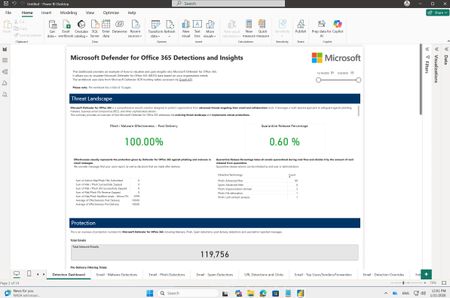
Part 3: Build custom email security reports with Power BI and workbooks in Microsoft Sentinel
TL;DR: We're releasing a brand-new Power BI template for email security reporting and a major update (v3) to the Microsoft Sentinel workbook. Both solutions share the same rich visuals and insights. Choose Power BI for quick deployment without Sentinel, or the Sentinel workbook for extended data retention and multi-tenant scenarios. Get started in minutes with either option. Introduction Security teams in both small and large organizations track key metrics to make critical security decisions and identify meaningful trends in their organizations. While Microsoft Defender for Office 365 provides rich, built-in reporting capabilities, many security teams need custom reporting solutions to create dedicated views, combine multiple data sources, and derive deeper insights tailored to their unique requirements. Earlier last year (Part 1 and Part 2) we shared examples of how you can use workbooks in Microsoft Sentinel to build a custom email security insights dashboard for Microsoft Defender for Office 365. Today, we are excited to announce the release of a new Power BI template file for Microsoft Defender for Office 365 customers, along with an updated version of the Microsoft Defender for Office 365 Detections and Insights workbook in Microsoft Sentinel. Both solutions share the same visual design and structure, giving you a consistent experience regardless of which platform you choose. Power BI template file - Microsoft Defender for Office 365 Detections and Insights: Microsoft Sentinel workbook - Microsoft Defender for Office 365 Detections and Insights: NEW: Power BI template file for Microsoft Defender for Office 365 Detections and Insights This custom reporting template file utilizes Power BI and Microsoft Defender XDR Advanced Hunting through the Microsoft Graph security API. It is designed for Microsoft Defender for Office 365 customers who have access to Advanced Hunting but are not using Microsoft Sentinel. Advanced Hunting data in Microsoft Defender for Office 365 tables is available for up to 30 days. The reporting template uses these same data tables to visualize insights into an organization's email security, including protection, detection, and response metrics provided by Microsoft Defender for Office 365. Note: If data retention beyond 30 days is required, customers can use the Microsoft Defender for Office 365 Detections and Insights workbook in Microsoft Sentinel. You can find the new .pbit template file and detailed instructions on how to set up and use it in the unified Microsoft Sentinel and Microsoft 365 Defender GitHub repository. This new Power BI template uses the same visuals and structure as the Microsoft Defender for Office 365 Detections and Insights workbook in Microsoft Sentinel, providing an easy way to gain deep email security insights across a wide range of use cases. UPDATED: Microsoft Defender for Office 365 Detections and Insights workbook in Microsoft Sentinel We are excited to announce the release of a new version (3.0.0) of the Microsoft Defender for Office 365 Detections and Insights workbook in Microsoft Sentinel. The workbook is part of the Microsoft Defender XDR solution in Microsoft Sentinel and can be installed and started to use with a few simple clicks. In this new release we incorporated feedback we have received from many customers in the past few months to add new visuals, updated existing visuals and add insights focusing on security operations. What’s New Here are some notable changes and new capabilities available in the updated workbook template. Improved structure: Headings and grouped insights have been added to tabs for easier navigation and understanding of metrics. Contextual explanations: Each tab, section, and visual now includes descriptions to help users interpret insights effectively. Drill-down capability: A single “Open query link” action allows users to view the underlying KQL query for each visual, enabling quick investigation and hunting by modifying conditions or removing summaries to access raw data. Detection Dashboard tab enhancements: Added an example Effectiveness metric, updated visuals to focus on overall Microsoft Defender for Office 365 protection values, and introduced new sections for Emerging Threats and Microsoft 365 Secure Email Gateway Performance. New Security Operations Center (SOC) Insights tab: Provides operational metrics such as Security Incident Response, Investigation, and Response Actions for SOC teams. Advanced threat insights: Includes new LLM-based content analysis detections and threat classification insights on the Emails – Phish Detections tab. External forwarding insights: Added deep visibility into Inbox rules and SMTP forwarding in Outlook, including destination details to assess potential data leakage risks. Geo-location improvements: Sender IPv4 insights now include top countries for better geographic context for each Threat types (Malware, Spam, Phish). Enhanced top attacked users and top senders: Added TotalEmailCount and Bad_Traffic_Percentage for richer context in top attacked users and senders charts. Expanded URL click insights: URL click-based threat detection visuals now include Microsoft 365 Copilot as a workload. How to use the workbook across multiple tenants If you manage multiple environments with Microsoft Sentinel — or you are an MSSP (Managed Security Service Provider) working across multiple customer tenants — you can also use the workbook in multi‑tenant scenarios. Once the required configuration is in place, you can change the Subscription and Workspace parameters in the workbook to be multi select and load data from one or multiple tenants. This enables to see deep email security insights in multi‑tenant environments, including: Aggregated multi‑tenant view: You can view aggregated insights across tenants in a single workbook view. By multi‑selecting tenants in the Subscription and Workspace parameters, the workbook automatically loads and combines data from all selected environments for all visuals on all tabs. Side‑by-side‑ comparison: For example, you can compare phishing detection trends or top attacked users across two or more tenants simply by opening the workbook in two browser windows placed side by side. Note: For the multiselect option‑ to work in the current workbook version, you need to manually adjust the Subscription and Workspace parameters. This configuration is planned to become the default in the next release of the workbook. Until then, you can simply apply this change using the workbook’s Edit mode. How to get the updated workbook version The latest version of the Microsoft Defender for Office 365 Detections and Insights workbook is available as part of the Microsoft Defender XDR solution in the Microsoft Sentinel - Content hub. Version 3.0.13 of the solution has the updated workbook template. If you already have the Microsoft Defender XDR solution deployed, version 3.0.13 is available now as an update. After you install the update, you will have the new workbook template available to use. Note: If you had the workbook saved from a previous template version, make sure you delete the old workbook and use the save button on the new template to recreate a new local version with the latest updates. If you install the Microsoft Defender XDR solution for the first time, you are deploying the latest version and will have the updated template ready to use. How to edit and share the workbook with others You can customize each visual easily. Simply edit the workbook after saving, then adjust the underlying KQL query, change the type of the visual, or create new insights. More information: Visualize your data using workbooks in Microsoft Sentinel | Microsoft Learn Granting other users access to the workbook also possible, see the Manage Access to Microsoft Sentinel Workbooks with Lower Scoped RBAC on the Microsoft Sentinel Blog. Do you have feedback related to reporting in Microsoft Defender for Office 365? You can provide direct feedback via filling the form: aka.ms/mdoreportingfeedback Do you have questions or feedback about Microsoft Defender for Office 365? Engage with the community and Microsoft experts in the Defender for Office 365 forum. More information Integrate Microsoft Defender XDR with Microsoft Sentinel Learn more about Microsoft Sentinel workbooks Learn more about Microsoft Defender XDR