gdpr
1 TopicPrivacy & Your exercising your rights
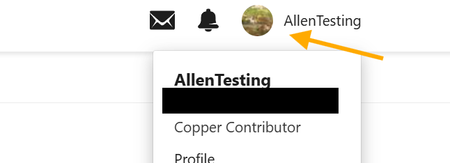
On this page Privacy How to View and Export Personal Data How to Delete Your Personal Data Additional Data Collected Privacy We want to ensure that any data collected is transparent and appropriate for your use of the community. As a Microsoft Tech Community user, you have rights under the General Data Protection Regulation (GDPR), including the ability to access and manage your personal data. This page explains how you can view, export, and request removal of your personal information. For more details on how Microsoft collects and uses data, please refer to the Microsoft Privacy Statement. How to View and Export Personal Data All data management options are available under My Settings > Security & Account. Access your profile and activity Navigate to Microsoft Tech Community Click Sign in (top right) Select your profile avatar and choose Profile From here, you can view information related to your activity, including: Your profile details Recent likes and uploaded images Activity history, including: Conversations you have started Conversations you have replied to Content you have liked Replies marked as “Solution” Groups you are a member of Blogs you have contributed to Export your personal data Open the avatar menu and select My Settings > My Settings Navigate to Security & Account & Account Screen, in order you can view IP Addresses you have used to login, download your personal data and then close your account. From this page you can: Download Data: Download a copy of your posts, replies, and personal information in JSON format. View IP Addresses: See the IP addresses used to access your account. You may delete these, but new logins will record a new IP address. How to Delete Your Personal Data Go to My Settings > Security & Account Select Close Account Closing your account will: Anonymise your community contributions Remove identifying information from our systems Please note: Any personal information included directly within posts will not be automatically removed You will not be able to create a new account using the same credentials for 72 hours after closure Additional Data Collected In addition to the above, we collect data about how the service is used, including: Visits and visits by geographic region Registration date and most recent sign-in Number of sign-ins and time spent online IP address information Roles and permissions Search terms Device type and browser/OS configuration Page views Content location and ranking Badges earned25KViews10likes0Comments