flag
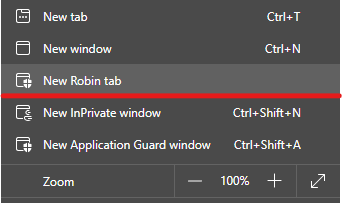
25 TopicsIntroducing Project Robin | New Feature
this one is a new flag you can enable: edge://flags/#edge-robin Microsoft Edge Version 91.0.852.0 (Official build) canary (64-bit) I think, Project Robin is a way to show Windows Defender Application Guard windows as tabs, next to other regular tabs. because right now, when you open a new WDAG window, it has its own protected window, backed up by Windows Defender engine. this Project Robin might be a way to bring the 2 environments together in the same window. so far the feature doesn't seem to be fully implemented yet. when I try it, it takes me to https://dev.browse.trafficmanager.net/?header=0&url=https%3A%2F%2Fwww.bing.com%2F&escape=newdomain&titlePrefix=0 and then nothing. it's exciting, waiting for future versions to see more changes.30KViews0likes4CommentsNew Feature for Web Capture - Subscroller area selection
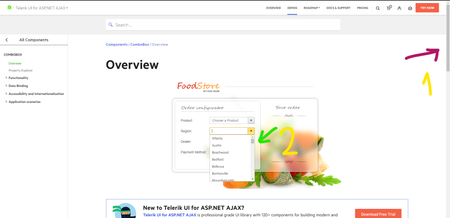
Normally you can't use Web Capture or Smart Copy in Edge to capture the contents of the 2nd scrollbar, but now you can with this new feature added under this flag in Edge Version 91.0.844.0 (Official build) canary (64-bit) Subscroller area selection. When enabled, users will be able to select sections of subscrollers when using WebCapture or SmartCopy. – Mac, Windows, Linux #edge-subscroller-area-selection edge://flags/#edge-subscroller-area-selection2.7KViews2likes2CommentsYou can turn on Math Solver feature on-demand now
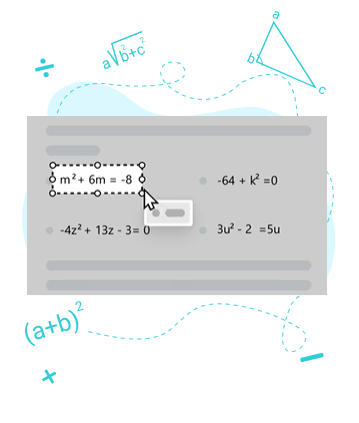
Make sure you are at least on Edge version 91.0.831.0 (Official build) canary (64-bit) and then enable this new flag: edge://flags/#edge-math-solver You can learn more about Math Solver feature here: https://techcommunity.microsoft.com/t5/articles/learn-how-to-solve-math-problems-with-math-solver-in-microsoft/m-p/21956891.5KViews1like0CommentsNew post web-app install screen
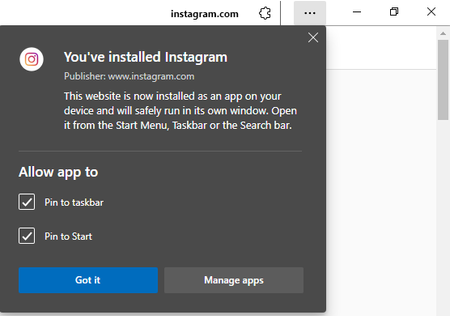
Edge Version 90.0.808.0 (Official build) canary (64-bit) the new flag was added today to this version. Post-Install Web Apps Permissions Show permissions dialog when a Web App is launched after install. – Mac, Windows, Linux #edge-webapp-permissions-menuSolved1.9KViews1like4CommentsMicrosoft Edge Kids! - Kids mode added to Edge - What an Amazing feature! (●'◡'●)
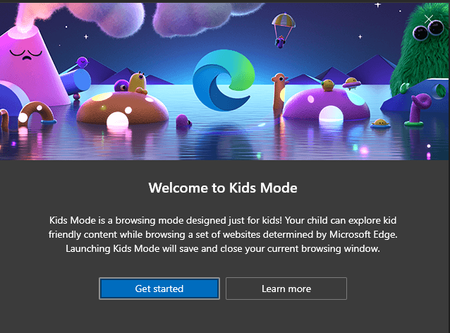
Microsoft Edge version 90.0.800.0 (Official build) canary (64-bit) introducing Kids mode which can be accessed from the browser settings: edge://settings/family you can learn all about it here in this official page a brief description: Kids Mode is a convenient browsing mode inside Microsoft Edge that’s designed for kids. With its kid-friendly features and safety guardrails in place, Kids Mode is a great place for children to safely explore the web. Kids Mode includes features like custom browser themes, kid-friendly content, browsing based on an allow list, Bing SafeSearch set to strict, and a password requirement to exit. Also, Kids Mode doesn't require a child account or profile. Currently, Kids Mode is limited to US English on Windows and MacOS. Kids mode is full screen mode, in order to exit it, kids need to have Windows Pin or Password and you can see, all the appropriate content and links are added to the home page ^^ Bonus content:6.5KViews5likes19CommentsSome parts of the Privacy Sandbox land on Edge Canary
This flag edge://flags/#use-first-party-set which was added today to Edge Version 89.0.749.0 (Official build) canary (64-bit) it's one of many privacy-related features for Privacy Sandbox, the goal of which is to ultimately get rid of 3rd party cookies. Use First-Party Sets First-Party Sets are sets of registrable domains (or origins). The browser uses these sets to allow websites that have multiple domains to treat their related domains as if they were first-party domains. This enables less restricted cross-domain communication across all the domains in a First-Party Set. – Mac, Windows, Linux Enable domains to belong to the same first party Goal: Enable entities to declare that related domain names are owned by the same first party. Many organizations own sites across multiple domains. This can become a problem if restrictions are imposed on tracking user identity across sites that are seen as 'third-party' but actually belong to the same organization. First Party Sets aims to make the web's concept of first and third parties more closely aligned with the real world's by enabling multiple domains to declare themselves as belonging to the same first party. more info: Digging into the Privacy Sandbox (web.dev) privacycg/first-party-sets (github.com)4KViews1like1CommentAlt + Tab experience can now be turned off from the browser using this newly added flag
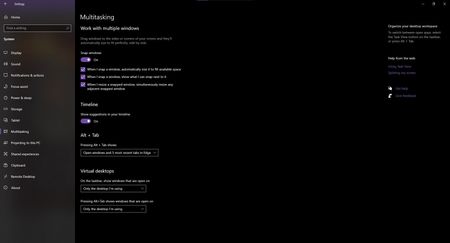
This flag that was just added today to Edge Version 89.0.736.0 (Official build) canary (64-bit) edge://flags/#edge-window-tab-manager can disable Alt + Tab experience the description says: "Allows Windows to show open Microsoft Edge tabs in OS experiences like Alt + Tab, pinned sites, and more. – Windows" so regardless of what your settings are in Windows you can stop Edge tabs to appear as separate windows in Alt + Tab view.3.3KViews1like2CommentsNew significant CPU and Battery saving feature Added to Edge version 89.0.730.0
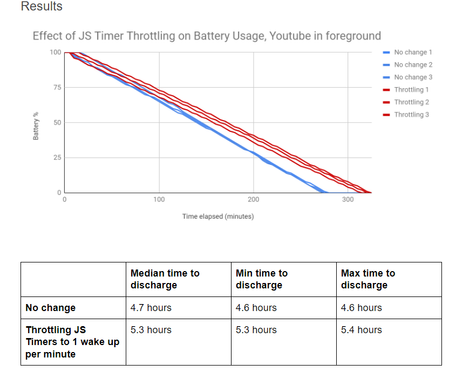
This feature is behind a flag, and just added to Microsoft Edge Version 89.0.730.0 (Official build) canary (64-bit) you can enable it using this flag: edge://flags/#intensive-wake-up-throttling Throttle Javascript timers in background When enabled this feature causes Javascript timers in background tabs to be aggressively throttled and coalesced, running no more than once per minute after a page has been backgrounded for 5 minutes or more.This is a web standards compliant feature, but it may break functionality on some websites by causing certain actions to be delayed by up to a minute. However, it results in significant CPU and battery savings when enabled. – Mac, Windows #intensive-wake-up-throttling more info Technical document this is an additional feature to the optimizations that Edge already has, or features such as sleeping tabs.2.4KViews3likes0CommentsWhat is the new prerenderer implementation for <link rel=prerender> instead of NoStatePrefetch ?
Microsoft Edge Version 89.0.726.0 (Official build) canary (64-bit) this new flag: Prerender2 Enables the new prerenderer implementation for <link rel=prerender> instead of NoStatePrefetch. – Mac, Windows #enable-prerender2 I'm curious to know what the new prerenderer implementation is that replaces NoStatePrefetch? couldn't find any information about it in here https://developers.google.com/web/updates/2018/07/nostate-prefetch also, in the same link, it says "Fetch the first result in Google Search results" does prefetch/prerender in Edge Fetch the first result in Bing search results? johnjansen5.9KViews0likes2Comments