drive value
79 TopicsAdoption idea: start Copilot Notebooks with one notebook per customer account (sales team example)
I'm a PM on Copilot Notebooks at Microsoft. One pattern we've seen work with sales teams is to start narrow: one notebook per customer account, with the account's CRM notes, decks and emails added as references, shared with the account team. Meeting prep, the team's input and meeting follow-ups (via Capture in OneNote) then all live in one place. Why it works well as a first notebook: It has a clear, ongoing purpose, so people come back to it every week. The content already exists (CRM notes, decks, emails), so nobody starts from a blank page. The whole account team benefits, so sharing it feels natural. Here's a two-minute story of what that looks like: https://youtu.be/Al2VddNfC-o (The story and companies are fictional, inspired by real workflows; some features may be in preview; illustrations and narration were made with AI tools.) Question for champions: when you roll out Copilot Notebooks, what do you recommend as someone's first notebook: per project, per customer or per team? Getting started with Copilot Notebooks: https://support.microsoft.com/en-us/microsoft-365-copilot/get-started-with-microsoft-365-copilot-notebooks103Views1like0Comments
Power BI and Fabric team ownership in extended engineering models
When an internal BI team already owns Power BI and additional engineers support Fabric development, how do you divide responsibilities? For example, should the extended team own data pipelines and notebooks while the internal team owns semantic models and reports, or is it cleaner to assign ownership by project? We have encountered this at Datatobiz when implementation work moves into ongoing development and support. Thoughts?126Views0likes1Comment
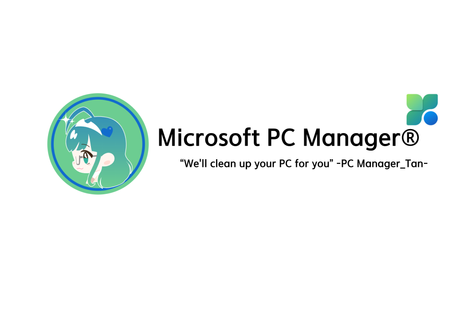
I designed an OS-tan mascot for Microsoft PC Manager! (PC Manager-tan)
Hello! I’m a huge fan of Windows 11 and a daily user of Microsoft PC Manager. Since the app is so incredibly light and useful, I thought it would be fun to give it a face. So, I designed an "OS-tan" style mascot character for it: "PC Manager-tan"! I wanted to share my concept art and ideas with the community. Here are some of her design details: [Design Inspiration & Colors]--------------------------------------------------------------------------------------------------------------- Signature Colors: The green and blue color scheme is heavily inspired by the official Microsoft PC Manager logo. Hair Details: She has a blue 'ahoge' (cowlick) and a blue heart hairpin to represent the distinct dots in the app's logo. Outfit: A Full-Body Style energetic cleaning assistant wearing a cozy cable-knit sweater, a green plaid skirt, and round glasses. Slogan: "We'll clean up your PC for you" [Her Equipment & Skills]-------------------------------------------------------------------------------------------------------------------- Digital Broom (Boost): Her main tool. With one click, she aggressively sweeps away unnecessary RAM usage and temporary files. Sandbox Claw Glove (Security): A mechanical claw she uses to safely catch malware and inspect system health. AI Utility Bag: A handy bag filled with all the convenient AI tools she needs to assist the user. I had a lot of fun making this, and I hope you guys like her! What do you think? It would be amazing if the MS dev team actually saw this! 😂202Views0likes0CommentsHow we’re using Microsoft 365 to reduce merchant QBR prep from hours to minutes
Hi Champions, I wanted to share a practical adoption pattern we have been working on for account teams that prepare recurring customer or merchant business reviews. One workflow we kept seeing was quarterly business review prep: an account manager starts with a CSV or TSV export, then manually rebuilds similar scorecards, summaries, PowerPoint slides, and follow-up notes for many accounts. It is important work, but a lot of the prep is repetitive. We built https://marketplace.microsoft.com/en-us/product/WA200010195as a Microsoft 365 agent to explore how much of that workflow can stay inside the tools business users already use. The current workflow is: - Start from a merchant performance export in CSV or TSV format, either from OneDrive or pasted directly in chat. - Generate executive QBR scorecards for one merchant or multiple merchant accounts in a batch. - Include payments-oriented metrics such as transaction volume, authorization rate, top decline reason, chargeback rate, interchange downgrade, and loyalty spend lift. - Create a PowerPoint scorecard for each account. - Organize the run in OneDrive with an index, per-account status, and an optional ZIP bundle. - Draft a follow-up email that the user can review and send from Outlook. The adoption lesson for us has been that Copilot and agents land best when the workflow is narrow, familiar, and already painful. “Prepare this quarter’s account reviews from the export I already have” is much easier for business users to understand than a broad AI promise. I would be interested to hear how other Champions are approaching similar recurring review workflows. Are your teams using Microsoft 365 Copilot or agents for business-review prep, customer success workflows, sales/account planning, or operational reporting? For anyone curious, the app is listed on Microsoft Marketplace here: https://marketplace.microsoft.com/en-us/product/WA200010195.243Views0likes0Comments
Measuring success in Microsoft 365 & Copilot adoption
As a student Microsoft 365 Champion, I’m starting to notice that successful adoption isn’t just about enabling tools — it’s about how adoption is measured and guided. In my learning, simple analytics (usage trends, engagement patterns, feedback loops) combined with tools like Power BI seem to make a big difference in understanding what’s actually working and where support is needed. I’m curious — for those working on Microsoft 365 or Copilot adoption, what KPIs or signals have you found most useful beyond basic usage counts?1.2KViews5likes5CommentsExcel Copilot now supports local files (Preview): what this means for everyday users
In the Microsoft 365 Current Channel (Preview), Excel Copilot Chat now supports local Excel files, not just workbooks stored in the cloud. This is a meaningful usability improvement because many users, especially students and early-career professionals, still work primarily with datasets stored locally on their devices. Why this matters for adoption: Users can now interact with Copilot Chat while analysing local Excel files. This reduces friction for offline work, assignments, and exploratory data analysis. It makes Copilot more practical for everyday learning and productivity workflows. For users learning data analysis, reporting, or business intelligence, this update lowers the barrier to using Copilot consistently rather than only in cloud-based scenarios. I am exploring how these preview features can improve real-world adoption and learning experiences, particularly for students and early-career users who work with Excel daily.751Views0likes0CommentsHelping students adopt Microsoft 365 tools for learning & productivity
Hi everyone, I’m a Microsoft 365 Champion and MSc Data Science student, and I’m currently helping fellow students get started with Microsoft tools such as: • Power BI (data analytics & dashboards) • Microsoft Learn learning paths • Microsoft 365 productivity tools I’m curious: What are the biggest challenges you’ve seen when introducing Power BI or Microsoft Learn to students or early-career professionals? I’d love to learn from your experiences and share what’s worked in an academic environment.270Views0likes0Comments
CPAi Advisors + Copilot Frontier: Accounting Meets Agent Mode
Hey all — I’m Dan, founder of CPAi Advisors, where boutique accounting meets workflow automation and Microsoft Copilot. I spent years in public company accounting, working across GL, AP/AR, reporting, and compliance — plus deep ERP integrations and technical troubleshooting. After seeing firsthand how manual and fragmented financial workflows can be, I decided to go out on my own and build something smarter: a boutique firm powered by Microsoft 365 Business Premium + Copilot. Now I’m exploring how Office Agent (Frontier) can take things further — not just chat in Word or Excel, but actually carry context across apps and orchestrate real accounting tasks. Here’s what I’m testing: Agent Mode in Excel → financial models, ledger reconciliation, anomaly detection Agent Mode in Word → client-ready reports that pull live spreadsheet data Agent Mode in Outlook → turning email threads into task lists and audit prep Cross-app orchestration → one prompt that builds a report, updates the spreadsheet, and drafts the email 💡 Focus: Copilot in accounting workflows Automating compliance & audit readiness Bridging trust in AI for financial advisory Pushing Agent Mode beyond the obvious Excited to share feedback and help shape what’s next. Let’s make accounting workflows smarter — and a little more fun. Take care & be well!291Views0likes0CommentsMOCA - Any updates?
Hello all - I was wondering if anyone has heard any updates about the MOCA app or the downloadable presentations that are hosted on this site: https://adoption.microsoft.com/en-us/enabling-modern-collaboration/ - As I recently started my role at a new organization that has not yet implemented Teams nor the broader M365 ecosystem, MOCA and the presentations are so helpful to explain not only "why" but what tool for the work being accomplished.Solved7.5KViews1like3CommentsAdoption Masterminds March Meetup!
Join me and the adoption masterminds on March 14th 11 AM EST for an open conversation about ROI of Adoption!!! I do not have all the answers, so if you have ideas, strategies, questions, we would love for you to come and share!!! This has been a topic that has come up in past meetings, so I thought we should take a hour and talk about it! You can register here: https://events.teams.microsoft.com/event/9cd4b1b5-a264-442b-8d5b-f07a40b24852@8b3dd73e-4e72-4679-b191-56da1588712b651Views1like0Comments