databricks
2 Topics
Databricks connect with Azure SQL Database
While following a Data Engineering hands-on tutorial on a YouTube channel, I ran into a JDBC connection failure in a Medallion architecture (Bronze to Silver pipeline). Interestingly, my initial connection configuration code runs successfully, but the actual read operation using spark.read.jdbc throws an error. Both connections use the same personal account login. Error: [FAILED_JDBC.CONNECTION] Failed JDBC jdbc:sqlserver:*********(redacted) on the operation: SQLSTATE: HV000 Why is spark.read.jdbc throwing a [FAILED_JDBC.CONNECTION] error with SQLSTATE: HV000 when the basic connection details are correct and working elsewhere? Any help to resolve this is greatly appreciated.305Views0likes2Comments
Azure Databricks - SQL query - Configuration not available
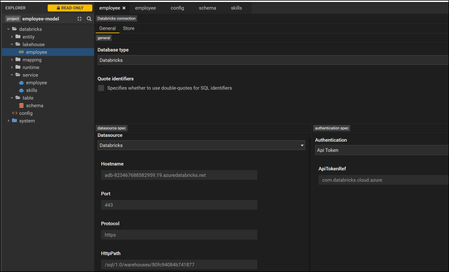
I spun up a FINO's Legend Studio instance locally, and I was able to establish a connectivity between the application and my Azure Databricks resource. However, when I run a SQL query from Legend Studio, which is supposed to execute on Databricks, I get a "Configuration legend_databricks_http_path is not available" error from Databricks: By going to the "Query History" on Azure Databricks, I can confirm Legend Studio is reaching Databricks, but this is responding with the error mentioned above. The "See error" button doesn't provide any additional error details. Is anyone familiar with the "Configuration is not available" type of error in Azure Databricks SQL queries?Solved667Views0likes2Comments