data
116 TopicsIntro to Functions in Excel for Nonprofits
Getting Started with Functions Excel provides a wide range of built-in functions that simplify data management. You can find these functions in the Formulas tab under categories like Text, Date & Time, Financial, and more. The Insert Function tool also allows you to search for functions by name and get guided assistance in applying them. When typing a function in a cell, start with = followed by the function name (e.g., =SUM). Excel will suggest matching functions and provide a tooltip to help you understand how to use them. 💡 Copilot for Excel can now assist in automating many of these calculations. Instead of manually writing formulas, you can ask Copilot to "sum all donations in column B" or "find the average grant amount." Copilot intelligently applies the correct functions, making Excel even more powerful for nonprofit teams. However, understanding the behind-the-scenes of how these functions work is still valuable—especially if you need to troubleshoot, customize, or work in environments where AI assistance isn't available. Now, let’s look at some practical examples tailored for nonprofits. Example 1: Calculating Total Donations Nonprofits often track donations in spreadsheets to monitor fundraising performance. If you have a list of donations in column I, you can calculate the total amount received by clicking under the donation entries and entering the SUM function: =SUM(H2:H11) You can also enter =SUM and then highlight the area of data you want summed up. This formula adds up all donation amounts in the range H2 to H11, giving you the total funds raised. Press enter to reveal the SUM. 👉 Use Case: This is useful for monthly or annual donation tracking, allowing you to report on fundraising progress to donors and stakeholders. Example 2: Finding the Average Grant Amount If your nonprofit receives multiple grants, you might want to find the average grant amount to understand typical funding levels. The AVERAGE function makes this easy: =AVERAGE(H2:H11) This formula calculates the mean grant amount from a list of grants stored in column H. Press enter to reveal the AVERAGE. 👉 Use Case: This helps nonprofits set realistic fundraising goals and benchmark funding expectations for future grant applications. Example 3: Finding a Donor’s Most Recent Contribution If you have a donor database and need to find the most recent donation from a specific donor, you can use VLOOKUP. Suppose donor names are in column A and donation amounts are in column B. To find the donation amount from John Doe, use: =VLOOKUP("John Doe", A2:B26, 2, FALSE) Let's break down the formula =VLOOKUP("John Doe", A2:B26, 2, FALSE): "John Doe": This is the value you want to search for in the first column of the specified range. In this case, you are looking for "John Doe". A2:B26: This is the range of cells where you want to perform the search. The function will look for "John Doe" in the first column of this range (column A) and return a value from the second column (column B) in the same row. 2: This is the column index number from which to return the value. Since the range starts from column A and goes to column B, the second column (column B) is where the function will look to find the value to return. FALSE: This specifies that you want an exact match. If "John Doe" is not found exactly in column A, the function will return an error.sxx This searches for "John Doe" in column A and returns the corresponding donation amount from column B. Press enter to find John’s donation. 👉 Use Case: Nonprofits can use this to quickly look up donor contributions when sending thank-you emails or preparing personalized reports. Example 4: Counting the Number of Volunteers Registered Many nonprofits rely on volunteers, and tracking engagement is crucial. If you have a list of volunteer sign-ups in column D, you can use COUNTA to count the total number of registered volunteers: =COUNTA(D2:D21) (Imagine this is for a data set of a much larger quantity “D5062”) This function counts all non-empty cells in the given range, giving you the number of registered volunteers. Press enter to get the count. 👉 Use Case: This helps organizations track volunteer engagement for event planning, program management, and reporting to grant funders. Wrapping Up Excel functions can significantly improve efficiency in nonprofit operations, helping teams manage donations, grants, volunteers, and more. By mastering functions like SUM, AVERAGE, VLOOKUP, and COUNTA, nonprofit professionals can streamline their data management and focus more on their mission rather than administrative tasks. 💡 While Copilot for Excel can automate many of these tasks, understanding the "old-school" way of using functions helps you troubleshoot, refine formulas for custom needs, and work in environments where AI may not be available. Next Steps 📌 Try these formulas on your own nonprofit data 📌 Explore additional functions like IF, COUNTIF, and INDEX-MATCH 📌 Consider Power Query for more advanced nonprofit reporting needs For additional insights and tips on mastering Excel Fundamentals, be sure to explore the blog posts below. Master Excel Like a Pro: Must-Know Tutorials & Templates for Nonprofits | Microsoft Community Hub Getting Familiar with Microsoft Excel | Microsoft Community Hub Getting Familiar with Microsoft Excel - How to Build a Data Table | Microsoft Community Hub Excel functions (alphabetical) - Microsoft Support1.2KViews1like2CommentsHow to Re-Register MFA
Working closely with nonprofits every day, I often come across a common challenge faced by MFA users. Recently, I worked with a nonprofit leader who faced an issue after getting a new phone. She was unable to authenticate into her Microsoft 365 environment because her MFA setup was tied to her old device. This experience highlighted how important it is to have a process in place for MFA re-registration. Without it, even routine changes like upgrading a phone can disrupt access to your everyday tools and technologies, delaying important work such as submitting a grant proposal. Why MFA is Essential for Nonprofits Before we discuss how to reset MFA, let’s take a step back and discuss why MFA is a necessity for nonprofits the way it is important for any organization. In the nonprofit world, protecting sensitive or confidential data—like donor information, financial records, and program details—is a top priority. One of the best ways to step up your security game is by using Multi-Factor Authentication (MFA). MFA adds an extra layer of protection on top of passwords by requiring something you have (like a mobile app or text message) or something you are (like a fingerprint). This makes it a lot harder for cybercriminals to get unauthorized access. If your nonprofit uses Azure Active Directory (AAD), or Microsoft Entra (as it is now called), with Microsoft 365, MFA can make a big difference in keeping your work safe. Since Microsoft Entra is built to work together with other Microsoft tools, it’s easy to set up and enforce secure sign-in methods across your whole organization. To make sure this added protection stays effective, it’s a good idea to occasionally ask users to update how they verify their identity. What Does MFA Re-Registration Mean for Nonprofits? MFA re-registration is just a fancy way of saying users need to update or reset how they authenticate, or verify, themselves. This might mean setting up MFA on a new phone (like the woman in the scenario above), adding an extra security option (like a hardware token), or simply confirming their existing setup. It’s all about making sure the methods and devices your users rely on for MFA are secure and under their control. When and Why Should Nonprofits Require MFA Re-Registration? Outside of getting a new phone, there may be other situations that raise cause for reason to re-register your MFA. A few scenarios include: Lost or Stolen Devices: Similar to the scenario above, if someone loses their phone or it gets stolen, you will have to re-register the new device. Role Changes: If someone’s responsibilities change, their MFA setup can be adjusted to match their new access needs. Security Enhancements: Organizations may require users to re-register for MFA to adopt more secure authentication methods, such as moving from SMS-based MFA to an app-based MFA like Microsoft Authenticator Policy Updates: When an organization updates its security policies, it might require all users to re-register for MFA to comply with new standards Account Compromise: If there is a suspicion that an account has been compromised, re-registering for MFA can help secure the account by ensuring that only the legitimate user has access With Microsoft Entra, managing MFA re-registration is straightforward and can be done with an administrator to the organization’s tenant. How to require re-registration of MFA To reset or require re-registration of MFA in Microsoft Entra, please follow the steps below. Navigate to portal.azure.com with your nonprofit admin account. Select Microsoft Entra ID Select the drop-down for Manage In the left-hand menu bar select Users > Select the user's name that you want to reregister to MFA (not shown). Once in their profile, select Manage MFA authentication methods Select Require re-register multifactor authentication Congratulations! The user will now be required to re-register the account in the Microsoft Authentication app.9.2KViews3likes2CommentsPreparing for Your Organization’s AI Workloads – Student Learning Pathways
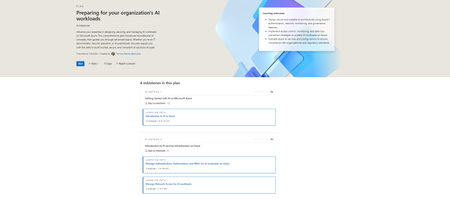
This structured plan helps students: Plans | Microsoft Learn Build foundational knowledge of AI in the cloud. Learn how enterprise-level infrastructure supports responsible, scalable AI deployments. Explore governance and monitoring strategies to ensure security and compliance. And the best part? It’s built using Microsoft’s existing training resources plus some brand-new modules to give you an edge. Your AI Readiness Journey on Azure 🎯 Milestone 1: Getting Started with AI on Azure https://learn.microsoft.com/training/paths/introduction-to-ai-on-azure/ Begin with the basics—from machine learning concepts to practical uses of Azure AI services. 🛡️ Milestone 2: Infrastructure Essentials https://learn.microsoft.com/training/paths/manage-iam-for-ai-workloads-on-azure/ https://learn.microsoft.com/training/paths/manage-network-access-ai-workloads/ Learn how enterprises secure access and manage identities—critical for real-world applications. 📊 Milestone 3: Monitoring AI Services https://learn.microsoft.com/training/paths/monitor-ai-workloads-on-azure/ Discover how businesses ensure their models perform safely and consistently at scale. 🏛️ Milestone 4: Advanced Management & Governance https://learn.microsoft.com/training/paths/ai-workloads-governance/ Master how organizations prevent data leaks and enforce responsible AI usage. 🆕 New Training Content Just for You To make this roadmap even more student-friendly, Microsoft has introduced updated and brand-new modules, including: Azure ML Authentication & Authorization Secure Azure AI Services Restrict Workspace Network Traffic Monitor Azure ML Prevent Data Exfiltration Govern AI Services with Azure Policy 🔗 Ready to Dive In? Whether you're exploring a career in AI or just getting started with Azure, these learning paths will level up your skills while helping you understand how real-world teams manage complex AI workloads. Start your journey on Microsoft Learn and become the architect of tomorrow’s intelligent systems. 💡 Would you like a version formatted for your internal newsletter or maybe something more conversational for social media? I can easily tailor it to fit the tone or medium you're aiming for.481Views0likes0CommentsIs Dataverse Right for Your Application?
For nonprofits, choosing effective tools is essential. Microsoft Dataverse, a cloud-based platform, provides a strong foundation for applications that enhance operations and secure data. Dataverse offers flexibility for donor management, volunteer coordination, and data-driven decisions. Here’s why your nonprofit should consider using Dataverse. Key Benefits of Using Dataverse 1. Enhanced Data Security Nonprofits often handle sensitive data, such as donor details, financial transactions, and personal information about beneficiaries. Dataverse is built with enterprise-grade security features, ensuring your data is protected at all levels. It complies with major security and privacy standards like GDPR and HIPAA, offering peace of mind to your organization and its stakeholders. Role-based access control allows you to determine who can view, edit, or manage specific sets of data, safeguarding against unauthorized access. 2. Seamless Integration with Other Tools For nonprofits, collaboration and efficiency are key. Dataverse integrates seamlessly with the Microsoft Power Platform, including Power Apps, Power BI, Power Automate, and Dynamics 365. This means you can create custom applications, generate insightful reports, and automate workflows without needing extensive technical expertise. Additionally, Dataverse connects with third-party tools like Salesforce, Mailchimp, and QuickBooks, allowing you to unify operations across platforms. 3. Scalability and Flexibility As your organization grows, so do your data needs. Dataverse is highly scalable, making it just as suitable for small nonprofits as it is for larger organizations with complex data ecosystems. Whether you’re managing a few hundred records or millions, Dataverse adapts to your needs without compromising performance. 4. Centralized Data Management Nonprofits often grapple with siloed data stored across spreadsheets, disparate systems, and individual devices. Dataverse provides a centralized database where all your information is stored in a structured way. This not only eliminates redundancy but also ensures that your team always has access to the most up-to-date information. When to Use Dataverse for Your Nonprofit Application While Dataverse offers a wide range of benefits, it’s important to evaluate when it’s the right fit for your organization: When Data Security is a Priority: If your nonprofit deals with sensitive data that requires advanced security measures, Dataverse is a compelling choice. When You Need Custom Solutions: If off-the-shelf software doesn’t meet all your needs, you can use Dataverse to build tailored applications, such as a volunteer scheduling system or a donor engagement platform. When You Want to Automate Processes: Nonprofits with repetitive, manual processes—like monthly donor communications or resource allocation—can greatly benefit from Dataverse’s integration with Power Automate. When Reporting is a Challenge: If your organization struggles with generating actionable insights from data, Dataverse’s compatibility with Power BI can transform your analytics capabilities. Call to Action Dataverse is more than just a data storage solution—it’s a dynamic platform that empowers nonprofits to operate more efficiently, make better decisions, and amplify their impact. If you’re ready to elevate your nonprofit’s operations with Dataverse, now is the time to act. Contact us today to learn how your organization can implement Dataverse as the foundation for your applications. Together, we can build a data-driven future for your mission! Conclusion Dataverse represents a transformative opportunity for nonprofits, offering a secure, scalable, and integrated solution to manage data and streamline operations. Whether it’s enhancing donor engagement, coordinating volunteers, or driving impactful fundraising campaigns, Dataverse enables your organization to focus on what truly matters: advancing your mission. By leveraging the power of Microsoft Dataverse, nonprofits can unlock actionable insights, automate processes, and foster collaboration, paving the way for unparalleled efficiency and growth. The potential to amplify impact is immense, and the tools to achieve it are at your fingertips. Don’t miss the chance to harness the full capabilities of Dataverse. Start your journey today by exploring Microsoft Learn’s guide to Dataverse and discover the Power Platform resources designed to empower your organization. For tailored support and implementation strategies, consider reaching out to certified Microsoft experts who can help turn your vision into reality. The time to act is now. Embrace the future of data management and operational excellence with Dataverse, and watch your nonprofit thrive in ways you never thought possible.717Views0likes0CommentsIntroducing Kairos: A New Era of Case Management for Nonprofits
Why Kairos, Why Now? Nonprofits have long struggled with fragmented systems, manual processes, and limited access to enterprise-grade technology. Kairos changes that. Built on Microsoft Azure and designed specifically for nonprofits, Kairos offers: Streamlined Case Management: From intake to closure, every step is digitized and intuitive Data-Driven Insights: Real-time dashboards and analytics help teams make smarter decisions. Custom Workflows: Tailored to the unique needs of each organization, not the other way around. Collaboration at Scale: Seamless coordination across departments, partners, and service providers. And it’s not just theory. During the recent soft launch, over 70 Urban Leaguers from 30 affiliates joined a live demo led by the Urban League of Broward County's own Daela Holness, showcasing how Kairos is already transforming service delivery. Built by the Community, for the Community This isn’t a top-down tech deployment. It’s a co-creation effort led by voices from across the nonprofit ecosystem. Our team recognized a critical need: nonprofits must own their data. Through deep conversations with nonprofit leaders and frontline staff, we envisioned a system that wouldn’t just manage cases—but empower entire organizations. Kairos was designed to serve every department, every program, and every team—so they can serve their communities faster, smarter, and more collaboratively. With Kairos, nonprofits can track families and services across programs, not in silos. That’s why we call it an impact management system—not just case management. It’s about seeing the full picture, breaking down barriers, and building stronger, more connected communities. What’s Next? This blog is just the beginning. We have published a series of deep dives into the technologies powering Kairos—from Azure services and Power BI dashboards to secure document management. Whether you're a nonprofit leader, a technologist, or a curious changemaker, there’s something here for you. Explore the Series Below is a link to over 20 blogs that will talks about the tech behind Kairos and how it fits into the broader nonprofit tech landscape. If you are just getting started in understanding technology, these will explain resources required for the application especially if you're considering the deployable model. Kairos IMS Blog Resources Take a look at the Kairos website to learn more.386Views0likes0CommentsThe Role of Secure Sockets Layer (SSL) Certificates in Nonprofit Organizations
At the heart of this post is Kairos IMS, an innovative Impact Management System designed to empower human-serving nonprofits and social impact organizations. Co-developed by the Urban League of Broward County and our trusted technology partner, Impactful, Kairos IMS reduces administrative burdens, enhances holistic care, and enables organizations to leverage data for increased agility and seamless service delivery. In this blog series, we’ll take a closer look at the powerful technologies that fuel Kairos IMS, from Azure services to security frameworks, offering insight into how modern infrastructure supports mission-driven impact. Click here to learn more. What Is an SSL? Think of an SSL as a security guard for your website. It encrypts the connection between your website and your visitors, ensuring that sensitive data—like donor names, credit card numbers, and contact details—remains private and secure. When you visit a website with an SSL, you'll notice a padlock icon in the browser's address bar and the URL starting with "[URL] of "http://." These small details signal to visitors that your site is secure and trustworthy. For nonprofits, this layer of security isn't just a nice-to-have; it's a must. Nonprofits handle sensitive donor information, from payment details to personal data. Without an SSL, you risk exposing this data to hackers, which can erode trust and harm your reputation. How to Purchase an SSL for Your Nonprofit Acquiring an SSL certificate is easier than you might think. Here’s a step-by-step guide to get you started: Determine Your Needs: Decide what type of SSL certificate works best for your organization. Options include single-domain SSLs (for one website), wildcard SSLs (for a website and its subdomains), and multi-domain SSLs (for multiple sites). Choose a Trusted Provider: Reputable SSL providers like DigiCert, GlobalSign, and Let’s Encrypt offer certificates tailored to various needs. Let’s Encrypt, for instance, provides free SSL certificates that are particularly appealing for budget-conscious nonprofits. Purchase or Obtain Your SSL: If you're opting for a paid SSL, simply purchase it from your chosen provider. For free options like Let’s Encrypt, follow the instructions on their website to generate your certificate. Install the SSL: Most hosting providers make this step straightforward. Platforms like GoDaddy, Bluehost, and SiteGround often include SSL installation as part of their hosting services. If you’re unsure, tech support teams are generally happy to assist. Test Your SSL: Once installed, check that your website is displaying the padlock icon and "[URL] the URL. You can use online tools like SSL Labs’ SSL Test for additional reassurance. SSL Implementation: Easier Than You Think Some nonprofit leaders worry that implementing an SSL might be too technical or costly. The truth? It’s neither. Most hosting providers simplify the process, offering one-click SSL installation or including SSLs as part of their hosting packages. Free options like Let’s Encrypt further reduce barriers, making SSLs accessible to organizations of all sizes. Effortless Security with Let’s Encrypt and Cert Manager For nonprofits seeking budget-friendly and straightforward solutions, Let’s Encrypt stands out as a beacon of accessibility and innovation. As a free, automated, and open certificate authority, Let’s Encrypt empowers organizations to secure their websites without incurring additional costs. With just a few simple steps, nonprofits can acquire SSL certificates that enhance their credibility and shield sensitive donor information. Pairing Let’s Encrypt with Cert Manager, an efficient tool designed to manage TLS certificates in Kubernetes clusters, further simplifies the process. Cert Manager automates the provisioning, renewal, and deployment of SSL certificates, reducing the burden on technical teams and ensuring continuous website security. Together, these tools form a powerful combination, making SSL implementation accessible to nonprofits regardless of their technical expertise. Want to dive deeper into the world of Let’s Encrypt and Cert Manager? Check out their official resources: Let’s Encrypt Documentation Cert Manager- Microsoft Learn Want to know how to add and manage an SSL certificate via Azure App Service? Click Here By leveraging these user-friendly tools, nonprofits can fortify their websites and focus on their mission without being bogged down by technical hurdles. Troubleshooting SSL Certificate Issues Even with the best setup, SSL certificates can occasionally encounter problems. For nonprofits relying on a secure site to build trust, addressing these issues promptly is essential. Here’s a guide to troubleshoot common SSL certificate issues and ensure your website remains protected: Expired Certificates Problem: SSL certificates have a limited validity period, typically ranging from 90 days (for free options like Let’s Encrypt) to a few years. If your certificate expires, browsers will display a warning, potentially deterring visitors. Solution: Log in to your SSL provider’s dashboard and check the expiration date of your certificate. Renew the certificate through your SSL provider or hosting provider. Many providers offer auto-renewal options to avoid future expirations. Reinstall the renewed certificate on your hosting platform and test the site to verify functionality. Mismatched Domain Names Problem: The SSL certificate must match the exact domain name being accessed. For example, if your certificate is issued for "www.example.org" but users visit "example.org" (without the "www"), browsers may flag the site as insecure. Solution: Check the domain name listed on your SSL certificate to ensure it matches your site’s URL. If mismatched, update the SSL certificate to include all domain variations (e.g., "www" and non-"www"). Multi-domain or wildcard SSL certificates can cover these variations. Set up a proper domain redirection (e.g., redirect "example.org" to "www.example.org") to ensure consistency in how your site is accessed. Browser Errors Problem: Visitors might encounter errors like “Your connection is not private” or “SSL certificate error” due to incorrect SSL installation or configuration. Solution: Use online tools like SSL Labs’ SSL Test to diagnose issues with your certificate setup. Ensure the entire certificate chain, including intermediate and root certificates, is installed correctly. Many hosting providers guide you through this process or offer automated installations. Clear your browser’s cache and history, as outdated data can sometimes cause erroneous warnings. Mixed Content Warnings Problem: A secure site might still display warnings if it loads insecure content (e.g., images or scripts served over HTTP instead of HTTPS). Solution: Scan your website for mixed content using tools like WhyNoPadlock or your browser’s developer tools. Update all URLs on your site to use HTTPS. This often involves updating your CMS settings or modifying your theme files. Implement a Content Security Policy (CSP) to ensure all content is served securely. Misconfigured Server Settings Problem: Incorrect server configurations can prevent the SSL certificate from functioning as intended. Solution: Verify your server settings through your hosting provider’s control panel or documentation. Ensure that HTTPS is enforced by enabling a redirect from HTTP to HTTPS on your server. If you’re using a content delivery network (CDN), ensure that the SSL is correctly configured both on your server and the CDN. Revoked Certificates Problem: Certificates can be revoked by the issuing authority due to security breaches or errors in issuance. Solution: Check the certificate’s status using tools like Certificate Revocation Lists (CRLs) or Online Certificate Status Protocol (OCSP). If your certificate has been revoked, contact your SSL provider to understand the reason and obtain a new certificate if necessary. By proactively addressing these common SSL certificate issues, your nonprofit can maintain a secure and trustworthy online presence, ensuring a seamless experience for your supporters. Take Action Today Securing your nonprofit’s website with an SSL is one of the simplest and most impactful steps you can take to protect your donors and build trust with your supporters. Beyond security, it shows your commitment to transparency and professionalism—values that resonate deeply with your audience. To enhance your online security even further, we encourage you to dive deeper into the world of SSL certificates. Researching additional resources and staying informed about the latest updates can help you implement best practices and avoid common pitfalls. Explore guides and expert recommendations tailored to nonprofits to ensure your website remains secure and trustworthy. Don’t wait to make this critical update. Whether you're a small grassroots organization or a global nonprofit, an SSL certificate can strengthen your digital presence and help you achieve your mission. Ready to get started? Reach out to your hosting provider or explore SSL options today. For further reading, check out these links: Guide to Choosing the Right SSL Certificate Common SSL Issues and How to Fix Them Your supporters—and their data—will thank you.224Views0likes0CommentsBuilding a Power App with SharePoint: Setting Up Your SharePoint List
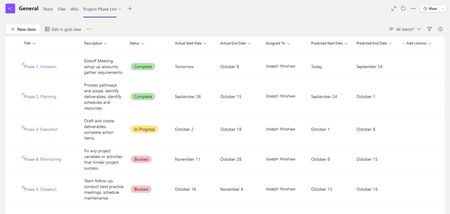
⬅️ Previous: An Overview of the SharePoint/PowerApps Combination ➡️ Next: Building Your Power App What We’ll Cover Creating a SharePoint list from scratch Choosing column types to match your data needs Setting up lookup columns and choice fields Best practices for organizing and naming columns Preparing your list for integration with Power Apps Creating Your SharePoint List Log in to SharePoint: Navigate to your SharePoint site. SharePoint can also be accessed via m365.cloud.microsoft, signing into your account and then clicking in the upper left corner of the window, select App launcher > SharePoint. (If not in left corner please look for “Apps”) Create a List: Go to the site contents and select "New"> "List". --> 3.Start a New List: Click “New List” and choose a blank list or template. If you have an existing excel or CSV file with columns you have already written, you can also import as well. First choose import from excel Then select a file on the SharePoint site or Upload a file 3. If you have multiple sheets in the file, you can select the table or sheet and choose the column type for each column. Choosing the Right Column Types Below, see the list of options when you are importing from ESV or CSV. Each column in your SharePoint list stores a different type of data. Choosing the right type helps your app work efficiently. Common column types include: Single line of text: For short text entries (names, titles). Multiple lines of text: For longer notes or descriptions. Choice: Predefined options for consistent data entry (e.g., status: Active, Inactive). Number: For numerical data (e.g., quantity, age). Date and time: For dates such as event dates or registration timestamps. Lookup: To reference data from another SharePoint list. Make sure to match your columns to the data you’ll collect. 4. Name Your List: Give your list a name (e.g., "Employee Directory"). 5. Add Columns: Add the necessary columns to your list (e.g., Name, Email, Department). If you imported from a file, feel free to add any more columns you may have needed or adjust the column types by clicking on the Column – Column Settings-Edit. Option B for Step 1: Using Microsoft Lists Open Microsoft Lists: Go to Microsoft Lists or access it via the Microsoft 365 app launcher. 2. Start a New List: Click “New List” and choose a blank list or template. 3. Configure the List: Name your list (e.g., "Employee Directory"). Select the desired color and icon if you wish. Choose whether to save it to My lists (private) or a SharePoint site (team-based). 4. Add Columns: Add custom columns such as Name, Email, Department, etc. Note: Whether you create your list in SharePoint or Microsoft Lists, it can be connected to PowerApps the same way in the next step. Tip: When starting from a SharePoint List that has no data, it is helpful to add one line of test data to see how the fields populate within the Power App. Take the time to add an entry before we begin to create the app. Best Practices for Organizing Your List Use clear and consistent column names (avoid spaces or special characters when possible). Keep your list structure simple—complex relationships can be handled later in Power Apps or Power Automate. Limit the number of columns to only those you need to keep performance smooth. Add columns for auditing if needed, such as “Created By” and “Modified Date.” These can be system generated following the steps below: Click on Add Column-Show or hide columns-Select Column-Apply Preparing Your List for Power Apps Once your SharePoint list is ready: Double-check your columns and data types. Add some sample data to test with later. Avoid complex calculated columns that Power Apps might not support fully. Ensure you have proper permissions to connect the list to Power Apps Conclusion Your SharePoint list is the foundation of your Power App. Taking time to set it up thoughtfully will save you time and headaches down the road, making your app more reliable and user-friendly. In our next blog, we’ll jump into Power Apps Studio to connect your SharePoint list and start building your app interface. Stay tuned! Additional information: Setting Up Views Views help you filter and organize your list data directly in SharePoint. Setting up a custom view lets users see just the data relevant to them. Create views based on common filters (e.g., “Pending Approvals” or “Active Volunteers”) Set a default view that makes sense for most users In this example application, I will create an HR view that displays the fields the HR team will manage first in the list. To add a view, click on + Add View on the top right of the list Best Practices for SharePoint Lists with Power Apps Keep your list simple and clean for better app performance Limit choice columns to fewer than 20 options for usability Avoid using complex column types that don’t work well with Power Apps Regularly maintain and clean your list data to prevent errors Plan your list structure early to avoid major changes later 📚 Explore the Series Series Introduction An Overview of the SharePoint/PowerApps Combination Setting Up Your SharePoint List Building Your Power App1.4KViews0likes0Comments