data
18 TopicsBring Azure AI to your private workloads on Azure VMware Solution
Overview A global enterprise has migrated thousands of VMware vSphere virtual machines (VMs) to Microsoft Azure as part of their application modernization strategy. Having exited their on-premises data centers and relocated their legacy application VMs to Azure VMware Solution, the next phase of that strategy is no longer about where the workloads run, but about what the organization can do with the data inside them. Those applications hold the enterprise's most valuable data, yet they sit on private networks that Azure AI services cannot reach by default. What should Azure VMware Solution look like when the goal is to make private workloads AI-accessible in place? Azure VMware Solution is a VMware validated first party Azure service from Microsoft that provides private clouds containing VMware vSphere clusters built from dedicated bare-metal Azure infrastructure. It enables customers to leverage their existing investments in VMware skills and tools, allowing them to focus on developing and running their VMware-based workloads on Azure. That is why organizations move their VMware estates to Azure VMware Solution in the first place: they get to modernize on their own terms, lifting and shifting mission-critical applications into Azure exactly as they run today, with no rewrites, no re-platforming, and no big-bang migration. Azure AI Foundry is the Azure platform for building, deploying, and governing AI agents, providing managed model deployments, an agent runtime, tool integration, and end-to-end tracing under Microsoft Entra identity. Agents in Foundry reach external systems through the Model Context Protocol (MCP), an open standard that describes a system to an agent as a small, explicit set of tools. MCP matters here because it turns "connect the agent to a workload" into a contract rather than a custom integration: the agent learns one way to ask, and each workload is fronted by a server that translates it. But the "leave it as it is" strength of Azure VMware Solution has a quiet side effect. The systems holding your most valuable data, such as core databases, file servers, and line-of-business applications, keep running on private networks inside the private cloud. Meanwhile, Azure's AI services live in the Azure control plane and, by default, reach only public endpoints. When the mandate arrives to "add AI everywhere," your Azure VMware Solution workloads are often the one place AI cannot reach. Not because the data isn't valuable, but because it's private by design. In this post, I will introduce the challenge of reaching private workloads with Azure AI, describe the Azure VMware Solution and Azure AI Foundry architectural components that close the gap, and describe the security and design considerations for doing it safely. The pattern is deliberately workload-agnostic: a managed agent in Azure AI Foundry that reaches private Azure VMware Solution systems through small, purpose-built bridges, one per workload type, while your data stays put, read-only, and inside your network. I will prove it with a working SQL example (two private databases behind a single bridge), then show how the same pattern extends to file shares, APIs, and beyond. The full deployment kit is on GitHub, so you can try it in your own environment. In the next section, I will introduce the architectural components of Azure VMware Solution. Architectural Components The diagram below describes the architectural components of the Azure VMware Solution. Figure 1 – Azure VMware Solution Architectural Components Each Azure VMware Solution architectural component has the following function: Azure Subscription: Used to provide controlled access, budget, and quota management for the Azure VMware Solution. Azure Region: Physical locations around the world where we group data centers into Availability Zones (AZs) and then group AZs into regions. Azure Resource Group: Container used to place Azure services and resources into logical groups. Azure VMware Solution Private Cloud: Uses VMware software, including vCenter Server, NSX-T Data Center software-defined networking, vSAN software-defined storage, and Azure bare-metal ESXi hosts to provide compute, networking, and storage resources. Azure NetApp Files, Azure Elastic SAN, and Pure Cloud Block Store are also supported. Azure VMware Solution Resource Cluster: Uses VMware software, including vSAN software-defined storage, and Azure bare-metal ESXi hosts to provide compute, networking, and storage resources for customer workloads by scaling out the Azure VMware Solution private cloud. Azure NetApp Files, Azure Elastic SAN, and Pure Cloud Block Store are also supported. VMware HCX: Provides mobility, migration, and network extension services. VMware Site Recovery: Provides Disaster Recovery automation and storage replication services with VMware vSphere Replication. Third party Disaster Recovery solutions Zerto Disaster Recovery and JetStream Software Disaster Recovery are also supported. Dedicated Microsoft Enterprise Edge (D-MSEE): Router that provides connectivity between Azure cloud and the Azure VMware Solution private cloud instance. Azure Virtual Network (VNet): Private network used to connect Azure services and resources together. Azure Route Server: Enables network appliances to exchange dynamic route information with Azure networks. Azure Virtual Network Gateway: Cross premises gateway for connecting Azure services and resources to other private networks using IPSec VPN, ExpressRoute, and VNet to VNet. Azure ExpressRoute: Provides high-speed private connections between Azure data centers and on-premises or colocation infrastructure. Azure Virtual WAN (vWAN): Aggregates networking, security, and routing functions together into a single unified Wide Area Network (WAN). Those components describe where your workloads run. In the next section, I will introduce the pattern that makes the data inside them reachable by Azure AI, without changing any of it. The idea in one picture One managed agent in Azure AI Foundry talks to your private Azure VMware Solution workloads through a set of small Model Context Protocol (MCP) servers, one bridge per workload type. SQL databases are live today; a file-share bridge or an API bridge is the same shape with different tools. Figure 2: Solution overview A single managed agent in Azure AI Foundry reaches private Azure VMware Solution workloads through per-workload MCP servers running on VNet-integrated Azure Container Apps, connected to the private cloud over ExpressRoute. Three ideas carry the design: MCP is the universal contract. Every workload is exposed through the same small set of tools. For the SQL bridge, that’s list_sources, get_schema, and run_query. The agent learns one way to ask a question; each bridge translates it for its workload. One lightweight bridge per workload type. Each MCP server is a VNet-integrated Azure Container App that can legitimately see both worlds: Azure on one side, the private Azure VMware Solution network over ExpressRoute on the other. Want to make another workload AI-accessible? Add another bridge. The agent doesn’t change. Managed identity end to end. No passwords in code or config. The agent presents a Microsoft Entra token; each bridge pulls the credentials it needs from Azure Key Vault at runtime. One pattern, every workload The power of the design is that it’s workload-agnostic. The agent, the network path, the Entra identity, and the governance model are built once. Each new workload is just a new MCP server that speaks the same tool contract, so you can light up your estate incrementally, highest-value workloads first, without re-architecting anything. Azure VMware Solution workload MCP bridge Example tools What it unlocks SQL databases (SQL Server, PostgreSQL, Oracle, MySQL) SQL MCP server (live in this post) list_sources, get_schema, run_query Natural-language questions and cross-database corroboration File shares (SMB / NFS, document stores) File MCP server list_dirs, search, read_file Q&A and summarization over contracts, drawings, PDFs, logs Line-of-business apps (REST / SOAP) API MCP server list_operations, call_operation Conversational access to ERP, ticketing, claims, orders NoSQL / message systems Connector MCP server list_collections, query, peek Reasoning over document stores and event streams Mainframe / other systems Adapter MCP server workload-specific Bringing legacy systems into modern AI workflows Every bridge is small, independently deployable, and governed the same way: read-only by default, private over ExpressRoute, and locked to your agent’s managed identity. The pattern is the product; the bridges are how you grow it. To make it concrete, here’s the first proof of the pattern: a secure, read-only agent over two private SQL databases in Azure VMware Solution. Reference architecture The reference deployment runs in a single Azure region, with the Azure resources in one resource group alongside the Azure VMware Solution private cloud. Figure 3: Reference architecture A question from the managed agent in Azure AI Foundry crosses into your virtual network, where the MCP server on Azure Container Apps validates the caller's Entra token, reads the database password from Key Vault with its own managed identity, and runs a single read-only SELECT against the SQL Server VMs inside the Azure VMware Solution private cloud. Component Resource Type Azure VMware Solution private cloud avs-private-cloud Microsoft.AVS/privateClouds MCP server avs-mcp-server Microsoft.App/containerApps Container Apps environment avs-mcp-env Microsoft.App/managedEnvironments AI Foundry account avs-sql-foundry Microsoft.CognitiveServices/accounts Foundry project avs-sql-foundry/avs-sql-agent .../accounts/projects Container registry avssqlacr Microsoft.ContainerRegistry/registries Secrets avs-sql-kv-01 Microsoft.KeyVault/vaults Network avs-hub-vnet (10.40.0.0/16) Microsoft.Network/virtualNetworks ExpressRoute gateway avs-ergw virtualNetworkGateways Foundry private endpoint avs-sql-foundry-pe (+ privatelink DNS zones) privateEndpoints Logs avs-sql-logs OperationalInsights/workspaces The data itself lives on VMs inside the Azure VMware Solution private cloud, on a VMware NSX segment (avs-workload-01, 192.168.131.0/24): VM IP Database SQL VM #1 192.168.131.55 SalesDB (Products, Customers, Orders) SQL VM #2 192.168.131.56 InventoryDB (Products, Stock) The bridge works because the Container Apps subnet routes to the Azure VMware Solution private cloud over ExpressRoute, while Foundry is reachable privately through a private endpoint. Figure 4: Network topology The MCP server runs in a delegated aca-subnet and reaches the workload segment over ExpressRoute. Foundry sits behind a private endpoint with privatelink DNS zones, so the portal and jump host reach it privately. The agent’s tool call to the bridge is a single outbound HTTPS request carrying an Entra token. The data bridge: a small, read-only MCP server The first bridge is the SQL MCP server, a small Python service (FastMCP over streamable HTTP) that exposes three read-only tools. It’s engine-agnostic (SQLAlchemy) and pulls its credentials from Key Vault at runtime: @mcp.tool() def list_sources() -> str: """List the databases across the Azure VMware Solution workloads and what each contains.""" @mcp.tool() def get_schema(source: str) -> str: """Return tables and columns for a source (call list_sources first).""" @mcp.tool() def run_query(source: str, query: str) -> str: """Run ONE read-only SELECT and return up to the source's row cap.""" Guardrails are built in. Only SELECT / WITH statements are allowed, one statement at a time; DML and DDL keywords are blocked; and every result set is row-capped. The agent gets to read and reason, but never to mutate. Onboarding a database is configuration, not code. A single sources.yaml catalog describes each source and its governance: sources: sales: type: mssql connection: { host: 192.168.131.55, port: 1433, database: SalesDB } auth: { kind: sql, username: agentreader, secret: sql-agentreader-password } governance: { allow_schemas: [dbo], max_rows: 200 } inventory: type: mssql connection: { host: 192.168.131.56, port: 1433, database: InventoryDB } auth: { kind: sql, username: agentreader, secret: sql-agentreader-password } governance: { allow_schemas: [dbo], max_rows: 200 } The service is containerized (with the ODBC Driver 18 / msodbcsql18), pushed to the container registry, and run on the VNet-integrated Container Apps environment. It has a system-assigned managed identity with Key Vault Secrets User on the vault, so it can fetch the read-only database credential without ever storing it. The managed agent in Azure AI Foundry The agent lives entirely in Azure AI Foundry (avs-sql-foundry, project avs-sql-agent), running on a small, cost-efficient model deployment. It’s configured with: A schema-first workflow. Discover the available sources, read the schema, write a read-only query, then corroborate the results. An MCP tool pointing at the Container App’s /mcp endpoint, authenticated with Microsoft Entra using the project’s managed identity. Generic, source-agnostic instructions. The agent discovers structure at runtime rather than hard-coding any schema, so the same agent works against any workload behind an MCP server, not just these two databases. Figure 5: The agent in Azure AI Foundry The agent is attached as a tool with the private MCP data server and authenticated via managed identity. Once the tool is attached, answering a question is a single, auditable round trip. The agent discovers the available sources, reads only the schema it needs, issues a read-only query, and corroborates the results, all over private connectivity and with managed-identity authentication end to end. Figure 6: How a question becomes an answer. The agent calls list_sources, validates its managed-identity token, reads each schema, and runs read-only SELECTs over ExpressRoute. Key Vault supplies the credentials, and the corroborated answer flows back to the user. Security and governance, by design Because these are your crown-jewel systems, security is the starting point rather than a layer on top: No secrets in code. Database credentials live in Key Vault; the server fetches them through its managed identity (DefaultAzureCredential to SecretClient). Entra managed-identity auth from the agent to the bridge, with no shared keys and automatically rotating tokens. Private connectivity. The bridge reaches Azure VMware Solution over ExpressRoute; the SQL VMs are never exposed to the internet; Foundry sits behind a private endpoint. Read-only guardrails. Only SELECT is allowed; writes and DDL are blocked; result sets are capped. Least-privilege caller lock. The bridge accepts tokens only from the Foundry project’s managed identity. The payoff: answers no single system can give The value here isn’t “query a table.” It’s corroboration, the kind a single database can’t do on its own. Our two databases share a ProductID, so the agent queries both and joins them itself. Ask a plain-language question about stock health, and you get: Widget A: sold 500, stock 40 (below the reorder point of 50), so REORDER NOW Gizmo C: high stock, low sales, so OVERSTOCKED Contraption E: present in Sales, missing from Inventory, flagged as a DISCREPANCY Figure 7: A natural-language question answered from two private Azure VMware Solution databases, with reorder, overstock, and discrepancy flags surfaced directly in the agent’s reply. Figure 8: The run trace Every tool call and query is visible and auditable (list_sources, then get_schema, then run_query on each source), so you can see exactly how the answer was produced. The same shape generalizes far beyond retail: claims versus policy, orders versus fulfillment, and tickets versus assets. Anywhere the truth is split across silos, the agent can bring it back together. Adding the next workload Coverage grows at two levels: within a bridge, and across bridges. Within the SQL bridge (another database), it’s configuration, not code. SQLAlchemy gives one code path for SQL Server, PostgreSQL, MySQL, and Oracle; the source type selects the dialect. Adding a PostgreSQL VM, for example, takes no changes to the server code: add the driver, a source block (type: postgresql, allow_schemas: [public]), and a Key Vault secret, then rebuild. Across workload types (a file share, an API), you add a new bridge that implements the same tool contract with connectors suited to that workload (read_file / search for a document store, call_operation for a REST or SOAP app), then attach it to the same agent. Nothing about the agent, the network, or the identity model changes. Your estate lights up one bridge at a time. Deploy it yourself The entire bridge is packaged as an open, reusable kit on GitHub, Azure VMware Solution AI Data Agent, with a Bicep template (and a compiled ARM equivalent), a parameters file, and a one-command deploy script. # Build and push the MCP image az acr build --registry <your-acr> --image avs-mcp:v4 . # Deploy to the VNet-integrated Container Apps environment az containerapp update -n avs-mcp-server -g avs-sql-rg \ --image "<your-acr>.azurecr.io/avs-mcp:v4" # Store the read-only SQL credential in Key Vault az keyvault secret set --vault-name avs-sql-kv-01 \ --name sql-agentreader-password --value '<password>' The script provisions the delegated subnet, the container registry, Key Vault (with the read-only secret), the VNet-integrated Container Apps environment and MCP server, and the managed-identity role assignments, optionally including the Azure AI Foundry account and model deployment. You point it at the VNet already connected to your Azure VMware Solution private cloud and supply a read-only database credential. All that’s left is creating the read-only login and attaching the MCP tool to your agent in the Foundry portal. What’s next This SQL example is deliberately just the first bridge. A few directions we’re excited about: Meet users where they are. Surface the agent in Microsoft Teams or Microsoft 365 Copilot, so anyone in the organization can ask questions of Azure VMware Solution workloads in natural language. One agent, every workload. Grow from databases to file shares, REST/SOAP apps, NoSQL, and message systems, each a new bridge behind the same agent. A workload catalog. A library of ready-made bridges, so onboarding a new Azure VMware Solution workload becomes a deploy-and-configure step rather than a project. Bringing it together With a managed agent in Azure AI Foundry, lightweight MCP servers on VNet-integrated Azure Container Apps, and private connectivity over ExpressRoute, workloads that used to be “off-limits to AI” become conversational, while staying inside your network, read-only, and credential-less, using the same identity and governance model you already rely on across Azure. The SQL example is just the beginning. Because every workload is reached the same way, enabling AI across your Azure VMware Solution estate becomes a repeatable motion: pick the next workload, add a small bridge, and it’s live, with no data movement, no re-platforming, and no new trust boundary. For organizations on Azure VMware Solution, that reframes what Azure VMware Solution is for. Not just where your VMware workloads run, but where they become AI-accessible, one bridge at a time, securely and in place. Ready to try it? Grab the Azure VMware Solution AI Data Agent kit on GitHub, point it at your Azure VMware Solution-connected VNet, and stand up your first bridge. We’d love to hear what you connect first. Next Steps Start by identifying which Azure VMware Solution workloads hold the highest-value data, typically core databases, document stores, and line-of-business applications, and pick one as your first bridge. Deploy the kit into the virtual network already connected to your Azure VMware Solution private cloud, create a dedicated read-only login for the agent, and validate the full path end to end in a non-production private cloud before going further. With large enterprise solutions for strategic and major customers, an Azure VMware Solution Solutions Architect from Azure, Broadcom, or a trusted VMware Partner should be engaged to review the network path, the identity model, and the data governance boundaries before a production rollout. This should also include a data classification and application dependency assessment, to establish which sources the agent may read, where data gravity lies, and which traffic flows and latency dependencies the ExpressRoute path must support. Beyond the first bridge, a few directions we are excited about: Meet users where they are. Surface the agent in Microsoft Teams or Microsoft 365 Copilot, so anyone in the organization can ask questions of Azure VMware Solution workloads in natural language. One agent, every workload. Grow from databases to file shares, REST/SOAP apps, NoSQL, and message systems, each a new bridge behind the same agent. A workload catalog. A library of ready-made bridges, so onboarding a new Azure VMware Solution workload becomes a deploy-and-configure step rather than a project. Summary In this post, I took a closer look at the challenge of making private Azure VMware Solution workloads reachable by Azure AI, the architectural building blocks that close the gap (a managed agent in Azure AI Foundry, lightweight per-workload MCP servers on VNet-integrated Azure Container Apps, and private connectivity over ExpressRoute), and the security and governance model that keeps your data read-only, credential-less, and inside your network. I also discussed the next steps to continue enabling Azure AI across an Azure VMware Solution estate. The SQL example is just the beginning. Because every workload is reached the same way, enabling AI across your Azure VMware Solution estate becomes a repeatable motion: pick the next workload, add a small bridge, and it's live, with no data movement, no re-platforming, and no new trust boundary. For organizations on Azure VMware Solution, that reframes what the service is for. Not just where your VMware workloads run, but where they become AI-accessible, one bridge at a time, securely and in place. Ready to try it? Grab the Azure VMware Solution AI Data Agent kit on GitHub, point it at your Azure VMware Solution-connected virtual network, and stand up your first bridge. I'd love to hear what you connect first. If you are interested in Azure VMware Solution, please use these resources to learn more about the service and the Azure AI building blocks used in this post: Azure VMware Solution Homepage: Azure VMware Solution Documentation: Azure VMware Solution SLA: SLA for Azure VMware Solution Azure Regions: Azure Products by Region Service Limits: Azure VMware Solution subscription limits and quotas Well-Architected Framework: Azure VMware Solution workloads Cloud Adoption Framework: Introduction to the Azure VMware Solution adoption scenario Enterprise Scale Landing Zone: Enterprise-scale for Microsoft Azure VMware Solution GitHub repository: Azure/azure-vmware-solution Learning Resources: Azure VMware Solution (microsoft.github.io) Networking and connectivity Network connectivity scenarios: Enterprise-scale network topology and connectivity for Azure VMware Solution Network Security: Azure VMware Solution Network Security Internet Connectivity: Internet connectivity design considerations Security and governance Identity & Access Management: Enterprise-scale identity and access management Security Recommendations: Concepts - Security recommendations for Azure VMware Solution Security Baseline: Azure security baseline for Azure VMware Solution WAF: Security considerations for Azure VMware Solution workloads Defender for Cloud: Integrate Microsoft Defender for Cloud with Azure VMware Solution Customer-managed keys: Configure customer-managed key encryption at rest Azure AI and the agent platform Azure AI Foundry: Azure AI Foundry Foundry Agent Service: What is Azure AI Foundry Agent Service? Model Context Protocol: Model Context Protocol specification Azure Container Apps: Azure Container Apps overview VNet integration: Networking in Azure Container Apps environments Managed identities: What are managed identities for Azure resources? Azure Key Vault: About Azure Key Vault Private endpoints: What is Azure Private Endpoint? Deployment kit: Azure VMware Solution AI Data Agent Tooling and automation Azure CLI: Azure Command-Line Interface (CLI) Overview PowerShell module: Az.VMware Module Azure Resource Manager: Microsoft.AVS/privateClouds REST API: Azure VMware Solution REST API Terraform provider: azurerm_vmware_private_cloud Terraform Registry Enterprise Scale GitHub repository: Azure/Enterprise-Scale-for-AVS Author Bio Nivas Narayanasamy is a Senior Software Engineer on the Azure VMware Solution team at Microsoft. He works across the private cloud platform, networking, and automation that customers rely on to run VMware workloads on Azure and is currently focused on secure patterns for bringing Azure AI to private enterprise data.Migrate or modernize your applications using Azure Migrate
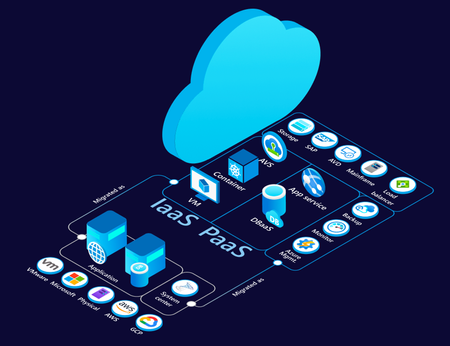
Introduction Moving to cloud is an essential step for enterprises looking to leverage the benefits of security, innovation (AI), scalability, flexibility, and cost-efficiency. To help unlock these benefits migration or modernization to Azure is critical for reasons such as colocation of IT assets. A crucial part of this transformation is understanding the current state of your IT infrastructure, including workloads, applications, and their interdependencies. Cloud migration is most effective when you can decide, plan and execute it holistically focusing on applications rather than focusing on individual servers or workloads in isolation. In our endeavour to both simplify and enrich your cloud adoption journey, we are evolving Application awareness in Azure Migrate that we introduced last year with features summarized below. Overview “The new design of Azure Migrate is much more intuitive, it allows us to group workloads into applications and track them throughout the migration journey. The Business Case Generator is a true game changer, providing insights that are ready for presentation at Leadership meetings. Azure Migrate continues to improve, making the execution of migration programs more seamless, faster, and secure. It has been an invaluable tool for our customers who are in the path of migrating to Azure” - Karthik Balachandran | Architect | EY Azure Migrate delivers a major evolution in cloud migration capabilities with application awareness. Here are key new features and why they matter: Multi-Server Dependency Mapping – Provides a holistic view of application topology, so you understand all server interactions before migrating. This reduces risk by ensuring no server is left behind and dependencies are respected during cloud transition. Software & Security Insights– Offers built-in intelligence on software inventory and vulnerabilities (e.g. highlighting outdated software and missing patches). This helps improve your environment’s security and stability as part of the migration journey, benefiting IT admins and security teams. Application definition & import– Allows you to treat applications as first-class citizens in Azure Migrate (not just tag groupings). You can create and manage app groupings easily, enabling a shift from managing individual workloads to managing whole applications in your migration project. Application migration or modernization RoI – Allows you to identify investments required in respective migration strategies as well as savings that would accrue as application are moved to Azure. Application Assessments– Delivers holistic migration plans per app, including recommended strategies (Rehost, Replatform, Refactor), target Azure services, sizing, cost estimates, and readiness checks. This empowers cloud architects to make informed decisions with an application-level focus. Code insight integration – GitHub Copilot assessment – Enables a developer-driven assessment loop by incorporating GitHub App Modernization Assessment reports. This tightens collaboration with dev teams and can dynamically adjust migration recommendations (e.g., flagging apps that need refactoring). CAST Highlight– Brings code-level analytics at scale into the migration plan. By importing CAST’s code scan results, you can identify technical debt and required code changes upfront, ensuring the recommended cloud approach truly fits the app’s codebase. Wave Planning with 1P Tool Integration– Provides a planning and execution framework to migrate in phases and launch the appropriate migration tools for each component seamlessly. This ensures end-to-end coverage – from migration scheduling to real-time execution – all within Azure Migrate. Capability deep dive Identify your applications using multi-server dependency mapping and subsequently define them One of the first steps in cloud migration planning is identifying application boundaries and dependencies. Azure Migrate’s new multi-server dependency mapping provides a rich visualization of how servers communicate with each other in your environment. This goes beyond the single-server dependency view of the past – now you can visualize an entire datacenter’s topology in one view. When you discover your on-premises environment, Azure Migrate’s agentless dependency analysis automatically begins mapping connections. It even measures connection strength, helping distinguish steady, critical communication from ephemeral connections. You can subsequently define applications, and assign metadata such as Name, type – Custom or Packaged (Commercial off the shelf), Criticality, Complexity (based on the number of dependencies), etc. Additionally, you can export your discovered inventory, assign application names in a spreadsheet, and import it back to quickly create many application grouping. You are free to refine or correct groupings, too. If during analysis you realize a server or workload was grouped incorrectly, simply update the application to add or remove that member (with no need to re-run discovery). Deleting an application grouping will not delete the underlying servers; it just removes the logical app wrapper, so you can reorganize safely as needed. Now, you can plan migrations by application units rather than individual workloads. This leads to more predictable outcomes (since all interdependent pieces move together), and it eliminates guesswork that used to come from manually correlating server relationships. Proactive Software and Security Insights Migration is not just about moving workloads – it’s an opportunity to remediate and improve what you have. The new Software and Security Insights surface critical information about your IT estate early on, so you can address potential issues before migration. Once your inventory is discovered, Azure Migrate now highlights: Software Insights:The portal flags certain software or OS components that might need attention or have cloud-friendly alternatives. For example, it might detect that some VMs run outdated middleware or unsupported OS versions. The tool provides recommendations for replacement or upgrade – e.g. suggesting you Repurchase a legacy product through Azure Marketplace or move to a SaaS solution for that functionality. This helps you plan modernization (repurchasing or upgrading software) as part of the migration project, rather than carrying technical debt to the cloud. Security Insights:Azure Migrate also integrates with security monitoring to detect vulnerabilities and missing updates in your servers. More importantly, it advises how to fix them: e.g. enabling Microsoft Defender for Cloud to address vulnerabilities, and using Azure Update Manager to apply pending updates. In essence, you get a mini security assessment alongside your inventory. These insights empower IT admins and security teams to tackle risks as part of migration planning. Rather than “lift-and-shift and then fix later,” you can remediate issues in parallel with migration, leading to a more secure and optimized environment on Azure. RoI for modernizing applications We are bringing in updates to Azure Migrate Business case to help ascertain the value you stand to gain by modernizing your applications – Custom or Packaged, as well as providing spend analysis across recommended migration strategies – Rehost, Replatform and Refactor. Holistic application assessments covering Infra-Data-Web tiers Application assessment builds on Azure Migrate’s existing server, database and webapp assessments, to give a migration game-plan for an entire application. It analyzes each component and then recommends An overall migration strategyamong Rehost, Replatform and Refactor, for the application under consideration. Migration readiness, and blockers that need to be addressed for respective strategy Target Azure Services and SKUs for workloads comprising the application Monthly cost estimates to run the application on Azure Migration tooling recommendations per workload comprising the application. Instead of piecemeal workload assessments, Cloud architects get a unified view per application – making it much easier to prioritize and plan. For example, you might discover that one application is an easy rehost (quick win), while another would clearly benefit from refactoring to eliminate costly components. Application assessments surface such insights with data, so stakeholders (including application owners and developers) can agree on a path forward with confidence. Ultimately, this leads to high-confidence migration plans and minimizes surprises during execution. Improve analysis with Code-Level Insights from Github Copilot assessment and CAST Most times, whether an application can be easily Replatformed or needs Refactoring depends on the application’s source code. Hence, we are bridging the gap between infrastructure and application development realities and are offering Integration with code analysis tools – GitHub Copilot assessment and CAST Highlight – to incorporate code-level insights into Azure Migrate’s recommendations. Talking about GitHub copilot – it is an indispensable tool for the application development. Developers can identify changes required in the code bases of their applications to make them ready for modernization to PaaS services such as AKS, App Service, etc. The cloud architect running Azure Migrate application assessment can request the application developers to ingest the code change insights from GitHub copilot assessment into Azure Migrate assessment. Once this report is ingested, you’ll see the Azure Migrate assessment refine its recommendations conclusively – such readiness, effort to make the code changes, migration strategy – depending upon whether the code changes are minimal or significant. Similarly, at-scale/ portfolio level code analysis performed using CAST Highlight, a prominent software intelligence platform, can be imported into Azure Migrate to improve the assessment recommendations. In practice, this means Azure Migrate will know if the code has, say, outdated libraries or many hard-coded dependencies that make cloud migration harder. Overall, the integration of code insights leads to more realistic migration plans and smoother hand-offs between cloud infrastructure teams and dev teams. Wave Planning and Integrated Migration Execution After discovering applications, assessing them, and incorporating any code insights, you’re ready to migrate or modernize – but large migrations often happen in phases. That’s where the new Wave Planning feature comes in. Wave planning in Azure Migrate helps you organize and sequence the actual migration execution in waves or batches, plan the migration activities and execute using integrated first party migration tools and track the end-to-end migrations; thereby providing a single place where different users – Cloud architects, developers, application owners, etc. can collaborate and coordinate through the migration journey. If your strategy for an application (or a particular server in the application) is Rehost (lift-and-shift to Azure VMs), Azure Migrate will use its built-in Server Migration capability. You can start the replication of that server to Azure right from the wave plan. If your strategy is Replatform or Refactor and involves migrating data, the wave plan can redirect you to Azure Database Migration Service (DMS). All these integrations mean you can coordinate multi-step migrations from one place. Wave planning is aware of various target strategies and helps orchestrate them, so cloud administrators don’t have to juggle separate tool interfaces for VMs vs. databases vs. web apps. As each part of a wave completes, Azure Migrate updates the wave status for Rehost scenarios and users can manually update the status’ for Refactor or Replatform scenarios where some steps may take out of band. Interested in trying the new feature set and experience? All the above features are available in Azure Migrate now (in preview as of 7 th November, 2025). Just create a new Azure Migrate project and you’ll be greeted with the new interface. From there, you can start defining applications and exploring these capabilities with your own data. About Azure Migrate Azure Migrate is Microsoft’s free platform for migrating and modernizing to Azure. It provides IT resource discovery, assessment, business case analysis, wave planning, migration, and modernization capabilities in a workload agnostic manner. You can run and monitor your migration/ modernization journey from a single, secure portal. Currently, Azure Migrate's application aware experience supports the discovery of following workloads: Windows Server, Linux Server, SQL Server, PostgreSQL, .NET webapp on IIS, and Java on Tomcat running on various platforms including, VMware, Microsoft, Bare-metal, AWS EC2, GCP CE, and Xen. Further, it supports assessments and wave planning for Azure VM, Azure VMware Solution (AVS), Azure SQL Managed Instance, Azure SQL Database, Azure Database for PostgreSQL Flexible Server, App Service Code, App Service Containers, and Azure Kubernetes Service. Last, it supports in-line Lift and Shift migration to Azure VM and Azure Local. Note: MySQL discovery and assessment is available in the classic experience only
Unlock cost savings with utilization-based storage recommendations in Azure Migrate
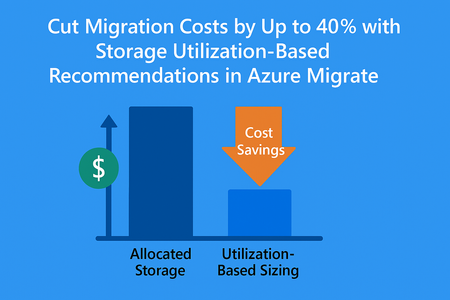
We’re thrilled to announce a game-changing enhancement in Azure Migrate. The storage utilization-based recommendations, a feature designed to help you right-size your storage workloads and maximize savings. By focusing on actual storage usage instead of allocated capacity, you can significantly reduce costs and accelerate their cloud journey. This feature brings a new level of precision to your migration planning and business case. Why This Matters In our analysis across thousands of on-premises environments, we observed a striking trend: nearly 40% of allocated storage is overprovisioned. This means customers are paying for capacity they don’t actually use. Traditional assessments often rely on allocated storage, leading to inflated cost estimates and suboptimal resource planning. What’s New Azure Migrate now honors actual storage utilization rather than allocated capacity when generating: Assessment recommendations for right-sizing your storage workloads. Business case calculations for accurate cost projections. This shift ensures: Lower migration cost projections: Pay for what you use, not what you’ve overprovisioned. Optimized cloud footprint: Reduce unnecessary storage allocation in Azure. Faster ROI: Build a business case that reflects true utilization, accelerating decision-making. Customer Impact By leveraging utilization-based insights, organizations can unlock significant savings and operate with greater efficiency. For example, if 40% of your storage is overprovisioned, this feature could cut your projected Azure storage costs dramatically, freeing up budget for innovation. How to Get Started Deploy an appliance in your on-premises environment. Build the business case or create an Azure Migrate Assessment for your on-premises workloads. Review the utilization-based recommendations in your assessment report or business case. Learn More Visit Azure Migrate documentation for detailed guidance and start optimizing your migration journey today.Introducing Azure Migrate Explore with AI Assistant
We're thrilled to announce the Public Preview of Azure Migrate Explore with an AI assistant! This exciting update enhances our existing Azure Migrate Explore (AME) utility, making migration assessments smarter, faster, and more impactful. What is Azure Migrate? Azure Migrate serves as a comprehensive hub designed to simplify the migration journey of on-premises infrastructure, including servers, databases, and web applications, to Azure Platform-as-a-Service (PaaS) and Infrastructure-as-a-Service (IaaS) targets at scale. It provides a unified platform with a suite of tools and features to help you identify the best migration path, assess Azure readiness, estimate the cost of hosting workloads on Azure, and execute the migration with minimal downtime and risk. Revolutionizing Executive Presentations Azure Migrate Explore already simplifies how organizations leverage Azure Migrate discovery and assessment data, turning it into polished executive presentations. The utility integrates seamlessly with Microsoft’s familiar tools like Power BI, Excel and PowerPoint, enabling easy customization and intuitive visualizations. What's New: The Power of AI Assistant With this upgrade, Azure Migrate Explore now incorporates an innovative AI Assistant, significantly boosting productivity and effectiveness for our sales force. This new capability, "Summarize with AI," leverages advanced natural language generation to craft concise and compelling summaries, helping sellers easily convey key insights and recommendations. Enhanced Capabilities with "Summarize with AI" The AI-generated summaries deliver tailored insights specific to each customer, including: Industry-specific analysis: Understand unique industry needs and compliance requirements, ensuring Azure meets customer-specific regulations and standards. Data center insights: Gain detailed location-based suggestions aligned with customer’s existing data centers. Cost optimization: Receive precise PaaS and IaaS cost estimates, coupled with practical savings options, empowering informed migration decisions. AI-driven opportunities: Uncover customized AI use-cases designed specifically for your customers' unique business challenges. Intuitive visual clarity: Easily interpret complex graphical representations generated by AME through concise, AI-driven explanations. Introducing Conversational Mode The new conversational mode transforms user interactions, making them more natural, intuitive, and efficient. Users can now seamlessly ask questions and receive immediate, context-aware responses from the AI assistant, enhancing understanding and accelerating decision-making. Enhance Your Sales Pitch With Azure Migrate Explore’s AI Assistant, sellers can now effortlessly deliver persuasive, customized presentations and summaries, driving faster customer commitment toward Azure migrations. Leverage this new intelligent capability today and take your migration conversations to the next level! Experience the power of Azure Migrate Explore with AI assistant in our Public Preview—where insights meet innovation! Check out the Github repository: Azure Migrate Explore Download and run the utility from: Azure Migrate Explore utility Documentation: Azure Migrate Explore documentationMigration planning of MySQL workloads using Azure Migrate
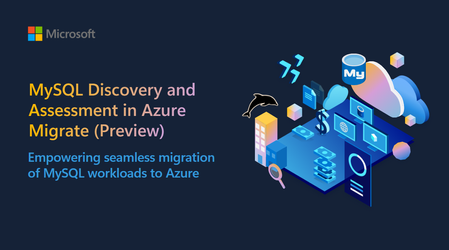
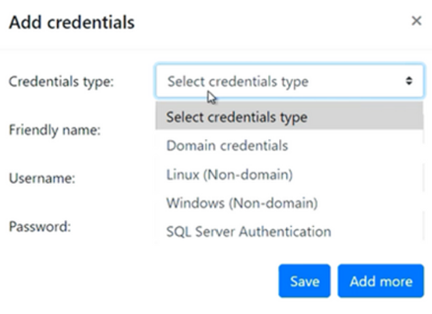
In our endeavor to increase coverage of OSS workloads in Azure Migrate, we are announcing discovery and modernization assessment of MySQL databases running on Windows and Linux servers. Customers previously had limited visibility into their MySQL workloads and often received generalized VM lift-and-shift recommendations. With this new capability, customers can now accurately identify their MySQL workloads and assess them for right-sizing into Azure Database for MySQL. MySQL workloads are a cornerstone of the LAMP stack, powering countless web applications with their reliability, performance, and ease of use. As businesses grow, the need for scalable and efficient database solutions becomes paramount. This is where Azure Database for MySQL comes into play. Migrating from on-premises to Azure Database for MySQL offers numerous benefits, including effortless scalability, cost efficiency, enhanced performance, robust security, high availability, and seamless integration with other Azure services. As a fully managed Database-as-a-Service (DBaaS), it simplifies database management, allowing businesses to focus on innovation and growth. What is Azure Migrate? Azure Migrate serves as a comprehensive hub designed to simplify the migration journey of on-premises infrastructure, including servers, databases, and web applications, to Azure Platform-as-a-Service (PaaS) and Infrastructure-as-a-Service (IaaS) targets at scale. It provides a unified platform with a suite of tools and features to help you identify the best migration path, assess Azure readiness, estimate the cost of hosting workloads on Azure, and execute the migration with minimal downtime and risk. Key features of the MySQL Discovery and Assessment in Azure Migrate The new MySQL Discovery and Assessment feature in Azure Migrate (Preview) introduces several powerful capabilities: Discover MySQL database instances: The tool allows you to discover MySQL instances within your environment efficiently. By identifying critical attributes of these instances, it lays the foundation for a thorough assessment and a strategic migration plan. Assessment for Azure readiness: The feature evaluates the readiness of your MySQL database instances to migrate to Azure Database for MySQL – Flexible Server. This assessment considers several factors, including compatibility and performance metrics, to ensure a smooth transition. SKU recommendations: Based on the discovered data, the tool recommends the optimal compute and storage configuration for hosting MySQL workloads on Azure Database for MySQL. Furthermore, it provides insights into the associated costs, enabling better financial planning. How to get started? To begin using the MySQL Discovery and Assessment feature in Azure Migrate, follow this five-step onboarding process: Create an Azure Migrate Project: Initiate your migration journey by setting up a project in the Azure portal. Configure the Azure Migrate Appliance: Use a Windows-based appliance to discover the inventory of servers and provide guest credentials for discovering the workloads and MySQL credentials to fetch database instances and their attributes. Review Discovered Inventory: Examine the detailed attributes of the discovered MySQL instances. Create an Assessment: Evaluate the readiness and get detailed recommendations for migration to Azure Database for MySQL. For a detailed step-by-step guidance check out the documentation for discovery and assessment tutorials. Documentation: Discover MySQL databases running in your datacenter Assess MySQL database instances for migration to Azure Database for MySQL Share your feedback! In summary, the MySQL Discovery and Assessment feature in Azure Migrate enables you to effortlessly discover, assess, and plan your MySQL database migrations to Azure. Try the feature out in public preview and fast-track your migration journey! If you have any queries, feedback or suggestions, please let us know by leaving a comment below or by directly contacting us at AskAzureDBforMySQL@service.microsoft.com. We are eager to hear your feedback and support you on your journey to Azure.Forward Azure VMware Solution logs anywhere using Azure Logic Apps
Overview As enterprises scale their infrastructure in Microsoft Azure using Azure VMware Solution, gaining real-time visibility into the operational health of their private cloud environment becomes increasingly critical. Whether troubleshooting deployment issues, monitoring security events, or performing compliance audits, centralized logging is a must-have. Azure VMware Solution offers flexible options for exporting syslogs from vCenter Server, ESXi Hosts, and NSX components. While many customers already use Log Analytics or third-party log platforms for visibility, some have unique operational or compliance requirements that necessitate forwarding logs to specific destinations outside the Microsoft ecosystem. With the advent of VMware Cloud Foundation on Azure VMware Solution, customers can now have more choices and can leverage tools like VCF Operations for Logs to monitor, analyze, and troubleshoot their logs. In this post, we’ll show you how to use Azure Logic Apps, Microsoft’s low-code, serverless integration platform, to forward Azure VMware Solution private cloud logs to any log management tool of your choosing. With a newly released workflow template tailored for Azure VMware Solution, you can set this up in minutes—no custom code required. Figure 1. Architectural flow of syslog data from an Azure VMware Solution private cloud to a log management server via Azure Logic Apps Background The Azure VMware Solution and Azure Logic Apps product teams have partnered to deliver a built-in integration that allows Azure VMware Solution customers to forward logs to any syslog-compatible endpoint—whether in Azure, on-premises, or another cloud. This new Logic Apps template is purpose-built for Azure VMware Solution and dramatically simplifies log forwarding. Figure 2. Azure VMware Solution template in Azure Logic Apps template catalog Historically, forwarding logs from Azure VMware Solution required customers to develop custom code or deploy complex workarounds, often involving multiple services and significant manual configuration. These methods not only introduced operational overhead but also made it difficult for platform teams to standardize logging across environments. With this new integration, customers who previously spent days in frustration trying to get their private cloud logs have now done so in under an hour, a massive improvement in both speed and simplicity. This new capability is particularly timely given recent industry changes. Following VMware’s announcement to discontinue the SaaS versions of Aria Operations, including Aria Operations for Logs, many customers have begun exploring alternative solutions for their log management needs. For those looking to use the on-premises alternative of Aria Operations for Logs, the ability to send Azure VMware Solution logs directly from Azure to their self-managed VCF Operations for Logs servers is now possible—with zero custom code. Using Azure Logic Apps, customers can seamlessly bridge their hybrid cloud monitoring environments and avoid gaps in visibility or compliance. This solution empowers Azure VMware Solution customers with more flexibility, shorter time-to-value, and a consistent logging strategy across both legacy and modernized environments. Why Azure Logic Apps? Azure Logic Apps is a powerful, low-code integration platform that enables IT administrators and platform teams to automate workflows and connect services—without having to manage any infrastructure. With over 1,400 connectors to Azure services, popular SaaS applications, and on-premises APIs, and more, Logic Apps provides a flexible and reliable foundation for routing log data across infrastructure environments. For Azure VMware Solution users, this means you can now easily forward logs from your Azure VMware Solution private cloud to any log management solution—on-premises or in the cloud—without writing custom code. Logic Apps acts as a dynamic “translator” or “dispatcher” in your architecture, listening for logs streamed to Event Hubs and securely forwarding them to your target syslog endpoint with the required formatting, headers, and authentication. This new capability not only accelerates time-to-value for log forwarding but also gives Azure VMware Solution customers the freedom to integrate with the logging platform of their choice—improving visibility, operational efficiency, and compliance in hybrid cloud environments. Future iterations of this integration will include support with Azure Blob Storage as well, another common method Azure VMware Solution customers use to retain and forward their logs. How to get started In addition to this blog, check out the links below to learn more about this integration, understand how Azure Logic Apps work, and use the pricing calculator to cost and size Azure Logic Apps. With large enterprise solutions for strategic and major customers, an Azure VMware Solution Architect from Azure, Broadcom, or a Broadcom Partner should be engaged to ensure the solution is correctly sized to deliver business value with the minimum of risk. If you are interested in using Logic Apps with Azure VMware Solution, please use the resources to learn more about the service: Detailed instructions on sending logs via Logic Apps: Send VMware syslogs to log management server using Azure Logic Apps - Azure VMware Solution | Microsoft Learn An overview of Logic Apps: Overview - Azure Logic Apps | Microsoft Learn Pricing calculator: Pricing - Logic Apps | Microsoft Azure -- Azure VMware Solution is a VMware validated first party Azure service from Microsoft that provides private clouds containing VMware vSphere clusters built from dedicated bare-metal Azure infrastructure. It enables customers to leverage their existing investments in VMware skills and tools, allowing them to focus on developing and running their VMware-based workloads on Azure. Author Bio Varun Hariharan is a Senior Product Manager on the Azure VMware Solution team at Microsoft, where he is focusing on observability and workload strategies for customers. His background is in Infrastructure as a Service (IaaS), log management, enterprise software, and DevOps. Kent Weare is a Principal PM Manager on the Azure Logic Apps team at Microsoft, where he is focusing on providing enterprise integration and automation capabilities for customers.What's new in Azure Migrate?
Introduction The journey to the cloud is an essential step for modern enterprises looking to leverage the benefits of scalability, flexibility, and cost-efficiency. A crucial part of this transformation is understanding the current state of your IT infrastructure, including workloads, applications, and their interdependencies. Often, organizations aim to set their migration goals based on the applications they want to move to the cloud, rather than focusing on individual servers or databases in isolation. I am thrilled to share that Azure Migrate is evolving to both simplify and enrich your cloud adoption journey. We are introducing new capabilities in Azure Migrate to help you achieve your goals. Introducing Application awareness in Azure Migrate [limited preview] A key step in any cloud transformation plan is a current state analysis of the entire IT estate covering workloads and applications, and relationships/ dependencies among them. I am excited to announce the limited preview of application aware experiences in Azure Migrate – across every phase of the migration journey. This allows you to gain insights into the total cost of ownership, identify suitable IaaS and PaaS targets, and receive tailored migration and modernization guidance. To get started with Azure Migrate, simply create an Azure Migrate project on Azure portal, and leverage Azure Migrate’s wide-ranging discovery capabilities, including the Azure Migrate appliance or importing inventory via RVTools to discover your environment. This allows you to explore inventory across Infra-Data-Web tiers and use the updated dependency analysis to identify application boundaries. As part of the application aware experiences, we are introducing the concept of tags within Azure Migrate. So once dependencies are identified, you can group the dependent workloads comprising an application via tags. Then, Azure Migrate can be used to create application-specific business cases to identify savings and ROI, assess ideal migration strategies, and get recommendations for Azure services, SKUs, resource costs, and migration/modernization tools. Further, as part of executing the migration and onboarding to Azure, customers can use the recommended tools to modernize via re-platform and refactor (out of band) techniques or use the integrated rehost migration experience to rehost to Azure VM. Complemented with a refreshed user experience As part of delivering application awareness and sustainability insights, Azure Migrate will also feature a refreshed user interface. The new experience is designed to help customers across every step of the migration journey – across Decide, Plan and Execute phases. The experience provides you with a new intuitive table of contents and overview page to allow easy navigation. You can explore discovered workloads and their relationships through effective search, sort, and seamless transition from Azure Migrate to other specialized migration tools, depending on your specific goals and requirements. Finally, you can quickly create and visualize different migration and modernization strategies side-by-side. Expanded support for workloads and platforms In addition to the capabilities described above, Azure Migrate continues to evolve to support capabilities provided by Azure for customers to evaluate and execute as part of their cloud adoption journey. As part of this effort, I am pleased to announce public preview of the following capabilities. These capabilities are available for customers, partners and sellers to try today! ROI/TCO of Azure Arc in Azure Migrate Business Case [public preview] We understand that customers are looking to understand the best path as they evaluate the cloud. This includes continuing to stay on-premises in their current environment while benefiting from Azure services such as Azure Arc. Knowing the varying needs of every customer and with the goal to meet customers where they are, we are introducing the envisioning of ROI for Azure Arc in Azure Migrate Business Case. This includes - Azure Migrate business case to help you compare the Total Cost of Ownership (TCO) for on-premises estates versus Azure, including year-on-year cash flow analysis. With this new capability, the Azure Migrate Business Case now includes the added value of Azure Arc for resources remaining on-premises during the customer’s migration journey. You can now visualize cost savings and other benefits of using Azure security and management tools via Azure Arc for your on-premises servers and see licensing benefits such as Extended Security Updates and SQL Pay-As-You-Go. In addition to visualizing the business case for Arc, customers can identify and at-scale onboard machines that are not yet Arc-enabled directly from the Azure Migrate portal. Additional details and step by step instructions can be found here. Support for migrations to Azure Stack HCI [public preview] Azure Stack HCI enables customers to run workloads in the private cloud or edge and offers an ideal platform for modernizing workloads with enhanced performance, scalability, simplified management, and cost efficiency. To support this modernization, we have introduced the ability to migrate virtual machines from Hyper-V and VMware environments to Azure Stack HCI using Azure Migrate: Server Migrations. Like Azure migrations, you can leverage Azure Migrate to discover virtual machines from VMware and Hyper-V environments at scale, without needing prior agent installation. After discovery, you can migrate virtual machines to Azure Stack HCI through an easy-to-use Azure Migrate portal experience, ensuring zero data loss and minimal downtime. This migration keeps data flow locally from on-premises to Azure Stack HCI. Learn more about this capability here. Expanded OSS Support in Azure Migrate [public preview] Azure Migrate has been diligently expanding its capabilities to better support customers using Linux. We are thrilled to highlight three significant updates that enhance your migration experience: Support for newer Linux Distributions [public preview] Azure Migrate now supports a range of newer Linux distributions, including Rocky Linux, Alma Linux, SLES 15, RHEL 9, and Ubuntu 22.04. This enhancement ensures a broader compatibility for Linux workloads, allowing you to migrate seamlessly, whether using agentless or agent-based migrations. Azure Hybrid Benefit (AHB) for Enterprise Linux [public preview] We've integrated Azure Hybrid Benefit (AHB) for Enterprise Linux (RHEL and SLES) into the migration process. Customers can visualize the savings from AHB directly in Azure Migrate business case assessments, maximizing their return on investment. To leverage AHB, you can directly enable the appropriate licenses for migrating Enterprise Linux machines within Azure Migrate. This integration eliminates the need for manual installation of the AHB extension post migrations, streamlining the migration workflow and ensuring compliance. Discovery and Assessment of MySQL Databases [public preview] In our endeavor to increase coverage of OSS workloads in Azure Migrate, we are announcing discovery and modernization assessment of MySQL databases running on Linux servers. Customers previously had limited visibility in their MySQL workloads and often received generalized VM lift-and-shift recommendations. With this new capability, you can now accurately identify the MySQL workloads and assess them for right-sizing into Azure Database for MySQL: Flexible Server. CSV Import powered discovery for SQL Servers [limited preview] We understand that deploying an appliance may not be the quickest way to generate migration assessments to enable planning. Further, many times customers can’t provide credentials for SQL Server instances, to allow Azure Migrate to capture relevant details and provide accurate readiness and right-sized recommendations. Hence, we are now adding the ability to import SQL Server details which can then be used to discover SQL Server instances and databases and generate accurate assessment reports. Use existing repositories such as SQL Server Dynamic Management Views, SCOM etc. to populate the CSV schema required to discover SQL Server. Interested in trying the limited preview experience? The capabilities described above are currently in limited preview. To take advantage of these capabilities for your environment, please share your interest here. Conclusion The enhancements in Azure Migrate underscore our commitment to providing comprehensive, user-friendly, and efficient migration solutions. Stay tuned for more updates and join us at Ignite 2024 for a detailed demo of these exciting new features. Curious to learn more? Here is a sneak peek of what we plan to announce at Ignite - https://youtu.be/aquRVLvau7cRapidly scope NC2 on Azure using Nutanix Sizer
Overview A global enterprise wants to migrate thousands of Nutanix AHV or VMware vSphere virtual machines (VMs) to Microsoft Azure as part of their application modernization strategy. The first step is to exit their on-premises data centers and rapidly relocate their legacy application VMs to the Nutanix Cloud Clusters on Azure (NC2 on Azure) service as a staging area for the first phase of their modernization strategy. How can they quickly size NC2 on Azure to meet their workload requirements? NC2 on Azure is a third-party Azure service from Nutanix that provides private clouds containing Nutanix AHV clusters built from dedicated bare-metal Azure infrastructure. It enables customers to leverage their existing investments in Nutanix skills and tools, allowing them to focus on developing and running their Nutanix-based workloads on Azure. In this post, I will introduce the typical customer workload requirements, describe the NC2 on Azure architectural components, and describe how to use Nutanix Sizer to quickly scope an NC2 on Azure solution. In the next section, I will introduce the typical sizing requirements of a customer’s workload. Customer Workload Requirements A typical customer has multiple application tiers that have specific Service Level Agreement (SLA) requirements that need to be met. These SLAs are usually named by a tiering system such as Platinum, Gold, Silver, and Bronze or Mission-Critical, Business-Critical, Production, and Test/Dev. Each SLA will have different availability, recoverability, performance, manageability, and security requirements that need to be met. For the initial sizing, customers will have CPU, RAM, Storage and Network requirements. This is normally documented for each application and then aggregated into the total resource requirements for each SLA. For example: SLA Name CPU RAM Storage Network Gold Low vCPU:pCore ratio (<1 to 2), Low VM to Host ratio (2-8) No RAM oversubscription (<1) High Throughput or High IOPS (for a particular I/O size), Low Latency, Low Capacity, RAID policy, Redundancy Factor High Throughput, Low Latency Silver Medium vCPU:pCore ratio (5 to 8), Medium VM to Host ratio (10-15) Medium RAM oversubscription ratio (1.1-1.3) Medium Latency, Medium Capacity Medium Latency Bronze High vCPU:pCore ratio (10-15), High VM to Host ratio (20+) High RAM oversubscription ratio (1.5-2) High Latency, High Capacity High Latency Table 1 – Typical Customer SLA requirements for Performance The concepts introduced in Table 1 have the following definitions: CPU: CPU model and speed (this can be important for legacy single threaded applications), number of cores, vCPU to physical core ratios. Memory: Random Access Memory size, Input/Output (I/O) speed and latency, oversubscription ratios. Storage: Capacity, Read/Write Input/Output per Second (IOPS) with Input/Output (I/O) size, Read/Write Input/Output Latency, RAID policy, RF policy. Network: In/Out Speed, Network Latency (Round Trip Time). A typical legacy business-critical application will have the following application architecture: Load Balancer layer: Uses load balancers to distribute traffic across multiple web servers in the web layer to improve application availability. Web layer: Uses web servers to process client requests made via the secure Hypertext Transfer Protocol (HTTPS). Receives traffic from the load balancer layer and forwards to the application layer. Application layer: Uses application servers to run software that delivers a business application through a communication protocol. Receives traffic from the web layer and uses the database layer to access stored data. Database layer: Uses a relational database management service (RDMS) cluster to store data and provide database services to the application layer. The application can also be classified as OLTP or OLAP, which have the following characteristics: Online Transaction Processing (OLTP) is a type of data processing that consists of executing several transactions occurring concurrently. For example, online banking, retail shopping, or sending text messages. OLTP systems tend to have a performance profile that is latency sensitive, choppy CPU demands, with small amounts of data being read and written. Online Analytical Processing (OLAP) is a technology that organizes large business databases and supports complex analysis. It can be used to perform complex analytical queries without negatively impacting transactional systems (OLTP). For example, data warehouse systems, business performance analysis, marketing analysis. OLAP systems tend to have a performance profile that is latency tolerant, requires large amounts of storage for records processing, has a steady state of CPU, RAM and storage throughput. Depending upon the requirements for each service, the infrastructure design could be a mix of technologies used to meet the different application SLAs with cost efficiency. Figure 1 – Typical Legacy Business-Critical Application Architecture In the next section, I will introduce the architectural components of the NC2 on Azure service. Architectural Components The diagram below describes the architectural components of the NC2 on Azure service. Figure 2 – NC2 on Azure Architectural Components Each NC2 on Azure architectural component has the following function: Azure Subscription: Used to provide controlled access, budget, and quota management for the NC2 on Azure service. Azure Region: Physical locations around the world where we group data centers into Availability Zones (AZs) and then group AZs into regions. Azure Resource Group: Container used to place Azure services and resources into logical groups. NC2 on Azure: Uses Nutanix software, including Prism Central, Prism Element, Nutanix Flow software-defined networking, Nutanix Acropolis Operating System (AOS) software-defined storage, and Azure bare-metal Acropolis Hypervisor (AHV) hosts to provide compute, networking, and storage resources. Nutanix Move: Provides migration services. Nutanix Disaster Recovery: Provides disaster recovery automation and storage replication services. Nutanix Files: Provides filer services. Nutanix Self Service: Provides application lifecycle management and cloud orchestration. Nutanix Cost Governance: Provides multi-cloud optimization to reduce cost & enhance cloud security. Azure Virtual Network (VNet): Private network used to connect AHV hosts, Azure services and resources together. Azure Route Server: Enables network appliances to exchange dynamic route information with Azure networks. Azure Virtual Network Gateway: Cross premises gateway for connecting Azure services and resources to other private networks using IPSec VPN, ExpressRoute, and VNet to VNet. Azure ExpressRoute: Provides high-speed private connections between Azure data centers and on-premises or colocation infrastructure. Azure Virtual WAN (vWAN): Aggregates networking, security, and routing functions together into a single unified Wide Area Network (WAN). In the next section, I will describe how to use the Nutanix Sizer to quickly scope the NC2 on Azure service for a customer workload. Using the Nutanix Sizer The Nutanix Sizer is available to Nutanix Employees and Nutanix Partners. If you are a Nutanix Customer, please reach out to your Nutanix, Microsoft, or Partner account team to engage an architect to size your NC2 on Azure solution. Customers also have access to Nutanix Sizer Basic. Unless specified, all other settings can be left at the default values. Once the scenario is built, it can be later tweaked to meet the customer requirements as they are clarified. Step 1: Access My Nutanix and select the Nutanix Sizer Launch button. Figure 3 – My Nutanix Dashboard Step 2: Select the Create Scenario button. Figure 4 – Nutanix Sizer My Scenarios Step 3: Enter the Scenario Name, Install Country, and select the Create button. Figure 5 – Nutanix Sizer Create New Scenario Optionally, if you have a good understanding of the problem the customer is trying to solve, you can fill out the Scenario Objectives (Executive Summary, Requirements, Constraints, Assumptions, and Risks) to start building out the design. This will also allow you to use the advanced export features at the end of the sizing process. Step 4: Press the Add button in the Create Workloads pane. If you want to import a Nutanix Collector or RVTools file as the source for a workload, select the Import button instead. Figure 6 – Nutanix Sizer Create Workloads Step 5: Define the Workload Name, Workload Type, Server Profile Size, and Number of VMs. Then select the Save & Review Cluster button. Figure 7 – Nutanix Sizer Add Workload Step 6: Select NC2 on Azure from the Vendor section of the Platform Settings. Then scroll down to the Cluster Settings. Figure 8 – Nutanix Sizer Platform Settings Step 7: Select the Environment Type from the Cluster Settings and press the Apply button. Figure 9 – Nutanix Sizer Cluster Settings Step 8: In the Workloads Summary page, select the Solution tab. Figure 10 – Nutanix Sizer Workloads Summary Step 9: In the Solution Summary page, verify the NC2 on Azure tag is present in each cluster. Figure 11 – Nutanix Sizer Solution Summary Step 10: In the Solution Summary page, scroll down to the Sizing Details for the detailed breakdown. Figure 12 – Nutanix Sizer Solution Sizing Details Step 11: To share the Scenario with others: Select BOM, then Download BOM Select Quote, then Generate Budgetary Quote or Generate Frontline Quote Select More, then Share Scenario or Create Proposal Figure 13 – Nutanix Sizer Export & Sharing Options In the following section, I will describe the next steps that need to be made to progress this initial sizing estimate towards a high-level design. Next Steps The NC2 on Azure sizing estimate has been assessed using Nutanix Sizer. With large enterprise solutions for strategic and major customers, a Nutanix Solutions Architect from Azure, Nutanix, or a trusted Nutanix Partner should be engaged to ensure the solution is correctly sized to deliver business value with the minimum of risk. This should also include an application dependency assessment to understand the mapping between application groups and identify areas of data gravity, application network traffic flows, and network latency dependencies. Summary In this post, we took a closer look at the typical sizing requirements of a customer workload, the architectural building blocks, and the use of Nutanix Sizer to quickly scope the NC2 on Azure service. We also discussed the next steps to continue an NC2 on Azure design. If you are interested in NC2 on Azure, please use these resources to learn more about the service: Homepage: Elevate Azure Clusters with Nutanix Documentation: What is BareMetal Infrastructure for Nutanix Cloud Clusters on Azure? Use-cases: Use cases and supported scenarios Solution Design: Solution design - Azure Baremetal Infrastructure Architecture: Architecture of BareMetal Infrastructure for NC2 Getting Started: Microsoft Azure Marketplace Solution Requirements: Requirements - Azure Baremetal Infrastructure Azure Regions: Supported instances and regions SKUs: SKUs - Azure Baremetal Infrastructure User Guide: Nutanix Cloud Clusters on Azure Deployment and User Guide Nutanix Sizer: Sizer 6.0 User Guide FAQ: FAQ - Azure Baremetal Infrastructure Author Bio René van den Bedem is a Principal Technical Program Manager at Microsoft. His background is in enterprise architecture with extensive experience across all facets of the enterprise, public cloud & service provider spaces, including digital transformation and the business, enterprise, and technology architecture stacks. René works backwards from the problem to be solved and designs solutions that deliver business value with the minimum of risk. In addition to being the first quadruple VMware Certified Design Expert (VCDX), he is also a Dell Technologies Certified Master Enterprise Architect, a Nutanix Platform Expert (NPX), an NPX Panelist, and a Nutanix Technology Champion.