cursor
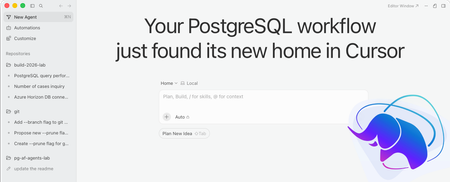
1 TopicYour PostgreSQL workflow just found its new home in Cursor
TL; DR: Our Visual Studio Code extension for PostgreSQL is now available on the Open VSX registry: Cursor users get first-class database tooling without leaving the editor that already understands their code. The context switch problem If you use Cursor, you know the feeling. You’re deep in an agentic flow. Composer is scaffolding a feature across multiple files. Tab is anticipating your next move. Then you need to check a table's schema or run a quick query, so you switch to a different tool, and then you lose your flow state, and spend 30 seconds remembering which connection goes to which environment. That context switch is expensive. Not in minutes, but in momentum. Why we built for Cursor (and Open VSX) Cursor is built on the VS Code ecosystem, which means it supports VS Code extensions natively. It uses the Open VSX registry: an open, vendor-neutral extension marketplace where database tooling options have been limited. We saw an opportunity: bring a modern PostgreSQL extension directly to where developers do their most productive work. By publishing to Open VSX, we make sure that developers across the entire VS Code-compatible ecosystem, including Cursor, Windsurf, AWS Kiro, Theia, and Ona all have access without workarounds. Where AI-powered editing meets database awareness Here’s what gets interesting. Cursor indexes your entire codebase semantically. It knows your Drizzle schemas, your raw SQL files, and your migration directories. Our extension completes the picture by giving the editor a live connection to the actual database. Here’s where they intersect: Schema explorer in your sidebar: browse tables, columns, indexes, and functions without leaving the editor. When Cursor’s agent asks “what columns does the users table have?”, the answer is already visible. Screenshot: Object Explorer sidebar showing tables, columns, and indexes expanded Connection-aware IntelliSense: autocomplete table names, column names, and functions based on your live database schema. This pairs naturally with Cursor’s Tab completions: the AI writes the application logic, and IntelliSense validates the SQL. Inline EXPLAIN diagnostics: catch performance issues before they ship. Write a query and see whether it uses an index or triggers a sequential scan, all without running a separate tool. Zero-config connection discovery: we detect .env files, docker-compose.yml, and ORM connection strings in your project. Your database connection follows your workspace, not a global settings file buried three menus deep. Result export and inline execution: select SQL, run it, and see results in a clean panel. Export to JSON or CSV when you need to share findings with your team. Features that make Cursor + PostgreSQL even better Beyond the basics, the extension includes capabilities that pair especially well with AI-powered workflows: MCP server for AI assistants: the extension registers a Model Context Protocol (MCP) server, so Cursor’s agent can discover and interact with your PostgreSQL databases directly through a standardized tool interface. Ask your AI assistant to inspect a table, run a diagnostic query, or analyze a plan: it has the tools to do it. Agent Mode database tools: dedicated DBAgent MCP tools give AI assistants richer database-analysis capabilities, from schema introspection to performance diagnostics and instruction management. Query plan visualization: explore EXPLAIN output in four synchronized views: an interactive node graph, icicle chart, sortable table, and raw source. Color-coded severity groups expose bottlenecks at a glance, and AI-assisted analysis provides optimization suggestions. Performance dashboard: investigate database performance with DB load charts, query activity, wait-event analysis, session health, and blocking chains. Use natural language to inspect trends, identify bottlenecks, and generate diagnostic SQL. Object Explorer search: find database objects by name without expanding the tree. Search across connections, databases, and schemas. Filter by object type or schema name and navigate directly to any result. Schema-aware “New Query”: right-click a schema in Object Explorer to open a new query with the appropriate search_path already set. No more manual SET search_path before writing queries. Multi-source connection profiles: save connection profiles to your user settings, workspace, or folder. Check workspace profiles into source control so every team member gets the right database connections when they open the project. SSH tunneling built in: connect to databases on private networks through SSH tunnels configured directly in the connection dialog, with ssh-agent support for private key authentication. Built for how you actually work Modern development means ephemeral environments, branch-specific databases, and containers everywhere. The extension is designed around this reality: Automatic detection of PostgreSQL instances running in Docker Project-scoped connections that travel with your workspace Support for standard PostgreSQL connections Integration with both local and cloud versions of PostgreSQL from multiple vendors, and first-class support for Azure Database for PostgreSQL and Azure HorizonDB, with provisioning, backup management, and network configuration: all without leaving the editor. Status bar indicator showing your active database at a glance Get started Install from the Open VSX Registry: search for it in Cursor’s extension panel or install the .vsix directly. Your existing VS Code workflow carries over unchanged. If you’re already using Cursor for its agentic capabilities, adding database awareness to the editor means fewer tabs, fewer context switches, and a tighter feedback loop between your application code and the data layer underneath it. Available now on Open VSX. Works with Cursor, Antigravity, and all the VS Code compatible editors.2.3KViews4likes0Comments