cuda
3 TopicsGetting Started - Generative AI with Phi-3-mini: Running Phi-3-mini in Intel AI PC
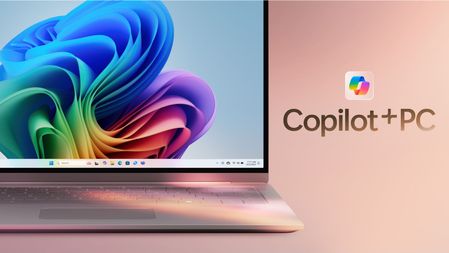
In 2024, with the empowerment of AI, we will enter the era of AI PC. On May 20, Microsoft also released the concept of Copilot + PC, which means that PC can run SLM/LLM more efficiently with the support of NPU. We can use models from different Phi-3 family combined with the new AI PC to build a simple personalized Copilot application for individuals. This content will combine Intel's AI PC, use Intel's OpenVINO, NPU Acceleration Library, and Microsoft's DirectML to create a local Copilot.33KViews2likes2CommentsFrom Cloud to Chip: Building Smarter AI at the Edge with Windows AI PCs
As AI engineers, we’ve spent years optimizing models for the cloud, scaling inference, wrangling latency, and chasing compute across clusters. But the frontier is shifting. With the rise of Windows AI PCs and powerful local accelerators, the edge is no longer a constraint it’s now a canvas. Whether you're deploying vision models to industrial cameras, optimizing speech interfaces for offline assistants, or building privacy-preserving apps for healthcare, Edge AI is where real-world intelligence meets real-time performance. Why Edge AI, Why Now? Edge AI isn’t just about running models locally, it’s about rethinking the entire lifecycle: - Latency: Decisions in milliseconds, not round-trips to the cloud. - Privacy: Sensitive data stays on-device, enabling HIPAA/GDPR compliance. - Resilience: Offline-first apps that don’t break when the network does. - Cost: Reduced cloud compute and bandwidth overhead. With Windows AI PCs powered by Intel and Qualcomm NPUs and tools like ONNX Runtime, DirectML, and Olive, developers can now optimize and deploy models with unprecedented efficiency. What You’ll Learn in Edge AI for Beginners The Edge AI for Beginners curriculum is a hands-on, open-source guide designed for engineers ready to move from theory to deployment. Multi-Language Support This content is available in over 48 languages, so you can read and study in your native language. What You'll Master This course takes you from fundamental concepts to production-ready implementations, covering: Small Language Models (SLMs) optimized for edge deployment Hardware-aware optimization across diverse platforms Real-time inference with privacy-preserving capabilities Production deployment strategies for enterprise applications Why EdgeAI Matters Edge AI represents a paradigm shift that addresses critical modern challenges: Privacy & Security: Process sensitive data locally without cloud exposure Real-time Performance: Eliminate network latency for time-critical applications Cost Efficiency: Reduce bandwidth and cloud computing expenses Resilient Operations: Maintain functionality during network outages Regulatory Compliance: Meet data sovereignty requirements Edge AI Edge AI refers to running AI algorithms and language models locally on hardware, close to where data is generated without relying on cloud resources for inference. It reduces latency, enhances privacy, and enables real-time decision-making. Core Principles: On-device inference: AI models run on edge devices (phones, routers, microcontrollers, industrial PCs) Offline capability: Functions without persistent internet connectivity Low latency: Immediate responses suited for real-time systems Data sovereignty: Keeps sensitive data local, improving security and compliance Small Language Models (SLMs) SLMs like Phi-4, Mistral-7B, Qwen and Gemma are optimized versions of larger LLMs, trained or distilled for: Reduced memory footprint: Efficient use of limited edge device memory Lower compute demand: Optimized for CPU and edge GPU performance Faster startup times: Quick initialization for responsive applications They unlock powerful NLP capabilities while meeting the constraints of: Embedded systems: IoT devices and industrial controllers Mobile devices: Smartphones and tablets with offline capabilities IoT Devices: Sensors and smart devices with limited resources Edge servers: Local processing units with limited GPU resources Personal Computers: Desktop and laptop deployment scenarios Course Modules & Navigation Course duration. 10 hours of content Module Topic Focus Area Key Content Level Duration 📖 00 Introduction to EdgeAI Foundation & Context EdgeAI Overview • Industry Applications • SLM Introduction • Learning Objectives Beginner 1-2 hrs 📚 01 EdgeAI Fundamentals Cloud vs Edge AI comparison EdgeAI Fundamentals • Real World Case Studies • Implementation Guide • Edge Deployment Beginner 3-4 hrs 🧠 02 SLM Model Foundations Model families & architecture Phi Family • Qwen Family • Gemma Family • BitNET • μModel • Phi-Silica Beginner 4-5 hrs 🚀 03 SLM Deployment Practice Local & cloud deployment Advanced Learning • Local Environment • Cloud Deployment Intermediate 4-5 hrs ⚙️ 04 Model Optimization Toolkit Cross-platform optimization Introduction • Llama.cpp • Microsoft Olive • OpenVINO • Apple MLX • Workflow Synthesis Intermediate 5-6 hrs 🔧 05 SLMOps Production Production operations SLMOps Introduction • Model Distillation • Fine-tuning • Production Deployment Advanced 5-6 hrs 🤖 06 AI Agents & Function Calling Agent frameworks & MCP Agent Introduction • Function Calling • Model Context Protocol Advanced 4-5 hrs 💻 07 Platform Implementation Cross-platform samples AI Toolkit • Foundry Local • Windows Development Advanced 3-4 hrs 🏭 08 Foundry Local Toolkit Production-ready samples Sample applications (see details below) Expert 8-10 hrs Each module includes Jupyter notebooks, code samples, and deployment walkthroughs, perfect for engineers who learn by doing. Developer Highlights - 🔧 Olive: Microsoft's optimization toolchain for quantization, pruning, and acceleration. - 🧩 ONNX Runtime: Cross-platform inference engine with support for CPU, GPU, and NPU. - 🎮 DirectML: GPU-accelerated ML API for Windows, ideal for gaming and real-time apps. - 🖥️ Windows AI PCs: Devices with built-in NPUs for low-power, high-performance inference. Local AI: Beyond the Edge Local AI isn’t just about inference, it’s about autonomy. Imagine agents that: - Learn from local context - Adapt to user behavior - Respect privacy by design With tools like Agent Framework, Azure AI Foundry and Windows Copilot Studio, and Foundry Local developers can orchestrate local agents that blend LLMs, sensors, and user preferences, all without cloud dependency. Try It Yourself Ready to get started? Clone the Edge AI for Beginners GitHub repo, run the notebooks, and deploy your first model to a Windows AI PC or IoT devices Whether you're building smart kiosks, offline assistants, or industrial monitors, this curriculum gives you the scaffolding to go from prototype to production.Stop Experimenting, Start Building: AI Apps & Agents Dev Days Has You Covered
The AI landscape has shifted. The question is no longer “Can we build AI applications?” it’s “Can we build AI applications that actually work in production?” Demos are easy. Reliable, scalable, resilient AI systems that handle real-world complexity? That’s where most teams struggle. If you’re an AI developer, software engineer, or solution architect who’s ready to move beyond prototypes and into production-grade AI, there’s a series built specifically for you. What Is AI Apps & Agents Dev Days? AI Apps & Agents Dev Days is a monthly technical series from Microsoft Reactor, delivered in partnership with Microsoft and NVIDIA. You can explore the full series at https://developer.microsoft.com/en-us/reactor/series/s-1590/ This isn’t a slide deck marathon. The series tagline says it best: “It’s not about slides, it’s about building.” Each session tackles real-world challenges, shares patterns that actually work, and digs into what’s next in AI-driven app and agent design. You bring your curiosity, your code, and your questions. You leave with something you can ship. The sessions are led by experienced engineers and advocates from both Microsoft and NVIDIA, people like Pamela Fox, Bruno Capuano, Anthony Shaw, Gwyneth Peña-Siguenza, and solutions architects from NVIDIA’s Cloud AI team. These aren’t theorists; they’re practitioners who build and ship the tools you use every day. What You’ll Learn The series covers the full spectrum of building AI applications and agent-based systems. Here are the key themes: Building AI Applications with Azure, GitHub, and Modern Tooling Sessions walk through how to wire up AI capabilities using Azure services, GitHub workflows, and the latest SDKs. The focus is always on code-first learning, you’ll see real implementations, not abstract architecture diagrams. Designing and Orchestrating AI Agents Agent development is one of the series’ strongest threads. Sessions cover how to build agents that orchestrate long-running workflows, persist state automatically, recover from failures, and pause for human-in-the-loop input, without losing progress. For example, the session “AI Agents That Don’t Break Under Pressure” demonstrates building durable, production-ready AI agents using the Microsoft Agent Framework, running on Azure Container Apps with NVIDIA serverless GPUs. Scaling LLM Inference and Deploying to Production Moving from a working prototype to a production deployment means grappling with inference performance, GPU infrastructure, and cost management. The series covers how to leverage NVIDIA GPU infrastructure alongside Azure services to scale inference effectively, including patterns for serverless GPU compute. Real-World Architecture Patterns Expect sessions on container-based deployments, distributed agent systems, and enterprise-grade architectures. You’ll learn how to use services like Azure Container Apps to host resilient AI workloads, how Foundry IQ fits into agent architectures as a trusted knowledge source, and how to make architectural decisions that balance performance, cost, and scalability. Why This Matters for Your Day Job There’s a critical gap between what most AI tutorials teach and what production systems actually require. This series bridges that gap: Production-ready patterns, not demos. Every session focuses on code and architecture you can take directly into your projects. You’ll learn patterns for state persistence, failure recovery, and durable execution — the things that break at 2 AM. Enterprise applicability. The scenarios covered — travel planning agents, multi-step workflows, GPU-accelerated inference — map directly to enterprise use cases. Whether you’re building internal tooling or customer-facing AI features, the patterns transfer. Honest trade-off discussions. The speakers don’t shy away from the hard questions: When do you need serverless GPUs versus dedicated compute? How do you handle agent failures gracefully? What does it actually cost to run these systems at scale? Watch On-Demand, Build at Your Own Pace Every session is available on-demand. You can watch, pause, and build along at your own pace, no need to rearrange your schedule. The full playlist is available at This is particularly valuable for technical content. Pause a session while you replicate the architecture in your own environment. Rewind when you need to catch a configuration detail. Build alongside the presenters rather than just watching passively. What You’ll Walk Away Wit After working through the series, you’ll have: Practical agent development skills — how to design, orchestrate, and deploy AI agents that handle real-world complexity, including state management, failure recovery, and human-in-the-loop patterns Production architecture patterns — battle-tested approaches for deploying AI workloads on Azure Container Apps, leveraging NVIDIA GPU infrastructure, and building resilient distributed systems Infrastructure decision-making confidence — a clearer understanding of when to use serverless GPUs, how to optimise inference costs, and how to choose the right compute strategy for your workload Working code and reference implementations — the sessions are built around live coding and sample applications (like the Travel Planner agent demo), giving you starting points you can adapt immediately A framework for continuous learning — with new sessions each month, you’ll stay current as the AI platform evolves and new capabilities emerge Start Building The AI applications that will matter most aren’t the ones with the flashiest demos — they’re the ones that work reliably, scale gracefully, and solve real problems. That’s exactly what this series helps you build. Whether you’re designing your first AI agent system or hardening an existing one for production, the AI Apps & Agents Dev Days sessions give you the patterns, tools, and practical knowledge to move forward with confidence. Explore the series at https://developer.microsoft.com/en-us/reactor/series/s-1590/ and start watching the on-demand sessions at the link above. The best time to level up your AI engineering skills was yesterday. The second-best time is right now and these sessions make it easy to start.