copilot notebooks
11 TopicsAdoption idea: start Copilot Notebooks with one notebook per customer account (sales team example)
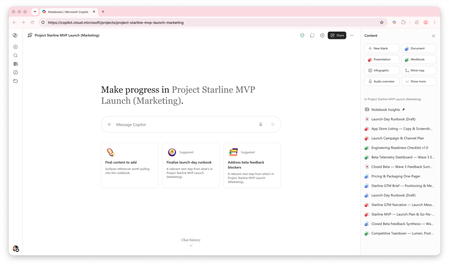
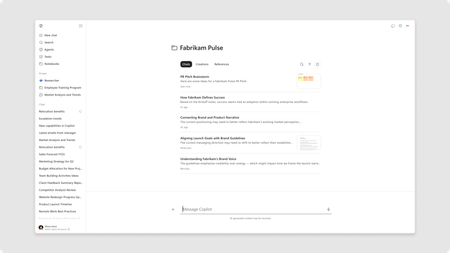
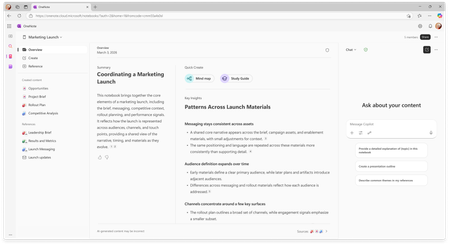
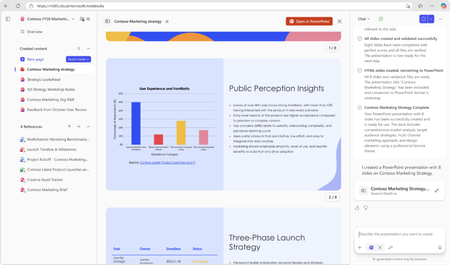
I'm a PM on Copilot Notebooks at Microsoft. One pattern we've seen work with sales teams is to start narrow: one notebook per customer account, with the account's CRM notes, decks and emails added as references, shared with the account team. Meeting prep, the team's input and meeting follow-ups (via Capture in OneNote) then all live in one place. Why it works well as a first notebook: It has a clear, ongoing purpose, so people come back to it every week. The content already exists (CRM notes, decks, emails), so nobody starts from a blank page. The whole account team benefits, so sharing it feels natural. Here's a two-minute story of what that looks like: https://youtu.be/Al2VddNfC-o (The story and companies are fictional, inspired by real workflows; some features may be in preview; illustrations and narration were made with AI tools.) Question for champions: when you roll out Copilot Notebooks, what do you recommend as someone's first notebook: per project, per customer or per team? Getting started with Copilot Notebooks: https://support.microsoft.com/en-us/microsoft-365-copilot/get-started-with-microsoft-365-copilot-notebooks142Views1like0CommentsHands-on Webinar: Copilot Notebooks and Microsoft Learning Zone
Join us on Wednesday, October 21 @ 8am Pacific Time for a practical, educator-focused webinar exploring Copilot Notebooks, Study Guide, and Microsoft Learning Zone. Discover ways to bring AI into everyday teaching and learning, from working with classroom materials to supporting independent student learning and active participation in the classroom. We’ll walk through classroom scenarios, demonstrate key features, and share ideas you can adapt for your students. Whether you’re getting started with AI or looking for new ways to use it, this session will help you connect these tools to real classroom needs. What we’ll cover: Copilot Notebooks: Explore ways to work with your teaching and learning materials. This includes the Study Guide embedded in Copilot Notebooks to support student review and independent learning. Microsoft Learning Zone: Learn how to turn any teaching idea into an interactive lesson in minutes, then share it with students for self-paced learning or use it to facilitate active participation in the classroom. Register here: https://msit.events.teams.microsoft.com/event/msit.b38c4730-d9e5-49ba-aa00-4cbaefce36bc@72f988bf-86f1-41af-91ab-2d7cd011db47 We look forward to seeing you at the webinar! Mike Tholfsen Group Product Manager Microsoft Education289Views0likes0CommentsHands-on webinar: Teach Module in M365 Copilot and Copilot Notebooks (available for all educators)
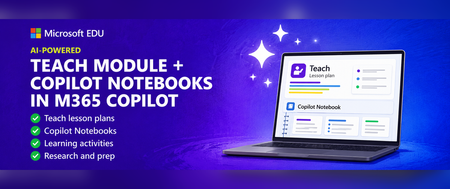
Join us on Wednesday, July 8th @ 8am Pacific Time for an in-depth professional development webinar on the new AI-powered "Teach" module in M365 Copilot that is fully rolled out and available to everyone. We will also be covering Copilot Notebooks and the Study Guide which is now also available to all M365 Educators and Students. This will be a 60-minute hands-on webinar where the Product Management team will walk through the new updates in detail and you can follow-along at home with your own M365 Education account. To reiterate, the Teach Module and Copilot Notebooks are available globally to all educators using Microsoft 365. And don’t worry – we’ll be recording these and posting on our Microsoft Education YouTube channel so you’ll always to able to watch later or share with others. Register here: https://msit.events.teams.microsoft.com/event/msit.ed7f065d-57a5-437c-ba23-12b0ef06a259@72f988bf-86f1-41af-91ab-2d7cd011db47 Agenda: How to use the new AI-powered "Teach" module in M365. ✅ Lesson plans and the new Keep Going feature ✅ Learning Zone integration ✅ Modifying Existing content ✅ Learning Activities ✅ Coplot Notebooks plus Study Guide We look forward to having you attend the event! Also, be sure to check out and sign up for our Microsoft Elevate Educator community. Mike Tholfsen Group Product Manager Microsoft Education team433Views1like0CommentsWhat’s New in Microsoft 365 Copilot | May 2026
Welcome to the May 2026 edition of What's New in Microsoft 365 Copilot! Every month, we highlight new features and enhancements to keep Microsoft 365 admins up to date with Copilot features that help your users be more productive and efficient in the apps they use every day.33KViews11likes5Comments