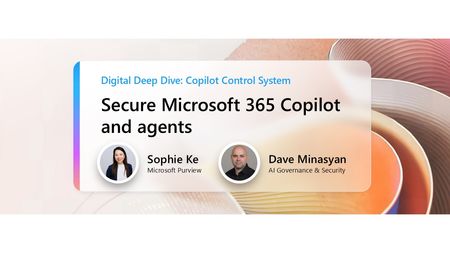
copilot control system
9 TopicsManaging agent inventory and costs
This fast-paced session will showcase how AI admins can confidently manage agents and control costs. You’ll see how Microsoft empowers organizations to govern agent inventories, create billing policies, and gain visibility and control over usage and cost. Whether you're scaling agents across departments or fine-tuning consumption at the department level, this session will demonstrate how Microsoft 365 admin center brings clarity and control to your AI operations. How do I participate? No registration is required. Select "Add to calendar" to save the date, select "Attend" to receive event reminders, then join us live on February 26th ready to learn and ask questions! Feel free to post questions and comments below. You can post during the live session and/or in advance if the timing doesn't work for you. This session is part of the IT management and security in the AI era. Add it to your calendar, select "Attend" for event reminders, and check out the other sessions! Each session has its own page where the session livestream and discussion space will be available at the start time. You will also be able to view sessions on demand after the event.490Views0likes5CommentsCopilot & agent reporting: Measuring AI adoption and impact
Join us for a focused, fast paced walkthrough of the latest reporting capabilities in Copilot and Agent Analytics. We’ll show you how organizations can track adoption, understand usage patterns, and measure the impact of both M365 Copilot and Agents using our newest reports. This session includes a live demo of the updated Copilot Dashboard, newly added Copilot Chat reporting, enhanced benchmarks, and the all-new Agent Dashboard—designed to give leaders and analysts a unified, actionable view of AI usage and performance across their environment. How do I participate? No registration is required. Select "Add to calendar" to save the date, select "Attend" to receive event reminders, then join us live on February 26th ready to learn and ask questions! Feel free to post questions and comments below. You can post during the live session and/or in advance if the timing doesn't work for you. This session is part of the IT management and security in the AI era. Add it to your calendar, select "Attend" for event reminders, and check out the other sessions! Each session has its own page where the session livestream and discussion space will be available at the start time. You will also be able to view sessions on demand after the event.657Views1like3CommentsIT management and security in the AI era
Join us for insights, demos, and deep dives into the latest features and controls for securing and managing your environment while unlocking AI’s value. Learn how to prepare your environment for Copilot and agents, and deep dive into the latest innovations to secure, manage, and analyze Microsoft 365 Copilot, Copilot Chat, Microsoft Copilot Studio, and agents across your organization. What to expect A breakdown of the built-in protections in the Copilot platform that help proactively safeguard your organization Practical ways to reduce exposure to common attack vectors in an increasingly AI-forward digital work environment Technical guidance for protecting sensitive data while maintaining productivity Best practices for managing agents and controlling costs Insights on measurement, analytics, and usage trends Guidance on enabling users and measuring the impact of M365 Copilot and agents Live AMAs with Microsoft product team members throughout the event Time Session Title Speaker(s) 8:00–8:30 AM PT Copilot trust & safety: Controls to manage AI risk Tanner Briggs 8:30–9:00 AM PT Secure Microsoft 365 Copilot and agents against data loss Erica Toelle, Sophie Ke 9:00–9:30 AM PT Microsoft Baseline Security Mode: Simplify, secure, succeed Adriana Wood 9:30–10:00 AM PT Managing agent inventory and costs Samer Baroudi 10:00 AM–10:30 AM PT Copilot & agent reporting: Measuring AI adoption and impact Mike Walsh, Steph Tung How to Participate Register for the Microsoft Tech Community using your email if you haven’t already. This allows you to post comments and ask questions. Visit each individual session page during its scheduled time to join the conversation. You can post your questions in the comments, and product team members will respond live during the AMA. Watch the session live or catch the recording on demand after the event. Keep the conversation going in the Microsoft 365 Copilot Tech Community discussion space after the sessions conclude. It’s a great place to follow up, share what’s working, and connect with others exploring similar topics. Hope to see you there! Come ready to learn and ask our experts all of your burning questions!5KViews6likes10CommentsCopilot trust & safety: Controls to manage AI risk
As generative AI adoption accelerates, IT, security and compliance leaders must balance access to innovation with responsibility and governance. In this session on Copilot trust & safety you’ll learn about the Microsoft-built protections embedded in the platform, see how Copilot safety investments map to real-world risk scenarios, and get a clear understanding of how to proactively safeguard your organization through policy, compliance, and risk management tools while unlocking AI’s value. How do I participate? No registration is required. Select "Add to calendar" to save the date, select "Attend" to receive event reminders, then join us live on February 26th ready to learn and ask questions! Feel free to post questions and comments below. You can post during the live session and/or in advance if the timing doesn't work for you. This session is part of the IT management and security in the AI era. Add it to your calendar, select "Attend" for event reminders, and check out the other sessions! Each session has its own page where the session livestream and discussion space will be available at the start time. You will also be able to view sessions on demand after the event.1.1KViews3likes6CommentsMicrosoft Baseline Security Mode: Simplify, secure, succeed
Ready to take your organization’s security posture to the next level? Join us for an engaging session on Microsoft Baseline Security Mode (BSM)—a powerful framework and tool built on decades of Microsoft’s security expertise. Discover how BSM delivers the right controls, reporting, and settings to reduce risk and strengthen your Microsoft environment. Learn how to simplify security management, enforce secure-by-default configurations, and gain visibility through built-in telemetry—all without sacrificing productivity. How do I participate? No registration is required. Select "Add to calendar" to save the date, select "Attend" to receive event reminders, then join us live on February 26th ready to learn and ask questions! Feel free to post questions and comments below. You can post during the live session and/or in advance if the timing doesn't work for you. This session is part of the IT management and security in the AI era. Add it to your calendar, select "Attend" for event reminders, and check out the other sessions! Each session has its own page where the session livestream and discussion space will be available at the start time. You will also be able to view sessions on demand after the event.623Views0likes3CommentsSecure Microsoft 365 Copilot and agents against data loss
As organizations scale Microsoft 365 Copilot and agents, prompts themselves become a new surface for data loss. In this session, learn how Microsoft Purview Data Loss Prevention safeguards Copilot interactions by detecting sensitive information in user prompts and preventing Copilot or Copilot agents from generating responses or performing grounding and web search. See how DLP for Copilot enables secure Copilot adoption—protecting sensitive data while maintaining productivity. How do I participate? No registration is required. Select "Add to calendar" to save the date, select "Attend" to receive event reminders, then join us live on February 26th ready to learn and ask questions! Feel free to post questions and comments below. You can post during the live session and/or in advance if the timing doesn't work for you. This session is part of the IT management and security in the AI era. Add it to your calendar, select "Attend" for event reminders, and check out the other sessions! Each session has its own page where the session livestream and discussion space will be available at the start time. You will also be able to view sessions on demand after the event.1.6KViews0likes5CommentsDigital Deep Dive: Copilot Control System (CCS)
Join us for two days of insights, demos, and deep dives on Copilot Control System (CCS)! Learn how to secure, manage, and analyze Microsoft 365 Copilot, Copilot Chat, Microsoft Copilot Studio, and agents across your organization using the Copilot Control System (CCS). This two-day digital skilling event kicks off with a guided overview of CCS—your framework for managing Copilot securely, at scale, and with clarity. Day 1 dives into security, governance, and preparing your environment for Copilot and agents. Day 2 shifts to management controls, agent lifecycle, reporting, and user enablement. We’ll close with key takeaways and resources to support your next steps. What to Expect A breakdown of the Copilot Control System and how it applies across workloads Technical guidance for managing oversharing, insider risks, and web search settings Practical ways to build and secure enterprise-scale agents Lifecycle management approaches for Copilot agents and Copilot Studio makers Insights on measurement, analytics, and usage trends Guidance on enabling users and aligning AI adoption with organizational goals Live AMAs with Microsoft product team members throughout the event Day 1: Foundations & Security – Tuesday, June 17, 2025 (PT) Time Session Title Speaker(s) Description 8:00–8:30 AM PT Introduction to Copilot Control System Ben Summers Overview of the event structure, CCS components, and session navigation tips. 8:30–9:30 AM PT Secure Microsoft 365 Copilot and agents Sophie Ke, Dave Minasyan Addressing oversharing risks using SAM and Purview. 9:30–10:30 AM PT Prevent data loss and insider risks for Microsoft 365 Copilot Erica Toelle Using Microsoft Purview to mitigate insider threats and enforce protections. 10:30–11:00 AM PT Understanding web search controls in Microsoft 365 Copilot Alex Pozin, Suhel Parekh Configuring and governing Copilot's web search behavior. 11:00 AM–12:00 PM PT Build enterprise-scale agents securely Mik Ferland Best practices for secure agent lifecycle management and governance. Day 2: Management & Adoption – Wednesday, June 18, 2025 (PT) Time Session Title Speaker(s) Description 8:00–9:00 AM PT Copilot agent management and controls James Bell, Ganesh Krishnamurthy How to manage Copilot agents in the Microsoft 365 admin center. 9:00–10:00 AM PT Empower Copilot Studio makers with enterprise-grade management controls Asaf Tzuk Governance, visibility, and cost management in Copilot Studio. 10:00–11:00 AM PT Measure usage and impact of Copilot and agents Mike Walsh, Samer Baroudi Using Copilot Analytics to assess adoption, usage, and impact. 11:00 AM–12:00 PM PT Practical guidance for AI and collaboration adoption Karuana Gatimu Real-world strategies for enabling collaboration and AI adoption. 12:00–12:15 PM PT That’s a wrap! What’s next for your Copilot Control System journey Efe Abugo Key takeaways, resources, and how to continue learning after the event. How to Participate Register for the Microsoft Tech Community using your email if you haven’t already. This allows you to post comments and ask questions. Visit each individual session page during its scheduled time to join the conversation. You can post your questions in the comments, and product team members will respond live during the AMA. Watch the session live or catch the recording on demand after the event. Keep the conversation going in the Microsoft 365 Copilot Tech Community discussion space after the sessions conclude. It’s a great place to follow up, share what’s working, and connect with others exploring similar topics. Hope to see you there! Come ready to learn and ask our experts all of your burning questions! Access session presentations Looking for session materials or presentations? Visit the new Copilot Control System page on AMC to download resources and explore more content from the event.99KViews37likes68CommentsPrevent data loss and insider risks for Microsoft 365 Copilot with Microsoft Purview
To be truly enterprise-ready, a generative AI tool must do more than generate content—it must actively help prevent data loss and mitigate insider risks. Microsoft Copilot and agents are built with security in mind, integrating seamlessly with Microsoft Purview to deliver robust data protection capabilities. In this session, you’ll learn how to: Receive real-time alerts and detailed reports on risky behaviors and AI usage. Safeguard sensitive files and interactions with Copilot and agents. Automatically enforce security policies in response to high-risk actions. Empower your organization to adopt Copilot and agents with confidence—securely, responsibly, and at scale. How do I participate? No registration is required. Select "Add to calendar" to save the date, select "Attend" to receive event reminders, then join us live on June 17th ready to learn and ask questions! Feel free to post questions and comments below. You can post during the live session and/or in advance if the timing doesn't work for you. Access session presentations Looking for session materials or presentations? Visit the new Copilot Control System page on AMC to download resources and explore more content from the event. This session is part of the Digital Deep Dive: Copilot Control System (CCS). Add it to your calendar, select "Attend" for event reminders, and check out the other sessions! Each session has its own page where the session livestream and discussion space will be available at the start time. You will also be able to view sessions on demand after the event.3.4KViews3likes15CommentsSecure Microsoft 365 Copilot and agents: Practical steps for addressing oversharing concerns utilizing SAM and Purview
Transformative AI solutions can boost your business’s productivity—and with a few simple steps, you can unlock these advantages without jeopardizing important data. By taking a structured approach to data security and compliance, you can ensure these cutting-edge tools share information safely and appropriately to mitigate risks. Join us at this session to receive thorough technical guidance for preventing data oversharing within your organization. You’ll explore the common causes of oversharing—such as unrestricted privacy settings, broken permission inheritance, and mismanaged domain groups—and how you can securely realize the value of AI with Microsoft 365 Copilot. In this session, you will learn: Immediate steps you can take to rapidly deploy and secure Copilot without the risk of oversharing Methods to ensure your organization is secure, including enhancing your data security stance and boosting visibility into security gaps Policies that reduce the potential for oversharing by lowering data volume and improving compliance How do I participate? No registration is required. Select "Add to calendar" to save the date, select "Attend" to receive event reminders, then join us live on June 17th ready to learn and ask questions! Feel free to post questions and comments below. You can post during the live session and/or in advance if the timing doesn't work for you. Access session presentations Looking for session materials or presentations? Visit the new Copilot Control System page on AMC to download resources and explore more content from the event. This session is part of the Digital Deep Dive: Copilot Control System (CCS). Add it to your calendar, select "Attend" for event reminders, and check out the other sessions! Each session has its own page where the session livestream and discussion space will be available at the start time. You will also be able to view sessions on demand after the event.6KViews4likes21Comments