communitystory
4 TopicsMGCI | Newsletter May 2026
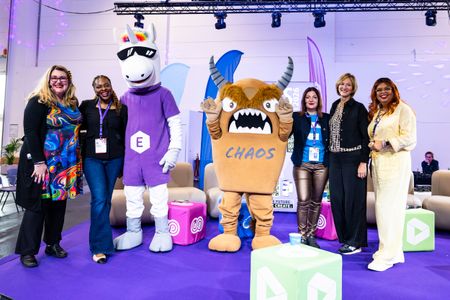
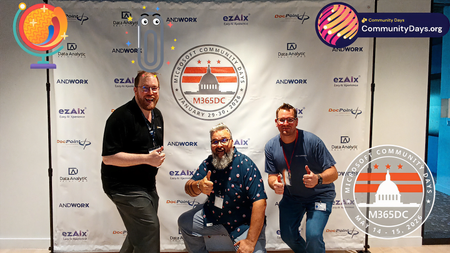
Hi MGCI Members! Things are moving fast across the MGCI community, and the energy is hard to miss. From behind-the-scenes looks at what makes Community Days DC successful to global events bringing thousands together, there’s a lot happening (and a lot to be proud of). Add in new Regional Leaders on the way, upcoming sessions, and a packed event calendar, and it’s clear this community keeps leveling up. Let’s dive into what’s been happening around the world and what’s coming up next. 🌎 MGCI Regional Leader Update We’re in the final stage of selecting our 2026 MGCI Regional Leaders. New leaders will be announced early next month, followed by onboarding shortly after. Regional Leaders play a critical role in bringing Community Days and events to life around the world, and the dedication shown by this community continues to make a meaningful impact. We’re excited to welcome new leaders into this role. ✅ Recently Wrapped: MGCI Monthly General Session and Event Organizer Training (May) Microsoft Global Community Initiative General Session – May 2026 Topic: Community Spotlight: Inside M365 Community Days DC 2026 Guest Speaker: Pat McGown We went behind the scenes with Heather Cook and Pat McGown to unpack what it really takes to bring a community-driven event to life - the wins, the lessons, and the ideas you can take back to your own events. Watch the Recording: https://aka.ms/MGCI-MayGeneralSession Event Training: Event & Committee Planning - May 2026 Hosts: Wes Preston and Sharon Weaver Guest Speaker: Mark Rackley Topic: Event & Committee Planning Focused on building strong planning teams, distributing responsibilities effectively, and maintaining momentum from idea to event day - helping organizers create smoother, more inclusive events. Watch the Recording: https://aka.ms/MGCI-MayEventTraining Join the conversation & access all sessions: Live and on demand: https://aka.ms/community/learning MGCI updates & reminders: https://aka.ms/MGCISignUP Learn more about MGCI: https://aka.ms/MGCI 🌍 Recent Community Event Highlight: ECS 2026 Board Members and Regional Leaders from MGCI, as well as Microsoft peers, attended the European Collaboration Summit in Cologne, Germany. With 3,000 attendees, ECS is the largest conference in Europe focused on Modern Work, Microsoft 365, and Copilot. During the conference, Heather Cook and Karuana Gatimu shared their #CommunityLuv in multiple sessions and get-togethers. A standout moment included the Women in Tech Panel at ECS with Heather Cook, Karuana Gatimu, Laura Dark, Michelle Okwudiafor and Isidora Katanic. 🗣️ Upcoming MGCI Monthly General Sessions MGCI General Sessions take place every 3rd Tuesday of the month, with both AM and PM sessions to support our global community. In June, join Heather Cook, Principal PM, Microsoft Customer Advocacy Group, Microsoft and Stacy Burris, Event Strategy Consultant, JSB Events for a fresh take on sponsorships that go far beyond logo placement. Discover how sponsors can create meaningful connections and how event organizers can design experiences that feel authentic, engaging, and worth every dollar. Walk away with practical, community-first ideas to boost visibility, drive real results, and make sponsorships more impactful before, during, and after the event. 📅 June 16 | ⏰ 8:10 AM PT | 👉 https://aka.ms/MGCIMtgAM 📅 June 16 | ⏰ 5:10 PM PT | 👉 https://aka.ms/MGCIMtgPM 👩🏫 Upcoming Event Organizer Trainings Join the monthly Event Organizer Trainings to learn how to run successful community events, from sponsorships and speakers to logistics, registration, and post-event follow-up. Sessions are led by the community, with practical insights, tips, and best practices. Date Topic Jun 25 How to Find and Select Speakers Jul 30 FOOD! Meals, Snacks, and Beverages If you have ideas, feedback, or would like to join us as a Guest Speaker to share your event tips & tricks, complete the form here:👉 https://aka.ms/MGCI-EventOrganizerFeedback 🔴Mondays at Microsoft Join Karuana Gatimu and Heather Cook every other Monday morning to stay informed in-the-know on Microsoft’s biggest topics, including the latest in AI and what’s happening in the Microsoft community. Visit aka.ms/MondaysAtMicrosoft to watch and subscribe! 💙 #CommunityLuv Spotlight This month we're highlighting this #CommunityLuv LinkedIn Post by Dominick Raimato (Data Platform MVP & MCT). Over the past two weeks, regardless of the technology or announcements, one thing has rung true - #CommunityLuv is alive and well! Over the past two weeks I have reconnected with old friends, met new friends, and finally met some friends who I have only known virtually up until now! If you know me, I am not one to be the first to say "Hey! Let's get a picture together!" I am trying to be better about it but alas I am human. Maybe I can get an agent to help me 😂 Regardless, the names are too many to tag on LinkedIn with a single post, so here are some of the photos I thought to grab or borrowed from others! #FabCon #SQLCon #MVPsummit #MicrosoftFabric #PowerBI #RealTimeIntelligence #mvpbuzz 🏆Microsoft 365 Champions Program To help you drive adoption and increase your teamwork skills, the M365 Champions Program provides a call each month for the M365 community. Calls are held the fourth Tuesday of each month at 8:05 AM and 5:05 PM Pacific. Check out all the resources, recordings and how to sign up for the Microsoft 365 Champions Program. You must register to receive the link to join, which will be sent to you in email with your webinar registration confirmation. The registration links for both sessions are below: 8:05 AM PT: aka.ms/M365ChampionCallAM 5:05 PM PT: aka.ms/M365ChampionCallPM 🌍Upcoming Community Events Around the World Events coming up in June: Community Days | AgentCamp Oslo 2026 | June 2 | Oslo, Norway Community Days | Microsoft Build 2026 Watch Party + Unconference | June 2 | Arlington, VA, United States Community Days | Workplace Intelligence Days - 1ère édition | June 4 | Lyon, France Community Days | CollabDays Madrid 2026 | June 4 | Madrid, Spain Community Days | Memphis Microsoft Community Days | June 5 | Memphis, Tennessee, United States Community Days | Community Summit Roadshow Charlotte | June 9 | Charlotte, North Carolina, United States Community Days | Dia de la estrategia: agentes y su aplicación en la empresa | June 9 | Mexico City, Mexico Community Days | Power BI Days DC | June 11-12 | Arlington, Virginia, United States Community Days | CollabDays Poland 2026 | June 11-12 | Warsaw, Poland Community Days | CollabDays Netherlands 2026 | June 13 | Utrecht, The Netherlands Community Days | POSETTE: An Event for Postgres 2026 | June 16-18 | Virtual - PDT Community Days | AI Community Days (AICD) Montréal 2026 | June 17-18 | Montreal, Canada Community Days | Africa Power Platform | June 20-21 | Cotonou, Benin Community Days | AI Community Days (AICD) Québec 2026 | June 22-23 | Quebec, Canada Community Days | MWCP 2026 | June 23-24 | Île-de-France, France Community Days | Community Summit Roadshow Pittsburgh | June 23 | Pittsburgh, Pennsylvania, United States Community Days | Community Summit Roadshow Cleveland | June 25 | Twinsburgh, Ohio, United States Community Days | AI Community Conference - New York | June 26 | New York, New York, United States Community Days | Global Fabric Community Tunisia | June 27 | Tunis, Tunisia Community Days | CollabDays Hamburg 2026 | June 27 | Hamburg, Germany Check out https://aka.ms/CommunityDays.Org for events happening in communities around the world. You can filter on region, scout open Call for Speakers, find events that are looking for sponsorships, and discover community-driven events and conferences. Closing From city to city and continent to continent, the MGCI community continues to raise the bar. New ideas, stronger events, and deeper connections are happening every day and it’s all driven by this incredible network of organizers and leaders. Keep building. Keep sharing. Keep showing what #CommunityLuv looks like in action. See you out there. 🧡 Sincerely, Your Board Officers 🕯️Special: Rest in Peace Nicki Borell, Microsoft MVP Germany The Global Community shares our deep condolences to Nicki's family, friends, loved ones, colleagues, and everyone in our community who knew Nicki. Nicki was a very active speaker at well-known community events such as ESPC, ECS and many others. We are thankful and grateful for all his contributions in our community. Rest in Peace dear Nicki🙏💙246Views0likes0CommentsBuilding Community-First Events: Lessons from M365 Community Days DC
I’ve helped organize a number of community events over the years, but this one stood out. Not because everything went perfectly—it didn’t—but because of how consistently the community showed up, stepped in, and made the experience better than anything we could have planned. That’s when it really clicked: the goal isn’t just to run a great event. It’s to build something people feel ownership in. 300 attendees · 50 speakers · 44 sessions · 20 MVPs · 15 MCTs · 14 sponsors Fresh off M365 Community Days DC, I had the opportunity to present two MGCI general sessions sharing what it really takes to design and run a community-first event. We covered what worked, what didn’t, and what we’d change next time. But more importantly, we talked about how to move beyond just running events—and start building communities that actually last. From Planning to Reality… Twice This year didn’t go according to plan. We originally scheduled earlier in the year, but severe winter weather forced us to postpone. That meant reworking logistics, speakers, sponsors, and communications—and effectively planning the entire event twice. It reinforced a core reality: flexibility isn’t optional. Despite the reset, we still brought together ~300 attendees across two days. If anything, the delay strengthened engagement and commitment from the community. Expanding to a Two-Day Model One of the biggest changes this year was introducing a two-day format: Day 1: Paid, hands-on workshops Day 2: Traditional Community Days sessions The goal was to create more depth. Instead of only 60-minute sessions, we introduced half-day workshops across topics like M365 administration, Power Platform, AI/Copilot, and security. 145 workshop registrations across six sessions Multiple sessions sold out Additional revenue to offset costs and support a charitable partner But the biggest takeaway wasn’t revenue. Attendees want less PowerPoint and more hands-on learning. That’s especially true in fast-moving areas like AI. Rethinking the Event Format We made a deliberate decision to skip a keynote entirely. Instead, we: Sent attendees directly into sessions Kicked things off with a short Teams broadcast Used live polling to capture real-time audience interests This gave speakers immediate insight into what attendees cared about—and the ability to adapt on the fly. The result was simple: engagement started earlier and stayed higher. The Venue Shapes the Experience We hosted at a Microsoft Innovation Hub in the DC metro area, and it made a noticeable difference. This wasn’t just a venue—it added to the experience: Immersive technology demos Guided tours A more modern, interactive environment The right venue doesn’t just support your event—it enhances it. A Community-Driven Speaker Model The speaker lineup reflected the breadth of the community: MVPs, MCTs, and Microsoft employees First-time speakers alongside experienced presenters Attendees ranging from students to seasoned professionals We had eight first-time speakers, which is something we actively prioritize. Community events shouldn’t just showcase experts—they should help create them. When Things Break, the Community Steps Up Not everything went smoothly. In one instance, a speaker didn’t show up for a full session. Instead of canceling, members of the community stepped in and delivered the session collaboratively. It turned into one of the most engaging sessions of the event. It reinforced something important: community isn’t just who attends—it’s who steps up. Designing for Connection, Not Just Content Sessions are only part of the value. The real impact happens in the hallway track—the conversations between sessions, the introductions, the relationships. We designed intentionally for that: A custom selfie station app with a live photo wall Live polling in the kickoff An Ask the Experts lounge for 1:1 conversations Networking activities like bingo and sponsor engagement Social experiences including rooftop lunches and speaker events These aren’t extras. They’re essential. They turn an event into something people remember. Designing for Every Type of Attendee Not everyone engages the same way, especially at their first event. We focused on lowering the barrier to participation, offering multiple ways to engage, and helping people move from passive to active involvement. This matters for first-time attendees, career changers, and those who don’t naturally jump into a room and speak up. Small design decisions can make a big difference in whether someone just attends—or feels like they belong. Real Moments Matter More Than Perfect Plans Some of the most impactful parts of the event weren’t planned: An attendee who found a new career through the community—and now runs events herself A first-time speaker who transitioned from musician to developer A session that turned into an improvised, community-led experience These moments stand out more than any agenda. Community events are catalysts—they create momentum beyond the event itself. Powered by Volunteers and the Community Behind the scenes, the event was powered by about 20 volunteers, community organizers and leaders, and sponsors and returning partners. We also leaned heavily on community-built tools for scheduling, polling, and engagement. This didn’t just reduce costs—it reinforced ownership. People weren’t just attending. They were part of building the experience. Final Thoughts M365 Community Days DC reinforced something simple: the best events aren’t just well-executed—they’re community-powered. And a big part of that lives in the hallway track. The conversations between sessions, the introductions, the moments of encouragement, and the relationships people build are just as important as the content on stage. That’s part of what makes experiences like this matter to MGCI. When we design for connection, not just sessions, and create space for people to participate, we create more than a successful event—we create momentum that lasts. If you’re building events in your own region, I hope these lessons help. And if your community has found other ways to create connection, encourage participation, or turn attendees into contributors, I’d love to see those ideas continue to spread across MGCI.289Views1like0CommentsMicrosoft Global Community Initiative Newsletter (April)
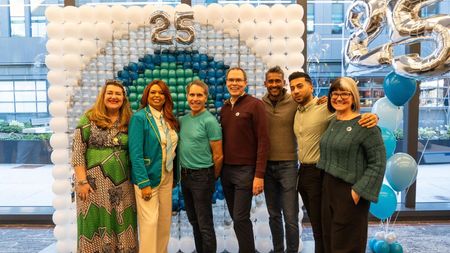
Hi MGCI Members! As April moves forward, we hope you’re feeling inspired by the communities you’re part of and the ones growing all around you. From celebrating Women in Tech across the ecosystem to building excitement for the Microsoft 365 Community Conference in Orlando, shared energy and collaboration are fueling MGCI’s global momentum. Let’s take a look at what’s coming up next 🚀 💗 SharePoint Turned 25 Last month a digital event and many in person events around the world celebrated the 25th birthday of SharePoint, to view the digital event check out the link here - https://aka.ms/SPat25 Learn about the SharePoint Hackathon that so many of you participated in and get ready to view the upcoming "More than Code" short film. The cover photo is from an on-campus event with the SharePoint product team. 🌎 MGCI Regional Leader Update Applications for our 2026 MGCI Regional Leaders are under review. Stay tuned - this next wave of leadership is going to help shape how Community Days grows around the world. 🗣️ MGCI Monthly General Sessions Our March MGCI General Session showcased the power of Women in Tech & Allies communities across the Microsoft ecosystem 💜 featuring seven standout organizations creating real pathways for growth, mentorship, and leadership. What showed up wasn’t just representation. It was momentum 🚀 Across these communities, we’re seeing: ✅ Confidence being built 🔓 Access being created 🤝 Collective action taking shape From mentorship‑driven programs to global networking and leadership pathways, these groups are turning connection into opportunity, proving that community isn’t just support. It’s a launchpad for participation and advancement✨ If you want to explore how this momentum is turning into real‑world access and opportunity: 📖 Read the blog: https://aka.ms/MGCI-WomeninTechandAlliesBlog-March2026 🎥 Watch the session recording: https://aka.ms/MGCI-WomenInTechandAlliesRecording Ready to move from reflection to action? Discover Women in Tech speakers on Sessionize and help build inclusive, well‑rounded events: 🎤 https://aka.ms/MSWomenInTechSessionize 📅 General Sessions: On Deck Don't miss out on our monthly general sessions hosted in two different time slots (AM and PM). We share the latest news and updates on what's happening behind the scenes at MGCI, as well as what's coming next. Community Members from all around the world get the opportunity to share insights on their upcoming events, current topics, community news, and interactive talks with other members. Mark your calendars now and join us every 3rd Tuesday of the month! Apr 21 Microsoft Student Ambassadors - Guest Speaker: Tracey Salem, Senior Learning Manager, Global Skilling, Microsoft May 19 Community Spotlight: M365 Community Days DC Jun 16 Community Spotlight (to be announced) Jul 21 Community Spotlight (to be announced) 📅 April 21 | ⏰ 8:10 AM PT | 👉 https://aka.ms/MGCIMtgAM 📅 April 21 | ⏰ 5:10 AM PT | 👉 https://aka.ms/MGCIMtgPM Join Tracey Salem for an engaging look at the Microsoft Student Ambassadors program and the vibrant global community of students who are learning, building, and leading with Microsoft cloud and AI technologies. This session spotlights how Student Ambassadors bring fresh perspectives, energy, and new ways of engaging communities - both on campus and beyond. Attendees will come away inspired by what today’s students are doing, and better connected to a broader ecosystem of learners, leaders, and community builders shaping the future together. 👩🏫 2026 Event Trainings Join our monthly Event Production Training & Office Hours with our Board Members Wes Preston and Sharon Weaver and learn from different leaders, with different perspectives how to run your next event. These are interactive sessions, giving you great insights into organizing community events around the globe. Check out all upcoming and past calls and events Apr 23 Run of Show – Day of Event Lessons Learned May 28 Event & Committee Planning Jun 25 How to Find and Select Speakers Jul 30 FOOD! Meals, Snacks, and Beverages Aug 27 No Meeting – Summer Break Sep 24 Event Branding – Graphics & Image Tips Oct 29 Filling Seats! How to Market Your Event Nov 26 No Meeting – Holiday Break Dec 24 No Meeting – Holiday Break In case you have any ideas, feedback, or would like to join us as a Guest Speaker to share your event tips & tricks, complete the form here👉 https://aka.ms/MGCI-EventOrganizerFeedback 🌎 Community Days: check out upcoming events The community never sleeps! And this impressive list of events proves exactly that our community is active more than ever before. New events keep getting included on https://aka.ms/CommunityDays.Org and you can get your upcoming events listed too! Use this community initiative for all your event needs, like scouting active Call for Speakers, or submitting your own event to get spotted by potential sponsors. 💖 #CommunityLuv: in the spotlights Himanshu Goil (Empowering Local Governments and Businesses to Scale through AI Agents, Automation, and Digital Transformation | TechForGov | IGNA™ | Ignatiuz) traveled from USA to Dubai for the event https://aka.ms/AIMaitri Where AI Meets Community. This beautiful shot was taken during his trip - read the full post here on LinkedIn: https://aka.ms/AIMaitriLIPost #CommunityLuv 🌴🎉 MGCI Is Bringing the Community to Orlando at the Microsoft 365 Community Conference The Microsoft 365 Community Conference is where community comes together in person. This year inside the Microsoft Innovation Hub, organizers, speakers, MVPs, and community leaders will turn hallway conversations into global collaborations through: 🤝 Informal community meetups 🗣️ Product roundtables with Microsoft teams and community voices ⚡ Lightning talks from community experts 🧭 Guided demo stations 💻 Hands-on experiences with Copilot+ PCs 🎙️ Live podcast recordings 🎂 A SharePoint 25th birthday celebration 🧱 Build-your-own LEGO figurine stations 💄 Red Lip experiential moments inside the Hub (because sometimes showing up boldly is the point) MGCI will be onsite all week connecting grassroots organizers from around the world: 📍 MGCI Community Meetup Tuesday @ 4:15 PM 📍 MGCI Roundtable Wednesday @ 4:15 PM ⚡ MGCI Lightning Talk on the Power of Community Expect roundtable conversations that go beyond slides - bringing together Microsoft teams and real‑world community perspectives to share ideas, challenges, and what’s actually working across the ecosystem. And don’t miss: 💬 The Women in Tech & Allies Lunch Discussion - April 22! With an executive panel and special guests from across our community, one of the most anticipated gatherings at M365 Conf - designed to spark connection, share experiences, and champion what’s next for women in tech. 📸 MVP Photo Opportunity 🎬 More Than Code - SharePoint 25 Documentary Premiere Because sometimes the most important thing you take home from a conference… is the people you met along the way. 🎟️ Helping More Communities Join Us in Orlando To support nonprofits and small businesses in our ecosystem, we’re offering a grant program for free or discounted tickets to the Microsoft 365 Community Conference in Orlando (April 21–23). This program is designed for: 🤝 Nonprofits 🏢 Small businesses 💜 Members of Women in Tech & Allies community organizations ✈️ Travel and workshop expenses are not included and supply is limited. Know an organization that could benefit from building skills in: 🤖 Copilot 💬 Microsoft Teams ☁️ OneDrive 🧩 SharePoint Encourage them to apply: Learn more and apply 👉 https://aka.ms/M365CommunityGrant 🌉 Microsoft Build: now shipping! Find out what Microsoft is building next in Satya Nadella's keynote during Microsoft Build. Hosted in-person and online on June 2-3, 2026 in San Francisco, USA. Connect with the developers community, join interactive meetups and workshops to debug problems with engineers who’ve already solved them. Plus, get direct access to Microsoft and GitHub technical leaders for strategic guidance. 👩💻AI Agent Con: chapters around the world Is Microsoft Build not around the corner for you, or simply impossible to attend due to other reasons? Thankfully, the Global AI Community tours with local events around the world, organized by the community for the community. Check out the list featuring local chapters across the globe. 💫 What Happens Next MGCI isn’t powered by programming. It’s powered by participation. The connections made in Orlando and around the globe. The lessons shared through training. The roundtable conversations. First-time speakers stepping forward. That’s how this ecosystem grows. Community doesn’t scale through announcements. It scales through action. Across MGCI and https://aka.ms/CommunityDays.Org, we’re seeing organizers connect across regions, share what’s working, and build events that reflect the communities they serve — supported by the tools, training, and resources that make grassroots impact possible. When you bring someone new into the room, you expand what’s possible. When you share what you learned, you strengthen someone else’s event. When you collaborate across communities, you turn local effort into global impact. And that’s how momentum becomes movement. Sincerely, Your Board Officers Microsoft Global Community Initiative265Views2likes0CommentsShare Your Community Story via Video
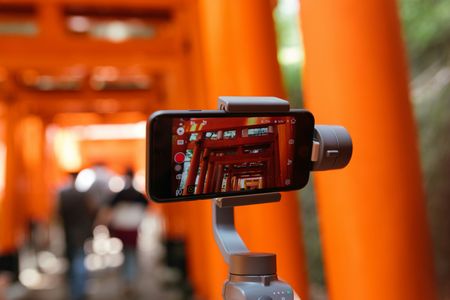
We are creating some new fun videos to be shared on our Microsoft Community Learning YouTube channel and during some MGCI Community Produced and Community Led Events. Microsoft 50th Anniversary is all year long and the big 25 is coming for SharePoint next year! If you would like to participate all you need to do is answer the following questions regarding being a part of the Best Community in Tech. Can you introduce yourself and tell us how you got involved in the MICROSOFT 365 community? What motivated you to join this community, and what keeps you engaged? How did joining the MICROSOFT 365 community help you achieve your personal or professional goals? How has the community helped you in your personal or professional development? Have you been to many MICROSOFT 365 events? Can you share a memorable experience? Why do you think MICROSOFT 365 is called the “best community in tech”? How do feel about SharePoint celebrating 24 years and Microsoft celebrating 50 years? What has the MICROSOFT 365 community meant to you? Feel free to record in English or your native language if other than English as we are a global community. Other tips: 1) Please answer in complete sentences, i.e. “MICROSOFT 365 helped me become a…” or “this community has really helped me to find…”, etc. 2) Pause between each answer, look at the camera, smile before you start each answer. Keep looking into the camera at the end of each answer. Once completed, please upload your videos here: MICROSOFT 365_videos - we are accepting videos until Friday April 11th. Excited to have you all participate!! Questions, let me know. Getting ready to be on-camera! A few things to keep in mind when filming with a smartphone: It needs to be shot with the phone horizontal, not vertical. Confirm your setting is to 1080p at 30fps. Frame the shot nicely and make sure the lighting is bright (and that you are not backlit or in a shadow). Use a microphone if possible! We also recommend using a tripod or a smartphone stand. Prop the phone up so the shot is stationary and steady. Consider your environment and location. Be in a quiet area and with little clutter behind you. If possible, please record the content twice and send us two videos so we have 2 takes to choose from. Recording with an iPhone Use Camera to record videos on your iPhone Choose Video mode. Tap the Record button or press either volume button to start recording. While recording, you can do the following: Pinch the screen to zoom in and out. For a more precise zoom on models with Dual and Triple camera systems, touch and hold 1x, then drag the slider to the left. Tap the Record button or press either volume button to stop recording. Anything captured automatically saves to your device’s Photo Library. By default, video records at 30 frames per second (fps). Depending on your model, you can choose other frame rates and video resolution settings in Settings > Camera > Record Video. Faster frame rates and higher resolutions result in larger video files. Confirm your setting is to 1080p at 30fps. To display quick toggles on iPhone X and earlier, go to Settings > Camera > Record Video, then turn on Video Format Control. Adjust Auto FPS settings: On iPhone XS, iPhone XR, and later, iPhone can improve the video quality in low-light situations by automatically reducing the frame rate to 24 fps. Go to Settings > Camera > Record Video, then do one of the following: On iPhone 12 models, tap Auto FPS, then apply Auto FPS to only 30-fps video or to both 30- and 60-fps video. On iPhone XS, iPhone XR, iPhone SE (2nd generation), and iPhone 11 models, turn on Auto Low Light FPS. Record a video on your Android phone You can record real time videos on your phone. You can also record time-lapse videos that speed up when you play them. Important: Some of these steps work only on Android 10 and up. Learn how to check your Android version. Record a video Important: When you take a video, your phone silences notification sounds to avoid an interruption. To quickly record a video, open your Google Camera app, then touch and hold Capture . Open your Camera App . Learn how. To switch to video mode, tap Video. To start recording, tap Record. To put a cut in your video, tap Pause . To start recording again, tap Record. To take a high-resolution photo while recording a video, tap Capture. To stop recording, tap Stop. Tip: You can change your camera settings to use features like gridlines or a flash. Learn how to adjust how your camera records. Wardrobe Guidelines Avoid wearing solid white, black, or red shirts Pastel and jewel colors work well, as do blues and earth tones. Avoid small prints, stripes, plaid or intricate patterns (e.g. Herringbone, tweed, etc.) - these can vibrate on camera. Or wear shirts with logos showcasing MICROSOFT 365 or other product or tech fun. Cheers and thank you for submitting your community story!631Views1like0Comments