cloud native
155 TopicsIntroducing a Guided Copilot Experience for Building Azure Apps in VS Code
Today we're previewing a new way to build cloud apps with GitHub Copilot in VS Code: a guided Copilot experience that takes you from idea to a deployed Azure app through a structured, predictable workflow instead of a free-form chat session that may or may not land where you need it to. The problem: Copilot is powerful, but unpredictable Ask Copilot to "build me a Node.js API on Azure Functions with a Postgres database" today, and you might get a working project, or you might not. Sometimes Copilot scaffolds the app but skips infrastructure. Sometimes it generates a deployment script that fails halfway through. Sometimes it forgets what you were building three prompts later. The underlying model is capable. The problem is the shape of the experience: an open-ended chat with no checkpoints, no guardrails, and no consistent path from "I have an idea" to "it's running in Azure." How it works The guided Copilot experience adds to that open-ended flow with three clear, explicit stages: 1. Project scaffolding: Describe your app in plain language. Copilot proposes an architecture and asks for anything that is missing (e.g., language, app type, Azure services) through simple forms and pickers, not more back-and-forth chat. You review and approve the plan before any code is written. 2. Local development: Your project is scaffolded then Copilot checks for the runtimes, emulators, and tools you'll need and helps you install what's missing, so the project runs locally from the very first launch. Debug configurations are wired up automatically, so you can test and iterate on your app before it ever touches Azure. 3. Deployment: Copilot shows the tools that will be used for deployment along with a summary of all resources that will be created and a cost estimate so you can be confident in what you're getting. Infrastructure files are created for your app to ensure a consistent and reproducible deployment environment for testing and staging before going to production. Deployment runs through the same reliable tooling used across Azure (az and azd), so if something goes wrong, you get a clear explanation and a concrete next step instead of a wall of CLI output. Once your app is live, the guided experience doesn't disappear, Copilot retains context about your project's architecture, so coming back later to add a service or make a change picks up right where you left off. 🎉 What this means for how you work Determinism over guesswork. The same input reliably produces the same kind of outcome, so no more wondering which "mode" Copilot is going to be in. First try success. Projects are built to run and deploy on the first attempt, not after several rounds of manual repair. Structure over chat walls. Decisions that matter such as architecture choices, missing configuration, and deployment targets are surfaced through real UI, so you're not parsing paragraphs of text to figure out what Copilot needs from you. Stay in VS Code. The entire journey, from planning through deployment, happens without leaving your editor. What's in the initial preview The first version focuses on JavaScript and TypeScript projects, including web apps, Azure Functions, Container Apps, and Static Web Apps, with support for PostgreSQL, Azure Storage, Azure Key Vault, and Azure OpenAI. .NET and Python support are on the roadmap for a future release. Nothing about your existing Copilot workflows changes, the guided experience is an additional, opinionated path alongside the free form chat you already know, for when you want a reliable, structured way to go from zero to deployed. What's next This is an early look at a broader shift in how we think about AI-assisted development on Azure: less "ask and hope," more structured collaboration with clear checkpoints and real UI where it counts. We're continuing to expand language support, refine the deployment experience, and incorporate feedback from developers using it in the wild. Install the Azure Tools extension pack and open an empty folder to try the guided Copilot experience and let us know what you think. File issues or share feedback on the GitHub repo.354Views0likes0CommentsWiring Azure DevOps Pipeline Templates Without the Parameter Sprawl: The Manifest Facade Pattern
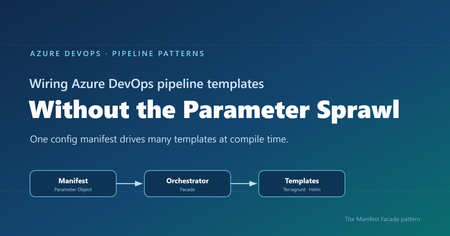
Where reusable pipelines start to hurt Who this is for: Platform and DevOps engineers who build shared Azure DevOps Pipeline Templates and want other teams to adopt them consistently. If you have ever built a set of shared Azure DevOps Pipeline Templates, you probably know how this goes. You write a whole library of clean, well-factored templates: provisioning infrastructure, deploying apps, scanning, promotion, and more. Each one is tidy on its own. Then the first team tries to actually use them together, and things get messy fast. That is exactly what happened to us on a customer engagement, while building a DevOps framework for their engineering teams. The templates themselves were fine. The trouble was wiring them together. Every consumer pipeline had to know how to call each template it used: the right order, which values one template fed another, and the full parameter list for every one of them. As the library grew, those consumer pipelines grew with it, long and repetitive. That friction turned into a real adoption problem. Getting started meant wading through pages of parameters, so teams put it off, copied whatever the team next door had, or quietly built their own thing instead. This post follows that story, from the tangle of parameters to the solution we landed on. Here is how it comes together. Where we started: Good templates, hard to adopt The DevOps framework we built had many templates. To keep this walkthrough concrete, we will follow just two of them: one that provisions infrastructure with Terragrunt (a wrapper around Terraform), and one that deploys an app to Kubernetes with Helm. Both are trimmed down to the essentials here so they are easy to follow. The infrastructure template, templates/infra/terragrunt-deploy.yml : parameters: - name: stack type: string - name: workingDir type: string steps: - script: | cd ${{ parameters.workingDir }} terragrunt plan -out=tfplan terragrunt apply -auto-approve tfplan displayName: "Deploy ${{ parameters.stack }}" The application template, templates/app/helm-deploy.yml : parameters: - name: releaseName type: string - name: chart type: string - name: namespace type: string - name: imageTag type: string steps: - script: | helm upgrade --install ${{ parameters.releaseName }} ${{ parameters.chart }} \ --namespace ${{ parameters.namespace }} \ --set image.tag=${{ parameters.imageTag }} displayName: "Deploy ${{ parameters.releaseName }}" There is nothing wrong with either file. The pain showed up in the pipeline that had to use them, where a team had to stitch the templates together by hand, remember the order, and repeat that boilerplate for every environment. Do that across a dozen services and you get long, copy-pasted pipelines that teams struggle to adopt. And because the wiring is done by hand, it leaves loopholes: a team can skip a step or override a parameter and slip past the guardrails you thought were in place. Challenge 1: Wiring the templates together The obvious move was to hide the wiring behind a single template that owned the order and the plumbing. We called it the orchestrator template: a consumer pipeline called that one template, and it wired up the rest. # templates/deployment-orchestrator.yml (the single orchestrator) parameters: - name: infraStack type: string - name: infraWorkingDir type: string - name: releaseName type: string - name: chart type: string - name: namespace type: string - name: imageTag type: string # ...and this list just kept growing stages: - stage: Infra jobs: - job: infra steps: - template: infra/terragrunt-deploy.yml parameters: stack: ${{ parameters.infraStack }} workingDir: ${{ parameters.infraWorkingDir }} - stage: App dependsOn: Infra jobs: - job: app steps: - template: app/helm-deploy.yml parameters: releaseName: ${{ parameters.releaseName }} chart: ${{ parameters.chart }} namespace: ${{ parameters.namespace }} imageTag: ${{ parameters.imageTag }} A team used it by calling that one template and passing a value for every parameter it exposed: # azure-pipelines.yml (a team's pipeline) parameters: - name: imageTag type: string extends: template: templates/deployment-orchestrator.yml parameters: infraStack: network infraWorkingDir: infra/network releaseName: orders-api chart: charts/orders-api namespace: orders imageTag: ${{ parameters.imageTag }} # ...and a value for every other parameter, too This solved the ordering and the copy-paste, but it handed us a new headache. This one template now had to expose every parameter of every template underneath it, and the list grew each time we added a capability. Worse, a real service usually needed more than one infrastructure stack and more than one Helm release. A flat list of parameters cannot express “two infrastructure stacks and three Helm releases” without silly names like infraStack1 , infraStack2 , and so on. Nobody could learn the thing. We had solved the wiring, only to trade it for a parameter problem. Challenge 2: The orchestrator’s parameter list explodes So how do you shrink that list? Step back and ask what you are really describing: a set of things to deploy. So the input should describe that set, not a long flat list of loose values. That is where the deployment manifest came in: one small config that lists the infrastructure to create and the apps to deploy. It reads about how you would expect: infrastructure: - stack: network workingDir: infra/network applications: - releaseName: orders-api chart: charts/orders-api namespace: orders Now the orchestrator can take that single manifest and loop over it, instead of exposing dozens of separate parameters. Its parameter list collapses to one, and a ${{ each }} loop turns each entry into a stage or job: # templates/deployment-orchestrator.yml (the orchestrator, now manifest-driven) parameters: - name: manifest type: object - name: imageTag type: string stages: - stage: Infra jobs: - ${{ each stack in parameters.manifest.infrastructure }}: - job: infra_${{ stack.stack }} steps: - template: infra/terragrunt-deploy.yml parameters: stack: ${{ stack.stack }} workingDir: ${{ stack.workingDir }} # ...an App stage loops over parameters.manifest.applications the same way And a consumer passes that manifest straight to the orchestrator: # azure-pipelines.yml (a team's pipeline) parameters: - name: imageTag type: string extends: template: templates/deployment-orchestrator.yml parameters: imageTag: ${{ parameters.imageTag }} manifest: infrastructure: - stack: network workingDir: infra/network applications: - releaseName: orders-api chart: charts/orders-api namespace: orders The parameter problem is solved. But hand-writing that whole manifest inside every pipeline is a lot to repeat, so the natural instinct is to pull it out into its own file. That is where things get tricky. Challenge 3: The manifest is read too late to shape the pipeline So we tried exactly that: we moved the manifest into a deployment-manifest.yml file and had the orchestrator read it back and expand it into stages and jobs. It sounded reasonable, but it did not work. To see why, you need to know how Azure DevOps builds a pipeline before it runs anything. An Azure DevOps pipeline actually happens in two phases, and they are further apart than people expect. First comes the build phase, before anything runs. Azure DevOps reads your YAML, pulls in every template, evaluates every ${{ }} expression, and unrolls every ${{ each }} loop. Out of this it produces one final, fully assembled pipeline. At this point no agent has started and no repo has been checked out. Only parameters and template expressions exist yet. Then comes the run phase. The assembled pipeline runs. An agent starts, checks out your code, and only now can a script open a file on disk. Here is the problem. Your deployment-manifest.yml does not exist as far as the pipeline is concerned until an agent checks out the repo, and that checkout happens during the run phase. So if the manifest is supposed to decide how many stages there are, or how many apps each get their own job, that decision has to be made earlier, while the pipeline is still being built. Important: The shape of the pipeline, its stages, jobs, and loops, is locked in while the pipeline is being built. A file you read during the run comes too late to change any of it. That was the wall we hit. The manifest was the right idea, but reading it from a file happened too late for the orchestrator to turn it into stages and jobs. So the manifest could not come from a file read during the run phase. It had to already exist, as an object, before the pipeline was assembled. The Manifest Facade pattern: Build the config while the pipeline is assembled The solution is to stop thinking of the manifest as a file to read, and start thinking of it as an object you build while the pipeline is being assembled. Parameters are available then. Template expressions can build a whole object then. So we added a small template, kept in the team’s own repo, with one job: take a couple of simple inputs, build the full manifest from them, and pass it to the shared orchestrator. We called it the builder, since assembling the manifest is its only job. It stays thin and lives next to the team’s pipeline, while the orchestrator stays in the shared platform repo. This is not a brand-new invention so much as a few familiar ideas working together, applied at pipeline build time. The manifest is a Parameter Object (Martin Fowler’s refactoring for collapsing a long parameter list into one structured value). The orchestrator is a Facade (the Gang of Four pattern for putting one simple, unified interface over a subsystem, here the underlying leaf templates). And the small template in the team’s repo is the piece that assembles that Parameter Object from a couple of inputs. What makes it an Azure DevOps pattern is the timing: the manifest is built as an object while the pipeline is assembled, so it can drive template expansion instead of sitting in a file that only gets read during the run. That is the twist we did not see written down anywhere, so we gave it a name: the Manifest Facade pattern. In practice it comes together in three small pieces: the consumer pipeline references the builder, the builder assembles the manifest and hands it to the shared orchestrator, and the orchestrator expands that manifest into stages and jobs. Here is how the files extend into one another: Here is each piece in turn. Step 1: The consumer references the builder The consumer pipeline extends the builder that lives in its own repo. It also declares the shared platform repo as a resource, so the orchestrator the builder calls is available while the pipeline is built. # azure-pipelines.yml (the team's pipeline) parameters: - name: imageTag displayName: Image tag type: string resources: repositories: - repository: platform type: git name: platform/pipeline-templates ref: refs/tags/v1.0.0 trigger: - main extends: template: config/deployment.yml@self parameters: environment: dev service: orders imageTag: ${{ parameters.imageTag }} Because the image tag is a runtime parameter, it is declared here in the consumer pipeline, which is what makes it appear in the Run pipeline panel for someone to fill in. Beyond that, the team passes only an environment and a service name, and the builder works out the rest. Step 2: The builder assembles the manifest The builder takes those inputs and assembles the whole manifest from them, then hands it to the orchestrator. Every structural value here is a parameter or a template expression, so all of it is ready while the pipeline is being assembled. # config/deployment.yml (builder, in the team's repo) parameters: - name: environment type: string - name: service type: string - name: imageTag type: string extends: template: deployment-orchestrator.yml@platform parameters: imageTag: ${{ parameters.imageTag }} manifest: schemaVersion: v1 infrastructure: - stack: network workingDir: infra/${{ parameters.environment }}/network applications: - releaseName: ${{ parameters.service }} chart: charts/${{ parameters.service }} namespace: ${{ parameters.service }} The builder assembles the manifest inline from the environment and service, then passes it straight to the orchestrator. The image tag is different: it is a runtime parameter the user supplies at queue time, so it is passed through to the orchestrator template and never becomes part of the manifest. The team gets a tiny interface, and the orchestrator still gets the full structure it needs. Step 3: The orchestrator turns the config into stages and jobs The orchestrator takes a single object and loops over it with ${{ each }} . Each stage and job gets generated while the pipeline is assembled. # deployment-orchestrator.yml (shared platform repo) parameters: - name: manifest type: object - name: imageTag type: string stages: # a ValidateManifest stage runs first (covered in the next section) - stage: Infra jobs: - ${{ each stack in parameters.manifest.infrastructure }}: - job: infra_${{ stack.stack }} steps: - template: infra/terragrunt-deploy.yml parameters: stack: ${{ stack.stack }} workingDir: ${{ stack.workingDir }} - stage: App dependsOn: Infra jobs: - ${{ each app in parameters.manifest.applications }}: - job: app_${{ app.releaseName }} steps: - template: app/helm-deploy.yml parameters: releaseName: ${{ app.releaseName }} chart: ${{ app.chart }} namespace: ${{ app.namespace }} imageTag: ${{ parameters.imageTag }} Because the manifest is a real object by the time the loops run, ${{ each }} unrolls it into actual jobs. List two stacks and you get two jobs. List two apps and you get two deploy jobs. And because the team only describes what to deploy, the sensitive wiring like service connections stays inside the platform templates, out of reach. The loophole is gone because the parameter is gone. Why the order of things matters The whole pattern comes down to who does what, and when. The builder turns a simple intent (“deploy orders to dev”) into a full manifest, while the pipeline is being assembled. The orchestrator turns that manifest into real stages and jobs, still while the pipeline is being assembled. Only the leaf templates do the real deployment work during the run: checkout, terragrunt apply , helm upgrade . Nothing about the shape of the pipeline waits for the run, so nothing about it depends on a file that only shows up after checkout. That is the whole trick. If you do have values you genuinely cannot know until the run, like a secret fetched from a vault or an artifact version an earlier stage writes to a variable, those still belong in runtime variables and variable groups. The manifest is for the structure and config you already know when you queue the build, which is almost always the part that was causing the pain. Validating the manifest against a schema Once the manifest became the one interface every team fills in, it needed a contract. We wrote that contract as a JSON Schema and kept it in the shared platform repo under schema/v1/ . The folder name is the version: backward-compatible additions go straight into v1 , and the day we need a breaking change we add a schema/v2/ alongside it, so existing consumers keep working while the schema evolves. Each manifest carries a schemaVersion so the orchestrator knows which contract to hold it to. On top of that, we validate in three layers, each catching a different class of mistake. Layer 1 is build time, for free. Because the orchestrator’s parameters are typed, with manifest declared as an object , Azure DevOps catches a range of structural problems while it expands the templates, before anything runs. For example, if a manifest left out infrastructure or misspelled it, the orchestrator’s ${{ each stack in parameters.manifest.infrastructure }} loop would have nothing valid to iterate over, and the failure would surface during template expansion rather than halfway through a deployment. Layer 2 is a version check that runs at build time. Both the ${{ if }} and parameters.manifest.schemaVersion are resolved while the pipeline is being assembled, so the orchestrator decides right then whether it understands the manifest’s version. If it does not, the only thing it generates is a single failing stage, and the real deployment stages are never built, so nothing runs against a contract the orchestrator does not know: # deployment-orchestrator.yml (shared platform repo) parameters: - name: manifest type: object stages: # Layer 2: reject schema versions this orchestrator does not understand - ${{ if not(containsValue(split('v1', ','), parameters.manifest.schemaVersion)) }}: - stage: UnsupportedSchemaVersion jobs: - job: fail steps: - script: | echo "##vso[task.logissue type=error]Unsupported manifest schemaVersion '${{ parameters.manifest.schemaVersion }}'" exit 1 # the ValidateManifest, Infra, and App stages below are generated only when the version is supported Layer 3 is a run-time check against the full schema. The first stage the orchestrator generates is ValidateManifest . Because the schema lives in the platform repo, the job checks that repo out first. Then it serializes the manifest object to JSON with the convertToJson expression, writes that JSON out to a file, and runs a JSON Schema checker to compare the file against the schema. If the manifest breaks the contract, the pipeline stops here, before any infrastructure or app stage runs: # Layer 3: validate the real manifest object against the JSON Schema - stage: ValidateManifest jobs: - job: validate steps: # the schema lives in the platform repo, so check it out first - checkout: platform - script: | echo '${{ convertToJson(parameters.manifest) }}' > manifest.json pip install check-jsonschema check-jsonschema --schemafile schema/${{ parameters.manifest.schemaVersion }}/deployment.schema.json manifest.json displayName: "Validate manifest against schema" Layer 1 is automatic, Layer 2 rejects an unknown contract at build time so the deployment stages are never generated, and Layer 3 confirms the actual values match the schema before any real work begins. Together they turn “the manifest looked right” into “the manifest is provably valid.” A few trade-offs to keep in mind No pattern comes without trade-offs. A few things worth weighing: The manifest has to be something template expressions can build. You can compose objects, loop, and branch with ${{ if }} , but there is no running arbitrary code while the pipeline is assembled. Anything fancier may need a prep step or a file generated upstream. Every team carries a small builder template. We think that is a fair trade, since it keeps their intent local and readable, but it is one more file per repo. Keep it thin and let the orchestrator hold the real logic. Treat the schema as living documentation. Because the manifest’s JSON Schema spells out every field and what it means, teams can read it to build their own manifest with confidence, instead of reverse-engineering the orchestrator. Pin the shared repo to a tag, like the v1.0.0 above, so a change to the orchestrator does not silently change everyone’s pipeline on the next run. Debugging takes a small shift in habit. When something looks off, use the pipeline’s preview to see the fully assembled YAML before it runs. It shows you exactly what the loops produced. Tip: Use the Azure DevOps pipeline preview to see the fully assembled YAML without running anything. It is the fastest way to confirm your manifest unrolled into the stages and jobs you expected. Wrapping up It is a journey a lot of platform teams will recognize. Clean templates, messy wiring, one orchestrator that fixes the order but drowns in parameters, a config file that brings back sanity, and then the surprise that reading it at the wrong moment means it can never shape the pipeline. The solution is small and it sticks. Put a thin builder template next to each team, let it assemble the manifest from a couple of simple inputs, and let a shared orchestrator turn that manifest into stages and jobs. Teams get an interface they can easily understand and adopt. The platform team keeps the wiring and the guardrails in one place. And the timing gap that trips up so many “just read the config file” attempts stops being a problem, because you are working with it instead of against it. Key takeaways Shared Pipeline Templates stall on adoption when every team has to wire them together by hand. A single orchestrator template fixes the ordering, but a flat parameter list does not scale to real adoption. A config file read during the pipeline run cannot shape the pipeline, because stages and jobs are decided earlier, while the pipeline is assembled. The Manifest Facade pattern builds the config as an object at assembly time, so one small input drives many templates, consistently and with the guardrails baked in. Give the manifest a versioned JSON Schema and validate it in layers, so a broken contract fails fast instead of halfway through a deployment. How are you handling template sprawl in your own pipelines? We would love to hear what has worked for your teams in the comments.361Views1like0CommentsAzure Container Apps Sandboxes (Preview): Giving AI Agents a Safe Place to Work
Co-written by Nikoloz Buligini, Front End Developer at Templafy, and Jan Kalis, Azure Container Apps Sandboxes, Core AI, Microsoft Every team building with multi-tenant AI agent platforms hits the same wall. The agent is smart enough to read your code, reason about a bug, and propose a fix. But the moment it needs to take an action - clone a repo, install tooling, run a command, hit an internal endpoint - you have to answer some uncomfortable questions: where does it run, what permissions does it have and what can it access? Run it on your own infrastructure and inherit the blast radius. Give it broad network access and you have handed an autonomous process the keys to your environment. Lock it down too hard and the agent cannot do its job. This is exactly the problem Azure Container Apps Sandboxes was built to solve. And it is exactly the problem the team at Templafy solved in production. This post walks through what Sandboxes are, the features that make them a good fit for agentic workloads and how Templafy put ACA Sandboxes to work. What are Azure Container Apps Sandboxes? Azure Container Apps Sandboxes (Preview) are secure, isolated compute environments that start in seconds, scale to thousands, and do not charge you for compute while stopped. Each sandbox runs inside its own hardware-isolated microVM, fully separated from the host, the platform, and every other sandbox. Bring your own container image or use an included one, and Sandboxes handle provisioning, isolation, and lifecycle. This is the same compute fabric behind products like Cloud sandboxes in GitHub Copilot, Foundry Hosted Agents, and Azure Container Apps Express, and now you can build directly on it. For platform builders, that means enterprise-grade, multi-tenant isolation as a building block you would otherwise spend years creating. For AI agents, a sandbox becomes a self-configurable tool: spin up a fresh environment in seconds, run untrusted code, compile a project, or explore a codebase, then throw it away. On one side you empower humans to build platforms. On the other you empower agents to extend their own capabilities. The features that make Sandboxes fit agentic work A fast microVM is table stakes. What makes Sandboxes practical for real agent workloads is the control around them. Snapshots capture a fully configured environment and resume from it, ideal for long-running tasks or cloning setups. Egress controls declare exactly what a sandbox may reach, so an agent can pull from source control and package registries but nothing you did not approve. Managed identities authenticate to Azure with no secrets in the image. Automatic suspend and resume map cleanly onto how conversational agents behave, warming back up with full context when a conversation continues. Ports give your orchestrator a channel to a long-running agent process inside the sandbox. Two newer capabilities go further: virtual network integration puts an agent workspace inside your own Azure VNet with access to private endpoints, and bring your own storage lets data and artifacts outlive a session under your compliance rules. Together these turn a fast disposable VM into something you can hand to an autonomous agent in production. Which brings us to Templafy. How Templafy uses Sandboxes, in their own words The following section is written by Nikoloz, Front End Developer at Templafy. At Templafy we built an AI agent that helps our teams by doing longer-running source-code exploration on their behalf. Someone asks a question in a Slack thread, and behind the scenes the agent needs a real, isolated workspace where it can clone repositories, run tooling, and dig through code without touching anything it should not. It started as an engineer-facing tool for deep technical questions, but we recently opened it up to our product team for questions about undocumented product behavior. There, the agent first checks our Help Center through Azure AI Search with no sandbox required and only spins up a sandbox to explore the code when the docs come up short. Since these users aren't engineers, we summarize what the exploration finds into something more approachable. Funnily enough, the product team has been using it more than engineering does, and the feedback since launch has been great. We needed strong isolation, fast startup, and tight control over what each workspace could reach. Azure Container Apps Sandboxes gave us exactly that. We were sold on the model early enough that we built our own TypeScript SDK for Sandboxes before there was an official one, so we could drive the whole lifecycle from our Node stack. Here is what happens when the AI decides to start a workflow for a Slack thread: Create a sandbox from the public node-24 image. Install Git and other development tools. Clone our repositories and configure OpenCode. Restrict egress to only the Azure DevOps, package registry, and service endpoints the agent actually needs. Expose a port used to communicate with the agent runtime. Create and reuse snapshots so we do not repeat the bootstrap process on every run. Associate successful sessions with their Slack threads for a short period, so users can make follow-up requests against the same warm workspace. Stop or suspend idle sandboxes and resume them when a conversation continues. Delete failed or expired sessions. To do all of this we lean on the SDK for the full surface area: sandbox lifecycle operations, command execution, files, snapshots, ports, egress policies, public disk-image inspection, and sandbox state. Two features carry most of the weight for us. The first is restricted egress. Our agent is autonomous and works with our source code, so we are not comfortable letting it talk to the open internet. Declaring a narrow allow-list of endpoints means the workspace can do its job and nothing more, and that control is what let us ship this with confidence. The second is snapshots. Cloning repositories and configuring the toolchain is not free and doing it on every Slack message would make the agent feel slow. With snapshots we pay that cost once and resume from a ready-to-work state, so follow-ups in a thread start fast. This is only the first workflow. We are already looking at background investigations using Application Insights and eventually letting the agent open pull requests for quick bug fixes. The same isolated-workspace pattern extends cleanly to all of it. Who this is for If you are building an AI agent that needs to run code, explore a repository, or reach into your systems, and you have been nervous about where that runs, ACA Sandboxes is for you. You do not have to choose between a capable agent and a safe one. Give it a hardware-isolated workspace, declare exactly what it can touch, snapshot the setup, and let it work. Templafy went from "how do we let an agent safely explore our source code" to a production workflow running out of Slack threads, on infrastructure they controlled end to end. The building blocks are the same ones you can pick up today. Next steps Create your first sandbox - https://sandboxes.azure.com/ Explore Azure Container Apps Sandboxes documentation - https://sandboxes.azure.com/docs/sandboxes/ Start with Azure Container Apps Sandboxes samples - https://github.com/azure-samples/azure-container-apps-sandboxes/1.3KViews3likes0CommentsIPv6 Dual-Stack Endpoints for Azure Container Registry (Public Preview)
By Johnson Shi, Aviral Takkar, Bin Du Introduction Two of the most common networking questions we hear from teams running Azure Container Registry (ACR) are: "Can my registry serve clients on IPv6 networks?" — Teams operating IPv6-only or dual-stack networks need their container registry reachable over IPv6. "How do we start moving registry traffic toward IPv6 without breaking anything?" — Organizations guarding against IPv4 address exhaustion, or operating under IPv6 transition mandates, want a migration path that doesn't disrupt existing IPv4 clients. Today, we're announcing the public preview of IPv6 dual-stack endpoints for Azure Container Registry for public endpoints and firewall rules, with IPv6 over private endpoints planned for GA. Set your registry's endpoint protocol to IPv4AndIPv6 , and its endpoints become reachable over both IPv4 and IPv6 — so IPv4-only, dual-stack, and IPv6-capable clients all connect to the same registry, each over whichever protocol their network stack selects. Key Takeaways ACR registries now support an endpointProtocol setting with two values: IPv4 (default) and IPv4AndIPv6 (dual stack, preview). Dual stack is additive — your registry continues serving IPv4 clients exactly as before. There is no IPv6-only mode. Dual stack requires dedicated data endpoints to be enabled ( --data-endpoint-enabled true ), and dedicated data endpoints require the Premium SKU. The service enforces this requirement. You can enable it today with Azure CLI 2.87.0 via az acr update --endpoint-protocol IPv4AndIPv6 . FQDN-based client firewall rules keep working unchanged; IP-based allowlists need to account for IPv6 traffic. Limitation: This public preview covers IPv6 for the registry's public endpoints and firewall rules only. IPv6 over private endpoints is planned for a future release. Limitation: ACR Tasks isn't supported on a registry that has IPv6 dual-stack enabled. Tasks does not work when the endpoint protocol isIPv6 dual-stack, including quick builds (with az acr build) and quick task runs (with az acr run). Support is planned for a future release. How to enable it On an existing registry (Azure CLI 2.87.0 or later) Dual stack requires dedicated data endpoints, so enable both in a single update: az acr update --name <your-registry> --data-endpoint-enabled true --endpoint-protocol IPv4AndIPv6 If dedicated data endpoints are already enabled, set the endpoint protocol on its own: az acr update --name <your-registry> --endpoint-protocol IPv4AndIPv6 Verify the configuration: az acr show --name <your-registry> --query "{endpointProtocol:endpointProtocol, dataEndpointEnabled:dataEndpointEnabled}" { "dataEndpointEnabled": true, "endpointProtocol": "IPv4AndIPv6" } Note: If your clients sit behind a firewall and you're enabling dedicated data endpoints for the first time, add firewall rules for <your-registry>.<region>.data.azurecr.io before enabling — switching from *.blob.core.windows.net to dedicated data endpoints changes where layer blobs are downloaded from. See Dedicated data endpoints for details. Reverting to IPv4 Dual stack is reversible at any time: az acr update --name <your-registry> --endpoint-protocol IPv4 Reverting the endpoint protocol leaves dedicated data endpoints enabled; disable them separately if desired. Scope of this preview This public preview enables IPv6 for the registry's public endpoints — the login server, dedicated data endpoints, and regional endpoints (if enabled). IPv6 over private endpoints isn't part of this preview. Support is planned for a future release. Until then, registries reached through a private endpoint continue to use IPv4. Additionally, IPv6 dual-stack support for ACR Tasks, including support for `az acr build` and `az acr run`, are not supported in the public preview. Support is planned for a future release. Requirements and how features compose Requirement Why Premium SKU Dedicated data endpoints are a Premium feature. Dedicated data endpoints enabled IPv4AndIPv6 requires dataEndpointEnabled: true ; the service rejects the setting otherwise. Azure CLI 2.87.0+ Adds --endpoint-protocol to az acr update . For geo-replicated registries, the endpoint protocol is a registry-level setting, and dedicated data endpoints exist in every replica region. Firewall guidance: rules based on registry FQDNs — the login server, dedicated data endpoints, and regional endpoints (if enabled) — continue to work unchanged for dual-stack registries; only IP-address-based allowlists need updating for IPv6. To learn more, see IPv6 dual-stack endpoints in Azure Container Registry (preview) and the ACR endpoint reference. If you have further questions about IPv6 dual-stack endpoints or dedicated data endpoints, reach out to us on the Azure Container Registry GitHub repository or file feedback through the Azure portal.282Views1like0Comments
How Many Copies of Each Layer Does Your Container Registry Actually Need?
Authors: Payal Mahesh and Vicky Lin Azure Container Registry team: Jeanine Burke and Johnson Shi Introduction It's Monday morning. You spin up a fresh 1,000-node AKS cluster for a big training run or a fleet-wide rollout. Every node reaches for the same large container image at the same instant. What actually happens in the next ten minutes - and whether your pods reach Ready in 9 minutes or 14 - turns out to depend on a single number you've probably never thought about: how many copies of each image layer exist behind your registry. At the surface, you see a single capacity number for your registry size - but behind that abstraction, Azure Container Registry maintains copies of your layer data to optimize pull performance. That number of copies directly determines the read throughput available per layer. Each copy can serve requests independently, so distributing the layer across storage allows it to be read in parallel. More copies mean more independent readers - and higher aggregate throughput when thousands of nodes pull at once. The intuitive answer is that more is better: add copies, get faster pulls. When we actually tested it at 1,000-node scale, the truth turned out to be more interesting: A few extra copies helped a little. A moderate number helped a lot, and eliminated storage throttling entirely. A large number helped no more than the moderate one. A huge number actually made pulls slower again. Think of it like opening checkout lanes at a grocery store. Opening a few more lanes when the store is slammed cuts the line dramatically. Past a certain point, though, extra lanes barely help, because by then it's the customers, not the cashiers, who are the bottleneck. And open too many? Now the staff is spread thin and tripping over each other, and the line moves worse than it did at the sweet spot. This post walks through what we measured, why the curve bends where it does, and what we're building next so finding that sweet spot isn't something anyone has to do by hand. Key Takeaways There's a sweet spot, not a slope. Adding copies per layer cut pod-startup P99 by 27% and raised P50 per-node egress throughput by 244%, but only up to a point. Past that, the returns vanish, and far past it, latency actually regresses. Storage throttling is the real enemy. The win comes from spreading load across enough storage backends that no single backend gets pinned at its egress ceiling. Once throttling is gone, more copies stop helping. Storage scale alone has a ceiling. Even at the sweet spot, the per-backend egress limit caps total throughput. The next jump in performance has to come from somewhere else, which is exactly what we're building (see What's Next). This isn't something customers should need to manage. We're building a proactive, on-demand storage scaling capability that automatically grows the footprint before throttling happens and shrinks it back when the burst is over. A quick bit of background Within a region, the layer data behind your container images is backed by Azure storage. The number of copies ACR maintains per layer determines how many independent storage backends a concurrent-pull workload can spread its reads across. That's what matters, because each backend has a finite egress ceiling. Once concurrent reads against one backend get close to that ceiling, requests start getting throttled, and your pulls slow down in proportion. The principle is simple: more copies per layer means more backends serving the same data, which means more total egress headroom and fewer throttled requests. What we wanted data on was how many, and where it stops helping. How we tested We ran a controlled series of large-scale pull tests against ACR Premium on a roughly 1,000-node cluster, with every node pulling the same large image cold at the same time (no local cache on any node). The only thing we changed between runs was the number of per-layer copies behind a single registry endpoint. Everything else, including rate limits, the image, node count, and concurrency, stayed constant. For each run we measured pod-startup latency (P50/P90/P99), end-to-end storage read latency, egress throughput distributions (P50-P99.9), and storage throttling events. Pod-startup latency is our headline metric, because it's the one number that reflects the actual customer experience no matter where the bottleneck happens to be. Per-node egress throughput matters too, though. It tells you directly how much pull bandwidth ACR delivers to your fleet, and it's usually what customers have in mind when they ask how much faster extra copies will make their pulls. We report egress as a distribution rather than a single average, since per-request and per-time-window views can tell very different stories about the same set of pulls. These are observations from a single controlled environment, not a service guarantee. Absolute numbers will move with image size, node count, layer composition, network topology, and concurrency. What we found We tested five configurations, sweeping from a low baseline number of per-layer copies up to a very high one. We name them by relative copy count rather than exact instance counts: Baseline: the lowest level, our reference point. Low: a modest step up from Baseline. Mid: a meaningful step up from Low. Higher: a further step up from Mid. Very high: the largest configuration we tested, well above Higher. Here are the numbers. All percent changes are relative to Baseline. Configuration Pod startup P50 Pod startup P90 Pod startup P99 Storage throttling events Peak per-backend egress Baseline (fewest copies) 9m 36s 11m 0s 14m 16s Many; all top backends above the egress ceiling Highest Low 9m 27s (−2%) 10m 14s (−7%) 12m 59s (−9%) Some; one backend still above the ceiling High Mid 9m 25s (−2%) 9m 45s (−11%) 10m 22s (−27%) Zero Below the ceiling Higher 9m 20s (−3%) 9m 37s (−13%) 10m 22s (−27%) Zero Well below the ceiling Very high 9m 28s (−1%) 10m 31s (−4%) 13m 48s (−3%) Zero Lowest Look at the P99 pod-startup column from top to bottom: 14m 16s, 12m 59s, 10m 22s, 10m 22s, 13m 48s. It improves, flattens out, then climbs back up. Three things explain that shape: 1. The win: Throttling falls off a cliff at the Mid configuration As we added copies per layer, per-backend egress fell and storage-side throttling decreased. At the Mid configuration, throttling errors hit zero, and they stayed at zero for every configuration above it. The upside isn't just that the errors went away, though. It's raw pull bandwidth. At the Mid sweet spot, the typical node saw its P50 egress throughput jump 244% over Baseline. With load spread across enough copies, each node pulled its layers off storage much faster, not just without stalling. For a workload owner, that's the difference between watching pods come up in a steady stream and watching them stall for tens of seconds at a time while throttling clears. Same image, same node count, same registry, very different experience. To put it in concrete terms: if your team runs a daily AI training kickoff that needs all 1,000 nodes pulling before the job can start, this is the difference between starting on time and starting four minutes late every day. Over a quarter of training runs, that adds up. 2. The surprise: more copies made pulls slower This is the finding that genuinely surprised us. Going from Higher to Very high, the largest configuration we tested, cost us 3 minutes and 26 seconds at P99: 10m 22s climbing back up to 13m 48s. That gave back almost the entire benefit we'd built up over the previous four configurations. Tail storage-read latency at Very high actually came out worse than Baseline. The Very high run is where the wheels came off, and the reason is the trade-off underneath. Once storage throttling is gone, more copies stop buying you anything, and the cost of fanning reads across that many backends starts to take over. The throughput distribution shows it clearly. P50 and P75 throughput had been climbing steadily and getting smoother through Mid and Higher, then dropped sharply at Very high while the peak P99/P99.9 spikes came back. Spread the same load across too many backends and it fragments into smaller, less consistent bursts. The takeaway is that "more is better" stops being true past the sweet spot, and the failure mode is quiet. You won't see throttling errors. You'll just see your pulls get slower. 3. What we didn't expect: at few copies, the hottest backend is what hurts you At the lowest copy counts, pull traffic wasn't spread evenly across the underlying storage footprint. Some backends absorbed far more traffic than others. As we added copies, that distribution evened out and the hottest backends cooled down. The implication is sharp. You can saturate the busiest backend, and trigger throttling, even when the total headroom across all your backends is large in aggregate. What matters is the load on the hottest backend, not the average. That's exactly the failure mode that demand-driven, proactive scaling (described below) is meant to head off before it happens. So how should you think about this? You don't size copies yourself; ACR manages the storage footprint behind your registry. Still, it helps to understand what moves the sweet spot, because the shape of your own workload is what decides where it lands. The bigger your worst-case concurrent burst (more nodes, larger images, higher concurrency), the more copies per layer it takes to keep pulls off the throttling ceiling, and the further out the sweet spot sits. Smaller workloads may already be sitting on the flat part of the curve. One thing is worth saying plainly. The storage footprint underneath is managed by ACR and shared across many registries, so there's no fixed, private storage budget that maps one-to-one to your workload. The sweet spot isn't a number you compute and provision; it's a behavior the platform has to land on for you, which is exactly why we're moving toward demand-driven scaling that handles it automatically. That's what brings us to what we're building next. What's next: proactive, on-demand storage scaling and a caching layer The fixed-copy tests above answer the question "how many should the ACR system provision?" but they assume a single, static answer. Real workloads aren't static. A 1,000-node burst happens at deploy time, not at 3 a.m. on a Tuesday. And no matter how many copies are provisioned, the per-backend storage ceiling still bounds peak deliverable throughput. So we're investing along two complementary directions. 1. Proactive, demand-driven storage scaling We're building a capability that adjusts the number of per-layer copies automatically based on real-time pull demand: Proactive, not reactive. The system scales the storage footprint before concurrent pull pressure pushes any single backend near the throttling threshold, so throttling is prevented before it forms rather than cleaned up after the fact. On-demand scale-out. The footprint expands automatically as sustained pull demand grows. Scale-in when demand subsides. The footprint contracts so you're not paying for steady-state capacity you only needed during a burst. Tiering for cold content. Long-tail, rarely-pulled content can sit on colder storage, so the redundant footprint of frequently-pulled content doesn't pay full hot-storage cost everywhere. The benefit to customers is straightforward: smoother pulls under burst, higher delivered throughput on average, no permanent over-provisioning, and no manual re-tuning as workloads grow. 2. A caching layer to absorb burst beyond the storage ceiling Even a perfectly scaled storage footprint runs into the per-backend egress ceiling at extreme scale. To push past it, we're investing in a caching layer in the registry service that absorbs burst traffic before it ever reaches storage. A pull surge that hits the same set of layers, which is the common case for fleet-wide deployments, can be served largely from cache. That takes a lot of load off any single storage backend and complements the storage scaling above. We'll share results from this work in follow-up posts. If you have questions about scaling ACR for your workload, or about how we measure storage performance, reach out on the Azure Container Registry GitHub repository. Note: All results in this post are based on controlled internal testing configurations and are intended to illustrate general scaling behavior rather than prescribe exact configurations.321Views0likes0CommentsIntroducing Azure Container Apps Sandboxes: Secure Infrastructure for Agentic Workloads
Today we are announcing the public preview of Azure Container Apps Sandboxes - a new first-class resource type that gives you fast, secure, ephemeral compute environments with built-in suspend and resume. This is the underlying infrastructure on which products like Cloud sandboxes in GitHub Copilot, Foundry Hosted Agents, and Azure Container Apps Express are built, you now have the opportunity to build your solutions leveraging this infrastructure. Azure Container Apps Sandboxes unlocks two massive opportunities. For platform developers and ISVs, sandboxes give you the same isolated compute fabric that powers many Microsoft products. You get the building blocks to create your own multi-tenant platform on proven, enterprise-scale infrastructure. For AI agents, sandboxes become a self-configurable tool that lets agents extend their own capabilities on the fly. An agent can spin up a fresh sandbox in milliseconds and use it to execute untrusted code, compile source, test HTTP requests against a live app, launch a browser session, or tackle whatever needs a quick and scalable infrastructure. On one side it empowers humans to build platforms, on the other it empowers agents to build their own capabilities. Both get enterprise-grade isolation, instant startup, and snapshot-based persistence out of the box. We'll walk through the resource model, sandbox lifecycle, the features that set Sandboxes apart - like snapshots, lifecycle policies, network egress controls, volumes, and managed identities - and show you how to get started with the portal and CLI. What Are Container Apps Sandboxes? Container Apps Sandboxes are secure, isolated compute environments that start in sub-second time, scale to thousands, and cost nothing when idle. Each sandbox runs in its own hardware-isolated microVM boundary - fully separated from the host, the platform, and every other sandbox. You bring your own Open Container Initiative (OCI) image, and Sandboxes handle the rest: provisioning from prewarmed pools, strong multi-tenant isolation, and snapshot-based suspend/resume that preserves full memory and disk state across sessions. There are many ways Sandboxes can help you build your next project - here are a few: Your own build & test systems - wire a Sandbox into your CI/CD flow to run builds while your laptop stays cool. Agents that can run anything safely - an agent spawns a sandbox, executes work inside it, and returns the output with no agent host privileges required. Agent swarms - decompose a research question, spawn N sandbox workers in parallel (each pinned to its own image and egress policy), and synthesize the result. Early access customers are already unlocking significant benefits by leveraging Azure Container Apps Sandboxes. "With Azure Container Apps sandboxes, SitecoreAI can safely enable agents to take real action. The combination of multi-tenant isolation, rapid scale-out, and full automation allows Sitecore to run long-lived, autonomous agents that securely execute code, manage workflows, and interact with enterprise systems within secure, governed environments. With this foundation, we can build agents that do real work: assembling content, personalizing experiences, and optimizing campaigns in production. Agents that operate continuously, learn from results, and improve over time, so our customers get better outcomes without giving up control." - Mo Cherif, VP of AI and Innovation, Sitecore "We got early access to Azure Container Apps Sandboxes, and got the first prototype integrated with Atlas AI in hours, and it's already shaping a new Atlas AI capability that we plan to launch in preview in Q3. It gives every Atlas AI agent a safe, sandboxed workspace (file system, terminal, code execution) on a customer's live data in Cognite Data Fusion. The value: Industrial process, reliability, and production engineers spend days and weeks on questions like "which wells are underperforming and why?" These questions are tractable but expensive, so they are asked rarely and decisions are made on gut feel. With this, an agent pulls the data, runs the analysis, cross-references maintenance and inspection records, and returns a cited draft in minutes. Sandboxes make it practical: Aligned feature set, per-customer isolation, pause/resume across multi-day investigations, scale-to-zero economics." - Kelvin Sundli, Product manager, Atlas AI, Cognite Resource Model: Sandbox Groups and Sandboxes The top-level ARM resource is Microsoft.App/SandboxGroups. A Sandbox Group is the management boundary for a collection of sandboxes that share configuration - think of it like a Container Apps Environment, but purpose-built for sandboxes. When you create a Sandbox Group, you specify: Subscription, Resource Group, and Region Sandbox defaults (optional): default CPU, memory, disk, max sandbox count, and default idle timeout Networking: optionally deploy into a custom VNet with a dedicated subnet for private networking Identity: System or user assigned Entra identity. Individual sandboxes are created within a Sandbox Group. Each sandbox has its own source (disk image or snapshot), resource tier, lifecycle policy, network egress policy, environment variables, ports, volumes, and connections. Sandbox Lifecycle Sandboxes have a well-defined lifecycle with the following states: State Description Creating Provisioning the sandbox from a disk image or snapshot Running Actively executing - backed by a live microVM Idle System-suspended after inactivity; can auto-resume on the next request Suspended Full state (memory + disk) preserved as a snapshot; no compute costs Resuming Restoring from a suspended or idle state - sub-second for most workloads Stopped User-initiated stop; can be resumed Stopping Graceful shutdown in progress Deleting Teardown in progress The key insight here is the distinction between Idle and Suspended. When a sandbox goes idle (e.g., no traffic for a configured timeout), the system can automatically suspend it and capture a snapshot. When a new request arrives, the sandbox resumes transparently. This gives you scale-to-zero economics with stateful compute - something that wasn't possible before without significant custom engineering. Disk Images: Bring Your Own Container Sandboxes boot from Disk Images - Open Container Initiative (OCI) images converted into an optimized root filesystem format. You point to any OCI image (public or private registry), and the platform builds a bootable disk image from it. You can start with public, pre-built images maintained by the platform (for example, Ubuntu base images), or bring your own private images. For private registries, you can authenticate with username/token or use a user-assigned managed identity for Azure Container Registry (ACR) – integrated with Azure as you expect. Snapshots: Full-State Persistence Snapshots capture the complete state of a running sandbox - memory, disk, and all running processes. When you resume a sandbox from a snapshot, every process, open file handle, and in-memory data structure is restored exactly as it was. A snapshot captures the full state of a running sandbox: memory pages, disk, processes. Two ways to make one - automatically on suspend, or manually on demand. Three things they're great for: Checkpointing mid-task so a long-running agent can resume exactly where it left off Cloning an environment that's already warm - dependencies installed, caches populated, services running Shipping a "ready-to-go" state that resumes in sub-second instead of cold-booting Snapshots are free during the preview, after which they will be stored as Azure Blob Storage at standard rates. Each snapshot records the source sandbox, resource allocation (CPU, memory, disk), and container metadata - so what you get back is exactly what you snapshotted. Resource Tiers Every sandbox is assigned to a resource tier that determines its CPU, memory, and disk allocation: Tier CPU Memory Disk XS 0.25 vCPU 0.5 GB 5 GB S 0.5 vCPU 1 GB 10 GB M (default) 1vCPU 2 GB 20 GB L 2 vCPU 4 GB 40 GB XL 4 vCPU 8 GB 80 GB When creating a sandbox from a snapshot, the resource tier is inherited from the snapshot and cannot be changed - this ensures the restored environment has the exact resources it was running with when the snapshot was taken. Lifecycle Policies: Auto-Suspend and Auto-Delete Every sandbox can be configured with lifecycle policies that automate state transitions and cleanup: Auto-Suspend Idle timeout: How long a sandbox can sit idle before being suspended (configurable: 1m, 2m, 5m, 10m, 30m, 60m) Suspend mode: Disk + Memory (default): Full snapshot including memory state - resume picks up exactly where you left off, with all processes and in-memory data intact. Disk: Only the disk is preserved; the VM restarts fresh on resume. Useful when you only need file persistence, not process continuity. Auto-Delete Automatically delete sandboxes after a configurable number of days of inactivity Prevents accumulation of abandoned sandboxes that consume snapshot storage These lifecycle policies are what make Sandboxes economically viable at scale. A platform serving thousands of tenants can configure aggressive idle timeouts (say, 60 seconds) with Memory suspend mode, and each tenant's sandbox disappears from the billing meter almost immediately - but resumes in sub-second time the moment they return. Network Egress Policy For scenarios involving untrusted code - AI agents executing LLM-generated scripts, multi-tenant SaaS with user-submitted workloads - controlling outbound network access is critical. Sandboxes provide a per-sandbox Network Egress Policy: Default action: Allow or Deny all outbound traffic Host rules: Domain-pattern rules (e.g., *.github.com → Allow) to permit specific destinations Custom CIDR rules: Network-level rules for IP ranges (e.g., 10.0.0.0/8 → Deny) Skip egress proxy: Option to bypass the egress proxy entirely when custom VNet routing handles policy enforcement This means you can run a sandbox in a deny-by-default posture and allowlist only the specific endpoints it needs (your API server, a package registry, etc.) - without setting up NSGs or firewall appliances. Managed Volumes: Persistent and Shared Storage Sandboxes support two types of mountable volumes, both managed by Microsoft: Volume Type Backed By Best For Managed Azure Blob Azure Blob Storage Shared data across sandboxes, file uploads/downloads, persistent artifacts Managed Data Disk Azure Disk Storage High-performance storage for databases, build caches, large working sets - only available to one sandbox at a time Blob volumes come with a built-in file explorer in the portal - you can browse, upload, download, create folders, and drag-and-drop files directly. Data Disk volumes provide dedicated block storage with configurable sizes. Secrets and Identity Secrets Sandbox Groups support key-value secrets scoped to the group. Secrets can be created, edited, and referenced by sandboxes within the group. These secrets can be used in egress policies to modify requests with transform or header-injection rules, without exposing the secrets to code running inside the sandbox. Managed Identity Sandbox Groups support both system-assigned and user-assigned managed identities, with full RBAC role assignment management. This means your sandboxes can authenticate to Azure services (Key Vault, Storage, Cosmos DB, etc.) without managing credentials - the same identity model you use everywhere else in Azure. MCP Connectors and Triggers ACA Sandboxes now supports managed connectors through the Model Context Protocol (MCP), giving sandboxes access to external APIs - including Microsoft 365, Salesforce, ServiceNow, GitHub, and 1,400+ other systems - without managing credentials directly. Attach a Connector Gateway to your sandbox group, and every sandbox in the group can call external APIs through a standardized MCP interface at runtime. Pair connectors with triggers to build event-driven automation: route an Outlook email to a sandbox that triages it with an AI agent, or react to a SharePoint file upload by extracting and processing the document all without writing glue code. Triggers can fire a shell command inside a sandbox or invoke an HTTP endpoint the sandbox exposes, so your automation shapes fit naturally around your workload. The integration is built on the new Connector Namespace service (az connector-namespace), the same runtime behind Logic Apps and Power Platform connectors, now available as a programmable layer for sandboxes. See the end-to-end samples for runnable azd up-deployable examples covering email triage and document automation scenarios. The Portal Experience Azure Container Apps Sandboxes are only available in the new Azure Container Apps portal that provides a rich, IDE-like experience for working with sandboxes. Creating a Sandbox The portal offers multiple creation paths: Standard Sandbox - full configuration control over source, resources, lifecycle, networking, and volumes GitHub Copilot Sandbox - preset, Copilot CLI ready to go, GitHub credentials can be wired through the Access Token before the sandbox is created Claude Sandbox - Claude CLI pre-installed, ready for agentic coding inside the sandbox Using Coding Agents (Copilot CLI / Claude Code) If you live inside Copilot CLI or Claude Code, you don't need to learn a new CLI. Install the azure-sandbox skill once and your agent picks up the right skills: # GitHub Copilot CLI # Add as a plugin marketplace /plugin marketplace add microsoft/azure-container-apps # Install all skills /plugin install sandboxes@Azure-Container-Apps # Claude Code claude plugin add microsoft/azure-container-apps The skill runs prerequisite checks silently (az --version, az account show, node --version, aca --version), prompts only if something's missing, and maps natural-language asks to the right aca commands. Bundled runbooks cover Copilot CLI BYOK (bring your own Azure OpenAI key), the deploy-a-web-app walkthrough, and shell setup. Sandbox Detail Page Once your sandbox is running, the detail page gives you immediate access to the sandbox terminal and additional details, such as - Network Audit - real-time egress traffic log showing allowed and denied requests Monitor - live CPU, memory, disk, and network utilization charts Connectors - attached connections with an "Add" action Volumes - mounted volumes with an "Add" action Log Stream - streaming container logs Processes - running process list inside the sandbox Files - file explorer to browse the sandbox filesystem The toolbar actions let you manage the state of the sandbox - Resume or Stop. In the Ellipsis menu (⁝) you can find additional settings to manage network Egress Policy and ingress (Add port), take a Snapshot of the sandbox, Commit (save disk state as a new disk image), set Lifecycle Policy or permanently Delete the sandbox. Finally, you can see additional Details in a side panel. Getting Started with the CLI and Python SDK All sandbox and sandbox-group operations go through the aca CLI. There are no az containerapp sandbox commands, - az is only used for az login, az account show, and resource-group management. Install (CLI) # Mac, Linux curl -fsSL https://aka.ms/aca-cli-install | sh # Windows irm https://aka.ms/aca-cli-install-ps | iex Run aca --help to get started. Install (Python SDK) pip install azure-containerapps-sandbox For more details, quick start and examples on ACA CLI and Python SDK, please go to https://sandboxes.azure.com Evolution from Dynamic Sessions If you've used Azure Container Apps Dynamic Sessions, Sandboxes are the next evolution of that capability. Everything Sessions can do, Sandboxes can do - and significantly more: Capability Dynamic Sessions Sandboxes Sub-second startup ✓ ✓ Strong isolation ✓ ✓ Custom container images ✓ ✓ Custom VNet integration ✓ (Partial) ✓ Suspend/resume with Memory and Disk snapshots - ✓ Lifecycle policies (auto-suspend, auto-delete) - ✓ Network egress policy (per-sandbox) - ✓ Persistent managed volumes (Blob, Data Disk) - ✓ Managed identity (system + user-assigned) - ✓ Secrets management - ✓ Configurable resource tiers - ✓ Direct access to sandbox in Portal experience - ✓ We will continue to support Dynamic Sessions, but all new investment goes into Sandboxes. If you're building new workloads on isolated ephemeral compute, start with Sandboxes. How It All Fits Together ACA Sandboxes is a platform primitive. It's the foundation on which multiple Microsoft products are already built - including ACA Express, Cloud sandboxes in GitHub Copilot, and Foundry Hosted Agents. When you build on Sandboxes, you're building on the same infrastructure that powers Microsoft's own portfolio. This is the evolution of what we shared with Project Legion in 2024. Legion described the internal infrastructure; Sandboxes exposes it as a customer-facing primitive that you can use directly. What's Next • Deeper Azure integrations - first-class connectivity with Azure networking, identity, storage, and AI services • Enhanced SDK and CLI - richer programmatic experiences for managing sandboxes at scale • More Microsoft services built on Sandboxes - this is just the beginning Get Started Today • Portal: https://sandboxes.azure.com/ • Documentation: Azure Container Apps Sandboxes • Pricing: Azure Container Apps Pricing (per-second vCPU/memory billing, scale-to-zero, snapshots at Blob Storage rates) We'd love to hear your feedback. You can ask questions, or file issues on the Azure Container Apps GitHub (prefix with [Sandbox] for Sandboxes-specific issues).8.3KViews3likes1CommentHow ARM Tracks Work That Takes Hours
By Arav Goyal, Joy Shah, Michael Cheng, Manik Sikka, Jenny Hunter, Johnson Shi Introduction When a user creates, updates, or deletes a resource in Azure, the request flows through Azure Resource Manager (ARM) before reaching the service that actually owns the resource. For operations that complete in milliseconds, the request and response fit cleanly into a single synchronous HTTP exchange. For operations that take seconds, minutes, or hours, this is not possible: HTTP connections cannot be held open that long, and the user's client needs a way to track the work asynchronously. ARM and Azure's resource providers (RPs) implement this through a standard long-running operation (LRO) protocol built on the Azure-AsyncOperation and Location HTTP headers, status URLs, and provisioning states. This post describes that protocol end-to-end and traces a request from the Portal or CLI all the way through to terminal completion. Key Takeaways All Azure control plane traffic (Portal, CLI, PowerShell, SDKs, REST API) is routed through ARM, which forwards requests to the appropriate resource provider. Operations that cannot complete inside a single HTTP request are returned as long-running operations, marked by an HTTP 201 or 202 response and a status URL the caller polls until completion. The two primary LRO patterns use the Azure-AsyncOperation header (returns operation status) and the Location header (returns the resource itself once complete). Both are guided by a Retry-After value when the resource provider supplies one. Clients should prefer the Azure-AsyncOperation URL when it is present, because the structured status response is more informative than the implicit "still 202" signal from polling Location alone. Many Azure resources also expose a provisioningState property that reaches a terminal value when the operation completes, providing a secondary signal in addition to the async operation status URL. Background: ARM as the Control Plane Azure Resource Manager is the deployment and management service for Azure. When a user issues a control plane request through any Azure interface (the Portal, the Azure CLI, PowerShell, an SDK, or a direct REST API call), the request reaches ARM at management.azure.com. ARM authenticates the request, authorizes it against the appropriate role assignments and policies, and then forwards it to the resource provider that owns the resource type in question. Resource providers are the Azure services that actually implement specific resource types. Microsoft.Compute provides virtual machines, Microsoft.Storage provides storage accounts, Microsoft.ContainerService provides managed Kubernetes clusters, and so on. Because every control plane request flows through this same path, the behavior described in this post applies regardless of which client the user is using. az group deployment create, a Bicep deployment from the Portal, and a direct PUT to management.azure.com all enter the system the same way. Synchronous and Asynchronous Operations Many control plane operations complete quickly enough to be handled synchronously. A GET request that reads the current state of a resource, for example, can usually return inline in tens of milliseconds. The user's client makes one request, receives one response with the requested data, and the interaction is finished. Other operations cannot complete this way. Provisioning a managed Kubernetes cluster, deploying a multi-resource template, or tearing down a private endpoint with downstream cleanup may take seconds, minutes, or hours of actual work on the resource provider's side. There are several reasons ARM cannot just hold a synchronous HTTP connection open for the duration of this work: Intermediate proxies and load balancers typically time out long-lived connections. Clients may go offline (a laptop closes, a network drops) while waiting. Holding a TCP connection open for an extended period consumes server resources for no useful purpose; the actual work happens elsewhere. To handle these cases, ARM and the resource providers implement a standard long-running operation protocol. The initial request returns immediately with a status code indicating the work has been accepted but is not yet done, along with one or more headers that tell the client where to check for status. The client then polls that status endpoint until the operation reaches a terminal state. The Long-Running Operation Protocol When a resource provider receives a request that will take longer than a synchronous response can accommodate, it returns an HTTP 201 Created or 202 Accepted response. The response includes one or both of two key headers that direct the caller to a status endpoint. The Azure-AsyncOperation header Azure-AsyncOperation contains a URL. When the client polls that URL, the response body is a structured representation of the operation's current state, including a status field. The status takes one of several values: An in-progress value such as InProgress or a resource-provider-specific equivalent. A terminal value: Succeeded, Failed, or Canceled. The client continues polling until the status field reaches a terminal value. Failed and canceled responses typically include an error field with structured detail about what went wrong. The Location header Location also contains a URL, but the semantics are different. While the operation is in progress, polling the Location URL returns another 202 Accepted response, often with a refreshed Retry-After value. Once the operation completes, polling the Location URL returns 200 OK with a terminal payload: the resource itself for a successful create or update (a PUT), or the action's result for a POST operation such as starting, stopping, or restarting a resource. Other terminal status codes are possible depending on the operation's outcome. Not every long-running operation returns an Azure-AsyncOperation header; some expose only Location. When both are present, clients should prefer the Azure-AsyncOperation URL, because the structured status response is more informative than the implicit "still 202" signal from Location-only polling. The Retry-After header Both patterns may be accompanied by a Retry-After header, an integer giving the resource provider's suggested interval (in seconds) before the next poll. Well-behaved clients honor this value. Ignoring it and polling faster than the resource provider has asked can trigger server-side throttling, at which point the client is no better off (and often worse off) than if it had waited. When Retry-After is absent, the client falls back to a default polling cadence determined by its own configuration. Provisioning State In addition to the operation-level status returned by the LRO protocol, many Azure resources expose a provisioningState property in their own resource manifest. When a client issues a GET on the resource itself (not the operation status URL), the response body contains the resource's current configuration along with a provisioningState field. The provisioning state moves through a predictable lifecycle: A transitional state during work: commonly Creating, Updating, or Deleting, sometimes with resource-provider-specific values. A terminal state once work completes: Succeeded, Failed, or Canceled. Where provisioningState is available, clients have two distinct ways to determine completion. They can poll the async operation URL, or they can poll the resource itself and watch for provisioningState to reach a terminal value. The async operation URL is the authoritative signal in either case; the resource manifest's provisioningState is a secondary observation point that can be useful when a client is already reading the resource for other reasons. The End-to-End Polling Chain Putting the pieces together, the lifecycle of a long-running operation from the client's perspective looks like this: User runs a command such as az aks create. The CLI sends a PUT request to management.azure.com/.../Microsoft.ContainerService/managedClusters/{name}. ARM authenticates and authorizes the request, then forwards it to the Microsoft.ContainerService resource provider. The resource provider accepts the work and returns 202 Accepted with Azure-AsyncOperation and/or Location headers, plus a Retry-After value. ARM forwards this response to the CLI. The CLI begins polling the status URL on the suggested interval. Each poll returns the current status, in progress or terminal. The resource provider continues its work in the background. Eventually the operation reaches a terminal state (Succeeded, Failed, or Canceled). The next poll after that returns the terminal status along with any final response body. The CLI reports completion to the user. Two ways to observe completion The sequence above shows the client polling the async operation status URL, which is the primary and authoritative completion signal. Where a resource also exposes provisioningState, the client has a second option. The two differ only in what the client polls and what comes back: Polling the async operation URL (Azure-AsyncOperation or Location) returns operation-level status directly. This is the path the LRO headers point to and the one to prefer. Polling the resource's provisioningState means issuing a GET on the resource itself and watching the provisioningState field reach a terminal value. This is useful when the client is already reading the resource for other reasons. Both observe the same underlying operation. They are not different operations or different code paths on the resource provider's side; they are two different endpoints a client can watch to learn the same thing. Closing The long-running operation protocol is one of those pieces of infrastructure that is invisible when it works. A user runs a command, waits, and eventually sees a result. Underneath, that simple experience rests on a well-defined contract: a 201 or 202 with a status URL, a set of headers that tell the client where and how often to check, a predictable set of terminal states, and an optional second signal through provisioningState. The contract is simple enough to describe in a single post and robust enough to handle everything from an eight-second deployment to a multi-hour cluster provision. The one part of the protocol that this post has treated as a given is the polling cadence: how often the client checks the status URL when no Retry-After value pins it. That cadence is more consequential than it looks. Every in-flight operation across the platform is being checked on repeatedly, and the interval between those checks determines how much work goes into useful status retrieval versus into repeatedly asking an operation that is not done yet whether it is done. Getting that cadence right, across a workload where some operations finish in seconds and others run for hours, is a genuinely interesting problem, and one worth a closer look another time.267Views0likes0CommentsDesigning for High Availability: The Operational Reference for Running a Geo-Replicated ACR
By Johnson Shi, Zoey (Zhuyu) Li, Huangli Wu Introduction Three of the most common questions we hear from enterprise teams running geo-replicated Azure Container Registries (ACR) are: "How do I control which region serves my traffic?" — When my AKS clusters are spread across regions, can I pin each one to its co-located replica, or am I stuck with however the global endpoint routes? "What happens during a regional incident — is failover automatic or do I have to act?" — If the registry in one region degrades, does the global endpoint reroute on its own, or do I need to manually disable the affected replica? "What happens after the region recovers — does traffic return on its own?" — Is there a cooldown, a quarantine, or any manual step before failback? We answer those head-on, then go deeper on the operational details that come up when you actually run a geo-replicated registry: authentication across endpoint switches, throttling under load concentration, eventual-consistency failure modes, home region outage scope, webhooks, and private endpoint interaction. We draw on the official geo-replication docs, the global endpoint health-aware failover blog, the regional endpoints engineering design implementation, the regional endpoints public preview and private preview announcements, and the ACR reference for various registry endpoints, . This post also draws notes from the ACR product team on roadmap items that aren't yet documented elsewhere. Key Takeaways Health-aware failover is automatic. When the registry in a region degrades, the global endpoint reroutes away from it on the order of minutes, evaluated per-registry. No customer action required. Failback is automatic too. Once health-aware failover marks a region healthy again, the global endpoint resumes routing to it. There is no cooldown period. Health-aware failover applies only to global endpoint operations. It does not apply to regional endpoints (you're talking to one replica, period) or to dedicated data endpoints (the redirect is per-region). Health-aware failover is not triggered by throttling. It responds to regional ACR service health and Azure infrastructure health, not HTTP 429 responses. Use regional endpoints to manage per-replica throttling. Regional endpoints (Step 2a) give you explicit per-region URLs for workloads that need affinity, capacity planning, push/pull consistency, troubleshooting, or client-side failover. Use myregistry.<region>.geo.azurecr.io . Regional endpoints are available on Premium SKU registries. For workloads that don't need pinning, do nothing (Step 2b). The global endpoint plus health-aware failover handles routing automatically. Re-authenticate when switching endpoints. Each global or regional endpoint is its own authenticated surface; re-auth via az acr login , SDK auth, or the Kubernetes ACR credential provider on endpoint change. Don't run a long-lived DNS cache for the global endpoint. ACR purges DNS server-side on disable and during failover; a long-lived client cache works against that. For production workloads, enable dedicated data endpoints for security and DNS predictability on layer downloads. ACR is working on bounded staleness consistency for cross-replica eventual-consistency failure modes; see the FAQ. Background What is ACR geo-replication? Geo-replication is a Premium SKU feature that turns a single ACR registry into a multi-region, multi-write service. Every geo-replica in every region is writable — you can push, pull, and delete from any of them — and content syncs asynchronously between replicas under an eventual consistency model. Per-push replication time scales with the size and number of images being pushed. Similarly, when creating a new geo-replica, the time to populate the new geo-replica scales with the total size of the registry. A geo-replicated registry exposes a global endpoint at myregistry.azurecr.io . Behind that endpoint, ACR uses an internal traffic manager to direct each request to the replica with the best network performance profile for the caller — usually the closest replica, but not always. When clients are equidistant from multiple replicas, or when the closest replica is experiencing Azure infrastructure degradation, requests may be routed elsewhere. A geo-replicated registry also exposes a regional endpoint at myregistry.<region>.geo.azurecr.io , which allows clients to pin API requests to a specific geo-replica in lieu of global endpoints, which has Azure-managed routing among geo-replicas. Zone redundancy is always enabled for geo-replicas in regions where Azure has multiple availability zones — in those regions, ACR automatically spreads replica data across multiple availability zones within each region to protect against zonal outages. Endpoints and data endpoints: what goes where A common point of confusion: when you push or pull, not every request goes to the same place. The registry endpoints (global endpoint and regional endpoints), as well as the data endpoint, do different jobs. Your choice of data endpoint configuration has real consequences for security and resilience. Two kinds of traffic flow during a typical pull: Registry API traffic — authentication, manifest reads/writes, tag resolution, referrers, repository operations, blob location lookups, listing, metadata. This is everything except the actual layer (blob) bytes. All these API requests go to the global endpoint ( myregistry.azurecr.io ) or, if you've pinned your clients to call these APIs to a specific geo-replica, a geo-replica's regional endpoint ( myregistry.<region>.geo.azurecr.io ). Behind the scenes, the global endpoint internally proxies these requests to a specific geo-replica. Layer (blob) downloads — when the client asks for a blob, the registry doesn't serve the bytes itself. It returns an HTTP 307 redirect to a regional data endpoint (separate endpoint from the global endpoint or regional endpoints), and the client follows the redirect to download the layer from that region. Where that 307 sends you depends on whether you've enabled the registry's dedicated data endpoints feature: Configuration Layer downloads redirect to Default (no dedicated data endpoints) *.blob.core.windows.net (the underlying Azure storage account) Dedicated data endpoints enabled myregistry.<region>.data.azurecr.io for the region you were routed to Private endpoints enabled myregistry.<region>.data.azurecr.io for the region you were routed to Regional by design. Dedicated data endpoints always land you on a specific geo-replica's data endpoint — there is no "global data endpoint." With the global endpoint as your registry endpoint, the 307 redirect picks the data endpoint for whichever region the global endpoint chose to serve you. With a regional endpoint pinned to a specific region, the 307 always redirects you to that same region's data endpoint — never cross-region. Why dedicated data endpoints matter. Dedicated data endpoints are a Premium SKU feature that exists primarily to address security and firewall scoping. By default, layer downloads redirect to *.blob.core.windows.net — a wildcard storage FQDN. Firewall rules to allow that wildcard either let all Azure storage accounts through or none of them, which raises data exfiltration concerns and isn't tightly scoped to your registry. Dedicated data endpoints replace the wildcard with a fully qualified domain in your registry's own domain — myregistry.<region>.data.azurecr.io — so firewall rules can be scoped tightly to your specific registry, in your specific regions. That same design choice can also make layer downloads more predictable during routing changes. With dedicated data endpoints, the data endpoint FQDN is known ahead of time and lives in the registry's domain — one predictable hostname per region, configured once. Without them, the layer download has to resolve a wildcard storage FQDN that points to whichever storage account the registry happens to have provisioned, which is a separate DNS resolution path with its own routing behavior and its own caching profile. Dedicated data endpoints simplify the DNS picture by aligning the data path with the registry path and keeping the entire pull experience inside one set of predictable, scoped FQDNs. For any geo-replicated registry where security and high availability matter, enable dedicated data endpoints. Note: Health-aware failover applies only to operations against the global endpoint, not to regional endpoints or dedicated data endpoints. Take note that health-aware failover only kicks in and directs traffic away from a geo-replica when an Azure region is experiencing significant infrastructure degradation. At this stage, it does not kick in to redirect traffic to another geo-replica if a client's data plane API requests are throttled. See the relevant section below for the full scope when health-aware auto failover kicks in or not. The three traffic control tools ACR geo-replication gives you three complementary tools for controlling where traffic lands. Each one solves a different class of problem, and customers most often run into trouble when they reach for the wrong one. We name them up front and use these names throughout the post: Tool Who controls it What it does Use cases Health-aware failover Platform (automatic) Reroutes the global endpoint away from a region whose registry can't reliably serve requests Regional incidents, automatic recovery Replica enable/disable for global routing Customer (manual) Excludes a specific replica from global endpoint routing without deleting it; data continues syncing DR rehearsals, planned maintenance, quarantining a replica without losing it Regional endpoints Customer (per request) Dedicated per-region URLs ( myregistry.<region>.geo.azurecr.io ) that bypass the internal traffic manager entirely Pinning AKS clusters to co-located replicas, push/pull consistency, capacity planning, troubleshooting, client-side failover Health-aware failover and replica enable/disable both act on the global endpoint. Regional endpoints are a separate URL surface that coexists with the global endpoint — enabling them does not disable the global endpoint myregistry.azurecr.io . You can use both simultaneously and choose per workload. The behavior in question When the registry in one region experiences a real degradation, there are three possible answers to "what happens?": (A) Nothing automatic. The customer must manually disable the affected region's endpoint to stop traffic from being routed there. (B) The system detects the regional front-door failure and reroutes within seconds. (C) A per-registry health evaluation detects the degradation and reroutes the global endpoint within minutes, with no customer action. After the region recovers, routing resumes automatically. The answer today is (C). Before health-aware failover, customers were stuck closer to (A) — the system could see whether the regional reverse proxy responded, but not whether the registry could actually serve real pull and push traffic end to end. Health-aware failover closes that gap. We walk through all three tools in the next section, in order: setting up geo-replication, using regional endpoints to pin specific workloads, keeping the global endpoint for everything else, the manual replica disable mechanism, re-enabling participation in global routing, and what to expect when health-aware failover triggers. Walkthrough The following steps assume an existing Premium SKU registry and the Azure CLI logged in. We use myregistry as the registry name, myrg as the resource group, and eastus as the home region. Substitute <your-registry> , <your-rg> , and <your-region> for your environment. Prerequisites A Premium SKU ACR registry (geo-replication requires Premium) Azure CLI ( az ) installed and logged in For regional endpoints (Step 2a): Azure CLI 2.86.0 or later. All regional endpoints commands ( --regional-endpoints , az acr show-endpoints , az acr login --endpoint ) are available natively in Azure CLI 2.86.0+. If you previously installed the acrregionalendpoint private preview CLI extension, uninstall it with az extension remove --name acrregionalendpoint to prevent conflicts with the built-in CLI commands. Step 1: Add a West US replica to a registry that lives in East US Geo-replication requires the Premium SKU. The create call below fails on Basic or Standard. # Confirm the registry is Premium az acr show --name myregistry --resource-group myrg \ --query sku.name --output tsv # Premium # Create a West US geo-replica az acr replication create --registry myregistry --location westus # Confirm both replicas are present az acr replication list --registry myregistry --output table NAME LOCATION PROVISIONING STATE STATUS REGION ENDPOINT ENABLED ------ ---------- -------------------- -------- ----------------------- eastus eastus Succeeded online True westus westus Succeeded online True Pushes and pulls continue working through the existing replica throughout initial sync. Because the registry is multi-region, multi-write, the existing replica keeps serving traffic while the new replica catches up in the background. Initial replica seeding time is a function of registry size — the total number and cumulative size of images already in the registry that need to be replicated to the new replica — not the size of any single image. Step 2a: Pin workloads to specific regions using regional endpoints Use regional endpoints when a workload needs explicit per-region control. The five common cases: Regional affinity — an AKS cluster in East US should pull from the East US replica, every time, without ever hopping to a more distant replica because of a network performance fluctuation. Predictable routing — workloads that need to know exactly which replica will serve them, for benchmarking, capacity planning, or in-region traffic SLAs. Push/pull consistency — pinning both ends of a publish-then-deploy flow to the same replica eliminates eventual-consistency races. Troubleshooting — reproducing an issue on a specific replica requires sending traffic to that specific replica. Client-side failover — customers with their own health checks and business rules want to implement failover on their own terms, on signals only they can see. Enable regional endpoints on the registry: az acr update -n myregistry -g myrg --regional-endpoints enabled When enabled, ACR automatically creates per-region login server URLs for every existing geo-replica. No per-region configuration is needed. Note: Regional endpoints can be enabled on any Premium SKU registry, even without geo-replication. A registry without geo-replication has a single geo-replica in the home region, which gets one regional endpoint URL. However, the feature is most useful when your registry has at least two geo-replicas, where you can pin different workloads to different replicas for routing control and capacity distribution. Push to a specific region using its regional endpoint: # Log in to the West US regional endpoint az acr login --name myregistry --endpoint westus # Tag and push using the regional endpoint URL docker tag myapp:v1 myregistry.westus.geo.azurecr.io/myapp:v1 docker push myregistry.westus.geo.azurecr.io/myapp:v1 Pin AKS deployments to their co-located replica by using regional endpoint URLs in the deployment manifest. The example below shows two clusters in different regions; each cluster references the regional endpoint for its own region's replica (assuming replicas exist in both eastus and westeurope ): # East US-based AKS cluster pulls from the East US replica apiVersion: apps/v1 kind: Deployment metadata: name: myapp-eastus spec: template: spec: containers: - name: myapp image: myregistry.eastus.geo.azurecr.io/myapp:v1 --- # West Europe-based AKS cluster pulls from the West Europe replica apiVersion: apps/v1 kind: Deployment metadata: name: myapp-westeurope spec: template: spec: containers: - name: myapp image: myregistry.westeurope.geo.azurecr.io/myapp:v1 This eliminates cross-region pulls when global routing would otherwise prefer a different replica for a given client, and it gives you a per-region traffic profile you can plan capacity against. Regional endpoint operational tips View all endpoints. Use az acr show-endpoints to see all endpoint URLs for your registry — global, regional (if enabled), and dedicated data endpoints (if enabled): az acr show-endpoints --name myregistry --resource-group myrg Import from a specific geo-replica. When importing images between registries, you can use a regional endpoint to import from a specific geo-replica of the source registry. This is useful when you want predictable network paths or need to import from a replica in a specific region: az acr import \ --name mydownstreamregistry \ --source myupstreamregistry.westeurope.geo.azurecr.io/myapp:v1 \ --image myapp:v1 Firewall rules for regional endpoints. If you use firewall rules, allow access to the following endpoints for each geo-replica that clients connect to: Endpoint Purpose myregistry.<region>.geo.azurecr.io Regional endpoint for registry operations myregistry.azurecr.io Global endpoint (if also used) myregistry.<region>.data.azurecr.io Layer downloads (if using private endpoints or dedicated data endpoints) *.blob.core.windows.net Layer downloads (if not using private endpoints or dedicated data endpoints) For the full list of endpoint types and FQDN patterns, see the ACR reference for various registry endpoints. DNS-based routing without changing manifests. If you don't want to maintain different deployment manifests per region, you can keep all manifests pointing to the global endpoint ( myregistry.azurecr.io ) and use software-defined networking or a regional traffic manager to resolve the global endpoint to the appropriate regional endpoint based on the originating region's traffic. This achieves the same co-location goals as regional endpoints — predictable routing and reduced latency — without embedding region-specific URLs in your deployment manifests. Step 2b: Keep using the global endpoint for everything else For workloads that don't need explicit pinning, do nothing. The global endpoint at myregistry.azurecr.io continues to work exactly as before, and the global endpoint plus health-aware failover gives you intelligent routing across replicas without configuration. ACR picks the best replica for each client based on network performance and reroutes during regional incidents. Regional endpoints coexist with the global endpoint — enabling them does not disable myregistry.azurecr.io . You can use both simultaneously and choose per workload, mixing pinned workloads (Step 2a) with workloads that ride the global endpoint (Step 2b) in the same registry. Step 3: Take a replica out of global endpoint routing Use this when you need to keep a replica alive but stop it from serving global-endpoint traffic — for DR rehearsals, planned maintenance, or troubleshooting an isolated replica. # Exclude the West US replica from global endpoint routing az acr replication update --registry myregistry --name westus \ --global-endpoint-routing false Confirm the change: az acr replication list --registry myregistry --output table NAME LOCATION PROVISIONING STATE STATUS REGION ENDPOINT ENABLED ------ ---------- -------------------- -------- ----------------------- eastus eastus Succeeded online True westus westus Succeeded online False Requests to myregistry.azurecr.io no longer route to West US. The replica still receives replicated content — and continues to replicate its own content out to other replicas — and storage quota and per-replica costs continue to accrue. If regional endpoints are enabled, the West US regional endpoint URL also continues to work; --global-endpoint-routing controls only the replica's participation in global endpoint routing. A note on naming. The CLI flag --global-endpoint-routing (on az acr replication update ) and the regional endpoints feature (enabled via az acr update --regional-endpoints enabled ) are two different things despite the similar names. --global-endpoint-routing controls whether a replica participates in global endpoint routing. The regional endpoints feature creates per-region URLs ( myregistry.<region>.geo.azurecr.io ) that bypass the global endpoint entirely. They are independent controls. In Azure CLI 2.86.0 and later, the old --region-endpoint-enabled flag has been renamed to --global-endpoint-routing . The old flag name is deprecated and will be removed in Azure CLI 2.87.0 (June 2026). If you have existing scripts or automation that use --region-endpoint-enabled , update them to use --global-endpoint-routing . CLI flags quick reference: Flag Scope Purpose --regional-endpoints Registry-level ( az acr create or az acr update ) Enables dedicated regional endpoint URLs ( myregistry.<region>.geo.azurecr.io ) for all geo-replicas. --global-endpoint-routing Per-geo-replica ( az acr replication create or az acr replication update ) Controls whether the global endpoint routes traffic to a specific geo-replica. Set to false to temporarily exclude a geo-replica from global routing. --data-endpoint-enabled Registry-level ( az acr create or az acr update ) Enables dedicated data endpoints ( myregistry.<region>.data.azurecr.io ) for layer blob downloads. Auto-enabled when at least one private endpoint is configured. This bidirectional sync during disable is intentional. When you re-enable the replica, every image pushed to the registry while the replica was disabled — from any region — is already present, so the replica can serve traffic immediately with no catch-up window. If we stopped syncing on disable, re-enabling would leave the replica with stale data and force a long catch-up before it could safely serve pulls. Step 4: Re-enable the replica to participate in global endpoint routing Re-enable the replica: az acr replication update --registry myregistry --name westus \ --global-endpoint-routing true NAME LOCATION PROVISIONING STATE STATUS REGION ENDPOINT ENABLED ------ ---------- -------------------- -------- ----------------------- eastus eastus Succeeded online True westus westus Succeeded online True There is no cooldown. The global endpoint resumes routing requests to the West US replica as soon as the change takes effect on ACR's side. Because data continued syncing while the replica was disabled (Step 3), the replica is immediately ready to serve pulls — no catch-up window. Note on DNS during disable/enable. When you take a replica out of global routing, ACR purges its own DNS records for that replica from the global endpoint on a fast path — there is no waiting on a published TTL on ACR's side. If clients run their own DNS cache for the global endpoint, however, those clients will keep resolving to the disabled replica until the client cache expires. We can't control client-side caches. The recommendation: do not run a long-lived DNS cache for the global endpoint. A short-lived DNS pin for the duration of a single push (covered in the DNS and Client-Side Considerations section) is fine and even helpful — but a long-lived DNS cache will make --global-endpoint-routing false look broken from the client's perspective. Step 5: What to expect when health-aware failover triggers Health-aware failover is automatic. ACR evaluates registry health on a per-registry basis, and when a registry in a region can't reliably serve requests, the global endpoint reroutes that registry's traffic to a healthy replica. There is no customer-invocable trigger — that's the point. End-to-end timing is on the order of minutes — fast enough to catch real regional degradation, slow enough to ride out transient errors that resolve on their own. DNS TTL may add additional propagation delay before all clients switch to the new region. Scope of health-aware failover. Health-aware failover applies only to operations against the global endpoint — the registry API calls (auth, get manifest, get tag, get referrers, get blob location). It evaluates health when those API calls come in; it does not trigger mid-operation. Two important consequences: Regional endpoints are not in scope. When you talk to a regional endpoint like myregistry.westus.geo.azurecr.io , you're talking to that one replica. There is no automatic reroute. If you've pinned a workload to a regional endpoint and that region degrades, you implement client-side failover by switching the workload to a different regional endpoint. Dedicated data endpoints are not in scope. Once a registry endpoint has redirected you to a dedicated data endpoint, you stay on that region's data endpoint for the duration of the layer download. There is no automatic reroute of an in-flight blob download. The region targeted by the redirect is decided up front by whichever registry endpoint served the blob-location call: the global endpoint chooses based on its per-registry health evaluation, and a regional endpoint always targets its own region. The signals you can use to confirm a failover is in progress: # Check replication status az acr replication list --registry myregistry --output table You can also check Resource Health for the registry in the Azure portal — navigate to your registry and select Resource health under the Help section to see platform-side degradation signals. You'll typically see: Increased pull latency as traffic shifts to a more distant replica Resource Health flagging known issues in the affected region Replication status indicating which replicas are online After the region recovers, the per-registry health evaluation marks it healthy again and the global endpoint resumes routing — automatic, no cooldown, no customer action. Note that health is evaluated per registry, not per region: if a degradation affects only a subset of registries in a region, only those registries are rerouted, and other registries in the same region continue to be served locally with no unnecessary latency penalty. Not triggered by throttling. Health-aware failover is DNS-based and responds to regional ACR service health and Azure infrastructure health. It does not reroute traffic based on HTTP 429 (throttling) responses. If a geo-replica is throttling your requests but the region's infrastructure is healthy, the global endpoint continues routing you to that geo-replica. To manage throttling, use regional endpoints to spread workloads across multiple geo-replicas for better capacity distribution. Note on long-running pushes during a failover. A multi-layer push that spans a failover boundary can land layers and the manifest on different replicas — exactly the failure mode that DNS bouncing produces during a single push. ACR is actively tightening health-aware failover behavior to minimize cross-replica scatter during these scenarios, and the recommendation today remains: pin pushes to a single replica via a regional endpoint when push/pull consistency matters. Common Questions Q1. Performance impact during initial replica creation on a live registry Because ACR is multi-region, multi-write, the existing replica continues serving pull and push traffic throughout the period when a new replica is being seeded. Replication is asynchronous and content propagates in the background; the time to populate a new geo-replica scales with the size of the registry — the cumulative number and total size of images already in the registry — not with any single image. The docs do not publish a quantified degradation percentage or a throttling window for this period, and they do not promise zero performance impact — the safe operating assumption for a live production registry is that existing replicas continue serving traffic normally, with the new replica catching up in the background. Q2. Restricted/updating state during initial sync There is no "restricted" state for the registry during normal replica creation. Writes, control-plane operations, and pushes/pulls against existing replicas continue normally. The only time configuration changes are unavailable is during a home region outage — see the relevant FAQ item later on for the full data-plane-versus-control-plane breakdown. Q3. Cooldown periods and non-straightforward failback scenarios There is no cooldown before failback, manual or automatic. Re-enabling a replica's participation in global endpoint routing takes effect immediately on ACR's side. Health-aware failover returns traffic to a region as soon as its per-registry health evaluation passes again. The failback case that is not seamless: if a recently pushed image has not yet replicated to the failover region, a pull from that region may not find the image until replication catches up. This is a function of eventual consistency, not failback timing — and it's part of a broader class of issues we cover in Q4. Q4. Common pull and push failure modes during the eventual-consistency window DNS bouncing during a single push is one well-known problem, but it isn't the only one. The eventual-consistency window between geo-replicas surfaces in several recurring failure modes worth knowing about: Push-then-immediate-pull-cross-region. Pushing myapp:v1 to one region and immediately pulling it from a different region can fail with manifest unknown until replication catches up. This shows up most painfully in CI/CD pipelines where one CI runner pushes an image and thousands of pods across other regions all try to pull from their local geo-replicas at the same time. Today, customers work around this with indeterminate sleeps before scheduling expensive compute, or with retry logic, or by waiting on a replication-complete signal — none of which is a clean planning story. Tag overwrite races. Pushing myapp:v1 , then re-pushing myapp:v1 shortly after with a fix (same tag, different digest), can leave different replicas resolving the same tag to different digests during the eventual-consistency window. Delete propagation. Deleting a tag or repository in one region takes some time to propagate to other replicas. Pulls from regions where the delete hasn't yet propagated can return the supposedly-deleted content. Mid-push failover scatter. A multi-layer push that spans a health-aware failover boundary or a DNS bouncing event can land layers on one replica and the manifest on another, surfacing as manifest validation errors or blob unknown on subsequent pulls. What ACR is doing about this. We're working on bounded staleness consistency for pushed images across all geo-replicas worldwide, which addresses these four failure modes directly. This will be covered in an upcoming blog post. If you're hitting eventual-consistency brittleness today and want to talk through your scenario, reach out to us on the Azure Container Registry GitHub repository — we want the customer signal to land in the design. Mitigations available today: Pin pushes to a single replica via a regional endpoint. Every sub-request in the push — login, blob uploads, manifest upload — goes to the same replica, eliminating the DNS bouncing and mid-push scatter classes entirely. Use a short-lived client-side DNS cache like dnsmasq scoped to the duration of a single push, only when you're not using regional endpoints. Do not run a long-lived DNS cache for the global endpoint — it interferes with --global-endpoint-routing false and with health-aware failover routing. Build retry logic into pulls that immediately follow a cross-region push. Either retry with backoff or check replication status with ACR webhooks before pulling. ACR can detect and notify you when an image or tag is available for pull in a geo-replica (say geo-replica B), after it has been pushed to another geo-replica (geo-replica A) and background replication has succeeded to geo-replica B. Design publish steps to be idempotent so retries triggered by mid-push failover are safe. Q5. Auth behavior across endpoint switches For safety, treat each global endpoint and each regional endpoint as its own authenticated surface. All registry APIs except the actual blob downloads (auth, manifests, tag resolution, referrers) flow through whichever endpoint you've chosen. If you switch from the global endpoint to a regional endpoint, or from one regional endpoint to another, re-authenticate. That means az acr login , fresh SDK auth, or — for AKS — letting the Kubernetes ACR credential provider handle re-auth, which it does automatically when the endpoint changes. Q6. Throttling under failover and pinning Throttling limits on registry API operations are per-replica, not per-registry. This has two operational implications: During health-aware failover, traffic that was spread across replicas can shift heavily onto whichever replicas remain in the global endpoint's routing pool. Capacity plan to spread traffic across two or three healthy replicas during a failover scenario rather than concentrating onto one — the global endpoint's routing already does this for you when multiple healthy replicas exist, but registries with only two regions configured can hit per-replica limits more easily during a failover. To mitigate, use regional endpoints to spread workloads across multiple geo-replicas and plan per-replica capacity. When pinning via regional endpoints (Step 2a), you concentrate traffic on whichever replica you've pinned to. If you've pinned all your AKS clusters to a single regional endpoint, you may hit that replica's per-region throttling limits at peak. Mitigations: pin different workloads to different regional endpoints across multiple regions for better topology mapping and capacity distribution, or use the global endpoint (Step 2b) for workloads where you don't need explicit pinning so ACR's routing can spread load. We're also working on improving the throttling metrics surfaced during health-aware failover events. Note: Health-aware failover does not reroute traffic based on HTTP 429 (throttling). If you're experiencing throttling but the region's infrastructure is healthy, the global endpoint continues routing you there. Use regional endpoints to explicitly spread load across replicas for capacity planning. Q7. Home region outage scope Geo-replication provides high availability for the data plane. During a home region outage, the control plane is unavailable, which means you can't create or delete replicas, modify network rules, or change replication settings until the home region recovers. ACR Tasks are also bound to the home region and don't run while it's unavailable. The data plane keeps working: Global endpoint continues routing pulls and pushes to healthy replicas. Regional endpoints continue working — you talk directly to specific replicas, and your client-side logic decides which region to use. Authentication, manifests, blob downloads, webhooks continue functioning through any healthy replica. The home region of a registry is fixed at creation and cannot be changed afterward. Microsoft's registry relocation guidance describes a redeployment procedure — creating a new registry in a different region — not an in-place change to an existing registry's home region. Note: If your registry uses a customer-managed key, review the key vault failover and redundancy guidance for maximum resilience. Key vault availability directly affects the registry's ability to encrypt and decrypt data. Q8. Webhooks during failover Webhooks fire from the replica that received the push. Because ACR also replicates content to other geo-replicas, webhooks fire from each geo-replica as the image syncs to it — so a single push results in webhook events from the receiving replica plus an event from each replica as replication completes. During a failover where pushes are routed to a different region, webhooks from those pushes fire from the new region; once the original region recovers and replication catches up, webhook events fire from there too. Webhook consumers should be designed to handle multiple events per pushed image and deduplicate as needed. Q9. Private endpoints with regional endpoints and dedicated data endpoints When a private endpoint is created against a registry, the private endpoint covers all of the registry's endpoint surfaces — the global endpoint, every regional endpoint (if regional endpoints are enabled), and every regional dedicated data endpoint. A single private endpoint in one VNet can reach the global endpoint (which routes you to a suitable replica), any regional endpoint in the same or a different region, and any region's dedicated data endpoint for blob downloads. The trade-off is private IP allocation: each endpoint surface consumes IPs in the VNet. With many replicas plus regional endpoints plus dedicated data endpoints all enabled, private endpoint creation can fail if the VNet runs out of available private IPs. IP address consumption per feature: Configuration IPs consumed per VNet Initial private endpoint (global endpoint + home region dedicated data endpoint) 2 Each geo-replication region added +1 (regional dedicated data endpoint) Regional endpoints enabled +1 per geo-replica Example: A registry with 3 geo-replicas and regional endpoints enabled consumes 7 private IPs per VNet: 1 (global) + 3 (data) + 3 (regional). Without regional endpoints, the same registry requires 4 private IPs: 1 (global) + 3 (data). Subnet sizing: Use at minimum a /27 (32 addresses) subnet for PE subnets on geo-replicated registries, and /24 where possible. To check how many private IPs are already consumed on a subnet: az network vnet subnet show \ --name <subnet-name> \ --vnet-name <vnet-name> \ --resource-group <resource-group> \ --query "{addressPrefix:addressPrefix, usedIPs:length(ipConfigurations || \`[]\`)}" \ --output table See the ACR private endpoints documentation for the full IP-allocation math and sizing guidance. Q10. Geo-replica creation stuck for private endpoint-enabled registries When creating a geo-replica for a registry that has private endpoints configured, the replica provisioning can get stuck in a Creating state if the identity performing the operation doesn't have sufficient permissions to create private endpoint networking resources. Solution: Manually delete the geo-replica that got stuck in the provisioning state. Ensure the identity has the permission Microsoft.Network/privateEndpoints/privateLinkServiceProxies/write before creating the geo-replica again. Also verify that every PE subnet connected to the registry has free IP capacity — if any PE subnet across any connected VNet does not have enough free IPs, the replication provisioning fails and rolls back. The replica appears briefly in a Creating state and then is removed. The resulting error does not identify which subnet or VNet is exhausted. Q11. Metrics, logs, and alerts for the three phases We map each phase to the signals available in the Monitoring Guidance section below. The headline: Resource Health (in the Azure portal) and az acr replication list give you the platform-side signals; Azure Monitor platform metrics are collected automatically, and resource logs require Diagnostic Settings to be enabled on the customer side. Behavior summary Scenario Automatic? Customer Action Required Notes Registry in a region degrades Yes None Health-aware failover; per-registry; minutes-scale; global endpoint operations only Region recovers after a degradation event Yes None No cooldown Pin AKS clusters to co-located replicas No Use regional endpoint URLs in deployment manifests (Step 2a) Coexists with global endpoint No pinning needed for most workloads Yes None — keep using myregistry.azurecr.io (Step 2b) Global endpoint plus health-aware failover Push/pull from the same replica (consistency) No Use a regional endpoint for both push and pull Eliminates DNS bouncing and mid-push scatter Capacity planning per region No Spread workloads across multiple regional endpoints Per-replica throttling; avoid concentrating on one replica DR rehearsal: take a replica out of global routing No az acr replication update --global-endpoint-routing false Data continues syncing both directions; costs continue accruing Re-enable replica participation in global routing No az acr replication update --global-endpoint-routing true No cooldown; replica is immediately ready Switch a workload between endpoints No Re-auth ( az acr login , SDK auth, or Kubernetes ACR credential provider) Each endpoint is its own authenticated surface Initial replica seeding on a live registry N/A None Existing replica continues serving traffic; seeding time scales with registry size Long-running push during a failover No Retry; design publishes to be idempotent Pin via regional endpoint to avoid mid-push scatter; ACR is tightening this behavior Pull of a recently pushed image from a different region No Wait for replication, retry with backoff, or check replication status Eventual consistency; bounded staleness consistency in development Home region outage Data plane: yes; control plane: no Use global or regional endpoints for data plane operations Control plane (replica config, network rules) requires home region DNS and Client-Side Considerations DNS bouncing during a single push is the most common geo-replication push problem in customer threads, and it warrants a section of its own. The failure mode. A docker push is a sequence of HTTP requests: blob uploads for each layer, then a manifest upload that references those layers by digest. If the Linux DNS resolver on the client doesn't cache myregistry.azurecr.io consistently for the duration of the push, individual sub-requests can resolve to different replicas. Because replication is eventually consistent, the manifest can land on a replica that doesn't yet have the layers it references, and the manifest validation fails. The two mitigations: Regional endpoints pin the push to a single replica end-to-end. Every sub-request — login, blob uploads, manifest upload — goes to the same replica. This is the cleanest fix and the one we recommend for any pipeline where push/pull consistency matters. A short-lived client-side DNS cache like dnsmasq scoped to the duration of a single push. For Linux VMs in Azure, follow the DNS name resolution options guidance. The pin should last the push and no longer. For other clients performing pushes, you can customize your stack's DNS resolver to have a similar short-lived DNS cache to pin the global endpoint's resolved DNS for only the duration of an image push operation. A note on long-lived DNS caching for the global endpoint. Don't run a long-lived DNS cache for myregistry.azurecr.io . ACR purges its own DNS records on the server side when a replica is taken out of global routing (Step 3) and during health-aware failover; a long-lived client-side cache will keep clients pointed at the old region after our purge, which makes both the manual disable mechanism and health-aware failover look broken from the client's perspective. Retry behavior: In-flight pushes during a failover may fail. Design publish steps to be idempotent so retries are safe. Pipelines that push in one region and immediately pull from a different region should retry with backoff or check replication status — eventual consistency means the pull may race ahead of replication. ACR is working on bounded staleness consistency that addresses this directly by enabling proxying (on ACR infrastructure) an image pull request from one geo-replica (if it does not have the image) to another geo-replica that has the image; see the relevant FAQ item. Note: Specific retry counts, back-off intervals, and push timeout values are application-layer decisions. The platform behavior is documented; the retry policy belongs to your client. Monitoring Guidance We map the three phases to the signals available from each source. Where a signal requires customer-side configuration, we flag it. Phase A: Initial replication (after creating a new replica) az acr replication list and az acr replication show — confirm the new replica reaches provisioningState: Succeeded and status: online , and view per-replica status. Azure Monitor platform metrics — push count, pull count, and other registry metrics are collected automatically and visible in the Azure portal under Metrics. No customer configuration is needed to view platform metrics. To export metrics or enable resource logs (detailed operation logs), configure Diagnostic Settings on the registry. Phase B: Failover (planned via replica disable, or automatic via health-aware failover) Per-replica regionEndpointEnabled state via az acr replication list — confirms whether a manual disable took effect, i.e. which replicas are currently eligible for global endpoint routing. Note: this flag reflects the manual configuration for configuring a geo-replica's global endpoint routing eligibility; it does not indicate whether health-aware failover has actively rerouted traffic away from a replica. Resource Health for the registry (in the Azure portal under Help > Resource health) — surfaces platform-side degradation signals during incidents. ACR does not yet expose a definitive "this region is currently serving your traffic" signal; Resource Health and client-side latency changes are the best available indicators. Pull latency from clients — increased latency from a more distant replica is the client-observable signal that traffic has rerouted. Azure Monitor platform metrics — visible per-region in the Azure portal Metrics blade. To export metrics or query them programmatically, enable Diagnostic Settings. Phase C: Failback (replica returns to global routing) az acr replication list — confirms regionEndpointEnabled: True (manual) or online status across all replicas (automatic). Pull latency normalizing as clients reach the recovered replica again. Resource Health clearing for the registry (visible in the Azure portal). Note: The health-aware failover blog calls out ongoing work to surface richer signals — including notifications for when routing changes and which region is currently serving your traffic. The signals listed above are what's available today. Pricing Considerations Storage billing vs. storage quota: Storage is billed per geo-replica — a 1 GiB image replicated to 5 geo-replicas is charged as 5 GiB of storage (1 GiB × 5 geo-replicas). However, storage quota (the tier's maximum storage limit) counts the image only once — the same 1 GiB image counts as 1 GiB toward your tier's maximum, not 5 GiB. Data transfer: Geo-replication can reduce costs by enabling in-region image pushes and pulls, which avoids cross-region data transfer charges during these push or pull operations. However, cross-region data transfer charges still apply when ACR replicates pushed content to other geo-replicas as part of eventual consistency. Disabled replicas still cost: When you take a replica out of global routing with --global-endpoint-routing false , storage and per-replica costs continue accruing because data continues syncing bidirectionally. For more information, see ACR pricing. Cleanup Run these commands to undo the walkthrough setup. Order matters: disable regional endpoints before deleting replicas, since regional endpoint URLs depend on which replicas exist. # Disable regional endpoints if you enabled them in Step 2a az acr update -n myregistry -g myrg --regional-endpoints disabled # Re-enable any replicas you disabled in Step 3 (no-op if already enabled) az acr replication update --registry myregistry --name westus \ --global-endpoint-routing true # Delete the West US replica created in Step 1 az acr replication delete --registry myregistry --name westus # Confirm only the home region replica remains az acr replication list --registry myregistry --output table Note: Replica deletion is a control-plane operation that requires the home region to be available. During a home region outage, replica configuration cannot be modified. Summary Table Question Answer When should I use regional endpoints vs the global endpoint? Use regional endpoints (Step 2a) for workloads that need affinity, predictable routing, push/pull consistency, troubleshooting, or client-side failover. Use the global endpoint (Step 2b) for everything else and let health-aware failover handle routing. What should I enable for secure, resilient layer downloads? Enable dedicated data endpoints. They scope firewall rules tightly to your registry and replace wildcard storage DNS with predictable per-region FQDNs. How do I avoid DNS-bouncing manifest validation failures on push? Pin pushes to a single replica via a regional endpoint. A short-lived client-side dnsmasq for the push duration is also fine if you're not using regional endpoints. Should I run a long-lived DNS cache for the global endpoint? No. ACR purges DNS server-side on disable and during failover; client-side caching works against that. Do I need to re-auth when switching endpoints? Yes. Each global or regional endpoint is its own authenticated surface. az acr login , SDK auth, or the Kubernetes ACR credential provider handles the re-auth. What happens during a home region outage? Data plane keeps working through any replica via the global endpoint or regional endpoints. Control plane operations (replica configuration, network rules) are unavailable until the home region recovers. The home region is fixed at registry creation. What's ACR doing about eventual-consistency pain? Bounded staleness consistency for cross-replica pushed images is in development and will be covered in an upcoming blog post. Reach out via GitHub if you want to share your scenario. For the full automation matrix — what's automatic, what requires customer action, and what to expect for each scenario — see the behavior summary above. If you have further questions about ACR geo-replication routing, pinning, capacity planning, eventual consistency, or failover behavior, reach out to us on the Azure Container Registry GitHub repository or file feedback through the Azure portal.354Views0likes0Comments