character
3 Topics
I designed an OS-tan mascot for Microsoft PC Manager! (PC Manager-tan)
Hello! I’m a huge fan of Windows 11 and a daily user of Microsoft PC Manager. Since the app is so incredibly light and useful, I thought it would be fun to give it a face. So, I designed an "OS-tan" style mascot character for it: "PC Manager-tan"! I wanted to share my concept art and ideas with the community. Here are some of her design details: [Design Inspiration & Colors]--------------------------------------------------------------------------------------------------------------- Signature Colors: The green and blue color scheme is heavily inspired by the official Microsoft PC Manager logo. Hair Details: She has a blue 'ahoge' (cowlick) and a blue heart hairpin to represent the distinct dots in the app's logo. Outfit: A Full-Body Style energetic cleaning assistant wearing a cozy cable-knit sweater, a green plaid skirt, and round glasses. Slogan: "We'll clean up your PC for you" [Her Equipment & Skills]-------------------------------------------------------------------------------------------------------------------- Digital Broom (Boost): Her main tool. With one click, she aggressively sweeps away unnecessary RAM usage and temporary files. Sandbox Claw Glove (Security): A mechanical claw she uses to safely catch malware and inspect system health. AI Utility Bag: A handy bag filled with all the convenient AI tools she needs to assist the user. I had a lot of fun making this, and I hope you guys like her! What do you think? It would be amazing if the MS dev team actually saw this! 😂199Views0likes0CommentsSecurity bug in Edge password manager
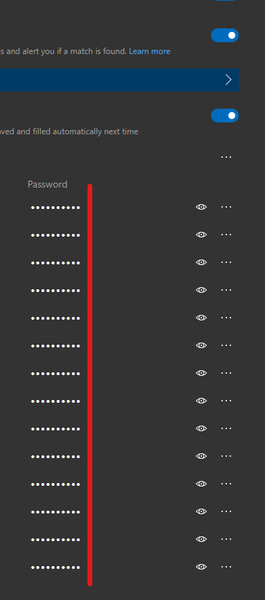
So in Edge password manager, you took care of this problem by showing a fixed number of stars to prevent unauthorized users from seeing the exact number of characters in each password. but the problem is, you can still see the total number of password characters when you go to each website. notice the upper password has 3 characters more and I checked and confirm that the number of stars correctly represent the number of characters in the unmasked password. and since an attacker can see the websites names in plain text in Edge password manager: edge://settings/passwords all they have to do is to go to that website, click on the username/password field to view the exact number of password characters. using Edge dev Version 87.0.664.8 (Official build) dev (64-bit) (also sent using feedback button on Edge)2.1KViews5likes5CommentsNew security feature: Passwords Length are now Hidden in Edge Password Manager
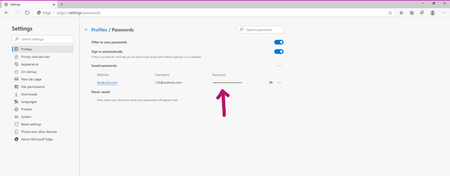
Microsoft Edge Version 83.0.474.0 (Official build) canary (64-bit) Now the Password Length is hidden in Edge browser's password manager: edge://settings/passwords Previously even if you couldn't see the characters, you could still see how long the password is: Now the Password Length is also hiddenSolved5.8KViews2likes11Comments